Unlock your full potential by mastering the most common Storyboarding and Pre-Visualization interview questions. This blog offers a deep dive into the critical topics, ensuring you’re not only prepared to answer but to excel. With these insights, you’ll approach your interview with clarity and confidence.
Questions Asked in Storyboarding and Pre-Visualization Interview
Q 1. Explain the difference between storyboarding and pre-visualization.
Storyboarding and pre-visualization are both crucial pre-production processes that help visualize a film or animation before shooting, but they differ in scope and detail. Think of storyboarding as a detailed comic book version of your script, focusing on the narrative and shot composition. Pre-visualization, on the other hand, is a more advanced, often 3D, representation that adds movement, lighting, and even basic animation to give a much closer approximation of the final product. Storyboarding is primarily about visual storytelling and blocking, while pre-vis aims for a more technically accurate representation, useful for planning complex shots and VFX.
For example, a storyboard might show a simple drawing of a character walking into a room, while a pre-visualization might show a 3D model of that character walking into a fully rendered 3D environment, with camera movement and lighting carefully considered.
Q 2. Describe your process for creating a storyboard from a script.
My process starts with a thorough reading of the script, identifying key scenes and moments of emotional impact. Then, I break down the script into individual scenes and shots, focusing on the action, dialogue, and character interactions within each segment. I create rough thumbnails to establish composition and camera angles before moving to detailed storyboards. I’ll use annotations to specify camera movement, lighting preferences, and character expressions to ensure visual clarity. Once complete, I review the storyboards alongside the script to ensure accuracy and visual flow. This iterative process often involves several revisions to refine the visual narrative.
For instance, if the script describes a tense confrontation scene, I’d consider using close-ups to highlight the characters’ emotions and over-the-shoulder shots to build suspense. The thumbnails will be rough, but already conveying the intended impact. The final storyboards would be more polished, with detailed character and environment sketches.
Q 3. How do you incorporate camera angles and movement in your storyboards?
Camera angles and movement are crucial elements in storytelling. I use camera angles to control the audience’s perspective, highlighting certain characters or objects while manipulating their emotional response. For example, a low-angle shot can make a character appear powerful, while a high-angle shot might make them seem vulnerable. Camera movement adds dynamism to the scene and creates visual interest. I’ll annotate the storyboards to clearly indicate camera pans, tilts, zooms, and tracking shots, often using arrows and specific notations.
In my storyboards, I use a system of shorthand notation. For instance, I might use a curved arrow to depict a slow pan, a straight arrow for a quick pan, and a circle with converging lines to indicate a zoom. This allows for clear communication with the director and cinematographer.
Q 4. How do you handle feedback and revisions on your storyboards?
Feedback and revisions are an essential part of the storyboarding process. I actively encourage input from directors, producers, and other stakeholders. I usually present my work in a clear, organized manner, often using digital presentation software. This allows for easy discussion and annotation. I then carefully review the feedback, prioritizing suggestions that enhance the storytelling or address potential technical challenges. I aim to be responsive and flexible, revising my storyboards until a consensus is reached. This iterative process often helps to achieve a shared artistic vision.
For example, if feedback indicates a scene lacks emotional impact, I might revise the camera angles or add visual elements to reinforce the intended feeling. I always maintain detailed records of changes to keep track of modifications and rationale.
Q 5. What software are you proficient in for storyboarding and pre-visualization?
I’m proficient in several industry-standard software applications for storyboarding and pre-visualization. These include Storyboard Pro, Toon Boom Harmony, and Adobe Photoshop. I also have experience using 3D software like Maya and Blender for more advanced pre-visualization tasks. My skillset allows me to adapt to various production pipelines and project needs. The choice of software depends on the project’s style, budget and complexity; sometimes a simple tool like Photoshop suffices, while other projects demand the power of a dedicated 3D package.
Q 6. How do you collaborate with directors and other team members?
Collaboration is key to effective storyboarding and pre-visualization. I maintain open communication with directors and other team members throughout the process. Regular meetings and presentations allow for timely feedback and efficient problem-solving. I actively listen to their perspectives and incorporate their insights into my work. I’m also comfortable presenting my ideas clearly and persuasively, explaining my artistic choices and justifying any design decisions. I firmly believe that a collaborative environment fosters the best results.
For example, I might work closely with the cinematographer to refine camera angles and movement, or with the art director to ensure consistency in visual style. This ensures that the storyboards align with the overall vision of the project.
Q 7. Describe your experience working with different storytelling styles.
I have experience working with a wide range of storytelling styles, from realistic dramas to stylized animations and fantastical adventures. My adaptability comes from a deep understanding of cinematic language and visual storytelling principles. Each style requires a different approach to storyboarding and pre-visualization. For instance, a realistic drama might require subtle camera movements and detailed character acting, while a stylized animation might necessitate bolder compositions and exaggerated character designs. I’m able to adjust my style to suit the project’s requirements and ensure visual consistency.
I’ve worked on projects ranging from gritty crime thrillers where realism was paramount, requiring nuanced storyboards and careful camera placement, to whimsical children’s animations where vibrant colors and dynamic composition were key. This diverse experience has allowed me to develop a flexible and adaptable approach.
Q 8. Explain your approach to designing action sequences in a storyboard.
Designing action sequences in storyboards requires a clear understanding of pacing, staging, and visual storytelling. My approach begins with breaking down the action into its core components: the setup, the confrontation, and the resolution. I then create a series of panels that visually represent these phases, focusing on clarity and readability. Each panel should tell a concise part of the story. I use arrows, annotations, and character poses to clearly illustrate movement, direction, and impact. For example, a fight scene might start with a wide shot establishing the environment, then transition to closer shots focusing on individual blows, punctuated by reaction shots to build tension and showcase the characters’ emotional responses. I heavily emphasize the use of visual shorthand – like motion lines, speed lines, and sound effects – to enhance the dynamism of the action.
I also consider the camera angles – high-angle shots can emphasize vulnerability, low-angle shots can suggest power, and eye-level shots can create a sense of intimacy. Finally, I’ll create variations, exploring different angles and approaches to ensure the best visual storytelling. This iterative process refines the action sequence, maximizing its impact and clarity for the audience and filmmakers.
Q 9. How do you convey emotion and character development in your storyboards?
Conveying emotion and character development in storyboards is crucial for establishing audience connection and engagement. I achieve this through careful consideration of character expression, body language, and the visual context. Facial expressions are paramount; I’ll use detailed sketches and annotations to specify the nuances of each character’s emotion – a slight frown, a tear in the eye, or a determined set of the jaw. Similarly, posture and body language – a slumped stance for defeat, a confident stride for power – communicate volumes without dialogue.
The visual environment also plays a critical role. A dimly lit room might suggest sadness or mystery, while a brightly colored setting might indicate joy or excitement. The use of color itself can be a powerful tool for communicating emotion; warm colors might evoke feelings of warmth and comfort, while cool colors can create a sense of distance or loneliness. I often create character studies beforehand, focusing on their key personality traits and emotional range, to guide my visual representation throughout the storyboard.
Furthermore, the way characters interact with their environment and each other provides a deeper understanding of their relationship and personalities. For instance, a character protectively holding something dear to them showcases their inner vulnerability. The key is to create a cohesive and consistent visual language that accurately reflects the emotional arcs of each character.
Q 10. Describe your process for creating a previs sequence.
My previs process is iterative and collaborative. It begins with a detailed review of the storyboard, script, and any other relevant materials. I then plan the shots, identifying key poses and camera movements. Next, I import the storyboard into my chosen 3D software (I’ll detail my software experience in the next answer). I begin blocking out the scene using basic shapes and geometry to establish the composition, camera angles, and general movement. This ‘rough blocking’ phase focuses on the overall structure and timing. I then refine the models and animation, adding more detail and polish to the scene. This might involve creating more realistic character models, environments, or props, depending on the project’s needs.
The animation is refined in stages, moving from rough key poses to smooth, polished animation. Throughout this process, I continually review and refine the previs based on feedback from the director, producers, and other team members. This ensures the final previs accurately represents the intended vision and addresses any technical or creative challenges that arise. The result is a moving, 3D representation of the final film, assisting in planning shots, budgeting, and visualizing complex action sequences.
Q 11. What is your experience with different previs software packages (e.g., Maya, 3ds Max)?
I have extensive experience with both Maya and 3ds Max, having used them for previs on numerous projects. Maya is my primary software due to its powerful animation tools and robust plugin ecosystem. I’m proficient in using Maya’s rigging system to create believable character movement and animation. I’m also familiar with its animation tools, particularly its keyframing and motion capture capabilities. 3ds Max, which I’ve used in the past, offers a different workflow that is better suited for some specific tasks, especially those involving environmental modelling and effects.
My experience extends to using these packages for more than just character animation. I’m comfortable working with cameras, lighting, and rendering, using these tools to create realistic and engaging previs sequences that accurately represent the final product’s look and feel. I’m also familiar with various pipeline tools and techniques to facilitate collaboration and smooth integration with other stages of production.
Q 12. How do you ensure consistency in style and pacing throughout a storyboard?
Maintaining consistency in style and pacing throughout a storyboard is achieved through meticulous planning and a keen eye for detail. Before starting, I establish a style guide that dictates the overall aesthetic, including character design, color palette, and panel layout. This guide serves as a reference point throughout the process, ensuring visual unity. Maintaining a consistent panel size and aspect ratio also helps achieve visual cohesion.
For pacing, I use a combination of techniques. Fast-paced action sequences are depicted using a greater number of smaller panels, while slower, more contemplative scenes use fewer, larger panels. I also pay close attention to the rhythm of the panels, avoiding a monotonous repetition of similar compositions. I use annotations to describe camera movements, such as ‘zoom in’ or ‘pan left,’ ensuring visual transitions are smooth and consistent. Regularly reviewing the entire storyboard, as it progresses, aids in catching any inconsistencies early on. This iterative approach helps maintain the desired style and pacing, ensuring a cohesive and engaging visual narrative.
Q 13. Describe a challenging storyboard project and how you overcame it.
One challenging project involved creating a previs sequence for a complex chase scene set in a dense, futuristic city. The scene required intricate vehicle movements, crowd simulation, and dynamic camera work, all within a short timeframe. The initial challenge was managing the complexity of the environment. Creating a detailed 3D model of the city would have been incredibly time-consuming. Therefore, I utilized modular city assets and procedural generation techniques to create a believable but efficient environment.
Another hurdle was coordinating the movement of multiple vehicles and characters realistically, all while maintaining the dynamism of the chase. To overcome this, I used a combination of pre-animated vehicle rigs and keyframe animation for the characters and other details. This allowed for fluid movement while keeping the previs within the allocated time and budget. Finally, I used Maya’s camera tools extensively to create dynamic camera movements which enhanced the scene’s tension and excitement. The final product received high praise for its seamless integration of animation and environment, successfully overcoming the initial complexities of the project.
Q 14. How do you balance artistic creativity with technical requirements in previs?
Balancing artistic creativity with technical requirements in previs is a constant juggling act, and a key aspect of my role. Artistic creativity drives the vision, but technical limitations often constrain its implementation. My approach is to first establish a clear creative vision through detailed storyboards and concepts. I then translate this into a technically feasible plan. This involves determining what’s possible within the given budget, software capabilities, and production timeline. Compromises often need to be made, but the goal is to maintain the artistic integrity as much as possible.
Open communication and collaboration are essential. Regular meetings with the director, animators, and other technical staff ensure everyone understands the creative goals and the technical constraints. We identify potential challenges early on, finding creative solutions together. For instance, if a complex animation is too demanding, we might simplify the shot or explore alternative techniques, like using motion capture or simplifying character geometry. The key is to maintain a flexible approach, constantly adapting to the changing landscape of the project, always striving for the best possible balance between artistic vision and technical reality.
Q 15. How do you create believable camera movements and shots in previs?
Creating believable camera movements in previs hinges on understanding cinematography principles and translating them into the 3D environment. It’s not just about making the camera move; it’s about conveying emotion and information through movement.
- Motion Planning: I begin by carefully considering the story. What feeling do we want to evoke? A slow, deliberate dolly shot builds tension, while a quick pan creates urgency. I storyboard these movements first, sketching the camera’s path and key frames.
- Camera Language: I utilize established camera techniques, such as the 180-degree rule, to maintain spatial coherence. Understanding shot types – establishing shots, close-ups, over-the-shoulder shots – is crucial for crafting a clear narrative.
- Software Implementation: In software like Maya or 3ds Max, I use tools like cameras and animation curves to implement the planned movements. I refine the movement through trial and error, paying close attention to the camera’s speed, acceleration, and smoothness. I often use references from actual films to guide my choices.
- Iteration and Refinement: Previs is an iterative process. I share my work with the director and other stakeholders, receiving feedback and making adjustments until the camera movements perfectly serve the story.
For example, in a scene depicting a tense chase, I might begin with a wide shot establishing the location, then use a series of dynamic, handheld-style camera movements to emphasize the chaos. Conversely, a romantic scene might utilize slow, smooth tracking shots to create intimacy.
Career Expert Tips:
- Ace those interviews! Prepare effectively by reviewing the Top 50 Most Common Interview Questions on ResumeGemini.
- Navigate your job search with confidence! Explore a wide range of Career Tips on ResumeGemini. Learn about common challenges and recommendations to overcome them.
- Craft the perfect resume! Master the Art of Resume Writing with ResumeGemini’s guide. Showcase your unique qualifications and achievements effectively.
- Don’t miss out on holiday savings! Build your dream resume with ResumeGemini’s ATS optimized templates.
Q 16. Explain your understanding of blocking and staging in storyboarding and previs.
Blocking and staging are fundamental to both storyboarding and previs, defining the character’s positions and movements within the scene to enhance narrative clarity and emotional impact. Think of it as directing a play on a stage.
- Blocking: This refers to the placement and movement of characters and objects within the frame. Effective blocking guides the viewer’s eye, emphasizes relationships between characters, and enhances the storytelling. It’s about creating visual dynamics and a flow of action.
- Staging: This involves arranging the elements within a shot to create a visually compelling and meaningful composition. It considers factors like line of sight, character proximity, and use of space to communicate subtext and emotional weight.
In my work, I use storyboards to initially sketch out the blocking and staging. Then, in previs, I translate these sketches into 3D space, refining character positions and camera angles to perfect the flow of action and the emotional impact of each shot. For instance, placing two characters side-by-side conveys camaraderie, while placing them diagonally can create tension.
Q 17. How do you integrate sound design into your storyboarding process?
Sound design plays a surprisingly significant role in storyboarding, even before any actual audio is recorded. It helps anticipate the mood and pacing of a scene, adding another layer to the storytelling.
- Mood and Atmosphere: I use simple annotations on my storyboards to indicate the general feel of the sound. For example, I might write ‘ominous music’ or ‘ambient city noise’ to communicate the desired atmosphere. This guides the sound designer later in the process.
- Pacing and Rhythm: The rhythm of the sound can match the rhythm of the visuals. Fast-paced action scenes call for intense sound effects, while slower, more dramatic scenes may benefit from subtle soundscapes.
- Sound Effects: I often sketch in simple symbols representing crucial sound effects, such as gunshots or footsteps, to help visualize the timing and impact of the action. This ensures that the sound effects complement the action.
- Collaboration: Early integration of sound ideas is crucial for seamless collaboration between storyboard artists, sound designers, and other creative teams. I often discuss the sound design vision with the sound team to ensure alignment and avoid any conflicting expectations.
By incorporating even basic sound ideas into storyboards, we avoid potential issues in later stages and ensure a more cohesive and engaging final product. It’s about creating a holistic experience, not just visuals in isolation.
Q 18. How do you manage time effectively when working on a storyboard or previs project?
Time management in storyboarding and previs is crucial, especially on large-scale projects. My approach involves a combination of planning, prioritization, and efficient workflows.
- Detailed Planning: I begin with a thorough understanding of the project scope, deadlines, and available resources. This includes breaking down the project into smaller, manageable tasks with realistic timelines. I use project management tools to track progress.
- Prioritization: Not all shots are created equal. I prioritize key scenes and focus on those first, ensuring the most crucial narrative moments are well-developed before moving onto supporting scenes.
- Efficient Workflow: I streamline my workflow by using efficient software, templates, and keyboard shortcuts. This minimizes wasted time on repetitive tasks. For instance, using hotkeys in a 3D program significantly accelerates the creation of camera movements in previs.
- Regular Reviews: Frequent reviews with the director and other stakeholders help ensure we’re on track and allows for timely adjustments before they become major problems. This feedback loop also serves as a check against scope creep.
A critical factor is realistic self-assessment. I avoid over-committing myself and am proactive about flagging potential delays. Open communication is essential to ensuring successful project delivery.
Q 19. How do you use storyboards and previs to improve the efficiency of a production?
Storyboards and previs significantly improve production efficiency by addressing potential problems and streamlining communication *before* costly filming or animation begins.
- Problem Identification: Storyboarding and previs expose potential issues such as complex camera setups, logistical challenges, or pacing problems early on, allowing for solutions to be implemented before production begins, saving time and money. For example, realizing that a particular shot requires an expensive crane during previs allows for exploration of alternative solutions.
- Improved Communication: They serve as a clear visual language for the entire team. Everyone from the director to the lighting technicians can understand the intended vision, reducing ambiguity and improving collaboration.
- Reduced Rework: By visualizing the scenes beforehand, we can eliminate the need for costly reshoots or animation revisions. The process itself essentially acts as a ‘test run’ for the production.
- More Accurate Budgeting and Scheduling: Previs allows for more accurate estimations of production time and costs, leading to better resource allocation and project management.
In essence, storyboards and previs act as a vital preventative measure, ensuring the production runs smoothly and efficiently, while achieving the artistic vision with minimal waste.
Q 20. What is your experience working within a pipeline for film, animation or games?
My experience spans various pipelines across film, animation, and games. I’ve worked within Agile and Waterfall methodologies, adapting my approach to the project’s needs.
- Film: On film projects, I’ve collaborated closely with directors of photography (DPs) to translate their vision into previs, ensuring seamless transitions between previs and the final shoot. This involves a deep understanding of camera techniques and lighting.
- Animation: In animation, my work focuses heavily on character animation and camera blocking, working with animators and modelers to ensure a smooth workflow and cohesive final product. Close collaboration with the layout artists is crucial for accurate environments.
- Games: Game development often requires a more iterative approach, with frequent feedback cycles and the need to adapt to evolving game mechanics. Previs in games often focuses on gameplay sequences and cinematic cutscenes.
- Software Proficiency: I’m proficient in industry-standard software like Maya, 3ds Max, and various compositing and editing packages. My understanding extends to asset pipelines and data exchange formats.
Throughout these various experiences, I’ve always prioritized efficient communication, clear feedback loops, and a flexible approach to problem-solving. I adapt my skills and workflows to the specific requirements of each project and client.
Q 21. Explain the importance of understanding the target audience in storyboarding.
Understanding the target audience is paramount in storyboarding, as it dictates the visual style, pacing, and narrative approach. Storyboards aren’t just for the production team; they are a crucial tool for understanding how the story will resonate with the intended viewers.
- Age and Demographics: The visual style and complexity of the storyboards would differ significantly for a children’s animated film compared to a mature drama. A younger audience might appreciate simpler visuals and a faster pace.
- Cultural Context: Visual cues and narrative elements need to be appropriate and relatable to the target culture. Certain imagery or storytelling tropes might be universally understood, while others might require adaptation based on the audience.
- Genre Expectations: Different genres have established visual conventions. A horror film will demand a different visual style than a romantic comedy, and storyboards must reflect these expectations to effectively engage the audience.
- Testing and Feedback: Ideally, storyboards should be tested with members of the target audience to gather feedback and ensure resonance before proceeding with full production. This iterative process helps refine the storytelling to maximize its impact on the intended viewers.
By carefully considering the target audience, we can create storyboards that not only convey the story effectively but also resonate emotionally with viewers, leading to a more successful and impactful final product.
Q 22. How do you communicate complex ideas through visual storytelling?
Communicating complex ideas visually hinges on simplifying information and focusing on the core narrative. Think of it like translating a dense scientific paper into a captivating short story. We achieve this through a combination of techniques:
- Visual Metaphors and Symbolism: Instead of directly depicting an abstract concept like ‘anxiety,’ we might show a character struggling under a heavy weight or surrounded by suffocating darkness. The image speaks volumes without needing lengthy exposition.
- Strategic Sequencing and Pacing: The order and duration of shots are crucial. A quick succession of shots can convey chaos, while slow, lingering shots might emphasize a character’s internal conflict. This visual rhythm is fundamental.
- Clear Character Design and Animation (if applicable): Characters should be instantly recognizable and their actions expressive. Even subtle animation cues can dramatically enhance understanding. For example, a slight tremor in a character’s hand could communicate fear more effectively than dialogue.
- Color Palette and Lighting: Color and light are powerful storytelling tools. A warm, inviting color palette can establish a sense of comfort, while cold, harsh lighting might create tension or foreboding.
- Composition and Framing: How we frame a shot dictates the viewer’s focus and understanding. A close-up emphasizes emotion, while a wide shot establishes context. Rule of thirds and leading lines further guide the eye and enhance storytelling.
For example, in a science fiction film, I might use a visually arresting image of a sprawling, futuristic city to convey the scale and ambition of the setting, rather than describing it with text.
Q 23. Describe your experience using storyboards to solve a design or production problem.
During a recent project for a historical drama, we faced a challenge staging a large-scale battle scene. The initial script described it abstractly, leading to uncertainty among the production team about scale, camera movement, and character placement. To solve this, I created a series of detailed storyboards. These storyboards not only depicted the main action beats but also incorporated annotations regarding camera angles (e.g., wide shots to showcase the army’s size, close-ups to highlight individual combat), special effects, and visual effects elements.
These storyboards were crucial in several ways:
- Pre-visualization of Complex Action: It allowed the director and cinematographer to visualize the choreography of the battle, making it easier to plan camera movements, lighting, and stunt work.
- Cost and Time Efficiency: By identifying potential problems early on, we avoided costly reshoots and delays.
- Improved Communication: The storyboards acted as a common language between the production team, ensuring that everyone was on the same page.
The end result was a far more coherent and visually striking battle scene than would have been possible without the meticulous storyboard planning.
Q 24. How do you stay current with the latest advancements in storyboarding and previs techniques?
Staying current in this dynamic field requires a multi-pronged approach:
- Industry Publications and Websites: I regularly follow publications like
Animation Magazineandbehance.netfor the latest trends and techniques. This keeps me abreast of new software, workflows, and stylistic approaches. - Workshops and Conferences: Attending workshops and conferences, both online and in-person, allows for direct interaction with leading artists and professionals. This offers unparalleled opportunities to learn new skills and network.
- Online Tutorials and Courses: Platforms like Skillshare, Udemy, and LinkedIn Learning provide excellent resources for improving technical skills and exploring new software like Toon Boom Harmony or Storyboard Pro.
- Networking and Collaboration: Engaging with other story artists through online communities and professional organizations helps stay informed about the latest industry trends and challenges.
- Experimentation and Personal Projects: I actively seek out personal projects to experiment with new styles, techniques, and software. This allows me to expand my skillset and build a diverse portfolio.
Q 25. How do you ensure your storyboards are clear, concise, and easy to understand?
Clarity, conciseness, and ease of understanding are paramount. I achieve this by:
- Simplicity and Cleanliness: I avoid unnecessary detail; the focus is on conveying the essential narrative beats clearly and efficiently. Overly complex drawings can distract from the story.
- Consistent Style and Layout: Using a consistent style and layout ensures uniformity and readability. The panels should be clearly labeled and the action described concisely using captions.
- Visual Hierarchy: Using visual cues like size, contrast, and position to emphasize important action and guide the reader’s eye through the panels.
- Annotation and Description: I provide clear, concise annotations describing camera angles, action, dialogue, and sound effects. This makes the storyboards easy for others to understand, regardless of their familiarity with the project.
- Feedback and Iteration: I always present my storyboards to stakeholders and solicit feedback to ensure that the story is communicated effectively and that any ambiguities are addressed.
Imagine a storyboard panel depicting a car chase. Instead of a complex, detailed drawing of the cars, I’d use simpler shapes to represent them, focusing on the movement and direction of the chase, accompanied by clear annotations.
Q 26. What are some common pitfalls to avoid when creating storyboards or previs?
Several common pitfalls can hinder the effectiveness of storyboards and previs:
- Lack of Planning and Pre-production: Rushing into storyboard creation without a clear understanding of the script, characters, and overall narrative leads to inconsistencies and inefficiencies.
- Overly Detailed Drawings: While detail is important, overly detailed drawings can be time-consuming and distract from the core narrative flow.
- Inconsistent Style and Layout: Lack of consistency in style and layout can confuse the viewer and make the storyboards harder to follow.
- Poor Communication: Insufficient annotation and unclear descriptions can make it difficult for others to understand the intended story.
- Ignoring Feedback: Failing to incorporate feedback from directors, producers, and other stakeholders can lead to a disconnect between the storyboard and the final product.
- Neglecting Sound and Music Considerations: Storyboards are more than just visual elements, they should also consider the timing of sound and music elements to enhance the emotional impact.
For instance, starting previs without a firm grasp on the final shots and desired cinematic style can result in wasted effort and time revising the pre-viz later.
Q 27. Explain your understanding of aspect ratios and their impact on storytelling.
Aspect ratio refers to the proportional relationship between the width and height of an image. Common aspect ratios include 16:9 (widescreen) and 4:3 (standard). The choice of aspect ratio significantly impacts storytelling:
- Widescreen (16:9): Offers a broader field of view, suitable for establishing shots, action sequences, and expansive landscapes. It can enhance a sense of scale and scope.
- Standard (4:3): Provides a more intimate and claustrophobic feel, often used for close-ups, character interactions, and scenes requiring a sense of confinement.
- Other Aspect Ratios (e.g., 2.39:1, 1.85:1): These cinematic aspect ratios are used to evoke specific moods and aesthetics, influencing the viewer’s emotional response.
For instance, a scene of a character feeling trapped might be more effectively conveyed using a 4:3 aspect ratio, whereas a grand battle scene might be better suited to a wider, more expansive 2.39:1 aspect ratio. The chosen aspect ratio can subtly (or dramatically) shift how the audience perceives a character’s emotional state and the overall narrative.
Q 28. Describe your experience working with live-action plates in previsualization.
Working with live-action plates in previsualization significantly enhances realism and accuracy. A live-action plate is a filmed sequence of real-world footage, typically filmed on location or on a set. In previsualization, we integrate CG elements into these plates to simulate the final look of a shot.
My experience involves using software like Maya and Nuke to composite CG elements into the live-action plates. This process helps with:
- Accurate Camera Matching: Using the live-action plates ensures the CG elements are properly integrated into the scene, avoiding inconsistencies in camera movement and perspective.
- Realistic Lighting and Shadows: The live-action footage provides realistic lighting and shadows that can be used as a reference for lighting the CG elements, resulting in a more cohesive and believable final product.
- Efficient Planning: Prevising with live-action plates allows for early identification of potential problems, such as camera movement restrictions or lighting challenges, saving time and resources later in production.
- Improved Communication: Previs with live-action plates provides a clear, tangible representation of the final shot, making it easier to communicate the vision to the director, producers, and other stakeholders.
For example, in a scene involving a spaceship landing on a rocky terrain, using a live-action plate of the terrain allows us to accurately integrate a CG spaceship, ensuring it interacts realistically with the environment, including shadows and lighting conditions.
Key Topics to Learn for Storyboarding and Pre-Visualization Interview
- Narrative Structure and Storytelling: Understanding how to effectively translate a script or concept into a visual narrative, considering pacing, character development, and emotional impact.
- Visual Communication Principles: Mastering composition, perspective, character design, and visual storytelling techniques to effectively communicate ideas through imagery.
- Software Proficiency: Demonstrating familiarity with industry-standard software such as Photoshop, Illustrator, and Storyboard Pro, showcasing practical application and efficiency.
- Pre-Visualization Techniques: Understanding the process of creating preliminary visuals, including animatics, and their role in planning and budgeting for a project.
- Collaboration and Communication: Highlighting experience in working effectively with directors, animators, and other team members to achieve a shared vision.
- Problem-Solving and Adaptability: Demonstrating the ability to tackle creative challenges, adapt to feedback, and efficiently resolve issues within a production pipeline.
- Style and Genre Understanding: Showcasing knowledge of various animation styles (e.g., 2D, 3D, stop-motion) and genres, and how to adapt your approach accordingly.
- Technical Aspects of Production: Understanding camera angles, shot composition, and timing in relation to the overall narrative and production workflow.
Next Steps
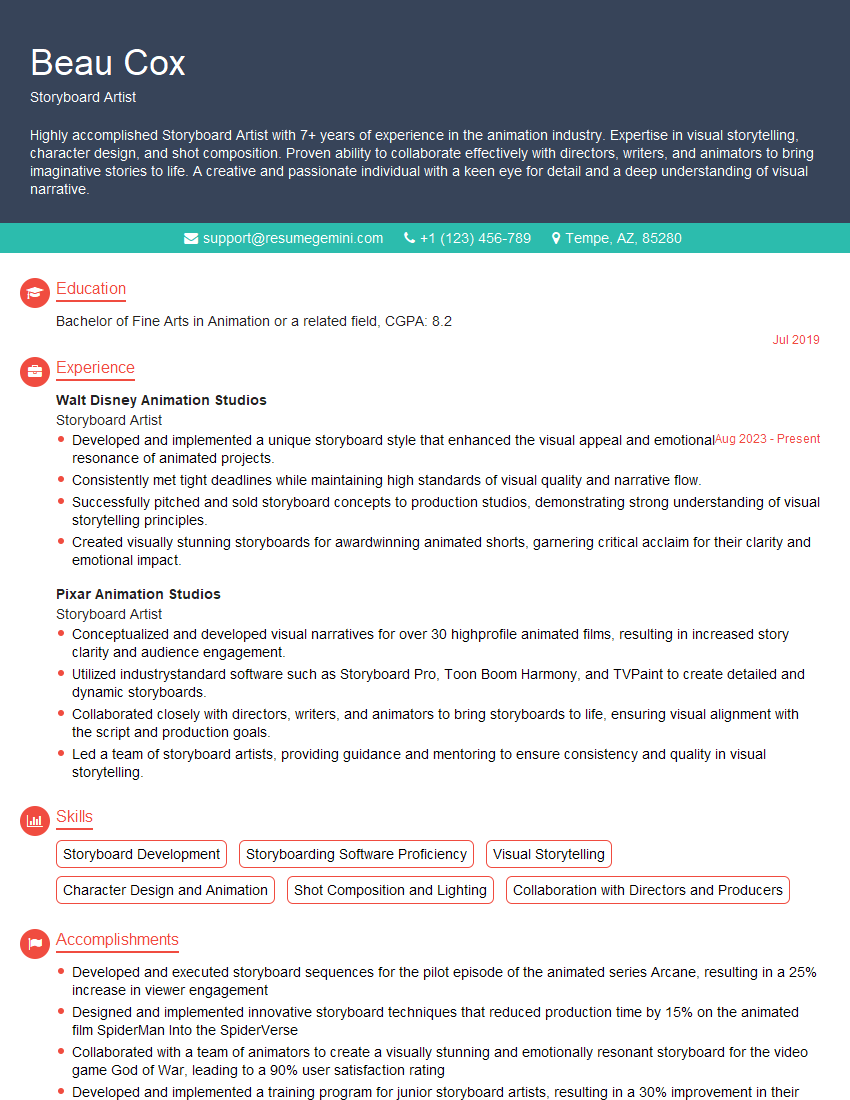
Mastering Storyboarding and Pre-Visualization is crucial for career advancement in animation, film, and game development. These skills are highly sought after, demonstrating your ability to visualize and communicate complex ideas clearly and effectively. To significantly boost your job prospects, creating a compelling and ATS-friendly resume is paramount. ResumeGemini is a trusted resource that can help you build a professional resume that highlights your skills and experience. ResumeGemini provides examples of resumes tailored to Storyboarding and Pre-Visualization roles, helping you present your qualifications in the best possible light. Take the next step towards your dream career – craft a standout resume today!
Explore more articles
Users Rating of Our Blogs
Share Your Experience
We value your feedback! Please rate our content and share your thoughts (optional).
What Readers Say About Our Blog
Very informative content, great job.
good