Unlock your full potential by mastering the most common Strong Technical Aptitude interview questions. This blog offers a deep dive into the critical topics, ensuring you’re not only prepared to answer but to excel. With these insights, you’ll approach your interview with clarity and confidence.
Questions Asked in Strong Technical Aptitude Interview
Q 1. Explain the difference between a stack and a queue.
Stacks and queues are both fundamental data structures used to store and manage collections of elements, but they differ significantly in how elements are accessed. Think of a stack like a stack of plates: you can only add (push) or remove (pop) plates from the top. This is known as Last-In, First-Out (LIFO) behavior. A queue, on the other hand, is like a line at a store: elements are added (enqueue) at the rear and removed (dequeue) from the front. This is First-In, First-Out (FIFO) behavior.
- Stack: LIFO. Imagine a call stack in a programming language; when a function calls another, it’s added to the stack. When the called function finishes, it’s removed from the stack. Undo/Redo functionality in applications often uses a stack.
- Queue: FIFO. Think of a printer queue; jobs are added to the back and processed in the order they arrived. Managing requests in a web server often involves using a queue to ensure fairness.
Here’s a simple Python example illustrating the difference:
import collections

stack = collections.deque()
stack.append(1)
stack.append(2)
stack.append(3)
print(stack.pop())  # Output: 3

queue = collections.deque()
queue.append(1)
queue.append(2)
queue.append(3)
print(queue.popleft()) # Output: 1
Q 2. Describe the concept of Big O notation and its importance in algorithm analysis.
Big O notation is a mathematical notation used to describe the performance or complexity of an algorithm. It describes how the runtime or space requirements of an algorithm grow as the input size grows. It doesn’t give you exact timings, but rather provides an upper bound on the growth rate, allowing for comparisons between algorithms. This is crucial for making informed decisions when choosing algorithms for a particular task, especially when dealing with large datasets.
For example, an algorithm with O(n) time complexity means that the runtime increases linearly with the input size (n). An algorithm with O(n2) time complexity means the runtime increases quadratically with the input size – a much faster increase. O(1) represents constant time complexity – the runtime remains constant regardless of input size.
Consider searching for an element in an unsorted array (O(n) – linear search) versus a sorted array (O(log n) – binary search). Binary search is significantly more efficient for large datasets because its runtime grows much slower as the input size increases. Understanding Big O helps us choose the algorithm that scales best for our needs.
#Example of O(n) - Linear Search
def linear_search(arr, target):
    for i in range(len(arr)):
        if arr[i] == target:
            return i
    return -1
Q 3. What are the advantages and disadvantages of using different database systems (e.g., relational vs. NoSQL)?
Relational databases (like MySQL, PostgreSQL) and NoSQL databases (like MongoDB, Cassandra) offer different approaches to data storage and management. The best choice depends on the specific application requirements.
- Relational Databases (SQL):
- Advantages: Data integrity through ACID properties (Atomicity, Consistency, Isolation, Durability), well-established standards (SQL), mature tools and ecosystem, excellent for complex queries and relationships between data.
- Disadvantages: Can be less scalable for massive datasets, schema rigidity can limit flexibility, often requires more upfront design.
- NoSQL Databases:
- Advantages: Highly scalable, flexible schema (schema-less), often better performance for high-volume read/write operations, suitable for large volumes of unstructured or semi-structured data.
- Disadvantages: Data consistency can be a challenge, complex queries can be more difficult, less mature tools and ecosystem in some cases.
Example: An e-commerce site with millions of products and user reviews might benefit from a NoSQL database for handling the high volume of data and flexible schema. A banking system requiring strict data integrity and complex financial transactions would be better suited for a relational database.
Q 4. How would you approach debugging a complex software issue?
Debugging a complex software issue involves a systematic approach. I would typically follow these steps:
- Reproduce the bug consistently: Understanding the exact steps to reproduce the bug is crucial. Detailed error messages and logs are invaluable.
- Isolate the problem: Try to narrow down the source of the bug. Divide and conquer techniques can be helpful – commenting out sections of code to see if the error persists.
- Use debugging tools: Debuggers (like GDB, pdb in Python) allow you to step through code line by line, inspect variables, and understand the program’s execution flow.
- Examine logs and error messages: Carefully analyze logs and error messages for clues about the issue. These often pinpoint the location and nature of the problem.
- Simplify the code (if possible): Creating a minimal reproducible example can help isolate the problem more easily.
- Use version control (Git): Version control helps track changes and revert to previous working versions if necessary.
- Collaborate and seek help: If the problem persists, collaborating with colleagues or seeking help from online communities can be effective.
Throughout the process, thorough documentation is key. Keeping track of steps taken, observations, and attempted solutions helps in efficient debugging and problem resolution.
Q 5. Explain the difference between synchronous and asynchronous programming.
Synchronous and asynchronous programming refer to how tasks are executed and how the program responds to them. In synchronous programming, tasks are executed one after another. The program waits for each task to complete before starting the next. Asynchronous programming, on the other hand, allows tasks to run concurrently; the program doesn’t wait for one task to finish before starting another. This often involves callbacks, promises, or async/await keywords.
- Synchronous Programming: Simple to understand and debug, but can be inefficient if tasks involve I/O operations (like network requests) that might take a significant amount of time. The program blocks until each I/O operation is complete.
- Asynchronous Programming: Improves efficiency by allowing concurrent execution of tasks, ideal for I/O-bound operations; however, it can be more complex to implement and debug due to the concurrent nature of the tasks. The program doesn’t block during I/O operations; it can continue with other tasks.
Example: Downloading multiple files synchronously would mean downloading one file completely before starting the next. Asynchronously, you could initiate multiple downloads simultaneously, significantly reducing the overall download time.
Q 6. What are some common design patterns, and when would you use them?
Design patterns are reusable solutions to common software design problems. They provide a blueprint for solving recurring challenges, promoting code reusability, maintainability, and readability. Some common design patterns include:
- Singleton: Ensures that only one instance of a class exists. Useful for managing resources like database connections or logging services.
- Factory: Creates objects without specifying their concrete class. Provides flexibility in object creation.
- Observer: Defines a one-to-many dependency between objects, where one object notifies its dependents of any state changes. Used in event handling and UI updates.
- Decorator: Dynamically adds responsibilities to an object without altering its structure. Useful for adding features to existing objects without modifying their core functionality.
- Strategy: Defines a family of algorithms, encapsulates each one, and makes them interchangeable. Allows for easy switching between different algorithms.
The choice of design pattern depends heavily on the specific problem and context. For instance, if I need to ensure only one instance of a logging service exists, the Singleton pattern is appropriate. If I need to add logging capabilities to different parts of my application without changing their base functionality, a Decorator pattern might be better.
Q 7. Describe your experience with version control systems like Git.
I have extensive experience with Git, using it daily for version control in my projects. I’m proficient in all core Git commands, including branching, merging, rebasing, cherry-picking, and resolving merge conflicts. I understand the importance of a well-structured Git workflow, typically employing a branching strategy like Gitflow or GitHub Flow, depending on project needs.
Beyond the basics, I’m familiar with using Git for collaborative development, managing remote repositories, using Git hooks for automation, and utilizing tools like GitHub or GitLab for project management and collaboration. I’ve used Git to track changes, manage different versions of code, collaborate with team members, and revert to previous states when needed. I’m comfortable using the command line interface and also familiar with various graphical Git clients. My experience with Git has been vital for managing codebases of varying complexity and ensuring efficient teamwork.
Q 8. How would you handle a conflict between two developers’ code?
Resolving code conflicts between developers requires a methodical approach prioritizing collaboration and clear communication. The first step is to understand the nature of the conflict. Is it a simple merge conflict (easily resolved using a version control system like Git), or a more significant disagreement in design or approach?
For simple merge conflicts, I’d utilize my version control system’s built-in merge tools. If the differences are minor, I can typically resolve them manually. For more complex conflicts, I’d encourage a discussion between the developers involved. This conversation should focus on understanding the rationale behind each developer’s code changes and finding a solution that respects both perspectives.
Sometimes a code review is necessary before merging. This helps identify potential problems early on. If the conflict stems from differing design choices, we’d discuss the pros and cons of each approach, possibly involving a senior developer or architect for guidance. The goal is to arrive at a unified, maintainable, and efficient solution. Documenting the decision-making process is also crucial for future reference and to ensure team-wide consistency.
In extreme cases where a consensus can’t be reached, a project lead or manager may need to make a final decision. But this should be the exception, not the rule. Ultimately, fostering a collaborative environment where developers feel comfortable communicating and sharing ideas is key to minimizing such conflicts.
Q 9. Explain the concept of RESTful APIs.
RESTful APIs (Representational State Transfer Application Programming Interfaces) are a architectural style for building web services. They utilize standard HTTP methods (GET, POST, PUT, DELETE) to interact with resources. Think of a resource as a piece of data, such as a customer record or a product listing.
Here’s a breakdown of key concepts:
- Resources: Represent data entities (e.g., /users, /products).
- HTTP Methods: GET (retrieve data), POST (create data), PUT (update data), DELETE (delete data).
- Statelessness: Each request contains all necessary information; the server doesn’t store client context between requests. This improves scalability and reliability.
- Client-Server Architecture: A clear separation between client and server.
- Cacheability: Responses can be cached to improve performance.
- Uniform Interface: Uses standard HTTP methods and consistent data formats (like JSON or XML).
Example: A GET request to /users/123 would retrieve the details of user with ID 123. A POST request to /products would create a new product. The response would usually include a status code (e.g., 200 OK, 404 Not Found) to indicate success or failure.
Q 10. What is the difference between a process and a thread?
Processes and threads are both ways of executing a program, but they differ in several key aspects:
- Process: An independent, self-contained execution environment. Each process has its own memory space, system resources, and security context. Creating a new process is relatively expensive in terms of system resources.
- Thread: A lightweight unit of execution within a process. Threads within the same process share the same memory space, making communication between them faster and easier. Creating a new thread is less resource-intensive than creating a new process.
Analogy: Imagine a factory (process). Each worker (thread) performs a specific task within the factory. Each worker shares the same tools and workspace, but they work independently on their assigned tasks. If you need a new task completed, adding a new worker (thread) is much faster and easier than building a whole new factory (process).
Key Differences Summarized:
- Memory Space: Processes have separate memory spaces; threads share the same memory space.
- Resource Usage: Processes consume more resources than threads.
- Communication: Inter-process communication (IPC) is more complex than inter-thread communication.
- Security: Processes offer better security isolation.
Q 11. Describe your experience with cloud computing platforms (e.g., AWS, Azure, GCP).
I have extensive experience with AWS (Amazon Web Services), having worked on several projects involving EC2 (for compute), S3 (for storage), RDS (for databases), and Lambda (for serverless functions). I’ve used these services to build and deploy highly scalable and reliable applications. For example, I designed a microservice architecture on AWS using Docker containers orchestrated by ECS (Elastic Container Service) to handle a high volume of concurrent users. This involved implementing auto-scaling to ensure the application could handle traffic spikes efficiently.
My experience extends to Azure as well. I’ve utilized Azure Functions for serverless computing and Azure Blob Storage for object storage. I’ve worked with Azure Kubernetes Service (AKS) to manage containerized applications in a similar manner to my AWS experience. I’m familiar with the core services of all three major providers, and I’m comfortable adapting my skills based on project needs and organizational preferences. The choice of platform often depends on existing infrastructure, cost considerations, and specific features needed for the project.
While I haven’t had as much hands-on experience with GCP (Google Cloud Platform), I am familiar with its core services and understand the architectural principles that are common across cloud platforms. I’m a quick learner and confident in my ability to quickly adapt to a new cloud environment.
Q 12. How would you design a scalable and reliable system?
Designing a scalable and reliable system involves careful consideration of several factors. It’s not just about choosing the right technology, but also about adopting the right architectural patterns and operational practices.
Key Principles:
- Modular Design: Break down the system into independent, reusable modules. This makes it easier to scale individual components and replace them as needed.
- Horizontal Scaling: Add more instances of the same component rather than scaling a single instance. This distributes the load and improves resilience.
- Load Balancing: Distribute incoming traffic across multiple instances to prevent any single instance from becoming overloaded.
- Redundancy: Implement backups and failovers to ensure that the system continues to function even if one or more components fail.
- Caching: Store frequently accessed data in a cache to reduce the load on the main database.
- Asynchronous Processing: Use message queues or task queues to process non-critical tasks in the background, improving overall responsiveness.
- Database Design: Choose a database that is well-suited to the application’s data model and anticipated scale. Consider using a NoSQL database for highly scalable, unstructured data.
Example: Imagine building a social media platform. A scalable architecture might use microservices (separate services for user authentication, newsfeed, messaging, etc.), horizontal scaling with load balancers to distribute traffic, and caching to speed up data retrieval.
Monitoring and Logging: Continuous monitoring is crucial. Logging helps in troubleshooting issues and improving system performance over time. Setting up alerts for critical events is also important.
Q 13. Explain the difference between TCP and UDP.
TCP (Transmission Control Protocol) and UDP (User Datagram Protocol) are both network protocols used to transmit data over the internet, but they differ significantly in their approach to reliability and performance:
- TCP: Connection-oriented, reliable protocol. It establishes a connection between sender and receiver before transmitting data, ensuring reliable delivery. TCP uses acknowledgments and retransmissions to handle packet loss. It’s slower but more reliable than UDP.
- UDP: Connectionless, unreliable protocol. It doesn’t establish a connection before transmitting data; packets are sent individually. There’s no guarantee of delivery or order. UDP is faster and more efficient than TCP but is suitable only for applications that can tolerate occasional data loss (e.g., streaming).
Analogy: Think of sending a letter (TCP) versus sending a postcard (UDP). A letter is reliable because it requires a return receipt; if it’s lost, you’ll know. A postcard is faster but might get lost without notification.
When to use which: TCP is suitable for applications where data integrity and reliability are paramount (e.g., file transfer, web browsing). UDP is suitable for applications where speed and efficiency are more important than reliability (e.g., online gaming, video streaming).
Q 14. What are some common security vulnerabilities, and how can they be mitigated?
Several common security vulnerabilities can compromise a system. Mitigating them requires a multi-layered approach involving secure coding practices, infrastructure security, and regular security assessments.
Common Vulnerabilities:
- SQL Injection: Malicious code is injected into database queries to manipulate or access data. Mitigation: Use parameterized queries or prepared statements.
- Cross-Site Scripting (XSS): Malicious scripts are injected into a website to steal user data or redirect them to malicious sites. Mitigation: Input validation, output encoding, and using a Content Security Policy (CSP).
- Cross-Site Request Forgery (CSRF): A user is tricked into performing unwanted actions on a website they are already authenticated to. Mitigation: Implementing anti-CSRF tokens.
- Denial-of-Service (DoS) Attacks: Overwhelming a system with traffic to make it unavailable. Mitigation: Implementing rate limiting, using a Web Application Firewall (WAF), and distributing the load.
- Insecure Authentication: Weak passwords or lack of multi-factor authentication. Mitigation: Strong password policies, multi-factor authentication, and secure password storage.
General Mitigation Strategies:
- Regular Security Audits: Conduct periodic security assessments to identify and address vulnerabilities.
- Keep Software Updated: Apply security patches promptly.
- Secure Configuration: Follow security best practices when configuring servers and applications.
- Principle of Least Privilege: Grant only necessary permissions to users and applications.
- Input Validation: Validate all user inputs to prevent malicious code injection.
Q 15. Describe your experience with testing methodologies (e.g., unit testing, integration testing).
Testing methodologies are crucial for ensuring software quality. My experience spans various levels, from unit testing, which focuses on individual components, to integration testing, which verifies the interaction between different components.
- Unit Testing: I extensively use unit testing frameworks like JUnit (Java) and pytest (Python) to write tests that isolate individual functions or classes. For instance, when developing a function to calculate the area of a circle, I’d write unit tests to check its accuracy with various radii, including edge cases like zero or negative values. This helps catch bugs early and improves maintainability. I adhere to best practices like the First Law of Test-Driven Development (TDD) – writing tests *before* writing the code itself.
- Integration Testing: After unit tests, I move to integration testing, ensuring that different modules work seamlessly together. This might involve testing the interaction between a database and a web service, for example. I often employ techniques like top-down or bottom-up integration to systematically verify interactions.
- Other Methodologies: My experience also extends to system testing (end-to-end testing), which validates the complete system against requirements, and user acceptance testing (UAT), where end-users verify the system meets their needs. I am familiar with various testing strategies, including black-box testing (testing the functionality without internal knowledge) and white-box testing (testing with internal knowledge of the system’s code).
Through consistent application of these methods, I’ve helped significantly reduce bugs and improve the overall reliability of the software I’ve worked on.
Career Expert Tips:
- Ace those interviews! Prepare effectively by reviewing the Top 50 Most Common Interview Questions on ResumeGemini.
- Navigate your job search with confidence! Explore a wide range of Career Tips on ResumeGemini. Learn about common challenges and recommendations to overcome them.
- Craft the perfect resume! Master the Art of Resume Writing with ResumeGemini’s guide. Showcase your unique qualifications and achievements effectively.
- Don’t miss out on holiday savings! Build your dream resume with ResumeGemini’s ATS optimized templates.
Q 16. How would you optimize the performance of a slow database query?
Optimizing a slow database query involves a systematic approach. It’s not a one-size-fits-all solution, but rather a process of investigation and refinement.
- Analyze the Query: Use your database system’s profiling tools (e.g.,
EXPLAIN PLANin Oracle,EXPLAINin MySQL) to understand how the database is executing the query. This will reveal bottlenecks, such as full table scans instead of index lookups. - Check Indexes: Ensure appropriate indexes exist on the columns used in the
WHEREclause of your query. Indexes speed up data retrieval significantly. However, excessive indexing can also slow down data insertion and updates, so careful consideration is necessary. - Optimize the Query Structure: Inefficient query structures can lead to performance problems. Look for opportunities to:
- Reduce the number of joins: Fewer joins usually mean faster execution.
- Use appropriate join types: Choose the most efficient join type (INNER JOIN, LEFT JOIN, etc.) for your specific needs.
- Limit the amount of data retrieved: Use the
LIMITclause (or its equivalent) to retrieve only the necessary data. Avoid selecting unnecessary columns. - Use subqueries judiciously: Subqueries can be slow; sometimes, joining tables directly is faster.
- Upgrade Hardware: In some cases, the database server itself might be underpowered. Increasing RAM or upgrading to a faster CPU might be necessary.
- Database Tuning: Configure database settings like buffer pools and memory allocation appropriately for your workload.
- Caching: Implement caching mechanisms to store frequently accessed data. This reduces the load on the database. Consider using a dedicated caching system like Redis or Memcached.
- Data Partitioning: For very large datasets, partitioning the data into smaller, manageable chunks can improve query performance.
By systematically addressing these areas, I’ve successfully optimized queries that initially took minutes to complete down to mere seconds, leading to a significant improvement in application responsiveness.
Q 17. Explain the concept of object-oriented programming.
Object-Oriented Programming (OOP) is a programming paradigm that organizes software design around data, or objects, rather than functions and logic. It’s like building with LEGOs – you have individual blocks (objects) with specific properties and behaviors that you can combine to create complex structures.
- Key Concepts:
- Abstraction: Hiding complex implementation details and showing only essential information to the user. Think of a car – you don’t need to know how the engine works to drive it.
- Encapsulation: Bundling data and methods that operate on that data within a single unit (the object). This protects data integrity and promotes modularity.
- Inheritance: Creating new classes (objects) based on existing ones, inheriting their properties and behaviors and adding new ones. This promotes code reuse and reduces redundancy. For example, a ‘SportsCar’ object can inherit from a ‘Car’ object.
- Polymorphism: The ability of objects of different classes to respond to the same method call in their own specific way. Imagine a ‘draw’ method: a ‘circle’ object might draw a circle, while a ‘square’ object would draw a square.
OOP promotes modularity, reusability, and maintainability of code. It’s widely used in large-scale software development where managing complexity is essential.
Q 18. What are some common data structures, and when would you use them?
Choosing the right data structure is critical for efficient program execution. The best choice depends on the specific task and how the data will be accessed.
- Arrays: Simple, contiguous data structures that provide fast access to elements using their index. Great for storing and accessing sequences of data.
- Linked Lists: Elements are not stored contiguously; each element points to the next. Efficient for insertions and deletions, but slower random access.
- Stacks: Follow the Last-In, First-Out (LIFO) principle. Useful for function calls, undo/redo operations, and expression evaluation.
- Queues: Follow the First-In, First-Out (FIFO) principle. Ideal for managing tasks in a waiting line or handling requests in a server.
- Trees: Hierarchical structures used for efficient searching and sorting. Binary trees, binary search trees, and AVL trees are common examples.
- Graphs: Represent relationships between nodes. Used in social networks, mapping applications, and network routing.
- Hash Tables (Hash Maps): Store data in key-value pairs, providing fast lookups using hash functions. Excellent for implementing dictionaries or caches.
For example, if I need to implement a system for managing a queue of incoming requests, a queue data structure would be ideal. If I’m building a search engine, a tree-based structure like a Trie might be suitable.
Q 19. Describe your experience with different programming languages.
I have extensive experience in several programming languages, each suited for different tasks. My proficiency includes:
- Java: My primary language for enterprise-level applications, leveraging its robustness, platform independence, and vast ecosystem of libraries.
- Python: I utilize Python for data science, machine learning, scripting, and rapid prototyping due to its readability and extensive libraries (NumPy, Pandas, Scikit-learn).
- C++: I use C++ for performance-critical applications where speed and low-level control are paramount, such as game development or embedded systems.
- JavaScript: Proficient in JavaScript for front-end web development, working with frameworks like React and Angular to build dynamic and interactive user interfaces. I also use Node.js for back-end development.
My experience extends to other languages, including SQL for database management and shell scripting for automation. This diverse skillset allows me to adapt to various project requirements and choose the most appropriate language for the task.
Q 20. How would you approach solving a problem that you haven’t encountered before?
When facing an unfamiliar problem, I employ a structured approach:
- Understand the Problem: This is crucial. I’ll ask clarifying questions to gain a thorough understanding of the problem’s scope, constraints, and desired outcomes. I might create a visual representation (diagram, flowchart) to help visualize the problem.
- Break Down the Problem: Decompose the larger problem into smaller, more manageable subproblems. This simplifies the task and makes it easier to address each part individually.
- Research and Explore Solutions: I’ll leverage online resources, documentation, and my network to research existing solutions or approaches to similar problems. This step often involves reviewing relevant literature and code examples.
- Experiment and Iterate: I start with a basic solution and iterate, refining it based on testing and feedback. This is a cyclical process of implementation, testing, and improvement.
- Seek Help When Needed: I’m not afraid to ask for help from colleagues or mentors when I’m stuck. Collaborating with others can lead to more creative and efficient solutions.
This methodical approach helps me tackle unfamiliar challenges effectively and efficiently, leveraging my existing skills and knowledge base while acquiring new ones in the process.
Q 21. Explain your experience with Agile development methodologies.
My experience with Agile methodologies centers around Scrum and Kanban. I’ve actively participated in various Agile projects, contributing to sprints, daily stand-ups, and retrospectives.
- Scrum: I’m adept at working within Scrum’s iterative framework, participating in sprint planning, daily stand-ups to track progress and address impediments, sprint reviews to demonstrate completed work, and sprint retrospectives to identify areas for improvement. I understand and appreciate the value of short iterations, continuous feedback, and adaptive planning.
- Kanban: I’ve also applied Kanban principles, visualizing workflow using Kanban boards and limiting work in progress (WIP) to improve efficiency and reduce bottlenecks. The focus on continuous flow and visualizing work helps in managing tasks effectively.
- Agile Principles: In all Agile projects, I emphasize collaboration, communication, and continuous improvement. I value the importance of working closely with stakeholders to ensure the product meets their needs and expectations. I am familiar with Agile ceremonies like backlog refinement, sprint planning, daily scrums, sprint reviews and retrospectives and have effectively used them in real projects.
Through my experience, I’ve observed that Agile significantly enhances team collaboration, project flexibility, and product quality. It’s a crucial methodology for navigating the complexities of modern software development.
Q 22. How would you handle a situation where you’re given conflicting requirements?
Conflicting requirements are a common challenge in software development. My approach involves a structured process to resolve them effectively. First, I’d meticulously document all conflicting requirements, identifying the source of each and any stakeholders involved. Then, I’d prioritize them based on business value and technical feasibility, perhaps using a MoSCoW method (Must have, Should have, Could have, Won’t have). This involves open communication with stakeholders to understand their priorities and rationale. Often, compromises are needed – perhaps a phased rollout, where some requirements are implemented later, or exploring alternative solutions that satisfy most requirements. Finally, I’d ensure all agreed-upon decisions are documented and communicated to the entire team to prevent future misunderstandings. For example, if a client wants both high performance *and* a very feature-rich application, which might conflict, I’d discuss trade-offs. Perhaps we prioritize core features for the initial release, focusing on performance, and then incrementally add features in later iterations.
Q 23. What are your strengths and weaknesses as a technical professional?
My greatest strength is my ability to quickly grasp complex technical concepts and apply them effectively to solve real-world problems. I’m a proactive learner, always seeking opportunities to expand my skillset. I thrive in collaborative environments and enjoy mentoring junior team members. One area I’m actively working on is improving my delegation skills. While I’m comfortable handling many tasks independently, learning to better delegate tasks will enhance team efficiency and allow me to focus on higher-level problem-solving. I see this as a crucial skill for growth into more senior roles where strategic decision-making is paramount. I’m actively addressing this by consciously delegating more tasks and providing thorough training and support to team members.
Q 24. Describe your experience working on a team project.
In a recent project developing a cloud-based data analytics platform, I worked as a lead developer on a team of five. We used Agile methodologies (Scrum) and practiced daily stand-ups for transparent communication. My role involved designing and implementing core components of the platform, code reviews, and mentoring junior developers. We faced a challenge when a critical dependency library experienced unexpected breaking changes. I quickly formed a small task force, focusing on mitigating the impact. We systematically investigated the changes, explored alternative libraries, and implemented a robust solution involving careful refactoring and extensive testing. This proactive approach ensured we met our deadlines without compromising the quality of the application. Success hinged on effective communication, collaborative problem-solving, and a commitment to shared goals. The project reinforced the importance of clear communication, proactive risk management, and the power of teamwork in tackling complex challenges.
Q 25. Explain the concept of software architecture.
Software architecture refers to the high-level design of a software system. It’s a blueprint that defines the structure, behavior, and interaction of various components. It’s crucial for building scalable, maintainable, and robust systems. A good architecture considers factors like scalability, security, maintainability, and performance. It typically involves defining modules, interfaces, data flows, and the overall system structure. Architectural patterns (like microservices, MVC) provide established guidelines for designing systems. For example, a microservices architecture decomposes an application into small, independent services, improving scalability and maintainability compared to a monolithic architecture. Choosing the right architecture is crucial, as it significantly impacts the system’s long-term success and is a critical consideration throughout the software development lifecycle.
Q 26. How familiar are you with different software development lifecycles?
I’m familiar with various software development lifecycles (SDLCs), including Agile (Scrum, Kanban), Waterfall, and DevOps. Agile methodologies, with their iterative and incremental approach, are my preferred choice for most projects, due to their flexibility and responsiveness to changing requirements. Waterfall, with its sequential phases, is suitable for projects with well-defined and stable requirements. DevOps emphasizes collaboration and automation throughout the SDLC, focusing on continuous integration and continuous delivery (CI/CD). The choice of SDLC depends on project specifics, such as project size, complexity, and client requirements. My experience includes successful implementation of both Agile and Waterfall methodologies, and I’m actively learning to integrate DevOps principles into my workflows. This involves learning tools for automation and continuous integration, such as Jenkins or GitLab CI.
Q 27. Describe a time you had to learn a new technology quickly.
During a project involving real-time data processing, we needed to integrate a new stream processing framework, Kafka, which none of us had prior experience with. I dedicated several days to immersing myself in Kafka’s documentation, online tutorials, and sample projects. I focused on understanding core concepts like topics, partitions, and consumers. I then created a small, self-contained prototype to test the integration with our existing system. This involved writing code to produce and consume messages, handling error scenarios, and ensuring data integrity. The rapid learning curve was challenging, but the hands-on approach enabled me to contribute effectively to the project within a short timeframe. This experience highlighted the importance of structured learning, hands-on practice, and the power of leveraging online resources for quick skill acquisition. Breaking down the learning into smaller, manageable tasks was key to my success.
Q 28. What are your career goals?
My career goals involve becoming a highly skilled and influential software architect. I aspire to lead the design and development of large-scale, complex systems, utilizing cutting-edge technologies. I want to contribute to building innovative and impactful solutions while mentoring and guiding other engineers. I’m particularly interested in the intersection of cloud computing, data analytics, and artificial intelligence, and I envision leading projects in these areas. Continuous learning is central to my career aspirations – I intend to pursue advanced certifications and stay abreast of the latest advancements in the field to maintain a leading edge in my expertise. My long-term goal is to contribute meaningfully to technological advancement and positively impact society through the innovative applications of technology.
Key Topics to Learn for Strong Technical Aptitude Interview
- Data Structures and Algorithms: Understanding fundamental data structures (arrays, linked lists, trees, graphs) and algorithms (searching, sorting, graph traversal) is crucial. Practice implementing these in your preferred programming language.
- Problem-Solving Techniques: Develop your ability to break down complex problems into smaller, manageable parts. Learn to identify patterns, devise efficient solutions, and analyze time and space complexity.
- Object-Oriented Programming (OOP) Principles: Master concepts like encapsulation, inheritance, polymorphism, and abstraction. Be prepared to discuss their practical applications and benefits in software design.
- Software Design Patterns: Familiarize yourself with common design patterns (e.g., Singleton, Factory, Observer) and understand when and how to apply them to create robust and maintainable software.
- System Design: For senior-level roles, be ready to discuss system design principles, scalability, and database considerations. Practice designing systems for specific use cases.
- Coding Proficiency: Demonstrate proficiency in at least one programming language relevant to the role. Practice writing clean, efficient, and well-documented code.
- Databases (SQL & NoSQL): Understand relational databases (SQL) and NoSQL databases (e.g., MongoDB, Cassandra). Practice writing queries and understanding database design principles.
- Testing and Debugging: Showcase your understanding of testing methodologies (unit, integration, system testing) and debugging techniques. Be prepared to discuss best practices.
Next Steps
Mastering strong technical aptitude is paramount for career advancement in the tech industry. It opens doors to higher-paying roles, increased responsibility, and exciting challenges. To maximize your job prospects, create an ATS-friendly resume that highlights your technical skills and accomplishments effectively. ResumeGemini can be a valuable tool to help you build a professional and impactful resume that gets noticed. We provide examples of resumes tailored to showcasing strong technical aptitude to help you get started. Invest in crafting a strong resume, and you’ll significantly increase your chances of landing your dream job.

Security Engineer Resume Sample

Data Analyst Resume Sample

Data Scientist Resume Sample

Software Engineer Resume Sample

Technical Project Manager Resume Sample

Network Engineer Resume Sample
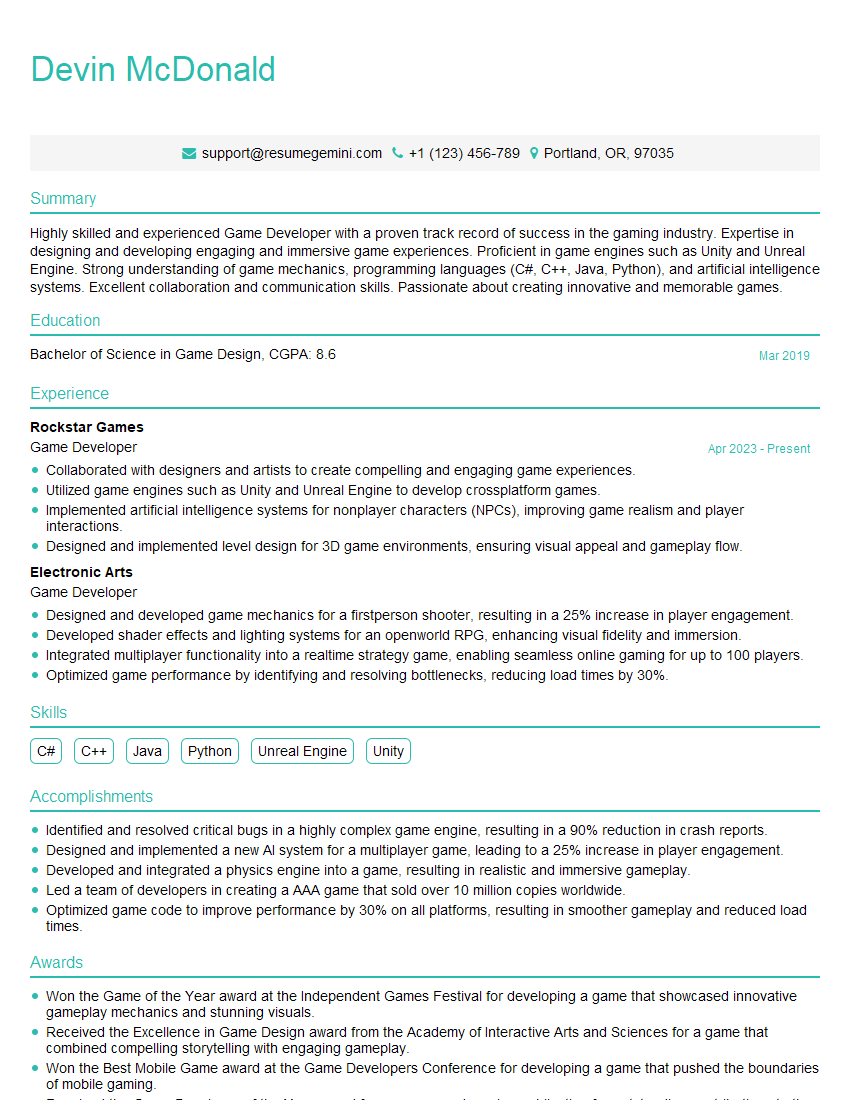
Game Developer Resume Sample

Solutions Architect Resume Sample

System Administrator Resume Sample
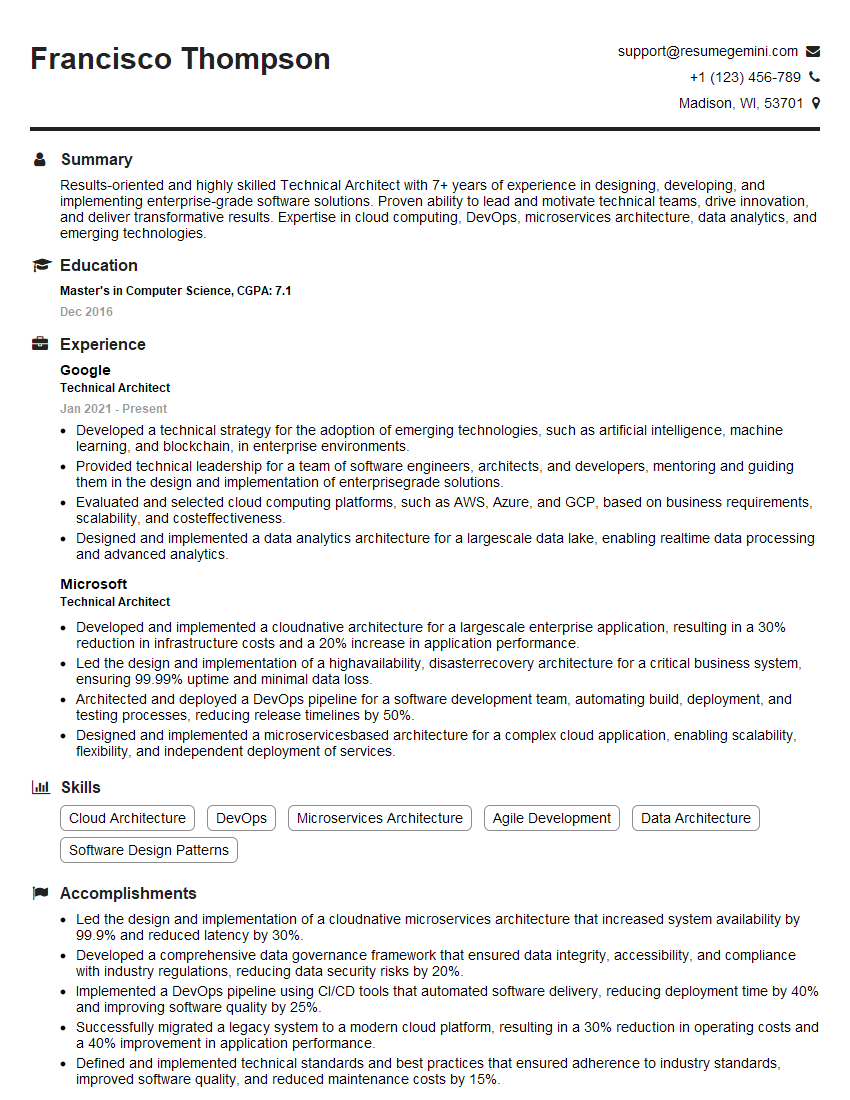
Technical Architect Resume Sample

Business Intelligence Analyst Resume Sample

IT Manager Resume Sample

Robotics Engineer Resume Sample

Technical Writer Resume Sample
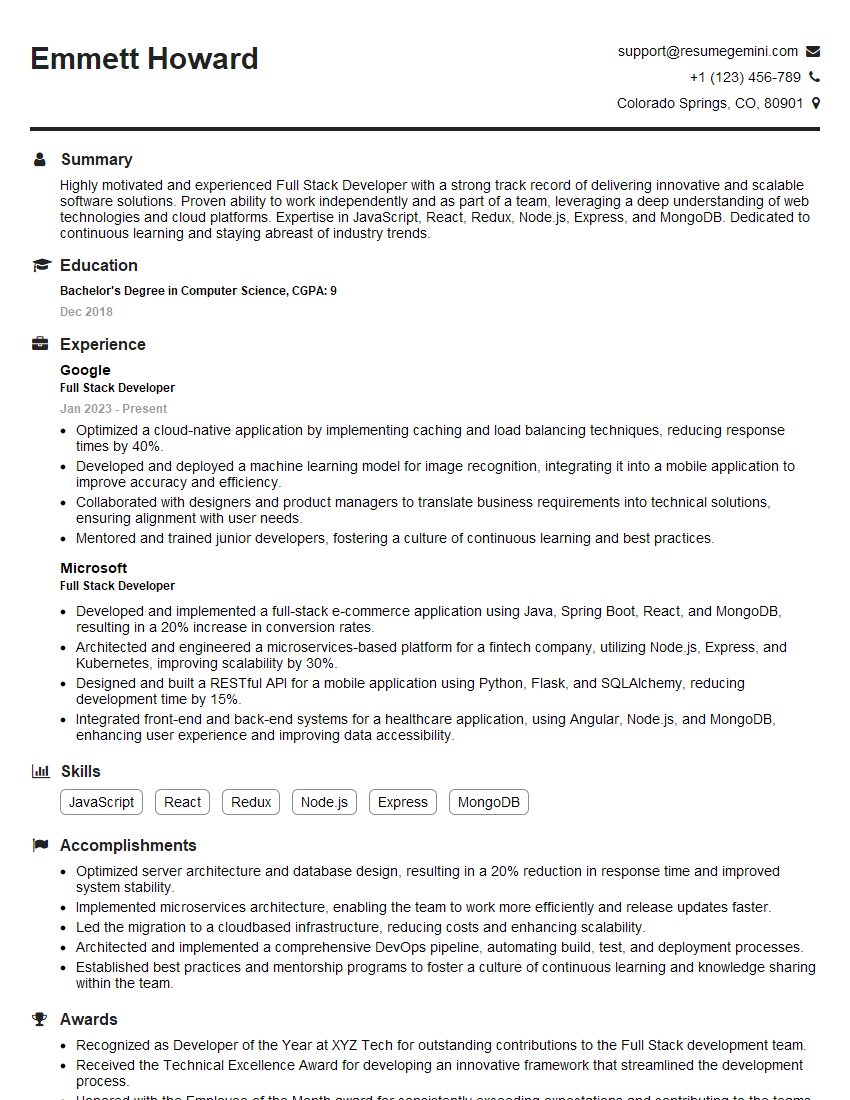
Full Stack Developer Resume Sample

Database Administrator Resume Sample
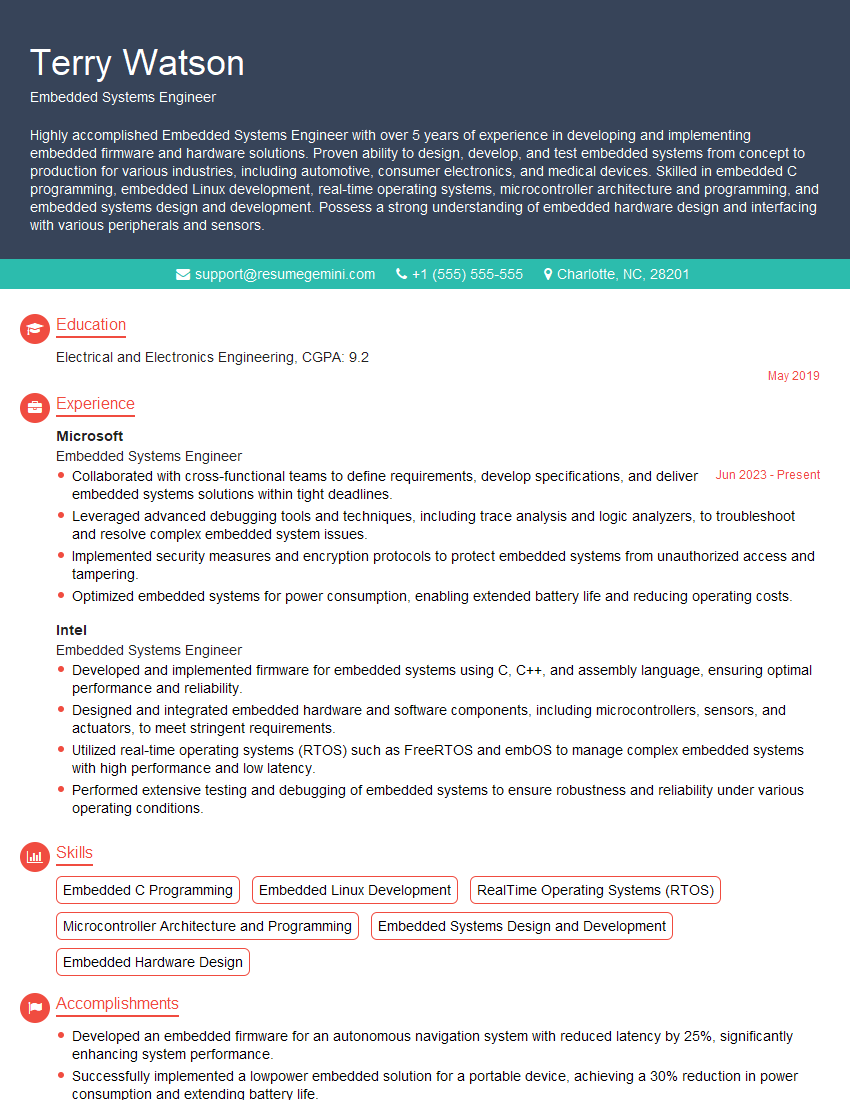
Embedded Systems Engineer Resume Sample
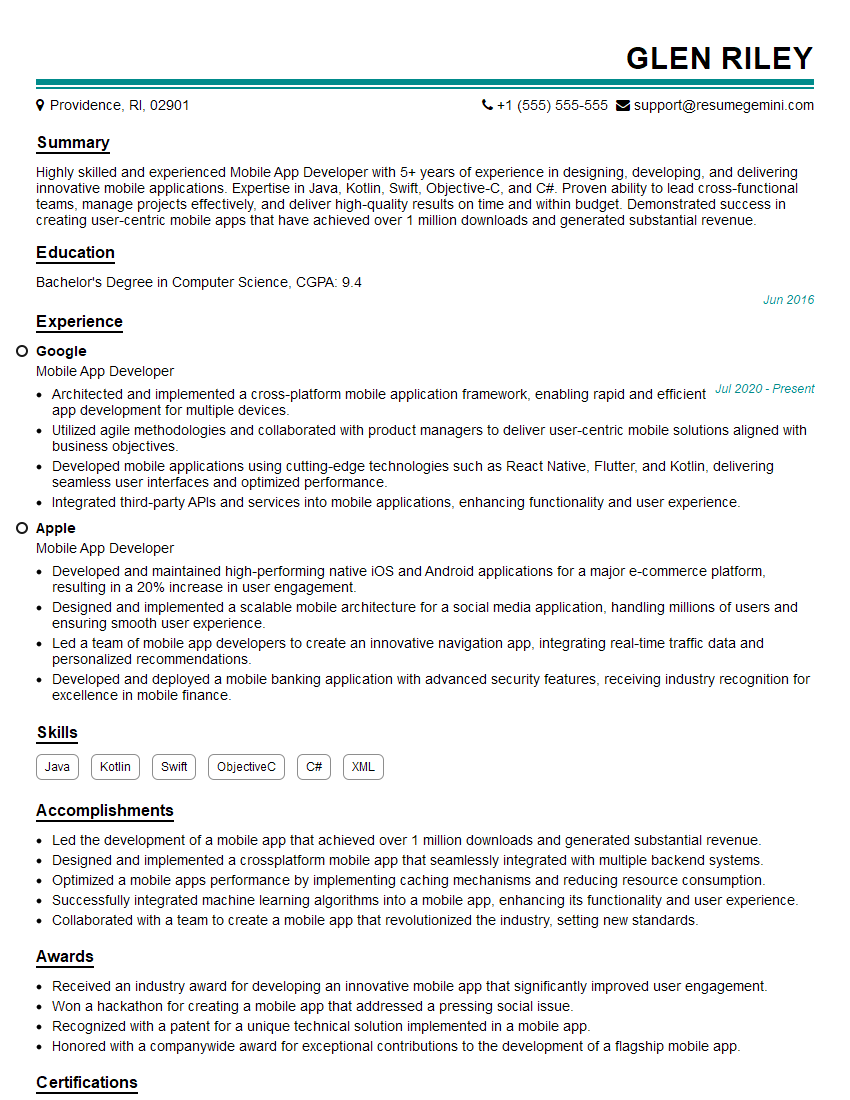
Mobile App Developer Resume Sample

DevOps Engineer Resume Sample

Cloud Architect Resume Sample

Machine Learning Engineer Resume Sample
- Security Engineer
- Data Analyst
- Data Scientist
- Software Engineer
- Technical Project Manager
- Network Engineer
- Game Developer
- Solutions Architect
- System Administrator
- Technical Architect
- Business Intelligence Analyst
- IT Manager
- Robotics Engineer
- Technical Writer
- Full Stack Developer
- Database Administrator
- Embedded Systems Engineer
- Mobile App Developer
- DevOps Engineer
- Cloud Architect
- Machine Learning Engineer
Explore more articles
Users Rating of Our Blogs
Share Your Experience
We value your feedback! Please rate our content and share your thoughts (optional).
What Readers Say About Our Blog
Very informative content, great job.
good