Interviews are more than just a Q&A session—they’re a chance to prove your worth. This blog dives into essential Studio Equipment Troubleshooting interview questions and expert tips to help you align your answers with what hiring managers are looking for. Start preparing to shine!
Questions Asked in Studio Equipment Troubleshooting Interview
Q 1. Describe your experience troubleshooting audio console issues.
Troubleshooting audio consoles involves a systematic approach. I start by visually inspecting the console for any obvious issues like loose cables, damaged connectors, or flickering lights. Then, I’ll check the power supply and ensure all input and output levels are within the acceptable range. I use a combination of signal tracing (following the signal path to identify the point of failure) and multimeter tests to pinpoint problems. For instance, if a specific channel is dead, I’ll check the gain staging on that channel, look for a tripped mute or solo switch, and even test the input and output jacks with a continuity tester. More complex issues might involve checking internal connections, potentially requiring the expertise of a qualified technician, but my experience allows me to often resolve problems quickly before needing that escalation.
For example, I once worked on a live concert where a crucial vocal channel suddenly went silent. Through careful signal tracing, I discovered a faulty preamp tube. Swapping it with a spare solved the problem in minutes, preventing a significant disruption to the performance. My familiarity with different console models and brands, from analog to digital, helps me rapidly identify and address the specific issues at hand.
Q 2. How do you diagnose and resolve microphone problems?
Diagnosing microphone problems requires a methodical approach. I begin by checking the most obvious things: is the microphone powered correctly? (phantom power, XLR cable, etc.). Is the gain set appropriately on the mixer? Is the microphone cable damaged or incorrectly connected? If a problem still persists, I systematically eliminate possibilities. I’ll try a different cable, a different microphone, and a different input channel on the audio console to isolate the faulty component. A faulty microphone might exhibit low output, static noise, feedback, or complete silence.
Sometimes, the issue isn’t the microphone itself, but rather the environment. Excessive background noise, proximity effect (bass buildup close to the microphone), or unwanted vibrations can negatively impact audio quality. Understanding these acoustic factors is critical to troubleshooting effectively. For example, if a microphone is picking up significant hum, I might investigate grounding issues or electromagnetic interference from nearby equipment.
Q 3. What are the common causes of video signal loss?
Video signal loss can stem from many sources. The problem could lie anywhere within the signal path: camera, cables, connections, switchers, monitors, or even the video format itself. I start by checking the most likely culprits first: cables and connections. Loose or damaged cables are a common cause of signal loss. I’ll visually inspect each cable and connector for any physical damage or loose connections. A simple wiggle test can often pinpoint intermittent problems.
Beyond cables, I’ll check the camera’s settings to make sure it’s outputting the correct signal and that the correct input is selected on the switcher or monitor. I’ll verify signal integrity at each point in the signal chain using a waveform monitor or vectorscope, which help display a clear image and spot potential distortions or dropout. Issues like incorrect video format settings, incompatible resolutions, or problems with the signal converters are also frequent causes for loss.
For instance, if only one specific camera is losing signal, I would suspect a problem with that camera or its direct cable connection. If the entire system loses the signal, I’d investigate the switcher, routing, or master output first.
Q 4. Explain your process for troubleshooting lighting equipment malfunctions.
Troubleshooting lighting equipment follows a safety-first approach. Always disconnect power before working on any electrical equipment. My process begins with a visual inspection: Are there any blown bulbs? Are there any loose connections or damaged cables? I’ll then check the power supply and ensure the correct voltage is reaching the equipment. I’ll examine circuit breakers and fuses to identify any blown components. Modern lighting systems often have integrated diagnostics, so checking their error logs can provide valuable clues.
Beyond the physical, I’ll check the lighting control console and ensure the correct channels are activated and that the dimmer settings are appropriate. I will use a multimeter to test the voltage and current at various points in the circuit to confirm power is being delivered correctly and that there are no shorts. Complex lighting setups may use DMX or other communication protocols, requiring me to check the signal integrity of these control systems. If a fixture isn’t working, I’d try swapping it with another similar fixture to differentiate whether the problem is with the fixture itself, or the control/power pathways.
Q 5. How familiar are you with various video formats and codecs?
I’m very familiar with a wide range of video formats and codecs, both compressed and uncompressed. My experience spans standard definition (SD) formats like NTSC and PAL, high definition (HD) formats such as 1080i, 1080p, and 720p, and newer formats like 4K and 8K. I understand the different characteristics of each and their implications on storage requirements, bandwidth, and visual quality. I’m proficient with various codecs, including H.264, H.265 (HEVC), ProRes, and DNxHD, understanding their compression algorithms, strengths, and weaknesses in different contexts.
Understanding these formats and codecs is crucial for selecting the appropriate settings for acquisition, editing, and distribution. Choosing the wrong codec or format can lead to excessive storage needs, poor video quality, or compatibility issues. For example, I’d select ProRes for high-quality editing and archival purposes, while H.264 might be more suitable for distribution over the internet due to its smaller file sizes.
Q 6. What experience do you have with network troubleshooting in a studio environment?
In a studio environment, network troubleshooting involves understanding the interplay of different network devices like switches, routers, and network interface cards (NICs). I’m proficient in using network diagnostic tools such as ping, traceroute, and ipconfig to identify network connectivity issues. I can troubleshoot network congestion, packet loss, and IP address conflicts. I’m familiar with various network protocols like TCP/IP and UDP, and their role in transmitting video and audio over a network.
My approach often involves first visually inspecting the network infrastructure, checking for loose or faulty cables and connectors. Then, I’ll use network monitoring tools to identify bottlenecks or points of failure within the network. For example, I might investigate bandwidth usage to see if congestion is affecting streaming capabilities or file transfer speeds. A recent experience involved troubleshooting a slow network connection during a live stream. I used network monitoring tools to identify a specific switch port as the bottleneck, which was easily resolved by replacing the faulty component.
Q 7. Describe your approach to resolving issues with studio monitoring systems.
Troubleshooting studio monitoring systems involves a systematic approach, starting with the most basic checks. First, I’d verify that the monitors are powered on and correctly connected to the audio interface or mixer. I’d then check the volume levels on the monitors and the audio interface, ensuring that the signal is not muted or attenuated too much. Issues might arise from improper calibration, incorrect gain staging, or damaged cabling. If there’s distortion or unusual noise, I’d explore possibilities such as clipping or electromagnetic interference.
If the problem persists, I might try swapping out cables, monitors, or even audio interfaces to isolate the faulty component. I’d utilize test tones and signal generators to identify any signal degradation or interference. In more complex setups that use digital audio workstations (DAWs), I’d delve into the DAW’s settings to check for any routing or processing issues that might affect the monitor signal. Addressing these issues effectively ensures clear and accurate monitoring, which is essential for high-quality audio production.
Q 8. How do you prioritize multiple equipment malfunctions simultaneously?
Prioritizing multiple equipment malfunctions requires a systematic approach. Think of it like a triage in a hospital – you address the most critical issues first. I use a two-step process: First, I assess the impact of each malfunction on the overall workflow. Is it preventing recording entirely? Is it impacting the audio or video quality significantly? Malfunctions that directly halt production get immediate attention. Second, I prioritize based on ease and speed of resolution. A simple cable issue takes precedence over a complex component failure that might require specialized tools or parts. For example, if a microphone is not working and a lighting issue is minor (like a slightly dimmer bulb), I fix the microphone first, as that stops the recording session. I then document all issues and their priority to prevent overlooking anything.
- Step 1: Impact Assessment – Determine the severity of each malfunction on the production process.
- Step 2: Resolution Time Assessment – Evaluate the time required to resolve each issue.
Q 9. What is your experience with different types of audio interfaces?
My experience with audio interfaces spans a wide range, from budget-friendly models like Focusrite Scarlett interfaces to high-end professional units such as Universal Audio Apollo interfaces. I’m familiar with various connection types including Thunderbolt, USB, and Firewire. I understand the importance of selecting an interface with appropriate preamps for different microphone types (condenser vs. dynamic) and the impact of different A/D and D/A converters on audio quality. I’ve personally troubleshot issues ranging from driver conflicts (often solved by updating drivers or reinstalling them) to hardware malfunctions like faulty preamps (requiring either repair or replacement). I even experienced a situation where an interface’s clock was causing jitter—a subtle timing inconsistency leading to audio artifacts. I had to meticulously check the interface’s settings, the sample rate settings in the DAW, and also ensure that the power source for the interface was stable.
Q 10. What is your experience with digital audio workstations (DAWs)?
I have extensive experience with various DAWs, including Pro Tools, Logic Pro X, Ableton Live, and Cubase. My expertise extends beyond basic recording and editing; I’m proficient in advanced techniques like mixing, mastering, MIDI sequencing, and automation. I understand the intricacies of different DAW architectures and their respective strengths and weaknesses. For instance, I know Pro Tools’ strength is in its stability and industry-standard workflow for larger studios, whereas Ableton excels in its live performance capabilities. I’ve troubleshot numerous DAW-related issues, from plugin conflicts and corrupted projects to latency issues and driver problems. A memorable instance involved recovering a crucial project file that was corrupted. By carefully utilizing the DAW’s built-in recovery tools and utilizing some third-party data recovery software, I managed to salvage most of the work.
Q 11. Explain your experience with camera systems and lens troubleshooting.
My experience with camera systems includes working with both DSLR and professional cinema cameras, from Canon EOS series to ARRI Alexa. I’m familiar with various lens mounts and their compatibility. Troubleshooting involves diagnosing issues like autofocus problems, image stabilization malfunctions, sensor errors, and lens malfunctions (like aperture issues, or focusing problems). I approach this systematically by first checking for obvious issues such as loose connections or power problems, then moving on to more complex diagnostics such as firmware updates, sensor cleaning, and calibrations. I even had to tackle a situation where a camera’s image sensor showed vertical lines, which was a tricky challenge. After many tests, I found it was caused by a defective component on the sensor board itself. We ended up having to replace the board.
Q 12. How would you troubleshoot a problem with a lighting grid?
Troubleshooting a lighting grid involves a methodical approach. First, I’d ensure the power supply is functioning correctly – checking breakers, fuses, and voltage levels. Then, I’d inspect the wiring for any loose connections, frayed cables, or short circuits. A multimeter is invaluable for this step. Next, I’d check individual fixtures; I’d work my way through the grid systematically, checking each light’s power, bulbs, and control system. If using a DMX system, I’d verify the DMX signal is properly transmitted and received by each fixture. If a problem persists with a specific light, I’d test it with a known-good power source and cable to isolate whether the issue is with the fixture itself or the control system/wiring. Documenting each step is crucial for efficient troubleshooting and future reference. Finally, I also check if any safety devices, such as circuit breakers, are tripping. For instance, a short circuit can result in a lighting fixture’s failure, and checking circuit breakers can help prevent a widespread power outage.
Q 13. What are your skills in repairing and maintaining studio equipment?
My skills in repairing and maintaining studio equipment are extensive, ranging from basic soldering and component replacement to more complex repairs involving circuit board diagnostics and calibration. I’m comfortable working with various tools including multimeters, oscilloscopes, and soldering irons. My experience includes repairing audio interfaces, microphones, lighting fixtures, and other studio peripherals. I follow safety protocols diligently and always prioritize safe practices. One of the most important skills is being able to diagnose the root cause of a failure, as this often requires careful observation of the symptoms and thoughtful testing. For example, I once repaired a damaged microphone that had a loose connection on the internal circuit board. A simple solder fix solved the issue.
Q 14. Describe your experience working with various types of studio software.
My experience with studio software encompasses a broad spectrum, from DAWs (as previously discussed) to specialized plugins for audio processing (EQ, compression, reverb), video editing software (Adobe Premiere Pro, DaVinci Resolve), and even 3D modeling software (Blender). I understand the workflows and capabilities of each software type and can effectively troubleshoot issues related to compatibility, plugin conflicts, and software errors. Furthermore, I’m also familiar with networking software for studio setups, and software related to managing audio and video streams.
Q 15. How familiar are you with safety protocols in a studio environment?
Safety is paramount in a studio environment. My familiarity encompasses a wide range of protocols, from basic electrical safety—like understanding grounding and properly using power distribution—to more specific procedures for handling heavy equipment and managing potential hazards like tripping hazards from cables. I’m thoroughly trained in emergency procedures, including knowing the location of fire extinguishers, emergency exits, and first-aid kits. I also understand the importance of adhering to lockout/tagout procedures when working with power equipment to prevent accidental energization. For example, before working on any power supply, I always ensure it’s completely disconnected and tagged out, preventing accidental electrocution. I am also familiar with the proper handling of chemicals and solvents used for cleaning equipment, always ensuring proper ventilation and using personal protective equipment (PPE) like gloves and eye protection.
Career Expert Tips:
- Ace those interviews! Prepare effectively by reviewing the Top 50 Most Common Interview Questions on ResumeGemini.
- Navigate your job search with confidence! Explore a wide range of Career Tips on ResumeGemini. Learn about common challenges and recommendations to overcome them.
- Craft the perfect resume! Master the Art of Resume Writing with ResumeGemini’s guide. Showcase your unique qualifications and achievements effectively.
- Don’t miss out on holiday savings! Build your dream resume with ResumeGemini’s ATS optimized templates.
Q 16. How do you document troubleshooting procedures and solutions?
I meticulously document troubleshooting procedures and solutions using a combination of methods to ensure clarity and easy retrieval. I maintain a detailed log in a shared digital database, including dates, times, equipment involved, the initial problem description, the steps taken to diagnose the issue, the solution implemented, and any preventative measures taken to avoid future recurrences. This database allows for efficient searching and knowledge sharing among the team. In addition to this database, I often include comprehensive notes within the equipment’s own maintenance log or directly on the equipment itself (e.g., using labels) for quick reference. For complex issues, I utilize flowcharts and diagrams to visually illustrate the troubleshooting process, making it easier for others to understand and replicate. I also make use of screenshots and photographic documentation where appropriate.
Q 17. How do you stay up-to-date with new studio equipment and technologies?
Staying current in this rapidly evolving field requires a multi-pronged approach. I regularly subscribe to industry publications, both print and online, like those focusing on broadcast technology and post-production. I actively participate in professional organizations and attend webinars and conferences to learn about the latest advancements in studio equipment and technology. Online forums and communities are also invaluable sources for learning about real-world troubleshooting scenarios and new product releases. Hands-on experience is crucial, so I actively seek opportunities to work with new equipment whenever possible. For example, if a new camera system is introduced, I actively seek training and practical experience to ensure I’m competent in troubleshooting and operating it.
Q 18. Explain your problem-solving approach when dealing with complex technical problems.
My problem-solving approach follows a systematic process. First, I thoroughly define the problem. This involves carefully listening to the user’s description, observing the issue firsthand, and gathering as much information as possible, including error messages. Next, I perform a visual inspection of the equipment to identify any obvious problems like loose connections or damaged components. Then, I consult relevant documentation, including manuals, schematics, and previous troubleshooting logs. If the problem persists, I employ a methodical process of elimination, testing individual components to isolate the fault. I might use signal tracing tools or specialized testing equipment. If necessary, I’ll consult with colleagues or manufacturers for support. Once the problem is identified and solved, I document the process completely for future reference. For example, I recently tackled a complex issue with a non-linear editor where certain effects weren’t rendering correctly. After thorough inspection and testing, I discovered the problem stemmed from a corrupted project file, necessitating a project rebuild. This experience underlined the importance of regular backups.
Q 19. Describe your experience with different types of video switchers.
My experience encompasses a variety of video switchers, ranging from small, compact production switchers suitable for smaller productions to large-scale, multi-format switchers used in major broadcast facilities. I am proficient with both hardware and software-based switchers, understanding their functionalities, including control protocols, routing capabilities, and the integration of other studio equipment. I’ve worked with switchers from various manufacturers such as Blackmagic Design (ATEM series), Ross Video (Vision series), and Grass Valley (Kayenne series), each with its own strengths and nuances. For example, I’m adept at using the ATEM’s macro functionality for automated transitions and the Ross Vision’s advanced routing matrix for complex signal management. This wide exposure allows me to readily adapt to different equipment and handle a wide array of switching scenarios, from simple cuts to sophisticated transitions and effects.
Q 20. How would you troubleshoot a problem with a studio intercom system?
Troubleshooting a studio intercom system requires a systematic approach. First, I’d identify which part of the system is malfunctioning – is it a specific headset, a particular panel, or the entire network? Next, I would check the obvious things: power connections, cabling integrity (looking for loose or damaged wires), and the overall system configuration. I’d then use test equipment such as a multimeter to check for voltage and continuity in the cabling. I’d also check the audio levels and settings on each panel and headset. Software-based intercom systems would also require checking the network connectivity and server status. If the problem is with a specific headset, I’d test it with a known-good panel. If the problem is a network issue, I’d check the network switch for any errors or overloaded ports. A common issue is improper grounding, so I would check the system’s grounding connections for correct installation. Documentation of the intercom system’s topology and configuration is essential in this type of troubleshooting.
Q 21. What are your skills in reading and interpreting technical diagrams and schematics?
I possess a strong ability to read and interpret technical diagrams and schematics, a crucial skill for effective troubleshooting. I understand various types of diagrams, including block diagrams, wiring diagrams, and circuit schematics, allowing me to visualize the signal flow and identify potential points of failure. My understanding of electronic symbols and conventions enables me to trace signals and understand how different components interact within a system. For instance, I can use a circuit schematic to understand the power supply circuitry of a camera, which is vital for troubleshooting power-related problems. My ability to interpret schematics is not just theoretical; it’s a practical skill I routinely use to diagnose and repair faulty equipment. I find that translating these complex diagrams into simpler visual representations, like hand-drawn sketches, can also improve my understanding and allow me to explain issues effectively to others.
Q 22. Explain your experience with preventive maintenance on studio equipment.
Preventive maintenance is crucial for ensuring the longevity and reliable performance of studio equipment. It’s like regular servicing your car – catching small issues before they become major problems. My approach involves a multi-faceted strategy encompassing regular cleaning, cable inspections, firmware updates, and functional testing.
- Cleaning: Dust accumulation is a silent killer of electronics. I meticulously clean all equipment, paying close attention to cooling vents and internal components (where accessible). This prevents overheating and potential malfunctions.
- Cable Checks: Loose or damaged cables are a common source of intermittent failures. I visually inspect all cables for fraying, cracks, or loose connections, replacing any suspect cables proactively.
- Firmware Updates: Manufacturers frequently release firmware updates that address bugs, improve performance, and add new features. Staying current with these updates is key to optimizing equipment and avoiding compatibility issues.
- Functional Testing: This involves regularly testing all equipment, running through all functionalities to identify any subtle degradation in performance before it impacts a broadcast. For example, I’d run a full audio sweep on a mixing console, or test all inputs and outputs on a camera.
For instance, during a recent project, regular cleaning of a video switcher prevented overheating that would have caused unexpected shutdowns during a critical live event.
Q 23. How would you handle a situation where multiple pieces of equipment fail during a live broadcast?
A multiple equipment failure during a live broadcast is a high-pressure situation demanding immediate, decisive action. My approach relies on a structured problem-solving method focusing on minimizing disruption and ensuring a smooth broadcast recovery.
- Assess the Situation: Quickly identify which systems are down and the impact on the broadcast (e.g., audio out, video feed lost, etc.).
- Prioritize: Determine which system failure is causing the most significant disruption. Fix the most critical issue first.
- Utilize Redundancy (if available): If the setup incorporates redundant systems, switch to the backup immediately. This is the most effective way to minimize downtime.
- Troubleshooting: For non-redundant systems, initiate immediate troubleshooting. This might involve checking power, cables, and simple settings adjustments. Sometimes, it’s as simple as a power cycle.
- Communication: Simultaneously, communicate clearly and concisely with the on-air talent and production team, updating them on the situation and estimated resolution time. Avoid technical jargon – instead use plain language to keep them informed.
- Problem Solving/Workarounds: If the immediate fix is impossible, implement creative workarounds. This might involve switching to a backup camera, using a simpler audio setup, or even temporarily altering the broadcast format.
- Post-Incident Analysis: After the broadcast, perform a thorough analysis to understand the cause of the multiple failures. This may involve testing individual equipment and investigating potential environmental factors.
In one instance, a sudden power surge affected multiple pieces of equipment. By swiftly switching to our backup generator and systematically troubleshooting individual systems, we managed to minimize broadcast disruption to under 5 minutes.
Q 24. Describe your experience with setting up and configuring studio equipment.
Setting up and configuring studio equipment requires meticulous attention to detail, a strong understanding of signal flow, and expertise in various technologies. It’s like building a complex puzzle where every piece is essential.
- Planning and Design: The process starts with a clear understanding of the broadcast requirements. This involves studying the layout, identifying equipment needs, and planning the signal flow.
- Racking and Cabling: I carefully rack-mount equipment, ensuring proper ventilation and cable management. This is crucial for preventing overheating and improving signal quality.
- Configuration and Testing: Each piece of equipment needs to be configured according to specifications. This involves setting up IP addresses, audio levels, video resolutions, and other parameters. Thorough testing after each configuration step is vital.
- Integration and Optimization: After setting up individual components, I integrate them, ensuring seamless signal flow between all devices. This involves adjusting settings to optimize performance and address compatibility issues.
For example, I recently set up a new multi-camera live-streaming studio, involving integration of cameras, audio mixers, switchers, and encoding software. Proper planning, meticulous cabling, and thorough testing ensured a smooth and successful launch.
Q 25. What types of testing equipment are you familiar with using?
I’m proficient in using a range of testing equipment, vital for troubleshooting and ensuring optimal performance. These tools provide precise measurements and diagnostics.
- Multimeters: Essential for measuring voltage, current, and resistance. I use them to check power supply, identify short circuits, and test continuity in cables.
- Oscilloscope: Used to analyze waveforms, essential for identifying signal integrity issues in audio and video signals. This is crucial for detecting signal noise or distortion.
- Audio Analyzers: These help accurately measure audio levels, frequency response, and distortion. This is critical for ensuring quality and avoiding issues like clipping or feedback.
- Signal Generators: Used to generate test signals to verify functionality and identify signal path problems.
- Spectrum Analyzers: For more advanced troubleshooting, these analyze the frequency spectrum of signals, crucial for identifying interference and identifying the source of unwanted noise.
For example, using an oscilloscope, I recently pinpointed a faulty capacitor in a microphone preamplifier causing a high-frequency hum.
Q 26. How do you communicate technical information clearly and concisely to non-technical staff?
Effective communication is key to bridging the gap between technical and non-technical staff. I focus on clarity, simplicity, and visualization.
- Avoid Jargon: I avoid using technical terms that non-technical staff might not understand. Instead, I use plain language and analogies to explain complex concepts.
- Visual Aids: Diagrams, flowcharts, and even simple sketches are effective tools to illustrate technical information visually. A picture is worth a thousand words.
- Step-by-Step Explanations: I break down technical procedures into simple, easy-to-follow steps. This approach makes complex tasks less intimidating.
- Active Listening and Feedback: I listen carefully to ensure the audience understands, asking clarifying questions and actively seeking feedback to confirm comprehension.
For example, when explaining a network problem to a non-technical producer, I’d explain it as a ‘traffic jam’ on the network, showing a simple diagram of the network flow to illustrate the issue.
Q 27. Describe your experience working under pressure in a fast-paced studio environment.
Working under pressure in a fast-paced studio environment is commonplace. My experience has equipped me with the skills and mindset to thrive under such conditions.
- Prioritization and Time Management: I’m skilled at prioritizing tasks based on urgency and impact, ensuring that critical issues are addressed first. Time management is essential to keep everything running smoothly.
- Problem-Solving Under Pressure: I approach problems calmly and methodically, breaking them down into smaller, manageable steps. This helps avoid feeling overwhelmed.
- Adaptability and Flexibility: In a live environment, things change rapidly. I’m adaptable and able to respond quickly and effectively to unexpected issues or changes in plans.
- Teamwork and Collaboration: Collaboration is key in a studio setting. I work well with others, sharing information effectively and supporting colleagues during high-pressure situations.
During a recent live music event, a crucial audio input suddenly failed just before the show started. By quickly diagnosing the problem as a faulty cable and replacing it, we avoided any significant disruption to the broadcast.
Q 28. How would you determine the root cause of a recurring equipment malfunction?
Identifying the root cause of a recurring equipment malfunction requires a systematic approach combining observation, testing, and analysis.
- Document the Issue: Precisely document when, how, and under what conditions the malfunction occurs. The more detail, the better.
- Reproduce the Problem: If possible, attempt to reproduce the malfunction under controlled conditions. This allows for more focused testing.
- Isolate the Problem: Systematically eliminate potential causes. Start by checking the most obvious factors, such as power supply, cables, and settings.
- Targeted Testing: Use appropriate testing equipment (as discussed earlier) to perform detailed analysis of the suspected component or system. This might involve checking voltage levels, signal integrity, or other relevant parameters.
- Consult Documentation: Refer to manuals, schematics, and online resources to gain a deeper understanding of the equipment’s operation and identify potential failure points.
- Seek Expert Advice: If unable to identify the root cause, consult with manufacturer support or other experienced technicians. Collaboration is important.
For example, a recurring audio dropout was traced to a faulty connector on a sound card using an oscilloscope to detect intermittent signal interruptions. Replacing the connector resolved the problem permanently.
Key Topics to Learn for Studio Equipment Troubleshooting Interview
- Audio Troubleshooting: Understanding common audio issues like hum, buzz, distortion, and signal loss. Practical application: Diagnosing and resolving problems in a live recording or broadcast environment.
- Video Troubleshooting: Identifying and fixing issues with video signal, resolution, color balance, and picture quality. Practical application: Troubleshooting a malfunctioning camera or video switcher in a studio setting.
- Lighting Troubleshooting: Diagnosing and resolving problems with lighting fixtures, including bulb failures, dimmer issues, and power supply problems. Practical application: Maintaining optimal lighting for a film shoot or television production.
- Networking and Connectivity: Understanding network protocols and troubleshooting connectivity issues between studio equipment. Practical application: Resolving network latency issues impacting live streaming or video conferencing.
- Preventive Maintenance: Understanding the importance of regular equipment checks and preventative maintenance procedures to minimize downtime. Practical application: Implementing a schedule for regular equipment inspections and cleaning.
- Safety Procedures: Familiarizing yourself with safety regulations and procedures related to handling studio equipment, including power sources and electrical safety. Practical application: Following safety guidelines when working with high-voltage equipment.
- Software Troubleshooting: Understanding common software glitches related to studio control systems, audio editing software, and video editing software. Practical application: Resolving software crashes or errors that interrupt workflow.
- Problem-Solving Methodologies: Developing a systematic approach to troubleshooting, including identifying the problem, testing hypotheses, and implementing solutions. Practical application: Using a structured troubleshooting methodology to efficiently resolve complex technical issues.
Next Steps
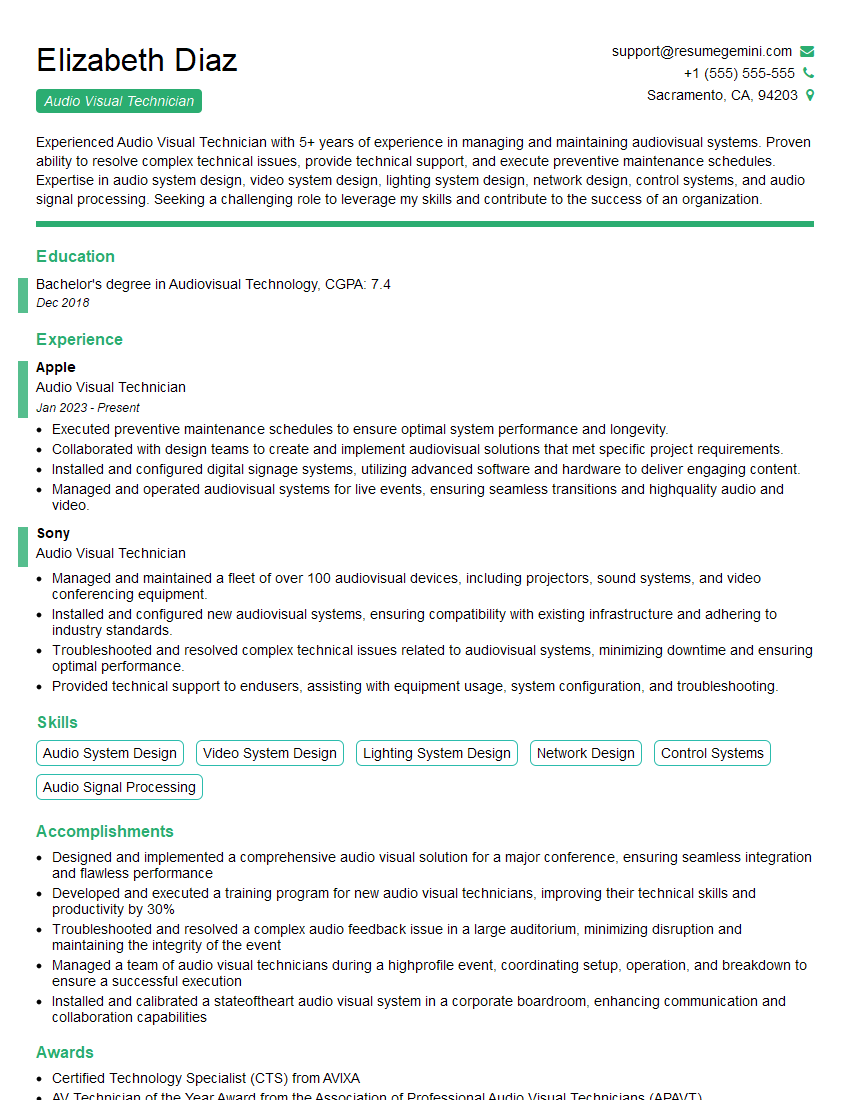
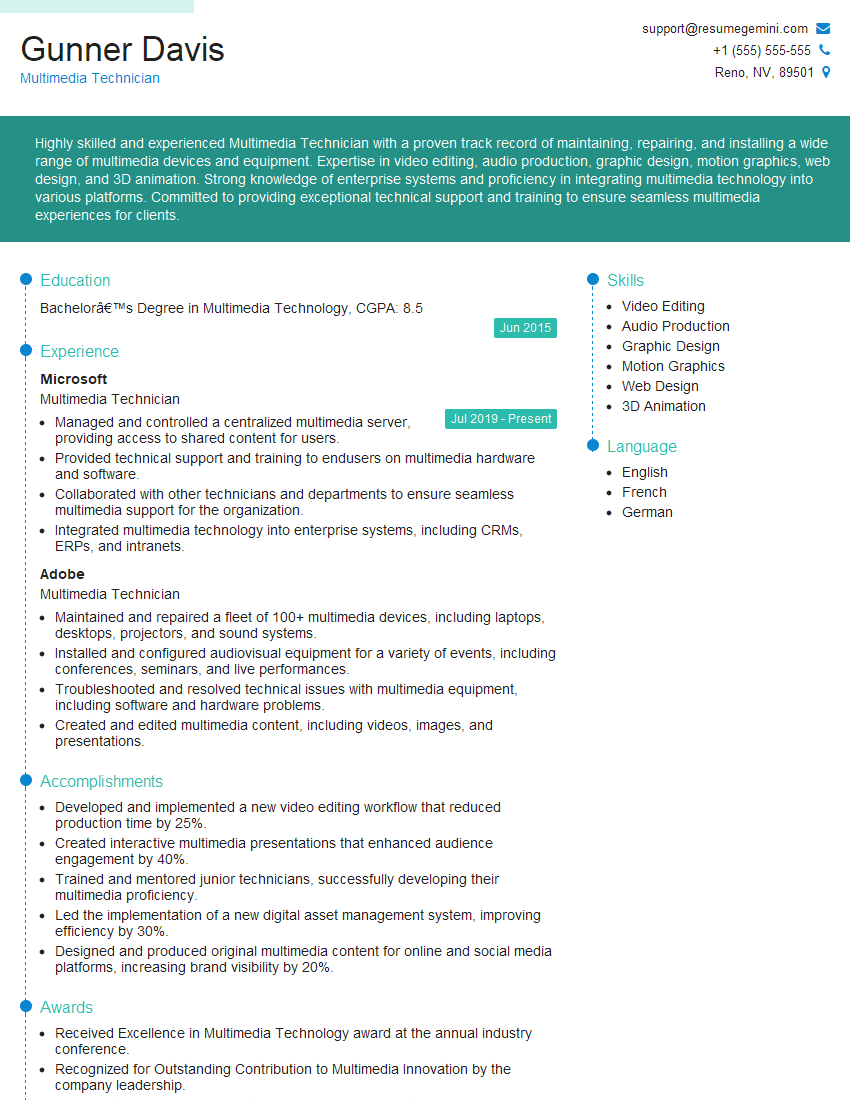
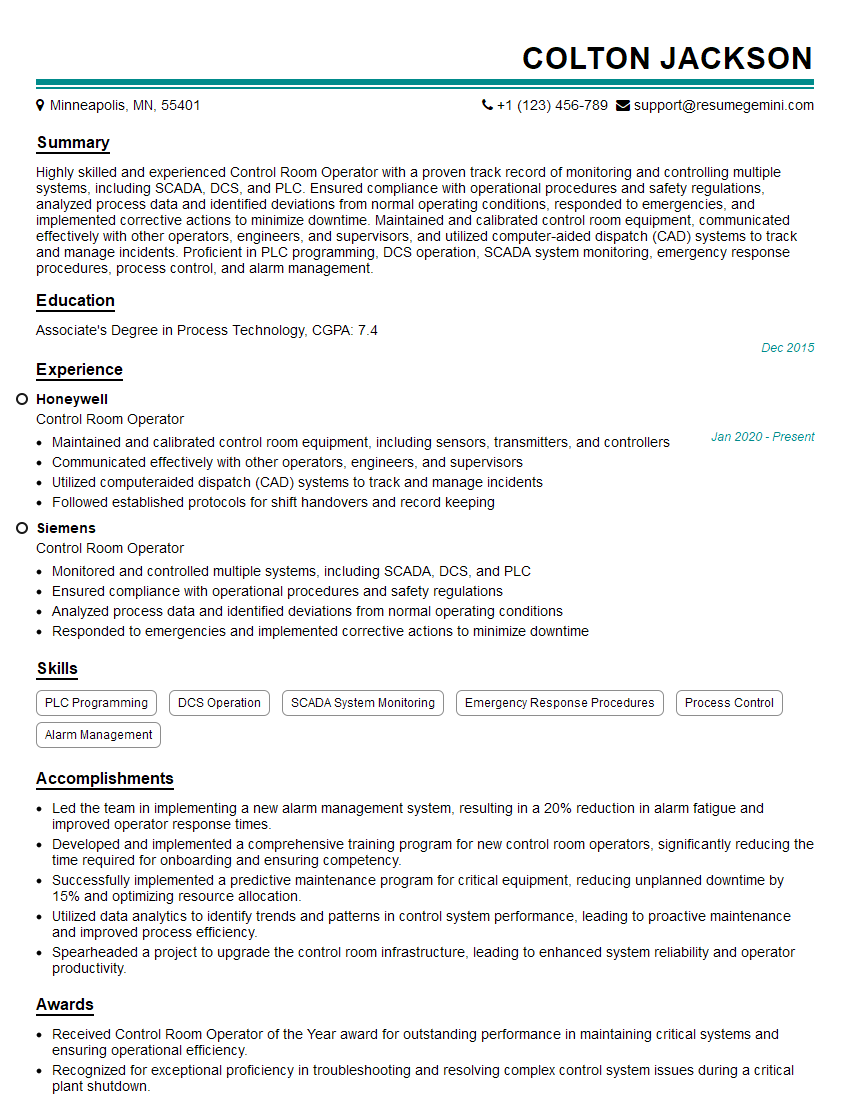
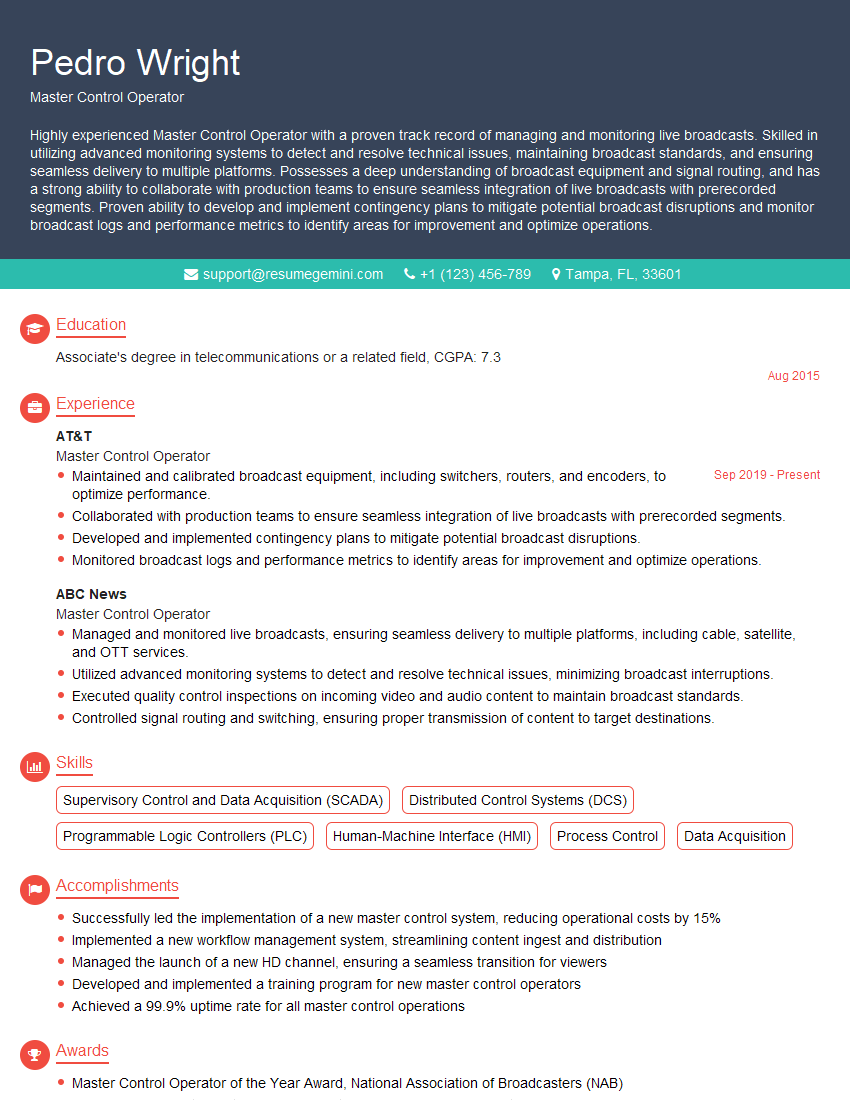
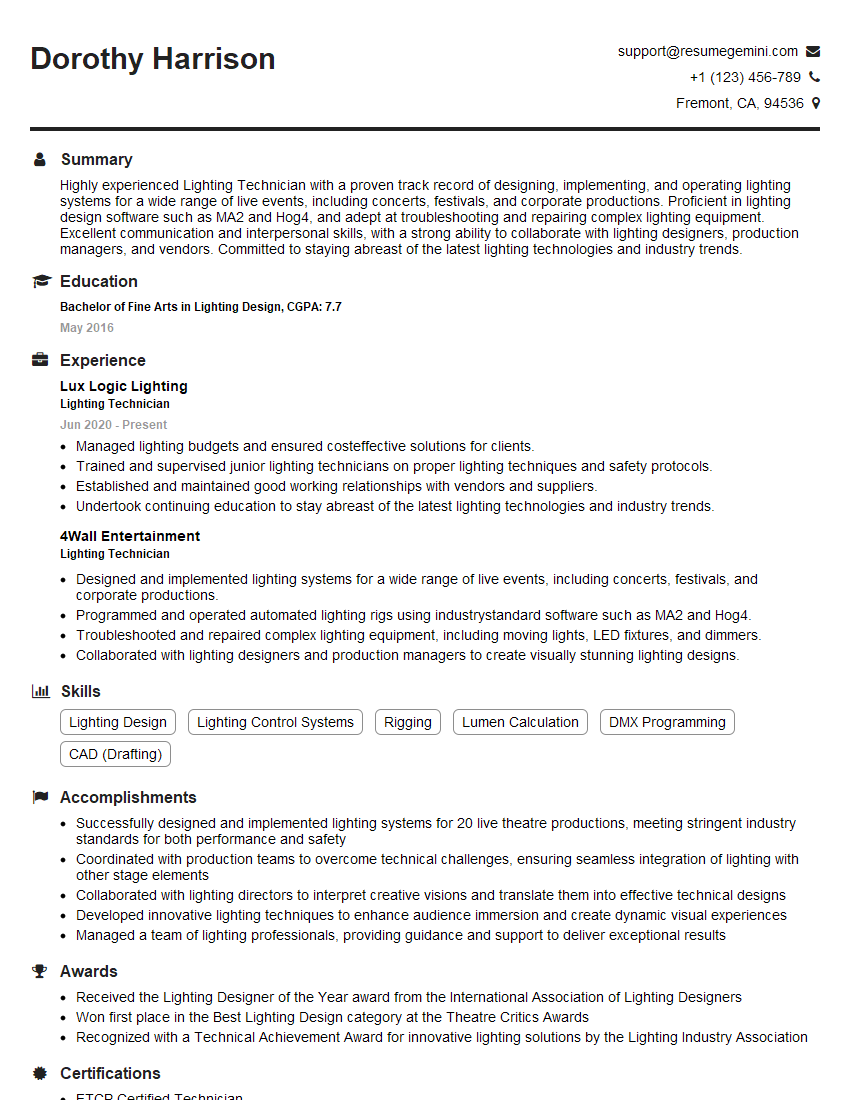
Mastering Studio Equipment Troubleshooting is crucial for career advancement in the dynamic media and entertainment industry. Proficiency in this area demonstrates valuable problem-solving skills and technical expertise, significantly increasing your job prospects. To enhance your chances of securing your dream role, it’s vital to create an ATS-friendly resume that highlights your skills and experience effectively. We strongly encourage you to leverage ResumeGemini, a trusted resource, to craft a professional and impactful resume. ResumeGemini offers examples of resumes tailored specifically to Studio Equipment Troubleshooting, providing you with valuable templates and guidance to showcase your qualifications effectively.


Explore more articles
Users Rating of Our Blogs
Share Your Experience
We value your feedback! Please rate our content and share your thoughts (optional).
What Readers Say About Our Blog
Very informative content, great job.
good