Are you ready to stand out in your next interview? Understanding and preparing for Studio Setup and Management interview questions is a game-changer. In this blog, we’ve compiled key questions and expert advice to help you showcase your skills with confidence and precision. Let’s get started on your journey to acing the interview.
Questions Asked in Studio Setup and Management Interview
Q 1. What experience do you have with setting up lighting for various filming scenarios?
Lighting is fundamental to creating the right mood and visual appeal in any filming scenario. My experience spans various styles, from the soft, diffused light of an intimate interview to the dramatic, high-contrast lighting of a music video. I consider the subject, the desired aesthetic, and the available space when designing a lighting plan.
For example, in a product shoot, I would use a three-point lighting system: a key light (main light source), a fill light (softening shadows), and a backlight (separating the subject from the background). For a dramatic scene, I might utilize chiaroscuro lighting, playing with strong contrasts to create a sense of mystery or tension. I’m proficient with both natural and artificial light sources, understanding how to use reflectors, diffusers, and gels to modify the light to achieve the desired effect.
I’ve worked extensively with various lighting equipment, including LEDs, HMI lights, and Fresnels, and I am comfortable troubleshooting and repairing common issues such as bulb failures or power fluctuations. My approach always prioritizes safety – ensuring all equipment is correctly wired and handled appropriately.
Q 2. Describe your process for troubleshooting audio issues in a recording studio.
Troubleshooting audio issues requires a systematic approach. My process begins with identifying the source of the problem. I start by listening carefully to pinpoint the nature of the issue – is it static, feedback, low volume, or distortion? Then I visually inspect all cables and connections, ensuring everything is securely plugged in and free from damage.
Next, I check the gain levels on microphones and audio interfaces. Often, issues stem from incorrect gain staging, where the signal is either too weak or too strong. I then examine the microphone placement and type to ensure they are appropriate for the sound source and recording environment. Room acoustics also play a significant role; excessive reverb or reflections can muddy the sound. I’d address this by using acoustic treatment such as foam panels or bass traps.
If the problem persists, I utilize audio analysis software to identify frequencies contributing to the issue. For example, I might use a spectrum analyzer to identify a resonant frequency in the room that is causing feedback. I then systematically work through potential solutions: adjusting microphone position, using a different microphone, or implementing signal processing techniques like noise reduction or equalization.
Documenting each step is crucial for future reference and to prevent recurring problems.
Q 3. How would you manage a budget for studio equipment purchases and maintenance?
Budget management for studio equipment is crucial. I typically start by creating a detailed list of necessary equipment, categorizing it by priority (essential vs. desirable). This helps in prioritizing purchases and avoiding unnecessary spending. I then research different vendors to compare prices and quality. I always consider both upfront costs and long-term maintenance expenses (e.g., repairs, replacements, software licenses).
I advocate for a phased approach to purchasing, focusing on essential equipment first and gradually expanding as the budget allows. Regular maintenance is key to extending the lifespan of equipment, thus reducing replacement costs. I’d set aside a percentage of the budget annually for maintenance and repairs. For software, subscriptions are generally more cost-effective in the long run than purchasing perpetual licenses, allowing for access to updates and technical support.
Detailed record-keeping is essential for tracking expenses, justifying purchases, and demonstrating responsible budget management. I utilize spreadsheets to track all transactions, ensuring transparency and accountability.
Q 4. What software are you proficient in for studio management and scheduling?
My proficiency in studio management and scheduling software includes experience with industry-standard tools such as StudioBinder, Calendly, and Google Calendar. StudioBinder is excellent for managing projects, tracking budgets, and scheduling shoots. Calendly simplifies booking appointments and ensures time slot availability. Google Calendar provides a comprehensive overview of all scheduled activities.
I am also comfortable using various project management platforms such as Asana and Trello to manage tasks and workflows, ensuring seamless collaboration among team members.
Beyond specific software, I’m adept at building custom systems to manage workflows depending on project needs. This might involve creating simple spreadsheets or databases to streamline specific tasks or using scripting languages to automate repetitive operations.
Q 5. Explain your approach to maintaining a clean and organized studio environment.
Maintaining a clean and organized studio is paramount for efficiency and safety. I follow a daily cleaning routine that includes clearing clutter, wiping down surfaces, and vacuuming. Regular deep cleaning sessions are also scheduled to address more intensive cleaning tasks such as cleaning equipment and sanitizing surfaces.
A well-defined system for cable management is critical. I use cable ties, labels, and clearly marked storage solutions to prevent tangles and maintain order. Equipment is stored neatly in designated areas to minimize the risk of damage or accidental misuse. All tools and accessories are returned to their designated locations after each use, ensuring they are readily available and easy to find.
Proper waste management is another key aspect. I ensure proper disposal of materials following all safety and environmental regulations. This helps maintain a healthy work environment and prevents potential hazards.
Q 6. How do you ensure studio equipment is properly calibrated and maintained?
Regular calibration and maintenance are vital for ensuring the accuracy and reliability of studio equipment. This includes periodic checks and adjustments of microphones, audio interfaces, monitors, and other equipment using specialized tools and calibration software. For instance, I would use a test tone generator and a sound level meter to calibrate the audio monitoring system. For video equipment, I would use color charts and test patterns to ensure proper color balance and image sharpness.
A preventive maintenance schedule is crucial. This involves regular cleaning, inspecting connections, and replacing worn-out parts. I document all maintenance activities, including the date, type of service, and any issues identified, facilitating troubleshooting and planning future maintenance needs. This ensures the longevity of the equipment and minimizes unexpected downtime.
I am also well-versed in coordinating with specialized technicians for more complex calibrations or repairs for equipment that may require specialized knowledge or tools.
Q 7. What safety protocols are essential in a studio setting, and how would you implement them?
Safety is paramount in a studio environment. Essential protocols include clear emergency procedures, a designated fire safety plan, and well-maintained electrical systems. All electrical equipment must be regularly inspected for damage and appropriately grounded to prevent electrical hazards. I ensure all cables are properly managed to avoid tripping hazards and that equipment is used correctly to prevent accidents.
Proper ventilation is crucial, particularly in spaces with extensive equipment that generates heat. We must also address potential ergonomic issues through appropriate chair and workstation setup to prevent fatigue and injuries. I enforce the safe handling of all materials and equipment and provide clear instructions to anyone working in the studio. First aid kits are readily available, and I’ve trained personnel to administer basic first aid. A comprehensive safety training program ensures all team members are familiar with safety procedures and emergency protocols.
Regular safety inspections are conducted to identify and address potential hazards proactively. These inspections include checking for fire hazards, electrical faults, and any other potential risks.
Q 8. Describe your experience with different types of microphones and their applications.
My experience with microphones spans a wide range, from basic dynamic mics to sophisticated condenser and ribbon microphones. The choice depends heavily on the application and desired sound quality.
Dynamic Microphones: These are robust and handle high sound pressure levels well, making them ideal for loud instruments like drums or vocals in live performances. A Shure SM57 is a classic example, often used for snare drums and guitar amps. Their ruggedness also makes them less susceptible to handling noise.
Condenser Microphones: These are more sensitive and capture a wider frequency range, resulting in a more detailed and nuanced sound. They’re excellent for capturing subtle vocal nuances or delicate acoustic instruments. A Neumann U 87 is a legendary example, frequently used for studio vocals.
Ribbon Microphones: These offer a unique, warm sound with a figure-8 polar pattern, meaning they pick up sound from both the front and back. They’re often used for capturing vintage sounds or adding a specific character to instruments like guitars or vocals.
For example, in a recent project recording a jazz trio, we used a condenser microphone for the vocals, a dynamic microphone for the upright bass, and a ribbon microphone for the guitar to capture the specific sonic qualities each required.
Q 9. How would you handle a conflict between team members in the studio?
Conflict resolution is crucial in a studio environment. My approach involves fostering open communication and finding collaborative solutions. I’d start by privately speaking to each involved party to understand their perspectives, focusing on active listening and avoiding judgment. This helps identify the root cause of the conflict.
Then, I would facilitate a mediated conversation where everyone can express their feelings and concerns in a respectful manner. The goal is not to assign blame but to find common ground. I might use techniques like brainstorming to generate potential solutions together. If the conflict persists, I would involve upper management or a HR professional if necessary to ensure a fair and impartial resolution.
For instance, I once had a disagreement between a sound engineer and a video editor over workflow. By facilitating a conversation, we discovered a miscommunication regarding project deadlines. We revised the schedule collaboratively, and the issue was resolved.
Q 10. What are your strategies for optimizing workflow efficiency within the studio?
Optimizing workflow efficiency involves careful planning and leveraging technology. My strategies include:
Detailed Pre-Production: Thorough planning, including shot lists, equipment lists, and schedules, minimizes on-set delays and ensures everyone is on the same page.
Streamlined Communication: Utilizing project management software like Asana or Trello allows for clear communication, task assignments, and progress tracking.
Efficient Asset Management: Employing a well-organized digital asset management system helps quickly locate needed files and prevents duplication of effort.
Automation where possible: Automating repetitive tasks like data backups or file transfers saves time and reduces human error.
For example, using a cloud-based storage system enables all team members to access the same project files regardless of their location, promoting real-time collaboration and faster turnaround times.
Q 11. What is your experience with camera operation and setup for different shooting styles?
My camera operation experience includes various shooting styles using both DSLR and professional cinema cameras. I’m proficient in setting up for different scenarios:
Interviews: This usually involves a shallow depth of field to focus attention on the subject, often using a telephoto lens to create a more intimate feel. Proper lighting is critical for creating a polished look.
Product Shoots: This often requires controlled lighting, various angles to highlight product details, and the use of macro lenses for close-up shots.
Run-and-Gun (documentary style): This requires lightweight equipment, fast lens capabilities, and efficient stabilization techniques. This might involve using handheld rigs or gimbals.
I’m familiar with camera settings such as aperture, shutter speed, ISO, and white balance adjustments, ensuring optimal image quality for every scenario. I also have experience operating various camera support systems, such as tripods, sliders, and jibs.
Q 12. How do you manage multiple projects or bookings simultaneously in the studio?
Managing multiple projects demands meticulous organization and effective time management. I use a combination of techniques:
Project Scheduling Software: Tools like Google Calendar or specialized project management software allow for visual scheduling of tasks, bookings, and deadlines across multiple projects.
Prioritization: I establish clear priorities based on deadlines and project importance, ensuring that critical tasks receive the necessary attention.
Dedicated Teams: If possible, allocating specific teams or individuals to individual projects prevents resource conflicts and ensures focus.
Clear Communication: Maintaining transparent communication with clients and the studio team ensures everyone understands the schedule and any potential conflicts.
For instance, I recently juggled two simultaneous projects—a corporate video and a music video—by assigning specific team members to each while using project management software to track progress and ensure resources were used efficiently.
Q 13. Describe your experience with video editing software and post-production workflows.
I’m proficient in various video editing software, including Adobe Premiere Pro, Final Cut Pro, and DaVinci Resolve. My post-production workflow typically involves:
Ingestion and Organization: Importing footage and organizing it into a clear and logical structure for easy access.
Rough Cut: Assembling the footage in a basic sequence to establish the flow and timing of the video.
Fine Cut: Refining the rough cut, adding transitions, and making precise edits.
Color Correction and Grading: Enhancing the visual appeal of the video by adjusting color balance, contrast, and saturation.
Sound Design and Mixing: Adding sound effects, music, and voiceovers, ensuring clarity and balance in the audio.
Export and Delivery: Exporting the final video in the appropriate format and resolution for the intended platform.
My experience includes working with diverse formats and resolutions, and I’m adept at optimizing videos for different platforms (YouTube, Vimeo, etc.).
Q 14. How do you handle unexpected technical issues during a live studio production?
Handling unexpected technical issues during a live production requires quick thinking, problem-solving skills, and a proactive approach. My strategy is based on:
Prevention: Thorough pre-production checks to identify and address potential problems before they arise is critical. This includes testing all equipment, backups, and contingency plans.
Quick Diagnosis: When an issue does occur, quickly identify the source of the problem. This involves assessing symptoms, checking connections, and consulting with the technical team.
Immediate Solutions: Having backup equipment readily available and utilizing alternative workflows is essential. If a camera fails, switching to a backup camera is crucial.
Contingency Plans: Having backup plans in place for various potential scenarios, including power outages or software malfunctions, is essential.
Communication: Keeping the team informed about the situation and progress towards a resolution is important. Transparent communication reassures the client and team.
For example, during a live stream, we experienced a sudden internet outage. We immediately switched to a backup internet connection, minimizing disruption to the viewers and successfully completing the broadcast.
Q 15. Explain your familiarity with various audio recording techniques and strategies.
My familiarity with audio recording techniques spans a wide range, from basic microphone placement to advanced signal processing. I understand the nuances of different microphone types – condenser, dynamic, ribbon – and how their polar patterns (cardioid, omnidirectional, figure-8) impact sound capture. This is crucial for optimizing sound quality depending on the source and the desired acoustic environment.
Strategies include close miking for detailed sound, ambient miking for spatial context, and employing techniques like XY stereo recording (two cardioid microphones at a 90-degree angle) or spaced pair (two microphones several feet apart) for a wider stereo image. I also have experience with specialized recording techniques like binaural recording for immersive audio and multitrack recording to allow for flexibility in post-production mixing and mastering. For example, when recording a solo acoustic guitar, I might choose a close-miked condenser for detail and a distant microphone to capture the room ambience, later blending these for a rich, natural sound.
Beyond microphone techniques, my expertise extends to digital audio workstations (DAWs) and their capabilities. I’m proficient in using plugins for compression, equalization, and reverb to shape the sound and achieve a desired sonic palette. Understanding noise reduction techniques is vital too. A crucial aspect of my work is recognizing and managing noise sources from the beginning, minimizing the need for extensive post-processing.
Career Expert Tips:
- Ace those interviews! Prepare effectively by reviewing the Top 50 Most Common Interview Questions on ResumeGemini.
- Navigate your job search with confidence! Explore a wide range of Career Tips on ResumeGemini. Learn about common challenges and recommendations to overcome them.
- Craft the perfect resume! Master the Art of Resume Writing with ResumeGemini’s guide. Showcase your unique qualifications and achievements effectively.
- Don’t miss out on holiday savings! Build your dream resume with ResumeGemini’s ATS optimized templates.
Q 16. How do you ensure the studio meets all necessary health and safety regulations?
Ensuring studio safety is paramount. My approach involves meticulous adherence to all relevant health and safety regulations, which vary by location but generally include fire safety, electrical safety, and ergonomic considerations. This starts with regular equipment inspections to prevent electrical hazards and fires.
Fire safety measures include strategically placed fire extinguishers, clearly marked escape routes, and regular fire safety drills for all staff. Electrical safety involves routine checks on wiring, grounding, and the overall condition of equipment to avoid shorts or shocks. We regularly inspect power cables for damage. If something looks suspect, it is immediately replaced. Ergonomic considerations are equally important, especially for those spending long hours in the studio. This includes providing adjustable chairs, proper lighting to avoid eye strain, and ensuring appropriate sound levels to prevent hearing damage. We follow guidelines for maximum sound pressure levels and routinely advise staff on safe listening practices.
Documentation is key. We maintain detailed records of all inspections, safety drills, and any incidents, ensuring we meet all legal requirements and create a culture of safety.
Q 17. Describe your experience with studio acoustics and sound treatment.
Studio acoustics and sound treatment are foundational to achieving a high-quality recording. My experience encompasses designing and implementing acoustic treatments tailored to the specific needs of a space, ranging from small home studios to large commercial facilities. Understanding the principles of sound reflection, absorption, and diffusion is essential.
I am skilled in identifying acoustic problems like excessive reverberation (echo) or standing waves (frequency build-up in certain areas) through measurements using specialized software and hardware. To address these, I employ various techniques such as using acoustic panels to absorb unwanted reflections, bass traps to manage low-frequency issues, and diffusers to break up standing waves. The choice of treatment depends heavily on the room’s dimensions and intended use. For example, a vocal booth needs more absorption to create a dry, intimate sound compared to a control room which might benefit from some diffusion to prevent a dead sound.
A successful project always starts with careful planning. Before implementing any treatment, I conduct thorough acoustic analysis, producing detailed plans and specifications to ensure optimum results. I meticulously document all processes, specifications and material used, enabling easier maintenance and adaptation in the future. This detailed approach leads to a significantly improved recording experience, reducing post-production time and improving overall audio quality.
Q 18. What strategies do you use to monitor studio equipment performance and longevity?
Monitoring studio equipment performance and longevity is crucial for maintaining a smoothly-running operation. My approach is proactive and involves a combination of regular maintenance, preventative measures, and meticulous record-keeping. This includes creating a preventative maintenance schedule outlining regular cleaning, inspections, and testing of all equipment.
For example, I conduct regular checks on audio interfaces for any signal degradation or anomalies. This might involve testing signal levels, checking for noise, and ensuring proper functionality of all input and output channels. Similarly, I perform regular calibration of microphones and speakers to guarantee accuracy and consistency. I also conduct preventative maintenance on the studio’s computer systems, this includes regular software updates, virus scans and disk defragmentation to prevent crashes and data loss. All this is logged for easy tracking and analysis.
In addition to regular maintenance, I also employ a robust system for documentation. Detailed records of all equipment, including purchase dates, service history, and any repairs, provide a complete picture of its lifespan and performance. This helps predict potential problems and plan for timely replacements. Early detection of potential issues allows for cost-effective preventative measures, significantly extending the life of the equipment.
Q 19. How would you select appropriate studio equipment for a specific project?
Selecting appropriate studio equipment for a specific project hinges on understanding the project’s requirements and budget. This process starts with a thorough assessment of the project’s scope and goals. Are we recording vocals, instruments, or both? What is the desired sonic aesthetic (e.g., crisp and bright, warm and mellow)? What is the budget?
Once the needs are identified, I research and compare available equipment based on factors such as quality, features, and budget constraints. For instance, a high-end condenser microphone may be essential for capturing pristine vocal recordings in a professional setting but might be overkill for a basic home project. Similarly, the choice of audio interface will depend on the number of inputs and outputs needed, its sample rate and bit depth capabilities.
Prioritization and trade-offs are often necessary. While having the latest high-end equipment is desirable, it might not be cost-effective or even necessary. I always strive to find the best balance between quality and budget, ensuring the chosen equipment meets the project’s specific demands without unnecessary expenses. For example, if the project focuses primarily on vocals, a high-quality vocal microphone and preamp would be prioritized over high-end mixing consoles.
Q 20. Explain your experience with IP networking and its role in studio infrastructure.
IP networking is increasingly integral to modern studio infrastructures. It enables efficient sharing of audio and video signals between different locations, facilitates remote collaboration, and streamlines workflow. I have extensive experience designing and implementing IP-based studio networks.
This involves integrating various network devices such as routers, switches, and network audio interfaces. These interfaces translate digital audio signals into IP packets for transmission over the network, allowing for flexible routing and control. I am familiar with various network protocols, such as AES67 and Ravenna, which are crucial for ensuring reliable and low-latency transmission of audio over IP.
A well-designed IP network improves workflow by allowing for centralized control of multiple recording and mixing environments, remote access for engineers, and seamless integration with other systems like video conferencing and file sharing services. For example, using a networked system, we can distribute audio signals from a live performance to multiple recording locations simultaneously or allow a remote producer to work on a project simultaneously from anywhere in the world with low latency.
Q 21. Describe your approach to training new studio staff on equipment usage and safety procedures.
Training new studio staff is a crucial aspect of my role. My approach is structured, combining practical hands-on training with theoretical instruction to ensure staff are both competent and safe. It begins with an overview of safety procedures, stressing the importance of proper handling of equipment and adherence to safety regulations. This includes information about electrical hazards, noise protection and fire safety.
Following safety training, the practical sessions begin, starting with the basics of equipment operation and gradually progressing to more complex tasks. For example, I’ll guide them through the process of setting up and configuring the audio interface, calibrating microphones, and basic mixing techniques. I encourage frequent questions and hands-on practice, providing continuous feedback and support to ensure understanding. The aim is to make them comfortable and proficient in all standard procedures.
Formal documentation is implemented including step-by-step guides and checklists for common tasks. These documents ensure consistency and allow new staff to quickly gain proficiency. Regular refresher training sessions are also scheduled to cover new equipment or updated procedures, emphasizing ongoing professional development and maintaining a high safety standard within the studio environment.
Q 22. How do you ensure studio equipment is appropriately insured and protected against damage?
Ensuring studio equipment is properly insured and protected involves a multi-faceted approach. It’s not just about having insurance; it’s about proactive risk management.
- Comprehensive Insurance Policy: I always recommend a policy that covers all equipment against damage, theft, and loss due to unforeseen circumstances like fire or water damage. This should include specific valuation of high-value items.
- Regular Equipment Inventory: Maintaining a detailed, up-to-date inventory with photos and serial numbers is crucial for insurance claims. This allows for quick and accurate assessment of losses.
- Preventive Maintenance: Regular servicing and calibration of equipment significantly reduce the risk of malfunctions and damage. Think of it like regular car maintenance – it prevents costly repairs later.
- Secure Storage and Handling: Proper storage, including climate control for sensitive equipment, and careful handling practices by all crew members are paramount. This might involve designated storage areas, padded cases, and training on safe equipment use.
- Environmental Monitoring: For sensitive equipment, using environmental monitors to track temperature and humidity levels helps prevent damage from extreme conditions. This is especially important for studios located in areas with fluctuating weather.
For instance, in a previous role, we implemented a system of barcoded equipment tracking, which streamlined our inventory management and made insurance claims significantly easier. The proactive approach saved us considerable time and money in the long run.
Q 23. What is your experience with different lighting setups, such as three-point lighting?
Three-point lighting is a fundamental lighting technique, and I have extensive experience implementing and adapting it for various scenarios. It involves three light sources: a key light, a fill light, and a back light.
- Key Light: This is the main light source, providing the primary illumination and shaping the subject. Its placement and intensity dictate the mood and overall look.
- Fill Light: Placed opposite the key light, this softens the shadows created by the key light. It controls contrast and prevents the subject from looking too harsh or dramatic.
- Back Light: Positioned behind the subject, this separates it from the background, adds depth, and creates a subtle rim light, enhancing the three-dimensionality of the subject.
I’ve worked with various lighting setups, from basic three-point lighting in small studios to more complex setups using multiple lights and modifiers for larger productions. For example, I’ve used this technique effectively for both interview-style shoots and product photography, adjusting the intensity and placement of lights to achieve the desired effect. My experience also extends to other lighting styles like high-key, low-key, and Rembrandt lighting, always tailoring the approach to the specific project needs.
Q 24. Describe your knowledge of various video formats and codecs.
Understanding video formats and codecs is crucial for efficient workflow and optimal quality. Different formats and codecs offer trade-offs between file size, quality, and compatibility.
- Formats: I am familiar with various formats like MOV, MP4, AVI, and MXF, each with its own strengths and weaknesses. For instance, MOV is often preferred for its compatibility and quality, while MP4 offers a good balance between size and quality, making it ideal for web distribution.
- Codecs: Codecs like H.264, H.265 (HEVC), and ProRes are crucial. H.264 is widely compatible but can be computationally expensive; H.265 offers better compression; and ProRes provides high quality but larger file sizes, usually used in post-production.
In a recent project, we needed to deliver footage in multiple formats for different platforms. My understanding of the nuances of each format and codec allowed us to choose the optimal settings for each output, ensuring both high quality and efficient delivery. Understanding these elements is paramount for successful project completion.
Q 25. How familiar are you with studio-related legal considerations, such as copyright?
Studio-related legal considerations, such as copyright, are extremely important. Ignorance is not an excuse.
- Copyright Infringement: I understand the importance of obtaining the necessary permissions and licenses for any copyrighted material used in productions, whether music, images, or video clips. This includes background music, sound effects, and even fonts.
- Model and Talent Releases: Securing model releases from individuals featured in videos is essential, especially for commercial use. This protects against potential legal action.
- Contracts and Agreements: Understanding the implications of contracts with clients, talent, and crew members is vital. Clear agreements prevent misunderstandings and disputes.
- Privacy Laws: Adherence to relevant privacy laws, especially when recording individuals without their explicit consent, is crucial. Knowledge of GDPR and other similar regulations is essential.
For example, in a past project, my understanding of copyright law allowed us to avoid a potential infringement issue by carefully sourcing royalty-free music and securing appropriate permissions for the use of stock footage. Proactive adherence to these laws is critical for protecting the studio and its clients from legal repercussions.
Q 26. Explain your experience with remote studio operation and management.
Remote studio operation and management have become increasingly important. My experience includes setting up and managing remote productions using a variety of technologies.
- Cloud-Based Collaboration Tools: I am proficient with platforms like Zoom, Google Meet, and others for remote communication and collaboration among crew members. This includes using screen-sharing and collaborative editing tools.
- Remote Control Software: I’m familiar with software solutions for controlling cameras, audio mixers, and other equipment remotely, enabling a seamless workflow even when geographically dispersed.
- High-Speed Internet Connectivity: I recognize the importance of reliable and high-bandwidth internet connectivity for smooth remote operation, ensuring minimal latency and avoiding technical glitches.
- Secure File Transfer Protocols: I understand and utilize secure methods for transferring large video files remotely, ensuring data security and integrity.
During the pandemic, I successfully managed the transition of several projects to a fully remote setup, using a combination of cloud-based collaboration tools and remote control software. This demonstrated my adaptability and proficiency in managing remote productions efficiently and effectively.
Q 27. How do you stay up-to-date with the latest advancements in studio technology?
Staying current in the rapidly evolving field of studio technology is a continuous process.
- Industry Publications and Websites: I regularly read industry publications and websites to stay informed about the latest advancements in equipment, software, and techniques.
- Professional Development Courses and Workshops: I participate in workshops, online courses, and seminars to enhance my skills and knowledge in areas like virtual production, new lighting technologies, and advanced video editing techniques.
- Industry Events and Conferences: Attending industry events and conferences provides valuable networking opportunities and exposure to the latest trends and developments.
- Hands-On Experience: I actively seek opportunities to work with new equipment and software to gain practical experience and build proficiency.
For instance, I recently completed a course on virtual production techniques, gaining hands-on experience with virtual sets and real-time rendering software. This allowed me to incorporate these new skills into my workflow, enhancing our studio’s capabilities.
Q 28. What is your preferred method for documenting studio setups and configurations?
Maintaining clear and accurate documentation of studio setups and configurations is crucial for consistency and efficiency. My preferred method is a combination of visual and textual documentation.
- Detailed Diagrams: I create detailed diagrams using software like Visio or similar tools, illustrating the physical layout of the studio, equipment placement, cabling, and network connections. These diagrams serve as visual guides for setup and troubleshooting.
- Equipment Lists: I maintain comprehensive equipment lists, including serial numbers, specifications, and maintenance schedules. This ensures easy inventory management and tracking of equipment condition.
- Configuration Files: For software and hardware configurations, I create and maintain detailed configuration files, ensuring consistency and reproducibility of settings across different projects.
- Photography and Videography: I use high-quality photos and videos to document the studio setup and the configuration of equipment, offering a visual record for future reference.
This multi-layered approach ensures that the studio setup can be easily replicated, making it straightforward for team members or even temporary contractors to understand and operate the equipment. It also facilitates troubleshooting and ensures consistency in production quality across projects.
Key Topics to Learn for Studio Setup and Management Interview
- Hardware & Software Integration: Understanding the interplay between cameras, lighting, audio equipment, and software applications like editing suites and streaming platforms. Practical application: Troubleshooting technical issues, optimizing system performance, and recommending equipment upgrades.
- Workflow Optimization: Designing efficient studio workflows to maximize productivity and minimize downtime. Practical application: Creating project timelines, implementing quality control measures, and managing studio resources effectively.
- Studio Acoustics & Lighting: Mastering the principles of acoustics and lighting to create a visually appealing and sonically optimal recording environment. Practical application: Addressing acoustic challenges, designing effective lighting setups for different types of productions, and understanding color temperature.
- Cable Management & Safety: Implementing safe and organized cable management practices. Practical application: Preventing tripping hazards, minimizing signal interference, and ensuring equipment longevity.
- Budgeting & Resource Allocation: Understanding the financial aspects of studio management, including budgeting, expense tracking, and equipment maintenance. Practical application: Developing a budget proposal, negotiating with vendors, and managing equipment maintenance schedules.
- Troubleshooting & Problem Solving: Developing effective troubleshooting skills to quickly resolve technical and logistical issues that may arise during production. Practical application: Diagnosing equipment malfunctions, identifying workflow bottlenecks, and implementing solutions to prevent future problems.
Next Steps
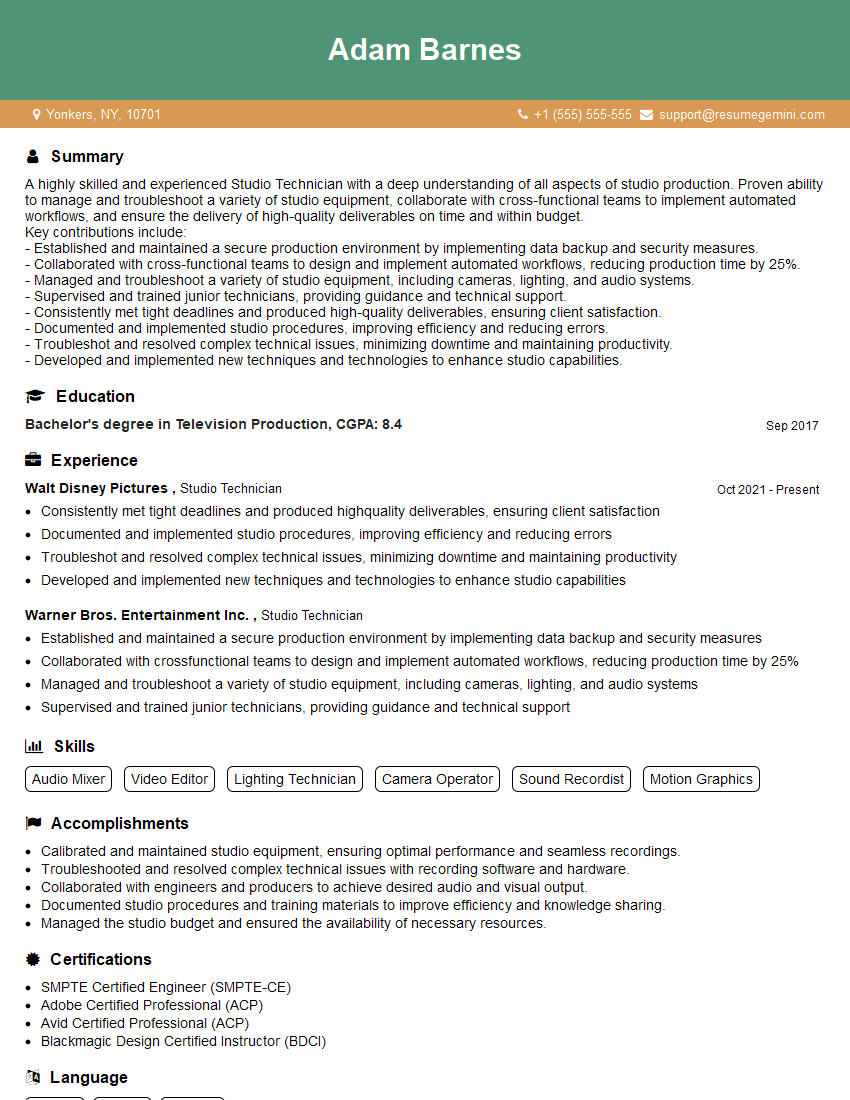
Mastering Studio Setup and Management is crucial for career advancement in the creative industries. A strong understanding of these principles demonstrates technical proficiency, problem-solving abilities, and an organized approach – qualities highly valued by employers. To significantly increase your job prospects, it’s essential to create an ATS-friendly resume that effectively showcases your skills and experience. ResumeGemini is a trusted resource for building professional resumes, and we provide examples of resumes tailored to Studio Setup and Management to help you get started. Take advantage of these resources to craft a compelling resume that lands you your dream job!


Explore more articles
Users Rating of Our Blogs
Share Your Experience
We value your feedback! Please rate our content and share your thoughts (optional).
What Readers Say About Our Blog
Very informative content, great job.
good