Unlock your full potential by mastering the most common Technical Content Audit and Evaluation interview questions. This blog offers a deep dive into the critical topics, ensuring you’re not only prepared to answer but to excel. With these insights, you’ll approach your interview with clarity and confidence.
Questions Asked in Technical Content Audit and Evaluation Interview
Q 1. Explain the process of conducting a technical content audit.
A technical content audit is a systematic examination of your website’s content to identify areas for improvement in terms of SEO, user experience, and overall effectiveness. Think of it as a thorough health check for your online content. It involves a multi-step process:
- Planning & Scoping: Defining the audit’s goals, the website sections to be included, and the metrics to be measured (e.g., keyword rankings, bounce rate, conversion rate).
- Content Inventory: Creating a comprehensive list of all website pages, including URLs, titles, and metadata.
- Content Analysis: Evaluating each page based on predefined criteria like keyword relevance, content quality, readability, and SEO best practices. This often involves using both automated tools and manual review.
- Technical Analysis: Assessing the website’s technical aspects such as sitemaps, robots.txt, broken links, crawl errors, and mobile-friendliness.
- Reporting & Recommendations: Summarizing the findings and providing actionable recommendations for improvement. This may include content updates, technical fixes, or changes to website architecture.
- Implementation & Monitoring: Implementing the recommendations, tracking the results, and making further adjustments as needed.
For example, a company selling software might audit their documentation to ensure it’s accurate, up-to-date, and easy for users to navigate. This could involve identifying outdated sections, adding more visual aids, or improving search functionality.
Q 2. What tools do you use for technical content audits?
The tools used for technical content audits vary depending on the scope and complexity of the project. However, some essential tools include:
- Screaming Frog SEO Spider: A powerful website crawler that helps identify broken links, redirect chains, and other technical SEO issues. It allows for extensive customization and data extraction.
- Google Search Console: A free tool from Google that provides insights into your website’s performance in Google search, including crawl errors, index coverage, and keyword rankings.
- SEMrush or Ahrefs: Comprehensive SEO tools offering features like site audit, backlink analysis, keyword research, and competitor analysis. These provide a holistic view of website health.
- Google Analytics: Essential for understanding user behavior on your website, including bounce rates, time on page, and conversion rates, which inform content quality assessment.
- Website Content Management System (CMS) specific plugins: Depending on your CMS (e.g., WordPress, Drupal), various plugins enhance SEO capabilities and provide data for content audits.
I often combine these tools to get a comprehensive overview. For instance, I might use Screaming Frog to find broken links, then use Google Search Console to see if those links were indexed, and finally, use SEMrush for keyword research to suggest replacements.
Q 3. How do you identify broken links and redirect chains?
Identifying broken links and redirect chains involves using website crawlers like Screaming Frog. These tools simulate a search engine bot, crawling your website and identifying issues.
Broken links are URLs that return a 404 error (Not Found). Screaming Frog will clearly list these, allowing you to fix them by either updating the URL or removing the link.
Redirect chains occur when a user follows multiple redirects before reaching the final destination. Long redirect chains increase loading time and can negatively impact SEO. Screaming Frog visually displays these chains, highlighting those that are overly long or inefficient. It’s vital to shorten or optimize them to ensure a smooth user experience.
For example, if a product page has moved, you shouldn’t leave the old link broken; instead, implement a 301 redirect to the new location. If a redirect chain goes through three or four different URLs before reaching the final page, consolidating it to a single redirect is crucial.
Q 4. Describe your experience with XML sitemaps and robots.txt files.
XML sitemaps are files that list all the important URLs on your website, making it easier for search engines to find and index your content. They’re crucial for ensuring all pages are discovered. I regularly review and update sitemaps to reflect changes in website structure and content.
robots.txt files provide instructions to search engine crawlers about which parts of your website should or shouldn’t be indexed. I review robots.txt to identify potential issues – for example, accidentally blocking important pages from indexing – and ensure it’s up-to-date with the current website structure.
An example of an efficient robots.txt could be:
User-agent: * Disallow: /private/ Disallow: /admin/ This disallows access to the ‘private’ and ‘admin’ directories. Incorrectly configured robots.txt can severely limit a site’s visibility.
Q 5. How do you analyze website crawlability and indexability?
Analyzing website crawlability and indexability involves assessing how easily search engine bots can access and index your website’s content. Crawlability refers to the ability of search engine bots to reach and access your web pages, while indexability refers to the ability of search engines to understand and include your pages in their index.
Crawlability is evaluated by checking for broken links, redirect chains (as discussed previously), proper internal linking, and a well-structured site architecture. Tools like Screaming Frog are invaluable here, providing a detailed crawl report highlighting any issues.
Indexability is evaluated by checking if your pages are being indexed by search engines. Google Search Console provides a detailed report about indexed pages and any indexing issues. Factors impacting indexability include proper meta descriptions, title tags, and header tags (H1-H6). Also, ensuring your website isn’t blocked by robots.txt is vital for indexability.
In essence, we want to ensure our content is both accessible (crawlable) and understandable (indexable) to search engine bots.
Q 6. How do you identify and address duplicate content issues?
Duplicate content refers to substantially similar content appearing on multiple URLs. This can confuse search engines and negatively impact rankings.
Identifying duplicate content involves using tools like Screaming Frog or SEMrush, which can detect duplicate or near-duplicate pages. Manual review is also essential to ensure accuracy. Once identified, solutions include:
- Canonicalization: Using the
rel="canonical"tag to tell search engines which version of the page is the preferred one. This is particularly useful for pagination or slightly different versions of the same content. - 301 Redirects: Redirecting duplicate pages to the preferred version. This is useful for content that is truly the same, but exists on multiple URLs.
- Content Consolidation: Combining duplicate or near-duplicate content into a single, comprehensive page. This approach improves content quality and avoids confusion.
- Content Improvement: If near-duplicate content exists with minor differences, updating to make the content truly unique is beneficial.
For instance, if multiple product pages offer the same product with minimal variations in description, we’d consolidate them into one high-quality page, incorporating the best parts from each.
Q 7. Explain your approach to assessing content quality and relevance.
Assessing content quality and relevance involves a multi-faceted approach, looking at both the content itself and its alignment with user needs and business objectives.
Quality is judged based on factors like:
- Accuracy: Is the information correct and up-to-date?
- Readability: Is the content easy to understand and engaging? Tools can measure readability scores.
- Completeness: Does the content comprehensively address the topic?
- Authority: Is the content written by knowledgeable sources?
- Engagement: Does the content hold user interest? Metrics like time on page and bounce rate from Google Analytics offer insights.
Relevance is assessed by checking:
- Keyword Targeting: Does the content address relevant search terms?
- User Intent: Does the content fulfill user needs (e.g., informational, transactional)?
I use a combination of automated tools (like readability checkers) and manual review. For example, I might use a readability tool to assess ease of understanding and then manually review the content to ensure its accuracy and completeness.
This approach ensures the content is not only well-written but also valuable to users and achieves the website’s goals.
Q 8. How do you measure the effectiveness of a content audit?
Measuring the effectiveness of a content audit hinges on defining clear, measurable goals upfront. Instead of just saying ‘improve SEO,’ we need specific, quantifiable metrics. For example, a goal might be to increase organic traffic by 20% within six months or improve the site’s average keyword ranking by 10 positions for target keywords.
Post-audit, we analyze several key performance indicators (KPIs) to determine success. This includes comparing pre- and post-audit data on:
- Organic traffic: Did the targeted changes lead to an increase in organic traffic from search engines?
- Keyword rankings: Did the content improvements result in better rankings for target keywords?
- Bounce rate: Did the improved content reduce the bounce rate (percentage of visitors who leave after viewing only one page)? A lower bounce rate indicates more engaging content.
- Time on site: Did users spend more time on the site after the content updates? This shows improved user engagement.
- Conversion rate: Did the changes improve conversions (e.g., sales, leads, sign-ups)? This is a crucial metric to assess content’s contribution to business goals.
We also track changes in crawl errors, broken links, and site speed to ensure the technical improvements made during the audit positively impacted site performance. By comparing these metrics before and after the audit implementation, we can objectively assess the effectiveness of our efforts.
Q 9. How do you prioritize content for updates or removal?
Prioritizing content for updates or removal requires a strategic approach. I typically use a content scoring system combining quantitative and qualitative factors. Think of it like a triage system in a hospital – we need to address the most critical issues first.
Quantitative factors might include:
- Traffic: High-traffic pages that are underperforming need immediate attention.
- Conversion rate: Pages with low conversion rates despite high traffic need optimization.
- Keyword ranking: Pages ranking poorly for important keywords require updates.
- Backlinks: Pages with high-quality backlinks should be prioritized for updates to maintain their value.
Qualitative factors include:
- Content quality: Outdated, thin, or duplicate content needs immediate attention.
- Relevance: Content irrelevant to the target audience should be removed or repurposed.
- Accuracy: Factually inaccurate content needs to be updated or removed to maintain credibility.
I often use a spreadsheet or a dedicated content management system (CMS) to score each page based on these factors. Pages with the lowest scores and highest potential for improvement are prioritized first. For instance, a high-traffic page with a low conversion rate and outdated content will get top priority over a low-traffic page with minor inaccuracies. Removing content is a last resort, usually reserved for irreparably low-quality or irrelevant content.
Q 10. What are some common technical SEO issues you’ve encountered?
Over the years, I’ve encountered a wide range of technical SEO issues. Some of the most common include:
- Crawl errors: 404 errors (page not found), 500 errors (server errors), and other HTTP errors that prevent search engine crawlers from accessing and indexing pages. This impacts discoverability.
- Broken links: Internal and external links pointing to non-existent pages. This negatively impacts user experience and search engine rankings.
- Duplicate content: Having identical or nearly identical content across multiple pages confuses search engines and can lead to lower rankings.
- Slow page speed: Slow loading times negatively affect user experience and bounce rate. Google prioritizes fast-loading sites.
- Mobile-friendliness issues: Websites not optimized for mobile devices lose significant traffic in the mobile-first indexing world.
- XML Sitemap issues: Incorrectly formatted or missing XML sitemaps hinder search engine crawlers from finding all website pages.
- Missing or incorrect meta descriptions and title tags: These are crucial for click-through rates from search engine results pages (SERPs).
- Schema markup issues: Incorrect implementation of schema markup can prevent rich snippets from appearing in search results.
Addressing these issues is critical for improving search engine rankings and overall website performance.
Q 11. How do you use data to inform your content audit strategy?
Data is the cornerstone of any effective content audit strategy. I utilize several data sources to inform my approach. This is not a guesswork game; we must be data-driven.
Here’s how I use data:
- Google Analytics: Provides data on website traffic, user behavior, bounce rates, conversion rates, and landing pages. This helps identify high-performing and underperforming content. For example, a page with high traffic but low conversion is a clear area for improvement.
- Google Search Console: Reveals crawl errors, index coverage issues, keyword performance, and backlinks. This helps understand technical SEO problems and identify areas where content needs optimization.
- SEMrush, Ahrefs, or similar SEO tools: Provide comprehensive data on keyword rankings, competitive analysis, backlink profiles, and content gaps. This information helps prioritize content updates and guide content creation strategies.
- Internal site search data: Shows what users are actually searching for on the website. This is invaluable for identifying content gaps and improving internal linking.
By analyzing this data, I can identify patterns, pinpoint areas needing improvement, and formulate data-backed recommendations for content updates, removal, or creation. For instance, if Google Analytics shows a high bounce rate on a specific landing page, I’d examine the content quality, page speed, and user experience to identify the root cause and suggest improvements.
Q 12. Explain your experience with schema markup and structured data.
Schema markup and structured data are essential for enhancing search engine results pages (SERPs). I have extensive experience implementing and auditing schema markup to improve visibility and click-through rates. Think of schema markup as providing search engines with additional context about your content, improving its understanding.
My experience includes:
- Implementation: I’ve implemented various schema types, including product, article, review, event, and local business schema, using both JSON-LD and microdata formats. For example, adding product schema to an e-commerce site allows for the display of rich snippets, showing price, ratings, and availability directly in search results.
- Validation: I routinely use schema validation tools to ensure accuracy and adherence to schema.org guidelines. Incorrect implementation can lead to errors and fail to provide the intended benefits.
- Auditing: During content audits, I check for missing or incorrect schema markup. This can include identifying pages lacking appropriate schema, using outdated schema types, or having errors in the implementation. I then provide recommendations for improvements, ensuring the site’s schema is optimized for maximum impact.
For example, a client had a recipe blog. Adding recipe schema significantly improved their click-through rates, as users could see the cooking time, ingredients, and rating directly in search results. This resulted in a noticeable increase in website traffic.
Q 13. How do you handle large-scale content audits?
Handling large-scale content audits requires a structured and automated approach. Manual audits become impractical with thousands of pages. My strategy involves a combination of tools and techniques:
- Automated crawling and analysis: I utilize tools like Screaming Frog or DeepCrawl to automatically crawl the entire website and extract relevant data like page titles, meta descriptions, headers, links, and schema markup. This allows for efficient identification of technical SEO issues and content gaps at scale.
- Data filtering and categorization: Once the data is collected, I use spreadsheets and data visualization tools to filter and categorize the data based on criteria like traffic, conversion rates, keyword rankings, and content quality scores. This helps prioritize pages for review.
- Sampling and prioritization: For extremely large sites, I might use a stratified random sampling technique to select a representative subset of pages for manual review. This ensures that the entire website’s content is represented, albeit not every single page.
- Content categorization and tagging: I use a consistent tagging system to categorize and organize content, making it easier to identify clusters of similar content and track progress.
- Reporting and collaboration: I utilize project management tools to manage the audit workflow, track progress, and share findings with stakeholders. Clear, concise reports are essential for communication and buy-in.
This multi-faceted approach ensures efficient and comprehensive auditing, even with large websites, without sacrificing accuracy or detail.
Q 14. Describe your process for reporting content audit findings.
Reporting content audit findings is crucial for effective communication and action. My reports are clear, concise, and actionable, focusing on providing tangible recommendations. I aim for a balance of technical detail and easy-to-understand explanations.
My reports typically include:
- Executive summary: A high-level overview of the audit’s key findings and recommendations.
- Technical SEO issues: A detailed list of identified technical issues, their severity, and recommended solutions. I often use a traffic light system (red, amber, green) to prioritize issues based on their impact.
- Content quality assessment: An analysis of content quality, identifying outdated, thin, or low-performing content. I include specific examples and suggestions for improvement.
- Content gap analysis: An identification of content gaps based on keyword research and competitor analysis.
- Recommendations: Specific, actionable steps for addressing the identified issues, including prioritization and estimated timelines.
- Visualizations: Charts and graphs to illustrate key findings and trends, making the data more accessible and engaging.
- Appendix: Supporting data and detailed reports from tools used in the audit (e.g., Screaming Frog, Google Search Console reports).
I always present the findings in a clear, visually appealing format that can be easily understood by both technical and non-technical stakeholders. Interactive dashboards are beneficial for ongoing monitoring and tracking of progress post-implementation.
Q 15. How do you communicate technical SEO issues to non-technical stakeholders?
Communicating complex technical SEO issues to non-technical stakeholders requires translating technical jargon into plain language and focusing on the business impact. Instead of saying “Your canonical URLs are misconfigured,” I’d explain, “We’ve found some issues with how search engines understand which version of your pages to display, potentially leading to duplicated content and lower rankings. This means less traffic and fewer leads.”
I utilize visual aids like charts and graphs to illustrate the severity of problems. For example, a graph showing the drop in organic traffic after a core algorithm update, correlated with identified technical issues, speaks volumes. I also prioritize storytelling, using real-world examples of how fixing similar issues benefitted other clients or businesses. Finally, I focus on the ‘so what?’ – clearly outlining the impact on revenue, brand visibility, or customer engagement. A prioritized action plan, presented in simple terms with estimated timelines and responsible parties, ensures clarity and accountability.
Career Expert Tips:
- Ace those interviews! Prepare effectively by reviewing the Top 50 Most Common Interview Questions on ResumeGemini.
- Navigate your job search with confidence! Explore a wide range of Career Tips on ResumeGemini. Learn about common challenges and recommendations to overcome them.
- Craft the perfect resume! Master the Art of Resume Writing with ResumeGemini’s guide. Showcase your unique qualifications and achievements effectively.
- Don’t miss out on holiday savings! Build your dream resume with ResumeGemini’s ATS optimized templates.
Q 16. How do you integrate content audit findings into an SEO strategy?
Integrating content audit findings into an SEO strategy is a crucial step to improving organic search performance. The process starts with analyzing the audit’s key findings. These typically include content gaps, keyword opportunities, content quality issues (thin content, duplicate content, etc.), and technical SEO problems affecting content discoverability.
Next, I prioritize these findings based on their impact on the business goals. For instance, fixing critical technical SEO issues that hinder crawlability takes precedence over minor content updates. I then create actionable tasks, assigning them to specific teams (e.g., content writers, developers, etc.). These tasks become part of the overall SEO strategy, with measurable KPIs such as improved organic traffic, higher keyword rankings, and better engagement metrics. Regularly scheduled progress reviews ensure the strategy remains effective and on track.
For instance, if the audit reveals a lack of content targeting a specific high-value keyword, I’d incorporate keyword research, content creation, and optimization into the strategy. If the audit uncovers significant internal linking issues, the strategy includes a plan to fix broken links and create a robust internal linking structure.
Q 17. Explain the difference between on-page and off-page technical SEO.
On-page and off-page technical SEO are distinct but interconnected aspects of website optimization. On-page technical SEO focuses on elements within your website’s direct control, impacting how search engines index and understand your content. This includes factors like:
- Website Structure: XML sitemaps, robots.txt, URL structure
- Content Optimization: Keyword usage, meta descriptions, header tags
- Page Speed: Optimizing images, leveraging caching
- Schema Markup: Implementing structured data to help search engines understand the content
Off-page technical SEO, on the other hand, focuses on external factors that influence your website’s authority and visibility. This is less about directly optimizing your website and more about building your online reputation and trust, including:
- Backlinks: High-quality links from authoritative websites
- Domain Authority: Building a strong reputation for your website over time
- Brand Mentions: Getting your brand name mentioned on various websites
In essence, on-page technical SEO is like building a strong foundation for your house, while off-page technical SEO is like building up the reputation and neighborhood surrounding it. Both are essential for success.
Q 18. How do you ensure content accessibility and compliance?
Ensuring content accessibility and compliance involves adhering to standards like WCAG (Web Content Accessibility Guidelines) to make your website usable by everyone, including individuals with disabilities. This includes:
- Alternative text for images: Providing descriptive text for images so screen readers can understand the context.
- Proper heading structure: Using
totags to create a logical hierarchy. - Sufficient color contrast: Ensuring adequate contrast between text and background colors.
- Keyboard navigation: Making sure all interactive elements are accessible via keyboard.
- Captions and transcripts for videos and audio:
Compliance also extends to legal requirements such as GDPR (General Data Protection Regulation) and CCPA (California Consumer Privacy Act) regarding data privacy and user consent. Implementing privacy policies, consent management platforms, and secure data handling practices are essential for compliance. Regular audits and updates to your site’s accessibility and compliance measures are crucial to maintain standards and avoid legal issues.
Q 19. How do you identify and address thin content issues?
Thin content refers to pages with insufficient text or value to provide a satisfactory user experience. Identifying these issues often involves analyzing word count, content quality, and overall value proposition. Tools can help automate this process but manual review is crucial.
To identify thin content, I use a combination of automated tools that assess word count and keyword density, as well as manual review. I look for pages with low word counts, a lack of original content (thin content is often duplicated across pages), or a poor user experience due to a lack of substance. After identifying thin content, several strategies are used to address it, including:
- Expanding existing content: Adding more detail, examples, and supporting information to existing pages.
- Consolidating content: Merging several thin pages into a single comprehensive page to improve depth and quality.
- Redirecting pages: 301-redirecting thin pages to more relevant and comprehensive pages.
- Deleting pages: Removing completely irrelevant pages with no valuable information.
The chosen strategy depends on the page’s relevance and potential to be improved. Ultimately, the goal is to provide substantial value to the user and improve the overall website’s authority.
Q 20. What are your strategies for improving website performance based on content audit results?
Improving website performance based on content audit results often involves addressing technical SEO issues impacting page speed and user experience. This is often a top priority based on the audit. For instance, if the audit reveals slow loading times due to large images, the strategy includes optimizing images for web use. If the audit reveals issues with server response times, addressing server configuration is necessary. Common improvements that can be implemented based on audit findings include:
- Image Optimization: Compressing images without compromising quality. Tools and techniques are used to find the right balance.
- Code Optimization: Minifying CSS and JavaScript files to reduce file sizes and improve load times. This reduces unnecessary characters in the code, improving efficiency.
- Caching Implementation: Implementing browser caching and server-side caching to store frequently accessed resources. This reduces the need to constantly fetch these resources.
- Content Delivery Network (CDN): Using a CDN to distribute content across multiple servers globally, improving website speed for users in different locations. This reduces the distance data needs to travel to users.
- Improving server response time: Working with hosting providers to improve server infrastructure, addressing potential bottlenecks. Performance monitoring tools highlight areas for improvement.
These improvements directly impact core web vitals like Largest Contentful Paint (LCP), First Input Delay (FID), and Cumulative Layout Shift (CLS), all crucial elements for a positive user experience, especially as Google uses these as ranking factors.
Q 21. How do you deal with conflicting information found during a content audit?
Dealing with conflicting information during a content audit requires a methodical approach focused on verifying the accuracy of the data. Conflicting information can arise from using multiple tools or data sources or from inconsistencies within the website itself. To resolve this, I employ several strategies:
- Cross-referencing data: Comparing the findings from different tools and data sources to identify patterns and anomalies.
- Manual verification: Reviewing pages directly to verify the accuracy of the information provided by automated tools.
- Prioritizing the most reliable data source: Based on experience and knowledge of the data sources’ accuracy and reliability.
- Documenting inconsistencies: Recording instances of conflicting data and the steps taken to resolve them.
- Seeking clarification from stakeholders: When there are inconsistencies that cannot be resolved independently, seeking clarification from content creators or subject matter experts.
Essentially, a triangulated approach ensures better accuracy. It involves verifying information from several independent sources to confirm its validity. The goal is to arrive at a consensus by prioritizing the most reliable sources and methodologies. It may even require making a judgment call based on understanding the context of the data and the business objectives.
Q 22. What is your experience with using Google Search Console and Google Analytics in a content audit?
Google Search Console (GSC) and Google Analytics (GA) are indispensable tools for a comprehensive content audit. GSC provides insights into how Google views your website’s content, highlighting technical issues like crawl errors, indexing problems, and security warnings. This data helps identify pages Google struggles to access or understand, directly impacting your search visibility. GA, on the other hand, offers a user-centric perspective, revealing metrics like page views, bounce rate, time on page, and conversion rates. This data paints a picture of how users interact with your content, highlighting what resonates and what doesn’t.
In practice: I use GSC to find broken links, identify pages with duplicate content issues (as shown in the ‘URL inspection’ tool), and uncover any manual actions or security issues. I then cross-reference this data with GA to understand the user impact of these technical problems. For instance, if GSC reveals a high number of crawl errors on a particular section of the website, I’d look at GA to see if this correlates with a high bounce rate or low engagement metrics for those pages. This combined analysis helps prioritize fixes based on both search engine and user impact.
Q 23. How do you assess the impact of content on user experience (UX)?
Assessing content’s impact on UX requires a holistic approach, going beyond simple metrics. While GA provides valuable data points (bounce rate, time on page, pages per session), I also consider qualitative factors. I analyze content structure, readability, scannability, and overall clarity. Is the information easy to find? Is the language clear and concise? Is the design intuitive and visually appealing? A high bounce rate, for example, might indicate poor content structure or unengaging content, not necessarily a technical issue.
My approach: I use a combination of data analysis and user testing. I analyze GA data to pinpoint pages with poor UX metrics. Then, I conduct user testing, often using tools like Hotjar or similar heatmap software, to visualize user behavior on these pages. Heatmaps show where users click, scroll, and spend their time. This helps identify areas for improvement, such as confusing navigation, unclear calls to action, or poorly formatted content. Combining quantitative data from GA with qualitative observations from user testing provides a nuanced understanding of the user experience.
Q 24. Explain your approach to identifying and fixing canonicalization issues.
Canonicalization ensures that only one version of a page is indexed by search engines, preventing duplicate content issues. Identifying and fixing canonicalization problems starts with using GSC’s ‘URL inspection’ tool to check the canonical tag for each page. Incorrect or missing canonical tags are major issues.
My approach is systematic:
- Identify problematic URLs: I use GSC and sitemaps to locate pages with multiple versions (e.g., www vs non-www, HTTP vs HTTPS, different trailing slashes).
- Analyze canonical tags: I check if canonical tags are present and correctly point to the preferred version of the page.
<link rel='canonical' href='https://www.example.com/page' />is a correctly implemented canonical tag. - Implement corrections: Fixing issues involves adding canonical tags where missing, updating incorrect tags, or using 301 redirects to permanently redirect duplicate URLs to the preferred version. Using a tool like Screaming Frog can help identify and manage canonicalization issues at scale.
- Verify the changes: After implementing changes, I re-submit my sitemap to Google and monitor GSC for any remaining issues. I might also use Screaming Frog for another crawl to ensure the canonical tags are correctly implemented across all pages.
Q 25. How do you handle content audits for multilingual websites?
Auditing multilingual websites requires a nuanced approach. It’s not simply about translating the content; it’s about ensuring each language version is optimized for its target audience and search engines. This includes understanding regional search behaviors and keyword variations.
My strategy involves:
- Separate audits for each language: I treat each language version as a separate website for auditing purposes, using GSC and GA for each language setting. This allows a more targeted and effective assessment of the content’s performance and SEO health within each language.
- Keyword research for each language: Keyword research must be tailored for each language, taking into account cultural nuances and regional search trends. Tools like Ahrefs or SEMrush can help. A keyword that performs well in English may not be effective in Spanish or French.
- Translation quality assessment: I assess the quality of the translations to ensure accuracy, clarity, and cultural appropriateness. Machine translations should be carefully reviewed and adjusted.
- hreflang implementation: Correct implementation of hreflang tags is critical for telling search engines which version of a page is intended for each language. Incorrectly implemented hreflang tags can confuse search engines and damage SEO.
Essentially, I replicate the entire auditing process for each language, paying specific attention to local SEO factors.
Q 26. Describe your experience with different content management systems (CMS).
I have extensive experience with various CMS platforms, including WordPress, Drupal, Joomla, and Sitecore. My experience allows me to navigate the specific intricacies of each platform and understand how to effectively audit and optimize content within its constraints. For instance, WordPress’s plugin ecosystem offers tools for optimizing SEO and managing content, while Sitecore’s enterprise capabilities require different strategies for content governance and scaling.
My approach considers the CMS specifics: When auditing a site, I first identify the CMS. This knowledge helps me understand the typical technical challenges associated with the platform (e.g., plugin conflicts in WordPress) and tailor my audit accordingly. My workflow includes understanding the CMS’s built-in SEO features, its plugin ecosystem (if applicable), and its inherent limitations. This ensures that the audit recommendations are feasible and achievable within the context of the chosen CMS.
Q 27. How do you prioritize content based on business goals and user intent?
Prioritizing content requires aligning user intent with business goals. This often involves a strategic framework. I start by clearly defining business objectives (e.g., increased lead generation, improved brand awareness). Then, I analyze user intent through keyword research, focusing on search queries relevant to the business goals. I use tools like Google Keyword Planner, Ahrefs, or SEMrush to identify high-volume, low-competition keywords relevant to our goals.
My prioritization method:
- Content gap analysis: I compare our current content with competitor content and identify gaps where we can improve our search engine visibility and user engagement.
- Keyword mapping: I map keywords to specific pages and content pieces, ensuring that each piece of content targets a specific set of keywords reflecting user intent.
- Prioritization matrix: I create a matrix that ranks content based on factors such as user intent (search volume, competition), business value (potential for conversions, revenue), and current performance (traffic, engagement).
- Content scorecard: I develop a scoring system that assigns weights to these factors, allowing for objective comparison and prioritization of content pieces.
This structured approach ensures that our efforts are concentrated on creating and optimizing content with the highest potential impact.
Q 28. How do you use A/B testing to inform content optimization strategies based on audit results?
A/B testing is a crucial part of content optimization, especially after a content audit. Once we’ve identified areas for improvement, A/B testing allows us to test different versions of content and measure their effectiveness. This data-driven approach ensures that any optimization strategies are validated before being implemented at scale.
My approach: I typically use A/B testing tools such as Google Optimize or Optimizely. Based on the content audit findings, I formulate testable hypotheses (e.g., ‘A more concise headline will improve click-through rates’). Then, I create different versions of the content (A and B) based on these hypotheses. These could involve variations in headlines, calls to action, page layouts, or even the overall structure and presentation of the information. I implement the A/B tests, tracking key metrics (such as click-through rates, conversion rates, bounce rates), and analyze the results. The results of the A/B test provide concrete evidence of which version performs better and inform our content optimization strategy. This data-driven approach reduces guesswork and helps make the most effective changes to the content.
Key Topics to Learn for Technical Content Audit and Evaluation Interview
- Understanding Content Strategy: Defining the goals and objectives of a content audit, aligning them with business needs, and understanding various content types and formats.
- Technical SEO Audit: Analyzing website architecture, sitemaps, robots.txt, internal linking, schema markup, and identifying technical issues impacting SEO performance. Practical application: Explain how you would diagnose and fix crawl errors using tools like Google Search Console.
- Content Quality Evaluation: Defining criteria for evaluating content accuracy, completeness, clarity, consistency, and engagement. Practical application: Discuss a methodology you’d use to score content based on predefined quality metrics.
- Content Inventory and Analysis: Methods for identifying, categorizing, and analyzing existing content to assess its performance and relevance. Practical application: Describe how you would approach a large content inventory and prioritize areas for improvement.
- Reporting and Recommendations: Effectively communicating audit findings and presenting actionable recommendations for content improvement and optimization. Practical application: Discuss the key components of a compelling content audit report.
- Usability and User Experience (UX) considerations within Content Audits: Assessing how easily users can find and understand information on a website and identifying UX issues that impact content effectiveness.
- Tools and Technologies: Familiarity with various content audit tools (e.g., Screaming Frog, DeepCrawl) and analytics platforms (e.g., Google Analytics).
- Content Governance and Best Practices: Understanding content governance frameworks and implementing best practices for content creation, management, and updates.
Next Steps
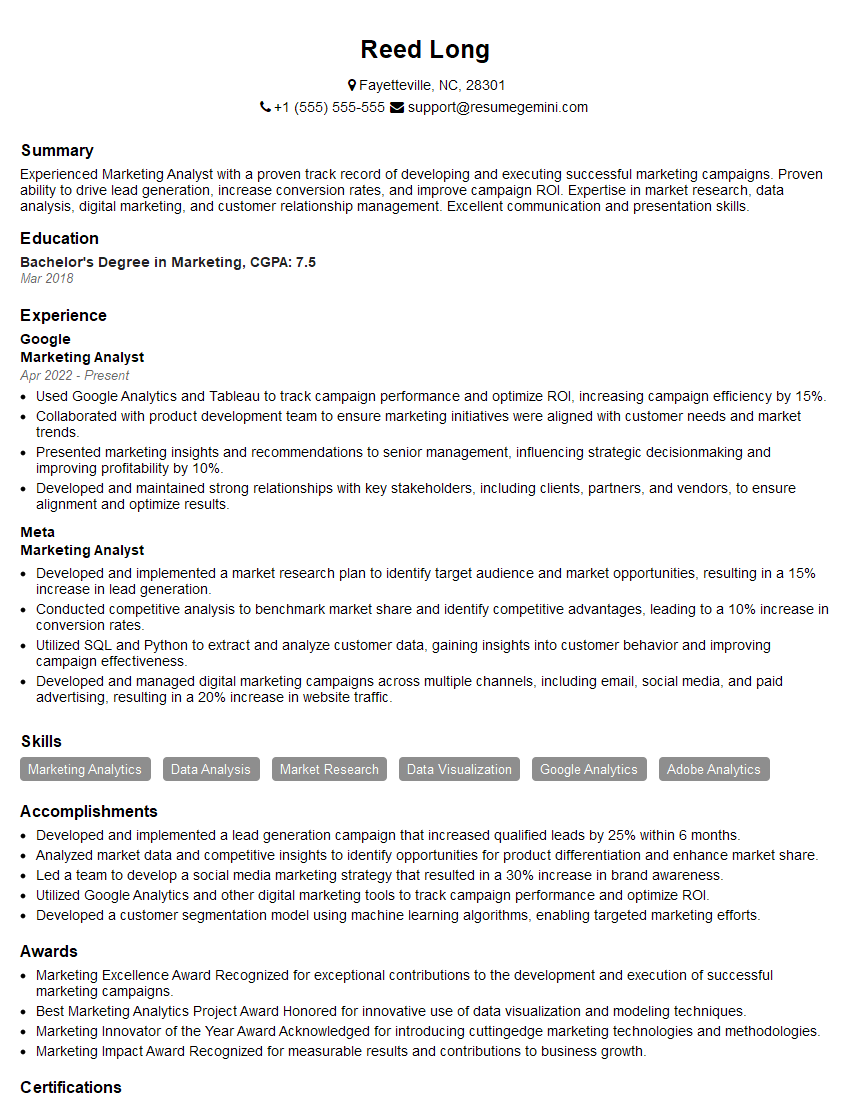
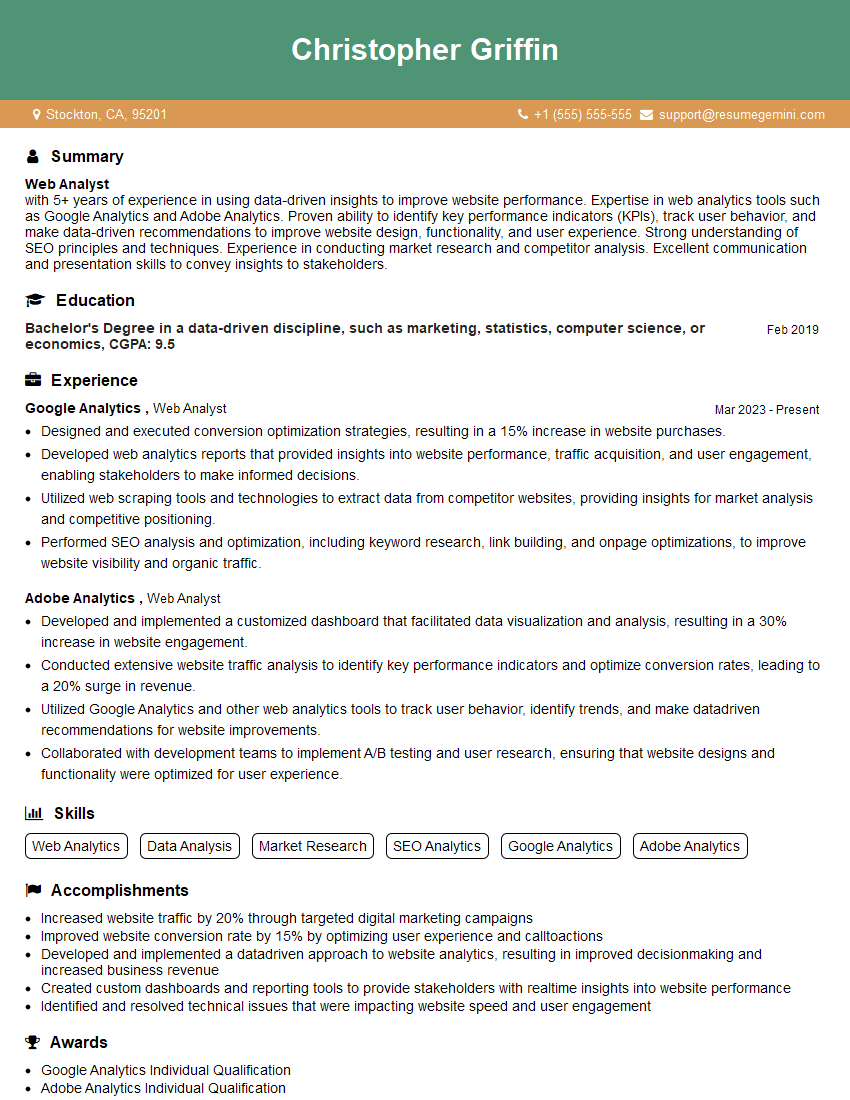
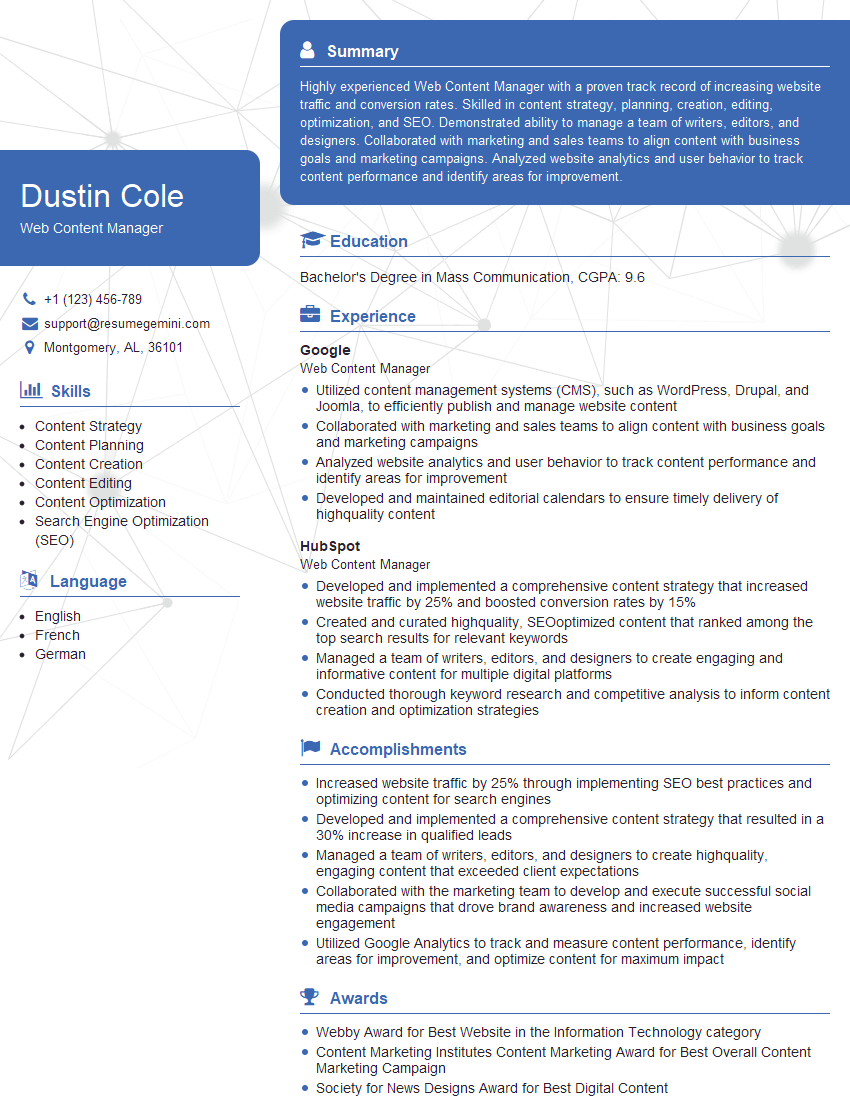
Mastering Technical Content Audit and Evaluation significantly enhances your career prospects in digital marketing, content strategy, and web development. A strong understanding of these skills demonstrates a valuable ability to improve website performance and user experience. To maximize your job search success, create an ATS-friendly resume that showcases your expertise. ResumeGemini is a trusted resource that can help you build a professional and effective resume. We provide examples of resumes tailored to Technical Content Audit and Evaluation roles to help you create a winning application.



Explore more articles
Users Rating of Our Blogs
Share Your Experience
We value your feedback! Please rate our content and share your thoughts (optional).
What Readers Say About Our Blog
Very informative content, great job.
good