Are you ready to stand out in your next interview? Understanding and preparing for Test Execution and Management interview questions is a game-changer. In this blog, we’ve compiled key questions and expert advice to help you showcase your skills with confidence and precision. Let’s get started on your journey to acing the interview.
Questions Asked in Test Execution and Management Interview
Q 1. Explain your experience with different test execution methodologies (e.g., Agile, Waterfall).
My experience spans both Agile and Waterfall test execution methodologies. In Waterfall, testing is typically a distinct phase following development, involving comprehensive test planning, execution, and reporting at the end of each phase. This approach is methodical and well-documented, lending itself well to larger, complex projects with stable requirements. However, it can be less flexible to changes. I’ve worked on projects using this model, meticulously following test plans and generating detailed test reports that helped ensure the software met the specified criteria.
In contrast, Agile methodologies emphasize iterative development and continuous testing. Testing is integrated throughout the development lifecycle, with short sprints and frequent feedback loops. I’ve actively participated in Agile projects, utilizing techniques like Test-Driven Development (TDD) and Behavior-Driven Development (BDD). This involved close collaboration with developers, writing automated tests alongside code development, and providing quick feedback to ensure early bug detection. This approach has proven highly effective in delivering high-quality software incrementally, adapting to evolving needs and prioritizing user value.
For example, in one project, we shifted from a Waterfall approach to Agile, resulting in a significant reduction in late-stage bug discoveries and a faster time to market. This was due to the constant integration of testing and continuous feedback within the development process. In another project, a strict adherence to a detailed Waterfall test plan, while initially time consuming, allowed us to ensure all critical functionalities were rigorously checked before launch, mitigating major risks later on.
Q 2. Describe your approach to test case prioritization.
Test case prioritization is crucial for maximizing testing effectiveness, particularly when time or resources are constrained. My approach involves a multi-faceted strategy. First, I identify critical functionalities – those essential for core product functionality and user experience. These are prioritized highest. Then, I consider the risk associated with each test case. Test cases covering areas prone to frequent bugs or with significant business impact receive higher priority. Additionally, I use risk-based testing to focus on scenarios with the highest potential for failure, minimizing overall risk. Finally, I leverage techniques like dependency analysis, identifying dependencies between test cases and sequencing them accordingly.
For instance, in a recent project, we had limited testing time before a crucial release. Using a risk-based prioritization matrix (combining risk and criticality scores), we identified and prioritized test cases for the payment processing module, given its importance and vulnerability to errors. This focused approach enabled us to address the most critical areas and minimize risk within the available timeframe.
Q 3. How do you handle test execution delays?
Test execution delays are inevitable sometimes. My strategy for handling them begins with proactive identification of potential roadblocks. This involves carefully reviewing the test plan, identifying potential dependencies (e.g., on environment availability, test data preparation), and establishing clear communication channels with stakeholders. If delays occur, I immediately analyze the root cause: Is it a technical issue, resource constraint, or scope creep? Based on this, I adjust the test plan, prioritizing the most critical test cases and possibly negotiating changes to the scope or timelines. Regular status updates keep stakeholders informed and prevent surprises. Transparent communication with the development team is also vital to facilitate collaborative problem-solving.
For example, once, a delay was caused by late delivery of test data. We immediately communicated this to the stakeholders, replanned our testing, prioritizing smoke testing and focusing on critical paths. This ensured a timely release albeit with a slightly reduced test coverage, which was better than a significant delay.
Q 4. What tools have you used for test management and execution?
I have extensive experience with various test management and execution tools. These include Jira for managing defects and tracking progress, TestRail for test case management and execution, and Selenium for automated UI testing. I’ve also used JMeter for performance testing and Cucumber for Behavior-Driven Development. The choice of tool depends on the project’s size, complexity, and specific needs. For instance, for a smaller project, Jira and a spreadsheet might suffice, while a larger project benefits from a dedicated test management tool like TestRail coupled with automated testing frameworks like Selenium.
I am comfortable working with both open-source and commercial tools and am proficient in integrating them to create efficient testing workflows. I also have experience with cloud-based test execution platforms, improving scalability and facilitating remote team collaboration.
Q 5. Explain your experience with defect tracking and reporting.
Defect tracking and reporting is a critical aspect of software testing. My approach involves meticulous documentation of each defect encountered, using a consistent format and including all necessary details: steps to reproduce, actual and expected results, severity, priority, and screenshots or logs. I utilize defect tracking systems like Jira to log, track, and manage defects throughout their lifecycle, from discovery to resolution and verification. I generate regular reports summarizing the defects found, their severity, and trends, to inform stakeholders and drive improvements in the development process. Effective reporting emphasizes actionable insights, not just raw data, highlighting areas needing attention.
For example, in one project, detailed defect reports revealed a recurring pattern of errors related to database interactions, leading to improvements in database design and coding practices. This proactive approach to defect analysis helped prevent future issues.
Q 6. How do you ensure test coverage?
Ensuring test coverage is fundamental to achieving high-quality software. My approach is multifaceted and involves several techniques. First, requirements traceability ensures that every requirement has corresponding test cases. This helps in achieving complete coverage of functional requirements. Next, I utilize different testing techniques – unit testing, integration testing, system testing, and user acceptance testing (UAT) – to provide broad coverage. Additionally, I use test coverage tools to measure the extent to which the code is tested, helping identify gaps and improve the test suite. Finally, I regularly review and update the test suite to adapt to evolving requirements and prevent regressions.
Imagine a scenario where we miss testing a specific edge case. A test coverage tool might highlight this gap, preventing a critical production failure. Regular reviews of the test suite make sure we adapt to changing product requirements.
Q 7. Describe your experience with test data management.
Test data management is crucial for effective testing. My experience involves various techniques, from using existing data subsets to creating synthetic data. The best approach depends on project constraints and sensitivity of the data. I’ve worked with data masking techniques to protect sensitive information while retaining data integrity. I understand the importance of data privacy and security and always follow best practices to handle sensitive data responsibly. Efficient data management strategies include utilizing test data generators to automatically create large datasets, which are often needed for performance testing. In many cases, we leverage database backups or create copies of production datasets, masking sensitive information where necessary.
For example, in a financial application, I used data masking techniques to protect customer account information while still using realistic data for testing. This allowed us to execute realistic test scenarios without compromising security.
Q 8. How do you manage risks in test execution?
Risk management in test execution is crucial for ensuring a smooth and successful testing process. It involves proactively identifying potential problems, analyzing their impact, and implementing mitigation strategies. Think of it like planning a road trip – you wouldn’t set off without checking your tires and mapping your route, right? Similarly, we need to anticipate potential roadblocks during testing.
- Identify Risks: This involves brainstorming potential issues. Examples include inadequate test environment setup, insufficient test data, skill gaps in the testing team, unclear requirements, or schedule constraints.
- Analyze Risks: We assess the likelihood and impact of each risk. A high-likelihood, high-impact risk (like a critical bug found late in the cycle) needs immediate attention. We often use a risk matrix to visualize this.
- Develop Mitigation Strategies: For each identified risk, we create a plan to reduce its likelihood or impact. This might involve adding more testers, improving test data management, providing additional training, clarifying requirements with stakeholders, or adjusting the timeline.
- Monitor and Control: Throughout the testing process, we continuously monitor for new risks and evaluate the effectiveness of our mitigation strategies. We document everything, which is crucial for future projects.
For example, in a recent project, we identified a high risk of performance bottlenecks. Our mitigation strategy included implementing performance testing early in the development cycle and using load testing tools to simulate real-world user traffic. This proactive approach allowed us to address performance issues before they impacted the production environment.
Q 9. Explain your experience with performance testing.
My experience with performance testing spans various methodologies and tools. I’ve been involved in load testing, stress testing, endurance testing, and spike testing, using tools like JMeter and LoadRunner. Performance testing isn’t just about pushing buttons; it’s about understanding the system’s behavior under pressure and identifying bottlenecks.
In one project, we were tasked with performance testing a new e-commerce platform. Using JMeter, we simulated thousands of concurrent users to assess the system’s response time, throughput, and resource utilization. We discovered a significant bottleneck in the database layer, which was addressed by optimizing database queries and implementing caching mechanisms. The result? A significant improvement in the application’s responsiveness and scalability, ensuring a positive user experience.
Beyond the technical aspects, I also emphasize the importance of clear performance goals and metrics defined upfront. We need to know what constitutes ‘good’ performance for the application, so we can measure success and identify areas for improvement.
Q 10. How do you handle conflicts between different stakeholders during testing?
Conflict resolution is a vital skill in testing, as diverse stakeholders (developers, product owners, business analysts, etc.) often have differing priorities and perspectives. Think of it as a collaborative orchestra—every section plays a vital role, but they need to be in harmony.
- Open Communication: I encourage open and honest communication channels. Regular meetings and clear documentation are key. The goal is to ensure everyone understands the testing process, goals, and constraints.
- Empathy and Understanding: I strive to understand each stakeholder’s perspective and concerns. This often involves active listening and asking clarifying questions.
- Facilitation and Mediation: When conflicts arise, I act as a facilitator, helping stakeholders find common ground. This involves focusing on the shared goal (releasing high-quality software) and finding mutually acceptable solutions.
- Data-Driven Decision Making: When disagreements arise, I use data (test results, performance metrics) to support my recommendations and objectively assess the impact of different decisions.
For instance, in one project, developers prioritized speed over thorough testing. By presenting data demonstrating the risk of releasing untested code, and outlining the potential cost of fixing bugs post-release, I successfully helped bridge the gap and achieve a balance between speed and quality.
Q 11. What metrics do you use to measure the success of test execution?
Measuring the success of test execution goes beyond simply finding bugs. We need a comprehensive set of metrics that provide insights into the overall quality and effectiveness of the testing process.
- Defect Density: The number of defects found per lines of code or per module. A lower defect density indicates higher code quality.
- Defect Severity: Classifies defects based on their impact (critical, major, minor). Focuses testing efforts on the most critical issues.
- Test Coverage: The percentage of requirements, code, or functionality tested. A high test coverage reduces the risk of undiscovered bugs.
- Test Execution Efficiency: Measures the time and resources used in executing tests. A low execution time indicates efficiency.
- Test Case Pass/Fail Rate: The percentage of test cases that passed or failed. A high pass rate indicates stability and reliability.
These metrics, combined with qualitative feedback, paint a holistic picture of test execution success. This allows for continuous improvement in future testing endeavors.
Q 12. How do you ensure test environment stability?
Ensuring test environment stability is paramount for reliable and repeatable test results. Inconsistent environments can lead to false positives or negatives, wasting time and resources and ultimately impacting product quality. Think of it as setting up a well-equipped lab for scientific experiments—consistency is crucial.
- Configuration Management: Maintain detailed documentation of the test environment’s hardware, software, and network configurations. This allows for easy replication and troubleshooting.
- Environment Provisioning: Use tools like virtualization (e.g., VMware, VirtualBox) and containerization (e.g., Docker, Kubernetes) to create consistent, isolated test environments.
- Regular Health Checks: Implement automated scripts or tools to periodically monitor the health and stability of the test environment. This identifies potential issues before they affect testing.
- Environment Refresh/Reset: Establish a process for regularly refreshing or resetting the test environment to a known good state. This prevents configuration drift and ensures consistency.
- Dedicated Infrastructure: Whenever possible, use dedicated infrastructure for testing to avoid conflicts with other systems and ensure sufficient resources.
In a recent project, we used Docker to create consistent test environments for different teams, preventing conflicting configurations and ensuring everyone worked with the same setup. This significantly reduced the time spent on troubleshooting environmental issues.
Q 13. Describe your experience with automation testing.
My automation testing experience includes designing, developing, and executing automated tests using various frameworks like Selenium, Appium, and Cypress. Automation is not just about writing code; it’s about strategically automating the right tests to maximize return on investment (ROI).
I prioritize automating repetitive and time-consuming manual tests, such as regression testing, smoke testing, and data-driven tests. I follow best practices, including using appropriate design patterns, creating maintainable code, and integrating testing with continuous integration/continuous delivery (CI/CD) pipelines. A key aspect of successful automation is the selection of the right tests to automate. Not every test needs to be automated. Prioritizing tests based on risk and frequency of execution is important for ROI.
For example, in a recent project, we automated regression testing using Selenium and Java. This significantly reduced the time required to test new builds, allowing for faster feedback cycles and quicker delivery of new features. We used a page object model (POM) design pattern, resulting in a maintainable and scalable test suite. This made it easier to adapt to UI changes and new features.
Q 14. How do you integrate testing into the CI/CD pipeline?
Integrating testing into the CI/CD pipeline is crucial for achieving continuous delivery and rapid feedback loops. It involves automating test execution as part of the build and deployment process, ensuring that only quality software gets released.
- Continuous Integration (CI): Automate the build process and run unit, integration, and smoke tests after each code commit. This provides early detection of integration problems.
- Continuous Delivery (CD): Extend the automation to include functional, performance, and security tests as part of the deployment pipeline. This allows for automated deployment to different environments (staging, production).
- Test Automation Frameworks: Use testing frameworks (e.g., pytest, JUnit) that integrate seamlessly with CI/CD tools (e.g., Jenkins, GitLab CI).
- Test Reporting and Monitoring: Integrate test results with reporting dashboards to monitor testing progress, track metrics, and quickly identify issues.
- Feedback Loops: Implement feedback mechanisms to notify developers immediately when tests fail, allowing for quick resolution of bugs.
In a past project, we integrated Selenium tests into a Jenkins-based CI/CD pipeline. After each code commit, the pipeline automatically built the application, ran the automated tests, and reported the results. If any tests failed, the pipeline stopped, alerting the development team to the problem. This process significantly improved the quality of the software and reduced the time to market.
Q 15. Explain your approach to regression testing.
Regression testing is a crucial process to ensure that new code changes haven’t introduced bugs into existing functionality. My approach is systematic and risk-based. It starts with prioritizing tests based on the impact of the changed code. For example, changes in the core payment gateway would require far more extensive regression testing than a minor UI tweak.
I use a combination of techniques. We’ll begin with a prioritized test suite, running automated tests first. These automated tests cover the most critical paths and functionalities. This ensures quick feedback and identifies major regressions early. Then, we proceed to more extensive manual testing, focusing on areas potentially impacted by the changes. This includes exploratory testing to uncover unforeseen issues.
We also leverage test management tools to track test execution, manage defects, and generate comprehensive reports. This provides transparency and helps in understanding the overall regression test coverage and success rate. A crucial part is analyzing the results to identify any trends or patterns of recurring issues, enabling proactive improvements in the development process.
Career Expert Tips:
- Ace those interviews! Prepare effectively by reviewing the Top 50 Most Common Interview Questions on ResumeGemini.
- Navigate your job search with confidence! Explore a wide range of Career Tips on ResumeGemini. Learn about common challenges and recommendations to overcome them.
- Craft the perfect resume! Master the Art of Resume Writing with ResumeGemini’s guide. Showcase your unique qualifications and achievements effectively.
- Don’t miss out on holiday savings! Build your dream resume with ResumeGemini’s ATS optimized templates.
Q 16. Describe your experience with different testing types (e.g., functional, non-functional).
My experience spans various testing types, including functional and non-functional testing. Functional testing verifies that the software meets its specified requirements. This involves techniques like unit testing, integration testing, system testing, and user acceptance testing (UAT). I have extensive experience designing and executing test cases for each of these levels, using both black-box and white-box approaches. For example, in a recent project, I designed integration tests to verify the seamless communication between different microservices using a message queue.
Non-functional testing focuses on aspects like performance, security, usability, and scalability. I have hands-on experience in performance testing using tools like JMeter, identifying bottlenecks and optimizing applications. I have also conducted security testing, identifying vulnerabilities and suggesting mitigation strategies. For example, I once identified a significant SQL injection vulnerability during security testing, preventing a potential data breach.
Usability testing involved conducting user interviews and observation sessions to assess the user-friendliness of the application and gather feedback for improvements. These different types of testing are interconnected, and a holistic approach is key to ensuring software quality.
Q 17. How do you handle unexpected issues during test execution?
Unexpected issues during test execution are inevitable. My approach involves a structured process to handle them efficiently. The first step is to reproduce the issue consistently to ensure it’s not a one-off occurrence. Detailed steps to reproduce are documented with screenshots and logs. Then, I prioritize the issue based on its severity and impact. Critical issues blocking further testing are addressed immediately.
I utilize defect tracking tools (e.g., Jira, Bugzilla) to log the issue, providing comprehensive details including steps to reproduce, expected results, actual results, and screenshots or logs. I then work closely with the development team to communicate the issue clearly and collaboratively work towards a solution. I participate in triage meetings and provide input during problem-solving sessions. Once a fix is implemented, I retest to verify that the issue is resolved.
Throughout this process, communication is key. Regular updates are provided to stakeholders on the progress of issue resolution. I also analyze the root cause of the issue to identify areas for process improvement and prevent similar issues in the future. For example, if we repeatedly encounter an issue related to database performance, it might indicate a need for database optimization or improvements in the testing environment.
Q 18. What is your experience with test planning and estimation?
Test planning and estimation are crucial for successful test execution. My approach starts with understanding the project scope, requirements, and objectives. I then break down the testing activities into smaller, manageable tasks. This involves identifying the different testing types needed, estimating the effort required for each task, and considering dependencies between tasks.
For estimation, I utilize various techniques including bottom-up estimation, where individual task estimations are aggregated, and top-down estimation, where the overall project effort is broken down. Historical data from previous projects helps refine estimates. Risk assessment is a key factor in estimating—unforeseen issues can greatly impact timelines.
The resulting test plan outlines the testing approach, testing schedule, resources required, and the entry and exit criteria for each phase of testing. It also includes a risk management plan to proactively mitigate potential issues. Regular monitoring and progress tracking ensure the plan is followed and adjustments are made as needed. For example, if unexpected issues arise during execution, we would adjust the plan accordingly and communicate any potential timeline impacts to stakeholders.
Q 19. Explain your experience with different testing tools (mention specific tools).
I have extensive experience with a range of testing tools. For test management, I’ve used Jira and TestRail to plan, track, and report on test execution. These tools allow for efficient defect tracking and reporting, providing clear visibility into the testing progress. For automated testing, I’ve worked extensively with Selenium for UI testing, JUnit and TestNG for unit and integration testing in Java, and RestAssured for API testing. These tools enable automation of repetitive testing tasks, improving efficiency and accuracy.
For performance testing, I have used JMeter to simulate heavy user loads and identify performance bottlenecks. LoadRunner has also been used in the past for more complex performance testing scenarios. In terms of security testing, I have used tools like OWASP ZAP to scan applications for vulnerabilities. The choice of tool often depends on the specific needs of the project and the type of testing being conducted.
Q 20. How do you ensure the quality of test artifacts?
Ensuring the quality of test artifacts is vital for effective testing. My approach emphasizes a structured and organized process for creating and maintaining test artifacts. This includes using templates for test cases, ensuring consistency in naming conventions, and clearly defining the purpose and scope of each artifact.
Peer reviews are integral to this process. Before any test artifact is finalized, it undergoes a thorough review by another team member. This helps identify any inconsistencies, ambiguities, or omissions. We utilize version control systems (e.g., Git) to manage test artifacts, track changes, and facilitate collaboration. This enables easy rollback if needed and helps in auditing changes made over time.
A clear and consistent documentation standard is essential. All test artifacts, including test cases, test scripts, and test reports, follow a pre-defined structure and format. Regular updates and maintenance of the test artifacts are performed to reflect any changes in the application or requirements. The quality of test artifacts directly impacts the quality of the testing process, hence, this structured approach is fundamental.
Q 21. How do you manage a team of testers?
Managing a team of testers requires a blend of technical expertise, leadership skills, and strong communication. My approach focuses on fostering a collaborative and supportive environment. I begin by clearly defining roles, responsibilities, and expectations for each team member. Regular team meetings are held to discuss progress, address challenges, and share best practices.
I utilize agile methodologies to manage tasks, utilizing tools like Jira for task management and progress tracking. This allows for transparency and efficient collaboration. I encourage open communication and provide regular feedback to team members, both positive reinforcement and constructive criticism to improve their skills and performance. Mentoring and coaching are crucial to developing individual testers’ skills and expertise. For example, I’ve mentored junior testers on advanced testing techniques and best practices, fostering their professional growth.
Conflict resolution is handled proactively and fairly, ensuring a respectful and productive work environment. By focusing on empowerment, collaboration, and continuous improvement, I aim to build high-performing teams capable of delivering high-quality testing.
Q 22. How do you track and report on testing progress?
Tracking and reporting on testing progress is crucial for ensuring timely delivery and high-quality software. My approach involves a multi-faceted strategy leveraging a combination of tools and techniques.
Test Management Tools: I utilize tools like Jira, Azure DevOps, or TestRail to meticulously log test cases, track their execution status (passed, failed, blocked, etc.), and automatically generate reports. These tools allow me to monitor progress against deadlines and identify bottlenecks early on.
Dashboards and Visualizations: I create customized dashboards displaying key metrics such as test case execution percentage, defect density, and test coverage. Visual representations provide a quick overview of progress and highlight areas needing attention. For example, a burndown chart illustrating the remaining test cases against time is invaluable.
Regular Reporting: I generate regular progress reports (daily, weekly, or as needed) for stakeholders, using clear and concise language. These reports include summary statistics, defect trends, and risk assessments. I tailor the level of detail to the audience; technical teams receive more granular data, while management receives high-level summaries.
Defect Tracking: I maintain a detailed log of all identified defects, tracking their severity, priority, and resolution status. This information is crucial for assessing the overall quality of the software and prioritizing bug fixes.
For example, in a recent project using Jira, I configured a dashboard to automatically update the progress of each sprint’s testing activities. This allowed the team and stakeholders to instantly see the number of completed test cases, outstanding bugs, and overall sprint health. The visualized data significantly improved communication and proactive issue resolution.
Q 23. Describe a time you had to make a difficult decision related to testing.
In a previous project, we faced a critical decision nearing the release date. We discovered a high-severity bug impacting a core feature, but fixing it risked missing the deadline. The decision was whether to release with the bug or delay the launch.
After careful consideration, we convened a meeting with stakeholders including developers, product owners, and management. We weighed the risks and benefits of each option:
Releasing with the bug: This risked negative customer feedback, potential security breaches, and reputational damage. However, it maintained the original launch date.
Delaying the launch: This would cause schedule slippage and potential budget overruns. However, it ensured a more stable and reliable product launch.
We analyzed the bug’s impact, assessing its severity and likelihood of affecting a large user base. We also estimated the time and resources required for a fix. After a thorough discussion, we collectively decided to delay the launch to prioritize delivering a high-quality product. This decision, though difficult, was ultimately the right one, maintaining user trust and preventing significant long-term problems. Post-release, feedback was overwhelmingly positive, validating our choice.
Q 24. How do you communicate test results effectively to different stakeholders?
Effective communication of test results is vital for keeping everyone informed and aligned. My strategy involves tailoring the communication to the audience and the context.
Technical Stakeholders (Developers, Testers): I provide detailed bug reports with steps to reproduce, screenshots, logs, and any other relevant information. I utilize tools like Jira or bug tracking systems to ensure clear and consistent reporting.
Management and Business Stakeholders: I present high-level summaries, focusing on key metrics like defect density, pass/fail rates, and overall risk assessment. I use charts and graphs to visually communicate complex information simply.
Visual Aids: Charts, graphs, and dashboards are invaluable tools for communicating results concisely. A simple bar chart showing defect severity distribution is far more impactful than a lengthy narrative.
Regular Meetings: Regular meetings are crucial for discussing test results and answering questions. These provide a platform for real-time feedback and collaborative problem-solving.
Formal Reports: For official reporting, I create well-structured documents containing summary information, detailed findings, recommendations, and risk assessments.
For instance, when presenting to management, I’d focus on the overall quality score, major risks, and potential impact on release timelines, rather than diving deep into individual bug details.
Q 25. What is your experience with test automation frameworks?
I have extensive experience with various test automation frameworks, including Selenium, Appium, and Cypress. My experience encompasses the entire lifecycle of automation, from framework design and implementation to maintenance and enhancement.
Selenium: I’ve used Selenium WebDriver extensively for automating web application testing, leveraging its cross-browser compatibility and robust API. I’m proficient in writing and maintaining Selenium test scripts using Java or Python.
Appium: For mobile application testing, I’ve utilized Appium to automate tests on both Android and iOS platforms. I’m familiar with its capabilities in interacting with native, hybrid, and web mobile applications.
Cypress: I’ve used Cypress for end-to-end testing of web applications, appreciating its ease of use and debugging capabilities. Its time-travel debugging feature is particularly helpful in identifying the root cause of test failures.
Framework Design: I understand the importance of designing maintainable and scalable automation frameworks. This includes implementing best practices like using the Page Object Model (POM) to improve code reusability and maintainability.
In a recent project, we implemented a Selenium-based framework using Java and TestNG for automating regression testing. This resulted in a significant reduction in testing time and increased test coverage.
Q 26. How do you handle changes in requirements during testing?
Handling changes in requirements during testing is a common challenge. My approach involves a structured process to minimize disruption and ensure thorough testing.
Impact Assessment: Upon receiving a requirement change, I immediately assess its impact on the existing test plan and test cases. This involves analyzing which parts of the system are affected and the potential ripple effects.
Prioritization: I prioritize the changes based on their severity and impact on critical functionalities. High-impact changes are addressed immediately, while less critical ones may be deferred.
Test Case Updates: I update the existing test cases to reflect the new requirements. This may involve adding new test cases, modifying existing ones, or removing obsolete ones.
Retesting: After implementing the changes, I retest the affected areas to ensure that the functionality is working correctly and that no new bugs have been introduced. This often involves regression testing to verify that changes haven’t negatively impacted other parts of the system.
For example, if a UI element is renamed, I’d update all relevant test cases to reflect the new name. If a new feature is added, I’d create new test cases to cover its functionality. Effective communication with the development team throughout this process is crucial to ensuring everyone is on the same page.
Q 27. How do you contribute to continuous improvement in the testing process?
Continuous improvement in the testing process is a constant goal. I actively contribute to this by employing several strategies:
Test Process Reviews: I participate in regular reviews of our testing processes, identifying areas for improvement in efficiency, effectiveness, and coverage. This often involves analyzing test metrics and identifying bottlenecks.
Automation: I actively look for opportunities to automate repetitive tasks, such as regression testing. This improves efficiency and reduces human error.
Tool Evaluation: I regularly research and evaluate new testing tools and technologies to identify those that can enhance our testing capabilities.
Knowledge Sharing: I share my knowledge and experience with other team members through training sessions, mentoring, and documentation. This fosters a culture of continuous learning and improvement.
Defect Analysis: Thorough analysis of defects helps identify root causes and prevent similar issues from occurring in the future. This may involve analyzing trends, identifying patterns, and recommending process changes.
For example, by analyzing defect data from previous projects, we identified a pattern of issues related to a specific module. This led to enhanced training for testers and changes in the testing process to better address similar issues in future projects.
Q 28. Describe your experience with security testing.
My experience in security testing includes both black-box and white-box techniques. I’m familiar with various testing methodologies and tools used to identify vulnerabilities.
Static Application Security Testing (SAST): I have experience using SAST tools like SonarQube to analyze code for potential security flaws without executing the application. This helps identify vulnerabilities early in the development lifecycle.
Dynamic Application Security Testing (DAST): I’ve used DAST tools like Burp Suite to test running applications for vulnerabilities such as SQL injection, cross-site scripting (XSS), and cross-site request forgery (CSRF). This involves simulating real-world attacks to identify potential security weaknesses.
Penetration Testing: I’ve participated in penetration testing exercises, simulating real-world attacks to identify and exploit vulnerabilities in applications and systems. This helps assess the overall security posture of the software.
OWASP Top 10: I’m familiar with the OWASP Top 10 vulnerabilities and incorporate these into my testing strategy to ensure that critical security risks are addressed.
In a recent project, we performed penetration testing on a web application, identifying several SQL injection vulnerabilities. These vulnerabilities were promptly addressed by the development team, enhancing the overall security of the application.
Key Topics to Learn for Test Execution and Management Interview
- Test Planning & Strategy: Understanding different testing methodologies (Agile, Waterfall), creating effective test plans, and defining test strategies aligned with project goals.
- Test Case Design & Execution: Developing comprehensive test cases covering various scenarios, prioritizing test execution based on risk, and utilizing different testing techniques (black box, white box).
- Defect Tracking & Management: Proficiently using defect tracking tools (Jira, Bugzilla), accurately reporting bugs with detailed information, and managing the defect lifecycle.
- Test Data Management: Understanding the importance of realistic test data, creating and managing test data sets, and ensuring data security and privacy.
- Test Environment Setup & Configuration: Setting up and configuring test environments, troubleshooting environment issues, and ensuring consistency across testing phases.
- Test Automation (Fundamentals): Basic understanding of test automation frameworks and tools, including the benefits and limitations of automation in test execution.
- Performance & Load Testing (Concepts): Familiarity with performance testing concepts, identifying performance bottlenecks, and understanding the impact of load on applications.
- Test Reporting & Metrics: Creating comprehensive test reports, analyzing test results, and presenting key performance indicators (KPIs) to stakeholders.
- Risk Management in Testing: Identifying and mitigating potential risks that may impact testing activities and project timelines.
- Communication & Collaboration: Effectively communicating with developers, stakeholders, and team members throughout the testing process.
Next Steps
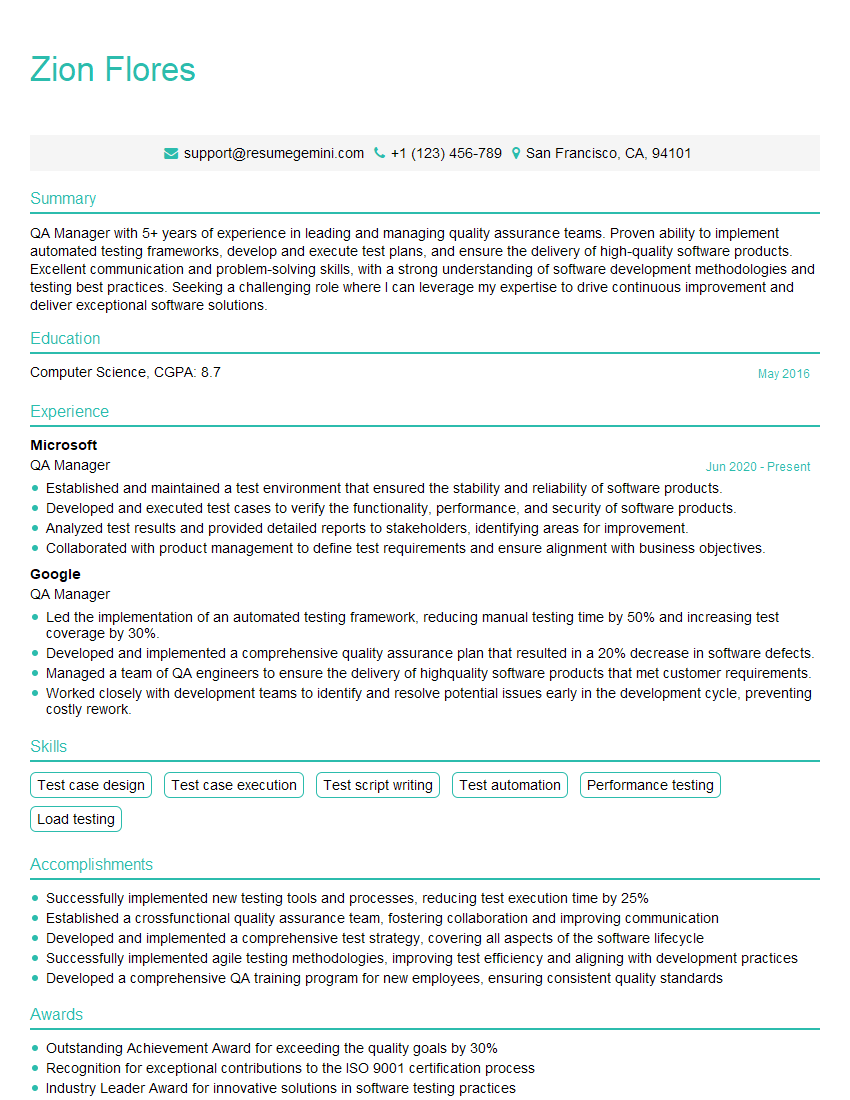
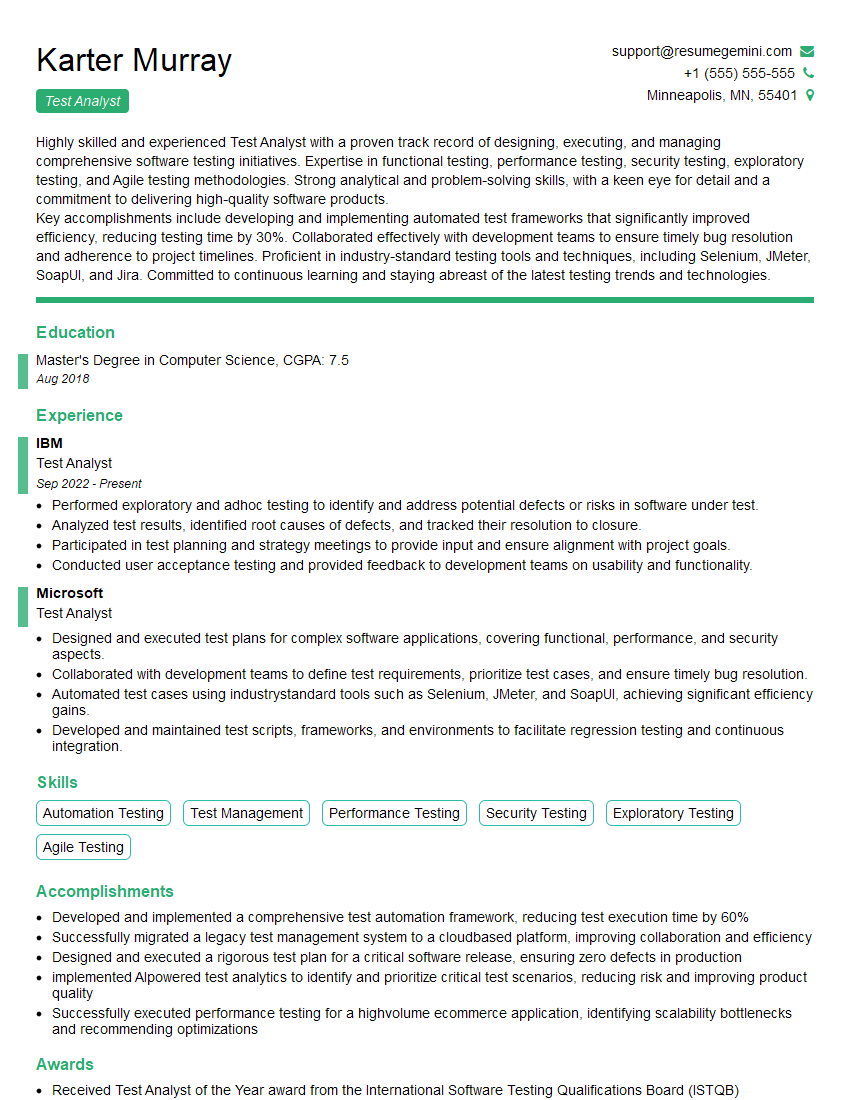
Mastering Test Execution and Management is crucial for career advancement in the software industry. It demonstrates your ability to ensure software quality, manage risks, and collaborate effectively within a team. To significantly boost your job prospects, crafting a strong, ATS-friendly resume is essential. We strongly encourage you to leverage ResumeGemini to build a professional and impactful resume. ResumeGemini provides a user-friendly platform and offers examples of resumes tailored to Test Execution and Management roles, helping you present your skills and experience effectively to potential employers.

Explore more articles
Users Rating of Our Blogs
Share Your Experience
We value your feedback! Please rate our content and share your thoughts (optional).
What Readers Say About Our Blog
Very informative content, great job.
good