Are you ready to stand out in your next interview? Understanding and preparing for Test Methodologies (e.g., ISTQB, IEEE 829) interview questions is a game-changer. In this blog, we’ve compiled key questions and expert advice to help you showcase your skills with confidence and precision. Let’s get started on your journey to acing the interview.
Questions Asked in Test Methodologies (e.g., ISTQB, IEEE 829) Interview
Q 1. Explain the difference between Verification and Validation.
Verification and validation are both crucial quality assurance processes, but they address different aspects of software development. Think of it like this: verification is about building the product right, while validation is about building the right product.
Verification focuses on ensuring that each phase of development adheres to the specifications and requirements defined in the previous phase. It’s about checking if we are building the product according to the plan. Methods include reviews, inspections, walkthroughs, and static analysis. For example, verifying that a function’s code accurately reflects its design specifications.
Validation, on the other hand, focuses on whether the finished product meets the overall needs and expectations of the customer or end-user. It’s about checking if we built the right product. Methods include testing, demonstrations, and user feedback. For example, validating that a web application is usable and meets the performance requirements outlined by the client.
In short, verification confirms that the steps are being followed correctly, while validation confirms that the correct steps are being followed to achieve the desired outcome.
Q 2. Describe the various levels of testing (Unit, Integration, System, Acceptance).
Software testing is typically structured in a hierarchical manner, moving from smaller components to the entire system. The main levels are:
- Unit Testing: This involves testing individual components or modules of the software in isolation. It’s like testing each brick before building a wall. The focus is on the internal logic and functionality of a unit. Developers usually perform unit tests.
- Integration Testing: This tests the interaction between different modules or units that have already been unit tested. It’s like checking how the bricks fit together to form a wall. This ensures that the combined units work correctly together. Integration tests are also often performed by developers.
- System Testing: This tests the entire system as a whole, encompassing all integrated modules. It’s like checking the entire house to ensure that all the walls, doors, and windows work together as designed. System testing assesses whether the system meets its requirements and performs as intended. This is often performed by a dedicated testing team.
- Acceptance Testing: This is the final level of testing, where the client or end-user verifies that the system meets their needs and expectations. It’s like the final house inspection before the homeowner moves in. Different types of acceptance testing exist, including user acceptance testing (UAT), alpha testing, and beta testing.
Q 3. What are the different testing techniques? Give examples.
Numerous testing techniques exist, categorized broadly into black-box and white-box approaches (explained further in a later question). Here are some examples:
- Black Box Techniques:
- Equivalence Partitioning: Dividing input data into groups (partitions) that are expected to be treated similarly by the software. Example: Testing a field that accepts numbers between 1 and 100; you would create partitions for: numbers less than 1, numbers between 1 and 100, and numbers greater than 100.
- Boundary Value Analysis: Testing values at the edges of input ranges. Example: For the same number field, you would test 0, 1, 99, 100, and 101.
- Decision Table Testing: Used when the software’s behavior depends on multiple conditions. It lists all possible combinations of conditions and the corresponding actions.
- White Box Techniques:
- Statement Coverage: Ensuring that each line of code is executed at least once during testing.
- Branch Coverage: Ensuring that each branch (true/false) of a conditional statement is executed.
- Path Coverage: Ensuring that every possible path through the code is executed.
Other techniques include exploratory testing (ad-hoc testing based on tester’s experience), regression testing (retesting after code changes), performance testing (testing speed, stability, and scalability), and security testing.
Q 4. Explain the importance of a Test Plan according to IEEE 829.
According to IEEE 829, the Test Plan is a crucial document that outlines the scope, approach, resources, and schedule for software testing. Its importance stems from several factors:
- Planning and Organization: It provides a roadmap for the entire testing process, ensuring that all aspects are covered and resources are allocated effectively. This avoids ad-hoc testing and ensures a systematic approach.
- Risk Mitigation: By identifying potential risks and developing mitigation strategies, the test plan helps minimize the chance of project delays or failures.
- Communication and Coordination: The test plan serves as a communication tool for the entire project team, ensuring everyone understands the testing strategy and their roles and responsibilities. This improves collaboration and reduces misunderstandings.
- Measurable Objectives: The test plan sets specific, measurable, achievable, relevant, and time-bound (SMART) objectives for testing, allowing for the tracking of progress and the assessment of test effectiveness.
- Traceability and Auditability: The documented test plan enables traceability from requirements to tests, and provides an audit trail of the testing activities performed. This ensures that all testing activities are planned, executed, and documented in a controlled manner.
A well-defined Test Plan is essential for successful software testing and overall project success.
Q 5. What are the key components of a Test Case?
A comprehensive Test Case comprises the following key components:
- Test Case ID: A unique identifier for the test case.
- Test Case Name: A descriptive name that summarizes the test case’s purpose.
- Objective: A clear statement of what the test aims to verify.
- Preconditions: Conditions that must be met before executing the test case (e.g., specific data setup, system configuration).
- Test Steps: A detailed step-by-step procedure for executing the test.
- Expected Results: The anticipated outcomes of each test step.
- Actual Results: The observed outcomes of each test step after execution.
- Pass/Fail Status: An indication whether the test passed or failed based on the comparison of expected and actual results.
- Test Data: Specific input data required to execute the test case.
- Postconditions: Actions to be performed after executing the test case (e.g., data cleanup).
- Notes/Comments: Any additional relevant information or observations.
Q 6. What is Test Driven Development (TDD)?
Test-Driven Development (TDD) is an agile software development approach where test cases are written before the code they are intended to test. It follows a simple cycle: Red-Green-Refactor.
- Red: Write a failing test case that defines a specific functionality or requirement. This ‘red’ phase highlights the fact that the functionality does not yet exist.
- Green: Write the minimum amount of code necessary to make the failing test pass. This ‘green’ phase focuses on achieving functionality.
- Refactor: Improve the code’s design and structure while ensuring that all tests remain passing. This ‘refactor’ phase focuses on maintainability and efficiency.
TDD promotes writing cleaner, more maintainable code by forcing developers to think about the requirements and design upfront. It leads to higher code quality, better design, and reduced debugging time. Think of it like building a house with a detailed blueprint before you start laying the bricks. It’s a more structured and effective way to build functionality.
Q 7. What is the difference between Black Box and White Box testing?
Black box and white box testing are two fundamental approaches to software testing that differ in their perspectives and methods.
Black Box Testing treats the software as a ‘black box,’ meaning the internal workings of the software are not considered. Testers focus solely on the inputs and outputs, verifying that the software functions correctly based on the specified requirements. This is analogous to testing a vending machine without knowing the internal mechanisms – you only care about putting in money and getting the desired item.
White Box Testing, on the other hand, has full access to the software’s internal structure and code. Testers use this knowledge to design test cases that cover various code paths, ensuring that all parts of the code are executed and tested. It is like having the schematics of the vending machine and testing every component, wire, and circuit within it. Methods include statement coverage, branch coverage, and path coverage.
Both black box and white box testing are valuable and are often used in combination to provide comprehensive test coverage. Black box testing ensures that the system meets requirements while white box testing ensures the internal quality and robustness of the code.
Q 8. What are some common software testing metrics?
Software testing metrics are quantifiable measurements that help us understand the effectiveness and efficiency of our testing efforts. They provide insights into the quality of the software and the testing process itself. These metrics are crucial for making data-driven decisions and improving the overall testing strategy.
- Defect Density: This metric measures the number of defects found per lines of code (LOC) or per function points. A lower defect density indicates better code quality. Example: 5 defects per 1000 lines of code.
- Defect Detection Rate: This shows the percentage of defects found during testing compared to the total number of defects found throughout the software lifecycle (including post-release). A higher rate suggests effective testing.
- Test Case Execution Rate: This tracks the number of test cases executed per unit of time, helping assess testing progress and resource allocation. Example: 100 test cases executed per day.
- Test Case Pass/Fail Ratio: This simple metric indicates the percentage of test cases that passed versus those that failed. A high pass rate suggests better software stability, but it doesn’t necessarily mean the software is free of defects.
- Requirement Coverage: This metric assesses the percentage of requirements that are covered by test cases. Ideally, we want 100% coverage, though complete coverage isn’t always feasible or cost-effective.
- Test Coverage: This shows the level to which the codebase has been tested. This can be measured in various ways, such as statement coverage, branch coverage, or path coverage. Higher test coverage generally indicates more thorough testing.
By tracking and analyzing these metrics, we gain a clearer picture of the quality of the software and can identify areas that require improvement in the testing process. For instance, a consistently low defect detection rate may indicate a need for more thorough test design or better training for testers.
Q 9. How do you handle defects found during testing?
Handling defects is a critical part of the testing process. It involves a systematic approach to ensure issues are properly documented, tracked, and resolved. My approach typically follows these steps:
- Reproduce the defect: First, I need to verify that the reported defect is valid and reproducible. I follow the steps provided in the defect report and try to reproduce it in the same environment. This may involve gathering more information from the reporter if necessary.
- Document the defect: Using a bug tracking system (like Jira or Bugzilla), I create a detailed report including steps to reproduce, the expected and actual results, the severity, and priority. Screenshots and logs often prove invaluable.
- Assign the defect: I assign the defect to the appropriate developer or team responsible for fixing it.
- Verify the fix: Once the developer has marked the defect as fixed, I retest the functionality to confirm it’s working as expected. Regression testing may also be needed to ensure the fix hasn’t caused new issues.
- Close the defect: Once verification is complete and the defect is resolved, I close the bug report in the tracking system.
Throughout the entire process, communication is key. I ensure regular updates are provided to stakeholders about the status of the defects, especially critical ones. This is important to keep everyone informed and manage expectations.
Q 10. Explain the concept of Test Strategy.
A Test Strategy is a high-level document that outlines the overall approach to software testing for a project. It guides the planning and execution of testing activities, ensuring consistency and efficiency. It’s akin to a roadmap, directing the testing team towards a successful outcome.
A comprehensive Test Strategy should cover:
- Scope: Defining what parts of the software will be tested and what will be excluded.
- Testing Objectives: Clearly stated goals for the testing process (e.g., achieve 95% test coverage, find and resolve all critical defects).
- Methodology: Choosing an appropriate testing methodology (Waterfall, Agile, etc.) and justifying the choice.
- Test Environment: Describing the hardware, software, and network configurations needed for testing.
- Test Data: Explaining how test data will be created, managed, and secured.
- Risk Assessment: Identifying potential risks to the testing process and mitigation strategies.
- Reporting: How test results will be communicated to stakeholders.
- Tools: The tools and technologies to be used for testing (defect tracking, test management, automation).
A well-defined Test Strategy is vital for successful software testing, as it provides a shared understanding and direction for the entire team, leading to better coordination and more efficient use of resources.
Q 11. What is the purpose of a Test Summary Report?
The Test Summary Report is a crucial document that summarizes the overall testing process and results. It provides a high-level overview of what was tested, what was found, and the overall conclusion regarding the software’s readiness for release. Think of it as the final report card for the testing phase.
Key elements of a Test Summary Report include:
- Summary of Test Activities: An overview of the different testing phases conducted (unit, integration, system, etc.).
- Test Environment Details: A description of the hardware, software, and network environment used for testing.
- Metrics and Results: Summary of key testing metrics such as defect density, test case pass/fail ratio, and requirement coverage.
- Defect Analysis: Analysis of the defects found, including severity levels and trends.
- Test Coverage: Details of the extent to which the software was tested.
- Overall Assessment: A conclusion regarding the software’s readiness for release, indicating any outstanding risks or issues.
- Recommendations: Suggestions for improving future testing processes.
This report is essential for stakeholders such as management, developers, and clients. It helps them make informed decisions about the software’s release and identifies areas for improvement in future development cycles.
Q 12. Describe your experience with different testing lifecycles (e.g., Waterfall, Agile).
I have experience working with both Waterfall and Agile testing lifecycles. Each has its own advantages and disadvantages.
Waterfall: In Waterfall, testing is typically performed in a sequential manner, after the development phase is complete. This approach is well-documented and suitable for projects with stable requirements. However, it can be inflexible and lead to late discovery of defects.
Agile: In Agile, testing is integrated into the development process from the start, with continuous testing and feedback loops. This approach is more adaptable to changing requirements but requires close collaboration between developers and testers. I’ve worked on several Agile projects using Scrum and Kanban, where testing activities are incorporated into each sprint. This continuous integration approach allows for early defect detection and faster feedback.
My experience has shown that Agile is often more effective for complex projects with evolving requirements, whereas Waterfall can be suitable for simpler, less complex projects with stable requirements. The choice of lifecycle depends greatly on the project characteristics and organizational context.
Q 13. How do you prioritize test cases?
Prioritizing test cases is crucial for maximizing the effectiveness of testing within time and resource constraints. I use a multi-faceted approach that considers several factors:
- Risk: Test cases that cover critical functionalities, high-risk areas, and security aspects are given higher priority. These areas are likely to have a major impact on the system if they fail.
- Business Value: Test cases that address functionalities with high business value or user impact are prioritized. Features that are core to the application’s purpose or heavily used by end-users should be tested first.
- Severity: The severity of a potential failure – whether it’s a minor annoyance or a system crash – influences test case priority. A test case with the potential for a critical failure gets prioritized over one with a minor impact.
- Dependency: Test cases that are dependent on other functionalities are prioritized to ensure that they can be executed effectively.
- Test Case Coverage: In a situation where time is limited, prioritizing test cases that have a high impact on overall test coverage is important to ensure a broad range of functionalities are examined.
Often, a combination of these factors is used to create a priority ranking. For instance, a test case covering a critical security function with high business impact would naturally take precedence over a test case covering a minor UI element. Tools like risk matrices can help visualize and quantify this prioritization. This process is iterative and can be refined based on the testing progress and newly discovered information.
Q 14. What is risk-based testing?
Risk-based testing is a testing approach that focuses testing efforts on areas of the software that pose the highest risk. Instead of testing everything equally, it prioritizes areas with the greatest potential for causing failures or negative consequences. It’s a highly efficient strategy, maximizing the impact of testing activities.
The process typically involves:
- Risk Identification: Identifying potential risks associated with the software, such as security vulnerabilities, performance bottlenecks, or usability issues.
- Risk Assessment: Evaluating the likelihood and impact of each identified risk.
- Risk Prioritization: Prioritizing the risks based on their likelihood and impact; higher-risk areas are targeted first.
- Test Case Design: Designing and executing test cases specifically focused on addressing the prioritized risks.
- Monitoring and Reporting: Continuously monitoring the testing progress and reporting on the status of the identified risks.
Risk-based testing is particularly useful for large and complex projects where it’s impossible to test everything exhaustively. By focusing on the highest risks, it maximizes the effectiveness of the testing process and minimizes the likelihood of critical failures.
For example, in a financial application, security risks would likely be prioritized over minor UI issues, as a security breach could have far more severe consequences. Risk-based testing ensures that the most critical areas receive the necessary attention and resources, improving the overall quality and reliability of the software.
Q 15. Explain different types of software testing (Functional, Non-functional).
Software testing is broadly categorized into functional and non-functional testing. Functional testing verifies that the software functions as specified in the requirements document. It focuses on the ‘what’ – does the software do what it’s supposed to do? Non-functional testing, on the other hand, assesses aspects beyond functionality, focusing on the ‘how’ – how well does the software perform its functions? Let’s delve deeper:
Functional Testing:
This involves testing individual functions or features of the software. Examples include:- Unit testing: Testing individual components or modules in isolation.
- Integration testing: Testing the interaction between integrated modules.
- System testing: Testing the entire system as a whole.
- Acceptance testing: Verifying the system meets user requirements before deployment. This often involves User Acceptance Testing (UAT).
- Regression testing: Retesting after code changes to ensure no new bugs were introduced.
Non-Functional Testing:
This evaluates aspects like performance, security, usability, and reliability. Examples include:- Performance testing: Assessing response time, scalability, and stability under various loads (load testing, stress testing).
- Security testing: Identifying vulnerabilities and ensuring data protection.
- Usability testing: Evaluating user-friendliness and ease of navigation.
- Reliability testing: Determining the software’s ability to function consistently without failure.
- Compatibility testing: Verifying the software works across different platforms, browsers, and devices.
In practice, both functional and non-functional testing are crucial for delivering high-quality software. Ignoring one over the other can lead to serious issues post-deployment.
Career Expert Tips:
- Ace those interviews! Prepare effectively by reviewing the Top 50 Most Common Interview Questions on ResumeGemini.
- Navigate your job search with confidence! Explore a wide range of Career Tips on ResumeGemini. Learn about common challenges and recommendations to overcome them.
- Craft the perfect resume! Master the Art of Resume Writing with ResumeGemini’s guide. Showcase your unique qualifications and achievements effectively.
- Don’t miss out on holiday savings! Build your dream resume with ResumeGemini’s ATS optimized templates.
Q 16. What is boundary value analysis?
Boundary value analysis is a black-box testing technique that focuses on testing the boundaries of input values. The idea is that defects are more likely to occur at the edges of valid input ranges rather than in the middle. We test values at the minimum, maximum, and just inside/outside these boundaries. Imagine a text field that accepts numbers between 1 and 100:
- Valid boundary values: 1, 100
- Invalid boundary values: 0, 101, -1, 1000
By testing these values, we increase the chances of finding errors related to input validation and data handling. For example, a system might crash when given a value of 0 even though it accepts 1.
This technique is particularly useful for systems dealing with numerical inputs, dates, or other data types with defined ranges. It’s highly efficient and helps identify potential issues early on, improving software robustness.
Q 17. What is equivalence partitioning?
Equivalence partitioning is another black-box testing technique that divides the input data into groups or partitions, called equivalence classes. The assumption is that if one test case within a partition passes, all other test cases in that partition will also pass. This reduces the number of test cases needed while still ensuring good test coverage.
For example, consider a field that accepts positive integers between 1 and 100. We can create the following equivalence classes:
- Valid inputs: 1-100
- Invalid inputs: Less than 1, Greater than 100, Zero, Negative numbers, non-numeric values
We’d select one representative value from each partition for testing. Testing ’50’ (valid) covers the entire 1-100 range, while testing ‘0’, ‘101’, and ‘abc’ represents invalid inputs. This drastically reduces test cases compared to exhaustive testing of every possible input value.
Effective equivalence partitioning requires careful analysis of input ranges and conditions to define meaningful equivalence classes.
Q 18. What experience do you have with test management tools?
Throughout my career, I’ve extensively used several test management tools, adapting my choice based on project requirements. My experience includes:
- Jira: I’ve used Jira extensively for test case management, defect tracking, and overall project tracking. I am proficient in creating and managing test cycles, assigning tasks, and generating reports.
- TestRail: I’ve leveraged TestRail’s robust features for test planning, execution, and reporting. I find its intuitive interface and integration capabilities to be beneficial for collaborative testing efforts.
- Azure DevOps (formerly VSTS): I’ve worked within the Azure DevOps ecosystem for managing the entire software development lifecycle, including testing. I’m familiar with its integrated tools for test case management and reporting.
My experience extends beyond simple usage; I understand the importance of configuring these tools to match project methodologies and workflows, ensuring efficient test management and insightful reporting. I’m comfortable training team members on the effective use of these tools.
Q 19. How do you handle conflicting priorities during testing?
Conflicting priorities are an inevitable part of software testing. My approach involves a combination of prioritization, communication, and risk assessment.
- Prioritization based on risk: I work closely with stakeholders (developers, product owners, business analysts) to understand the critical functionalities and features. This helps us prioritize testing efforts toward areas with higher business impact and potential risk.
- Negotiation and communication: Open communication is key. I clearly explain the testing scope, timelines, and potential risks associated with compromised testing. I’m adept at negotiating realistic expectations based on available resources and time constraints.
- Risk assessment and mitigation: I identify the highest-risk areas where insufficient testing could have significant consequences. I then propose mitigation strategies, which might include focusing on critical test cases, automated testing of high-risk functionalities, or documenting known risks and their implications.
- Documentation and transparency: All decisions regarding priority adjustments and trade-offs are documented, along with the rationale. This ensures transparency and accountability.
Ultimately, the goal is to achieve a balance between delivering on time and ensuring acceptable software quality. This often requires making difficult decisions, but clear communication and a data-driven approach are vital to success.
Q 20. Describe your approach to automation testing.
My approach to automation testing is driven by a strategic selection of appropriate tests, a robust framework, and a commitment to maintainability.
- Test Selection: I don’t automate everything. I focus on tests that are repetitive, time-consuming, or prone to human error, such as regression testing, data-driven tests, and performance testing. I prioritize areas with high value and high risk.
- Framework Design: I utilize a structured framework (e.g., keyword-driven, data-driven, hybrid) to ensure consistency, maintainability, and reusability of test scripts. The choice depends on the project complexity and team expertise.
- Tool Selection: My tool selection is based on project requirements and team familiarity. I have experience with Selenium for web application testing, Appium for mobile app testing, and tools like JUnit or TestNG for unit testing.
- Continuous Integration/Continuous Delivery (CI/CD): I integrate automated tests into the CI/CD pipeline, enabling quick feedback and early detection of bugs. This helps reduce integration problems later in the cycle.
- Maintainability: I write clean, well-documented test scripts that are easy to understand and maintain. Regular reviews and refactoring ensure the automated tests remain reliable and adaptable to changes in the application.
I believe that automation is a powerful tool, but it should be used strategically and not as a replacement for all manual testing. A combination of manual and automated tests is typically the most effective approach.
Q 21. What is a test stub and a test driver?
Test stubs and test drivers are used in integration testing to simulate the behavior of components that are not yet implemented or are difficult to integrate directly. Think of them as placeholders or simulators during the testing process.
- Test Stub: A stub is a simplified replacement for a module or component being called by the module under test. It returns predefined data or performs minimal operations, allowing the test to proceed without needing the full functionality of the called module. Imagine testing a payment processing module – you might use a stub to simulate the bank’s response without actually making a real payment.
- Test Driver: A driver is a temporary program that calls the module under test. It provides input data and verifies the output, acting as the ‘main’ program temporarily. This is useful when the module under test requires a specific sequence of operations or complex input to be properly tested.
In essence, stubs and drivers help isolate the module under test and allow for targeted testing of its functionality without dependencies on external, incomplete, or complex components. They’re essential tools for effective integration testing.
Q 22. Explain the difference between static and dynamic testing.
Static and dynamic testing are two fundamental approaches in software testing, distinguished primarily by when they are performed relative to the execution of the software.
Static Testing involves examining the software without actually running it. Think of it like proofreading a document before printing – you’re checking for errors in the text, grammar, and structure but not testing the functionality of the document itself. Methods include code reviews, inspections, and static analysis using tools that scan code for potential vulnerabilities or design flaws. For instance, a code review might reveal a potential null pointer exception before the code even runs. This is efficient because it catches problems early in the development lifecycle.
Dynamic Testing, conversely, involves executing the software and observing its behavior. It’s like testing the printed document – does it perform the intended function? Does it look as expected? Techniques include unit testing, integration testing, system testing, and user acceptance testing (UAT). For example, running a unit test on a function that calculates a sum checks if it produces the correct output for various inputs. This confirms the code works as designed.
In essence, static testing focuses on preventing defects, while dynamic testing focuses on detecting defects. They are complementary and both are essential for thorough software quality assurance.
Q 23. What is regression testing and why is it important?
Regression testing is the process of re-running existing tests after making changes to the software. Imagine you’ve fixed a bug in your code – regression testing ensures that this fix hasn’t inadvertently broken other parts of the system. It’s like double-checking your work after making a correction to a document to ensure you haven’t introduced new mistakes.
Its importance is paramount because software development is iterative. Each new feature or bug fix has the potential to introduce unintended consequences, impacting previously working functionality. Without regression testing, you risk releasing software with latent defects that could impact functionality and user experience. Thorough regression testing helps maintain software stability and quality over time, especially in agile development environments with frequent code changes.
Effective regression testing strategies often involve automation to improve efficiency and consistency. Automated tests can be run repeatedly after each code change, ensuring quick identification of regression issues.
Q 24. What are some common challenges in software testing?
Software testing, while crucial, presents several common challenges. Some key ones include:
- Insufficient time and resources: Testing is often rushed due to tight deadlines and limited budgets, compromising the thoroughness of testing.
- Changing requirements: Frequent changes in project specifications necessitate constant adjustments in the test plan, requiring flexibility and adaptability.
- Lack of skilled testers: A shortage of qualified and experienced testers can result in inadequate test coverage and poor test execution.
- Testing environment limitations: Differences between testing and production environments can lead to undetected bugs that only surface in production.
- Test data management: Creating and managing realistic and representative test data can be complex and time-consuming.
- Difficult-to-reproduce bugs: Some bugs are intermittent or dependent on specific conditions, making them challenging to reproduce and fix.
- Testing complex systems: Testing large, interconnected systems requires sophisticated testing strategies and a well-defined approach.
Overcoming these challenges requires careful planning, efficient resource allocation, effective communication, and the use of appropriate tools and methodologies.
Q 25. How do you ensure test coverage?
Ensuring test coverage involves verifying that all aspects of the software have been adequately tested. This isn’t just about running a lot of tests, but running the right tests. Several methods help achieve this:
- Requirement Traceability Matrix (RTM): This matrix links requirements to test cases, ensuring each requirement is covered by at least one test.
- Test Case Design Techniques: Techniques like equivalence partitioning, boundary value analysis, and decision table testing help create tests that effectively cover a wide range of inputs and conditions.
- Code Coverage Analysis: Tools can measure the percentage of code executed during testing, highlighting areas that may be untested. While not a perfect measure of functional coverage, it’s a valuable metric.
- Risk-Based Testing: Prioritize testing efforts based on the risk associated with different software components or functionalities.
The goal isn’t to achieve 100% code coverage (which is often impractical and inefficient), but to achieve sufficient coverage to reasonably assure software quality based on the project’s risk profile. This is usually expressed as a percentage and agreed upon during project planning.
Q 26. Describe your experience with defect tracking systems.
I have extensive experience with various defect tracking systems, including Jira, Bugzilla, and Azure DevOps. My experience encompasses the entire lifecycle – from defect reporting and assignment to resolution and closure. I’m proficient in using these systems to:
- Log defects accurately and comprehensively: I ensure that each defect report includes all necessary information (steps to reproduce, actual vs. expected results, screenshots, logs, etc.).
- Prioritize defects based on severity and priority: I contribute to effective triage and prioritization to ensure the most critical issues are addressed first.
- Track defect status and resolution: I actively monitor the progress of defect resolution and communicate effectively with developers to ensure timely fixes.
- Generate reports and analyze trends: I utilize reporting features to identify patterns in defect occurrence, helping to improve testing processes and identify areas for improvement.
In a recent project using Jira, I implemented a customized workflow to streamline the defect reporting and resolution process, reducing the average resolution time by 15%. My experience extends beyond simply using the tools; I actively seek ways to optimize their use for improved team efficiency and product quality.
Q 27. Explain your understanding of different types of software defects.
Software defects, or bugs, can manifest in various ways. Here are some common types:
- Functional Defects: The software doesn’t perform as specified in the requirements. For example, a button that’s supposed to save data fails to do so.
- Performance Defects: The software is slow, unresponsive, or consumes excessive resources. A website that takes ages to load is an example.
- Usability Defects: The software is difficult to use or understand. A poorly designed user interface is a classic example.
- Security Defects: Vulnerabilities that could expose the software to security breaches. SQL injection or cross-site scripting are common examples.
- Compatibility Defects: The software doesn’t work correctly on certain platforms, browsers, or devices. For instance, a web application that doesn’t work on Internet Explorer.
- Data Defects: Problems with data storage, retrieval, or processing. Incorrect calculation of values in a database, for example.
Understanding these defect types is crucial for effective testing, allowing testers to tailor their testing approaches to identify and report them efficiently.
Q 28. How do you contribute to continuous improvement in testing processes?
Contributing to continuous improvement in testing is an ongoing process. My approach involves several key strategies:
- Post-project reviews: Actively participating in post-project reviews to analyze testing processes, identify areas for improvement, and document lessons learned. This includes analyzing defect reports to identify recurring issues.
- Test automation: Promoting and implementing test automation to improve efficiency, reduce manual effort, and increase test coverage.
- Process improvement initiatives: Suggesting and implementing process improvements, such as adopting new testing methodologies or tools to streamline testing workflows.
- Knowledge sharing: Sharing knowledge and best practices with team members through training, mentoring, and documentation.
- Tooling and technology evaluation: Evaluating and recommending new tools and technologies that can improve testing effectiveness and efficiency.
- Metrics and analysis: Tracking relevant testing metrics (e.g., defect density, test coverage, test execution time) to monitor progress and identify areas for optimization.
For instance, in a previous project, I identified a bottleneck in our test execution process. By implementing a new test management tool and improving our test automation strategy, we reduced our testing time by 30% and improved the overall quality of our software.
Key Topics to Learn for Test Methodologies (e.g., ISTQB, IEEE 829) Interview
- Test Levels: Understand the differences between unit, integration, system, and acceptance testing, and when each is appropriate.
- Test Design Techniques: Master equivalence partitioning, boundary value analysis, decision table testing, and state transition testing. Be prepared to discuss practical applications of each.
- Test Case Design & Documentation (IEEE 829): Familiarize yourself with the standard for software and system test documentation, including test plans, test cases, and test reports. Practice creating concise and effective test documentation.
- Software Testing Life Cycle (STLC): Know the phases of the STLC and how testing activities fit within each phase. Be able to discuss the relationship between testing and the software development life cycle (SDLC).
- Defect Management: Understand the defect lifecycle, from identification and reporting to resolution and closure. Be prepared to discuss best practices for defect tracking and reporting.
- Risk-Based Testing: Explain how to identify and prioritize testing efforts based on risk assessment. Understand how to manage testing based on risk level.
- ISTQB Foundation Level Knowledge: Review core concepts covered in the ISTQB Foundation Level syllabus, including various testing types (black box, white box), test process, and testing principles.
- Test Automation Fundamentals: While not always explicitly required, a basic understanding of test automation concepts and tools can be beneficial. Be prepared to discuss the benefits and challenges of automation.
- Test Metrics and Reporting: Understand key testing metrics (e.g., defect density, test coverage) and how to effectively communicate testing results through clear and concise reports.
- Different Testing Methodologies: Be prepared to discuss the advantages and disadvantages of various methodologies like Agile, Waterfall, and DevOps approaches to testing.
Next Steps
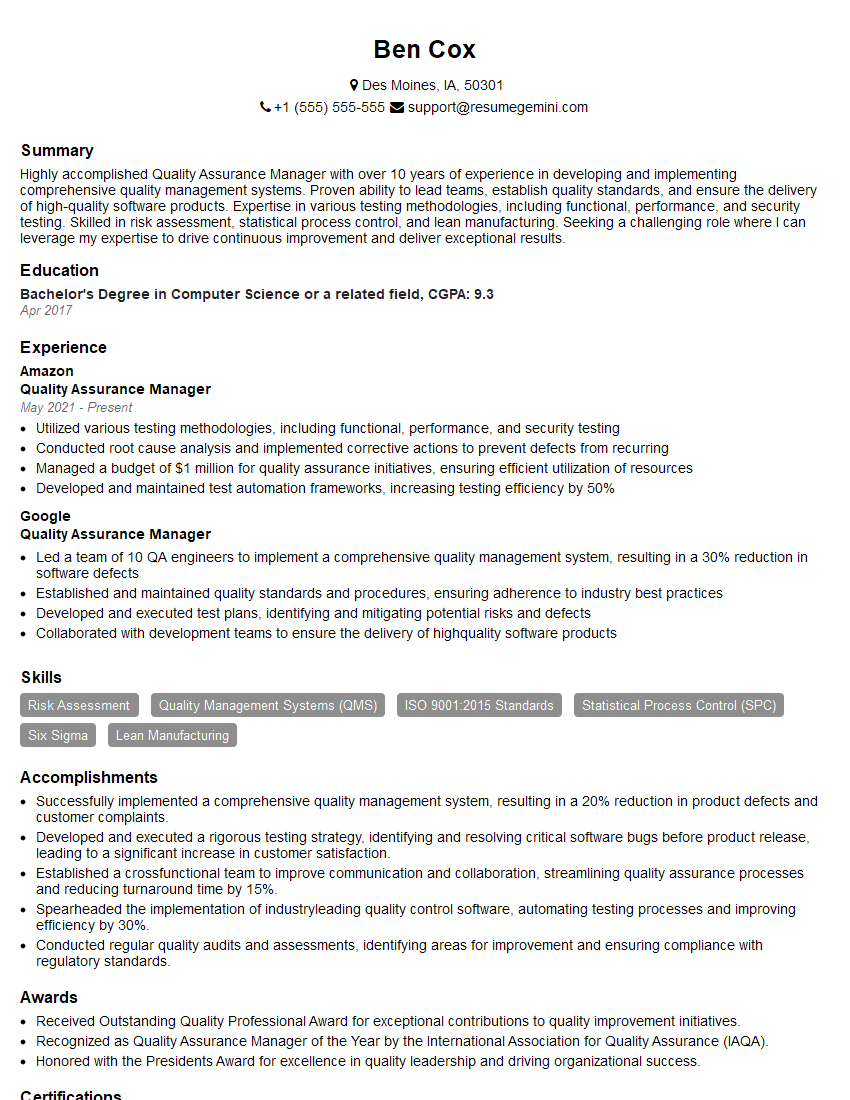
Mastering Test Methodologies like ISTQB and IEEE 829 is crucial for career advancement in software quality assurance. A strong understanding of these concepts demonstrates your commitment to quality and your ability to contribute effectively to a development team. To further enhance your job prospects, focus on creating an ATS-friendly resume that clearly showcases your skills and experience. ResumeGemini is a trusted resource that can help you build a professional and effective resume. We provide examples of resumes tailored to Test Methodologies like ISTQB and IEEE 829 to help you get started. Take the next step and build a resume that reflects your expertise and helps you land your dream job!

Explore more articles
Users Rating of Our Blogs
Share Your Experience
We value your feedback! Please rate our content and share your thoughts (optional).
What Readers Say About Our Blog
Very informative content, great job.
good