Preparation is the key to success in any interview. In this post, we’ll explore crucial Troubleshooting and resolving network performance issues interview questions and equip you with strategies to craft impactful answers. Whether you’re a beginner or a pro, these tips will elevate your preparation.
Questions Asked in Troubleshooting and resolving network performance issues Interview
Q 1. Explain the TCP/IP model and its layers.
The TCP/IP model is a conceptual framework that organizes the functions of a network into a layered structure. It’s a crucial model for understanding how data moves across networks. Think of it like a multi-stage delivery system; each layer handles a specific aspect of the delivery, ensuring the data reaches its destination successfully.
- Application Layer: This is where applications like web browsers (HTTP), email clients (SMTP, POP3), and file transfer programs (FTP) interact with the network. It handles the actual data the user wants to send or receive. For example, when you type a URL into your browser, the application layer initiates the communication.
- Transport Layer: This layer provides reliable data transfer between applications. It uses protocols like TCP (Transmission Control Protocol) for reliable, ordered delivery, or UDP (User Datagram Protocol) for faster but less reliable delivery. TCP is like sending a registered package, ensuring delivery and order; UDP is like sending a postcard – faster, but no guarantee of arrival.
- Network Layer: This layer handles the addressing and routing of data packets across networks. It uses IP addresses (like your street address) to direct data packets to their correct destination. Think of this layer as the postal service, figuring out the route to the final destination.
- Link Layer (Data Link Layer): This layer deals with the physical transmission of data over a specific network medium, such as Ethernet or Wi-Fi. It manages things like error detection and MAC addressing. This is like the actual delivery person who physically transports the package to your doorstep.
- Physical Layer: This layer defines the physical characteristics of the network hardware, such as cables, connectors, and network interface cards. This is the infrastructure – the roads, trucks, and delivery infrastructure that allows the whole process to happen.
Understanding these layers helps in troubleshooting network problems because you can isolate issues to specific layers.
Q 2. Describe the difference between TCP and UDP protocols.
TCP and UDP are both transport layer protocols, but they differ significantly in how they handle data transmission.
- TCP (Transmission Control Protocol): TCP is a connection-oriented protocol, meaning it establishes a connection between sender and receiver before transmitting data. It guarantees reliable, ordered delivery of data through error checking, acknowledgments, and retransmissions. Think of it as a phone call – a dedicated connection is established.
- UDP (User Datagram Protocol): UDP is a connectionless protocol; it doesn’t establish a connection before transmitting data. It’s faster but less reliable because it doesn’t guarantee delivery or order of packets. Think of it like sending a text message – it’s quick but might not arrive or arrive out of order.
TCP is used for applications requiring reliable data delivery, such as web browsing (HTTP) and file transfer (FTP). UDP is used for applications where speed is prioritized over reliability, such as online gaming and video streaming.
Q 3. How do you troubleshoot slow network speeds?
Troubleshooting slow network speeds requires a systematic approach. I usually start with the simplest checks and move to more complex diagnostics.
- Check the obvious: Restart your computer and router. Sometimes a simple reboot resolves temporary glitches.
- Check physical connections: Ensure all cables are securely plugged in at both ends. Loose connections are a common cause of slowdowns.
- Run a speed test: Use online tools like Ookla’s Speedtest to measure your download and upload speeds. This gives you a baseline and helps you determine if the problem is on your network or with your internet service provider (ISP).
- Check for malware or resource hogs: Malicious software can consume bandwidth and slow down your network. Use anti-malware tools and check your resource monitor (Task Manager on Windows) to identify processes using excessive bandwidth or CPU.
- Investigate network congestion: Many devices sharing the same Wi-Fi network or high bandwidth usage by other applications can cause slowdowns. Try temporarily disconnecting some devices or limiting bandwidth-intensive applications.
- Check router configuration: Ensure your router’s firmware is up-to-date. Check the router’s QoS (Quality of Service) settings to prioritize certain applications if necessary.
- Contact your ISP: If the problem persists after checking your local network, it is likely an issue with your internet service provider’s infrastructure. They can diagnose and resolve problems on their end.
For example, I once encountered a case where a client’s slow network speed was due to a faulty network card. After replacing the card, the speed was restored.
Q 4. What tools do you use for network monitoring and analysis?
My toolbox for network monitoring and analysis includes a range of tools, depending on the specific issue. I regularly use:
- Wireshark: A powerful packet analyzer for capturing and inspecting network traffic. It allows for deep dives into network protocols to identify bottlenecks or security issues.
- tcpdump/tshark: Command-line packet analyzers that are useful for automated monitoring and scripting. These are essential for analyzing large datasets.
- Ping: A basic but crucial command-line utility to test network connectivity. It measures the time it takes to send and receive a response from a remote host.
- Traceroute/tracert: These tools trace the path of a network packet from source to destination, identifying routers and potential points of failure along the way.
- Network monitoring tools (e.g., PRTG, Nagios, SolarWinds): These provide dashboards for monitoring network performance, alerting on issues, and long-term analysis.
- Performance monitors (e.g., perfmon on Windows): Monitor resource utilization on the computer, like CPU, memory, and disk I/O, helping to pinpoint issues.
The choice of tool depends on the context. For a quick connectivity check, ping is sufficient; for detailed traffic analysis, Wireshark is invaluable.
Q 5. How do you identify network bottlenecks?
Identifying network bottlenecks involves a combination of monitoring and analysis. I usually follow these steps:
- Monitor network traffic: Use tools like Wireshark or network monitoring software to capture and analyze network traffic. Look for high latency, packet loss, or saturated links.
- Analyze bandwidth usage: Identify which applications or devices are consuming the most bandwidth. This often pinpoints the source of the bottleneck.
- Check CPU and memory utilization: High CPU or memory usage on network devices (routers, switches, servers) can indicate a bottleneck. Upgrading hardware might be necessary.
- Examine router configuration: Check for QoS settings, incorrect routing tables, or other configuration issues that might be limiting throughput.
- Investigate link speeds: Verify the speed of the physical links (cables, wireless connections) and ensure they are not causing a bottleneck. Consider upgrading to faster links if necessary.
- Use network topology diagrams: To visualize the network and identify potential choke points. These diagrams can provide a high-level overview that’s crucial for complex scenarios.
For instance, a bottleneck might be revealed by observing consistent high latency on a particular link in a traceroute, indicating a congested router or slow link.
Q 6. Explain the concept of DNS and its importance.
DNS (Domain Name System) is like the phone book of the internet. It translates human-readable domain names (like google.com) into machine-readable IP addresses (like 172.217.160.142) that computers use to communicate. Without DNS, you’d have to remember complex IP addresses every time you wanted to visit a website, which is impractical.
Its importance lies in:
- User-friendliness: Allows users to access websites using easy-to-remember names instead of IP addresses.
- Scalability: Enables efficient management of the massive number of websites and servers on the internet.
- Flexibility: Enables load balancing across multiple servers and redundancy through multiple DNS servers.
DNS plays a critical role in every aspect of internet browsing. From typing a URL in your browser to opening your email – DNS is involved in the process.
Q 7. How do you troubleshoot DNS resolution issues?
Troubleshooting DNS resolution issues typically involves a methodical approach.
- Check your computer’s DNS settings: Ensure your computer is configured to use the correct DNS servers. You might need to specify a public DNS server like Google Public DNS or Cloudflare DNS if your ISP’s DNS servers are malfunctioning.
- Test DNS resolution: Use the
nslookupordigcommands (on Linux/macOS) or the command prompt (on Windows) to check if your computer can resolve domain names to IP addresses. For example:nslookup google.com - Check for DNS server issues: If the DNS resolution fails, contact your ISP or check the status of your DNS servers. If they are unavailable or slow, consider a different DNS server.
- Check your network connectivity: DNS resolution relies on network connectivity. Try pinging the DNS server. If you can’t ping it, there’s a problem with your network connection.
- Check your hosts file: The hosts file on your computer can override DNS settings. Ensure there are no incorrect or conflicting entries in the hosts file.
- Check for DNS caching issues: Sometimes, your computer’s DNS cache might contain outdated or incorrect entries. Try flushing your DNS cache.
For example, I once resolved a DNS issue by simply flushing the DNS cache on a user’s computer, as the cache had an incorrect entry for a specific domain.
Q 8. What are common causes of network outages?
Network outages, the bane of any connected environment, stem from a variety of sources. Think of your network as a highway system; a single blockage can bring everything to a standstill. Common causes fall into several categories:
- Hardware Failures: This includes faulty routers, switches, cables, or even server malfunctions. Imagine a crucial bridge collapsing on your highway – traffic grinds to a halt. A failing hard drive in a core server can have the same effect.
- Software Glitches: Bugs in operating systems, applications, or network management software can disrupt services. Think of this as a sudden, unexpected road closure due to a software error in the traffic management system.
- Power Outages: A loss of power can shut down entire network segments. This is like a complete blackout on your highway, leaving everything dark and inaccessible.
- Cyberattacks: DDoS attacks (Distributed Denial of Service) flood a network with traffic, rendering it unusable, while other malicious attacks can compromise security and cause disruptions. This is akin to a coordinated effort to block major roadways, causing significant congestion and delays.
- Human Error: Incorrect configurations, accidental cable disconnections, or even simple typos in network settings can trigger outages. This is like a construction worker accidentally closing a vital road without proper notification.
- Environmental Factors: Extreme weather events can damage physical infrastructure and lead to interruptions. This would be like a natural disaster causing severe damage to the roads, making them impassable.
Identifying the root cause often involves a systematic approach, starting with the most immediate symptoms and progressively investigating deeper layers of the network.
Q 9. Describe your experience with network security best practices.
Network security is paramount. My experience encompasses implementing and enforcing a multi-layered security approach. This includes:
- Firewall Management: Configuring and maintaining firewalls to control network access, both inbound and outbound. This is like having well-guarded checkpoints on your highway, allowing only authorized vehicles to pass.
- Intrusion Detection/Prevention Systems (IDS/IPS): Deploying and monitoring systems that detect and respond to malicious activity. These are like security cameras and patrols along your highway, constantly looking for suspicious activity.
- Virtual Private Networks (VPNs): Securing remote access to the network through encrypted connections. This ensures the data travels securely, like a secure, encrypted tunnel for your highway traffic.
- Access Control Lists (ACLs): Implementing fine-grained access control to limit access based on user roles and privileges. This is like having different speed limits and access restrictions based on vehicle type on your highway.
- Regular Security Audits and Penetration Testing: Proactively identifying vulnerabilities and potential weaknesses in the network’s security posture. This is like regular highway inspections to identify potential hazards and improve safety.
- Security Awareness Training for Staff: Educating users on best practices to minimize risks from phishing and social engineering attacks. This is like educating drivers on the rules of the road to ensure everyone’s safety.
In my previous role, I implemented a comprehensive security information and event management (SIEM) system, which significantly improved our threat detection and response capabilities.
Q 10. How do you handle escalated network issues?
Escalated network issues demand a calm and methodical approach. My process involves:
- Gather Information: I start by collecting all relevant information from the reporting party, including the nature of the problem, its impact, and any error messages.
- Reproduce the Issue: If possible, I attempt to reproduce the issue to understand the context better. This is like trying to replicate a traffic accident to understand what caused it.
- Isolate the Problem: I use diagnostic tools like ping, traceroute, and network monitoring systems to pinpoint the location and nature of the problem. This is like identifying the specific location of a traffic jam on your highway system.
- Implement a Solution: Based on my diagnosis, I implement the appropriate solution, which could involve reconfiguring network devices, restarting services, or contacting vendors for assistance.
- Document and Communicate: I document the entire process, including the cause, solution, and impact of the issue. This information helps in future troubleshooting and prevents similar issues. This is like creating a report on the accident, including details and lessons learned.
- Post-Incident Review: After resolving the issue, I conduct a post-incident review to identify any preventative measures that could have avoided the issue. This is like holding a safety review after a highway accident to prevent similar incidents.
I’ve successfully managed several high-impact outages, effectively coordinating with various teams to minimize downtime and ensure business continuity.
Q 11. Explain your experience with routing protocols (e.g., BGP, OSPF).
I have extensive experience with routing protocols, especially BGP and OSPF. Understanding these is crucial for managing large and complex networks.
- OSPF (Open Shortest Path First): This is a link-state routing protocol used within autonomous systems (AS). It builds a map of the network topology and uses Dijkstra’s algorithm to calculate the shortest path to destinations. Think of it as creating a detailed map of your highway network to optimize travel routes within a given state.
- BGP (Border Gateway Protocol): This is an exterior gateway protocol that connects different autonomous systems (ASes), enabling communication across the internet. It’s responsible for exchanging routing information between networks, acting as a gateway between different state highway networks allowing transportation across state lines.
In a previous role, I configured and maintained a large BGP network, ensuring optimal routing and reliable connectivity across multiple data centers. I also troubleshooted complex routing issues involving OSPF and BGP interactions, leveraging tools like show ip route and debug ip bgp to diagnose and resolve issues. A particularly challenging case involved resolving a routing loop caused by incorrect BGP configuration, requiring careful analysis of routing tables and neighbor relationships.
Q 12. How do you troubleshoot network connectivity problems?
Troubleshooting network connectivity problems follows a systematic approach. My methodology generally includes:
- Check the Obvious: Start with the basics: are cables plugged in properly? Is the device powered on? This is like checking if your car has gas before trying to troubleshoot why it won’t start.
- Ping the Destination: Use the
pingcommand to check basic connectivity to the target device. A successful ping indicates basic network connectivity; a failed ping suggests a problem somewhere along the path. - Traceroute: Employ the
traceroutecommand to identify the path packets take to reach the destination and pinpoint the point of failure. This is like tracing the route of a delivery truck to find out where it went wrong. - Check IP Configuration: Verify the device’s IP address, subnet mask, and default gateway settings. Incorrect settings can prevent connectivity. This would be analogous to ensuring your car has the correct address and map to reach the destination.
- Examine Network Logs: Review network device logs for errors or warnings that might indicate the cause of the problem. This is similar to checking the black box in a plane crash to discover the cause of the failure.
- Utilize Network Monitoring Tools: Leverage monitoring tools to assess overall network performance, bandwidth utilization, and potential bottlenecks. This is like having traffic cameras on your highway network which help in detecting traffic jams and slowdowns.
I often use a combination of these techniques, adapting my approach based on the specific issue and available tools. For example, I recently resolved an intermittent connectivity problem by identifying a faulty switch port using network monitoring and log analysis.
Q 13. What are your experience with network segmentation?
Network segmentation divides a network into smaller, isolated segments to improve security and performance. It’s like creating separate lanes on a highway for different types of traffic.
- Enhanced Security: Segmentation limits the impact of security breaches. If one segment is compromised, the rest remain unaffected. Think of it as containing a fire in one part of the highway without spreading it to others.
- Improved Performance: Isolating traffic reduces congestion and improves network responsiveness, enhancing application performance. This is like dedicating certain lanes of the highway to high-speed traffic.
- Simplified Management: Smaller segments are easier to manage and troubleshoot. This makes maintenance easier, like focusing on a specific section of the highway for maintenance instead of the entire network.
In one project, I implemented network segmentation using VLANs (Virtual LANs) to separate user traffic, server traffic, and guest Wi-Fi. This significantly improved security and network performance. This involved configuring VLANs on switches and routers, assigning IP addresses within each VLAN, and configuring firewalls for inter-VLAN communication.
Q 14. How do you ensure network security?
Ensuring network security is an ongoing process, not a one-time task. My approach is multi-faceted and proactive:
- Strong Passwords and Authentication: Implementing strong password policies and multi-factor authentication (MFA) are crucial first steps. This is like having strong locks and security guards for your highway checkpoints.
- Regular Security Updates: Keeping all network devices and software up-to-date with the latest security patches is essential. This is like regularly maintaining your highway system and vehicles to ensure safety.
- Intrusion Detection and Prevention: Deploying and monitoring IDS/IPS systems to detect and prevent malicious activity. This is like having a comprehensive surveillance system to detect and deter intruders on the highway.
- Network Segmentation: Dividing the network into smaller isolated segments to limit the impact of security breaches. This is like separating various types of traffic and assigning specific lanes for each on the highway.
- Security Monitoring and Alerting: Implementing robust monitoring systems to detect suspicious activity and trigger alerts in real-time. This is like having a control room constantly monitoring the highway network for unusual activity.
- Security Awareness Training: Educating users about security threats and best practices. This is like teaching drivers the rules of the road to ensure safety for everyone.
A layered approach, combining these strategies, forms a robust defense against cyber threats. Regular security audits and penetration testing are also crucial to proactively identify and address vulnerabilities.
Q 15. What experience do you have with network monitoring tools?
Throughout my career, I’ve extensively used a variety of network monitoring tools, adapting my choices to the specific needs of the environment. For instance, in smaller networks, I’ve successfully utilized tools like SolarWinds Network Performance Monitor for its ease of use and comprehensive overview. Its ability to provide real-time alerts on bandwidth usage, latency, and errors proved invaluable in quickly identifying and addressing performance bottlenecks. In larger, more complex enterprise environments, I’ve relied on more robust solutions such as Nagios and Zabbix. These offer advanced features like distributed monitoring, custom scripting for specific metrics, and integration with other management systems. I’m also experienced with cloud-based monitoring platforms like Datadog and Prometheus, leveraging their scalability and automatic discovery capabilities for cloud-native applications. My proficiency extends to using these tools to not only monitor network health but also to analyze historical data to identify trends and predict potential issues before they impact users.
For example, using Zabbix, I once identified a consistent spike in CPU utilization on a specific network switch during peak hours. This led to an upgrade of that switch’s hardware, significantly improving network performance and avoiding potential outages.
Career Expert Tips:
- Ace those interviews! Prepare effectively by reviewing the Top 50 Most Common Interview Questions on ResumeGemini.
- Navigate your job search with confidence! Explore a wide range of Career Tips on ResumeGemini. Learn about common challenges and recommendations to overcome them.
- Craft the perfect resume! Master the Art of Resume Writing with ResumeGemini’s guide. Showcase your unique qualifications and achievements effectively.
- Don’t miss out on holiday savings! Build your dream resume with ResumeGemini’s ATS optimized templates.
Q 16. Describe your process for diagnosing and resolving network performance issues.
My process for diagnosing and resolving network performance issues follows a structured approach, similar to a detective investigation. It begins with gathering information – this includes symptoms reported by users, error logs from network devices, and initial performance metrics from monitoring tools. I then systematically isolate the problem by examining different layers of the network. This might involve checking the physical cabling, verifying switch and router configurations, analyzing packet captures using tools like Wireshark, and examining server-side performance.
Once the root cause is identified, I develop a solution, taking into account factors such as urgency, potential impact, and available resources. After implementing the solution, I carefully monitor the network to ensure the issue is resolved and to prevent recurrence. Documentation is crucial throughout the entire process, ensuring a clear record of the problem, solution, and any preventative measures taken. Think of it like building a case file – each step, each observation, each piece of evidence, is recorded to help understand the ‘crime’ (performance issue) and solve it effectively.
- Gather Information: User reports, error logs, network metrics.
- Isolate the Problem: Check physical layer, network devices, packet captures, server performance.
- Identify Root Cause: Analyze data and pinpoint the source of the problem.
- Develop Solution: Consider urgency, impact, and resources.
- Implement Solution: Make the necessary changes.
- Monitor and Document: Track the effectiveness of the solution and record findings.
Q 17. Explain your experience with VPNs and firewalls.
I have extensive experience with both VPNs and firewalls, understanding their crucial roles in network security and performance. VPNs (Virtual Private Networks) provide secure, encrypted connections across public networks, essential for remote access and data protection. I’m proficient in configuring various VPN protocols, including IPsec, OpenVPN, and SSL VPNs, ensuring optimal performance and security based on the specific needs. I’ve worked with both hardware and software-based VPN solutions, configuring them for various scenarios, from securing a single user’s connection to establishing site-to-site connections between offices.
Firewalls, on the other hand, act as the first line of defense, controlling network traffic based on pre-defined rules. My experience includes configuring firewall rules to allow legitimate traffic while blocking malicious attempts, implementing intrusion detection and prevention systems, and optimizing firewall performance to minimize latency. I’ve worked with both stateful and stateless firewalls, understanding their differences and choosing the appropriate type for the situation. For example, I once optimized a firewall’s rule set which significantly reduced latency for a critical application by implementing more efficient rule ordering and traffic shaping.
Q 18. How familiar are you with different network topologies?
I’m familiar with a wide range of network topologies, from simple bus and star networks to complex mesh and ring networks, as well as cloud-based architectures. Understanding different topologies is vital for effective troubleshooting. A star topology, for example, is relatively easy to troubleshoot because a central hub provides a single point of failure and makes it simple to locate issues. In contrast, troubleshooting a mesh topology requires a more systematic approach, as multiple paths exist and failures can be more difficult to isolate.
My experience includes designing and implementing networks using various topologies, selecting the most appropriate one based on factors such as scalability, redundancy, and cost. I also have experience with hybrid topologies, combining different types to leverage their strengths. For instance, I’ve designed a network that used a star topology within individual departments, but then used a mesh topology to connect those departments to ensure redundancy and high availability.
Q 19. What is your approach to troubleshooting complex network problems?
Troubleshooting complex network problems requires a methodical and systematic approach. I typically begin by breaking down the problem into smaller, more manageable components. This might involve using a top-down or bottom-up approach, depending on the nature of the problem. I employ tools like network analyzers (Wireshark), SNMP monitoring, and traceroute to gather detailed information about network traffic and performance. I use these tools to isolate the problem to a particular segment of the network and narrow down the possible causes.
Collaboration is crucial in complex scenarios. I work closely with other IT teams, such as server administrators and application developers, to rule out issues outside the network infrastructure. A key aspect of my approach is using the process of elimination – testing hypotheses and systematically ruling out potential causes until the root cause is identified. Documenting each step meticulously helps to avoid duplication of effort and provides a detailed record for future reference. This meticulous process, coupled with my extensive experience across various technologies, allows for an efficient resolution of even the most challenging network issues.
Q 20. How do you prioritize multiple network issues?
Prioritizing multiple network issues involves a careful assessment of impact and urgency. I use a framework that considers several factors: severity (impact on users or business operations), urgency (time sensitivity of the resolution), and dependencies (whether one issue affects the resolution of others).
Issues that cause widespread outages or significantly impact critical business applications receive the highest priority. I use a ticketing system that allows me to assign severity levels and track progress on each issue. I may also employ escalation procedures to involve more senior personnel when necessary. Transparency is key, so I regularly communicate with stakeholders, keeping them informed of progress and any potential delays. My experience has shown that effective communication is as critical as technical expertise in managing multiple concurrent issues, minimizing downtime, and maintaining business continuity.
Q 21. Explain your understanding of Quality of Service (QoS).
Quality of Service (QoS) is a set of functionalities that manage congestion within a network, prioritizing specific types of traffic over others. This is crucial for applications requiring low latency or high bandwidth, such as VoIP calls or video conferencing. QoS mechanisms work by classifying traffic based on various parameters, such as IP address, port number, and protocol, and then assigning different levels of priority. These priorities dictate how network resources are allocated when congestion occurs.
I’ve implemented QoS policies using various technologies, including those built into network switches and routers. Common techniques include traffic shaping, prioritization, and policing. Traffic shaping adjusts the rate of data flow to avoid exceeding bandwidth limits, prioritization assigns higher bandwidth to critical traffic, and policing prevents individual flows from exceeding pre-defined thresholds. Properly configured QoS significantly improves the user experience for bandwidth-sensitive applications, even during periods of high network utilization, ensuring consistent performance and minimizing delays.
Q 22. Describe your experience with network capacity planning.
Network capacity planning is the process of determining the future bandwidth, processing power, and storage needs of a network. It’s like planning for a city’s growth – you need to anticipate the population increase (data traffic) and ensure there are enough roads (bandwidth) and services (servers) to accommodate it. My experience encompasses forecasting network traffic based on historical data and projected growth, analyzing current resource utilization, recommending upgrades or changes to network infrastructure (switches, routers, cabling), and performing cost-benefit analyses of different solutions. For example, in a previous role, we projected a 30% increase in data traffic over the next two years due to the implementation of a new cloud-based application. This led us to upgrade our core switches to higher-capacity models and implement Quality of Service (QoS) policies to prioritize critical traffic. We also conducted capacity testing to validate our projections and ensure that the upgrades would meet the future demands of the network.
Q 23. How do you document network troubleshooting steps?
Thorough documentation is crucial for effective network troubleshooting and future reference. I typically use a structured approach, combining detailed written notes with diagnostic tool outputs. My documentation includes: a clear description of the problem, the steps taken to troubleshoot, the tools and commands used (e.g., ping, traceroute, tcpdump), the results of each step, and ultimately, the solution implemented. I also include screenshots or relevant logs to provide visual context. Think of it as a detective’s case file – every clue and step is recorded meticulously. This ensures repeatability and assists in future issue resolution or prevents similar problems from occurring.
For instance, if I encounter intermittent connectivity issues, I’d document the affected devices, the times of occurrence, and the output of commands like ping -t to showcase packet loss patterns. This detailed approach helps with identification of root cause, greatly assisting future investigations.
Q 24. What experience do you have with network automation?
I have extensive experience with network automation using tools like Ansible, Python with Netmiko, and configuration management systems such as Puppet and Chef. Automation is vital for efficiency and scalability in today’s complex networks. I’ve used these tools to automate tasks like device configuration, network monitoring, and troubleshooting. For example, I developed an Ansible playbook to automatically configure new routers, ensuring consistency and reducing the risk of human error. This automated deployment process reduced setup time from several hours to minutes, and importantly, ensured consistent configurations across all our network devices.
Furthermore, I’ve utilized Python scripting with Netmiko to collect network device metrics and generate reports, allowing for proactive identification of potential problems before they impact users. Automation is not just about efficiency; it’s about enhancing consistency, reliability, and ultimately reducing operational costs.
Q 25. How do you stay up-to-date with the latest network technologies?
Staying current in the dynamic world of network technology requires a multi-pronged approach. I actively participate in online communities like Reddit’s r/networking and attend webinars and conferences focusing on cutting-edge networking developments. I subscribe to industry publications such as Network World and subscribe to newsletters from major technology vendors. Crucially, I engage in hands-on learning by experimenting with new technologies in controlled environments. This practical approach complements theoretical knowledge, allowing me to truly understand the capabilities and limitations of new technologies. For example, recently I completed a course on SD-WAN technologies to better understand their application in optimizing network performance and security. Continual learning is paramount in this rapidly evolving field.
Q 26. Describe your experience with network virtualization.
Network virtualization is a key technology that allows for the creation of virtual network resources on top of physical infrastructure. My experience includes designing, implementing, and troubleshooting virtual networks using technologies like VMware NSX and Cisco ACI. I understand the benefits of virtualization such as increased flexibility, scalability, and resource utilization. For example, I worked on a project where we implemented VMware NSX to create isolated virtual networks for different departments within the organization. This improved security and allowed each department to manage their own network resources independently. This also allowed for easier resource provisioning and scaling, without requiring significant physical hardware changes.
Q 27. Explain your experience with wireless network troubleshooting.
Wireless network troubleshooting involves a unique set of challenges, as factors like signal interference, channel congestion, and client device issues can significantly impact performance. My experience encompasses troubleshooting wireless connectivity problems using tools like Wireshark for packet capture analysis, site surveys to identify signal strength and interference, and analyzing access point configurations. For example, I once resolved a widespread connectivity issue in an office building by identifying that several nearby microwave ovens were interfering with the 2.4 GHz wireless band. We resolved this by migrating the network to the 5 GHz band and implementing channel planning to avoid overlap. Understanding the fundamentals of RF propagation, client device configurations, and wireless security protocols is critical for effective troubleshooting.
Q 28. How would you troubleshoot a network issue impacting only a specific subnet?
Troubleshooting a network issue isolated to a specific subnet requires a methodical approach. I would first confirm the issue is indeed confined to that subnet using tools like ping to test connectivity within and outside the subnet. Next, I would check the subnet’s gateway and DNS server configuration to ensure proper routing. I would then investigate the subnet’s switch configuration, looking for VLAN misconfigurations, port security issues, or spanning tree issues. If the problem persists, I would examine the DHCP server configuration for that subnet, checking for address conflicts or exhaustion. Finally, I would analyze logs on relevant network devices such as routers, switches, and servers for clues about the root cause of the problem. Think of it as systematically eliminating possibilities, starting from the most likely causes. Tools such as tcpdump can be used to capture network traffic and analyze specific patterns within the affected subnet, providing valuable insight into the source of the problem.
Key Topics to Learn for Troubleshooting and Resolving Network Performance Issues Interview
- Network Fundamentals: Understanding TCP/IP model, subnetting, routing protocols (e.g., BGP, OSPF), and common network topologies. Practical application: Analyzing network diagrams to identify potential bottlenecks.
- Performance Monitoring Tools: Proficiency in using tools like Wireshark, tcpdump, ping, traceroute, and network monitoring systems (e.g., Nagios, Zabbix). Practical application: Interpreting network statistics to isolate performance issues.
- Troubleshooting Methodologies: Mastering systematic troubleshooting approaches, including the use of elimination, top-down, and bottom-up techniques. Practical application: Effectively diagnosing and resolving network connectivity problems.
- Network Security Considerations: Understanding common network security threats and how they impact performance (e.g., denial-of-service attacks, malware). Practical application: Identifying security-related performance bottlenecks.
- Wireless Networking: Knowledge of Wi-Fi standards (802.11a/b/g/n/ac/ax), access point configuration, and wireless troubleshooting techniques. Practical application: Resolving wireless connectivity and performance issues.
- Network Optimization Techniques: Implementing strategies to improve network performance, such as QoS (Quality of Service) configurations and bandwidth management. Practical application: Optimizing network resources for specific applications.
- Cloud Networking: Familiarity with cloud networking concepts (e.g., VPCs, subnets, load balancing) and troubleshooting techniques within cloud environments (AWS, Azure, GCP). Practical application: Identifying and resolving performance issues in cloud-based networks.
Next Steps
Mastering troubleshooting and resolving network performance issues is crucial for career advancement in networking. It demonstrates valuable problem-solving skills and in-demand expertise. To stand out, create an ATS-friendly resume that highlights your accomplishments and technical skills. ResumeGemini is a trusted resource to help you build a professional resume that catches the eye of recruiters. Examples of resumes tailored to troubleshooting and resolving network performance issues are available to further guide your preparation.

Systems Engineer Resume Sample

Network Administrator Resume Sample

Network Engineer Resume Sample

Network Security Engineer Resume Sample

Solutions Architect Resume Sample

Technical Support Engineer Resume Sample

System Administrator Resume Sample

Network Analyst Resume Sample

Network Technician Resume Sample

Network Architect Resume Sample

Network Consultant Resume Sample

Telecommunications Engineer Resume Sample

Help Desk Analyst Resume Sample

IT Manager Resume Sample

Field Service Engineer Resume Sample

IT Support Specialist Resume Sample
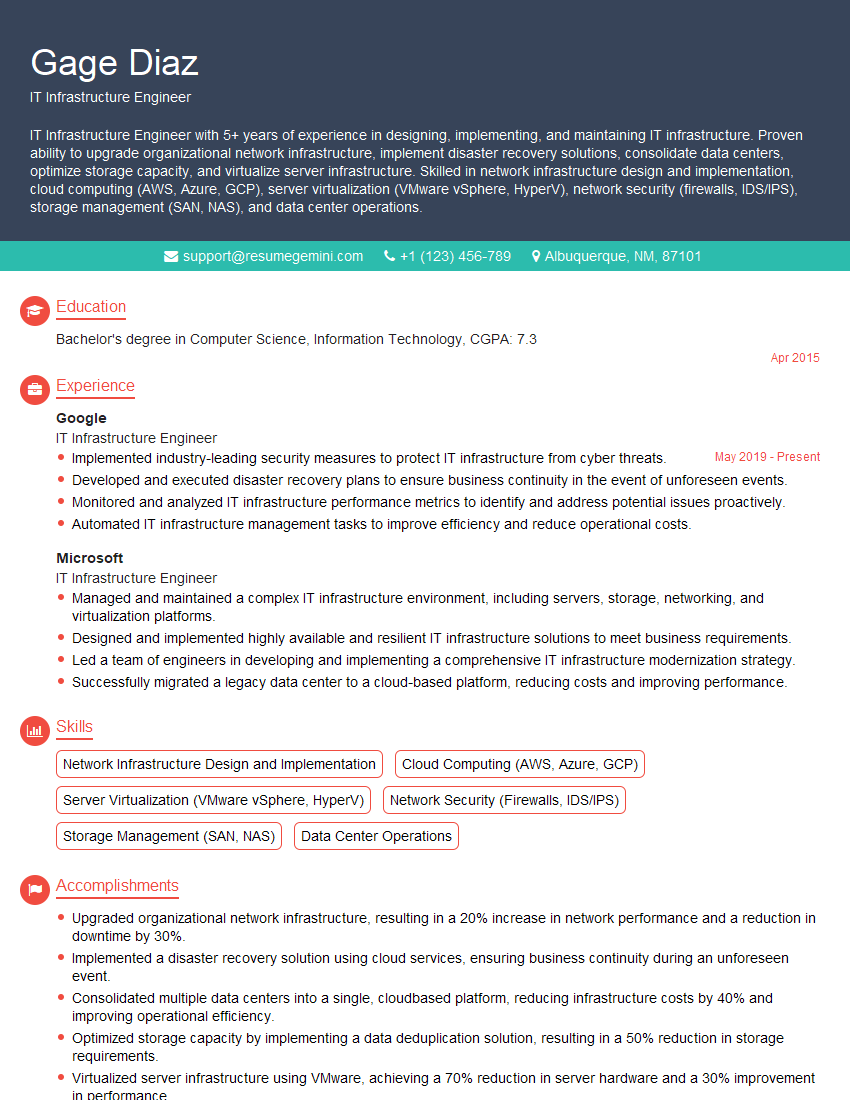
IT Infrastructure Engineer Resume Sample

DevOps Engineer Resume Sample

Cloud Architect Resume Sample
- Systems Engineer
- Network Administrator
- Network Engineer
- Network Security Engineer
- Solutions Architect
- Technical Support Engineer
- System Administrator
- Network Analyst
- Network Technician
- Network Architect
- Network Consultant
- Telecommunications Engineer
- Help Desk Analyst
- IT Manager
- Field Service Engineer
- IT Support Specialist
- IT Infrastructure Engineer
- DevOps Engineer
- Cloud Architect
Explore more articles
Users Rating of Our Blogs
Share Your Experience
We value your feedback! Please rate our content and share your thoughts (optional).
What Readers Say About Our Blog
Very informative content, great job.
good