Feeling uncertain about what to expect in your upcoming interview? We’ve got you covered! This blog highlights the most important Understanding of different music formats (e.g., PDF, XML, MIDI) interview questions and provides actionable advice to help you stand out as the ideal candidate. Let’s pave the way for your success.
Questions Asked in Understanding of different music formats (e.g., PDF, XML, MIDI) Interview
Q 1. Explain the differences between MIDI, MusicXML, and PDF formats for music notation.
MIDI, MusicXML, and PDF represent fundamentally different approaches to storing and representing musical information. Think of it like this: a MIDI file is like a recipe, specifying *what* notes to play and when, but not how they should look on a page. MusicXML is like a detailed blueprint, capturing not just the notes but also the musical notation itself – the staves, clefs, accidentals, etc. A PDF is like a photograph of a finished score; it’s visually complete, but you can’t edit it easily.
- MIDI (Musical Instrument Digital Interface): A binary format representing musical events as a series of messages. It focuses on the *performance* aspects of music, not the visual notation. It’s great for playback and electronic music but doesn’t directly represent the score’s visual appearance.
- MusicXML: An XML-based format representing music notation in a structured, human-readable way. It captures detailed musical information, allowing for precise editing and exchange between different software applications. It’s ideal for archiving and sharing scores digitally, facilitating interoperability.
- PDF (Portable Document Format): A visual representation of a printed score. It’s excellent for displaying scores as they would appear on paper but lacks the inherent musical data required for editing or manipulation. It’s essentially a static image of the score.
Q 2. Describe the structure of a MIDI file. What are its key components?
A MIDI file is structured as a series of messages, or events, organized into tracks. Imagine each track as a separate instrument or voice in an orchestra. These events specify actions such as notes being played (note on/off), controller changes (volume, pitch bend), and tempo changes.
- Header Chunk: Contains information about the file format, number of tracks, and timing division.
- Track Chunks: Each track contains a sequence of MIDI events that define the musical data for that specific track. Each event includes details like note number, velocity, start time, and duration.
- Meta Events: These events provide additional information like tempo changes, time signature, copyright, and instrument names. They are not directly related to playing notes, but vital for proper musical context.
A simple example of a MIDI event might be: Note On, Channel 1, Note Number 60 (Middle C), Velocity 100. This tells the MIDI device to play Middle C on channel 1 at full velocity.
Q 3. What are the advantages and disadvantages of using MusicXML for music exchange?
MusicXML offers significant advantages for music exchange, but also has some limitations.
- Advantages:
- Interoperability: Its structured nature allows for seamless exchange between different music notation software (Sibelius, Finale, MuseScore, etc.).
- Data Preservation: It preserves detailed musical information, including articulations, dynamics, and even complex layout elements.
- Editability: MusicXML files can be easily edited and modified, unlike PDFs.
- Disadvantages:
- File Size: MusicXML files can be considerably larger than MIDI files due to their detailed nature.
- Complexity: The XML structure can be complex for users unfamiliar with XML programming.
- Software Dependence: While it aims for interoperability, some niche or specialized features might not always translate perfectly between different software implementations.
Q 4. How would you handle inconsistencies between different music notation software when dealing with PDF scores?
Handling inconsistencies between music notation software when dealing with PDFs is challenging because PDFs are essentially visual representations. The best approach is to prevent the problem at its source – using a well-defined and consistent workflow.
- Use a Standardized Template: When creating scores, begin with a template that sets consistent formatting standards (fonts, spacing, etc.).
- High-Resolution Output: Generate PDFs at high resolution to minimize visual artifacts during scaling or conversion.
- Version Control: Maintain multiple versions of the score in an editable format (MusicXML or the software’s native format) to allow for reconciliation of discrepancies between various software versions.
- Manual Correction: If inconsistencies arise, manual correction within a vector-based editor might be necessary, which is time-consuming.
Q 5. Explain the process of converting a MIDI file to a MusicXML file.
Converting a MIDI file to MusicXML isn’t a direct, lossless process because MIDI lacks the visual notation information contained in MusicXML. You need software that can interpret the MIDI events and map them onto a musical notation representation. This involves several steps:
- MIDI to Score Conversion: A MIDI-to-MusicXML converter software analyzes the MIDI file’s events and infers musical notation elements based on common practices. It might not accurately capture nuances if the MIDI data is ambiguous or lacks precise information about note durations and articulation.
- Automated Layout: The software then automatically generates the MusicXML file’s structure based on the interpreted events, generating staves, clefs, note positions, and basic rhythms.
- Manual Review and Correction: This is a critical step. You need to manually review the MusicXML file to correct any inaccuracies or inconsistencies introduced by the conversion process. This is especially necessary for complex musical passages.
Many music notation software packages include MIDI import capabilities, enabling this conversion process.
Q 6. What are some common challenges encountered when working with different music formats?
Working with different music formats presents several common challenges:
- Data Loss: Converting between formats often results in loss of information. For example, converting a richly annotated MusicXML file to MIDI will inevitably discard information about notation and layout.
- Compatibility Issues: Different software applications may interpret and handle the same format differently, especially regarding less common or specialized musical notations.
- File Size: Large files can be difficult to manage and transfer, especially high-resolution images or complex MusicXML files.
- Software Dependencies: Relying on specific software for editing or converting files introduces dependence on that software’s availability and compatibility.
Q 7. How do you ensure the accuracy of music data when converting between formats?
Ensuring accuracy during format conversion requires a multi-pronged approach:
- Use High-Quality Software: Choose reliable and well-regarded software for conversion.
- Manual Verification: Always meticulously check the converted file for accuracy, comparing it to the original. Pay particular attention to rhythm, pitch, dynamics, articulations, and any other essential musical data.
- Round-Trip Testing: Convert a file between formats and back again to assess whether the original data is preserved. Discrepancies reveal potential issues in the conversion process.
- Metadata Preservation: Ensure that metadata such as tempo, key, time signature, and composer information is correctly carried over during conversion.
- Lossless Formats When Possible: When dealing with critical data, prioritize using lossless formats (such as MusicXML for notation) to minimize the risk of data loss.
Q 8. Describe your experience with using specific music notation software (e.g., Sibelius, Finale).
My experience with music notation software centers primarily around Sibelius and Finale, both industry-standard applications. I’ve used Sibelius extensively for orchestrating and composing, appreciating its intuitive interface and powerful engraving capabilities. For instance, I used Sibelius to score a chamber piece requiring precise control over articulation and dynamic markings – its advanced expression options were invaluable. Finale, on the other hand, I’ve found particularly useful for its excellent score-printing capabilities and its robust library of templates and sounds. I’ve leveraged Finale for preparing scores for professional printing, relying on its ability to generate publication-quality output. My proficiency extends to both creating scores from scratch and editing existing ones, including tasks like adding parts, transposing sections, and manipulating articulation markings. I’m comfortable with both software’s advanced features like musicXML import/export and playback customization.
Q 9. How familiar are you with different MIDI controllers and their functions?
My familiarity with MIDI controllers is extensive, ranging from basic keyboards to advanced surfaces. I understand the function of various controllers, including velocity sensitivity, aftertouch, pitch bend, modulation wheels, and ribbon controllers. I’ve used numerous controllers in different contexts, from simple MIDI keyboards for composing basic melodies to advanced controllers with numerous knobs and faders for manipulating complex synthesizer sounds. For example, I’ve worked with Akai MPK Mini for quick sketching and Akai APC40 for live performance and Ableton Live integration, understanding the nuances of CC (Control Change) messages and their impact on the sound. Understanding how different controllers map to MIDI messages is crucial for effective music production.
Q 10. Explain the importance of metadata in music files.
Metadata in music files is akin to a file’s ‘identity card.’ It provides essential information about the composition, allowing for easy searching, sorting, and organization. This includes data like composer name, title, genre, copyright information, tempo, and instrumentation. In a professional setting, properly tagged metadata is crucial for efficient library management. Imagine a large music library with thousands of files – without metadata, finding a specific piece becomes nearly impossible. Moreover, metadata plays a vital role in royalty distribution and copyright management. For instance, accurate metadata helps ensure the correct composer receives royalties. Several file formats (like MP3 and MP4) utilize ID3 tags, while others might use different metadata schemes. Consistent and accurate metadata is critical for seamless workflow in any music production or distribution pipeline.
Q 11. How would you troubleshoot a problem with a corrupted MIDI file?
Troubleshooting a corrupted MIDI file involves a multi-step process. First, I’d attempt to open the file using different MIDI editors or DAWs. Sometimes, a different application might handle the corruption better. If opening fails, I’d try to find a backup copy. If none exists, I might try using file repair tools specifically designed for MIDI files. These tools attempt to recover damaged data. In more advanced cases, examining the raw MIDI data (using a hexadecimal editor, for instance) might reveal specific errors; however, this is only viable for experienced users with a deep understanding of MIDI file structure. As a last resort, if all other attempts fail, the file may be irrecoverably lost.
Q 12. Describe your experience with using command-line tools for music file manipulation.
My experience with command-line tools for music file manipulation is moderate. I’m comfortable using tools like ffmpeg for tasks such as converting audio file formats (e.g., WAV to MP3), changing sample rates, and extracting audio from video. I’ve also utilized tools for batch processing, applying the same operation to multiple files simultaneously, significantly improving efficiency in large-scale projects. While graphical user interfaces (GUIs) are often easier to use, command-line tools offer a higher degree of control and automation, making them indispensable for complex tasks and batch processing.
Q 13. How do you handle copyright issues when working with music files?
Handling copyright issues when working with music files is paramount. I always verify that I have the legal right to use any music file, whether for personal use, educational purposes, or commercial projects. This involves checking for Creative Commons licenses, obtaining explicit permission from the copyright holder, or using royalty-free music libraries. If I’m unsure about the copyright status of a file, I avoid using it. Transparency and respect for intellectual property rights are non-negotiable. For commercial projects, I ensure proper licensing agreements are in place, properly crediting composers and obtaining necessary permissions for distribution.
Q 14. What are the limitations of using PDF for musical scores?
PDF’s limitations as a format for musical scores stem from its static nature. Unlike editable music notation software formats, PDFs are images of a score. This means you cannot edit notes, dynamics, or other musical elements directly. Furthermore, PDFs are not easily searchable or analyzable by software. While visually appealing for printing, they are cumbersome for musical revisions and lack the ability to embed audio or interactive features. The lack of metadata embedded within a PDF is another drawback for music archiving and searchability. A PDF is great for the final presentation, but it should not be the primary format for musical score creation or storage.
Q 15. How would you approach the task of creating a searchable database of music files?
Creating a searchable database of music files requires a multifaceted approach, focusing on metadata extraction, efficient storage, and robust search capabilities. The first step involves identifying the types of files you’ll be working with (PDF scores, MIDI files, MP3s, etc.). Each format handles metadata differently. For example, MP3s often use ID3 tags, while MIDI files contain their own internal metadata describing instruments and notes. PDFs, on the other hand, may require Optical Character Recognition (OCR) to extract textual information like composer or title.
Next, we’d choose a database system. Relational databases like PostgreSQL or MySQL are suitable for structured metadata, allowing for efficient querying. NoSQL databases like MongoDB might be preferred for handling less structured data, such as text extracted from scanned scores. The chosen database should be scalable to handle large music collections.
The search functionality would ideally support full-text search for titles, composers, and descriptions, along with filtering by metadata like genre, instrument, or date. Consider using a dedicated search engine like Elasticsearch or Solr to handle complex searches efficiently. Finally, a user-friendly interface should be designed to allow users to easily add, search, and manage the music files within the database.
For example, a system might allow searches like “piano concerto in C minor” and return results based on matching text in metadata or file names, as well as filtering by genre (classical) and instrument (piano).
Career Expert Tips:
- Ace those interviews! Prepare effectively by reviewing the Top 50 Most Common Interview Questions on ResumeGemini.
- Navigate your job search with confidence! Explore a wide range of Career Tips on ResumeGemini. Learn about common challenges and recommendations to overcome them.
- Craft the perfect resume! Master the Art of Resume Writing with ResumeGemini’s guide. Showcase your unique qualifications and achievements effectively.
- Don’t miss out on holiday savings! Build your dream resume with ResumeGemini’s ATS optimized templates.
Q 16. What are some common data validation techniques used for music data?
Data validation in music data is crucial to ensure data quality and consistency. Common techniques include:
- Data Type Validation: Ensuring that numerical data (e.g., tempo, key signature) are indeed numbers, and text data (e.g., composer name, title) is of the correct format. Incorrect data types can lead to errors in analysis or searching.
- Range Validation: Verifying that numerical data falls within a reasonable range. For example, a tempo of -10 BPM is invalid.
- Format Validation: Checking that text data conforms to expected patterns. For example, a date should follow a YYYY-MM-DD format. This is particularly important for metadata.
- Cross-Field Validation: Checking for consistency across multiple fields. For example, a composer’s birth year should be earlier than their death year.
- Checksum Validation: Verifying the integrity of the music file itself using checksums (e.g., MD5, SHA-1). This helps ensure the file hasn’t been corrupted.
- Reference Validation: Checking that references to other elements (e.g., a particular track in a playlist) exist and are valid.
Implementing these checks at the time of data entry or import can prevent errors and inconsistencies from propagating throughout the database.
Q 17. Explain your experience with music information retrieval (MIR) techniques.
My experience with Music Information Retrieval (MIR) techniques encompasses various areas, including audio fingerprinting, content-based retrieval, and query-by-humming/whistling. I’ve worked with algorithms that analyze audio features like MFCCs (Mel-Frequency Cepstral Coefficients) to identify similar audio segments and have experience using techniques like dynamic time warping to compare audio signals despite variations in tempo or pitch.
I’ve used audio fingerprinting techniques for tasks like identifying duplicate tracks in a large collection. This involved generating unique fingerprints from audio segments and comparing them against a database of known fingerprints to find matches. Content-based retrieval allows users to find songs similar to a reference audio file based on shared features.
Query-by-humming/whistling systems involve converting a user’s vocal input into a representation that can be compared to a database of audio files. Challenges in this area include dealing with variations in pitch, timing, and vocal quality. These techniques require a deep understanding of signal processing, pattern recognition, and database management.
Q 18. Describe your familiarity with different audio file formats (e.g., WAV, MP3).
I am familiar with a wide range of audio file formats, including the lossless formats WAV (Waveform Audio File Format) and AIFF (Audio Interchange File Format), and the lossy formats MP3 (MPEG Audio Layer III) and AAC (Advanced Audio Coding). WAV files are uncompressed, offering high fidelity but large file sizes. MP3 and AAC achieve smaller file sizes through lossy compression, sacrificing some audio quality for storage efficiency.
The choice of format depends on the application. WAV is appropriate for archiving or professional audio production where preserving every detail is paramount. MP3 and AAC are suitable for streaming and distribution where file size is critical. I understand the trade-offs between file size, audio quality, and compression algorithms.
For instance, I’ve worked with projects where archiving raw audio data required WAV, while distribution to listeners used MP3 for faster downloads. Understanding the characteristics of each format is key to optimizing storage and playback.
Q 19. How do you ensure compatibility of music files across different operating systems?
Ensuring compatibility of music files across different operating systems involves several strategies. The most fundamental aspect is using widely supported file formats. Formats like MP3, WAV, and MIDI are generally compatible across Windows, macOS, and Linux. However, metadata handling can be an issue. ID3 tags (used in MP3s) can sometimes be interpreted differently across systems.
Another important aspect is avoiding platform-specific file formats or metadata conventions. For example, relying on Windows-only metadata extensions would limit compatibility. Using standardized metadata formats and adhering to well-defined specifications helps ensure broader compatibility.
If dealing with specialized formats or applications, using virtual machines or containers can create consistent environments for playback or processing, regardless of the underlying operating system. This is particularly useful for older or less common formats.
Q 20. What are the best practices for organizing and managing large collections of music files?
Organizing and managing large music collections requires a systematic approach. This involves choosing a suitable file naming convention, using a hierarchical folder structure, and leveraging metadata efficiently. A consistent naming convention (e.g., Artist – Album – Track Number – Title) prevents confusion and facilitates easier searching.
A logical folder structure, perhaps organized by genre, artist, or album, allows for quick navigation and retrieval. Using metadata tags within the music files themselves (ID3 tags, for example) allows for powerful searching and sorting capabilities. For very large collections, a dedicated media library application can offer advanced management tools, including searching, playlist creation, and metadata editing.
Regular backups are crucial to protect against data loss. Ideally, use an automated backup system that creates regular copies of the music collection to an external drive or cloud storage. This protects your valuable music from hardware failures or accidental deletions.
Q 21. Explain the relationship between music notation software and digital audio workstations (DAWs).
Music notation software and Digital Audio Workstations (DAWs) are closely related but serve distinct purposes in music creation and production. Music notation software, such as Sibelius or Finale, focuses on creating and editing musical scores in standard notation. These programs allow composing, arranging, and printing musical scores. The output is typically a score file (e.g., MusicXML, PDF).
DAWs, such as Ableton Live, Logic Pro, or Pro Tools, are used for recording, editing, mixing, and mastering audio. They provide tools for recording instruments and vocals, manipulating audio, and adding effects. DAWs often support importing MIDI files from notation software. The MIDI data can be used to trigger virtual instruments or control hardware synthesizers within the DAW.
Essentially, music notation software handles the compositional aspect, producing a score. The DAW handles the performance and production aspects, potentially using the score as a starting point for creating audio recordings. Many workflows involve using both types of software collaboratively.
Q 22. Describe your experience with scripting languages used for music file processing (e.g., Python).
Python is my go-to scripting language for music file processing. Its extensive libraries, like music21 and pretty_midi, provide powerful tools for manipulating various music formats. music21, for instance, excels at parsing and analyzing MusicXML files, allowing me to extract melodic contours, harmonic progressions, and even generate new musical scores based on existing data. I’ve used it in projects involving automated transcription, stylistic analysis, and the creation of interactive musical applications. pretty_midi, on the other hand, is particularly useful for working with MIDI files, enabling tasks such as manipulating instrument tracks, adjusting tempo, and extracting note-level information for further processing. My experience includes building custom tools for tasks like automatically generating lead sheets from MIDI files, creating visualizations of musical data, and implementing algorithms for music information retrieval.
For example, I once used Python and music21 to analyze a large corpus of baroque sonatas, identifying recurring melodic patterns and harmonic structures, which provided valuable insights for my research on compositional style. This involved writing scripts to parse the MusicXML files, extract relevant features, and perform statistical analysis on the extracted data.
Q 23. What are some ethical considerations when working with digital music data?
Ethical considerations in working with digital music data are paramount. Copyright infringement is a major concern. Any use of copyrighted material, even for research purposes, needs strict adherence to licensing agreements or requires obtaining explicit permission from the copyright holder. Data privacy is also critical. If the data involves personally identifiable information (PII) associated with musicians or listeners, robust anonymization techniques are necessary to protect their privacy. Furthermore, it’s crucial to be transparent about the source and use of the data. Proper attribution and clear documentation of methodologies are essential to maintain academic integrity and prevent misrepresentation of findings.
Bias in algorithms is another area requiring careful attention. Datasets may reflect existing biases in musical representation, potentially leading to skewed or unfair outcomes in applications like music recommendation systems. Addressing these biases requires careful curation of datasets and algorithmic design that mitigates potential biases.
Q 24. How would you approach a project requiring the integration of different music formats?
Integrating different music formats requires a multifaceted approach. First, I’d identify the core data needed from each format. For instance, if I’m working with MIDI (performance data), MusicXML (score data), and PDF (scanned scores), each offers different information. MIDI provides timing and instrument information, MusicXML offers a symbolic representation, and PDFs mostly contain visual representations. I would then select appropriate tools and libraries for parsing each format. This might involve a combination of Python libraries (pretty_midi, music21, and potentially OCR tools for PDFs), or dedicated software.
Next, I’d create a standardized intermediate representation. This could be a custom data structure or a database schema that captures the essential elements across all formats. This intermediate format acts as a bridge, allowing me to unify data from disparate sources. For example, I might create a database with tables for notes, chords, instruments, and timing information, extracting relevant data from each music file and storing it in this consistent format. Finally, I would develop the application logic on top of this standardized representation. This allows for flexibility in analysis and manipulation. The choice of the intermediate representation depends on the project’s goals: A relational database works well for structured data, whereas a graph database could be useful for capturing relationships between musical elements.
Q 25. What are some emerging trends in music data formats and technologies?
Emerging trends in music data formats and technologies are exciting. We’re seeing increased adoption of more expressive formats such as MusicXML 4.0, offering better support for contemporary musical notation. The rise of AI-powered music generation and analysis is transforming how we interact with music data. This is driving the need for formats that can effectively capture and represent AI-generated music. We’re also witnessing increased use of structured data formats like JSON and RDF for representing metadata associated with music, enabling better interoperability and searchability. Furthermore, advancements in audio analysis techniques are improving the accuracy and efficiency of audio-to-score transcription, pushing the boundaries of what’s possible in digital music processing.
For instance, the development of neural networks for music transcription offers the possibility to accurately transcribe audio recordings into symbolic notation, eliminating the need for manual transcription in many cases. This is also fueling the creation of new tools and formats for representing the nuances of human performance.
Q 26. How would you explain the concept of music notation to a non-musician?
Think of music notation as a special kind of language used to write down music. Just like letters form words and sentences in regular language, musical notation uses symbols to represent different aspects of music, such as pitch (how high or low a note is), rhythm (how long a note lasts), and dynamics (how loud or soft a note should be).
Imagine a staff—five horizontal lines with spaces in between. Notes are placed on these lines and spaces, indicating their pitch. The position of a note on the staff shows us how high or low the sound should be. Different symbols, like quarter notes, half notes, and whole notes, show the duration of the notes. So, music notation is a visual representation of the musical ideas, making it possible to share and preserve music across time and distance, similar to how written language lets us record and share stories.
Q 27. Explain your experience with using version control systems for managing music files.
Version control is crucial for managing music files, especially in collaborative projects. I primarily use Git for this purpose. It allows me to track changes to my scores, MIDI files, and other related data over time. This is essential for managing different versions of a project, reverting to earlier versions if needed, and collaborating with other musicians or researchers on a project. Git’s branching capabilities enable parallel development and integration of changes smoothly. I’ve found it particularly useful when working on large and complex projects with multiple contributors, as it ensures that everyone has access to the latest versions of files and prevents conflicts.
For instance, if I’m working on a musical arrangement with several musicians, each making revisions to different sections of the score, Git enables us to merge our changes without overwriting each other’s work. This is achieved by creating branches for individual contributions, and then merging them in a controlled manner. It provides a complete history of the project, enabling us to understand the evolution of the work and easily revert to any point in time.
Q 28. Describe your problem-solving approach when encountering format-specific issues.
My approach to format-specific issues starts with careful examination of the error messages. Understanding the nature of the problem is the first step. I then consult the documentation for the relevant software or library to find solutions or workarounds. If the issue remains unresolved, I’ll search online forums and communities for similar problems and solutions. I often use debugging tools to step through the code and pinpoint the exact location of the error. If the problem stems from a corrupted file, I might attempt to repair it using specialized tools or by carefully editing the file in a text editor. For more complex issues, a systematic approach, testing various parts of the code and comparing outputs with expected results, is important. Finally, if all else fails, I will reach out to experts in the field for assistance.
For example, I once encountered a problem parsing a MIDI file with unusual timing events. By carefully inspecting the file’s structure using a hex editor and referring to the MIDI file specification, I found that the file contained non-standard MIDI events, causing the parser to fail. I then modified the parser to handle these unusual events, resolving the issue.
Key Topics to Learn for Understanding of Different Music Formats (e.g., PDF, XML, MIDI) Interview
- PDF: Understanding the limitations of PDF for music notation (primarily visual representation, not playable). Focus on how to effectively interpret and extract information from musical scores presented in PDF format.
- XML (MusicXML): Mastering the structure and elements of MusicXML, including understanding its advantages for data exchange and manipulation. Practice parsing and interpreting MusicXML files. Consider exploring specific XML schema used for music notation.
- MIDI: Deep dive into MIDI’s functionalities, including event messages, note representation, timing, and control changes. Practice working with MIDI files using software tools, focusing on analyzing and editing MIDI data.
- Format Comparison: Develop the ability to compare and contrast the strengths and weaknesses of each format, understanding when to use each format based on specific needs (e.g., archival, editing, performance).
- Data Structures: Familiarize yourself with common data structures used to represent musical information within these formats. This includes understanding how musical elements (notes, chords, tempo) are encoded.
- Practical Applications: Explore how these formats are used in different areas of music technology, including music notation software, digital audio workstations (DAWs), and music information retrieval (MIR) systems.
- Problem-Solving: Practice troubleshooting common issues that might arise when working with these formats, such as file corruption, encoding errors, and compatibility problems.
Next Steps
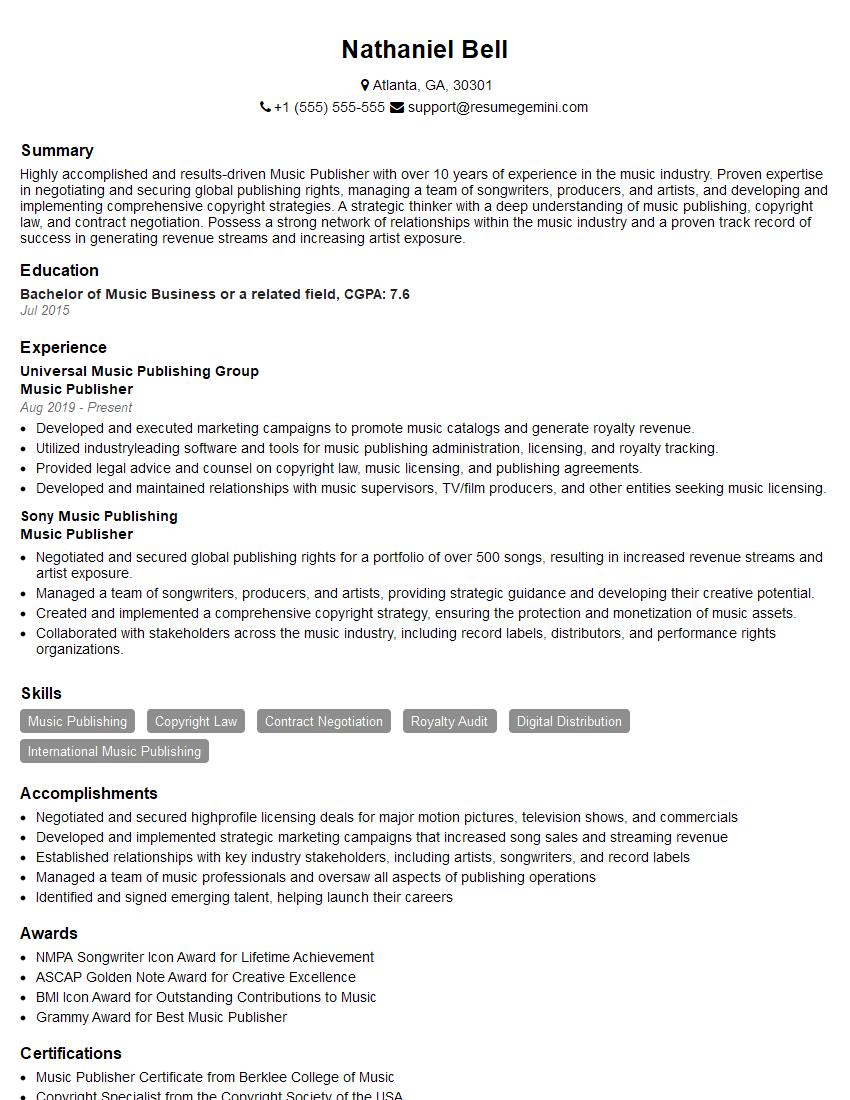
Mastering the nuances of different music file formats is crucial for advancing your career in music technology, demonstrating a strong understanding of fundamental concepts, and showcasing your technical skills to potential employers. Building an ATS-friendly resume is paramount for getting your application noticed. To ensure your resume effectively highlights your skills and experience, we strongly recommend using ResumeGemini. ResumeGemini provides a streamlined process for creating professional, impactful resumes. Examples of resumes tailored to showcasing expertise in understanding music formats like PDF, XML, and MIDI are available within the ResumeGemini platform to guide you.
Explore more articles
Users Rating of Our Blogs
Share Your Experience
We value your feedback! Please rate our content and share your thoughts (optional).
What Readers Say About Our Blog
Very informative content, great job.
good