Cracking a skill-specific interview, like one for Understanding of human-computer interaction, requires understanding the nuances of the role. In this blog, we present the questions you’re most likely to encounter, along with insights into how to answer them effectively. Let’s ensure you’re ready to make a strong impression.
Questions Asked in Understanding of human-computer interaction Interview
Q 1. Explain the difference between UI and UX design.
UI (User Interface) and UX (User Experience) design are often used interchangeably, but they represent distinct yet interconnected aspects of product development. Think of it like this: UI is the what, while UX is the how and why.
UI design focuses on the visual elements – the look and feel – of a product. It encompasses the aesthetics, layout, and interactive elements users directly see and interact with, such as buttons, menus, typography, and color schemes. A well-designed UI is intuitive and visually appealing, making it easy for users to understand and navigate.
UX design, on the other hand, encompasses the entire user journey, considering all aspects that impact the user’s experience. This includes the user’s goals, needs, and emotions throughout their interaction with a product or service. It’s about creating a seamless, enjoyable, and effective experience. UX design involves research, information architecture, interaction design, usability testing, and iterative improvement to optimize the overall user journey.
Example: Imagine a mobile banking app. The UI would be the layout of the screens, the button designs, and the font choices. The UX would encompass the entire process of logging in, transferring money, checking balances, and receiving customer support – ensuring the whole experience is efficient, secure, and user-friendly.
Q 2. Describe your process for conducting user research.
My user research process is iterative and highly dependent on the project’s scope and objectives. However, it generally follows these key stages:
- Define Research Goals & Objectives: Clearly articulate the research questions and what you hope to achieve. What specific user behaviors or pain points need to be addressed?
- Choose Research Methods: Select appropriate methods based on your objectives, such as user interviews, surveys, usability testing, A/B testing, and contextual inquiry. Each method has its strengths and weaknesses. For example, user interviews provide rich qualitative data, while surveys are useful for collecting quantitative data from a larger sample.
- Recruit Participants: Identify and recruit representative users who align with your target audience. A diverse participant pool provides valuable insights.
- Conduct Research: Carry out the chosen research methods, ensuring a respectful and professional environment. Careful planning of questions and scenarios is essential to elicit relevant information.
- Analyze Data & Synthesize Findings: Analyze the collected data, identifying patterns, themes, and key findings. This may involve qualitative data analysis (identifying recurring themes in interview transcripts) and quantitative data analysis (calculating averages, percentages etc.).
- Report & Iterate: Create a concise report summarizing the findings, including recommendations for design improvements. This is a crucial step for guiding design iterations and decision-making.
For example, in a recent project redesigning an e-commerce website, I conducted user interviews to understand user frustrations with the checkout process and A/B tested different button placements to optimize conversion rates.
Q 3. What are some common usability testing methods?
Several common usability testing methods help assess the usability and user experience of a product or service:
- Think-Aloud Protocol: Users verbalize their thoughts and actions while completing tasks. This provides valuable insights into their decision-making process and identifies areas of confusion.
- Eye-Tracking: This technique monitors users’ eye movements to understand how they scan and interact with the interface. It helps identify areas of visual attention and potential usability issues.
- Heuristic Evaluation: Experts review the interface based on established usability principles (heuristics) to identify potential problems.
- A/B Testing: Two versions of a design are compared to see which performs better based on predefined metrics. This allows for data-driven decision-making.
- Remote Usability Testing: Users complete tasks remotely, often using screen-recording software. This method is cost-effective and allows for testing with a geographically diverse group of users.
Example: In a recent project, we used A/B testing to compare two versions of a login form. One version used a simplified design, while the other retained the original design. The results clearly indicated that the simplified version improved the conversion rate.
Q 4. How do you measure the success of a UX design?
Measuring the success of UX design involves a multifaceted approach, combining qualitative and quantitative data. Key metrics include:
- Task Completion Rate: The percentage of users who successfully complete a given task. A high rate indicates good usability.
- Error Rate: The number of errors users make while completing tasks. A low error rate suggests an intuitive and user-friendly design.
- Time on Task: The time taken to complete a specific task. Shorter completion times suggest efficient design.
- User Satisfaction: Measured through surveys or feedback forms, reflecting overall user happiness and satisfaction with the experience.
- Net Promoter Score (NPS): Measures user loyalty and willingness to recommend the product or service.
- Conversion Rates (e-commerce): Measures the percentage of users who complete a desired action, such as making a purchase.
It’s crucial to consider these metrics in context and use a combination of measures to gain a comprehensive understanding of UX success. For instance, a high task completion rate might be offset by low user satisfaction if the process was tedious or frustrating. A balanced approach is key.
Q 5. Explain the concept of user personas and their importance.
User personas are fictional representations of your ideal users. They are based on research and data, and they combine demographic information, psychographic characteristics (attitudes, values, lifestyle), behavioral patterns, and goals to create a detailed profile.
Importance of User Personas:
- Empathy & Focus: Personas help designers empathize with users and make design decisions based on their needs and goals rather than assumptions.
- Informed Decisions: Personas guide design choices throughout the development process, ensuring that designs are relevant and tailored to the target audience.
- Communication & Collaboration: Personas facilitate communication and alignment among team members, ensuring everyone shares a common understanding of the target user.
- Prioritization: Personas help prioritize design features by focusing on those that best meet the needs of the target audience.
Example: For a social media app targeting young adults, you might create personas for a college student, a working professional, and a creative freelancer, each with their own unique characteristics and needs. This helps tailor the app’s features and functionality to resonate with each segment of the target audience.
Q 6. Describe your experience with A/B testing.
A/B testing (also known as split testing) is a crucial method for comparing two versions of a design element (e.g., button color, headline text, layout) to determine which performs better. I have extensive experience using A/B testing tools to optimize user interfaces and improve conversion rates. My process typically involves:
- Defining Hypotheses: Clearly stating what you want to test and what you expect to observe.
- Creating Variations: Developing multiple versions of the design element to be tested.
- Setting Up the Test: Using A/B testing software to split traffic between the variations and track relevant metrics.
- Monitoring & Analyzing Results: Continuously monitoring the results and using statistical analysis to determine significance.
- Iterating based on Results: Implementing changes based on the results and repeating the process as needed.
Example: In a recent project, we tested two versions of a product landing page. One version used a concise headline, while the other used a longer, more detailed headline. A/B testing revealed that the shorter headline resulted in a significantly higher click-through rate. This data-driven approach enabled us to optimize the page for better performance.
Q 7. How do you handle conflicting feedback from stakeholders and users?
Handling conflicting feedback from stakeholders and users requires a thoughtful and diplomatic approach. The key is to prioritize user needs while considering the business objectives and constraints. My approach typically involves:
- Documenting All Feedback: Systematically collecting and documenting all feedback from users and stakeholders. This provides a comprehensive overview of all perspectives.
- Prioritizing Feedback: Analyzing the feedback based on its importance and impact. User needs should generally take precedence, but business considerations must also be factored in.
- Facilitating Collaboration: Bringing stakeholders and users together to facilitate a discussion and find common ground. This can help bridge understanding and build consensus.
- Data-Driven Decision-Making: Using data from user research and A/B testing to support design decisions and justify choices to stakeholders.
- Compromise & Negotiation: Finding creative solutions that address the concerns of both stakeholders and users, possibly involving iterative testing and refinement.
- Transparency & Communication: Keeping everyone informed throughout the process and clearly explaining the rationale behind design choices. This ensures buy-in and minimizes conflicts.
It’s essential to remember that the goal is to create a product that is both user-friendly and meets business objectives. Open communication and data-driven decisions are crucial to achieving this balance.
Q 8. What are some common usability heuristics?
Usability heuristics are general principles that guide the design of user interfaces to improve usability. They act as rules of thumb, helping designers create intuitive and efficient experiences. Nielsen’s 10 heuristics are particularly well-known and widely used.
- Visibility of system status: The system should always keep users informed about what is going on, through appropriate feedback within reasonable time.
- Match between system and the real world: The system should speak the users’ language, with words, phrases and concepts familiar to the user, rather than system-oriented terms. Follow real-world conventions, making information appear in a natural and logical order.
- User control and freedom: Users often choose system functions by mistake and will need a clearly marked “emergency exit” to leave the unwanted state without having to go through an extended dialogue. Support undo and redo.
- Consistency and standards: Users should not have to wonder whether different words, situations, or actions mean the same thing. Follow platform conventions.
- Error prevention: Even better than good error messages is a careful design which prevents a problem from occurring in the first place. Either eliminate error-prone conditions or check for them and present users with a confirmation option before they commit to the action.
- Recognition rather than recall: Minimize the user’s memory load by making objects, actions, and options visible. The user should not have to remember information from one part of the dialogue to another. Instructions for use of the system should be visible or easily retrievable whenever appropriate.
- Flexibility and efficiency of use: Accelerators — unseen by the novice user — may often speed up the interaction for the expert user such that the system can cater to both inexperienced and experienced users. Allow users to tailor frequent actions.
- Aesthetic and minimalist design: Dialogues should not contain information which is irrelevant or rarely needed. Every extra unit of information in a dialogue competes with the relevant units of information and diminishes their relative visibility.
- Help users recognize, diagnose, and recover from errors: Error messages should be expressed in plain language (no codes), precisely indicate the problem, and constructively suggest a solution.
- Help and documentation: Even though it is better if the system can be used without documentation, it may be necessary to provide help and documentation. Any such information should be easy to search, focused on the user’s task, list concrete steps to be carried out, and not be too large.
For example, a poorly designed e-commerce checkout process violating several heuristics might lead to cart abandonment. A well-designed one, adhering to these principles, will ensure a smooth and efficient purchase experience.
Q 9. Explain the importance of accessibility in UX design.
Accessibility in UX design is crucial for ensuring that products and services are usable by people with a wide range of abilities and disabilities. This includes considerations for visual, auditory, motor, cognitive, and neurological impairments. It’s not just about compliance; it’s about inclusivity and expanding your potential user base.
Ignoring accessibility severely limits your reach and can be legally problematic. For example, a website without proper alt text for images excludes visually impaired users who rely on screen readers. Similarly, a mobile app lacking sufficient color contrast makes it difficult for users with low vision to interact effectively.
Incorporating accessibility is a multifaceted process. It involves using appropriate color contrasts, providing alternative text for images, ensuring keyboard navigation, designing for screen reader compatibility, creating clear and concise content, and providing captions and transcripts for audio and video content. Tools like WAVE and accessibility audits are also beneficial.
Consider the impact on users. A visually impaired user relying on a screen reader navigating a website that lacks proper structure and semantic HTML will struggle. A motor-impaired user needs clear and large interactive elements suitable for various input devices. Thinking about these diverse needs upfront greatly improves the user experience for everyone.
Q 10. How do you incorporate user feedback into the design process?
User feedback is essential for iterative design improvement. I incorporate it throughout the design process, from initial research to final testing. Methods for gathering feedback include:
- User interviews: In-depth conversations to understand user needs, pain points, and expectations.
- Surveys: Quantitative data collection to measure satisfaction and identify trends.
- Usability testing: Observing users interacting with prototypes to identify usability issues.
- A/B testing: Comparing different design options to see which performs better.
- Feedback forms: Easy ways for users to provide direct feedback on the product.
- Social media monitoring: Tracking user conversations and reviews to understand perceptions and concerns.
Once gathered, I analyze this feedback, identifying recurring themes and actionable insights. Prioritization is key— addressing the most impactful issues first. This feedback then directly informs design iterations and improvements, ensuring that the final product meets the needs of its users. A concrete example is using heatmap data from usability testing to redesign a cluttered section of a webpage to improve user flow and task completion rates.
Q 11. Describe your experience with wireframing and prototyping.
Wireframing and prototyping are crucial steps in my design process. Wireframes are low-fidelity representations focusing on the structure and layout, while prototypes are higher-fidelity models that simulate the actual interaction. I use a variety of tools including Figma, Sketch, Adobe XD, and even pen and paper.
My experience ranges from creating simple paper prototypes for initial concept validation to complex, interactive prototypes for usability testing. For instance, I’ve used Figma to create interactive prototypes for e-commerce checkout flows, allowing testers to simulate the entire purchase process and identify friction points. For a mobile app, I might start with low-fidelity wireframes on paper to quickly iterate on layout and navigation, before moving to a higher-fidelity prototype in Adobe XD to test user flows and micro-interactions.
The choice of fidelity depends on the project’s needs and stage. Early in the process, low-fidelity prototypes allow rapid iteration and exploration of different design concepts. Later, high-fidelity prototypes are crucial for rigorous usability testing, revealing subtle usability issues that might be missed in lower fidelity designs.
Q 12. What are some common design patterns used in UX design?
Design patterns are reusable solutions to common design problems. They offer a structured approach, promoting consistency and efficiency. Some common UX design patterns include:
- Navigation patterns: Hamburger menus, tab bars, breadcrumbs, mega menus.
- Search patterns: Auto-suggest, filtering, faceted search.
- Form patterns: Progressive disclosure, input validation, error handling.
- Feedback patterns: Loading indicators, progress bars, success/error messages.
- Interaction patterns: Tooltips, modals, accordions.
For example, using a familiar navigation pattern like a hamburger menu helps users quickly understand how to navigate the app or website. Applying a well-established design pattern reduces the cognitive load on the user, making the interface more intuitive and predictable. Careful selection of these patterns helps ensure consistency and familiarity across your product.
Q 13. How do you ensure consistency across different platforms?
Consistency across platforms is paramount for a positive user experience. It ensures that users can easily transition between devices and feel comfortable interacting with the product regardless of the platform. This requires careful planning and design consideration.
Key strategies include:
- Establishing a style guide: A centralized repository of design elements, typography, color palettes, and interaction patterns.
- Using platform-specific design patterns: Adhering to the conventions of each platform ensures a native feel and avoids confusion.
- Responsive design: Designing for multiple screen sizes and resolutions ensures the product adapts seamlessly to different devices.
- Cross-platform testing: Thorough testing on different devices and operating systems helps identify inconsistencies and areas for improvement.
For example, a mobile app should adhere to Apple’s Human Interface Guidelines on iOS and Google’s Material Design guidelines on Android. Maintaining a consistent brand voice and visual identity across all platforms also reinforces brand recognition and trust.
Q 14. Describe your experience with user interface design principles.
My experience with UI design principles is extensive, encompassing visual design, information architecture, interaction design, and usability. I leverage principles such as:
- Gestalt principles: Understanding how users perceive visual elements and how to create intuitive groupings and relationships (proximity, similarity, closure, continuity, figure/ground).
- Visual hierarchy: Guiding users’ attention through visual cues like size, color, and placement.
- Color theory: Using color strategically to evoke emotions, create visual contrast, and improve readability.
- Typography: Selecting appropriate fonts and sizes for readability and brand consistency.
- Whitespace: Using empty space to improve readability and create a clean and uncluttered design.
- Accessibility guidelines: Ensuring that designs are usable by people with disabilities (WCAG).
For example, in designing a dashboard, I apply visual hierarchy to highlight key metrics and use color coding to differentiate data categories. Proper use of whitespace ensures that information is not overwhelming. The principles are interconnected; they work together to build cohesive and effective user interfaces. I utilize these principles to create visually appealing and functional designs that are intuitive and accessible to everyone.
Q 15. How do you evaluate the effectiveness of a design solution?
Evaluating the effectiveness of a design solution isn’t a single metric; it’s a holistic process. We need to consider usability, user satisfaction, and the achievement of business goals. This involves a multi-faceted approach, employing both quantitative and qualitative methods.
Usability Testing: This involves observing users interacting with the design to identify pain points and areas for improvement. Metrics like task completion rate, error rate, and time on task provide quantifiable data. For example, if we’re designing a mobile banking app, we’d measure how quickly users can transfer funds and how many errors they encounter.
User Feedback: Gathering feedback through surveys, interviews, and focus groups provides qualitative insights into user experiences and perceptions. Open-ended questions allow users to express their feelings about the design. For instance, we might ask users about their overall satisfaction with the app’s ease of use and visual appeal.
A/B Testing: Comparing different design variations allows us to determine which performs better. This involves presenting different versions of a design to different user groups and tracking key metrics to identify the most successful iteration. For instance, testing different button placements to see which leads to higher click-through rates.
Analytics: Tracking user behavior on a live product provides valuable data on how users interact with the design. This data can reveal patterns and areas for optimization. Examples include tracking bounce rates, time spent on specific pages, and conversion rates.
Ultimately, the effectiveness is judged by how well the design meets user needs and achieves its intended purpose. It’s a continuous process of improvement, not a one-time evaluation.
Career Expert Tips:
- Ace those interviews! Prepare effectively by reviewing the Top 50 Most Common Interview Questions on ResumeGemini.
- Navigate your job search with confidence! Explore a wide range of Career Tips on ResumeGemini. Learn about common challenges and recommendations to overcome them.
- Craft the perfect resume! Master the Art of Resume Writing with ResumeGemini’s guide. Showcase your unique qualifications and achievements effectively.
- Don’t miss out on holiday savings! Build your dream resume with ResumeGemini’s ATS optimized templates.
Q 16. Explain the concept of information architecture.
Information architecture (IA) is the structural design of shared information environments. Think of it as the blueprint for how users navigate and find information within a system. It’s about organizing content in a logical and intuitive way, making it easy for users to find what they need. A well-structured IA reduces cognitive load and improves user experience.
Key Components: IA involves organizing content into a hierarchy, labeling information effectively, and creating a clear navigation system. This includes defining categories, subcategories, and relationships between different pieces of content.
Example: Imagine an e-commerce website. A strong IA would have well-defined product categories, clear search functionality, and intuitive filtering options to help users find the products they’re looking for. Poor IA could lead to users getting lost, frustrated, and ultimately abandoning their purchase.
Tools & Techniques: Card sorting (users group content into categories), sitemaps, and wireframing are common tools used in IA design. These methods help designers understand user mental models and create a structure that aligns with their expectations.
In essence, a good IA makes information findable, accessible, understandable, and usable. It’s the foundation for a positive user experience.
Q 17. How do you handle complex design problems?
Tackling complex design problems requires a structured and iterative approach. I usually follow a problem-solving framework like this:
Define the Problem: Clearly articulate the problem, avoiding assumptions. This often involves user research to understand the context and needs.
Conduct Research: Gather data through user interviews, surveys, competitive analysis, and heuristic evaluations. This helps to identify user needs, pain points, and potential solutions.
Ideate: Brainstorm potential solutions, exploring various approaches. Techniques like sketching, mind mapping, and workshops are helpful in this stage.
Prototype: Create low-fidelity prototypes to test and refine ideas. This allows for quick iteration and feedback incorporation.
Test and Iterate: Conduct usability testing to evaluate the prototypes and identify areas for improvement. Iterate on the design based on user feedback.
Refine and Implement: Based on testing results, refine the design and implement the final solution. This might involve collaborating with developers and other stakeholders.
Breaking down complex problems into smaller, manageable chunks allows for a more focused and effective design process. Collaboration and open communication throughout the process are crucial.
Q 18. What are your favorite UX design tools?
My favorite UX design tools are constantly evolving with the industry, but some standouts include:
Figma: A collaborative design tool excellent for wireframing, prototyping, and visual design. Its real-time collaboration features are invaluable for teamwork.
Adobe XD: Another strong contender for prototyping and UI design, with robust features for creating interactive prototypes.
Sketch (Mac-only): A popular vector-based design tool primarily for UI design. Its extensive plugin ecosystem adds to its functionality.
Miro: A collaborative whiteboard tool excellent for brainstorming, user research, and workshop facilitation.
Optimal Workshop: A suite of tools dedicated to user research, specifically for conducting card sorting, tree testing, and first-click testing.
The best tools depend heavily on the project’s specifics and personal preference. I always strive to choose tools that enhance collaboration and streamline the design process.
Q 19. Describe a time you had to iterate on a design based on user feedback.
During the design of a mobile fitness app, we initially designed a complex, multi-layered progress tracking system. Early user testing revealed overwhelming confusion. Users struggled to understand the different metrics and visualizations. They wanted a simpler, more intuitive way to track their progress.
Based on this feedback, we iterated significantly. We simplified the interface, focusing on key metrics like daily steps and calories burned. We also incorporated user-friendly charts and graphs instead of the intricate dashboards we originally planned. We conducted further usability testing with the revised design, leading to further refinements. Ultimately, the final design was far simpler and more effective, resulting in higher user engagement and satisfaction. The key takeaway was the importance of valuing user feedback and being willing to adapt and iterate based on real user needs.
Q 20. Explain your understanding of cognitive psychology in UX.
Cognitive psychology plays a crucial role in UX design. It helps us understand how users think, perceive, remember, and learn. By applying principles of cognitive psychology, we can create designs that are more intuitive, efficient, and enjoyable to use.
Mental Models: Understanding how users mentally represent a system is critical. Design should align with these models, making the system predictable and easy to use.
Attention and Perception: Designers must consider how users’ attention is captured and how information is perceived. Visual hierarchy, contrast, and Gestalt principles are important in guiding user attention to crucial information.
Memory and Recall: The design should minimize the burden on users’ memory. This involves using clear and consistent labeling, providing visual cues, and using familiar patterns.
Cognitive Load: Designing for low cognitive load is essential. This means minimizing the mental effort required for users to interact with the system. Simplifying interfaces, using clear instructions, and providing helpful feedback all contribute to this goal.
By incorporating cognitive psychology principles, we create user-centered designs that are more effective and user-friendly.
Q 21. How do you balance aesthetics and functionality in UX design?
Balancing aesthetics and functionality is a critical aspect of UX design. It’s not an either/or situation; both are essential for a successful design. Aesthetics enhance the user experience, making the product more engaging and enjoyable. Functionality ensures the product is usable and effective.
The key is to find a harmonious balance. Functionality should not be sacrificed for aesthetics, and vice-versa. Consider the following:
Prioritize User Needs: Functionality should always be the priority. The design must effectively meet user needs before considering aesthetic enhancements.
Consistent Branding: Maintain a consistent brand identity through visual elements like color palettes, typography, and imagery. This contributes to a cohesive and aesthetically pleasing experience.
Visual Hierarchy: Use visual cues, like size, color, and contrast, to guide the user’s attention and emphasize important elements. This enhances both functionality and aesthetics.
Iterative Design Process: Continuously test and refine the design, balancing user feedback on functionality with aesthetic considerations.
A successful design is both visually appealing and easy to use. Finding this equilibrium often requires careful consideration and iterative refinement throughout the design process.
Q 22. Explain the difference between qualitative and quantitative user research.
Qualitative and quantitative user research are two distinct approaches to understanding user behavior and needs. Qualitative research focuses on why users do what they do, exploring their motivations, attitudes, and experiences. It’s about gaining deep insights into the user’s perspective. Quantitative research, on the other hand, focuses on how many users behave in a certain way, using numerical data to measure and analyze user actions. It’s about quantifying user behavior and identifying trends.
- Qualitative methods might include user interviews, focus groups, usability testing with observation and feedback, and diary studies. For example, conducting in-depth interviews with users to understand their frustrations with a particular website feature provides rich qualitative data.
- Quantitative methods might involve A/B testing, surveys with multiple-choice questions, analyzing website analytics (e.g., bounce rate, time on page), and user task completion rates. For example, measuring the click-through rate on a new button design provides quantifiable data to assess its effectiveness.
Often, a mixed-methods approach, combining both qualitative and quantitative research, provides the most comprehensive understanding of the user.
Q 23. Describe your experience with designing for mobile devices.
My experience in mobile design centers around creating intuitive and engaging user experiences within the constraints of smaller screens and touch interfaces. I’ve worked on several projects involving both iOS and Android platforms, focusing on user-centered design principles. This includes understanding the unique challenges and opportunities presented by mobile contexts, such as limited screen real estate, different input methods, and varying levels of connectivity.
For instance, I worked on a mobile banking application where we focused heavily on simplifying the user interface to make financial transactions as seamless as possible. This involved carefully considering information architecture, navigation patterns, and accessibility features. We also conducted extensive usability testing on various mobile devices to ensure optimal performance and user experience across different screen sizes and operating systems.
I understand the importance of incorporating mobile-first design principles, prioritizing the mobile user experience first and then scaling up to other platforms, leveraging design patterns common to mobile, like swipe gestures and bottom navigation bars.
Q 24. How do you ensure the security and privacy of user data?
Ensuring user data security and privacy is paramount. My approach involves a multi-layered strategy that begins with adhering to relevant data protection regulations such as GDPR and CCPA. This includes obtaining informed consent for data collection, providing transparency about data usage, and implementing strong security measures to protect data from unauthorized access, use, or disclosure.
- Data Minimization: Collect only necessary data.
- Encryption: Employ encryption both in transit and at rest to protect data confidentiality.
- Access Control: Implement robust access controls to limit data access to authorized personnel only.
- Regular Security Audits: Conduct regular security audits and penetration testing to identify and address vulnerabilities.
- Data Anonymization/Pseudonymization: Where possible, anonymize or pseudonymize data to minimize risks.
Furthermore, I believe in involving security experts throughout the design and development process, ensuring security is considered from the outset, rather than being an afterthought. This proactive approach helps to minimize vulnerabilities and build user trust.
Q 25. Explain the concept of user journeys.
A user journey maps out the steps a user takes to achieve a specific goal while interacting with a product or service. It’s a visual representation of the user’s experience, from initial awareness to the final outcome. Think of it as a story told from the user’s perspective.
For example, the user journey for booking a flight might start with searching for flights on a website, then comparing prices, selecting a flight, providing passenger details, making payment, and finally receiving a confirmation. Each step presents opportunities for interaction and potential friction points.
Creating user journeys helps us identify pain points in the user experience, areas where users get stuck or frustrated. This allows us to make targeted improvements to the design, ensuring a smoother and more efficient user experience. By understanding the user journey, we can optimize each touchpoint to create a positive and seamless interaction.
Q 26. How do you measure user satisfaction?
Measuring user satisfaction involves a combination of quantitative and qualitative methods. Quantitative methods might include:
- Surveys: Using rating scales (e.g., Net Promoter Score, Customer Satisfaction Score) to gauge overall satisfaction.
- Task Completion Rates: Measuring how effectively users can complete specific tasks within the system.
- System Usability Scale (SUS): A standardized questionnaire to assess usability.
Qualitative methods include:
- User Interviews: Gathering in-depth feedback on specific aspects of the user experience.
- Usability Testing Observations: Observing users interacting with the system and noting their behavior and expressions.
- Feedback Forms: Allowing users to provide open-ended feedback.
Combining these methods provides a holistic view of user satisfaction. Analyzing the data can reveal areas for improvement, helping to create a product or service that users genuinely enjoy and find valuable. It’s crucial to not only measure satisfaction but also to actively use the feedback to iterate and improve.
Q 27. What are your thoughts on the future of human-computer interaction?
The future of human-computer interaction is incredibly exciting, driven by advancements in artificial intelligence, virtual and augmented reality, and ubiquitous computing. I envision a future where interactions are increasingly intuitive, personalized, and seamless.
- AI-powered personalization: Systems will learn individual user preferences and adapt to their needs dynamically.
- Immersive experiences: VR and AR will create engaging and interactive experiences that blur the lines between the physical and digital worlds.
- Voice and gesture interfaces: Natural language processing and gesture recognition will become increasingly sophisticated, offering more natural and intuitive ways to interact with technology.
- Ubiquitous computing: Technology will be seamlessly integrated into our everyday environments, enhancing efficiency and convenience.
However, ethical considerations, such as bias in AI algorithms and data privacy, need to be at the forefront of innovation. The future of HCI is not just about technological advancements but also about responsible and human-centered design.
Q 28. Describe your experience with responsive design.
Responsive design is a web development approach that ensures a website adapts seamlessly to different screen sizes and devices (desktops, tablets, smartphones). It’s about creating a single website that provides an optimal viewing experience across various platforms without requiring separate versions. This is achieved primarily through flexible layouts, fluid images, and media queries.
My experience with responsive design includes working on several projects where we used CSS media queries to adjust the layout and styling of the website based on the device’s screen width. For example, we might use a three-column layout on a desktop, which then collapses to a single-column layout on a mobile phone for optimal readability. Fluid images automatically resize to fit the container, preventing distorted images on smaller screens.
Using frameworks like Bootstrap or Tailwind CSS significantly simplifies the process of creating responsive designs. These frameworks offer pre-built components and utility classes that make it easier to achieve cross-device compatibility and maintain a consistent design language.
Key Topics to Learn for Human-Computer Interaction Interviews
- User-Centered Design Principles: Understand core principles like usability, accessibility, and user experience (UX). Explore different design methodologies like iterative design and user research.
- Interaction Design Paradigms: Familiarize yourself with various interaction styles (e.g., command-line, graphical user interfaces, voice interfaces) and their strengths and weaknesses. Be prepared to discuss the trade-offs of each.
- Usability Testing and Evaluation: Learn about different usability testing methods (e.g., heuristic evaluation, A/B testing, user interviews) and how to analyze the results to improve design. Understand key usability metrics.
- Cognitive Psychology and HCI: Explore how human cognitive processes (perception, memory, attention) influence interface design. Discuss the impact of mental models and cognitive load on user experience.
- Accessibility and Inclusive Design: Understand the principles of accessible design and how to create inclusive interfaces for users with disabilities. This includes considerations for assistive technologies.
- Information Architecture and Navigation: Discuss how to organize and structure information effectively to facilitate efficient and intuitive navigation within an interface.
- Human Factors and Ergonomics: Understand the physical aspects of interaction, including factors like posture, fatigue, and visual comfort, and how to design interfaces that minimize negative impacts.
- Case Studies and Examples: Prepare to discuss real-world examples of successful and unsuccessful human-computer interactions. Analyze the design choices and their impact on the user experience.
Next Steps
Mastering human-computer interaction is crucial for career advancement in today’s technology-driven world. A strong understanding of user-centered design principles and usability testing will significantly improve your job prospects. To maximize your chances, create an ATS-friendly resume that highlights your skills and experience effectively. ResumeGemini is a trusted resource to help you build a professional and impactful resume. They offer examples of resumes tailored to human-computer interaction roles, ensuring your application stands out.
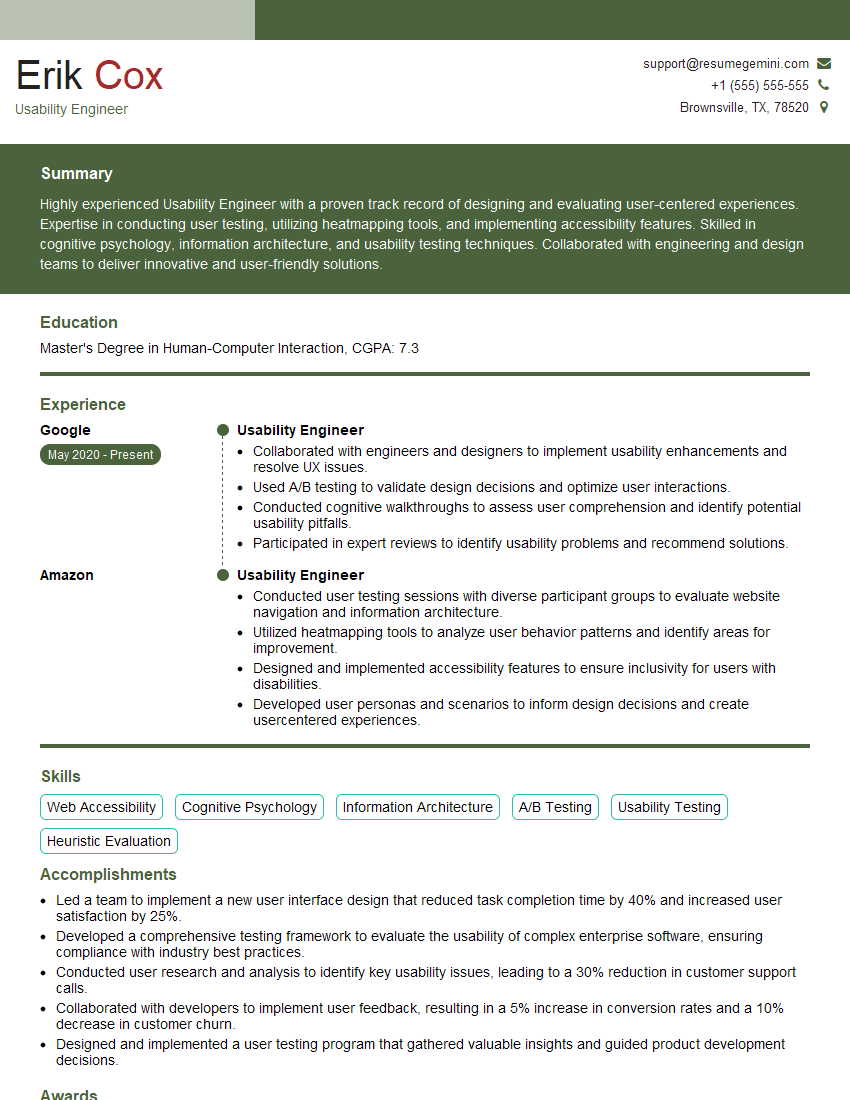
Usability Engineer Resume Sample

Information Architect Resume Sample
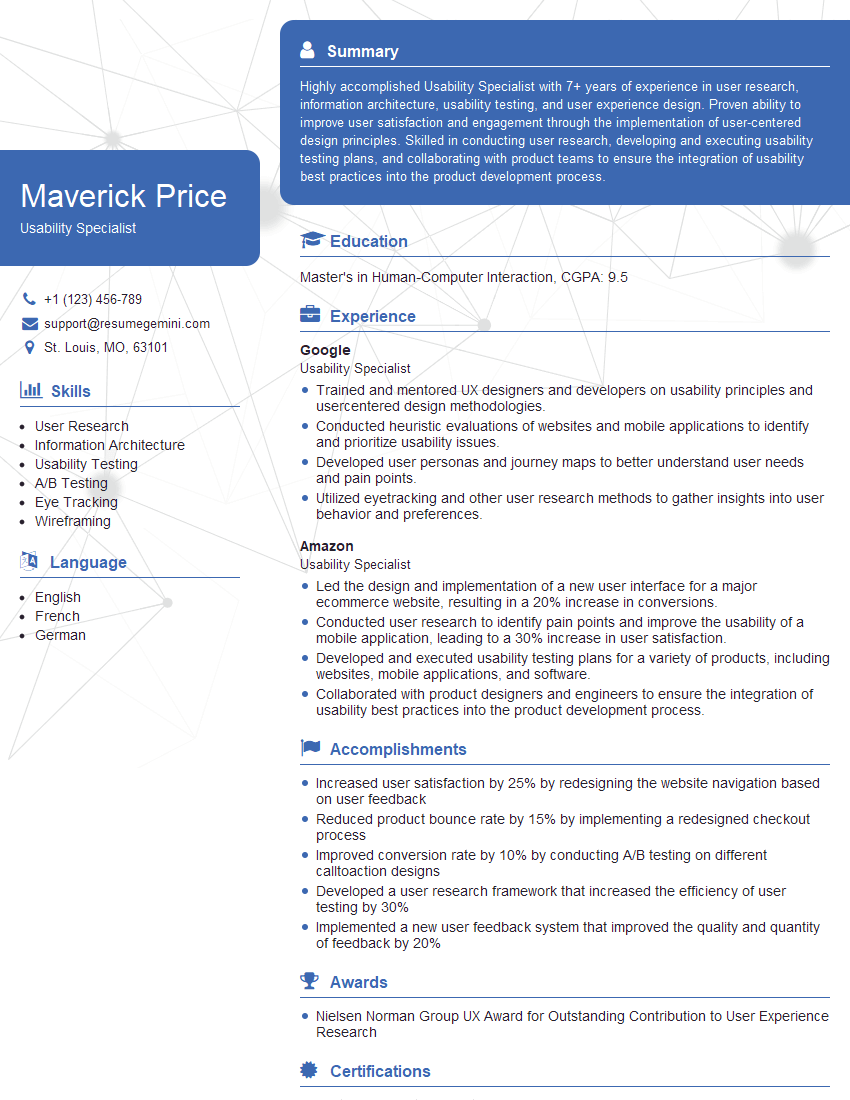
Usability Specialist Resume Sample
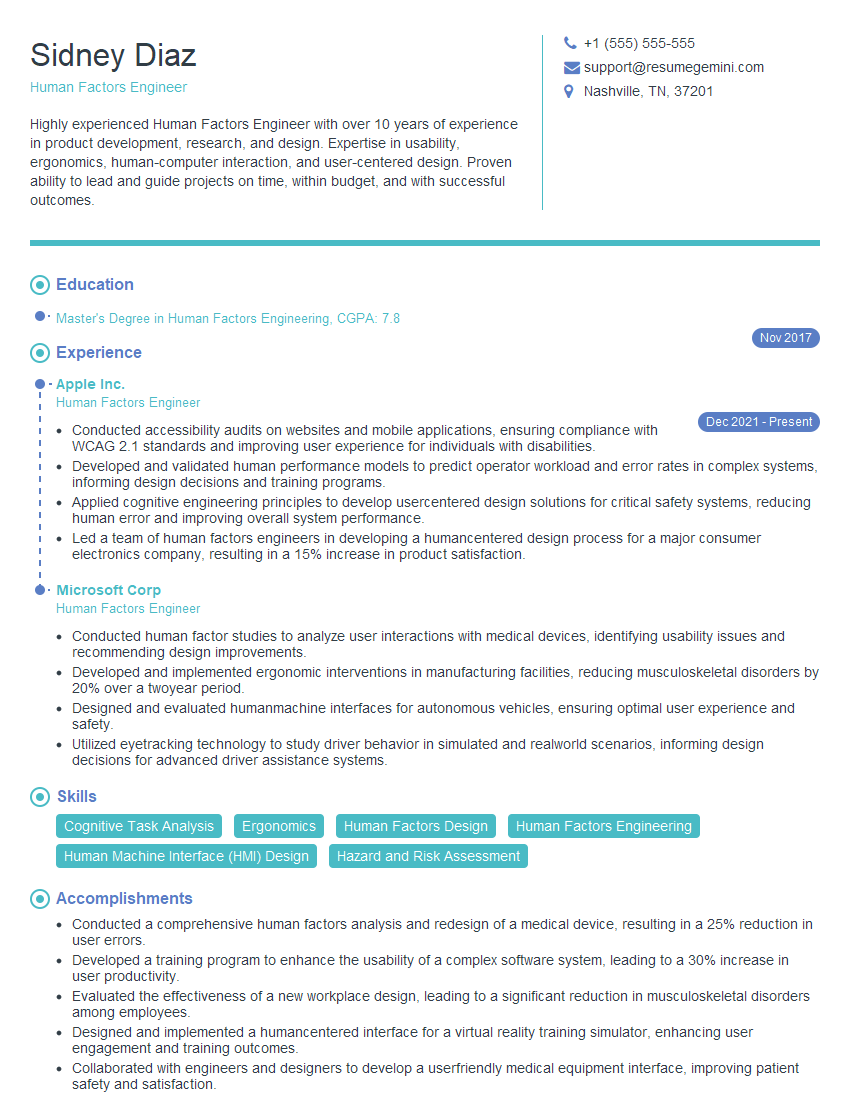
Human Factors Engineer Resume Sample

Product Designer Resume Sample
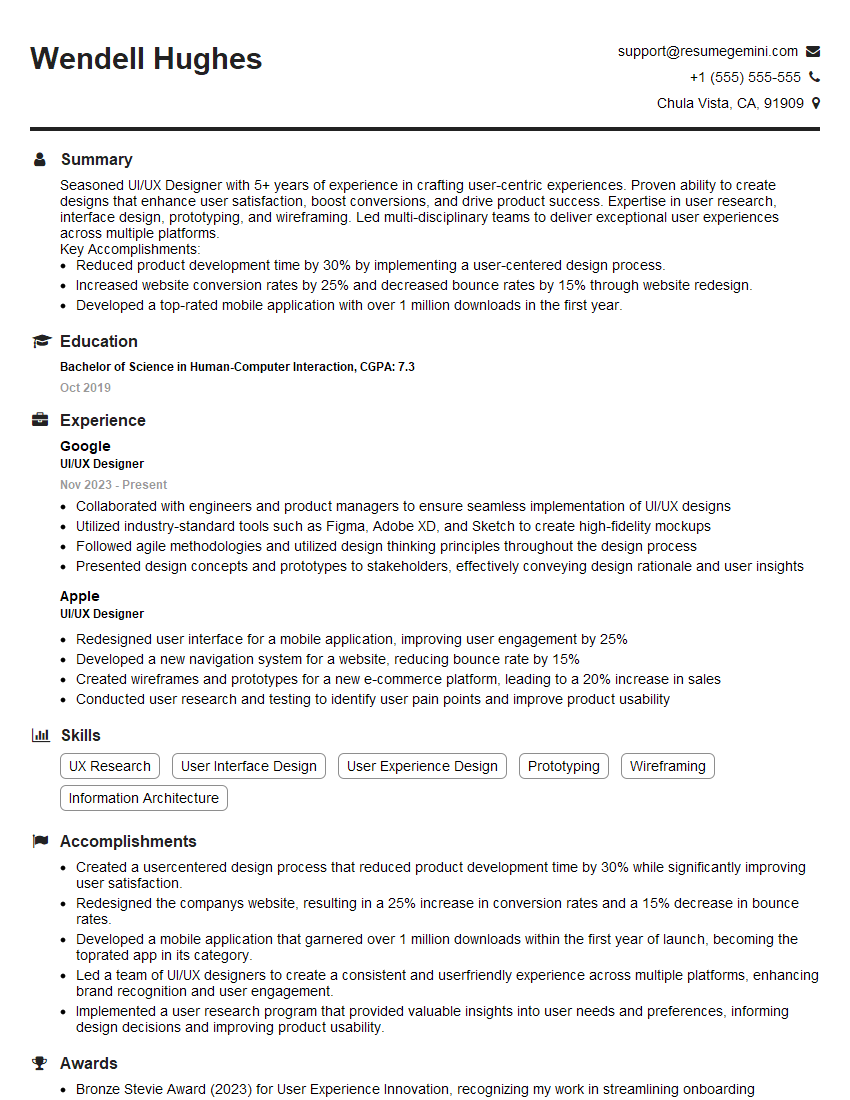
UI/UX Designer Resume Sample

UX Designer Resume Sample
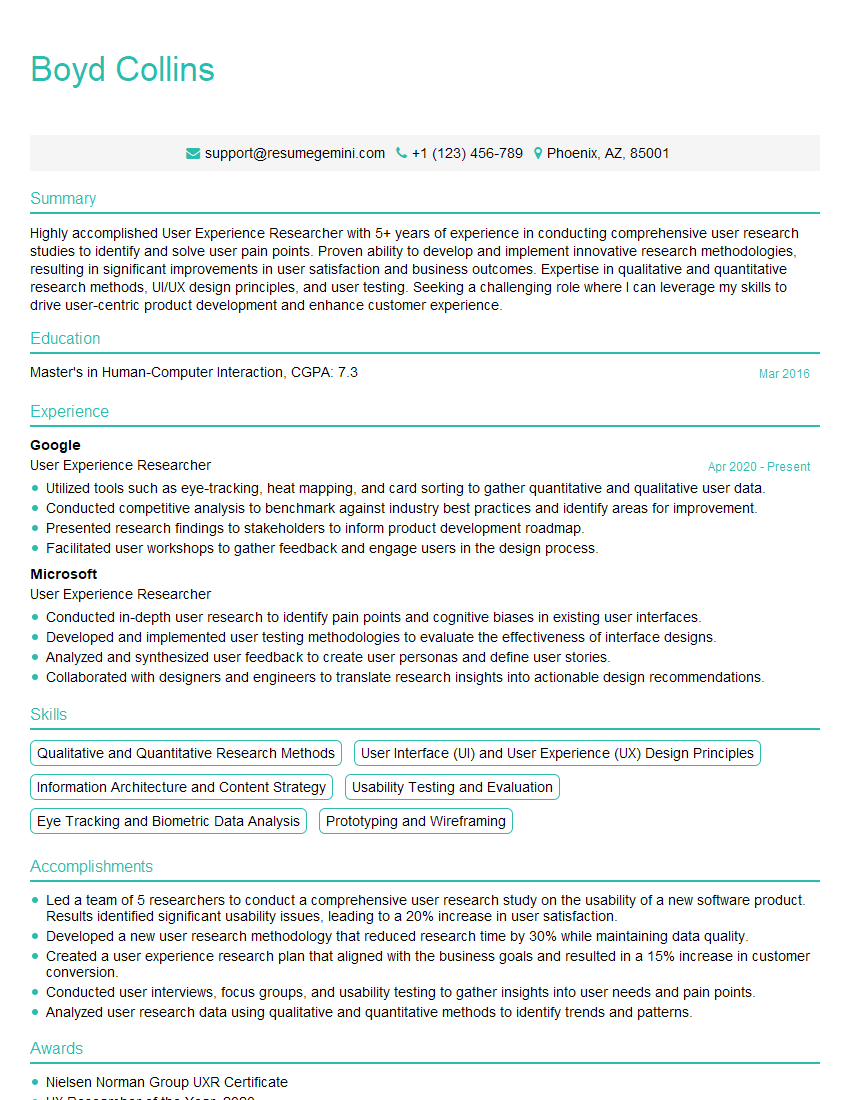
User Experience Researcher Resume Sample
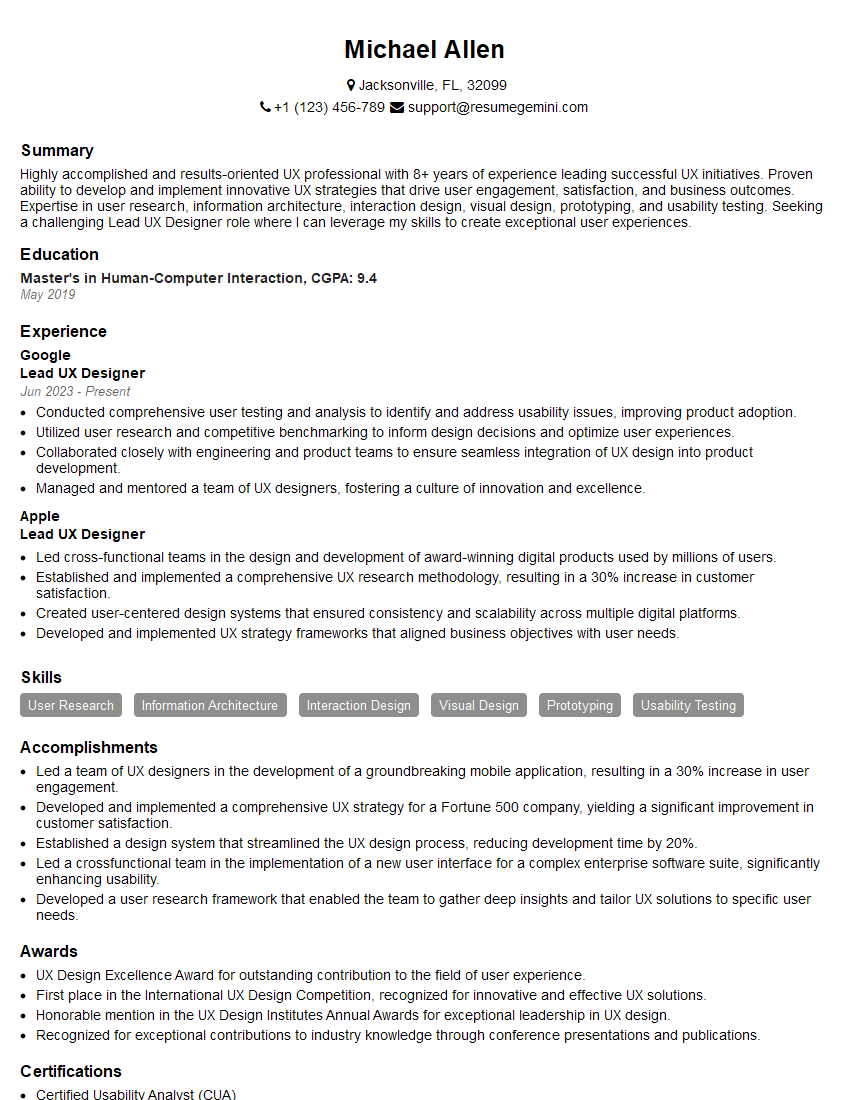
Lead UX Designer Resume Sample
Explore more articles
Users Rating of Our Blogs
Share Your Experience
We value your feedback! Please rate our content and share your thoughts (optional).
What Readers Say About Our Blog
Very informative content, great job.
good