Interviews are opportunities to demonstrate your expertise, and this guide is here to help you shine. Explore the essential Understanding printing principles and processes interview questions that employers frequently ask, paired with strategies for crafting responses that set you apart from the competition.
Questions Asked in Understanding printing principles and processes Interview
Q 1. Explain the difference between offset and digital printing.
Offset and digital printing are two fundamentally different printing methods. Offset printing, the workhorse of the industry for large-scale projects, uses an indirect printing process. Ink is transferred from a printing plate to a rubber blanket, and then from the blanket to the paper. This is ideal for high-volume projects because it allows for consistent quality across many prints. Think of it like using a stamp, but instead of directly stamping the paper, you use a rubber intermediary. Digital printing, on the other hand, is a direct printing process. The image is printed directly onto the substrate (paper, fabric, etc.) from a digital file. This is perfect for short runs, personalized materials, and projects requiring quick turnaround times, as there are no plates to create. Imagine printing a photograph directly from your computer; that’s essentially digital printing. The key difference boils down to the presence or absence of an intermediary (the rubber blanket) in the ink transfer.
Q 2. Describe the prepress process in detail.
Prepress is the crucial phase before actual printing begins. It’s where we meticulously prepare the artwork and files to ensure a successful print job. This involves several critical steps:
- Image acquisition: Receiving and reviewing the client’s artwork, ensuring it meets the required specifications.
- Image editing and retouching: Correcting flaws, adjusting colors, and ensuring overall image quality.
- Color separation (for offset): Separating the artwork into individual color plates (CMYK).
- Imposition: Arranging the pages in a precise order for efficient printing and binding. Think of it like a puzzle, ensuring the final product comes out in the right sequence.
- Proofing: Creating a proof copy, often using a high-quality printer, to check for accuracy and color before committing to a full print run. This is our insurance policy against costly errors.
- Platemaking (for offset): Creating the physical printing plates that will carry the ink. Digital printing skips this step.
- File preparation and output: Finalizing the files in the correct format for the specific printing device, ensuring appropriate resolution and color settings.
A well-executed prepress process prevents errors down the line and ensures the printed product meets client expectations. Consider it the blueprint for a successful print job. One wrong step can lead to significant issues and additional costs.
Q 3. What are the key considerations for color management in printing?
Color management is paramount in printing. Inconsistent color can ruin the impact of even the best design. Key considerations include:
- Color profiles (ICC profiles): These are crucial for consistent color representation across different devices. They act as a translator between the digital world and the printed world. Every device (scanner, monitor, printer) has a unique profile to ensure that colors appear as intended. Using the wrong profile or lacking one can lead to significant color discrepancies.
- Color spaces: Understanding different color spaces, like RGB (for screens) and CMYK (for printing), is vital. CMYK is a subtractive color model; each color subtracts light, resulting in the final printed color. RGB is additive; colors are added together to produce the result. Failure to accurately convert between color spaces can result in significant color shifts.
- Proofing: Soft proofing (on screen) and hard proofing (physical print) are essential steps for verifying that the printed colors match the design intent. Different proofing methods exist, such as contract proof (legally binding) and digital proof (soft proof on a calibrated monitor).
- Calibration: Regular calibration of monitors, printers, and scanners is essential to ensure color accuracy over time. Think of it like tuning a musical instrument; regular tuning is needed to ensure proper sound quality.
Proper color management is akin to being a skilled chef: you need to carefully measure and mix your ingredients (colors) to achieve the desired result.
Q 4. How do you troubleshoot common printing press problems?
Troubleshooting printing press problems requires a systematic approach. Common issues and solutions include:
- Poor print quality (blurry, streaky): Check for worn rollers, insufficient ink, incorrect pressure, or issues with the printing plates. Start by cleaning the rollers and checking the ink supply. Then, adjust the pressure settings accordingly. If the issue persists, inspect the printing plates for damage.
- Color inconsistencies: Look for issues with ink balance, incorrect color settings, or problems with the color separation process. Adjust ink keys, calibrate the press, and carefully review the color profiles used.
- Paper jams: This can result from humidity, improper paper handling, or faulty feeding mechanisms. Check the paper’s moisture content, adjust the feeding mechanism, and ensure the paper path is clear of any obstructions.
- Misregistration: Check the alignment of the printing units and adjust them as needed. This ensures each color prints in the correct location.
A methodical approach, coupled with a deep understanding of the printing press’s mechanics, is key to effectively troubleshooting.
Q 5. Explain different types of paper and their suitability for various printing techniques.
Paper selection is crucial, as it directly impacts the final print quality and the suitability of the printing method. Different types of paper offer unique properties:
- Coated paper: Offers a smooth, glossy surface, ideal for high-quality images and vibrant colors. Suitable for offset and some digital printing methods. Often used for magazines and brochures.
- Uncoated paper: Provides a matte finish, suitable for text-heavy documents and applications where a natural feel is desired. Works well with offset and digital printing, often used for books and stationery.
- Recycled paper: Environmentally friendly option with varying finishes. Suitable for offset and digital printing, often used for promotional materials seeking an eco-conscious image.
- Specialty papers: Includes textured papers, metallic papers, and others with unique finishes or properties, appropriate for specific designs and printing methods.
Choosing the correct paper type is about understanding the interplay between the paper’s properties and the desired aesthetic and printing technique. For example, a delicate watercolor design might not look as sharp on a highly textured paper.
Q 6. What are the advantages and disadvantages of different printing methods (e.g., offset, digital, screen)?
Each printing method offers distinct advantages and disadvantages:
| Method | Advantages | Disadvantages |
|---|---|---|
| Offset | High print quality, cost-effective for large runs, consistent color, vibrant colors | High setup costs, long turnaround time, not suitable for short runs or personalized projects |
| Digital | Fast turnaround, cost-effective for short runs, personalization options, variable data printing | Lower print quality than offset for certain applications, higher cost per print for large runs, less vibrant colors in some instances |
| Screen Printing | Durable prints on various substrates, vibrant colors, unique textures possible | High setup cost, limited detail, not ideal for high-volume, complex designs |
The best method depends on the project’s requirements. A large print run for a corporate brochure might favor offset, while custom-designed t-shirts would likely use screen printing, and a small batch of personalized invitations would suit digital printing perfectly.
Q 7. Describe your experience with color profiles (e.g., ICC profiles).
ICC profiles are integral to my workflow. I’ve extensively used them in various projects to ensure consistent color accuracy across different devices. I’ve encountered situations where a client’s artwork was prepared with one color profile, and our printing equipment used a different one. This led to significant color discrepancies until we correctly identified and applied the correct ICC profiles to each stage of the process – from monitor calibration to printer settings. My experience encompasses creating and embedding profiles, color space conversions, and troubleshooting issues related to profile mismatches. The success of many projects hinges on correctly implementing and managing ICC profiles, guaranteeing that the final print matches the client’s vision.
Q 8. How do you ensure consistent color across different print runs?
Maintaining consistent color across different print runs is crucial for brand consistency and overall quality. It’s achieved through a multi-faceted approach that starts long before the ink hits the paper.
Color Management System (CMS): A CMS is paramount. This system ensures that the colors you see on your screen accurately translate to the printed output. We use profiles (e.g., ICC profiles) that define the color characteristics of various devices – monitors, printers, and even the specific paper stock. These profiles are carefully calibrated and managed to minimize discrepancies.
Proofing: Soft proofing, using on-screen simulations, is essential for early color assessment. But a hard proof, a physical print sample produced under controlled conditions using a calibrated proofer, provides the most accurate representation before mass production. This allows for adjustments before committing to a large run.
Ink Consistency: Maintaining consistent ink viscosity, temperature, and density is essential. Regular maintenance of the printing press and meticulous monitoring of the ink supply prevent variations. We frequently perform color checks during the printing process to catch and correct any deviations immediately.
Substrate Consistency: The paper or material you print on significantly affects color. Using the same batch of paper or ensuring consistent paper properties between runs prevents variations due to differences in the substrate’s absorbency and texture.
For example, in a recent project printing a high-end brochure, we utilized a G7-certified workflow to ensure color consistency throughout the process. This involved rigorous color calibration and control at each step, from design to press, resulting in a flawless final product.
Q 9. Explain the concept of dot gain and how it affects print quality.
Dot gain refers to the increase in the size of printed dots compared to their size on the printing plate or film. Think of it like this: your design might specify a tiny dot, but when the ink hits the paper, it spreads slightly, making the dot larger. This is perfectly normal, but excessive dot gain can significantly impact print quality.
Effect on Print Quality: Excessive dot gain leads to muddy colors, loss of detail, and a generally darker, less crisp print. It makes colors appear richer and more saturated than intended, especially in lighter tones. Images can lose their sharpness and contrast.
Causes: Dot gain can stem from various factors: the type of ink and paper used, the printing pressure, the paper’s absorbency, and even the condition of the printing plates.
Mitigation: Proper control of dot gain involves using appropriate printing techniques and settings. Precise calibration of the printing press and selecting the right paper for the ink and design are critical. Software compensation can adjust the original image to account for anticipated dot gain.
For instance, a client designing a delicate watercolor illustration might suffer from muddy colors if dot gain isn’t carefully controlled. We’d compensate for this in prepress using software that adjusts the dot sizes to account for the predicted gain based on the selected ink and paper.
Q 10. What is the importance of proper ink management?
Proper ink management is the backbone of consistent and high-quality printing. It encompasses all aspects of handling and utilizing printing inks effectively.
Ink Storage: Inks should be stored in a cool, dry, and dark place to prevent premature drying, settling, or degradation. Proper temperature control is particularly crucial for some ink types.
Ink Mixing: Accurate mixing is vital for achieving the specified color. We use calibrated instruments to ensure precise proportions when mixing inks manually or rely on automated mixing systems for larger jobs. Consistent mixing avoids variations in color throughout a print run.
Ink Viscosity: Maintaining the correct ink viscosity is essential for consistent printing. Too thick and the print might be blotchy; too thin, and it could be faint. We regularly monitor and adjust viscosity to ensure optimum print quality.
Ink Cleaning: Regular cleaning of the press and ink circulation system prevents ink clogging and ensures a clean transition between different colors or inks.
Imagine a company logo with very specific color requirements. Improper ink management could result in slight variations in color across different product batches, potentially damaging the brand image. Meticulous ink management eliminates such risks.
Q 11. How do you handle a printing job with a tight deadline?
Handling a tight deadline involves a structured approach focusing on efficiency and collaboration.
Prioritization: We immediately identify critical path activities and prioritize them. This involves a close review of the project scope and timelines.
Resource Allocation: We optimize resource allocation, ensuring sufficient personnel and equipment are available. Overtime might be necessary, but we try to manage workload effectively to avoid burnout.
Communication: Open communication with the client and the team is vital. Regular updates and proactive reporting ensure everyone is on the same page and potential problems are addressed swiftly.
Process Optimization: We streamline workflows to remove unnecessary steps and potential bottlenecks. Automated processes and digital proofing can significantly shorten turnaround times.
Contingency Planning: We always have a backup plan in case of unforeseen delays or equipment failure. This could involve having alternative resources or making adjustments to the project scope.
For a recent rush job, we used a combination of pre-flight checks, automated color correction, and parallel processing to deliver a high-quality product within a demanding 24-hour timeframe. This involved utilizing all available resources and prioritizing speed without compromising quality.
Q 12. Describe your experience with various print finishing techniques (e.g., binding, laminating).
I have extensive experience with various print finishing techniques, crucial for enhancing the look, feel, and durability of printed materials.
Binding: I’m proficient in various binding methods including perfect binding (for books and magazines), saddle stitch binding (for brochures), wire-o binding (for notebooks), and case binding (for high-end books). The choice depends on the project requirements and budget.
Laminating: I’ve worked with both gloss and matte laminating films, adding protection and a professional finish to printed materials. Laminating enhances durability and makes prints resistant to scratches and moisture.
Die-cutting: I have experience with die-cutting to create custom shapes and designs, adding a unique touch to marketing materials or packaging.
Folding and Creasing: Precise folding and creasing techniques are essential for achieving clean, professional-looking folds in brochures, leaflets, and other printed items.
Embossing and Debossing: I’m familiar with embossing and debossing, which add texture and visual interest to printed products.
For example, a client’s high-end product catalog required case binding for a premium feel, and gloss lamination for protection. I managed the entire finishing process to meet their exacting standards.
Q 13. What software are you proficient in for prepress or print production?
My proficiency spans several essential prepress and print production software packages:
Adobe Creative Suite (Photoshop, Illustrator, InDesign): These are my everyday tools for image editing, vector graphics, and page layout. I’m comfortable working with high-resolution images and complex layouts.
Esko Suite (Artwork, Studio, PackEdge): For prepress tasks like color separation, imposition, and packaging design.
RIP Software (e.g., Fiery, Harlequin): I’m familiar with operating and managing RIP software for processing print jobs and managing color profiles.
Print Management Systems (e.g., MIS): I have experience using MIS software for job tracking, estimating, and managing print production workflows.
I am also skilled in using various color management tools and understanding their application in different printing processes.
Q 14. How do you ensure quality control throughout the printing process?
Quality control is an ongoing process throughout the printing workflow. It’s not just a final check but a continuous monitoring system.
Pre-press Checks: Rigorous pre-flight checks are done to identify any issues in the design files before printing. This includes checking resolution, color profiles, fonts, and trapping.
Proofing: We use both soft and hard proofs to validate color accuracy, image quality, and overall layout before proceeding to production.
Press Checks: Regular checks during the printing process ensure that the output matches the approved proof and that there are no inconsistencies in color, registration, or print quality. We use densitometers and other measuring tools to track these parameters.
Post-press Inspection: After printing, a thorough inspection checks for any defects such as misprints, smudges, or damage during finishing. We adhere to strict quality standards and have defined acceptance criteria to ensure the final product meets expectations.
In one instance, during a large-scale print run, our press checks revealed a slight color shift. Immediate action prevented the printing of hundreds of faulty copies and ensured the project’s success. Proactive quality control saves time, resources, and ultimately, maintains client satisfaction.
Q 15. Explain the concept of print registration.
Print registration refers to the precise alignment of multiple colors or images printed on the same substrate, ensuring that each color perfectly overlaps the others to create a sharp, clear, and accurate final product. Think of it like a perfectly aligned jigsaw puzzle – each piece (color) fits exactly where it should to form the complete picture. Inaccurate registration results in blurry images, misaligned colors, and an unprofessional-looking final print.
For example, in a four-color process (CMYK – Cyan, Magenta, Yellow, and Black), perfect registration ensures that the cyan, magenta, and yellow inks precisely overlay the black ink to create the intended colors and image detail. Even a slight misalignment, usually measured in microns, can lead to noticeable defects.
Maintaining accurate registration involves careful attention to various factors throughout the printing process, including the precise positioning of printing plates on the press, consistent paper feed, and careful monitoring of the printing process itself. Techniques like register marks, which are small reference marks printed on the substrate, help in checking and adjusting registration during printing.
Career Expert Tips:
- Ace those interviews! Prepare effectively by reviewing the Top 50 Most Common Interview Questions on ResumeGemini.
- Navigate your job search with confidence! Explore a wide range of Career Tips on ResumeGemini. Learn about common challenges and recommendations to overcome them.
- Craft the perfect resume! Master the Art of Resume Writing with ResumeGemini’s guide. Showcase your unique qualifications and achievements effectively.
- Don’t miss out on holiday savings! Build your dream resume with ResumeGemini’s ATS optimized templates.
Q 16. What are the different types of printing plates and their applications?
Printing plates are essential components in many printing processes, transferring the image to the substrate. Several types exist, each with its unique properties and applications:
- Letterpress Plates: These raised-surface plates are typically made of metal and are used in letterpress printing, creating a relief image that’s inked and pressed onto the substrate. They are durable and produce a unique tactile effect, often seen in high-quality invitations or business cards.
- Offset Lithographic Plates: These plates are used in offset lithography, the most common printing method. They’re typically aluminum sheets coated with a light-sensitive layer. The image is chemically etched onto the plate, creating an image area that repels ink and a non-image area that attracts ink. Offset lithography provides excellent quality and cost-effectiveness for high-volume printing.
- Flexographic Plates: Made of photopolymer or rubber, these plates are used in flexographic printing, a versatile process suitable for flexible substrates like plastic films, paper bags, and packaging. They’re known for their ability to print on various surfaces and their fast printing speeds.
- Gravure Plates: These etched metal cylinders are used in gravure printing, a process creating a recessed image. Ink sits in the etched wells and is transferred to the substrate, ideal for high-quality, high-volume printing on a variety of materials. Gravure is commonly used for magazines, packaging, and banknotes.
The choice of printing plate depends on factors such as print quality requirements, substrate type, budget, and production volume. For example, a high-quality art print might use offset lithographic plates, whereas flexible packaging might employ flexographic plates.
Q 17. Describe your experience with different types of printing inks.
My experience encompasses a wide range of printing inks, each with specific properties and applications:
- Solvent-based inks: These provide vibrant colors and excellent adhesion to various substrates but require careful handling due to their strong solvents. They are often used in flexographic printing for packaging and labels.
- Water-based inks: Environmentally friendly and less hazardous, these inks are suitable for a broad range of applications, including offset and screen printing. They’re often preferred for applications where safety is a primary concern.
- UV-curable inks: These inks cure instantly upon exposure to ultraviolet light, offering fast drying times and excellent durability. They are widely used in offset and screen printing for packaging, signage, and other applications demanding quick turnaround and resistance to abrasion.
- Specialty inks: This category includes metallic inks, fluorescent inks, and security inks, each tailored for specific aesthetic or security needs. Metallic inks create a luxurious look, fluorescent inks enhance visibility, and security inks are used to prevent counterfeiting.
Ink selection greatly impacts the final print quality, its longevity, and its environmental impact. I’ve worked on projects demanding specific ink properties, such as using UV-curable inks for outdoor signage to ensure its resistance to weather and fading.
Q 18. How do you calculate the cost of a printing job?
Calculating the cost of a printing job involves a multifaceted approach, considering various factors:
- Material Costs: This includes the cost of paper, inks, plates, and other consumables.
- Labor Costs: This encompasses the time spent on pre-press activities (design, platemaking), press operation, and post-press finishing (cutting, folding, binding).
- Equipment Costs: Depreciation, maintenance, and energy costs associated with the printing equipment.
- Overhead Costs: Rent, utilities, administrative expenses, and other indirect costs.
- Profit Margin: A percentage added to cover business expenses and ensure profitability.
A common approach is to use a cost-plus pricing model, where all direct and indirect costs are calculated, and a predetermined profit margin is added. For example, if the total costs for a project are $1000 and the desired profit margin is 20%, the final price would be $1200. More complex scenarios may involve pricing per unit or utilizing specialized printing cost calculators based on industry standards.
Q 19. What are some common printing defects and how do you correct them?
Common printing defects can significantly impact the quality of the final product. Here are some examples and their corrections:
- Misregistration: Incorrect alignment of colors; corrected by adjusting the printing press settings and carefully monitoring registration marks.
- Color inconsistencies: Variations in color across the print; addressed by calibrating the printing press, ensuring consistent ink supply, and verifying the accuracy of color profiles.
- Dot gain: The spreading of ink dots during printing, resulting in darker colors; adjusted by modifying the printing pressure, ink viscosity, and the screen ruling.
- Moiré patterns: Interference patterns caused by the interaction of halftone screens; avoided by using different angles for different color screens during the printing process.
- Hickies: Small, hard particles embedded in the ink; prevented by carefully cleaning the printing press and using filtered inks.
Troubleshooting involves systematically investigating the possible causes. For instance, misregistration might indicate issues with the press setup or paper feed, while color inconsistencies could point to problems with ink or color profiles. A strong understanding of the printing process is crucial for effective defect correction.
Q 20. Explain your experience with different types of printing presses.
My experience spans several types of printing presses:
- Offset Lithographic Presses: These high-volume presses are incredibly versatile and capable of producing high-quality prints at competitive costs. I’ve worked extensively with sheet-fed and web-fed offset presses for various projects.
- Flexographic Presses: I have operated both narrow-web and wide-web flexographic presses, primarily for packaging and labeling applications. These are known for their speed and suitability for printing on flexible substrates.
- Screen Printing Presses: I have experience with manual and automated screen printing presses, useful for creating high-impact graphics on various materials, including textiles and promotional products.
- Digital Printing Presses: I’m proficient with various digital printing technologies, including inkjet and toner-based systems, often preferred for short-run jobs, personalization, and variable data printing.
Choosing the right press depends on the job’s specifics, the desired print quality, the substrate, and the production volume. For instance, a large-scale magazine printing project would utilize a web offset press, while personalized greeting cards might be printed on a digital press.
Q 21. How do you manage different paper stocks and their handling?
Proper paper stock management is essential for optimal print quality and efficient production. It involves understanding paper characteristics and implementing appropriate handling techniques:
- Paper Selection: The choice of paper depends on the project’s requirements, considering factors such as weight, finish (coated, uncoated), brightness, and opacity. A glossy paper might be suitable for high-quality photographs, while a heavier stock might be necessary for business cards.
- Storage: Paper should be stored in a cool, dry environment to prevent moisture absorption, which can lead to warping and printing problems.
- Conditioning: Allowing the paper to acclimate to the printing environment before use is vital to prevent issues like paper curl and jamming. This involves storing it in the print room for a few hours to let it adjust to the temperature and humidity.
- Handling: Proper handling prevents damage and ensures smooth paper feeding. This includes avoiding excessive bending or creasing and using appropriate lifting techniques for larger paper stacks.
- Waste Management: Implementing waste reduction strategies minimizes environmental impact and reduces costs. This may include recycling paper scraps or employing more precise cutting techniques.
In my experience, neglecting paper stock management often leads to printing errors, increased waste, and production delays. Careful attention to these details ensures a smooth and efficient printing process.
Q 22. What is your experience with large format printing?
My experience with large format printing spans over eight years, encompassing various applications like billboards, posters, trade show displays, and vehicle wraps. I’ve worked extensively with different printing technologies, including solvent, eco-solvent, UV-curable, and latex inks, understanding their unique properties and applications. For instance, I’ve managed projects involving the production of high-resolution photographic prints for museum exhibitions, requiring precise color management and meticulous attention to detail. Another example includes overseeing the production of large-scale banners for outdoor advertising campaigns, demanding careful consideration of material durability and weather resistance.
I’m proficient in pre-press preparation for large format printing, including file manipulation, color profiling, and image resizing, ensuring optimal print quality. I understand the importance of different media choices—from vinyl and canvas to backlit film—and their suitability for various projects.
Q 23. How do you work with clients to meet their printing needs?
Collaborating with clients is a crucial aspect of successful printing. I begin by actively listening to understand their project goals, target audience, and budget constraints. We delve into the specifics: the desired print size, quantity, materials, finishing requirements, and the intended use of the printed materials. I provide creative suggestions based on their needs, offering various material and finishing options that best achieve their vision while staying within budget. I firmly believe in clear communication; regular updates, visual mockups, and proactive problem-solving are essential to keep clients informed throughout the process. For example, if a client has an unclear design file, I’ll work with them to improve it, suggesting alternative solutions to ensure the final product is top-notch. This collaborative approach ensures a positive and efficient project experience.
Q 24. Explain your experience with sustainable printing practices.
Sustainable printing is a core principle in my practice. I champion the use of eco-friendly inks, such as vegetable-based or water-based inks, which minimize the environmental impact compared to solvent-based inks. We actively source materials from certified sustainable forestry programs (FSC certified paper, for instance) whenever possible. Furthermore, I implement energy-efficient printing practices, including optimizing print settings to minimize ink usage and waste. In one instance, we transitioned a client from traditional glossy paper to a recycled, uncoated paper that offered a similar aesthetic and reduced the environmental footprint significantly without compromising the visual appeal. We also prioritize responsible waste management, implementing effective recycling programs for inks and materials.
Q 25. Describe your understanding of print finishing and binding options.
Print finishing and binding are integral to the final product’s quality and appeal. My expertise includes a wide range of options, including:
- Cutting and Trimming: Ensuring precise cuts for clean, professional results.
- Folding and Creasing: Optimizing techniques for different paper weights and folds.
- Laminating: Enhancing durability and providing a professional finish (gloss, matte, or textured).
- Binding: Offering options such as saddle stitch, perfect binding, wire-o, and spiral binding, appropriate for different document types.
- Die-cutting: Creating custom shapes and designs for unique packaging or marketing materials.
Selecting the appropriate finishing and binding method depends heavily on the project; a brochure will require different finishing than a hardcover book. My role involves advising clients on the best choices based on their needs and budget.
Q 26. What is your experience with variable data printing?
Variable data printing (VDP) allows for personalized marketing materials, creating targeted campaigns with individualized messages. I have extensive experience working with VDP software and databases to merge personalized information (names, addresses, offers) into print jobs. This enables creating unique pieces like personalized mailers, customized brochures, or targeted promotional materials. For instance, I managed a project where we generated thousands of unique postcards, each addressed to a specific recipient with a personalized message, significantly increasing response rates compared to a generic mass mailing. My expertise includes managing and preparing data files, integrating them with design templates, and ensuring seamless execution of the print process.
Q 27. Explain your problem-solving skills in a printing environment.
Problem-solving is critical in printing. I approach challenges systematically. If a color is off, I investigate potential issues: color profile mismatch, incorrect ink calibration, or faulty printer settings. I systematically eliminate possibilities, checking each step of the process. For instance, recently a client’s print job showed banding. Through careful investigation, I identified the issue as a problem with the printer’s print heads, requiring immediate cleaning and recalibration. My experience allows me to anticipate potential problems and implement preventative measures, minimizing disruptions and ensuring timely project completion. I have a knack for efficiently finding solutions, balancing speed and accuracy.
Q 28. How do you stay up-to-date with the latest printing technologies and trends?
Keeping abreast of the latest technologies is vital in the fast-paced printing industry. I regularly attend industry conferences and trade shows, networking with peers and learning about new equipment and techniques. I subscribe to relevant industry publications and online resources, staying informed about advancements in printing technology, materials, and software. Online courses and webinars further enhance my knowledge base. Furthermore, I actively participate in professional organizations, engaging in discussions and sharing best practices with other professionals in the field. This continuous learning ensures I can offer clients the most current and efficient printing solutions.
Key Topics to Learn for Understanding Printing Principles and Processes Interview
- Color Theory and Management: Understanding color models (CMYK, RGB, Pantone), color separation techniques, and color profile management for accurate reproduction.
- Printing Processes: In-depth knowledge of various printing methods (offset, digital, screen, flexographic) including their applications, advantages, and limitations. This includes understanding pre-press, press, and post-press stages.
- Image Resolution and File Preparation: Understanding DPI, PPI, and their impact on print quality. Knowing how to prepare files for different printing processes to achieve optimal results.
- Paper and Substrate Selection: Familiarity with different paper types, coatings, and their suitability for various printing techniques and applications. Understanding the impact of paper choice on print quality and cost.
- Pre-Press Techniques: Knowledge of trapping, imposition, color proofing, and other pre-press procedures crucial for ensuring accurate and efficient printing.
- Print Finishing Techniques: Understanding various finishing options like cutting, folding, binding, laminating, and embossing, and their application based on the print job requirements.
- Troubleshooting and Quality Control: Ability to identify and resolve common printing problems, including color inconsistencies, registration issues, and paper jams. Understanding quality control measures throughout the printing process.
- Sustainability and Environmental Impact: Understanding eco-friendly printing practices, sustainable materials, and waste reduction strategies.
- Print Production Workflow and Management: Understanding the overall workflow, from job initiation to delivery, including scheduling, cost estimation, and project management.
Next Steps
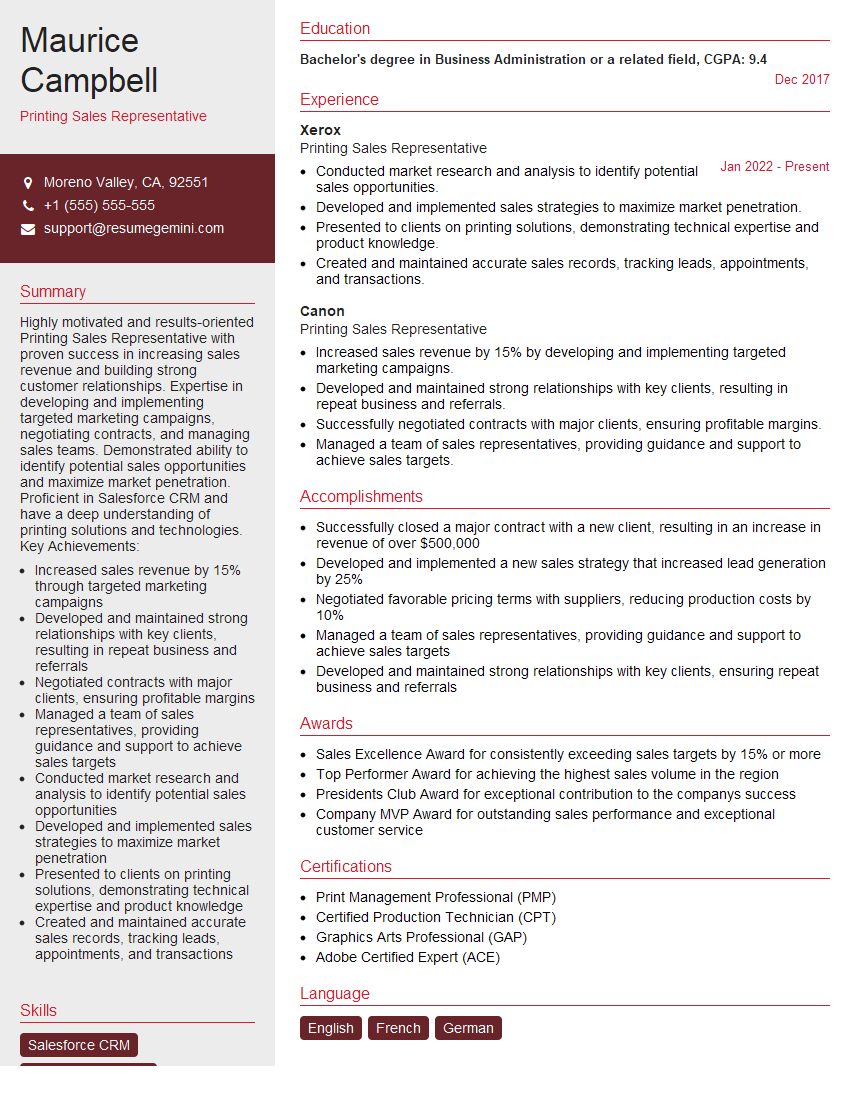
Mastering printing principles and processes is crucial for career advancement in the graphic arts and printing industries. A strong understanding of these concepts demonstrates technical proficiency and problem-solving skills, making you a highly valuable asset to any team. To significantly increase your job prospects, create an ATS-friendly resume that highlights your skills and experience effectively. We recommend using ResumeGemini, a trusted resource for building professional resumes. ResumeGemini provides examples of resumes tailored to the Understanding printing principles and processes field, helping you showcase your expertise and land your dream job.



Explore more articles
Users Rating of Our Blogs
Share Your Experience
We value your feedback! Please rate our content and share your thoughts (optional).
What Readers Say About Our Blog
Very informative content, great job.
good