Cracking a skill-specific interview, like one for User Experience (UX) Design Principles, requires understanding the nuances of the role. In this blog, we present the questions you’re most likely to encounter, along with insights into how to answer them effectively. Let’s ensure you’re ready to make a strong impression.
Questions Asked in User Experience (UX) Design Principles Interview
Q 1. Explain the difference between usability and user experience.
Usability and user experience (UX) are closely related but distinct concepts. Think of it like this: usability is a subset of UX. Usability focuses on how easy and efficient a product is to use. It’s about effectiveness, efficiency, and errors. A usable product is one that’s straightforward, allows users to accomplish tasks quickly, and minimizes mistakes. UX, on the other hand, encompasses the entire user’s experience with a product or service, from initial awareness to ongoing engagement. It considers factors like ease of use (usability), emotional response, brand perception, and overall satisfaction. A good UX design considers the entire user journey, including things that go beyond pure functionality, like aesthetics, emotional connection, and overall feeling.
Example: A website with a clear navigation menu and easily accessible search bar is usable. However, if the website’s design is visually unappealing, the content is poorly written, or the overall experience feels frustrating, it has poor UX, even if it’s usable. A usable website is a prerequisite for good UX but not sufficient on its own.
Q 2. Describe the design thinking process.
The design thinking process is a human-centered, iterative problem-solving approach. It’s not a linear process; it’s more of a cyclical journey where you might revisit earlier stages as needed. The five main stages are:
- Empathize: Deeply understand your users and their needs through research methods like user interviews, surveys, and observations. What are their challenges? What are their goals? This stage is crucial for truly understanding the problem from the user’s perspective.
- Define: Clearly articulate the core problem you’re trying to solve based on your research findings. Frame the problem concisely and use a user-centric lens.
- Ideate: Brainstorm and generate a wide range of potential solutions. Don’t censor ideas at this stage; encourage creativity and explore diverse approaches.
- Prototype: Create tangible representations of your ideas, even if they are low-fidelity. Prototypes can be sketches, wireframes, or interactive mockups. They are essential for testing and refining your solutions.
- Test: Evaluate your prototypes with users through usability testing to gather feedback and identify areas for improvement. The testing insights inform iterations and refinements of your designs.
Example: Imagine designing a new mobile banking app. You would start by interviewing users to understand their current frustrations with banking apps (Empathize). Then, you might define the problem as ‘users struggle to easily track their spending and budget efficiently’ (Define). You’d brainstorm features like personalized spending dashboards and budget management tools (Ideate). You would then create low-fidelity prototypes to test the usability of these features (Prototype) and gather feedback, refining them based on the feedback received (Test).
Q 3. What are the five key principles of Gestalt psychology and how do they apply to UX design?
Gestalt psychology is a school of thought that emphasizes how we perceive and organize visual information. Five key principles are particularly relevant to UX design:
- Proximity: Elements placed close together are perceived as a group. In UX, this means grouping related items on a page to improve visual clarity and understanding.
Example: Placing related form fields close together in an online form. - Similarity: Similar elements are perceived as belonging together. In UX, this can be used to visually categorize information or guide users through a series of steps using consistent visual cues.
Example: Using the same button style for all “submit” buttons on a website. - Closure: We tend to perceive incomplete shapes as complete. In UX, this can be used subtly to create a sense of unity and completeness in design elements, even if they are not fully enclosed.
Example: Using a partially hidden image to create visual intrigue and encourage user interaction. - Continuity: We prefer to see continuous lines or patterns rather than abrupt changes. In UX, this is used to create smooth visual flow and guide the user’s eye through the interface.
Example: Using visual cues like lines or arrows to guide users through a multi-step process. - Figure/Ground: We perceive elements as either figures (objects of focus) or ground (background). In UX, this is vital for creating clear visual hierarchy and directing attention to important elements.
Example: Using a contrasting background color to make a call-to-action button stand out.
By applying these principles, designers can create interfaces that are intuitive, visually appealing, and easy to navigate, thus enhancing the user experience.
Q 4. How do you conduct user research?
Conducting user research involves systematically gathering information to understand users’ needs, behaviors, and preferences. The process typically involves:
- Planning: Defining research goals, target audience, and the type of data needed.
- Recruitment: Identifying and recruiting participants representative of the target audience.
- Data Collection: Employing appropriate methods such as user interviews, surveys, usability testing, A/B testing, card sorting, and diary studies.
- Analysis: Analyzing the collected data to identify patterns, insights, and areas for improvement.
- Reporting: Communicating findings and recommendations to stakeholders.
Example: Before designing a new e-commerce website, you might conduct user interviews to understand how people currently shop online, observe their behaviors on competitor sites, and conduct usability tests on prototypes to identify pain points. This research informs the design decisions, ensuring the website meets user needs and expectations.
Q 5. What user research methods are you most comfortable with?
I’m most comfortable with a mixed-methods approach, leveraging both qualitative and quantitative research methods. Specifically, I frequently use:
- User Interviews: Provides rich qualitative data about user motivations, needs, and pain points. I find open-ended questions are effective in uncovering unexpected insights.
- Usability Testing: Allows me to observe users interacting with a prototype or live product, identifying usability issues and areas for improvement. I prefer moderated usability testing to allow for follow-up questions and deeper understanding.
- Surveys: Efficient for collecting quantitative data from a large number of participants. I carefully design surveys to ensure clarity and avoid biases.
The choice of method depends heavily on the research question and the stage of the design process. For instance, early in the process, user interviews might be more beneficial to gain a deep understanding, while later stages might involve A/B testing to compare different design choices.
Q 6. Explain the concept of user personas.
User personas are fictional representations of your ideal users based on research data. They’re not about individual users; instead, they represent key characteristics of user segments. A well-crafted persona includes:
- Demographics: Age, gender, location, occupation, education, etc.
- Psychographics: Values, attitudes, lifestyle, interests, etc.
- Goals and Needs: What are their objectives when using the product or service?
- Frustrations and Pain Points: What are their challenges and difficulties?
- Quotes: Direct quotes from user research that capture their voice and perspective.
Example: For a fitness app, you might create a persona named “Sarah,” a 30-year-old working professional who wants to improve her fitness but lacks time and motivation. She’s tech-savvy but prefers simple interfaces. This persona would help guide design decisions, ensuring the app caters to her needs and preferences.
Q 7. How do you create user flows?
User flows are visual representations of the steps a user takes to complete a specific task within a product or service. They map out the user’s journey, showing different paths they might take and highlighting potential decision points. They are crucial for understanding how users interact with the system and identifying potential usability problems.
Creating user flows typically involves:
- Identifying key tasks: Determine the most important actions users need to perform.
- Mapping the steps: Outline each step the user takes to complete the task, including interactions with the interface.
- Diagramming the flow: Use tools like flowcharts or wireframes to visualize the steps, showing different paths and decision points.
- Iterating based on feedback: Review and refine the user flow based on user testing and feedback.
Example: For an e-commerce website, a user flow for completing a purchase might show steps like adding items to the cart, proceeding to checkout, entering shipping information, selecting payment method, and confirming the order. Identifying any friction points within this flow, such as a confusing checkout process, allows for improvements to be made.
Q 8. What is information architecture and how is it important in UX?
Information architecture (IA) is the structural design of shared information environments. Think of it as the blueprint for how users will navigate and find what they need within a website, app, or any digital product. It’s crucial in UX because a well-organized IA ensures users can easily achieve their goals. A poorly structured IA leads to frustration, confusion, and ultimately, users abandoning the platform.
A strong IA involves several key components: organization (grouping related content logically), labeling (clear and concise names for content categories), navigation (intuitive pathways through the information), and search (robust functionality to allow users to find specific information quickly). Imagine a library: a good IA is like having a well-organized card catalog and clear signage, making it easy to find the book you’re looking for. A bad IA would be like wandering aimlessly through a chaotic jumble of books with no system.
For example, consider an e-commerce site. A good IA would categorize products logically (e.g., by type, brand, price), use descriptive labels for categories and subcategories, and offer clear navigation options (e.g., breadcrumbs, menus). Poor IA might lead to users struggling to find specific products, ultimately leading to lost sales.
Q 9. Describe different types of wireframes and when you’d use each.
Wireframes are low-fidelity visual representations of a user interface. They focus on the structure and layout of content, not the visual design. Different types serve different purposes:
- Low-fidelity wireframes: These are simple sketches or diagrams, often hand-drawn, created early in the design process to explore different layout options and get quick feedback. They’re great for brainstorming and rapid iteration.
- Mid-fidelity wireframes: These use digital tools to create a more polished representation, often incorporating grayscale elements and basic UI components. They provide a clearer picture of the layout and interaction flow than low-fidelity wireframes.
- High-fidelity wireframes: These are detailed and visually rich, almost resembling a fully functional prototype. They are typically used closer to the end of the design process to clarify interactions and visual elements before visual design begins.
The choice of wireframe type depends on the project phase and the level of detail needed. I typically start with low-fidelity wireframes for initial brainstorming and then progressively refine them into mid- and high-fidelity wireframes as the design process evolves. For example, I might use low-fidelity wireframes during client presentations to gather initial feedback, then transition to mid-fidelity wireframes for internal review and testing before building a high-fidelity prototype for user testing.
Q 10. What prototyping methods are you familiar with?
I’m proficient in a variety of prototyping methods, including:
- Low-fidelity prototyping: Paper prototyping, using sticky notes and markers to simulate the user flow.
- Mid-fidelity prototyping: Using tools like Figma, Adobe XD, or Sketch to create interactive prototypes with basic animations and transitions.
- High-fidelity prototyping: Creating highly realistic prototypes using tools like Axure RP or InVision, including advanced interactions and animations.
- Interactive prototyping: Building clickable prototypes that simulate the actual user experience, allowing for testing and feedback gathering.
My choice of prototyping method depends on the project’s complexity, timeline, and budget. For example, for a simple project, a paper prototype might suffice. For a more complex project, a high-fidelity prototype will be more effective in demonstrating functionality and user experience.
Q 11. How do you measure the success of a UX design?
Measuring UX design success isn’t just about aesthetics; it’s about achieving user goals. I use a multi-faceted approach:
- Usability testing: Observing users interacting with the design to identify pain points and areas for improvement. Metrics include task completion rate, error rate, and time on task.
- A/B testing: Comparing different versions of a design to see which performs better in terms of user engagement and conversion rates.
- Analytics: Tracking key metrics like bounce rate, time spent on pages, and conversion rates to assess the effectiveness of the design.
- User feedback surveys: Gathering qualitative data on user satisfaction and preferences through surveys and interviews.
- Heuristic evaluation: Evaluating the design against established UX principles (Nielsen’s heuristics) to identify potential usability issues.
Ultimately, success is measured by whether the design effectively meets user needs and achieves the business goals. For instance, an e-commerce site’s success might be measured by conversion rates, while a social media app’s success might be measured by user engagement and retention.
Q 12. Explain the importance of accessibility in UX design.
Accessibility is paramount in UX design; it’s about ensuring that everyone, regardless of their abilities, can use and understand the product. This means designing for users with visual, auditory, motor, cognitive, and neurological disabilities. Ignoring accessibility is not only unethical but also limits the potential user base.
Key aspects of accessible design include:
- Alternative text for images: Providing descriptive text for screen readers to interpret images.
- Keyboard navigation: Ensuring all interactive elements are accessible using only a keyboard.
- Sufficient color contrast: Using enough color contrast between text and background to ensure readability for users with visual impairments.
- Captions and transcripts for videos and audio: Making multimedia content accessible to users with hearing impairments.
- Clear and simple language: Avoiding jargon and complex sentence structures to improve comprehension for users with cognitive disabilities.
For example, designing a website with sufficient color contrast ensures that users with color blindness can still read the text. Providing captions for videos makes the content accessible to users with hearing impairments. Accessibility isn’t just about adding features; it’s about designing inclusively from the start.
Q 13. How do you handle feedback from stakeholders?
Handling stakeholder feedback is a critical aspect of UX design. It requires careful consideration, diplomacy, and a collaborative approach. I typically follow these steps:
- Active listening: Pay close attention to stakeholders’ concerns, taking notes and asking clarifying questions.
- Empathy: Understand the stakeholders’ perspectives and motivations.
- Prioritization: Assess the feedback based on its impact on usability, user needs, and business goals.
- Documentation: Keep a record of all feedback received and the decisions made in response.
- Transparency: Communicate clearly with stakeholders about the design decisions and the rationale behind them.
- Iteration: Incorporate relevant feedback into the design and iterate on the solution based on testing and data.
Sometimes, compromises are necessary. It’s important to explain clearly why certain feedback may not be implemented, focusing on data, user research, or overall design consistency. Building strong relationships with stakeholders fosters trust and collaboration.
Q 14. Describe a time you had to make a design trade-off.
On a recent e-commerce project, we faced a trade-off between the desired number of product filters and the overall visual clarity of the product listing page. The stakeholders wanted a comprehensive set of filters to allow users to refine their search results precisely. However, including all the desired filters resulted in a cluttered and overwhelming interface.
To resolve this, we prioritized the most frequently used filters based on user research and analytics data. We also grouped related filters logically and used a collapsible accordion menu to minimize visual clutter. This allowed users to access the full range of filters if needed while keeping the initial product listing page clean and intuitive. This solution balanced stakeholder desires with the need for a user-friendly design, optimizing for usability.
Q 15. How do you stay up-to-date with the latest UX trends?
Staying current in the ever-evolving field of UX design requires a multi-pronged approach. I actively engage with several key resources. Firstly, I religiously follow influential blogs and publications like Nielsen Norman Group, UX Collective, and Smashing Magazine. These platforms offer insightful articles, case studies, and expert opinions on the latest trends and best practices. Secondly, I participate in online communities and forums, such as UX Stack Exchange and Reddit’s r/UXDesign, to engage in discussions, learn from others’ experiences, and stay abreast of emerging technologies and design patterns. Thirdly, attending webinars, workshops, and conferences – both online and in-person – allows me to network with fellow designers and gain direct exposure to cutting-edge thinking. Finally, I dedicate time to exploring new design tools and experimenting with different design approaches, keeping my skills sharp and allowing me to adapt to the changing landscape. For example, recently I’ve been researching the applications of AI in UX design and exploring the implications of the metaverse for user experience.
Career Expert Tips:
- Ace those interviews! Prepare effectively by reviewing the Top 50 Most Common Interview Questions on ResumeGemini.
- Navigate your job search with confidence! Explore a wide range of Career Tips on ResumeGemini. Learn about common challenges and recommendations to overcome them.
- Craft the perfect resume! Master the Art of Resume Writing with ResumeGemini’s guide. Showcase your unique qualifications and achievements effectively.
- Don’t miss out on holiday savings! Build your dream resume with ResumeGemini’s ATS optimized templates.
Q 16. What are some common usability heuristics?
Usability heuristics are guidelines that help designers create user-friendly interfaces. Jakob Nielsen’s 10 heuristics are particularly well-known and influential. These include:
- Visibility of system status: Keep users informed about what is going on.
- Match between system and the real world: Speak the users’ language, with words, phrases and concepts familiar to the user, rather than system-oriented terms.
- User control and freedom: Provide clearly marked “emergency exits” to leave undesirable states without having to go through an extended dialogue.
- Consistency and standards: Users should not have to wonder whether different words, situations, or actions mean the same thing.
- Error prevention: Careful design can prevent a problem from occurring in the first place. Either eliminate error-prone conditions or check for them and present users with a confirmation option before they commit to the action.
- Recognition rather than recall: Minimize the user’s memory load by making objects, actions, and options visible. The user should not have to remember information from one part of the dialogue to another.
- Flexibility and efficiency of use: Accelerators — unseen by the novice user — may often speed up the interaction for the expert user such that the system can cater to both inexperienced and experienced users.
- Aesthetic and minimalist design: Dialogues should not contain information which is irrelevant or rarely needed. Every extra unit of information in a dialogue competes with the relevant units of information and diminishes their relative visibility.
- Help users recognize, diagnose, and recover from errors: Error messages should be expressed in plain language (no codes), precisely indicate the problem, and constructively suggest a solution.
- Help and documentation: Even though it is better if the system can be used without documentation, it may be necessary to provide help and documentation. Any such information should be easy to search, focused on the user’s task, list concrete steps to be carried out, and not be too large.
For instance, a poorly designed online form that lacks clear error messages and validation violates several of these heuristics, leading to a frustrating user experience. A well-designed form, however, will clearly indicate required fields, provide helpful error messages upon submission, and maintain a consistent design language.
Q 17. How do you incorporate user feedback into your design process?
User feedback is crucial for iterative design. I incorporate it throughout the design process, starting with early-stage user research. This might involve conducting user interviews, surveys, or focus groups to understand user needs and pain points. During the prototyping phase, I utilize usability testing to observe users interacting with the design and identify areas for improvement. I actively seek feedback through various channels: in-person sessions, online surveys, A/B testing, and heatmap analysis. I prioritize qualitative feedback (e.g., user comments, interview transcripts) alongside quantitative data (e.g., task completion rates, error rates) to gain a holistic understanding. For example, during a recent project, user testing revealed that a particular feature was confusing. Incorporating user suggestions and redesigning the feature significantly improved the usability of the product.
I use tools like UserTesting.com and Optimal Workshop to facilitate user feedback collection and analysis. I carefully document all feedback and then use an affinity mapping technique to group similar feedback together and prioritize changes based on their impact and feasibility. This iterative process ensures that the final product reflects user needs and expectations.
Q 18. Explain the difference between UI and UX design.
While UI and UX design are closely related and often work in tandem, they are distinct disciplines. UX (User Experience) design focuses on the overall experience a user has with a product or service. This encompasses everything from the initial interaction to the final impression, including aspects like usability, accessibility, desirability, and value. It’s about understanding user needs, defining their goals, and creating a system that effectively meets those goals and leaves them feeling satisfied. Think of it as the “big picture”.
UI (User Interface) design, on the other hand, is concerned specifically with the visual elements and interactive components of a product. It’s about designing the look and feel of the interface, including the layout, typography, color palette, and interactive elements. UI design focuses on making the interface visually appealing, intuitive, and easy to navigate. It’s the “how” of the user’s interaction – the specific buttons, screens, and visual cues that enable interaction.
A helpful analogy is to think of building a house: UX design is like designing the floor plan, considering things like room layout, flow, and accessibility for all occupants; UI design is like choosing the paint colors, furniture, and decor to create an aesthetically pleasing and functional interior.
Q 19. What are your preferred design tools?
My preferred design tools depend on the specific project requirements, but I’m proficient in a range of software. For wireframing and prototyping, I frequently use Figma and Adobe XD, favoring Figma for its collaborative capabilities and real-time editing. For visual design and mockups, I leverage Adobe Photoshop and Illustrator, appreciating their precision and ability to create high-fidelity visuals. For user research and data analysis, I utilize tools like Optimal Workshop and Google Analytics. Beyond these, I am comfortable using Sketch and InVision, and I’m always exploring new tools to enhance my workflow and keep my skills current.
Q 20. Describe your experience with A/B testing.
A/B testing is an essential part of my design process. It’s a method of comparing two versions of a design element – often referred to as A and B – to determine which performs better based on user behavior. This might involve testing different button colors, layouts, or calls to action. I typically use tools like Optimizely or Google Optimize to set up and run A/B tests. For example, on a recent e-commerce site redesign, we tested two different versions of the product page layout. One emphasized large product images, while the other focused on detailed product specifications. The A/B test clearly showed that the version with larger images resulted in a higher conversion rate, leading us to adopt this design for the final product.
The key to successful A/B testing is establishing clear metrics, such as click-through rates, conversion rates, or task completion times, to measure performance. It’s also crucial to ensure statistically significant sample sizes for reliable results. I always carefully analyze the data and use it to inform future design decisions, ensuring a data-driven approach to optimization.
Q 21. How do you handle conflicting design requirements?
Conflicting design requirements are inevitable, particularly in collaborative projects. My approach involves a structured process to resolve these conflicts effectively. Firstly, I encourage open communication and collaboration among stakeholders. This includes holding regular meetings with all involved parties – developers, product managers, marketing teams, and clients – to understand everyone’s perspective and concerns. Secondly, I utilize a prioritization matrix to weigh the importance of each requirement against its feasibility. This helps identify trade-offs and compromises. Thirdly, I create detailed user stories and personas to ground design decisions in user needs, allowing me to objectively evaluate the impact of different requirements on the user experience. Finally, I use prototyping and user testing to validate different design solutions and identify the optimal approach. For instance, if a client wants a visually complex design while the developers highlight technical limitations, I’ll create prototypes reflecting both options, testing both with users to gather data, and presenting the findings to stakeholders to make a data-driven decision.
Q 22. What are your thoughts on responsive web design?
Responsive web design is crucial for ensuring a seamless user experience across all devices. It’s the practice of building websites that adapt their layout and content to fit different screen sizes, resolutions, and orientations – from desktops to tablets to smartphones. Think of it like a chameleon changing its color to blend into its environment; the website adapts to the user’s environment.
The core principle is using flexible layouts, fluid images, and media queries. Flexible layouts use relative units like percentages instead of fixed pixels, allowing elements to resize proportionally. Fluid images scale with the container, preventing distortion. Media queries detect the device’s characteristics (screen size, resolution) and apply specific CSS styles accordingly. For instance, a media query might stack navigation items vertically on a small screen but horizontally on a larger one.
Implementing responsive design benefits businesses by reaching a wider audience, improving user engagement (users are more likely to stay on a site that’s easy to navigate on their device), and boosting SEO, as search engines favor mobile-friendly websites.
Q 23. How do you ensure your designs are inclusive and accessible to all users?
Inclusive and accessible design means creating experiences usable by everyone, regardless of their abilities or disabilities. This goes beyond just making websites visually appealing; it’s about ensuring functionality for users with visual, auditory, motor, or cognitive impairments.
- WCAG (Web Content Accessibility Guidelines): I adhere strictly to WCAG standards, which provide a comprehensive set of guidelines for web accessibility. These guidelines cover areas like providing alternative text for images (
<img src="image.jpg" alt="Description of the image">), ensuring sufficient color contrast, using proper heading structure (<h1>,<h2>,<h3>etc.), and building keyboard navigation. - Diverse Testing: I believe in testing with diverse groups of users, including individuals with disabilities, to gather feedback and identify accessibility issues. This ensures a truly inclusive design.
- Semantic HTML: Using semantic HTML elements (
<article>,<aside>,<nav>) improves accessibility by providing structure and meaning to the content, making it easier for assistive technologies to interpret.
For example, I recently worked on a project where we had to ensure a visually impaired user could understand the interactive map. We implemented detailed alternative text for map features and used ARIA attributes to improve screen reader compatibility.
Q 24. How do you prioritize features in a design project?
Prioritizing features requires a balanced approach that considers user needs, business goals, and technical feasibility. I often employ the MoSCoW method:
- Must have: Essential features that must be included for the product to be viable.
- Should have: Important features that add significant value but aren’t essential for launch.
- Could have: Desirable features that enhance the user experience but can be deferred to later iterations.
- Won’t have: Features that are not included in this iteration but may be considered for future development.
This method helps focus development efforts on the most critical aspects while acknowledging potential future enhancements. Prioritization also involves user research and data analysis to understand which features are most impactful for user satisfaction and business objectives.
For example, in a recent e-commerce project, the ‘Must have’ features included secure checkout and product search, while ‘Should have’ features were wishlists and product reviews. ‘Could have’ features included personalized recommendations, which could be implemented after the initial launch.
Q 25. Describe your approach to creating a user-centered design.
User-centered design is a philosophy that puts the user at the heart of every design decision. It involves understanding user needs, behaviors, and motivations through various research methods and then using that knowledge to guide the design process.
My approach typically includes:
- User Research: Conducting user interviews, surveys, and usability testing to gather insights into user needs and pain points.
- Persona Development: Creating detailed representations of target users to guide design decisions and keep the focus on the intended audience.
- Information Architecture: Structuring content and navigation in a way that is intuitive and easy for users to find what they need.
- Wireframing and Prototyping: Creating low-fidelity and high-fidelity prototypes to test design concepts and gather feedback.
- Usability Testing: Regularly testing designs with real users to identify usability issues and iterate on the design.
For example, when designing a mobile banking app, I would conduct interviews with users to understand their financial goals and pain points with existing banking apps. This would inform the design of the app’s features and navigation, ensuring that it meets the users’ specific needs.
Q 26. Explain your understanding of user journeys.
User journeys map out the steps a user takes to accomplish a specific goal within a product or service. They visualize the user’s experience from start to finish, highlighting touchpoints, pain points, and opportunities for improvement. Think of it as a story of the user interacting with your product or service.
Creating user journeys involves identifying key stages in the process, outlining user actions and emotions at each stage, and identifying potential friction points. They can be represented visually using diagrams or flowcharts. For example, a user journey for online shopping might include steps like browsing products, adding items to a cart, proceeding to checkout, and finally receiving order confirmation. By mapping this out, we can identify areas where users might get frustrated, such as a complicated checkout process.
Understanding user journeys helps in identifying areas for improvement, such as simplifying complex processes, optimizing navigation, or adding helpful guidance to the user interface.
Q 27. How do you incorporate data analytics into your design process?
Data analytics plays a vital role in informing design decisions and validating design choices. I use data analytics throughout the design process, from the initial research phase to post-launch analysis.
During the research phase, I might analyze existing website analytics to understand user behavior patterns, identify popular pages, and pinpoint areas where users are struggling. This helps prioritize features and inform design choices. During and after the launch phase, I utilize A/B testing, heatmaps, and user session recordings to understand how users are interacting with the design. This data provides insights into which design choices are successful and which areas need improvement.
For example, A/B testing different button designs can reveal which design performs better in terms of click-through rates. Heatmaps can show which parts of a page users are focusing on, indicating areas that require more attention or areas that are being overlooked.
By analyzing this data, I can identify areas for optimization, make data-driven design decisions, and continuously improve the user experience.
Q 28. Describe a situation where you had to iterate on a design based on user feedback.
During the development of a mobile app for scheduling appointments, initial user testing revealed that the date/time picker was confusing and difficult to use. Users struggled to select the correct date and time for their appointments. The initial design used a compact calendar style.
Based on user feedback, we iterated on the design by replacing the compact calendar with a larger, more intuitive date/time picker. We also added clear visual cues and improved the overall layout for better readability. We implemented these changes and conducted further usability testing. The results showed a significant improvement in task completion rate and user satisfaction; the number of users successfully scheduling appointments increased by 25%.
This experience highlighted the importance of iterative design and user feedback in creating a truly user-friendly product. The initial design, although visually appealing, failed to meet the users’ needs, emphasizing that usability and functionality are paramount.
Key Topics to Learn for User Experience (UX) Design Principles Interview
- User-Centered Design: Understanding and applying user research methodologies to inform design decisions. Practical application: Conducting user interviews and analyzing data to identify user needs and pain points.
- Information Architecture (IA): Organizing and structuring content in a way that is intuitive and easy for users to navigate. Practical application: Creating sitemaps and wireframes to plan the information hierarchy of a website or application.
- Interaction Design (IxD): Designing the way users interact with a product or system. Practical application: Designing intuitive user flows and creating interactive prototypes.
- Accessibility: Designing for users with disabilities, ensuring inclusivity and usability for everyone. Practical application: Following accessibility guidelines (e.g., WCAG) to create inclusive designs.
- Usability Testing: Evaluating the usability of a design through observation and feedback. Practical application: Conducting usability tests and analyzing the results to identify areas for improvement.
- Design Systems: Creating reusable design components and patterns to ensure consistency and efficiency. Practical application: Developing and maintaining a design system for a company or project.
- Prototyping: Creating interactive prototypes to test and iterate on design ideas. Practical application: Using prototyping tools to simulate user interactions and gather feedback.
- Heuristic Evaluation: Evaluating a design against established usability heuristics. Practical application: Applying Nielsen’s 10 heuristics to identify usability problems.
Next Steps
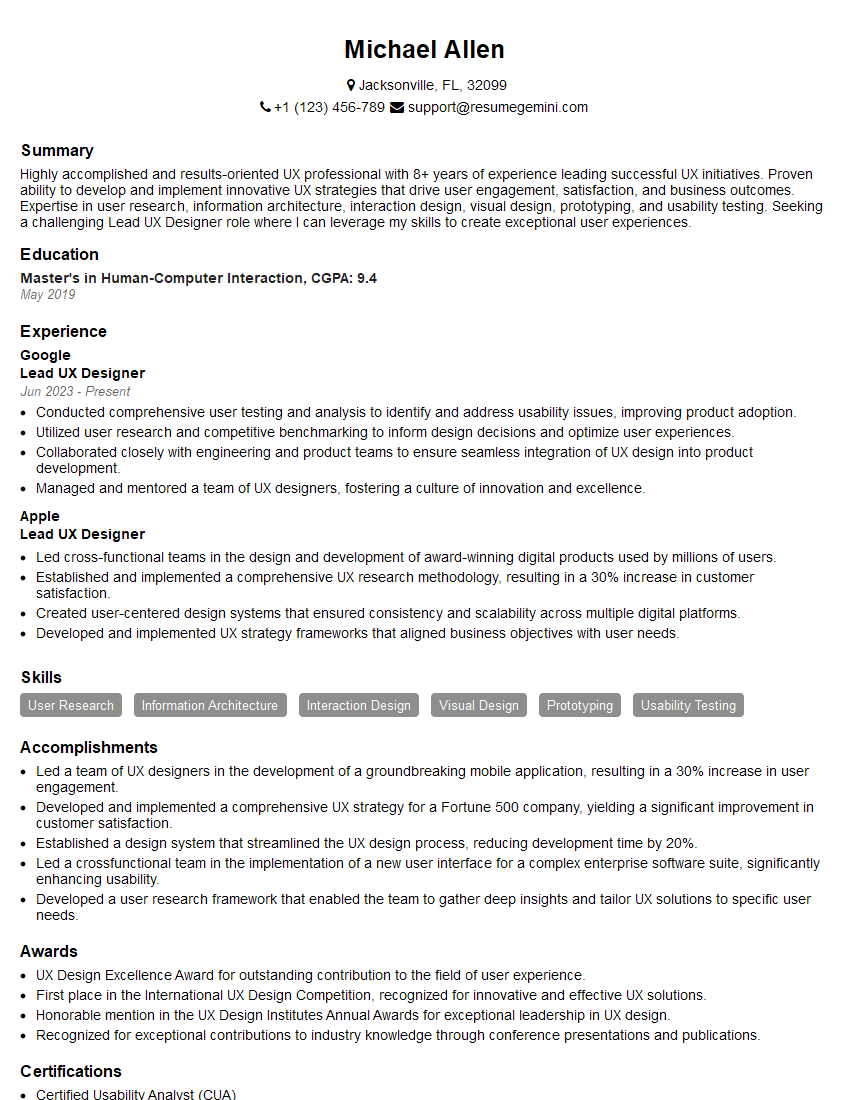
Mastering UX Design Principles is crucial for career advancement in this rapidly evolving field. A strong understanding of these concepts will significantly improve your interview performance and open doors to exciting opportunities. To maximize your job prospects, crafting an ATS-friendly resume is essential. ResumeGemini can help you create a professional and effective resume that highlights your UX skills. ResumeGemini provides examples of resumes tailored to User Experience (UX) Design Principles, making the process easier and more efficient. Invest time in building a compelling resume – it’s your first impression with potential employers.



Explore more articles
Users Rating of Our Blogs
Share Your Experience
We value your feedback! Please rate our content and share your thoughts (optional).
What Readers Say About Our Blog
Very informative content, great job.
good