The right preparation can turn an interview into an opportunity to showcase your expertise. This guide to Virtualization and Cloud Management interview questions is your ultimate resource, providing key insights and tips to help you ace your responses and stand out as a top candidate.
Questions Asked in Virtualization and Cloud Management Interview
Q 1. Explain the difference between Type 1 and Type 2 hypervisors.
The core difference between Type 1 and Type 2 hypervisors lies in how they interact with the host hardware. Think of a hypervisor as a manager of computer resources. A Type 1 hypervisor, also known as a bare-metal hypervisor, runs directly on the host’s hardware, without needing an underlying operating system (OS). It’s like building a house directly on the land – no foundation is needed other than the land itself. Examples include VMware ESXi and Xen. A Type 2 hypervisor, on the other hand, runs on top of an existing OS, like Windows or Linux. This is similar to building a house on a pre-existing foundation. Examples include VMware Workstation Player and Oracle VirtualBox. The key distinction impacts performance and resource management; Type 1 hypervisors generally offer better performance because they don’t have to go through an additional OS layer for hardware access.
Q 2. Describe the benefits and drawbacks of using virtualization.
Virtualization offers numerous benefits but also comes with some drawbacks. Let’s explore both sides.
Benefits:
- Cost Savings: Consolidating multiple physical servers onto fewer physical machines reduces hardware costs, energy consumption, and space requirements.
- Improved Resource Utilization: Virtualization allows for dynamic resource allocation, ensuring that resources are efficiently used across virtual machines, maximizing server utilization.
- Increased Agility and Flexibility: Creating, deleting, and modifying virtual machines is faster and easier than managing physical servers. This enables faster deployment of new applications and services.
- Enhanced Disaster Recovery and Business Continuity: VMs can be easily backed up and restored, providing a robust disaster recovery solution. Live migration enables minimizing downtime during maintenance or emergencies.
- Improved Security: Isolating applications and data into separate VMs enhances security by preventing one compromised VM from affecting others.
Drawbacks:
- Performance Overhead: While Type 1 hypervisors minimize this, there’s still some performance overhead compared to running directly on bare metal. The virtualization layer introduces a slight performance penalty.
- Management Complexity: Managing a large number of VMs requires specialized skills and tools. Proper configuration and monitoring are crucial to avoid issues.
- Licensing Costs: While virtualization itself can save money, the licenses for hypervisors and management tools can be significant.
- Security Challenges: While VMs can improve security, vulnerabilities in the hypervisor or host OS can compromise the entire environment.
Q 3. What are some common virtualization technologies?
Several virtualization technologies exist, each with its own strengths and weaknesses. Some common examples include:
- VMware vSphere: A comprehensive virtualization platform offering a robust hypervisor (ESXi), management tools (vCenter), and a wide array of features.
- Microsoft Hyper-V: Integrated into Windows Server, Hyper-V is a powerful hypervisor offering good integration with other Microsoft products.
- Citrix XenServer: An open-source-based hypervisor known for its scalability and performance.
- Oracle VirtualBox: A popular Type 2 hypervisor widely used for personal and development purposes.
- KVM (Kernel-based Virtual Machine): A Linux-based Type 1 hypervisor often used in cloud environments and known for its open-source nature.
The best choice depends on specific needs and infrastructure requirements. Factors like budget, existing infrastructure, and required features influence the decision.
Q 4. How does a virtual machine (VM) differ from a physical machine?
The core difference between a virtual machine (VM) and a physical machine (PM) lies in their underlying hardware. A physical machine has its own dedicated hardware resources (CPU, RAM, storage, network interface) and runs a single operating system directly on them. It’s like a standalone computer. A virtual machine, on the other hand, is a software-based emulation of a physical machine. It runs on top of a hypervisor, sharing the underlying hardware resources of a physical machine with other VMs. Think of it like an apartment within a building – each apartment (VM) has its own space and functions independently but shares the building’s (physical machine’s) infrastructure.
Q 5. Explain the concept of live migration in virtualization.
Live migration in virtualization is the ability to move a running virtual machine from one physical host to another without any downtime or interruption to the virtual machine’s operation. It’s like seamlessly moving an apartment’s contents to a different building without disturbing the residents. This is achieved by replicating the VM’s state in real-time to the destination host before switching over. This process requires careful coordination and high-speed networking capabilities. Live migration is crucial for maintenance, upgrades, hardware failures, and load balancing. It ensures high availability and minimal disruption to applications running within the VMs.
Q 6. What are the key components of a cloud infrastructure?
A cloud infrastructure comprises several key components that work together to deliver cloud services. These components include:
- Compute: This provides the processing power, in the form of virtual machines (VMs), containers, or serverless functions.
- Storage: This offers various storage options, such as block storage (like hard drives), object storage (for unstructured data), and file storage.
- Networking: This establishes connectivity among various components within the cloud and between the cloud and the outside world through virtual networks, load balancers, and firewalls.
- Management Tools: These are essential for monitoring, managing, and automating the cloud infrastructure. They provide a central point to control and track resources.
- Security: Robust security measures are critical to protect data and resources. These might include firewalls, intrusion detection systems, access control, and encryption.
These components work together to provide a scalable and flexible environment for deploying and running applications.
Q 7. Describe the different cloud deployment models (public, private, hybrid, multi-cloud).
Cloud deployment models describe how a cloud infrastructure is deployed and managed. Each model offers a different balance of control, security, and cost.
- Public Cloud: Resources are shared among multiple tenants. Think of it as renting an apartment in a large apartment building – you share resources but have your own space. Examples include AWS, Azure, and Google Cloud Platform. It offers high scalability and cost-effectiveness, but security and control are shared.
- Private Cloud: Resources are dedicated to a single organization. This is like owning your own house; you have complete control and security, but you bear all the costs and responsibilities of maintenance.
- Hybrid Cloud: This model combines elements of both public and private clouds, allowing organizations to leverage the strengths of both. Imagine owning a house (private cloud) and occasionally renting a vacation home (public cloud) for extra space or specific needs. It offers flexibility and scalability, but requires careful planning and management of the interaction between environments.
- Multi-Cloud: An organization utilizes resources from multiple public cloud providers. This provides resilience and avoids vendor lock-in. It’s like having vacation homes in different locations – you have options and can choose based on specific needs and availability.
Q 8. What are the advantages and disadvantages of each cloud deployment model?
Cloud deployment models – public, private, hybrid, and multi-cloud – each offer unique advantages and disadvantages. Let’s break them down:
Public Cloud:
- Advantages: Cost-effective, scalable, readily available, minimal upfront investment. Think of it like renting an apartment – you pay only for what you use and don’t worry about maintenance.
- Disadvantages: Security concerns (shared infrastructure), vendor lock-in, potential for performance limitations during peak usage, less control over infrastructure.
Private Cloud:
- Advantages: Enhanced security and control, customization options tailored to specific needs, better performance predictability. Imagine it as owning your own house – complete control and privacy but with higher initial investment and ongoing maintenance.
- Disadvantages: High upfront capital expenditure, requires dedicated IT staff for management and maintenance, less scalability compared to public clouds.
Hybrid Cloud:
- Advantages: Combines the best of both worlds, leveraging public cloud scalability for peak demand and private cloud security for sensitive data. It’s like renting a storage unit for overflow while keeping your essential belongings in your own home.
- Disadvantages: Complex to manage, requires careful planning and integration between public and private cloud environments, potential for security inconsistencies if not properly managed.
Multi-cloud:
- Advantages: Increased resilience (failure of one provider doesn’t affect the entire operation), vendor independence (avoid lock-in), optimized cost by using different providers for different services.
- Disadvantages: Increased complexity in management, security challenges in coordinating multiple environments, potential for inconsistent security policies and performance across providers.
The optimal choice depends on factors like budget, security requirements, scalability needs, and in-house IT expertise.
Q 9. Explain the concept of Infrastructure as a Service (IaaS).
Infrastructure as a Service (IaaS) provides on-demand access to fundamental computing resources, such as virtual machines (VMs), storage, networks, and operating systems. You essentially rent the building’s infrastructure (servers, networking, etc.) but you’re responsible for everything else within it – like installing your own operating system, applications, and managing security.
Think of it like renting a server rack in a data center. You get the physical space and power, but you provide and manage your own servers and software.
Key Features:
- Virtualized servers
- Network connectivity
- Storage (block, object, file)
- Load balancing
- Firewalls
Examples: Amazon EC2, Microsoft Azure Virtual Machines, Google Compute Engine.
Q 10. Explain the concept of Platform as a Service (PaaS).
Platform as a Service (PaaS) goes a step further than IaaS. It provides a complete development and deployment environment in the cloud, including operating systems, programming language execution environments, databases, and web servers. You don’t manage the underlying infrastructure; you focus solely on developing and deploying your applications.
Imagine it as renting a fully furnished apartment – you have everything you need to live comfortably; you just need to bring your clothes and personal items.
Key Features:
- Operating systems
- Programming language runtimes
- Databases
- Web servers
- Deployment tools
Examples: Google App Engine, AWS Elastic Beanstalk, Microsoft Azure App Service, Heroku.
Q 11. Explain the concept of Software as a Service (SaaS).
Software as a Service (SaaS) is the highest level of abstraction. It provides access to ready-to-use software applications over the internet. You don’t manage anything – not the infrastructure, nor the platform. You simply use the software.
Think of it as renting an entire house fully furnished, complete with utilities and services included. All you need to do is move in.
Key Features:
- Ready-to-use applications
- Access via web browser or dedicated client
- Automatic updates and maintenance by the provider
- Multi-tenancy (shared resources among users)
Examples: Salesforce, Google Workspace (Gmail, Docs, etc.), Microsoft 365, Zoom.
Q 12. What are some common cloud providers?
Several major cloud providers dominate the market, each with its strengths and weaknesses. Some of the most prominent include:
- Amazon Web Services (AWS): The largest and most comprehensive cloud platform, offering a vast array of services.
- Microsoft Azure: A strong contender with a comprehensive suite of services tightly integrated with Microsoft’s ecosystem.
- Google Cloud Platform (GCP): Known for its strengths in big data, machine learning, and container technologies.
- Oracle Cloud Infrastructure (OCI): A competitive player offering a robust platform, particularly for enterprise workloads.
- IBM Cloud: Offers a wide range of services with a focus on hybrid and multi-cloud solutions.
- Alibaba Cloud: A major provider with a significant presence in Asia.
Choosing a provider depends on factors such as specific needs, budget, existing infrastructure, and geographic location.
Q 13. Describe your experience with cloud security best practices.
Cloud security is paramount. My experience involves implementing a multi-layered security approach incorporating:
- Identity and Access Management (IAM): Implementing strong password policies, multi-factor authentication (MFA), role-based access control (RBAC), and regular security audits to limit access to only authorized personnel and resources.
- Data encryption: Employing encryption both in transit (TLS/SSL) and at rest to protect sensitive data. This includes disk encryption, database encryption, and encryption of data in transit.
- Virtual Private Cloud (VPC): Creating isolated virtual networks to enhance security and control network traffic within the cloud environment.
- Security Information and Event Management (SIEM): Utilizing SIEM tools to monitor security logs, detect threats, and respond to security incidents in real-time.
- Regular security assessments and penetration testing: Proactive identification and mitigation of vulnerabilities through regular security assessments and penetration testing.
- Compliance frameworks: Adhering to relevant industry standards and compliance frameworks like SOC 2, ISO 27001, HIPAA, etc., depending on the industry and data sensitivity.
I also prioritize regular security awareness training for team members to ensure they understand best practices and potential threats.
Q 14. How do you ensure high availability and disaster recovery in a cloud environment?
Ensuring high availability and disaster recovery in a cloud environment is critical. My approach involves several key strategies:
- Redundancy: Utilizing multiple availability zones (AZs) or regions to geographically distribute resources and prevent single points of failure. If one AZ goes down, the application automatically switches to another.
- Load balancing: Distributing incoming traffic across multiple instances to prevent overload and ensure consistent application performance.
- Automated failover mechanisms: Implementing automated failover systems that automatically switch to backup resources in case of failure. This typically involves leveraging cloud-provider managed services.
- Regular backups and recovery testing: Performing regular backups of data and applications, stored in geographically separate locations, and regularly testing the recovery process to ensure its effectiveness.
- Replication: Employing data replication strategies, either synchronous or asynchronous, to ensure data consistency and availability across multiple locations.
- Disaster Recovery (DR) plan: Having a well-defined and tested disaster recovery plan that outlines procedures for responding to various outage scenarios.
The specific implementation will vary depending on the application’s criticality, recovery time objective (RTO), and recovery point objective (RPO).
Q 15. Explain your understanding of cloud cost optimization strategies.
Cloud cost optimization is crucial for maximizing ROI in cloud environments. It involves strategically managing and reducing cloud spending without compromising performance or functionality. Think of it like managing your household budget – you need to understand where your money is going to identify areas for savings.
- Rightsizing Instances: Choosing the appropriate virtual machine (VM) size for your workload is paramount. Over-provisioning leads to wasted resources and unnecessary costs. For example, running a small web application on a large, expensive instance is inefficient. Regularly review your instance types and downsize if possible.
- Reserved Instances/Savings Plans: Committing to using cloud resources for a certain period (e.g., 1 or 3 years) often provides significant discounts compared to on-demand pricing. It’s like buying in bulk – you get a better price per unit.
- Spot Instances: These are unused compute capacity offered at significantly reduced prices. They are ideal for fault-tolerant, flexible workloads that can handle interruptions. Think of it like grabbing a last-minute flight deal – you save money but might need to be flexible.
- Automated Cost Monitoring and Alerting: Utilizing cloud provider tools (like AWS Cost Explorer, Azure Cost Management, or Google Cloud Billing) to track spending and set alerts for unusual spikes is essential. This proactive approach allows you to identify and address cost overruns quickly.
- Resource Tagging and Cost Allocation: Implementing a robust tagging strategy allows you to organize and track costs associated with specific projects or departments, facilitating better cost allocation and accountability.
- Eliminating Unused Resources: Regularly identify and terminate idle or unused resources, such as VMs, storage, and databases. This is like decluttering your home – getting rid of things you don’t need frees up space and reduces costs.
In a recent project, I implemented a combination of rightsizing and reserved instances, resulting in a 30% reduction in cloud costs within three months.
Career Expert Tips:
- Ace those interviews! Prepare effectively by reviewing the Top 50 Most Common Interview Questions on ResumeGemini.
- Navigate your job search with confidence! Explore a wide range of Career Tips on ResumeGemini. Learn about common challenges and recommendations to overcome them.
- Craft the perfect resume! Master the Art of Resume Writing with ResumeGemini’s guide. Showcase your unique qualifications and achievements effectively.
- Don’t miss out on holiday savings! Build your dream resume with ResumeGemini’s ATS optimized templates.
Q 16. What are some common cloud monitoring tools?
Many cloud monitoring tools are available, each with its strengths and weaknesses. The best choice depends on your specific needs and the cloud provider you use. Think of them as different types of thermometers – some measure body temperature, while others measure room temperature.
- Cloud Provider Native Tools: AWS CloudWatch, Azure Monitor, and Google Cloud Monitoring are excellent starting points. They integrate seamlessly with the respective cloud platforms and offer comprehensive monitoring capabilities.
- Third-Party Monitoring Tools: Datadog, Dynatrace, and New Relic provide more advanced features like anomaly detection, automated alerting, and centralized dashboards, often offering broader vendor support across cloud providers.
- Infrastructure-as-Code (IaC) Monitoring: Tools like Terraform Cloud and Pulumi offer built-in monitoring capabilities, providing insight into the infrastructure’s health and configuration.
In my experience, a multi-layered approach combining native cloud tools with a third-party solution for advanced analytics and alerting proves to be the most effective.
Q 17. How do you troubleshoot performance issues in a virtualized environment?
Troubleshooting performance issues in a virtualized environment requires a systematic approach. It’s like diagnosing a car problem – you need to check different parts to find the root cause.
- Identify the Symptoms: What are the performance bottlenecks? Are applications slow, VMs unresponsive, or storage I/O sluggish? Gather metrics like CPU utilization, memory usage, disk I/O, and network latency.
- Isolate the Source: Is the problem related to the VMs themselves, the underlying hypervisor, network infrastructure, or storage? Tools like VM performance counters and hypervisor monitoring utilities can help pinpoint the issue.
- Check Resource Utilization: Analyze CPU, memory, disk, and network usage within the affected VMs and the hypervisor. High resource utilization often indicates a bottleneck.
- Examine Logs and Events: Review application logs, hypervisor logs, and system events for errors or unusual activity that may be contributing to the performance problems.
- Network Analysis: Investigate network latency, bandwidth usage, and network configuration. Tools like tcpdump or Wireshark can be used for detailed network traffic analysis.
- Storage Performance: Check storage I/O performance metrics, storage capacity, and storage array health. Consider storage upgrades or optimization techniques if necessary.
- Resource Contention: Determine if there are any resource contention issues, such as CPU contention or memory contention, among VMs on the same host.
For example, I once resolved a performance issue by identifying a VM that was unintentionally configured with too little memory, causing excessive swapping and impacting overall system performance. Upgrading the VM’s memory allocation resolved the problem immediately.
Q 18. Explain your experience with automation tools in cloud management.
Automation is critical for efficient cloud management. It’s like having a robot assistant that handles repetitive tasks, allowing you to focus on more strategic initiatives. I’ve extensively used various automation tools including:
- Ansible: For automating infrastructure provisioning, configuration management, and application deployments. Ansible’s agentless architecture simplifies deployment and management.
- Chef/Puppet: These configuration management tools provide a declarative approach to infrastructure automation. They ensure consistency across environments.
- Terraform: For defining and managing infrastructure-as-code. Terraform’s declarative approach allows for version control and repeatable deployments.
- CloudFormation (AWS) / ARM Templates (Azure): Cloud provider-specific tools for automating infrastructure provisioning and management within their respective ecosystems.
In a previous role, I automated the entire deployment pipeline for a microservices architecture using Ansible and Jenkins, reducing deployment time from hours to minutes and significantly reducing human error.
Q 19. Describe your experience with containerization technologies (e.g., Docker, Kubernetes).
Containerization technologies like Docker and Kubernetes have revolutionized application deployment and management. Think of them as highly efficient packaging and shipping systems for applications.
- Docker: Docker provides a consistent environment for packaging and running applications, ensuring that they work the same way regardless of the underlying infrastructure. It creates lightweight, portable containers that encapsulate the application and its dependencies.
- Kubernetes: Kubernetes is an orchestration platform that automates the deployment, scaling, and management of containerized applications. It handles complex tasks such as load balancing, service discovery, and rolling updates, making it easier to manage large-scale containerized deployments.
I’ve used Docker and Kubernetes to build and deploy several microservices-based applications. Kubernetes’s auto-scaling features have been crucial in handling fluctuating workloads efficiently.
Q 20. How do you manage and monitor virtual machine resources?
Managing and monitoring virtual machine resources is essential for ensuring optimal performance and resource utilization. It’s like monitoring the vital signs of a patient to ensure they are healthy.
- Performance Monitoring Tools: Using tools like vCenter Performance Charts (VMware), or cloud provider’s native monitoring tools (CloudWatch, Azure Monitor, etc.) to track CPU utilization, memory usage, disk I/O, and network performance is crucial.
- Resource Allocation: Carefully allocate CPU, memory, and disk resources to VMs based on their requirements, avoiding over- or under-provisioning.
- Resource Limits and Reservations: Configure resource limits and reservations to prevent VMs from consuming excessive resources and impacting other VMs on the same host.
- High Availability and Disaster Recovery: Implement high-availability and disaster recovery strategies using techniques like VM replication and failover to ensure business continuity.
- Regular Maintenance and Updates: Regularly update VM software and hypervisor to ensure security and performance.
In one instance, I identified a performance bottleneck caused by a VM exceeding its assigned memory limits by actively monitoring resource usage through vCenter. By adjusting the VM’s memory allocation, I restored optimal performance.
Q 21. Explain your experience with different storage solutions in cloud environments.
Cloud environments offer a variety of storage solutions, each with its own characteristics and use cases. Choosing the right storage is critical for performance, cost, and data security. Think of it like choosing the right tool for a job – a hammer for nails, a screwdriver for screws.
- Object Storage (e.g., S3, Azure Blob Storage, Google Cloud Storage): Ideal for unstructured data like images, videos, and backups. It’s highly scalable and cost-effective for storing large amounts of data.
- Block Storage (e.g., EBS, Azure Managed Disks, Persistent Disk): Provides raw block-level storage that can be attached to VMs. It’s suitable for applications requiring high performance and low latency.
- File Storage (e.g., EFS, Azure Files, Google Cloud Filestore): Offers shared file systems that can be accessed by multiple VMs. It’s suitable for applications needing shared access to files.
- Managed Databases (e.g., RDS, Azure SQL Database, Cloud SQL): Provides fully managed database services, simplifying database administration and reducing operational overhead.
In a recent project, we used a tiered storage strategy, storing frequently accessed data on high-performance block storage and less frequently accessed data on cost-effective object storage, optimizing both performance and cost.
Q 22. Describe your experience with networking in a virtualized or cloud environment.
My experience with networking in virtualized and cloud environments spans several years and diverse technologies. I’ve worked extensively with both physical and virtual network architectures, including VLANs, VXLANs, and Software Defined Networking (SDN) solutions like VMware NSX and Cisco ACI. In the cloud, I’m proficient with configuring and managing virtual networks (VPCs) across major providers like AWS, Azure, and GCP. This includes setting up subnets, routing tables, internet gateways, and VPN connections for secure access.
For example, in a recent project migrating a client’s on-premise infrastructure to AWS, I designed a highly available and secure VPC architecture using multiple Availability Zones to ensure resilience against outages. This involved configuring routing between subnets, implementing Network Address Translation (NAT) for outbound internet access, and establishing a VPN connection to their on-premise network for seamless integration. I also leveraged cloud-native load balancing services to distribute traffic efficiently across multiple EC2 instances. Understanding network security groups (NSGs) and security best practices was crucial for protecting the virtualized environment.
Beyond basic configuration, my expertise extends to troubleshooting network connectivity issues, optimizing network performance, and implementing network monitoring tools for proactive identification and resolution of problems. I’m comfortable working with various network monitoring tools, like Zabbix, Nagios, and cloud provider-specific monitoring services. Understanding network segmentation and security principles are paramount in my approach to network design and management within virtualized or cloud settings.
Q 23. How do you handle capacity planning in a cloud environment?
Capacity planning in a cloud environment is a crucial aspect of cost optimization and performance management. It involves predicting future resource needs based on current usage patterns and anticipated growth. My approach is multifaceted and relies heavily on data analysis and forecasting. I start by collecting historical data on resource consumption, such as CPU utilization, memory usage, storage space, and network bandwidth. This data is then analyzed to identify trends and patterns.
Next, I use forecasting techniques to project future resource requirements, taking into account factors like seasonal fluctuations, new applications, and anticipated user growth. I often employ tools like cloud provider-specific dashboards and third-party capacity planning software. These tools help to visualize resource utilization and provide predictions based on various scenarios. For example, in AWS, I extensively utilize CloudWatch metrics and forecasting capabilities.
Once I have a clear understanding of future needs, I develop a capacity plan that outlines the necessary resources and their allocation. This plan often includes strategies for scaling resources horizontally (adding more instances) or vertically (increasing the capacity of individual instances). The plan also considers factors like cost optimization, availability, and security. Finally, regular monitoring and adjustments are critical. I establish automated alerts and dashboards to track resource consumption and identify potential bottlenecks before they impact performance. This iterative process ensures that the capacity plan remains relevant and effective over time.
Q 24. What is your experience with scripting languages for cloud automation (e.g., Python, PowerShell)?
I possess extensive experience with scripting languages for cloud automation, primarily Python and PowerShell. Python’s versatility and extensive libraries (like Boto3 for AWS and the Azure SDK) make it ideal for automating complex tasks across different cloud platforms. I’ve used Python to create scripts for automating infrastructure provisioning, deploying applications, managing configurations, and performing routine maintenance tasks.
For example, I’ve built Python scripts to automatically create and configure EC2 instances in AWS, deploy applications using Docker containers, and monitor system health by collecting metrics from CloudWatch. These scripts significantly reduce manual effort and ensure consistency and reproducibility.
PowerShell, on the other hand, is excellent for managing Windows-based environments, both on-premise and in the cloud (Azure). I’ve utilized PowerShell to manage Azure VMs, configure networks, and automate deployments within the Microsoft ecosystem. Here’s a simple example of a PowerShell snippet to create a new Azure Virtual Machine:
New-AzVM -ResourceGroupName 'myResourceGroup' -Location 'EastUS' -Name 'myVM' -VirtualNetworkName 'myVNet' -SubnetName 'mySubnet' -SecurityGroupName 'mySecurityGroup' -Image 'Canonical:UbuntuServer:18.04-LTS:latest'I also have experience with other scripting languages like Bash for Linux environments and Terraform for infrastructure-as-code, further enhancing my capability to automate and manage cloud environments efficiently and reliably.
Q 25. Explain your understanding of cloud security threats and mitigation strategies.
Cloud security threats are diverse and ever-evolving. They range from data breaches and malware infections to denial-of-service attacks and insider threats. My understanding encompasses a broad range of vulnerabilities and mitigation strategies.
- Data breaches: Protecting sensitive data requires strong encryption, access controls (IAM), and regular security audits. Data Loss Prevention (DLP) tools can also help identify and prevent sensitive data from leaving the cloud environment.
- Malware infections: Implementing robust security measures like regularly updated antivirus software, intrusion detection/prevention systems (IDS/IPS), and web application firewalls (WAFs) helps mitigate this threat.
- Denial-of-service (DoS) attacks: Using cloud provider’s built-in DDoS protection services, coupled with robust network security configurations, is essential.
- Insider threats: Strong access control policies, regular security awareness training, and monitoring of user activity are crucial safeguards. Principle of least privilege needs to be strictly enforced.
Mitigation strategies involve a layered approach, incorporating preventative, detective, and corrective measures. This includes implementing strong authentication mechanisms (multi-factor authentication – MFA), regularly patching systems, using network segmentation to isolate sensitive resources, and employing robust monitoring and logging systems for threat detection and incident response. Regular security assessments and penetration testing are critical for identifying vulnerabilities before they can be exploited.
In my experience, proactive security measures are much more cost-effective than reactive responses to breaches. Continuous monitoring, automated alerts, and well-defined incident response plans are integral parts of a robust cloud security posture. Compliance with relevant security standards and regulations (like ISO 27001, SOC 2, etc.) is also a fundamental aspect of my approach.
Q 26. How do you ensure compliance in a cloud environment?
Ensuring compliance in a cloud environment is crucial for maintaining security, protecting sensitive data, and adhering to industry regulations. My approach involves a systematic process that begins with identifying all relevant regulations and standards applicable to the organization and the specific cloud services being used. This could include HIPAA for healthcare data, PCI DSS for payment card information, GDPR for personal data in Europe, or industry-specific compliance frameworks.
Next, I work to implement the necessary security controls to meet these requirements. This includes configuring access controls, encryption, data loss prevention mechanisms, and audit logging. I also leverage cloud provider’s compliance certifications and tools, such as AWS’s compliance reports and Azure’s compliance offerings. Regular audits and assessments are conducted to verify compliance. This involves examining security configurations, reviewing audit logs, and performing penetration testing.
Automation plays a significant role in maintaining compliance. Using scripting and automation tools helps to enforce security policies consistently and efficiently. For example, I can use automation to regularly scan for vulnerabilities and automatically remediate identified issues. Documentation is also vital. Maintain a detailed record of security configurations, compliance assessments, and any remediation actions taken. This documentation is essential for audits and demonstrating compliance.
Finally, a culture of compliance within the organization is crucial. Training employees on security best practices and compliance requirements is essential for preventing accidental violations. Regular awareness training programs and clear communication are essential elements of a successful compliance program. Continuous monitoring and adaptation are also crucial aspects to remaining compliant in a dynamic cloud environment.
Q 27. Describe your experience with implementing and managing CI/CD pipelines in a cloud environment.
Implementing and managing CI/CD pipelines in a cloud environment is a core competency of mine. I have experience building and maintaining CI/CD pipelines using various tools and technologies, including Jenkins, GitLab CI, Azure DevOps, and AWS CodePipeline. My approach involves a structured process focusing on automation, collaboration, and continuous improvement.
First, I establish a version control system (like Git) to manage code and configurations. This enables collaboration among developers and ensures version history tracking. Next, I set up a CI (Continuous Integration) system that automatically builds and tests code whenever changes are committed. This early detection of errors prevents issues from propagating further down the pipeline. Automated unit and integration tests are critical components of this stage.
The CD (Continuous Delivery/Deployment) phase automates the deployment of tested code to different environments (e.g., development, testing, staging, production). This may involve using containerization technologies (like Docker and Kubernetes), Infrastructure as Code (IaC) tools (like Terraform or CloudFormation), and cloud provider’s deployment services. Blue/green deployments, canary releases, and feature flags are often used to minimize risk and ensure a smooth deployment process.
Monitoring and feedback loops are integrated throughout the pipeline to provide insights into the performance of the application and identify potential problems. Tools like Prometheus, Grafana, and cloud provider’s monitoring services are used to collect and analyze metrics. The entire pipeline is continuously monitored and improved based on feedback and identified areas of inefficiency. This iterative approach ensures that the CI/CD pipeline remains robust, efficient, and aligned with the evolving needs of the application and the organization.
Key Topics to Learn for Virtualization and Cloud Management Interview
- Virtualization Fundamentals: Hypervisors (Type 1 & Type 2), Virtual Machine (VM) lifecycle management, resource allocation (CPU, memory, storage), and VM snapshots. Understand the differences between various virtualization technologies.
- Cloud Computing Models: IaaS, PaaS, SaaS – their characteristics, use cases, and comparative advantages. Be prepared to discuss the trade-offs between each model.
- Containerization and Orchestration: Docker, Kubernetes – their roles in cloud deployments, and how they improve scalability and efficiency. Understand concepts like container registries and orchestration platforms.
- Networking in Virtualized Environments: Virtual networking, VLANs, VPNs, network security in cloud environments, and load balancing techniques. Be ready to discuss network configurations and troubleshooting.
- Storage in Virtualized Environments: SAN, NAS, cloud storage solutions (object storage, block storage, file storage), data replication, and backup/recovery strategies. Discuss performance optimization and cost-effectiveness.
- Cloud Security: IAM (Identity and Access Management), security best practices in cloud environments, data encryption, vulnerability management, and compliance requirements (e.g., HIPAA, PCI DSS). Discuss different security models and their applications.
- Automation and DevOps: Infrastructure as Code (IaC) using tools like Terraform or Ansible, CI/CD pipelines, and automation best practices for cloud deployments. Be ready to discuss your experience with these tools.
- Cloud Monitoring and Management: Understanding key metrics, using monitoring tools, troubleshooting performance issues, and implementing cost optimization strategies. Discuss your approach to proactive management.
- High Availability and Disaster Recovery: Implementing strategies for high availability and disaster recovery in cloud environments, including redundancy, failover mechanisms, and backup/restore procedures. Discuss different recovery strategies and their trade-offs.
- Problem-Solving & Troubleshooting: Be prepared to discuss your approach to identifying, diagnosing, and resolving technical issues in virtualized and cloud environments. Focus on your analytical skills and problem-solving methodology.
Next Steps
Mastering Virtualization and Cloud Management significantly enhances your career prospects in today’s technology-driven world, opening doors to high-demand roles with excellent compensation packages. To maximize your chances, create a compelling, ATS-friendly resume that showcases your skills and experience effectively. ResumeGemini is a trusted resource to help you build a professional and impactful resume. We offer examples of resumes tailored to Virtualization and Cloud Management to guide you in creating yours. Invest time in building a strong resume – it’s your key to unlocking exciting opportunities in this dynamic field.

System Administrator Resume Sample

Infrastructure Architect Resume Sample

IT Manager Resume Sample

DevOps Engineer Resume Sample

Cloud Architect Resume Sample

Cloud Engineer Resume Sample
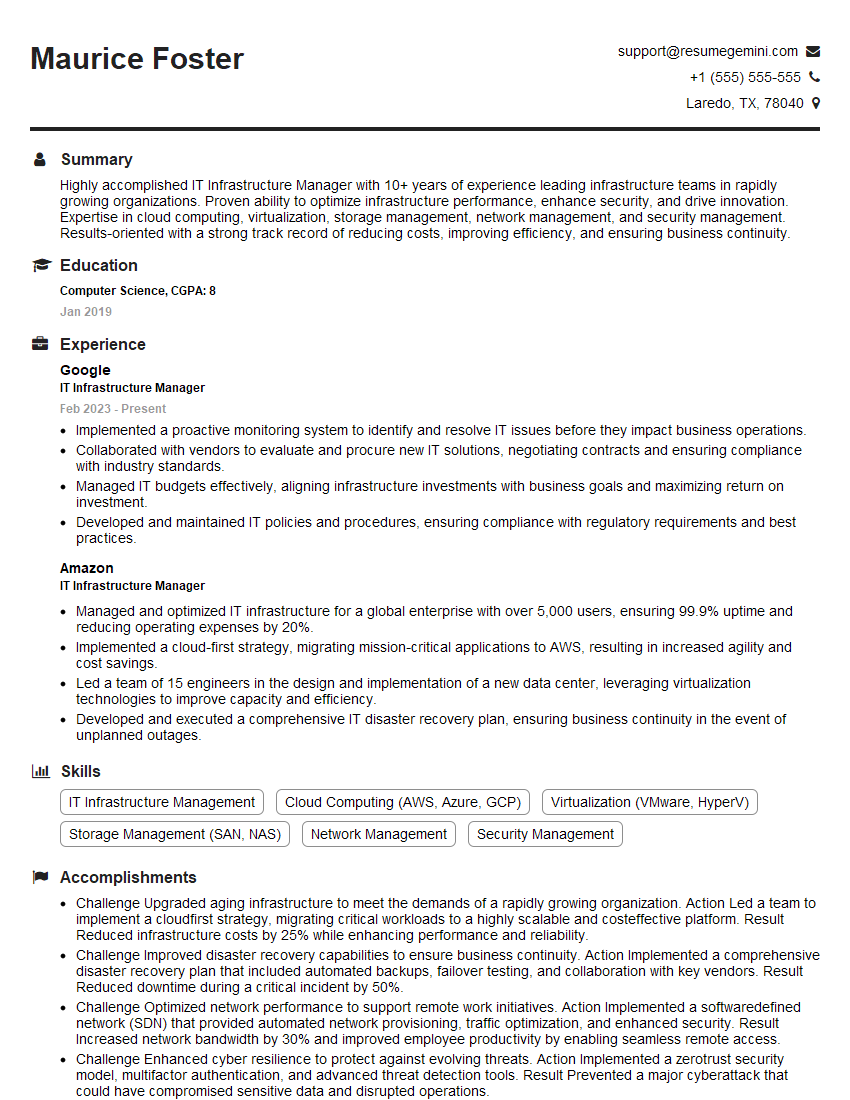
IT Infrastructure Manager Resume Sample
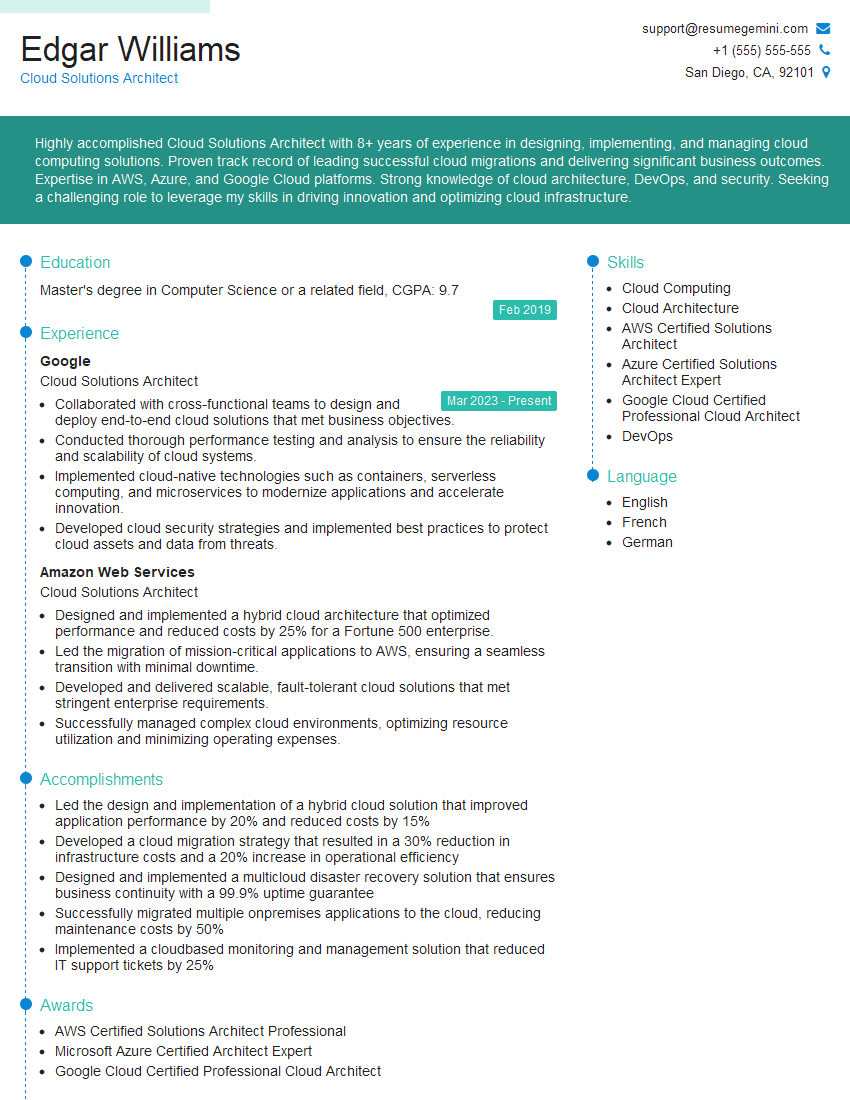
Cloud Solutions Architect Resume Sample
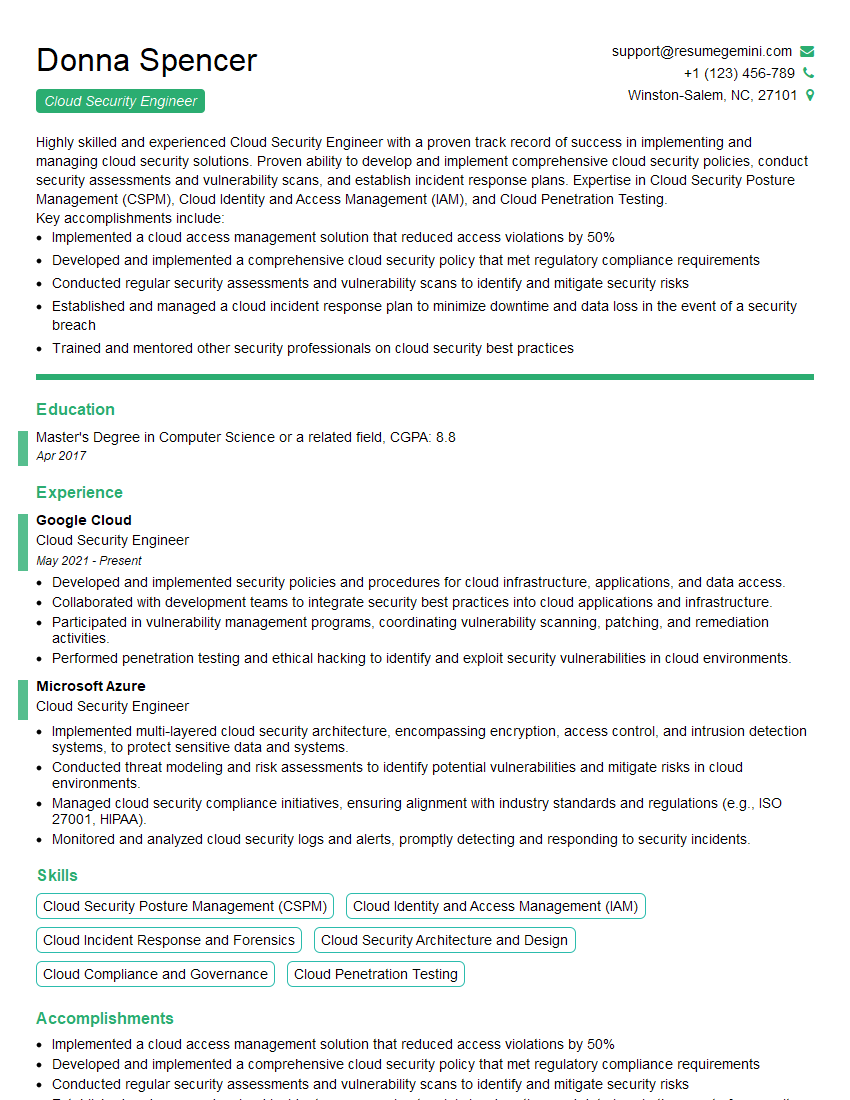
Cloud Security Engineer Resume Sample
Explore more articles
Users Rating of Our Blogs
Share Your Experience
We value your feedback! Please rate our content and share your thoughts (optional).
What Readers Say About Our Blog
Very informative content, great job.
good