Cracking a skill-specific interview, like one for Work Instructions Development, requires understanding the nuances of the role. In this blog, we present the questions you’re most likely to encounter, along with insights into how to answer them effectively. Let’s ensure you’re ready to make a strong impression.
Questions Asked in Work Instructions Development Interview
Q 1. Explain your experience in developing work instructions for complex processes.
Developing work instructions for complex processes requires a systematic approach that breaks down intricate tasks into manageable steps. My experience involves working with processes spanning diverse industries, including manufacturing, pharmaceuticals, and software development. For instance, in a manufacturing setting, I developed step-by-step instructions for assembling a complex piece of machinery involving intricate sub-assemblies and precise tolerances. This required meticulous attention to detail, incorporating visual aids like exploded diagrams and 3D models to clarify each step, ensuring that even novice technicians could successfully complete the assembly. Another example involved creating work instructions for a pharmaceutical quality control process that included rigorous documentation and compliance requirements. The success of these instructions relied heavily on clear, unambiguous language and a robust revision control system.
Q 2. Describe your process for gathering information to create effective work instructions.
My process for gathering information begins with thorough needs analysis and stakeholder engagement. This involves interviewing subject matter experts (SMEs) – the individuals who perform the task daily – to understand the process in detail. I utilize a combination of methods, including structured interviews, shadowing, and task analysis, to capture all essential steps, including any potential pitfalls or exceptions. I then review existing documentation, process maps, and standard operating procedures to identify potential gaps or redundancies. Data collection is complemented by a detailed observation of the process in action, allowing me to identify nuances that might be overlooked during interviews. Once data is gathered, it’s carefully reviewed and analyzed before drafting the work instructions.
Q 3. How do you ensure work instructions are clear, concise, and easy to understand for diverse audiences?
Clarity, conciseness, and accessibility are paramount. To ensure work instructions are universally understandable, I employ several strategies. First, I use plain language, avoiding jargon and technical terms unless absolutely necessary; when used, terms are clearly defined. I break down complex tasks into small, sequential steps with clear action verbs. Second, I utilize consistent formatting and visual cues, such as numbered lists, bolding key phrases, and color-coding for different sections. Third, I thoroughly test the instructions by having individuals from different backgrounds and skill levels review them and follow them to identify any areas for improvement. This iterative feedback process allows me to refine the clarity and comprehension of the instructions.
Q 4. What software or tools are you proficient in for creating and managing work instructions?
I am proficient in several software and tools for creating and managing work instructions. My expertise includes Microsoft Word and PowerPoint for creating visually appealing and easy-to-understand documents. I also utilize Adobe Captivate for developing interactive eLearning modules and videos to enhance understanding, particularly for complex tasks. For version control and collaborative editing, I leverage platforms like SharePoint or Google Docs, ensuring that all versions are tracked and readily accessible. For more complex scenarios involving interactive, branching workflows, I’ve also used specialized authoring tools designed for developing work instructions.
Q 5. How do you incorporate visuals (diagrams, images, videos) into work instructions to enhance understanding?
Visual aids are crucial for effective work instructions. I incorporate diagrams, flowcharts, images, and videos strategically to complement the written text. For example, a complex assembly process benefits from exploded diagrams showing the individual parts and their relationships. Flowcharts can visualize the decision-making process within a task. Images can showcase correct tool usage or specific equipment configurations. Videos are particularly beneficial for demonstrating procedures involving movement or intricate actions. The key is to use visuals that directly support the written instructions, enhancing understanding rather than overwhelming the user.
Q 6. How do you ensure your work instructions comply with relevant industry standards and regulations?
Compliance is a priority. My approach involves thorough research and understanding of relevant industry standards and regulations, such as ISO 9001, GMP, or OSHA, depending on the industry and process. These standards are incorporated into the work instructions from the initial design phase, ensuring that safety precautions, quality control measures, and regulatory requirements are explicitly addressed. The instructions are reviewed by subject matter experts and compliance officers to ensure they meet the required standards and are regularly updated to reflect any changes in regulations or best practices.
Q 7. How do you manage revisions and updates to existing work instructions?
Managing revisions and updates is a crucial aspect of maintaining accurate and up-to-date work instructions. I typically use a version control system to track all changes made to the instructions. This system allows for easy identification of modifications, who made them, and the date of the revision. When updates are necessary – whether due to process improvements, regulatory changes, or feedback from users – I implement a formal revision process, creating a new version with a clear revision number and a record of the modifications made. Users are notified of updates, and older versions are archived to maintain a complete history. This ensures that everyone is using the most current and accurate instructions.
Q 8. Describe your experience working with subject matter experts (SMEs) to develop accurate work instructions.
Collaborating with Subject Matter Experts (SMEs) is crucial for developing accurate work instructions. My approach involves a structured process focused on open communication and iterative feedback. I begin by scheduling meetings with SMEs to thoroughly understand the task or process. I use a combination of techniques, including observation, interviews, and walkthroughs of the process, to capture the detailed steps and nuances. I don’t simply record what they say; I actively seek to understand the *why* behind each step – the rationale, potential pitfalls, and safety considerations. For example, when creating instructions for assembling a complex circuit board, I’d not only document the order of components but also the reasons for that sequence (e.g., to prevent short circuits) and how to handle potential issues (e.g., identifying a faulty component). The initial draft is then reviewed with the SMEs for accuracy and clarity. This iterative process ensures the instructions align perfectly with best practices and the actual on-the-ground experience. Following each review cycle, I update the instructions, incorporating feedback and clarifying any ambiguities. This collaborative approach ensures the final work instructions are both precise and easily understood by the intended audience.
Q 9. How do you measure the effectiveness of your work instructions?
Measuring the effectiveness of work instructions requires a multifaceted approach. Key metrics include: Completion Time: Tracking the time taken to complete the task after implementing new instructions helps evaluate efficiency gains. Error Rate: A reduction in errors indicates improved clarity and accuracy. Employee Feedback: Surveys and informal feedback sessions provide valuable insights into usability and comprehension. Compliance Rate: For safety-critical tasks, monitoring adherence to procedures is critical. For instance, if we developed instructions for operating a machine, we’d track the time taken to complete the process after training, the number of errors made during operation, and gather feedback on instruction clarity. We might also analyze near-miss incidents to identify areas for improvement in the instructions. These metrics allow us to quantify the impact and make data-driven adjustments to improve future versions.
Q 10. How do you handle feedback and incorporate improvements into work instructions?
Feedback is invaluable for refining work instructions. I actively solicit feedback through multiple channels: post-training surveys, informal discussions with users, and formal review meetings with SMEs. I treat all feedback as an opportunity for improvement. For example, if a user suggests a step is unclear, I rewrite it using simpler language and potentially include visuals. If multiple users report difficulty with a specific section, it signals a need for a complete rewrite or additional visual aids like diagrams or videos. I meticulously document all feedback and track the changes made in response, maintaining version control so I can always trace back modifications. The process of incorporating feedback is iterative, often involving multiple rounds of revision and testing before final approval.
Q 11. What is your experience with different work instruction formats (e.g., PDF, online help, videos)?
My experience spans various work instruction formats, each with its own strengths and weaknesses. PDFs are readily accessible, but lack interactivity and are difficult to update. Online help systems provide interactive elements and easier updating, but may require specific software or access. Videos excel at demonstrating complex procedures, but require production resources and may not be ideal for all types of tasks. I choose the format based on the task’s complexity, the target audience’s technical skills, and the availability of resources. For instance, a simple task might suffice with a well-structured PDF, while a complex assembly process might benefit from a video tutorial combined with a supporting PDF checklist. The most effective approach often involves a blended learning strategy, combining different formats to cater to diverse learning styles.
Q 12. How do you ensure consistency and accuracy across multiple work instructions?
Maintaining consistency and accuracy across multiple work instructions necessitates a standardized approach. I utilize a centralized document repository (e.g., a shared network drive or a dedicated content management system) for all work instructions. A consistent template and style guide ensure uniformity in layout, formatting, terminology, and visual elements. This includes using a standardized approach to numbering steps, incorporating clear headings, and consistently using visuals like diagrams or illustrations. Regular reviews and updates, along with the use of a style guide, helps maintain accuracy. Furthermore, I utilize version control to track changes and ensure everyone is working with the most current versions. This systematic approach ensures a cohesive and reliable set of instructions across all processes.
Q 13. Explain your approach to creating work instructions for repetitive tasks.
For repetitive tasks, the focus shifts to efficiency and minimizing errors. My approach involves breaking down the process into smaller, easily manageable steps, focusing on clarity and conciseness. Visual aids, such as flowcharts, checklists, or even simple diagrams, are particularly beneficial. For example, in a manufacturing environment with repetitive assembly tasks, a visual flowchart showing the sequence of operations, coupled with a checklist for each step, can significantly improve efficiency and error reduction. This also helps in standardized training programs. Standardizing the language used in the instructions is key to preventing confusion and maintaining consistency across all workers performing this repetitive task.
Q 14. How do you address challenges in developing work instructions for complex or ambiguous processes?
Developing work instructions for complex or ambiguous processes requires a more structured and iterative approach. I employ techniques like process mapping to visualize the workflow, identify decision points, and break down the process into smaller, more manageable units. This helps to clarify ambiguity and reveal hidden complexities. For instance, in a software development project, I might use a flowchart to map the entire process, including all decision points and parallel tasks. This would be further clarified with detailed descriptions for each task. Techniques like Failure Mode and Effects Analysis (FMEA) can be utilized to identify potential points of failure and incorporate contingency plans into the instructions. This approach combines structured visualization with detailed descriptions and risk mitigation strategies to ensure clear, comprehensive, and safe instructions, even for the most challenging processes. Iterative review and feedback from SMEs throughout the development process are essential to validate accuracy and clarity.
Q 15. How do you incorporate safety considerations into your work instructions?
Safety is paramount in work instruction development. It’s not just about adding a ‘wear safety glasses’ statement; it’s about integrating safety seamlessly into every step. I approach this using a multi-layered strategy:
- Hazard Identification: Before writing a single instruction, I meticulously identify all potential hazards associated with the task. This involves reviewing safety data sheets (SDS), risk assessments, and consulting with subject matter experts (SMEs) on the shop floor. For example, if the task involves machinery, I’d identify hazards like pinch points, moving parts, and potential for electrical shock.
- Sequential Safety Procedures: Safety precautions are woven into the work instruction at each relevant step, not as an afterthought. Instead of a separate safety section, I integrate safety into the procedure’s flow. For instance, ‘Before starting the machine, ensure the emergency stop is accessible and you are wearing appropriate PPE.’ This ensures operators don’t overlook critical safety measures.
- Visual Cues and Warnings: I utilize visual aids like images, diagrams, and highlighted text to draw attention to crucial safety information. A simple red warning box outlining potential dangers is much more effective than plain text. For example, using red font to emphasize ‘DO NOT operate machine without safety guards’ enhances visibility and impact.
- PPE Requirements: Clear and specific Personal Protective Equipment (PPE) requirements are clearly stated at the beginning and integrated throughout as needed. This might include safety glasses, gloves, hearing protection, or specialized clothing depending on the specific hazards identified.
- Regular Reviews and Updates: Work instructions incorporating safety are not static documents. Regular reviews and updates based on feedback, incidents, and changes in procedures are vital to maintain effectiveness and prevent accidents.
Career Expert Tips:
- Ace those interviews! Prepare effectively by reviewing the Top 50 Most Common Interview Questions on ResumeGemini.
- Navigate your job search with confidence! Explore a wide range of Career Tips on ResumeGemini. Learn about common challenges and recommendations to overcome them.
- Craft the perfect resume! Master the Art of Resume Writing with ResumeGemini’s guide. Showcase your unique qualifications and achievements effectively.
- Don’t miss out on holiday savings! Build your dream resume with ResumeGemini’s ATS optimized templates.
Q 16. What is your experience with version control systems for work instructions?
Version control is critical for work instructions to ensure accuracy, consistency, and traceability. I have extensive experience using Git, specifically GitHub and GitLab. These platforms allow multiple users to collaborate simultaneously, track changes over time, and revert to earlier versions if needed.
For example, I might use branching in Git to create a separate branch for developing a new version of a work instruction. This ensures the main, production-ready version remains stable while changes are being tested and reviewed. Each commit (save) includes a clear message describing the changes made. This creates a detailed audit trail, showing who made changes, when, and why. This is particularly crucial in regulated environments where demonstrable version control is required for compliance.
Furthermore, I’m proficient in using version control systems that are integrated with document management systems. This allows for streamlined workflows where changes are automatically logged and approved through a formal change management process.
Q 17. Describe your experience with using templates or style guides for work instructions.
Templates and style guides are essential for maintaining consistency and improving the readability of work instructions. I’ve developed and used numerous templates tailored to specific industries and contexts. A well-structured template ensures all necessary information is included (e.g., title, revision number, author, safety precautions, step-by-step procedure, illustrations, and completion criteria).
Style guides, on the other hand, provide guidelines for formatting, writing style, terminology, and visual elements. Using a consistent style ensures that all instructions look professional and are easy to follow, regardless of who authored them. My style guides often dictate the use of clear, concise language, avoiding jargon whenever possible. They specify preferred font sizes, use of headings and subheadings, incorporation of visuals, and even the placement of safety warnings. For instance, we might use a specific font size for warnings and a different color for critical steps to enhance readability and comprehension.
Having standardized templates and style guides makes the whole process more efficient and reduces the time spent on formatting and ensuring consistency across documents. It also improves the overall quality and ease of use of the instructions.
Q 18. How do you prioritize different projects when developing work instructions?
Prioritizing work instruction projects requires a strategic approach. I use a combination of factors to determine the order in which I tackle different projects:
- Risk Assessment: Projects involving high-risk tasks or processes are prioritized to minimize potential safety incidents and production disruptions. A higher risk assessment score translates to a higher priority.
- Impact Analysis: The potential impact of well-written instructions on efficiency, quality, and compliance is another significant factor. Projects with the potential for significant improvement in these areas are prioritized.
- Urgency: Projects with immediate needs, such as addressing a recent incident or preparing for a new product launch, will often supersede other projects.
- Resource Availability: The availability of resources (SMEs, subject matter experts, time and tools) influences project scheduling.
- Dependency Analysis: Projects which support other projects will be taken into account to ensure timely delivery for projects that depend on them.
Often, I use a prioritization matrix to visually represent these factors and determine the order of projects. This helps me to systematically assess and rank projects, ensuring that the most critical and impactful projects are addressed first.
Q 19. How do you handle conflicting information from different sources when creating work instructions?
Conflicting information is a common challenge in work instruction development. My approach is systematic and involves the following steps:
- Identify and Document Conflicts: The first step is to meticulously identify all instances of conflicting information from various sources, documenting each conflict clearly with its source.
- Source Validation: I then verify the credibility and authority of each source. This might involve consulting with SMEs, reviewing original documents, or researching industry best practices.
- Resolution Through Consensus: When conflicts are unavoidable, I work collaboratively with relevant stakeholders (SMEs, supervisors, safety officers) to reach a consensus on the most accurate and appropriate information. This might involve meetings, discussions, or even conducting further research or testing.
- Documentation and Rationale: The resolution process and rationale are meticulously documented in the work instruction itself or in a separate change log. This transparency is crucial for auditing and accountability. This helps to avoid future misunderstandings and conflicts.
- Version Control and Traceability: All changes resulting from conflict resolution are tracked using the version control system. This allows us to review decisions and identify the source of any inconsistencies if they arise later.
Ultimately, the goal is to produce work instructions that are clear, consistent, and accurate, free of internal conflicts.
Q 20. Explain your experience with translating complex technical information into user-friendly work instructions.
Translating complex technical information into user-friendly work instructions requires a deep understanding of both the technical subject matter and the target audience’s knowledge level. I employ several techniques:
- Simplify Language: I avoid jargon and technical terms whenever possible, opting for clear and concise language understandable by the average worker. If technical terms are unavoidable, I provide clear definitions and explanations.
- Visual Aids: Images, diagrams, flowcharts, and videos are used extensively to illustrate complex procedures and concepts. A picture is often worth a thousand words, especially when dealing with technical steps.
- Step-by-Step Instructions: Breaking down complex tasks into simple, sequential steps makes it easier for workers to understand and follow the instructions. Each step should be clear, specific, and achievable.
- Chunking Information: Presenting information in small, digestible chunks helps to avoid overwhelming the reader. Using headings, subheadings, bullet points, and white space improves readability and comprehension.
- Testing and Feedback: Before finalizing the work instructions, I conduct thorough testing and gather feedback from the target users. This iterative process helps identify areas of confusion or ambiguity and allows for improvements to clarity and ease of use.
For example, when explaining a complex assembly procedure, I’d break it down into individual steps, with clear pictures and diagrams showing exactly how parts should be assembled. I’d also use a numbered checklist to ensure that every step is completed correctly.
Q 21. How do you use data analytics to improve the effectiveness of work instructions?
Data analytics plays a vital role in enhancing the effectiveness of work instructions. By tracking key metrics, we can identify areas for improvement and optimize the instructions to achieve greater efficiency and compliance:
- Completion Rates: Tracking the completion rate of tasks based on the instructions highlights any steps causing delays or confusion. This allows for the identification of unclear or ambiguous instructions that need revision.
- Error Rates: Analyzing error rates associated with specific steps or tasks can pinpoint areas where modifications or additional clarification are needed in the instructions.
- Time Studies: Analyzing the time taken to complete tasks can reveal bottlenecks or inefficiencies that can be improved through modifications to the work instructions.
- Feedback Mechanisms: Incorporating feedback mechanisms directly into the work instructions, such as QR codes linking to surveys or online feedback forms, allows for continuous improvement based on user experience.
- Compliance Tracking: Data analytics can be used to track compliance with safety procedures outlined in the instructions, identifying areas where additional training or clarification may be required.
By using data to guide improvements, we can ensure work instructions are not only effective but also efficient and contribute to a safer work environment.
Q 22. How do you ensure accessibility for individuals with disabilities in your work instructions?
Ensuring accessibility in work instructions is crucial for inclusivity and legal compliance. It means designing instructions that are usable by everyone, regardless of disability. This involves considering various accessibility needs, including visual, auditory, motor, and cognitive impairments.
- Visual impairments: I use sufficient color contrast between text and background, provide alternative text for all images (alt text), and offer the option to increase font size. I avoid relying solely on color to convey information; for example, instead of using only red text to indicate a warning, I would also use a bold typeface and the word ‘WARNING’.
- Auditory impairments: Where videos or audio are included, I provide transcripts or captions. I also ensure that critical information isn’t conveyed solely through audio cues.
- Motor impairments: I use clear and concise language, avoiding complex sentence structures. I ensure the instructions can be navigated using keyboard-only input, adhering to WCAG (Web Content Accessibility Guidelines) standards. This also means designing the instructions to be compatible with assistive technologies like screen readers.
- Cognitive impairments: I use simple language, avoid jargon, and break down complex tasks into smaller, manageable steps. I utilize visual aids like flowcharts or diagrams to improve comprehension. Using clear headings and subheadings helps organize information effectively.
For example, when creating instructions for assembling a product, I would include large, clear images showing each step, accompanied by concise text descriptions. I would ensure these images have descriptive alt text for screen reader users.
Q 23. Describe your experience with integrating work instructions into learning management systems (LMS).
I have extensive experience integrating work instructions into Learning Management Systems (LMS). This typically involves converting the instructions into a format compatible with the chosen LMS, such as SCORM or xAPI. This allows for tracking user progress, delivering assessments to test comprehension, and integrating the instructions into a broader training program.
In one project, we used Articulate Storyline to create interactive work instructions for a complex manufacturing process. The Storyline modules were then uploaded to our company’s LMS (Moodle). The LMS allowed us to track employee completion rates, identify areas where users struggled, and provide targeted remediation. We also incorporated quizzes within the modules to ensure comprehension before moving on to the next steps. The data collected from the LMS provided valuable insights into the effectiveness of the instructions, allowing us to iterate and improve them.
Another example involved using a simpler LMS with less robust capabilities. In this instance, we used PDF work instructions, uploaded to the LMS as downloadable resources, and relied on manual tracking of completion. Though less sophisticated, this still offered a centralized repository for the instructions and improved accessibility for employees.
Q 24. How do you ensure your work instructions are easily searchable and retrievable?
Searchability and retrievability are critical for the usability of work instructions. Poorly organized instructions lead to frustration and wasted time. I employ several strategies to ensure easy access:
- Clear and consistent naming conventions: Instructions are named logically and consistently (e.g., using a standardized system for document versioning and task identifiers).
- Metadata tagging: I use metadata tagging, including keywords, task descriptions, and equipment involved, to improve search results.
- Indexing and categorization: I organize instructions into a well-structured system, often using a hierarchical folder structure within a content management system or shared drive. This makes it easy to find the relevant information based on task, equipment, or location.
- Full-text search functionality: I ensure that whatever system hosts the work instructions (whether a shared drive, dedicated wiki, or an LMS) allows for full-text searching. This enables users to search within the document content itself to find specific terms or phrases.
- Search-engine optimization (SEO): For web-based instructions, I apply SEO best practices to improve search results within the system.
For example, instead of simply naming a file “Instructions.pdf”, I might name it “Assembly_Process_Widget_X_Version_2.pdf” – this offers significantly improved searchability.
Q 25. What is your experience with creating multilingual work instructions?
Creating multilingual work instructions is essential for global organizations. My approach involves a combination of translation and localization to ensure that the instructions are not only linguistically accurate but also culturally appropriate.
- Professional translation: I always use professional translators who are native speakers of the target language. Machine translation alone is insufficient as it often lacks the nuance and accuracy required for technical documents.
- Localization: This goes beyond simple translation. It includes adapting the instructions to the cultural context of the target audience. This may involve changing units of measurement, imagery, or even the overall flow of instructions to align with local customs and preferences.
- Quality assurance: A thorough review process is crucial, involving native speakers reviewing the translated documents for accuracy, clarity, and cultural appropriateness.
- Translation Management System (TMS): For large projects involving multiple languages, I leverage a TMS to manage the translation process, track progress, and ensure consistency across languages.
For instance, when translating work instructions for assembling a piece of machinery, I’d ensure all measurements are converted to the appropriate units for the target region and that any imagery reflects local standards and sensibilities.
Q 26. Describe a time when you had to revise work instructions significantly. What was the reason, and how did you approach it?
A significant revision occurred when a new safety regulation impacted our chemical handling procedures. The original instructions were outdated and did not reflect the updated requirements. This posed a significant risk, so immediate action was required.
My approach involved several steps:
- Risk assessment: I first conducted a thorough risk assessment to identify all areas where the existing instructions were non-compliant.
- Collaboration with subject matter experts (SMEs): I worked closely with safety experts and process engineers to understand the new regulations and their implications on the work process.
- Redesign and rewriting: I completely redesigned the instructions, incorporating the new safety requirements. This included adding new sections, revising existing steps, and updating imagery to reflect the new procedures. I prioritized clear and unambiguous language, using visuals and checklists to enhance comprehension.
- Testing and validation: Before rollout, we thoroughly tested the revised instructions with a group of employees to identify any usability issues or remaining ambiguities. We made adjustments based on their feedback.
- Communication and training: A comprehensive communication plan was implemented to announce the revised instructions and provide training to all affected employees.
The revised instructions ensured compliance, reduced risk, and improved employee safety. The revision process reinforced the importance of continuous improvement and proactive risk management.
Q 27. How do you incorporate feedback from end-users to refine your work instructions?
Incorporating end-user feedback is vital for creating effective work instructions. Ignoring feedback risks creating documents that are confusing, inefficient, or even dangerous. I use several methods to collect and incorporate feedback:
- Surveys: I use online surveys to collect feedback from a large number of users, allowing for anonymity and ease of data analysis. This is particularly helpful for identifying broad areas of concern.
- Focus groups: Focus groups allow for more in-depth discussions and observations of how users interact with the instructions. This is useful in gaining qualitative data and insights.
- Individual interviews: One-on-one interviews can provide personalized insights into individual experiences and challenges with the instructions.
- Usability testing: Observing users as they attempt to follow the instructions allows for identifying usability issues and areas for improvement that might otherwise go unnoticed. This often involves screen recording and participant feedback during the task.
- Feedback forms: Embedding feedback forms directly within the instructions provides a convenient way for users to provide immediate feedback.
I analyze the collected feedback, looking for recurring themes and patterns. Then, I make necessary revisions, ensuring that the changes improve clarity, efficiency, and accuracy. This iterative process helps to ensure that the instructions are continuously refined to meet the needs of the users.
Q 28. Explain your understanding of different instructional design models and how you apply them to work instructions.
My understanding of instructional design models is extensive, and I apply them strategically depending on the complexity of the task and the learner’s needs. Some commonly used models include:
- ADDIE Model (Analysis, Design, Development, Implementation, Evaluation): This is a linear, phased approach that’s well-suited for larger projects. I use it to create a structured plan for work instruction development, ensuring thorough analysis, effective design, and comprehensive evaluation.
- Agile Methodology: This iterative approach works well for projects that require flexibility and frequent adaptation. It allows for continuous feedback and improvement throughout the development process. I leverage it to swiftly adapt to changing needs and incorporate user feedback early and often.
- Knapp’s Model: This focuses on the needs of the learner and prioritizes simplicity and clarity. I use this approach for creating short, concise, and easily understood instructions.
- ASSURE Model (Analyze Learners, State Objectives, Select Methods, Media, and Materials, Utilize Materials, Require Learner Participation, Evaluate and Revise): Similar to ADDIE, but emphasizes a greater focus on learning objectives and learner engagement. I select appropriate methods based on audience and content.
The choice of model depends on the context. For a complex assembly process, ADDIE’s structure might be preferable; for a simple procedure, Knapp’s model’s emphasis on simplicity would be more suitable. In any case, I always strive to create instructions that are clear, concise, accurate, and easy to follow.
Key Topics to Learn for Work Instructions Development Interview
- Understanding the Purpose of Work Instructions: Defining audience, goals, and desired outcomes for effective instruction creation. Practical application: Analyzing existing instructions for improvement opportunities.
- Instructional Design Principles: Applying learning theories (e.g., ADDIE model) to create clear, concise, and engaging work instructions. Practical application: Designing instructions for a complex task, considering various learning styles.
- Visual Communication & Multimedia: Utilizing visuals like diagrams, flowcharts, and videos to enhance understanding and engagement. Practical application: Creating visual aids for a step-by-step procedure.
- Workflow Analysis & Process Mapping: Identifying and documenting processes to inform instruction development. Practical application: Mapping a complex business process to pinpoint areas needing clearer instructions.
- Writing Style & Clarity: Employing precise language, avoiding jargon, and using active voice for easily understandable instructions. Practical application: Revising existing instructions for improved clarity and conciseness.
- Testing & Revision: Implementing methods to evaluate the effectiveness of instructions and iterating based on feedback. Practical application: Conducting user testing and incorporating feedback to refine instructions.
- Software & Tools: Familiarity with relevant software for creating and managing work instructions (e.g., document management systems, authoring tools). Practical application: Describing your experience with relevant software and its application in your previous roles.
- Accessibility & Inclusivity: Designing instructions that are accessible to all users, regardless of ability. Practical application: Applying accessibility guidelines (e.g., WCAG) to instruction development.
- Version Control & Documentation: Maintaining up-to-date and organized versions of work instructions. Practical application: Describing your experience with version control systems and their use in managing work instructions.
Next Steps
Mastering Work Instructions Development is crucial for career advancement in many fields, demonstrating your ability to streamline processes and improve efficiency. To significantly boost your job prospects, it’s vital to create an ATS-friendly resume that highlights your skills and experience effectively. ResumeGemini is a trusted resource to help you build a professional and impactful resume that catches the eye of recruiters. Examples of resumes tailored to Work Instructions Development are provided to guide you in showcasing your unique qualifications. This is your chance to shine – let’s make your resume as impactful as your work instructions!
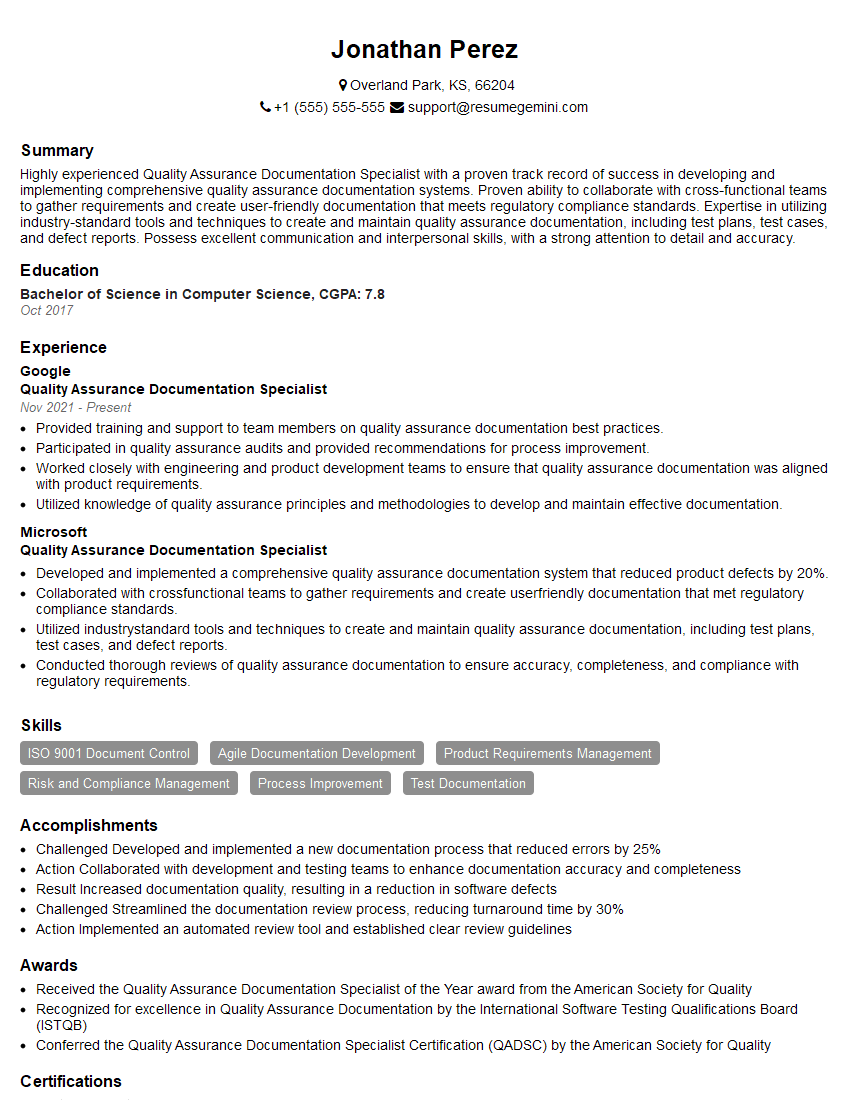
Quality Assurance Documentation Specialist Resume Sample

Documentation Specialist Resume Sample
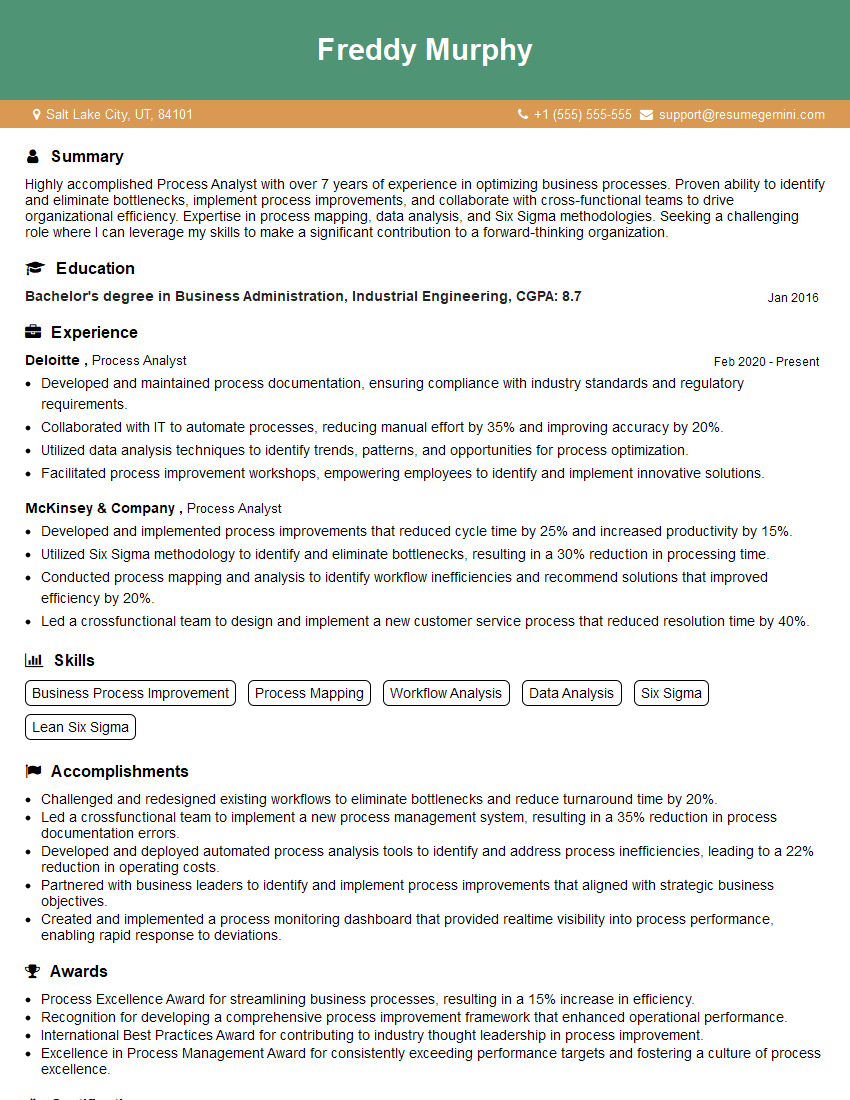
Process Analyst Resume Sample

Instructional Designer Resume Sample
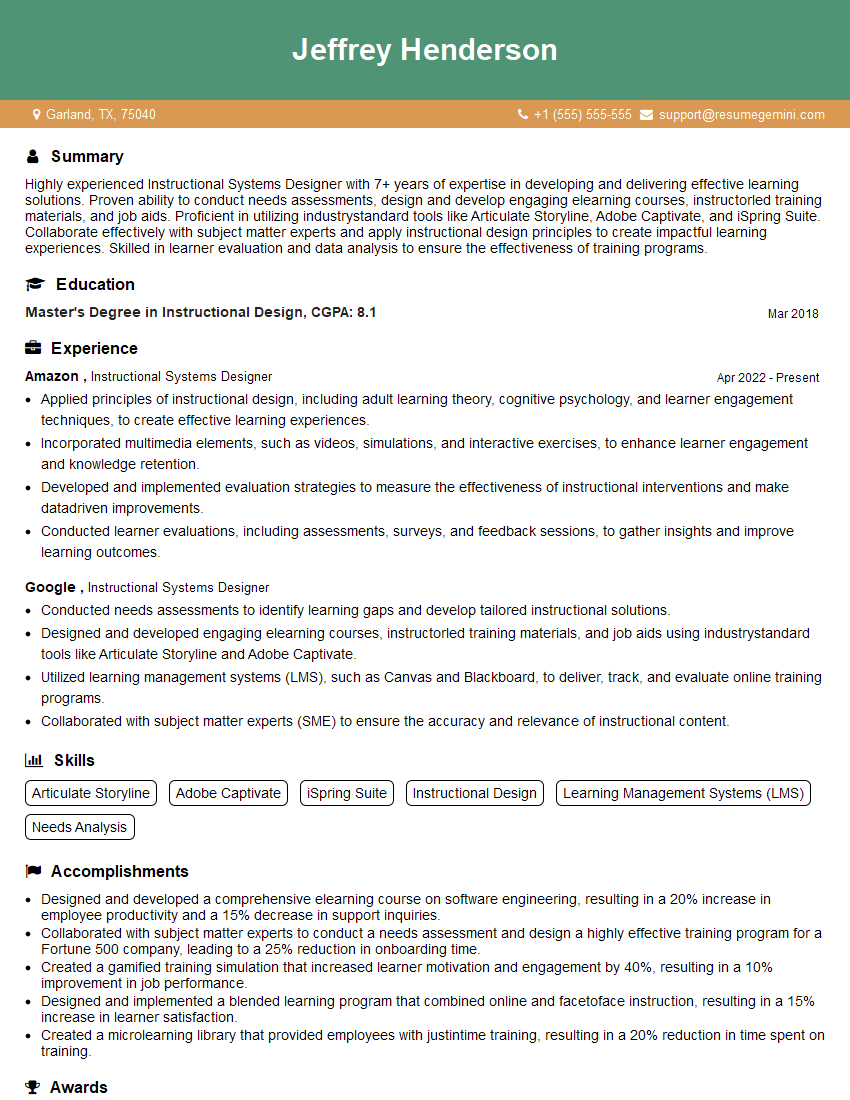
Instructional Systems Designer Resume Sample

Technical Editor Resume Sample
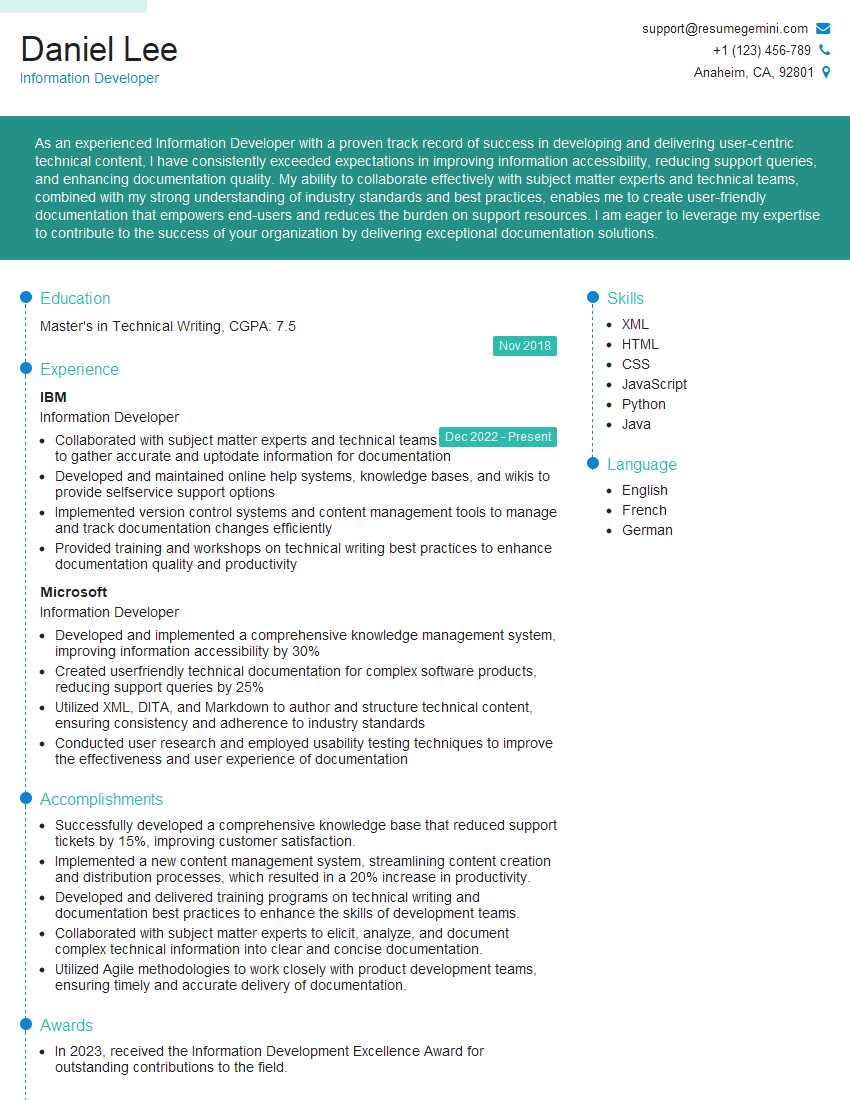
Information Developer Resume Sample
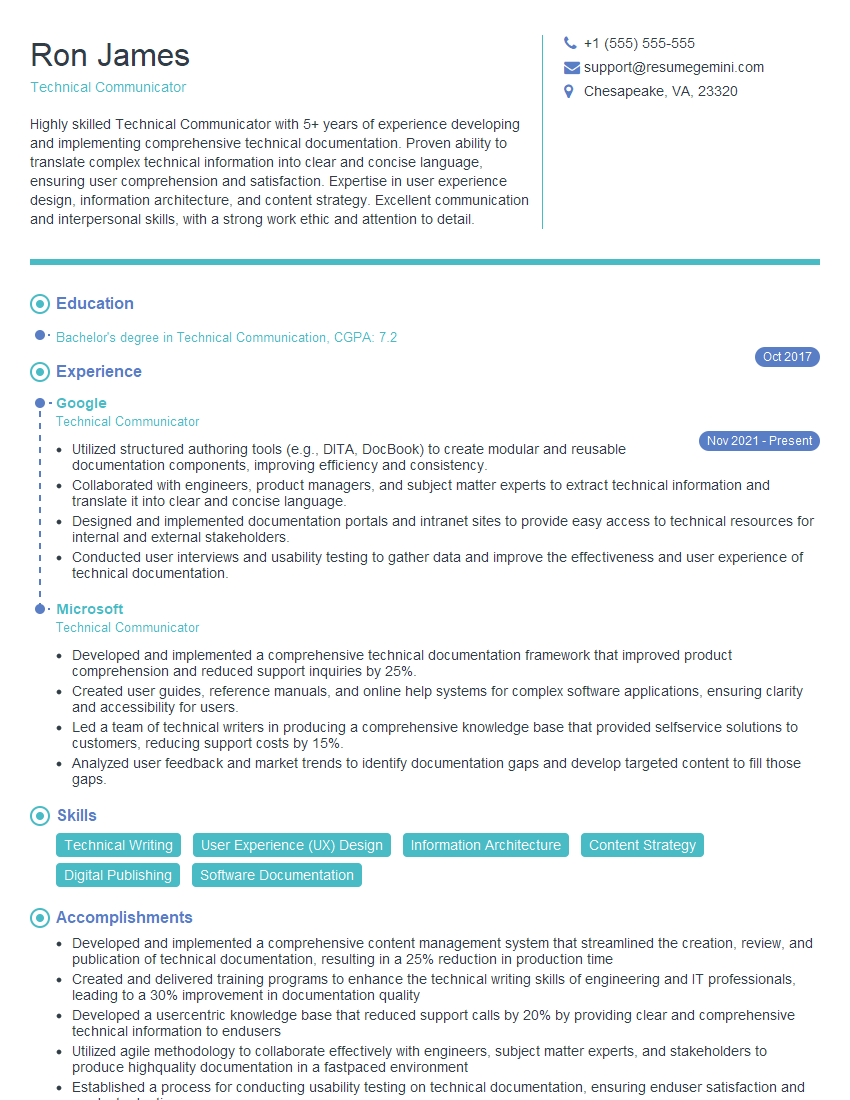
Technical Communicator Resume Sample
Explore more articles
Users Rating of Our Blogs
Share Your Experience
We value your feedback! Please rate our content and share your thoughts (optional).
What Readers Say About Our Blog
Very informative content, great job.
good