Feeling uncertain about what to expect in your upcoming interview? We’ve got you covered! This blog highlights the most important 3D Modeling (SolidWorks, CATIA, Siemens NX) interview questions and provides actionable advice to help you stand out as the ideal candidate. Let’s pave the way for your success.
Questions Asked in 3D Modeling (SolidWorks, CATIA, Siemens NX) Interview
Q 1. Explain the difference between a solid model and a surface model.
The core difference between solid and surface models lies in their representation of geometry. A solid model defines a complete, three-dimensional volume with mass and physical properties. Think of it like a solid block of wood – it has a defined inside and outside. Conversely, a surface model only represents the outer surfaces of an object; it doesn’t define any internal volume or mass. Imagine a beautifully sculpted clay figure – you see the surface, but it’s hollow inside.
In practical terms, solid models are essential for engineering analysis like finite element analysis (FEA) and stress simulations, as they possess the necessary volume data. Surface models, on the other hand, are often used for visualization, rendering, and creating aesthetically pleasing designs where internal structure isn’t crucial, such as in automotive body design.
For example, a solid model of an engine block would allow engineers to simulate its stress under pressure, while a surface model might be used for creating a realistic digital rendering for marketing materials. Choosing between a solid or surface model depends entirely on the project’s goals.
Q 2. Describe your experience with SolidWorks, CATIA, and/or Siemens NX.
I possess extensive experience across SolidWorks, CATIA, and Siemens NX, having used each for diverse projects spanning several years. In SolidWorks, I’m highly proficient in creating complex assemblies, employing advanced features like weldments and simulations. I’ve leveraged SolidWorks’ intuitive interface to develop designs for various mechanical systems, including robotics and industrial machinery. My CATIA expertise focuses on surfacing and design for manufacturing (DFM), with a strong emphasis on the creation of intricate parts for aerospace and automotive components. I’ve extensively utilized CATIA’s powerful tools to model complex freeform surfaces and manage large assemblies efficiently. In Siemens NX, my experience centers around advanced modeling techniques, particularly for tooling design. I’ve used NX’s powerful CAM features for CNC machining programming. I can comfortably switch between these platforms depending on project requirements and the specific needs of the design process.
For instance, while SolidWorks might be preferred for a simpler, assembly-heavy project, CATIA’s strength in surfacing might be ideal for an aerodynamic component, and NX would be the appropriate choice for detailed tooling designs. My experience allows me to choose the optimal platform for each project, maximizing efficiency and accuracy.
Q 3. What are the different types of constraints used in SolidWorks?
SolidWorks offers a diverse range of constraints to precisely define relationships between components within an assembly. These constraints ensure proper mating and movement, preventing issues during simulation and manufacturing. Some key types include:
- Mate Constraints: These define the basic geometric relationships between parts, such as concentric, coincident, flush, and parallel. For example, a
concentricmate aligns the axes of two cylindrical features. - Insert Constraints: These specify insertion relationships, like a pin fitting into a hole.
- Pattern Constraints: These create multiple instances of a constraint or component, arranged in a pattern (linear, circular, etc.).
- Distance Constraints: These control the distance between components or specific geometric features.
- Angle Constraints: Used to define angular relationships between components or faces.
Effectively using constraints is paramount for building robust and stable assemblies. Over-constraining (applying too many constraints that conflict) can lead to issues, while under-constraining leaves the assembly unstable. My approach emphasizes systematic constraint application, using a combination of these constraint types to achieve the desired assembly behavior.
Q 4. How do you manage large assemblies in CATIA?
Managing large assemblies in CATIA effectively requires a strategic approach, as performance can degrade significantly with hundreds or thousands of parts. Key strategies I employ include:
- Component grouping and simplification: Consolidating smaller parts into larger sub-assemblies reduces the overall assembly complexity and improves performance. Simplifying geometry where possible (without losing critical design features) further enhances performance.
- Lightweight components: Creating lightweight components using CATIA’s lightweight assembly features replaces the detailed geometry with simplified representations, significantly improving performance. This doesn’t affect the assembly’s final appearance but speeds up manipulations.
- Top-down assembly modeling: Designing the assembly hierarchically, starting with major components and gradually adding smaller ones, makes it easier to manage and troubleshoot.
- Use of CATIA’s performance tools: Utilizing CATIA’s built-in tools for managing large assemblies, such as selective display and assembly simplification functions, is crucial for optimization.
For instance, in a complex aircraft assembly, I might create sub-assemblies for the wings, engines, and fuselage, then assemble them together as top-level components. Using lightweight components and selective display allows for faster manipulation and improved rendering times.
Q 5. Explain the concept of feature-based modeling.
Feature-based modeling is a parametric design method where the model is built by adding or subtracting features (geometric elements like extrusions, revolves, cuts, etc.) sequentially. Each feature has its own parameters (dimensions, position, etc.), and the model is defined by the history of these features. This is in contrast to direct modeling, where you manipulate the geometry directly without recording a history of operations.
The key advantage of feature-based modeling is its parametric nature. If you change a parameter of a feature (like the diameter of a hole), the entire model updates automatically, maintaining consistency and accuracy. It simplifies design changes and allows for easy modification and version control. Think of it like building with LEGOs – you add pieces sequentially, and removing or modifying a piece affects the overall structure predictably.
For example, a simple part like a shaft could be created by first extruding a cylinder (feature 1), then adding a counterbore (feature 2), and finally, adding a chamfer (feature 3). Changing the initial cylinder’s diameter automatically updates the counterbore and chamfer, ensuring consistency.
Q 6. What are your preferred methods for creating complex curves in Siemens NX?
Siemens NX offers a variety of tools for creating complex curves, crucial for designing organic shapes and freeform surfaces. My preferred methods depend on the curve’s characteristics and the desired level of control. Here are some common techniques:
- Spline curves: These offer excellent flexibility, allowing the creation of smooth, flowing curves defined by control points. I often use spline curves for creating aesthetic shapes and blending surfaces.
- Sweep curves: These create a curve by sweeping a profile along a path. This is useful for creating complex three-dimensional curves with varying cross-sections.
- Intersection curves: These are created by finding the intersection between two surfaces. This is particularly useful for creating curves that conform to existing geometry.
- Equation-based curves: For mathematically defined curves, NX allows the input of equations to directly generate curves. This is useful for precise control over curve shape.
The choice of method depends on the context. For a sleek, organic shape, splines might be ideal. If a curve needs to follow a specific path, a sweep curve would be appropriate. For precise mathematical definition, equation-based curves are the way to go.
Q 7. How do you handle design changes in a collaborative environment using CAD software?
Handling design changes collaboratively requires a robust system for version control and communication. In CAD software environments, this typically involves:
- Version control systems (e.g., PDM systems): These systems track changes made to the design, allowing multiple users to work on the same model concurrently while managing revisions and preventing conflicts.
- Clear communication protocols: Establishing a clear workflow for submitting design changes, reviewing modifications, and approving updates is essential for a smooth collaborative process. This could involve regularly scheduled design reviews and clear documentation of all changes.
- Data management software: Utilizing PDM systems ensures that the latest version of the model is readily available to everyone involved in the design process. This helps to avoid working with outdated files and maintain data integrity.
- Effective communication tools: Utilizing platforms such as email, instant messaging, or project management software to communicate updates, changes, and any issues that might arise is vital for maintaining project cohesion.
For example, using a PDM system, each design change is checked in, allowing others to see the changes and comment. Clear communication helps ensure everyone understands the rationale behind the modifications. A well-structured process minimizes conflicts and ensures everyone is working with the same, up-to-date information.
Q 8. Describe your experience with creating detailed engineering drawings.
Creating detailed engineering drawings is a crucial part of the product development lifecycle. It involves translating a 3D model into a 2D representation containing all the necessary information for manufacturing, assembly, and inspection. My experience spans various CAD platforms – SolidWorks, CATIA, and Siemens NX – and I’m proficient in generating drawings that adhere to industry standards (like ASME Y14.5).
My process typically involves:
- Defining the drawing’s purpose: Understanding whether it’s for manufacturing, assembly, or inspection guides the selection of views, dimensions, and tolerances.
- Selecting appropriate views: Choosing the best projections (isometric, orthographic, section views) to clearly communicate the part’s geometry and features.
- Adding dimensions and tolerances: Precisely dimensioning the part according to the design specifications, including GD&T (Geometric Dimensioning and Tolerancing) symbols where necessary to ensure manufacturability.
- Creating detailed annotations: Including material specifications, surface finishes, heat treatments, and other relevant information.
- Generating bills of materials (BOMs): Linking the drawing to a BOM to manage components and assemblies effectively.
- Review and validation: Thoroughly reviewing the drawing for completeness, accuracy, and clarity before release.
For example, I once worked on a project designing a complex aerospace component. Creating the detailed drawing required careful consideration of GD&T to ensure the part met stringent dimensional requirements and would function correctly within the assembly.
Q 9. How do you ensure the accuracy and precision of your 3D models?
Ensuring accuracy and precision in 3D models is paramount. It starts with a meticulous approach to modeling and extends to rigorous quality checks. My strategies include:
- Employing parametric modeling techniques: This allows for easy modification and updates while maintaining consistency and accuracy. Changes made to one parameter automatically update related dimensions and features. Think of it like building with LEGOs – changing one piece automatically adjusts the structure.
- Using constraints and relations: Defining constraints (e.g., concentricity, parallelism) ensures geometric accuracy and prevents inconsistencies. SolidWorks’s mate constraints and CATIA’s knowledge-based engineering features are invaluable here.
- Regularly checking model geometry: I frequently use model analysis tools like interference detection and gap/clearance analysis to identify errors early in the design process. This prevents costly rework further down the line.
- Verifying dimensions and tolerances: I meticulously compare model dimensions to design specifications and apply GD&T to account for manufacturing variations. This is crucial for ensuring the part meets its functional requirements.
- Employing Finite Element Analysis (FEA): For complex designs, FEA helps validate the structural integrity and performance of the model under various loading conditions, identifying potential weaknesses before physical prototyping.
For instance, while designing a pressure vessel, I used FEA to validate the wall thickness and ensure it could withstand the designated pressure without failure. This ensured a safe and reliable product.
Q 10. Explain your process for creating and managing part libraries.
Managing part libraries efficiently is critical for project consistency and reuse. My process involves a structured approach focusing on organization and standardization:
- Creating a clear naming convention: Using a logical system (e.g., company code, part number, revision) ensures easy identification and retrieval.
- Employing a robust library structure: Categorizing parts by type, material, or function improves searchability and maintainability. Consider a hierarchical structure for efficient management.
- Utilizing metadata: Adding relevant information (material, dimensions, manufacturer) to each part allows for filtering and sorting within the library.
- Regularly updating and cleaning the library: Removing obsolete or outdated parts ensures the library remains efficient and contains only relevant components.
- Version control for library components: Tracking revisions and changes using a dedicated system allows for easy rollback and comparison.
- Leveraging CAD software’s library tools: SolidWorks, CATIA, and Siemens NX all provide built-in tools for creating and managing part libraries.
In a previous role, I implemented a new part library system that drastically reduced search times and improved collaboration among team members, leading to significant time savings on multiple projects.
Q 11. What are your preferred techniques for troubleshooting modeling errors?
Troubleshooting modeling errors is a regular part of the design process. My approach is systematic and involves the following:
- Identifying the error type: Is it a geometric error, a constraint conflict, a modeling feature issue, or something else?
- Utilizing CAD software’s diagnostic tools: These tools help pinpoint the source of the error. For example, SolidWorks’s ‘Diagnostics’ feature highlights potential issues in the model.
- Checking model history: Tracing back the model’s creation steps often reveals where the error originated.
- Using section views and analysis tools: These aids provide deeper insight into the model’s geometry and help visualize hidden issues.
- Simplifying the model: If the error is complex, creating a simplified version can isolate the problem.
- Seeking help and collaborating with colleagues: A fresh pair of eyes can often spot an error that’s been missed.
Once I encountered a complex assembly interference issue. By systematically simplifying the assembly and using section views, I isolated the conflicting parts and corrected the geometry to resolve the issue.
Q 12. Describe your experience with data management and version control systems for CAD data.
Data management and version control are crucial for collaborative projects. I’m experienced with various systems, including PDM (Product Data Management) systems like Teamcenter and Windchill, as well as cloud-based solutions like Autodesk Vault.
My experience involves:
- Implementing and managing PDM systems: Setting up user access, defining workflows, and ensuring data integrity.
- Utilizing version control: Tracking changes, managing revisions, and resolving conflicts effectively. This allows for collaborative work without overwriting each other’s progress.
- Implementing data security measures: Protecting sensitive CAD data through access control and backup strategies.
- Creating and maintaining a standardized data structure: Ensuring consistent naming conventions, file organization, and metadata helps maintain data integrity and searchability.
In a past project, our team successfully leveraged Teamcenter to manage a large and complex assembly. The version control features prevented data loss and ensured everyone worked with the most up-to-date design, even when multiple engineers were simultaneously editing the model.
Q 13. How familiar are you with different file formats used in CAD (e.g., STEP, IGES, Parasolid)?
I’m very familiar with various CAD file formats. Understanding their strengths and weaknesses is key to successful data exchange.
- STEP (ISO 10303): A neutral format that preserves most of the 3D model’s geometry and topology. It’s excellent for exchanging data between different CAD systems.
- IGES (Initial Graphics Exchange Specification): An older format, also neutral, but with some limitations in representing complex features. It’s generally less robust than STEP.
- Parasolid: A widely used kernel for CAD systems (used by Siemens NX and others). Files in this format retain a lot of model information, making them suitable for robust data transfer.
- Native formats: These are specific to each CAD system (e.g., .sldprt for SolidWorks, .CATPart for CATIA). They preserve the most information but aren’t suitable for direct exchange between different systems unless compatibility is explicitly supported.
Choosing the right format depends on the context. For example, STEP is ideal for sharing a model with a supplier using a different CAD system, while native formats are best for internal use within a specific CAD environment.
Q 14. Explain your understanding of tolerance analysis and its application in 3D modeling.
Tolerance analysis is critical for ensuring a part’s manufacturability and functionality. It involves determining the acceptable variations in dimensions and geometry that still allow the part to meet its requirements.
My understanding encompasses:
- Geometric Dimensioning and Tolerancing (GD&T): Applying GD&T symbols (e.g., position, perpendicularity, runout) to define allowable deviations from nominal dimensions.
- Statistical Tolerance Analysis: Using statistical methods (e.g., root sum square) to combine individual tolerances and determine the overall tolerance stackup, which helps to predict whether the final assembly will meet its functional requirements.
- Worst-Case Tolerance Analysis: This more conservative approach assumes all tolerances will add up to create the maximum possible deviation.
- Tolerance analysis software: Many CAD systems have built-in tools or integrate with specialized software to perform tolerance analysis efficiently and accurately.
In a past project designing a complex gear assembly, tolerance analysis was crucial to ensure proper meshing and avoid interference between the gears. Incorrect tolerances could have resulted in mechanical failure.
Q 15. How do you optimize models for manufacturing processes?
Optimizing models for manufacturing is crucial for efficiency and cost reduction. It involves considering the manufacturing process from the design stage itself, ensuring the final product is both functional and producible. This often involves simplifying geometry, optimizing wall thicknesses, and selecting appropriate materials.
For example, in SolidWorks, I often use the ‘Simplify’ feature to reduce the polygon count of complex geometries for faster rendering and easier machining. For injection molding, I would carefully design draft angles to ensure easy part removal from the mold. Similarly, for sheet metal parts in CATIA, I’d ensure proper bend radii and flange dimensions to prevent cracking or distortion during the forming process. In Siemens NX, I would leverage the integrated manufacturing simulations to test different machining strategies and optimize for cutting time and tool wear.
- Draft Angles: Adding draft angles to molded parts simplifies removal from the mold, reducing defects and improving cycle time. A typical draft angle might range from 1 to 7 degrees.
- Wall Thickness: Consistent wall thicknesses reduce warping and ensure uniform strength. Variations should be minimized and justified.
- Undercuts: These need special tooling considerations and often necessitate more complex and expensive molds. Their use should be minimized or strategically planned.
- Material Selection: Choosing the right material is critical. Consider factors like strength, cost, machinability, and recyclability. The choice influences both the design and the manufacturing processes.
Ultimately, the goal is to design for manufacturability (DFM), proactively identifying and addressing potential production challenges early in the design process.
Career Expert Tips:
- Ace those interviews! Prepare effectively by reviewing the Top 50 Most Common Interview Questions on ResumeGemini.
- Navigate your job search with confidence! Explore a wide range of Career Tips on ResumeGemini. Learn about common challenges and recommendations to overcome them.
- Craft the perfect resume! Master the Art of Resume Writing with ResumeGemini’s guide. Showcase your unique qualifications and achievements effectively.
- Don’t miss out on holiday savings! Build your dream resume with ResumeGemini’s ATS optimized templates.
Q 16. Describe your experience with finite element analysis (FEA) or computational fluid dynamics (CFD) integration with CAD.
I have extensive experience integrating FEA and CFD simulations into my CAD workflows, significantly enhancing the design process. In SolidWorks, I regularly use the integrated simulation tools to perform stress analysis, determining whether a part can withstand expected loads. In CATIA, I’ve utilized its robust simulation capabilities to perform complex flow simulations (CFD) for things like aerodynamic analysis of automotive parts or optimizing fluid flow in a heat exchanger. Siemens NX also provides powerful simulation tools. My process typically starts by creating a simplified mesh of the CAD model, defining material properties, applying boundary conditions (loads, pressures, temperatures), and then running the simulation. The results are then visualized and analyzed to identify potential design weaknesses or areas for improvement.
For example, during the design of a high-performance bicycle frame in SolidWorks, I used FEA to identify stress concentrations under typical riding conditions. This allowed me to reinforce critical areas and improve the overall structural integrity without adding unnecessary weight. In a completely different project using CATIA, I modeled and simulated the cooling system of a diesel engine, optimizing the design for efficiency and reducing thermal stresses. This involved coupling CFD and FEA for a more comprehensive analysis. The ability to seamlessly integrate simulation with CAD enables iterative design improvements, reducing physical prototyping and shortening development timelines.
Q 17. How do you create and use design templates in your preferred CAD software?
Design templates are essential for consistency and efficiency. My preferred method involves creating a master template with standardized features, such as company logos, part numbering schemes, and material properties. In SolidWorks, this can be done by saving a frequently used part or assembly as a template. CATIA allows for very powerful template creation utilizing its product structure and parameterized modeling. I would usually add custom features in Siemens NX templates like default layers for different components and pre-defined design rules.
For example, I create a template for injection molded parts that pre-sets draft angles, wall thicknesses, and standard material options. Another template might be for sheet metal parts, incorporating standardized bend radii and hole patterns. Using these templates ensures that all new designs follow established standards, improving design consistency and reducing errors. This also significantly speeds up the design process, allowing me to focus on the unique aspects of each design instead of repeatedly setting up basic parameters. When a project has many similar parts or assemblies, templates enable automatic generation, saving time and resources.
Q 18. What is your approach to creating realistic renderings of 3D models?
Creating realistic renderings involves a combination of skills and tools. I typically start by preparing the 3D model, ensuring high-quality geometry and detail. This includes cleaning up any unnecessary geometry and optimizing the model for rendering. Then I employ rendering software such as Keyshot, V-Ray, or Lumion to create photorealistic images.
These programs offer various features like material mapping, lighting, texturing, and environment creation. I pay particular attention to lighting, selecting appropriate light sources to enhance the model’s visual appeal and highlight its features accurately. For example, a product shot for a consumer electronics device might use a combination of ambient, directional, and fill lights to produce a crisp and clear image. Careful material selection is crucial for realism. Using physically based renderers often adds a layer of realism beyond simple color selection. Adding environmental elements such as background images or reflections is vital to establishing the context and adding to the realism.
Finally, post-processing in software like Photoshop can enhance the realism further by adjusting contrast, saturation, and sharpness. The final goal is to create a visually appealing image that accurately portrays the product’s details and aesthetic qualities.
Q 19. How familiar are you with different meshing techniques?
Meshing is a fundamental process in FEA and CFD, where a complex geometry is approximated into a simpler collection of elements (such as tetrahedrons, hexahedrons, or triangles). Different meshing techniques offer varying levels of accuracy and computational cost.
- Tetrahedral Meshing: This is a versatile method, well-suited for complex geometries. However, it’s often less accurate than hexahedral meshing for the same element count. It’s often the default for automatic meshers.
- Hexahedral Meshing: This approach is more computationally expensive and challenging to generate automatically for complex shapes, but it generally yields greater accuracy, particularly for stress analysis.
- Structured Meshing: This method uses a regular, ordered grid. It’s efficient for simple geometries but less adaptable to complex shapes.
- Unstructured Meshing: This technique uses an irregular arrangement of elements, offering better adaptability to complex shapes.
- Adaptive Meshing: This approach refines the mesh in regions with high gradients or stress concentrations, improving accuracy where it’s needed most.
The choice of meshing technique depends on the complexity of the geometry, the desired accuracy, and the computational resources available. I often use a combination of techniques, employing automatic mesh generation tools in the CAD software and then manually refining the mesh in critical areas to improve the accuracy of the simulation.
Q 20. Explain your experience with reverse engineering using 3D scanning data.
Reverse engineering using 3D scanning data is a process of recreating a 3D model from a physical object. I’ve worked on several projects where we used 3D scanners to capture the geometry of existing parts. The process generally involves several steps.
- Scanning: Using a 3D scanner (e.g., laser scanner, structured light scanner) to capture point cloud data of the object. The accuracy of the scan depends on the scanner’s resolution and the surface properties of the object.
- Alignment and Registration: If multiple scans are needed to cover the entire object, they need to be aligned and merged to create a complete point cloud.
- Mesh Generation: The point cloud is converted into a 3D mesh using meshing software. Noise reduction and smoothing techniques are often employed.
- CAD Model Creation: The mesh is then imported into CAD software (SolidWorks, CATIA, NX) to create a surface model or a solid model. This might involve surface fitting or reverse engineering tools within the CAD software.
- Model Cleanup and Detailing: This involves correcting any errors or inconsistencies in the model and adding missing details. This can be a very time-consuming step.
For example, I once reverse-engineered a vintage car part using a laser scanner. The point cloud data was initially noisy, but after alignment, meshing, and cleanup in SolidWorks, we were able to create an accurate CAD model suitable for manufacturing replacement parts. The process requires a good understanding of both scanning technology and CAD software to ensure accurate and useful results.
Q 21. How do you manage and resolve conflicts when working in a team environment on a CAD model?
Collaboration on large CAD models often leads to conflicts, particularly when multiple users are simultaneously editing the same files. I utilize version control systems like PDM (Product Data Management) systems integrated with CAD software and external version control systems such as Git (although not directly for CAD files themselves, rather for associated documentation) to effectively manage these conflicts.
In a typical workflow, before starting work on a section, I check out the relevant components or assemblies. Once my changes are complete, I check them back in, providing a clear description of the modifications made. If conflicts arise (which is commonly dealt with using the merge capabilities of PDM systems), I collaborate with team members to resolve them. This often involves comparing different versions of the model, analyzing the changes, and negotiating a solution that preserves the integrity of the design while incorporating everyone’s contributions. Clear communication and establishing a standardized naming convention for files and components is also essential for preventing conflicts. Regular synchronization and backups are vital for mitigating the risks of data loss.
Tools like SolidWorks PDM, CATIA’s integrated PDM, and Teamcenter (for Siemens NX) offer robust solutions for team-based CAD design, reducing the potential for errors and streamlining the design process by offering features like version control, access control, and conflict resolution.
Q 22. How do you ensure the manufacturability of your designs?
Ensuring manufacturability is paramount in 3D modeling. It’s not just about creating a visually appealing design; it’s about creating a design that can be realistically and cost-effectively produced. This involves considering various factors throughout the design process.
- Material Selection: Choosing appropriate materials based on the intended application, strength requirements, and manufacturing processes (e.g., injection molding, machining, casting). For instance, a part designed for high-temperature applications needs a material like Inconel, which is more expensive and requires specialized machining compared to a plastic part for a consumer product.
- Tolerance Analysis: Defining precise manufacturing tolerances is crucial. Too tight tolerances increase costs and may be unachievable, while too loose tolerances can lead to functionality issues. SolidWorks, CATIA, and NX all offer robust tolerance analysis tools to simulate real-world manufacturing variations.
- Draft Angles: Incorporating appropriate draft angles on features allows for easy removal of parts from molds or machining fixtures. Without sufficient draft, parts can become stuck or damaged during manufacturing.
- Undercuts and Complex Geometries: Minimizing undercuts and complex geometries simplifies manufacturing processes and reduces costs. Often, intricate features require more complex and expensive tooling. It’s important to analyze the design and potentially simplify geometries to improve manufacturability.
- Design for Assembly (DFA): Considering assembly methods early in the design process makes the assembly process easier and more cost-effective. This includes considering factors like accessibility for fasteners, alignment features, and minimizing the number of components.
- Finite Element Analysis (FEA): FEA simulations can predict the structural integrity and performance of the design under various loading conditions, ensuring the part can withstand real-world use and not fail during manufacturing or operation.
I routinely utilize these techniques across all three platforms (SolidWorks, CATIA, Siemens NX) to create manufacturable designs. For example, in a recent project involving a complex plastic housing, I utilized SolidWorks’ simulation tools to verify the part’s structural integrity under stress, and adjusted the wall thicknesses and draft angles to ensure successful injection molding.
Q 23. What are your experience with different types of CAD assemblies (e.g., top-down, bottom-up)?
I’m proficient in both top-down and bottom-up assembly methodologies. The choice depends on the project’s complexity and available information.
- Top-Down Assembly: This approach starts with the overall assembly and progressively breaks it down into smaller sub-assemblies and individual components. It’s ideal for complex systems where the overall design is well-defined, ensuring proper integration from the beginning. This is particularly effective when dealing with large, complex assemblies in CATIA, where managing the overall structure is paramount.
- Bottom-Up Assembly: This approach starts with individual components, which are progressively combined into larger sub-assemblies until the final assembly is complete. It’s useful when individual component designs are well-defined and readily available. This can be very beneficial in SolidWorks when dealing with many smaller parts whose individual designs are readily available.
Often, a hybrid approach is most effective, leveraging the strengths of both methods. For instance, I might start with a top-down approach to define the overall architecture and then switch to a bottom-up approach to detail individual components.
In a recent automotive project using Siemens NX, I used a top-down approach to create a detailed assembly of an engine sub-system, allowing for better constraint management and early detection of interference issues.
Q 24. What is your preferred method for creating and managing design configurations?
I primarily use design tables and configuration management features within the CAD software. These tools allow for efficient creation and management of multiple design variations (configurations) based on different parameters.
- Design Tables: These tables link design parameters (like dimensions, material choices, or feature selections) to specific configurations. A simple change in the table automatically updates the model accordingly. For example, a single design table can manage various sizes of a product line by changing a few key dimensions.
- Configuration Management: The built-in configuration management features in SolidWorks, CATIA, and Siemens NX allow for more complex control over configurations, including managing different versions and revisions. This is crucial for maintaining a structured and organized design process.
For example, in a project involving the design of a family of pumps, I used a design table in SolidWorks to manage different pump sizes and flow rates, automatically adjusting dimensions and component selections based on the chosen configuration. This significantly reduced design time and minimized errors.
Q 25. How familiar are you with parametric modeling techniques?
Parametric modeling is fundamental to my workflow. It’s the core of modern CAD software. Parametric modeling allows you to define geometry using parameters (variables) instead of fixed dimensions. Changes to a parameter automatically update the entire model, ensuring consistency and design integrity.
Consider a simple example: a rectangular block. In a non-parametric approach, you’d manually specify the length, width, and height. In a parametric approach, you’d define variables for each dimension (e.g., length = 100mm, width = 50mm, height = 25mm). Now, if you change length to 150mm, the entire block automatically updates.
This approach is invaluable for design optimization and modification. It allows for easy exploration of different design options and simplifies the modification process, reducing errors and saving significant time. All three platforms (SolidWorks, CATIA, and Siemens NX) are heavily reliant on and support parametric modeling techniques.
Q 26. Explain the importance of proper model documentation.
Proper model documentation is critical for several reasons. It ensures that the design intent is clearly understood by all stakeholders (engineers, manufacturers, and clients), facilitates future modifications, and serves as a valuable record of the design process.
- Clear Communication: Well-documented models prevent misunderstandings and errors during manufacturing and assembly. Detailed drawings, annotations, and specifications are essential for clear communication.
- Future Modifications: Comprehensive documentation enables easy modification and maintenance of the design in the future. A well-documented model eliminates the need to reverse-engineer the design.
- Design History: Documentation maintains a record of design iterations and changes, which is crucial for tracking design evolution, identifying potential issues, and understanding design decisions.
- Intellectual Property Protection: Detailed documentation helps to protect intellectual property and prevent unauthorized replication.
I adhere to strict documentation standards, including creating detailed drawings with proper annotations, bill of materials (BOMs), and revision control, ensuring complete and accurate model documentation. This has proved invaluable in numerous projects, especially during collaborations with manufacturing teams.
Q 27. Describe your experience with automating tasks using macros or scripting in CAD software.
I have extensive experience automating tasks using macros and scripting in all three CAD software packages. Automation is essential for improving efficiency and reducing repetitive tasks.
- SolidWorks: I use VBA (Visual Basic for Applications) to automate tasks like creating custom reports, generating drawings automatically, and managing design configurations.
- CATIA: I use CAA (CATIA Application Architecture) V5 or V6 to develop more complex applications, often interfacing with other software systems and databases.
- Siemens NX: I use the integrated NX Open API (Application Programming Interface) for similar purposes, enabling efficient automation of processes involving many components or assemblies.
For example, in a recent project involving the creation of hundreds of similar parts with varying dimensions, I used a VBA macro in SolidWorks to automatically generate all the parts from a single template, reducing the time required from several days to a few hours. This not only saved time but also significantly minimized the risk of human error.
Q 28. How do you stay up-to-date with the latest advancements in 3D modeling software and techniques?
Staying current is crucial in the rapidly evolving field of 3D modeling. I employ several strategies to remain up-to-date:
- Online Courses and Tutorials: I regularly take online courses and follow tutorials on platforms like Coursera, edX, and YouTube to learn about new features and advanced techniques.
- Industry Conferences and Webinars: I actively participate in industry conferences and webinars, both in-person and online, to learn about the latest software advancements and industry best practices.
- Professional Networks and Communities: Engaging with online communities and forums allows me to learn from other engineers, exchange ideas, and stay informed about new developments.
- Software Updates and Documentation: I ensure that my CAD software is always updated to the latest version, and I regularly review the software’s documentation to learn about new features and functionalities.
- Personal Projects: I also dedicate time to personal projects to experiment with new techniques and software features in a less-pressured environment.
This continuous learning process ensures that I’m always proficient in the latest 3D modeling software and techniques, enabling me to provide cutting-edge solutions to complex engineering problems.
Key Topics to Learn for 3D Modeling (SolidWorks, CATIA, Siemens NX) Interview
- Part Modeling Fundamentals: Understanding sketching, feature creation (extrusions, revolves, sweeps), and part editing techniques across all three platforms. Be prepared to discuss differences in workflow and capabilities.
- Assembly Modeling: Demonstrate proficiency in creating assemblies, managing constraints, and handling complex configurations. Discuss techniques for efficient assembly management and troubleshooting.
- Drawing Creation: Show your ability to generate detailed engineering drawings with proper annotations, dimensions, and tolerances. Highlight experience with standards like ASME Y14.5.
- Surfacing and Advanced Modeling: Showcase your skills in creating complex freeform surfaces and using advanced modeling techniques like solid modeling vs. surface modeling. Consider examples showcasing your problem-solving skills within this domain.
- Simulation and Analysis (Basic): While in-depth knowledge might not always be required, understanding the basics of simulation (e.g., stress analysis, motion simulation) and its integration with 3D modeling is beneficial. Be prepared to discuss the role of simulation in the design process.
- Software-Specific Knowledge: Be prepared to discuss specific features and functionalities unique to each software (SolidWorks, CATIA, Siemens NX). Highlight your experience with add-ins, macros, or customizations where applicable.
- Data Management and Collaboration: Discuss your experience with data management systems, PDM (Product Data Management), and collaborative workflows in a team environment.
- Manufacturing Considerations: Demonstrate understanding of how 3D models translate into the manufacturing process. Discuss topics like tolerances, surface finish, and material selection.
Next Steps
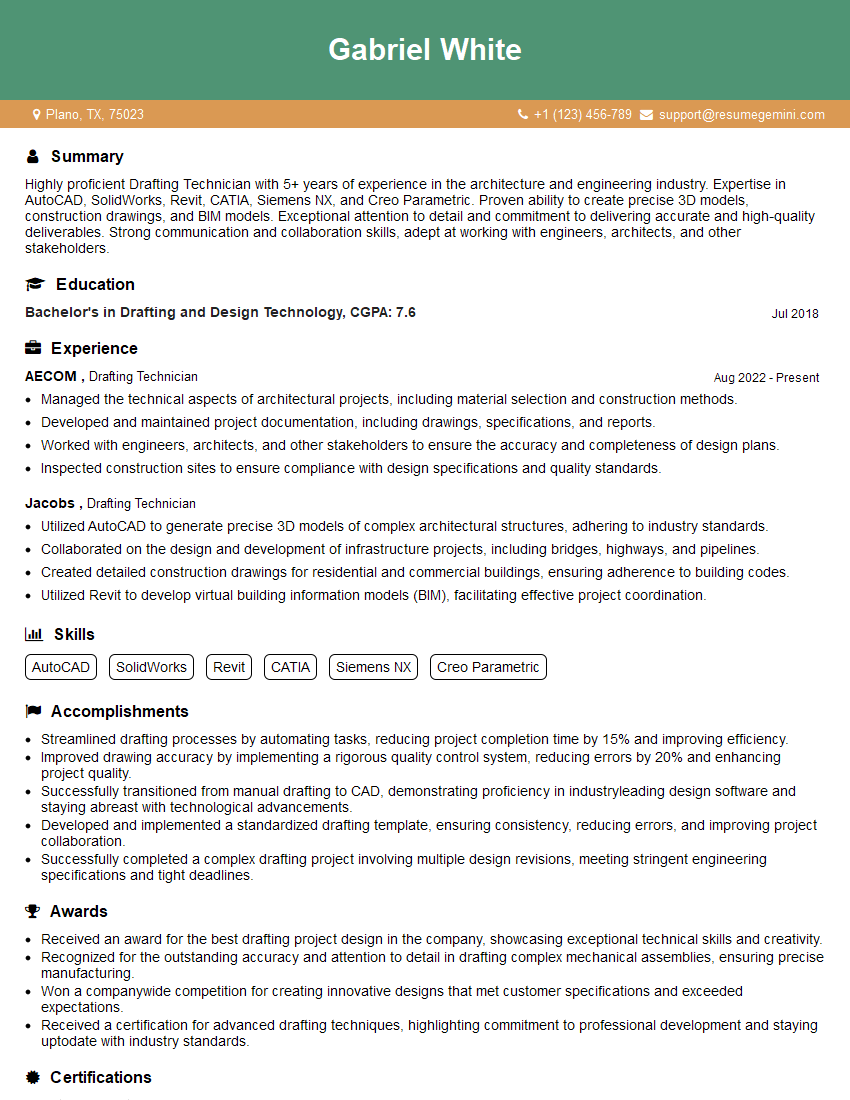
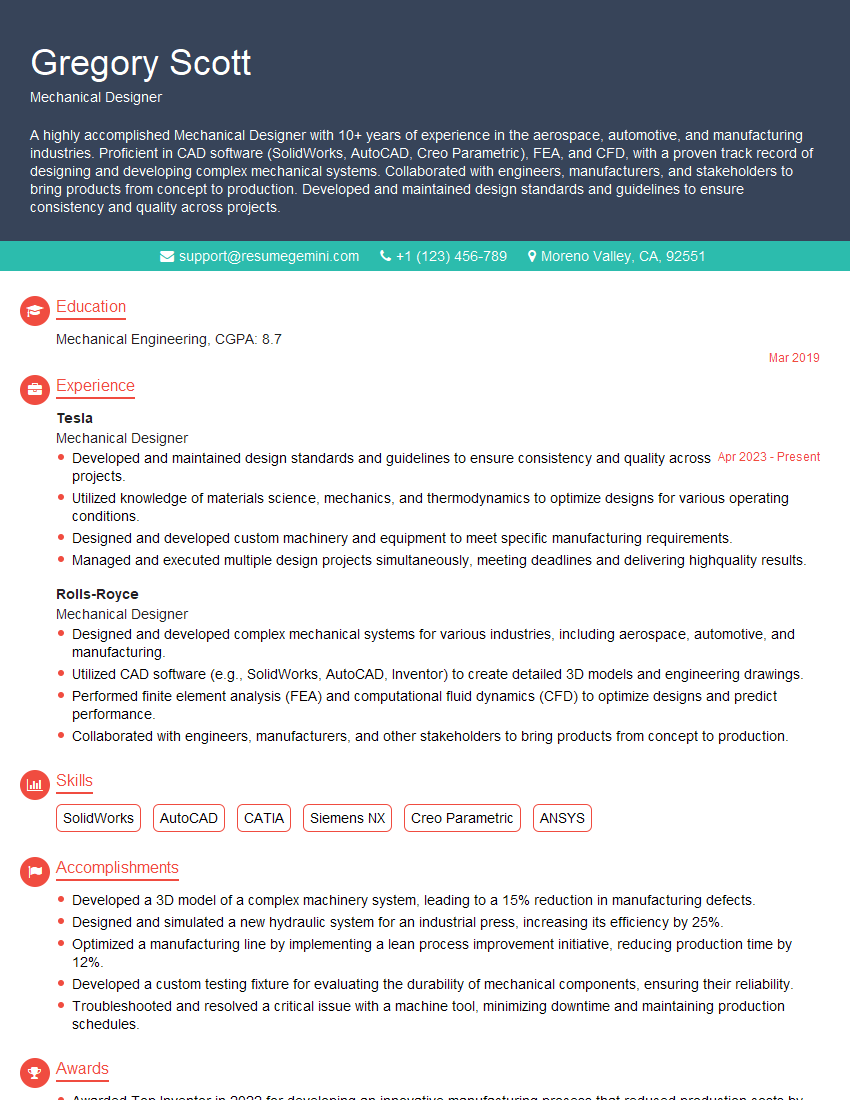
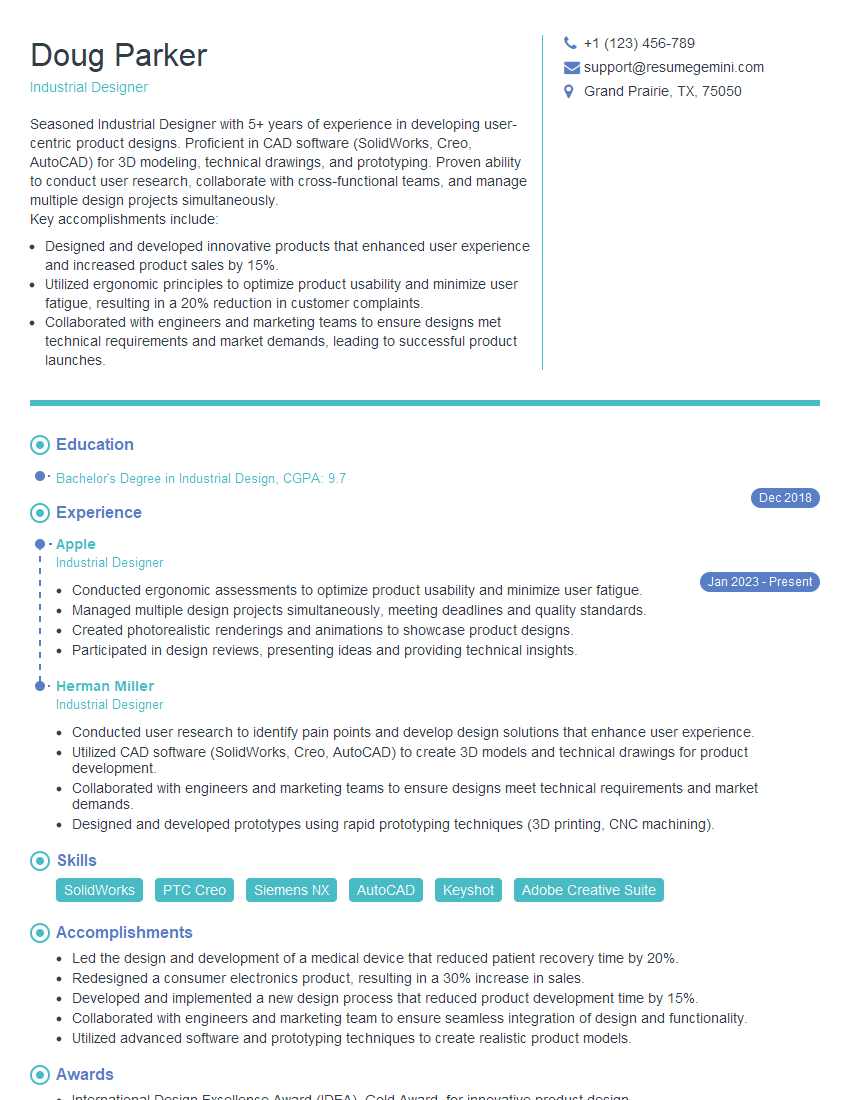
Mastering 3D modeling with SolidWorks, CATIA, or Siemens NX is a highly sought-after skill that opens doors to exciting and rewarding career opportunities in engineering and design. To significantly boost your job prospects, crafting a strong, ATS-friendly resume is crucial. A well-structured resume highlights your key skills and experience effectively, helping recruiters quickly identify your qualifications. We highly recommend using ResumeGemini to build a professional and impactful resume that truly represents your abilities. ResumeGemini offers examples of resumes tailored specifically to 3D modeling professionals using SolidWorks, CATIA, and Siemens NX, giving you a head start in presenting your capabilities in the best possible light.





Explore more articles
Users Rating of Our Blogs
Share Your Experience
We value your feedback! Please rate our content and share your thoughts (optional).
What Readers Say About Our Blog
Very informative content, great job.
good