Cracking a skill-specific interview, like one for Adjusting machine settings for optimal print quality, requires understanding the nuances of the role. In this blog, we present the questions you’re most likely to encounter, along with insights into how to answer them effectively. Let’s ensure you’re ready to make a strong impression.
Questions Asked in Adjusting machine settings for optimal print quality Interview
Q 1. Explain the relationship between ink density and print quality.
Ink density plays a crucial role in print quality. It refers to the concentration of ink on the printed surface. Too little ink results in faint, weak images, lacking vibrancy and detail. Conversely, too much ink leads to muddy colors, blotchiness, and potential smearing. The ideal ink density ensures a balance between rich, saturated colors and crisp, defined lines. Think of it like painting – too little paint and the canvas shows through, too much and the colors become dull and lose their clarity.
For instance, in a CMYK (Cyan, Magenta, Yellow, Key/Black) printing process, precise ink density control for each color is critical for accurate color reproduction. Each color must contribute the right amount to achieve the desired hue. We use densitometers to measure ink density and adjust ink keys, screen angles, and sometimes even the ink itself to achieve the optimal density for each color and the overall image.
Q 2. Describe the process for adjusting register on a printing press.
Register refers to the precise alignment of different color plates or print units on a printing press. Improper register leads to misaligned colors, resulting in blurry or mismatched images. Adjusting register is a multi-step process that typically involves using registration marks printed on the substrate. These marks serve as reference points.
The process generally involves:
- Identification: Visually inspect the printed sheet to identify the misaligned color(s).
- Lateral Adjustment: Fine-tune the lateral (side-to-side) position of the misaligned print unit using the press’s controls. This often involves small incremental adjustments.
- Vertical Adjustment: Similarly, adjust the vertical (up-and-down) position of the unit to ensure perfect alignment.
- Iterative Refinement: Repeat the inspection and adjustment process until the colors are perfectly aligned. This may involve multiple iterations, especially on complex designs.
- Verification: Once satisfied, print a test sheet and carefully check for any discrepancies before proceeding with a full run.
Imagine trying to layer several transparent colored sheets perfectly on top of each other – that’s essentially what register adjustment accomplishes. Incorrect register would leave you with mismatched colors and a blurry final image.
Q 3. How do you troubleshoot banding issues in a print job?
Banding in printing is the appearance of light and dark streaks or bands across the printed area. It’s a common print defect that significantly impacts image quality. Several factors contribute to banding, and troubleshooting requires a systematic approach.
Here’s how I typically approach it:
- Ink Supply: Check for clogged ink lines or insufficient ink flow. A consistent ink supply is vital for uniform printing. Clean the ink system and ensure sufficient pressure.
- Screen Angle: Verify proper screen angles in the halftone process. Incorrect angles can cause moiré patterns which can manifest as banding.
- Printing Roller Condition: Inspect the printing rollers for wear, damage, or uneven ink distribution. Worn rollers often lead to inconsistencies.
- Press Speed: Excessive speed can cause insufficient ink transfer, creating banding. Reduce the speed for a smoother print.
- Paper Consistency: Irregular paper thickness or moisture content can affect ink transfer, leading to banding. Use consistent paper stock.
- Calibration: Check color calibration settings. Sometimes incorrect color profiles can contribute to visual banding.
Troubleshooting banding often involves a process of elimination, carefully checking each component of the printing system. I start with the most likely causes, then move to more nuanced aspects if the initial adjustments fail to resolve the problem. Often, a combination of factors might be at play.
Q 4. What are the common causes of color inconsistencies in printing?
Color inconsistencies in printing can stem from various sources. Accurate color reproduction requires careful attention to detail at every stage.
Common causes include:
- Ink Variations: Differences in ink formulation, age, or storage conditions can alter color. Using fresh, properly stored inks is crucial.
- Calibration Issues: Inaccurate press calibration, including improper color profiles or densitometer readings, significantly affects color consistency.
- Substrate Differences: Variations in paper absorbency, coating, or texture influence how the ink is perceived. Using consistent paper stock is paramount.
- Environmental Factors: Temperature and humidity variations affect ink drying and color perception. Maintaining a stable printing environment is important.
- Plate Problems: Damaged, worn, or poorly made printing plates lead to inconsistencies. Regular plate maintenance and proper platemaking techniques are vital.
I’ve seen situations where a seemingly minor change, such as a slight shift in room temperature or a subtle variation in paper stock, resulted in noticeable color discrepancies. This highlights the need for careful control over all influencing factors.
Q 5. Explain how different paper types affect print quality.
Different paper types significantly impact print quality. Paper properties such as weight, texture, absorbency, and coating affect ink adhesion, color reproduction, and overall print appearance.
For example:
- Coated Paper: Offers a smooth surface, resulting in sharper images and vivid colors. However, it might be more expensive.
- Uncoated Paper: Provides a more natural, textured feel but may result in less vibrant colors and slightly less sharpness. It’s often preferred for projects that need a rustic or less formal look.
- Specialty Papers: Papers like linen, textured stock, or recycled paper significantly influence the final look and feel of the printed product. They often require adjustments to ink density and press settings.
I always emphasize the importance of selecting the appropriate paper type for the project, considering both the desired aesthetic and the print quality requirements. A glossy magazine cover, for instance, demands high-quality coated paper for sharp images, while a wedding invitation might utilize a textured stock for a luxurious feel.
Q 6. How do you calibrate a printing press for accurate color reproduction?
Calibrating a printing press for accurate color reproduction involves a series of steps designed to ensure the output matches the intended colors. It’s an iterative process, requiring both technical expertise and attention to detail.
The steps typically include:
- Color Profile Creation: Generating a color profile specific to the press, inks, and paper being used. This profile serves as a reference point for color matching.
- Densitometer Measurement: Using a densitometer to measure the ink density for each color (CMYK) on printed test strips. This allows for precise adjustments.
- Ink Key Adjustment: Fine-tuning the amount of ink laid down for each color, achieving the desired density.
- Press Calibration: Adjusting the printing press’s settings – such as ink flow, pressure, and speed – to ensure uniform ink transfer.
- Color Comparison: Regularly comparing the printed output to the target color values to identify discrepancies and make further adjustments.
- Iterative Process: Calibration is an iterative process. Repeated measurements, adjustments, and comparisons are needed to fine-tune color accuracy.
Accurate calibration is crucial for consistency and to prevent costly reprints due to color inaccuracies. Regular calibration ensures that the press consistently delivers accurate colors across multiple print runs.
Q 7. Describe your experience with different types of printing presses.
Throughout my career, I’ve gained extensive experience with various types of printing presses, including sheet-fed offset presses, web offset presses, and digital printing presses. Each technology has its strengths and weaknesses, influencing the approach to print quality adjustments.
Sheet-fed offset presses are versatile and ideal for high-quality, customized print jobs. My experience with these presses has included managing registration, ink density, and color balance for various projects. I’ve learned to adjust parameters based on the paper type, ink viscosity, and specific print requirements. I’ve also dealt with common issues like makeready, color matching, and troubleshooting mechanical problems.
Web offset presses are high-speed machines used for large-volume printing. My work with web presses has focused on maintaining consistent print quality across massive runs, optimizing speed without sacrificing quality, and handling the complexities of roll-fed paper. This involved close monitoring of ink flow, paper tension, and press settings to prevent banding, color drift, and other common web press issues.
Digital printing presses offer speed and flexibility, particularly for short-run and on-demand printing. My experience here has involved working with digital color profiles, optimizing print settings for different substrates, and handling the unique issues associated with digital printing, such as toner adhesion and color consistency.
This diverse experience allows me to approach print quality challenges with a broad understanding of various printing methods and their respective intricacies.
Q 8. How do you maintain consistent print quality throughout a long run?
Maintaining consistent print quality throughout a long run is crucial for producing high-quality, uniform outputs. It involves a multifaceted approach focusing on proactive measures and continuous monitoring. Think of it like baking a cake – you need consistent ingredients, oven temperature, and baking time to get the same result every time.
- Regular Calibration: Frequent calibration of the printing press ensures consistent ink density, registration (alignment of colors), and print pressure. This is akin to regularly checking your baking scales to ensure accurate ingredient measurements.
- Ink Viscosity Control: Maintaining the correct ink viscosity (thickness) is paramount. Too thick, and you’ll get uneven coverage; too thin, and the colors will be weak. Regular checks and adjustments are necessary, especially during long runs, as the ink can change properties over time due to evaporation or temperature fluctuations.
- Substrate Consistency: Using paper or other substrates from the same batch minimizes variations in absorption and surface texture. This is essential for ensuring consistent ink adhesion and color reproduction. Using different paper types mid-run is a recipe for disaster, like trying to bake two cakes with different flour types.
- Environmental Control: Maintaining a stable temperature and humidity prevents paper expansion and contraction, which can lead to misregistration and inconsistencies in ink drying. This is analogous to ensuring a consistent oven temperature for consistent baking results.
- Operator Proficiency: Experienced operators are vital in recognizing and correcting subtle shifts in print quality before they become significant problems. Their expertise is the secret ingredient that separates good results from great ones.
Q 9. Explain the importance of maintaining proper temperature and humidity in a print environment.
Maintaining proper temperature and humidity is critical for print quality because paper is highly susceptible to changes in these environmental factors. Think of it like a sponge – it expands when wet and contracts when dry. These fluctuations affect the paper’s dimensions, leading to issues in registration, and even causing paper jams.
- Temperature: Significant temperature changes cause the paper to expand or contract, affecting its dimensional stability. This can lead to misregistration – where colors or images don’t align correctly. Imagine trying to assemble a puzzle where the pieces have slightly different sizes due to temperature changes.
- Humidity: High humidity causes the paper to absorb moisture and expand, while low humidity causes it to dry out and contract. Both extremes can lead to misregistration, poor ink adhesion, and increased paper jams. Think of a wooden ruler – it expands and contracts based on humidity changes.
- Control Measures: Maintaining a consistent temperature and humidity in the print environment, typically through climate control systems, is vital for minimizing these issues and ensuring consistent print quality. This controlled environment is like having a specialized oven for consistent baking results.
Q 10. How do you identify and correct problems with image sharpness?
Image sharpness problems stem from various factors within the printing process. Addressing them requires a systematic approach, like a detective solving a case.
- Screen Resolution: Low-resolution images will naturally lack sharpness. The solution is to use higher-resolution images during the prepress phase, increasing DPI for improved detail.
- Focus Adjustment: Incorrect focus on the printing press can result in blurry images. Careful adjustment of the press’s focusing mechanisms is crucial, often requiring experienced technicians to achieve optimal sharpness.
- Dot Gain: Excessive dot gain (spreading of ink dots) can cause images to appear less sharp. This can be addressed by adjusting the ink density, fountain solution balance, or using different printing plates.
- Paper Quality: The surface texture of the paper can impact sharpness. Using a smoother paper stock often results in crisper images. Think of trying to draw on textured canvas versus smooth paper.
- Plate Quality: Damaged or poorly made printing plates will produce blurry or uneven images. The solution is to create new plates or source plates from a reputable supplier.
Q 11. What are the key parameters you adjust for optimal print quality in offset printing?
In offset printing, achieving optimal print quality relies on the precise adjustment of several key parameters. It’s a delicate balance, like tuning a musical instrument.
- Ink-Water Balance: This is arguably the most critical parameter. The correct balance ensures proper ink transfer and prevents smudging or mottle (uneven ink distribution). Too much water leads to weak colors, too little leads to heavy, smudged ink.
- Ink Density: This determines the color intensity and saturation. Precise adjustments are made using densitometers to match the desired color values.
- Impression Cylinder Pressure: The pressure applied by the impression cylinder to the paper affects the sharpness and density of the print. Too much pressure leads to crushed paper and poor ink transfer, too little results in light, uneven images.
- Registration: Accurate registration ensures that the colors align perfectly. Misregistration leads to blurry images and poor print quality. Regular checks and adjustments using registration marks are crucial.
- Temperature and Humidity: Controlling the environment, as mentioned earlier, is also critical for maintaining consistent print quality across the entire run.
Q 12. Describe your experience with color management software.
My experience with color management software is extensive. I’m proficient in using industry-standard software like Adobe Acrobat Pro, GMG ColorProof, and other specialized color management systems. I understand the importance of profiles (ICC profiles) in ensuring accurate color reproduction across different devices and media.
I utilize color management software to:
- Create and manage ICC profiles: This ensures consistency in color across various stages of the printing process, from digital design to final output.
- Proofing: I use software to create soft proofs that accurately predict the final printed output, minimizing surprises and reducing waste.
- Color correction: I can use color management tools to adjust color values to achieve specific targets and compensate for variations in substrates or printing presses.
- Troubleshooting color discrepancies: By analyzing color data, I can identify and address inconsistencies in color reproduction.
I’ve successfully used these tools to resolve several color matching challenges in various print jobs, ensuring client satisfaction and maintaining brand consistency.
Q 13. How do you troubleshoot paper jams and misfeeds?
Troubleshooting paper jams and misfeeds requires a systematic approach. It’s like solving a puzzle, working through potential causes one by one.
- Identify the Location: First, pinpoint exactly where the jam or misfeed is occurring. This often involves visually inspecting the paper path.
- Check Paper Path Obstructions: Look for any obstructions, such as accumulated dust, debris, or incorrectly placed guides.
- Paper Condition: Examine the paper itself. Is it wrinkled, damp, or torn? Poor quality paper is a frequent cause of jams.
- Paper Feed Settings: Incorrect paper feed settings (such as incorrect paper size or type settings) can lead to misfeeds. Check and adjust the press’s configuration to match the paper being used.
- Roller Condition: Inspect the rollers for wear, damage, or debris build-up. Worn rollers can fail to feed the paper correctly.
- Sensor Alignment: Paper feed sensors sometimes malfunction. Their correct alignment is essential for proper paper transport.
In many cases, a simple cleaning, adjustment, or replacement of a worn part will resolve the issue. In complex situations, I consult the press’s maintenance manual or seek the help of a qualified service technician.
Q 14. How do you ensure consistent ink flow during printing?
Consistent ink flow is essential for uniform color and print quality. It’s like maintaining a steady water flow in a sprinkler system for even watering.
- Ink Supply: Ensure an adequate supply of ink in the ink tanks. Low ink levels can lead to inconsistent flow.
- Ink Ducts: Check the ink ducts for blockages or debris. Regular cleaning is crucial.
- Ink Pump Function: Ensure the ink pump is functioning correctly. A malfunctioning pump can lead to irregular ink delivery.
- Ink Viscosity: As mentioned earlier, maintaining the correct ink viscosity is critical for consistent flow.
- Temperature: Temperature affects ink viscosity. Maintaining a stable temperature helps ensure consistent ink flow.
- Regular Maintenance: Preventative maintenance, such as cleaning and inspecting the ink system, helps avoid problems.
Identifying and addressing issues with ink flow promptly can prevent significant print quality problems and costly downtime. It is important to conduct regular inspections and utilize preventative maintenance strategies.
Q 15. How do you handle situations where print quality standards aren’t met?
When print quality falls short, my approach is systematic and data-driven. I don’t jump to conclusions; instead, I meticulously analyze the entire print process. This begins with a careful visual inspection of the printed output, noting the type and location of defects. Is it inconsistent color, blurry images, or perhaps banding? Then, I consult the print job specifications and compare them to the machine’s current settings. Discrepancies here are often the root cause.
For example, if the color is off, I’ll check ink levels, ink viscosity, and the color profiles loaded into the system. If there’s banding, it might indicate issues with the ink delivery system, needing a closer look at the rollers or screen mesh. I use colorimetric tools to measure the precise deviations from the target and maintain a detailed log of my observations and adjustments.
Addressing the problem may involve recalibrating the machine, fine-tuning ink density, or even replacing worn-out components. The key is to document every step, both for troubleshooting future jobs and for continuous improvement of the printing process. It’s like being a detective, systematically eliminating possibilities until you identify the culprit.
Career Expert Tips:
- Ace those interviews! Prepare effectively by reviewing the Top 50 Most Common Interview Questions on ResumeGemini.
- Navigate your job search with confidence! Explore a wide range of Career Tips on ResumeGemini. Learn about common challenges and recommendations to overcome them.
- Craft the perfect resume! Master the Art of Resume Writing with ResumeGemini’s guide. Showcase your unique qualifications and achievements effectively.
- Don’t miss out on holiday savings! Build your dream resume with ResumeGemini’s ATS optimized templates.
Q 16. What are your strategies for preventing print defects?
Preventing print defects is far more efficient than fixing them after the fact. My preventative strategies focus on proactive maintenance, meticulous setup, and operator training. This involves regular cleaning and maintenance of all printing press components, including rollers, screens, and ink delivery systems. Think of it like regular car maintenance; you want to prevent problems before they arise.
Before each job, I thoroughly inspect the printing plates or screens for damage, making sure they are clean and correctly aligned. I meticulously check and adjust all relevant settings, including ink viscosity, pressure, and speed, based on the substrate and print design. Consistent and accurate calibration of the color management system is also essential.
Operator training plays a vital role. Well-trained operators understand the nuances of the equipment and can identify potential problems early on. Regular training sessions and feedback mechanisms are crucial. Finally, I regularly monitor print samples for subtle inconsistencies, even when no major problems are apparent, allowing for early detection and intervention.
Q 17. Describe your troubleshooting process for addressing print defects like ghosting or mottle.
Troubleshooting print defects like ghosting (faint, shadowed images) and mottle (uneven ink distribution) requires a methodical approach. For ghosting, I’d first check the screen mesh for damage or debris that could be causing the ink to bleed. Incorrect screen tension or squeegee pressure could also contribute to this issue. I would systematically adjust these parameters, ensuring they fall within the optimal range for the specific job and material.
Mottle, on the other hand, often points to inconsistencies in ink viscosity, ink flow, or squeegee speed. I’d examine the ink for proper mixing and dilution and check the ink supply system for blockages or air bubbles. Adjusting the squeegee pressure and speed, and ensuring even ink distribution across the screen, are crucial steps. If the problem persists, I might investigate the mesh tension to ensure it’s consistent and doesn’t affect ink distribution.
In both cases, I document every adjustment and the resulting changes to the print quality. This iterative process, using trial-and-error guided by systematic analysis, helps pinpoint the exact cause and solution. I might also need to consider factors such as the substrate’s absorbency and the environmental conditions – humidity and temperature – as these can also influence print quality.
Q 18. How do you adjust screen mesh tension for optimal screen printing results?
Screen mesh tension is crucial for achieving high-quality screen prints. Too much tension can lead to screen distortion and cracking, whereas insufficient tension results in poor ink lay-down and blurry prints. The ideal tension depends on the mesh count (threads per inch), ink viscosity, and the design’s complexity.
I typically use a tensionometer to measure the tension. I would first consult the mesh manufacturer’s guidelines for recommended tension ranges for the specific mesh I’m using. I then stretch the screen, ensuring even tension across the entire frame. Visual inspection is crucial; you should be able to see a consistent and uniform tautness across the screen. Uneven tension will lead to uneven printing, resulting in areas with blurry or distorted images.
I might need to adjust the tension multiple times to achieve the optimal level. This often involves fine-tuning and retesting until the desired tension is reached. This process takes practice and experience to ensure a consistent outcome.
Q 19. Explain the significance of maintaining proper pressure settings on a printing press.
Maintaining proper pressure settings on a printing press is paramount for consistent and high-quality prints. Insufficient pressure leads to light prints with poor ink transfer, while excessive pressure can cause smearing, crushing of the substrate, or damage to the printing plates or components. The correct pressure depends on several factors, including the type of printing press, substrate thickness, and ink viscosity.
I typically adjust pressure based on the guidelines provided by the printing press manufacturer. I’ll start with the recommended pressure settings for my specific job and substrate. I’ll then print test prints and carefully analyze the results. If the prints are too light, I increase the pressure incrementally, always monitoring for excessive ink transfer or substrate damage. The goal is to find the ‘sweet spot’ where the ink transfer is optimal, producing a clear and sharp print without damage.
Regular calibration and maintenance of the pressure system are essential. This includes checking for any wear or damage to pressure components and regular cleaning to prevent clogging or build-up of ink and debris.
Q 20. How do you identify and resolve issues related to dot gain in printing?
Dot gain refers to the increase in the size of printed dots during the printing process. Excessive dot gain leads to muddy, dark prints, while insufficient dot gain results in pale prints lacking detail. It is influenced by factors such as ink and substrate properties, printing pressure, and screen mesh characteristics.
To address dot gain issues, I first need to identify whether it’s excessive or insufficient. Visual inspection, aided by densitometer readings, helps quantify the extent of dot gain. If dot gain is excessive, I might need to adjust several parameters, such as reducing the printing pressure, using a higher-resolution screen mesh, or changing the ink type. Modifying the dot gain compensation settings in the RIP (Raster Image Processor) software can also be effective. If the dot gain is insufficient, the reverse strategy might be necessary: adjusting for higher pressure or choosing a less absorbent substrate.
Proper calibration of the color management system is key to controlling dot gain. Regular testing and fine-tuning ensure accurate color reproduction and minimize the negative effects of dot gain on print quality.
Q 21. Explain the process for cleaning and maintaining printing press components.
Cleaning and maintaining printing press components is fundamental for optimal print quality and longevity of the equipment. This is a regular process, not a one-off task. It involves a systematic approach, focusing on different components at different intervals.
Daily cleaning typically involves removing excess ink and debris from the rollers, screens, and other surfaces that come into direct contact with ink. I use appropriate cleaning solutions, paying attention to the manufacturer’s recommendations to avoid damaging the components. More thorough cleaning, often involving dismantling certain parts for deeper cleaning, is performed less frequently, perhaps weekly or monthly. This is where I’d look for signs of wear and tear and address them as needed.
Preventive maintenance is just as important. This includes lubricating moving parts, checking for loose connections, and ensuring all components are functioning correctly. A detailed maintenance log tracks cleaning and maintenance procedures, allowing for proactive identification and addressing of potential issues before they affect print quality.
Q 22. Describe your experience with different types of inks and their impact on print quality.
Different inks significantly impact print quality. Think of it like choosing the right paint for a masterpiece – the wrong one ruins the whole picture. For example, pigment-based inks are known for their vibrancy and longevity, offering superior resistance to fading and smudging. They’re ideal for archival prints or applications where durability is paramount. However, they can be slightly less cost-effective and may require more specialized printers.
Conversely, dye-based inks are often more affordable and produce brighter, more saturated colors, especially on glossy papers. They are great for everyday printing, photo printing, or applications where high-speed printing is needed. However, they are less resistant to fading and water damage. Choosing the right ink depends on the project’s needs and desired longevity. For instance, I once worked on a project requiring prints displayed outdoors; the pigment-based ink’s superior UV resistance was crucial for maintaining color integrity over time.
Another aspect is viscosity – the ink’s thickness. Thicker inks may clog print heads, requiring more frequent cleaning, whereas thinner inks can lead to bleeding or poor definition. Understanding these nuances is vital for achieving consistent, high-quality results.
Q 23. How do you perform routine maintenance on a printing machine to prevent print quality issues?
Routine maintenance is crucial for preventing print quality issues. Imagine a car – regular servicing prevents major breakdowns. Similarly, a printer needs attention to stay in top shape. My routine involves several key steps:
- Regular cleaning: This includes cleaning the print heads, rollers, and platen (the surface where paper sits during printing). Using the printer’s self-cleaning functions and appropriate cleaning solutions is important. Neglecting this can lead to clogged nozzles and smeared prints.
- Checking ink levels: Low ink levels can cause banding or inconsistent color. Regularly monitoring and refilling cartridges prevents these problems.
- Paper path inspection: Ensuring the paper path is clear of dust and debris prevents paper jams and ensures smooth paper feed.
- Calibration: Periodically recalibrating the printer ensures accurate color reproduction and alignment. Most printers have built-in calibration tools.
- Firmware updates: Keeping the printer’s firmware updated often includes fixes for known print quality issues and performance improvements.
A comprehensive maintenance schedule, tailored to the specific printer model and usage frequency, is essential for optimal performance and print quality.
Q 24. How do you ensure the accuracy of color matching during printing?
Color accuracy is paramount. To ensure precise color matching, I employ several techniques. First, I use color profiles (ICC profiles) that accurately map the printer’s output to a known color space (like sRGB or Adobe RGB). These profiles act as translators, ensuring the colors on the screen closely match the printed output. Think of it as providing the printer with a dictionary to understand colors correctly.
Next, I utilize color calibration tools, like spectrophotometers, to measure the actual color output of the printer. These tools allow me to make fine adjustments to the printer settings to achieve a more accurate match. This is like having a color expert double-check the results.
Furthermore, I work closely with clients to understand their color requirements and provide samples for approval. This iterative process ensures the final output perfectly aligns with their expectations. If needed, I’ll use color management software to fine-tune color profiles and make further adjustments based on the client’s feedback.
Q 25. What metrics do you use to measure and evaluate print quality?
Measuring print quality involves several key metrics. First, I assess color accuracy using Delta E values, which quantify the difference between the intended color and the actual printed color. Lower Delta E values indicate better accuracy.
Sharpness and resolution are also important. I assess this visually and can use software to measure pixel density and line sharpness. Blurred images or jagged lines point to issues with the printer resolution or settings.
Density, measured with a densitometer, reflects the amount of ink applied to the paper. Inconsistent density can lead to banding or uneven color. This is especially critical in professional printing for consistency and quality.
Finally, I assess consistency – whether multiple prints are identical in terms of color, sharpness, and density. Inconsistencies suggest problems like ink starvation, nozzle clogging, or a mechanical issue in the printer itself.
Q 26. Describe a situation where you had to solve a complex print quality problem. What was your approach?
I once encountered a perplexing issue where a high-volume client was experiencing banding (uneven color distribution) in their large-format prints. Initial troubleshooting focused on the obvious: ink levels, head cleaning, and paper quality. However, the problem persisted.
My approach involved a systematic investigation. I first eliminated the easy fixes, meticulously cleaning the print heads and checking ink levels and paper quality. Then, I checked the printer’s logs for any error messages. I found nothing significant. Next, I examined the print head itself under magnification, revealing microscopic debris obstructing some nozzles.
After carefully cleaning the print heads with specialized solutions and using the printer’s advanced cleaning cycles, I still had banding. It turned out to be a more subtle issue: a slightly misaligned carriage. After careful adjustment and recalibration, the banding disappeared. This experience underscored the importance of a methodical approach, starting with the basics and systematically progressing to more complex solutions.
Q 27. How familiar are you with different print finishing techniques and their impact on the final product?
I’m familiar with various print finishing techniques and their impact. These techniques significantly enhance the final product’s appeal, durability, and overall presentation.
For example, lamination adds a protective layer, increasing durability and resistance to scratching and moisture. Die-cutting allows for custom shapes and sizes, making the print more unique and visually engaging. Folding and binding are crucial for creating brochures, booklets, or books. The choice depends entirely on the specific application and the desired outcome.
Choosing the right finishing technique is like choosing the right frame for a painting; it elevates the overall effect. A glossy lamination adds visual impact, but a matte finish might be preferred for a more subtle presentation. Understanding these nuances ensures the final product meets the client’s aesthetic and functional requirements.
Q 28. How do you stay updated with the latest advancements in printing technology and best practices?
Staying updated is critical in this rapidly evolving field. I actively participate in industry conferences and workshops to learn about new technologies and best practices. I subscribe to relevant industry publications and online resources, including trade journals and manufacturers’ websites. This helps me stay abreast of new ink formulations, printer models, and finishing techniques.
Moreover, I actively engage with online communities and forums where professionals discuss troubleshooting and share their expertise. Participating in these communities offers valuable insights and practical tips for resolving challenges and keeping my knowledge base current. Continuous learning is paramount to ensure I can provide the best possible service and deliver high-quality results.
Key Topics to Learn for Adjusting Machine Settings for Optimal Print Quality Interview
- Understanding Color Profiles and Gamut: Learn how different color spaces (e.g., sRGB, Adobe RGB) affect print output and how to select the appropriate profile for your project. Understand the concept of gamut and its limitations in reproduction.
- Calibration and Profiling: Master the practical application of calibrating your printing device (e.g., printer, proofer) and creating custom ICC profiles for consistent and accurate color reproduction. Be ready to discuss troubleshooting calibration issues.
- Ink and Toner Management: Understand the principles of ink/toner density, coverage, and drying. Discuss practical strategies for managing ink/toner levels and preventing common print quality problems related to ink/toner.
- Paper Selection and Handling: Explain the impact of different paper types (e.g., coated, uncoated, textured) on print quality. Discuss best practices for handling paper to avoid jams and ensure optimal print results. Understand the relationship between paper properties and print settings.
- Troubleshooting Print Defects: Develop your problem-solving skills by learning to identify and address common print defects such as banding, banding, misregistration, color casts, and uneven ink distribution. Be prepared to explain your diagnostic and corrective approaches.
- Understanding Print Resolution and DPI: Explain the relationship between resolution (DPI) and print quality. Know when high or low resolution is appropriate and how to adjust settings for optimal results. Discuss the impact of different resolution settings on file size and print speed.
- Prepress Considerations: Discuss the importance of pre-flight checks, image optimization, and color management in the prepress stage to ensure optimal print quality. This includes understanding the role of trapping and overprinting.
Next Steps
Mastering the art of adjusting machine settings for optimal print quality is crucial for career advancement in the printing industry. It demonstrates a high level of technical expertise and problem-solving skills, leading to increased responsibility and higher earning potential. To enhance your job prospects, create an ATS-friendly resume that highlights your skills and experience. ResumeGemini is a trusted resource to help you build a professional and impactful resume. We provide examples of resumes tailored to this specific skillset to guide you in creating your own compelling application.

Press Operator Resume Sample

Pressroom Supervisor Resume Sample

Digital Press Operator Resume Sample

Graphic Arts Technician Resume Sample

Prepress Technician Resume Sample
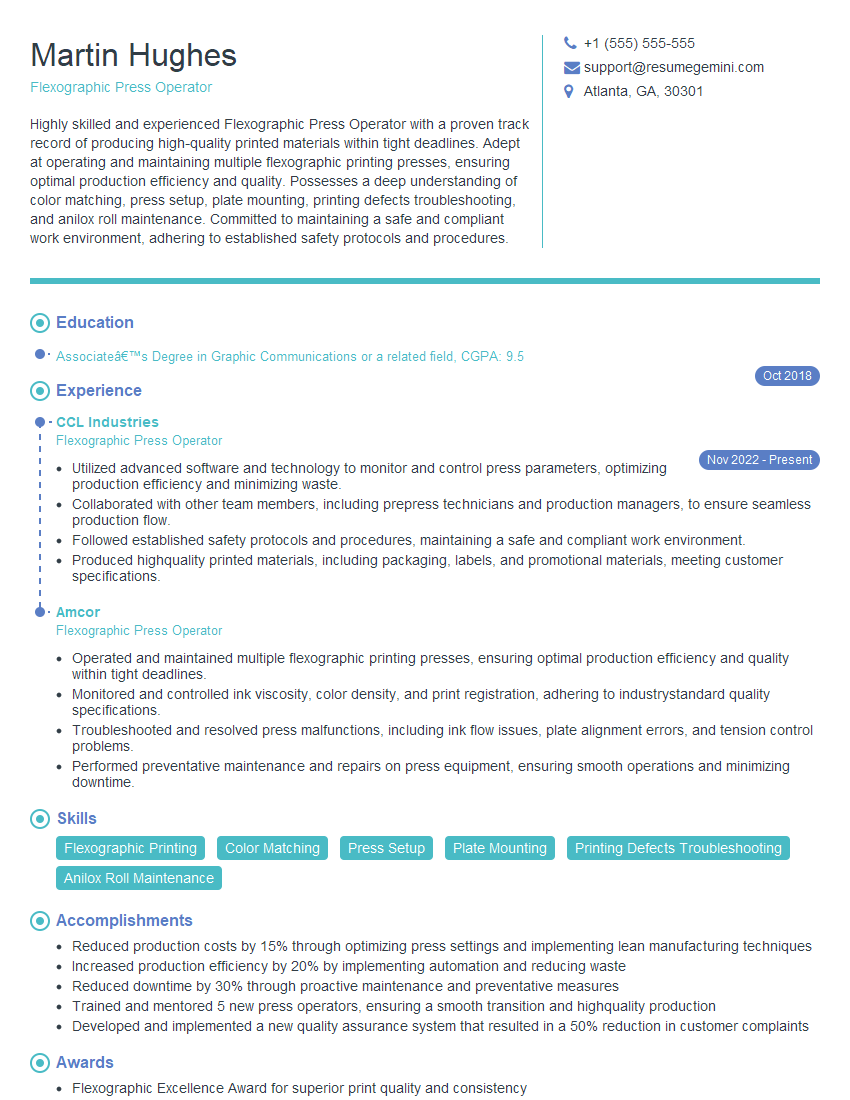
Flexographic Press Operator Resume Sample

Offset Press Operator Resume Sample
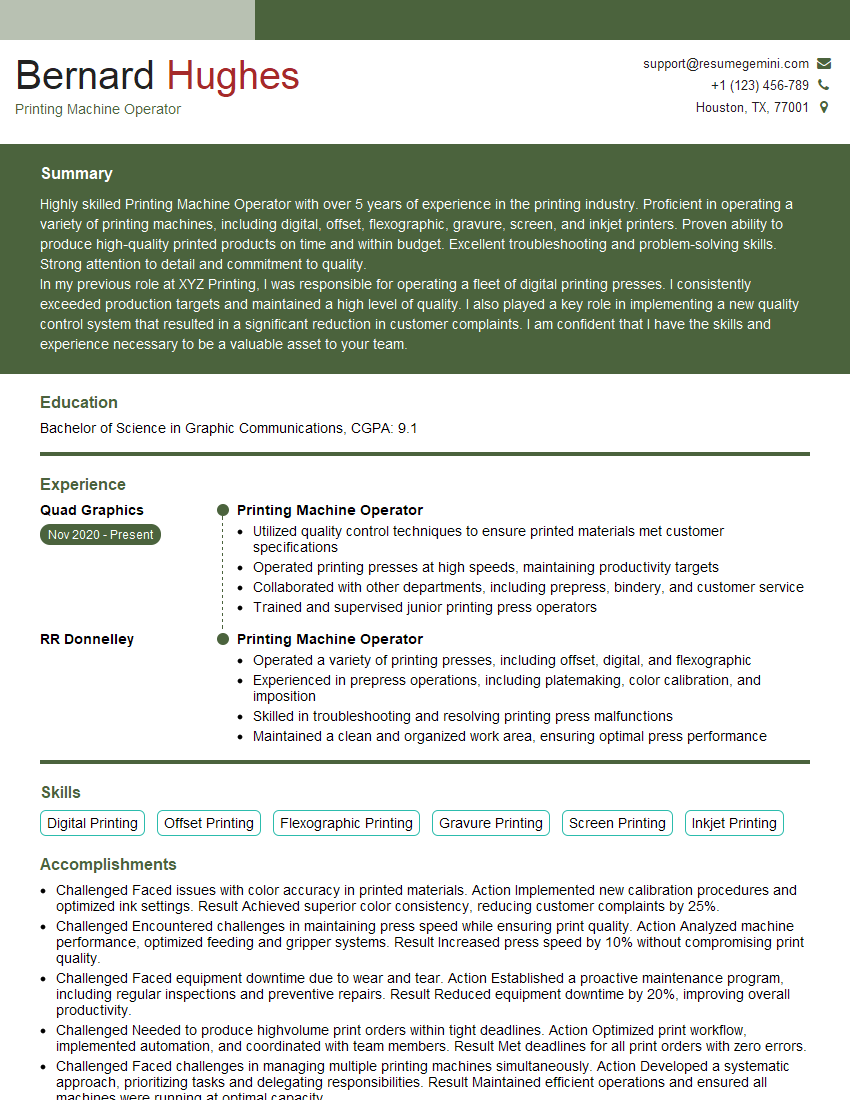
Printing Machine Operator Resume Sample
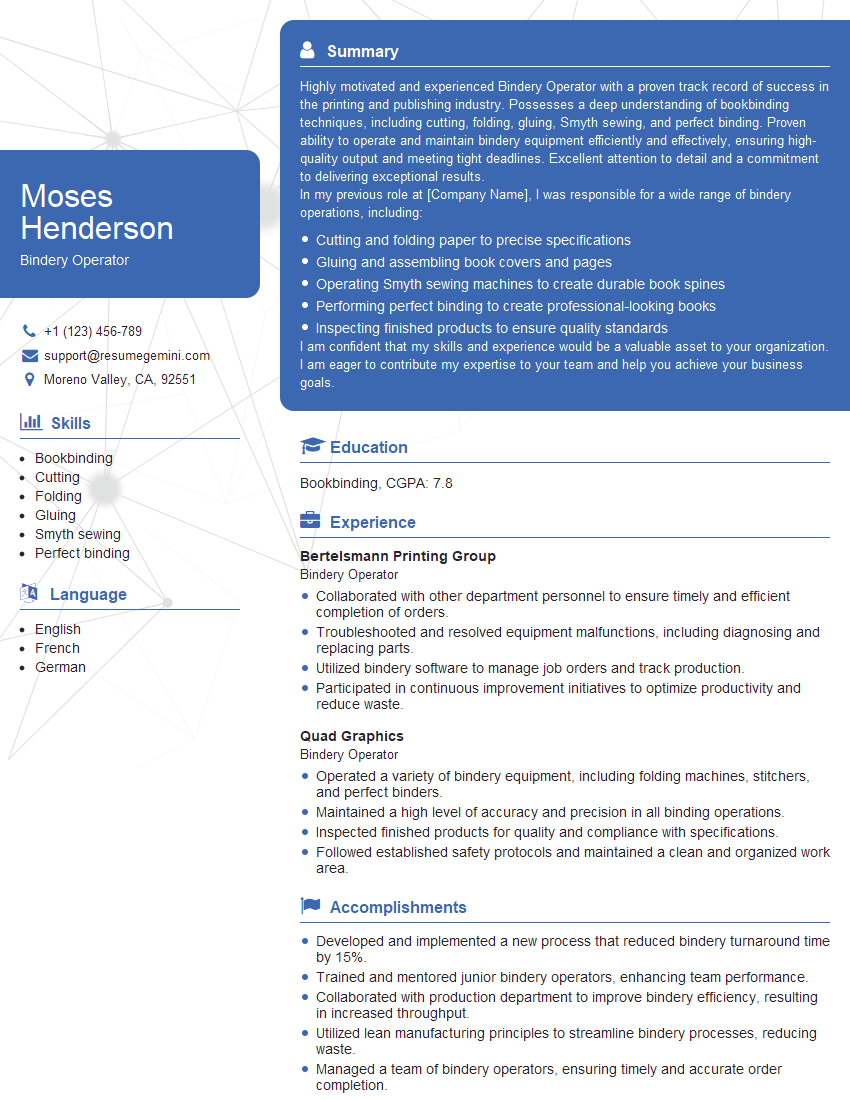
Bindery Operator Resume Sample
Explore more articles
Users Rating of Our Blogs
Share Your Experience
We value your feedback! Please rate our content and share your thoughts (optional).
What Readers Say About Our Blog
Very informative content, great job.
good