Feeling uncertain about what to expect in your upcoming interview? We’ve got you covered! This blog highlights the most important Advanced Microphone Techniques interview questions and provides actionable advice to help you stand out as the ideal candidate. Let’s pave the way for your success.
Questions Asked in Advanced Microphone Techniques Interview
Q 1. Explain the polar patterns of different microphone types (cardioid, omnidirectional, figure-8).
Microphone polar patterns describe the microphone’s sensitivity to sound from different directions. Think of it like the microphone’s ‘hearing range’.
- Cardioid: This is the most common pattern. It’s highly sensitive to sound from the front, moderately sensitive from the sides, and largely insensitive from the rear. Imagine a heart shape; that’s where the name comes from. This is great for rejecting unwanted sounds from the sides and rear, making it ideal for isolating a single sound source in a live or recording environment, like a vocalist on stage or a single instrument in a studio.
- Omnidirectional: This pattern picks up sound equally from all directions. It’s like a 360° hearing range. This is useful for capturing ambient sounds or a large ensemble where you want a balanced pickup of all instruments. An example would be recording a choir or a room’s atmosphere.
- Figure-8 (Bidirectional): This pattern is sensitive to sound from the front and rear, but rejects sound from the sides. It’s like two cardioid patterns back-to-back. This is less common but useful for stereo recording techniques or for specific applications where you want to isolate two distinct sound sources facing the mic from opposite directions.
Q 2. Describe the frequency response of a condenser microphone versus a dynamic microphone.
Condenser and dynamic microphones differ significantly in their frequency response – how they reproduce sounds across different frequencies.
- Condenser Microphones: Generally have a wider, flatter frequency response, meaning they accurately capture a broader range of frequencies (highs and lows) with more detail. This makes them well-suited for instruments with delicate high-frequency details and capturing a detailed sound, such as acoustic guitars or cymbals. They tend to be more sensitive overall.
- Dynamic Microphones: Typically have a more limited, often ‘rolled-off’ high-frequency response, resulting in a warmer, less bright sound. They are more rugged, less sensitive to high sound pressure levels and are less susceptible to feedback, making them popular for live sound reinforcement, especially for loud instruments like drums or vocals in a high-volume environment.
The differences are often subtle but crucial depending on the application. For example, a condenser might capture the subtle nuances of a violin’s high-register notes better, while a dynamic might handle the raw power of a rock vocalist’s voice more effectively.
Q 3. What are the advantages and disadvantages of using phantom power?
Phantom power is a 48-volt DC current supplied through the microphone cable to power condenser microphones.
- Advantages: Convenience – it eliminates the need for separate power sources for condenser mics, simplifying setup. It’s also very reliable.
- Disadvantages: Phantom power can damage dynamic microphones (they don’t need it and could be damaged by it), so it’s crucial to always be aware of the mic type. It can also introduce noise into the signal if not properly implemented. Some older or less robust condenser microphones might not function well with phantom power.
In short, phantom power offers a great deal of convenience, but careful attention to compatibility is essential to avoid equipment damage.
Q 4. How do you choose the right microphone for a specific recording environment?
Choosing the right microphone requires considering several factors that relate to the recording environment and the desired sound.
- Sound Source: What are you recording? A vocalist needs a different microphone than a snare drum. A delicate acoustic instrument might benefit from a condenser microphone, whereas a loud rock guitar amp might be better suited to a dynamic microphone.
- Recording Environment: Is it a quiet studio or a noisy live venue? A cardioid microphone is often preferred in noisy environments because it helps to reject background noise. A more omnidirectional mic might be better for capturing ambient sound.
- Budget: Microphones range vastly in price. Your budget will dictate what options are available.
- Technical Specifications: Consider the microphone’s frequency response, sensitivity, polar pattern, and impedance to ensure it matches your needs.
For example, if I’m recording a podcast in a home studio, I’d likely choose a cardioid condenser microphone to get clear vocal pickup while minimizing background noise. If I were recording a live band on a large stage, a high-SPL (Sound Pressure Level) dynamic microphone would be preferred to handle the high volume levels.
Q 5. Explain the concept of proximity effect and how to manage it.
The proximity effect is the bass boost that occurs when a directional microphone (like a cardioid) is placed very close to a sound source. The closer the mic, the more pronounced the bass boost. It’s a physical phenomenon resulting from the interaction of sound waves with the microphone’s diaphragm.
Managing Proximity Effect:
- Distance Control: The simplest method. Moving the microphone further away from the source reduces the proximity effect. Experiment with different distances to find the right balance.
- EQ (Equalization): If the proximity effect is excessive, use a parametric equalizer to cut some low frequencies. This is often a more precise solution than adjusting the microphone distance, especially if close miking is desired. Subtle adjustments make all the difference.
- Microphone Choice: Certain microphones are less prone to the proximity effect than others. Hypercardioid patterns can be better at controlling low-frequency boosts compared to a standard cardioid, although this also affects other aspects of the sound.
Finding the sweet spot involves finding a balance. Too much proximity effect and you get a muddy, boomy sound; too little and you might lose the warmth and presence that close miking brings.
Q 6. Describe different microphone techniques for recording vocals (e.g., close miking, off-axis miking).
Various microphone techniques are used for vocal recording, each with its own sonic characteristics.
- Close Miking: Placing the microphone very close to the sound source (typically 1-6 inches from the mouth) enhances presence and reduces background noise. This method takes advantage of the proximity effect and works particularly well for capturing detail and a strong vocal presence. It is common practice in studio recording.
- Off-Axis Miking: Positioning the microphone slightly off-center from the sound source can create a warmer, less direct sound, reducing harshness and potentially bringing in more room ambience. This technique is often preferred when a more natural sound is desired, perhaps to better integrate with other instruments or a room’s acoustics.
- Room Miking: Placing microphones further from the vocalist to capture the ambient sound of the room can add warmth, spaciousness, and natural reverb. This technique is common in recording large instruments or ensembles where you desire a more natural overall blend of sounds. This is particularly relevant in the context of acoustically rich spaces.
The best technique depends on the desired sound and the recording environment. Sometimes a blend of techniques is used; for example, close miking might be used for the main vocal signal, while a distant microphone captures the room ambience, these are then blended in post-production.
Q 7. How do you handle microphone feedback issues during live sound reinforcement?
Microphone feedback is a high-pitched squeal or howl caused by a positive feedback loop between the microphone, amplifier, and loudspeakers. It’s a common problem in live sound reinforcement.
Handling Feedback:
- Reduce Gain: Lowering the gain on the microphone and amplifier is the most basic and effective solution. This reduces the overall signal level, making it less likely to cause feedback.
- EQ (Equalization): Cut frequencies causing the feedback in the amplifier’s EQ. This is usually done by carefully listening to the feedback frequency and making a narrow cut around that frequency using a parametric EQ. A graphic EQ is often helpful in this situation for quick assessment.
- Microphone Placement: Strategically position microphones to minimize direct sound pickup from loudspeakers. Proper microphone technique significantly improves the sound and prevents feedback. Moving the mic even slightly often helps.
- Monitor Placement: Adjust monitor positions so that speakers are not pointing directly at microphones. Often, the placement of stage monitors is a primary cause of feedback.
- Directional Microphones: Use cardioid or hypercardioid microphones to reject sound from the rear and minimize the possibility of unwanted sounds being fed back into the system. It is also better practice to avoid using omnidirectional microphones in situations where feedback is likely.
The solution usually involves a combination of these techniques. A systematic approach, starting with gain reduction and then addressing EQ and placement issues, often solves the feedback problem. Sometimes, feedback is a complex interplay of factors and you may need more than one solution.
Q 8. What are different methods for reducing background noise during recording?
Reducing background noise is crucial for achieving a clean and professional recording. There are several methods, ranging from pre-recording techniques to post-production processing.
Pre-recording Techniques: These focus on minimizing noise at the source.
- Choosing the right recording environment: A quiet room, away from traffic or HVAC systems, is essential. Think of it like choosing the right canvas for a painting – a smooth, unblemished surface makes the artwork stand out.
- Acoustic Treatment: Using sound-absorbing materials like foam panels or bass traps reduces unwanted reflections and reverberation, creating a more controlled sound space. Imagine it as muffling the echoes in a large hall.
- Microphone Placement: Positioning the microphone closer to the sound source reduces the relative level of background noise. This is like bringing your camera closer to your subject in photography – the subject becomes more prominent.
- Directional Microphones: Cardioid, supercardioid, and hypercardioid microphones are designed to pick up sound primarily from the front, rejecting sound from the sides and rear, effectively reducing background noise.
Post-production Techniques: These involve using audio editing software to clean up the recording.
- Noise Reduction Plugins: Software plugins analyze the background noise and reduce it without affecting the desired audio. It’s like digitally cleaning up a photo by removing unwanted spots.
- Gate/Expander: These tools reduce or eliminate sounds below a certain threshold, effectively silencing quieter background noises. This works similarly to a camera’s aperture, controlling the exposure levels.
- EQ (Equalization): By cutting frequencies where background noise is concentrated, you can further improve clarity. Think of it like fine-tuning the color balance in a photograph.
Q 9. Explain the importance of proper microphone placement for stereo recording.
Proper microphone placement is paramount in stereo recording, as it dictates the perceived spatial image and the overall realism of the sound. The goal is to create a natural and immersive stereo field where the listener can clearly identify the position and direction of each sound source.
XY Technique (Coincident): Two microphones are placed very close together at a fixed angle (often 90 or 135 degrees). This provides a relatively narrow stereo image but minimizes phase cancellation issues. It’s a great choice for capturing a close-up, intimate sound.
AB Technique (Near-Coincident): Similar to XY but with the microphones slightly spaced apart, resulting in a wider stereo image and a more noticeable sense of space. The increased spacing can introduce subtle phase differences that can be creatively used.
MS Technique (Mid-Side): Uses one microphone pointing forward (Mid) and another pointing to the side (Side). This offers precise control over the width of the stereo image in post-production. It is a very flexible and popular method for professionals.
ORTF Technique: A specific variation of AB technique, with microphones spaced 17cm apart at a 110-degree angle. This configuration is designed to provide a natural and balanced stereo image.
The placement choice depends on the recording scenario and desired sound. Experimentation is key to finding the optimal arrangement for your specific needs.
Q 10. Describe techniques for achieving phase coherence in multi-microphone recordings.
Phase coherence in multi-microphone recordings refers to the alignment of the waveforms from each microphone. Incoherent signals can lead to phase cancellation, resulting in a thin, weak, or comb-filtered sound. Maintaining phase coherence is crucial for a full and natural-sounding recording.
Coincident Techniques (XY): Microphones placed extremely close together virtually eliminate phase cancellation issues. This is the simplest and often preferred method for achieving perfect phase alignment.
Careful Microphone Spacing (AB): While slightly spaced microphones (AB) can offer a wider stereo image, careful planning is required. The spacing should be considered in relation to the wavelength of the predominant frequencies.
Mid-Side Technique (MS): The MS technique inherently solves phase problems because the side microphone captures only the difference signal. This difference is added back into the mid-signal during the mixing process, providing consistent phase across the stereo field.
Time Alignment (Post-Production): In post-production, delay adjustments can be applied to synchronize the waveforms from each microphone, correcting timing differences that may have caused phase issues. Software plugins enable precise time alignment.
It is important to remember that sometimes slight phase inconsistencies can contribute positively to a recording’s character, and it’s not always necessary to strive for perfect coherence.
Q 11. How do you choose between using a single microphone versus multiple microphones for a recording?
The choice between using a single microphone versus multiple microphones depends on several factors, including the desired sound, the complexity of the source, and the available resources.
Single Microphone: Simpler, faster, and requires less equipment. Ideal for capturing a single, intimate sound source where natural ambience is not a primary concern. For example, a solo acoustic guitar recording often uses a single microphone for its simplicity and direct capture of the instrument’s sound.
Multiple Microphones: Offers more control and flexibility. Used for complex recordings involving multiple instruments or a broader soundstage. For instance, recording a full orchestra requires numerous microphones to capture the distinct sections and create a more spatial and dimensional sound. Each section (strings, brass, woodwinds, etc.) might have dedicated microphones.
Consider the following factors:
- The complexity of the sound source: A single voice or instrument typically needs only one microphone. A band or orchestra requires multiple microphones.
- The desired sonic image: A narrow, intimate sound can be achieved with a single mic. A wider, more expansive sound may require multiple microphones and careful placement.
- Time and Resources: A single microphone setup is quick and easy; multiple microphones require more setup time and expertise.
Q 12. What are the common issues associated with using wireless microphones?
Wireless microphones offer great flexibility, but they present several challenges:
RF Interference: Wireless signals can be disrupted by other electronic devices operating on the same frequency (e.g., Wi-Fi routers, cell phones, other wireless mics). This often manifests as dropouts or static in the audio.
Signal Dropouts: Obstacles between the transmitter and receiver, or simply distance, can weaken the signal, leading to dropouts or interruptions. Imagine a conversation being interrupted when there’s poor cell phone reception.
Battery Life: Wireless microphones rely on batteries, which have limited life and need to be regularly changed or monitored.
Latency: There’s a slight delay between the sound being picked up by the microphone and reaching the receiver. In critical applications, such as live broadcasts, this latency can be problematic.
Susceptibility to Noise: Wireless systems can pick up noise from other sources unless carefully shielded and managed.
Careful planning and meticulous attention to detail are crucial for minimizing these challenges. Selecting the appropriate frequency, using high-quality equipment, and regularly checking signal strength and battery levels are essential.
Q 13. Explain the differences between different types of condenser microphones (large diaphragm, small diaphragm).
Condenser microphones rely on a capacitor to convert sound waves into electrical signals. Large and small-diaphragm condensers have distinct characteristics:
Large-Diaphragm Condensers (LDCs): Generally feature a larger diaphragm (the part that vibrates in response to sound), resulting in a warmer, richer, and often more detailed sound. They are particularly well-suited for capturing vocals, instruments with a full frequency range, and applications where a smooth, natural sound is desired. Think of it like having a large paintbrush that covers more surface area, resulting in broader strokes and more texture.
Small-Diaphragm Condensers (SMDCs): These possess a smaller diaphragm, resulting in a brighter, more detailed, and often more transient response. They are commonly used for recording acoustic instruments (such as acoustic guitars or string sections), overhead cymbals, and other sources that benefit from a clear and precise capture of detail. Think of this as a smaller, finer paintbrush, perfect for creating precise details and sharp lines.
The choice between LDC and SDC depends on the sound source and desired characteristics. LDCs are often preferred for vocals and instruments requiring a full, warm sound, while SDC’s are frequently utilized for detailed recordings of instruments with a wide frequency range, or capturing precise details like a cymbal crash.
Q 14. What is the purpose of a pop filter and how does it work?
A pop filter is a shield placed between a singer or speaker and the microphone to reduce plosives – harsh, popping sounds caused by consonant sounds like ‘p’, ‘b’, and ‘t’. These plosives can overload the microphone’s capsule, resulting in undesirable distortion.
Pop filters typically consist of a fine mesh screen, often nylon or some other thin material, stretched over a circular frame. The mesh acts as a barrier, diffusing the air pressure from the plosives before it reaches the microphone’s capsule. It’s like a soft cushion that absorbs the impact of the sharp air pressure created when articulating those hard consonant sounds.
Using a pop filter results in a smoother, cleaner recording, especially important for vocal tracks and close-miked instruments. It’s a crucial tool for achieving professional-sounding recordings, preventing the harsh pops and clicks that often accompany certain speech sounds.
Q 15. How do you troubleshoot a microphone that is not working properly?
Troubleshooting a malfunctioning microphone involves a systematic approach. First, verify the most basic things: is the microphone powered correctly (if it’s an active mic), is it securely connected to the interface or mixer, and is the input channel on your recording device selected and active? A simple visual inspection can reveal obvious problems like a damaged cable or loose connection.
If the problem persists, try these steps:
- Test with a different cable: A faulty cable is a common culprit. Swap it with a known good one.
- Test with a different microphone: This helps determine if the issue lies with the microphone itself or the input device.
- Test with a different input channel: Rule out any issues specific to a particular input on your interface or mixer.
- Check gain settings: Ensure the input gain isn’t too low (resulting in a weak signal) or too high (causing clipping and distortion).
- Check phantom power (if applicable): If the microphone requires phantom power (48V), make sure it’s enabled on your interface.
- Listen for hum or noise: This could indicate grounding issues or interference from nearby electronic devices. Try different outlets or shielded cables.
- Inspect the microphone diaphragm: For condenser microphones, a damaged diaphragm can lead to malfunctions. Be gentle, and only do this if you are comfortable with handling delicate components.
Remember to always consult your microphone’s user manual for specific troubleshooting steps.
Career Expert Tips:
- Ace those interviews! Prepare effectively by reviewing the Top 50 Most Common Interview Questions on ResumeGemini.
- Navigate your job search with confidence! Explore a wide range of Career Tips on ResumeGemini. Learn about common challenges and recommendations to overcome them.
- Craft the perfect resume! Master the Art of Resume Writing with ResumeGemini’s guide. Showcase your unique qualifications and achievements effectively.
- Don’t miss out on holiday savings! Build your dream resume with ResumeGemini’s ATS optimized templates.
Q 16. Explain the concept of acoustic impedance and its relevance to microphone selection.
Acoustic impedance is the resistance to sound wave propagation. It’s essentially how easily sound can travel from the sound source (e.g., your voice) to the microphone. Think of it like trying to push water through a pipe – a wider, smoother pipe (low impedance) offers less resistance than a narrow, rough one (high impedance). In microphone selection, impedance matching is crucial for optimal signal transfer.
Microphones have a specific output impedance, and the input impedance of the preamp or recording device needs to be significantly higher. This impedance mismatch can lead to signal loss and a significant reduction in sound quality. If the input impedance is too low, it will ‘load down’ the microphone, reducing its output level and altering its frequency response. For instance, using a low-impedance microphone with a high-impedance preamp may result in a weak and muffled sound.
Proper impedance matching ensures a clean, strong signal transfer, preserving the microphone’s intended frequency response and minimizing signal loss. The general rule is to match impedances: high-impedance mics with high-impedance inputs and low-impedance mics with high-impedance inputs.
Q 17. Describe different methods for calibrating microphones.
Microphone calibration is the process of measuring and correcting its frequency response and output level. It ensures accurate sound reproduction and consistent results. Several methods exist:
- Using a calibration signal: A known sound source (e.g., a calibration tone generator) is used to measure the microphone’s response across different frequencies. The data is then used to correct any deviations from a flat frequency response.
- Comparison against a reference microphone: The microphone is tested alongside a calibrated reference microphone. Any differences in their output are used to adjust the calibration settings of the tested microphone. This is often done in a specialized acoustic chamber.
- Using specialized software: Certain audio software packages include calibration tools that guide you through the process using a test signal and subsequent analysis to correct frequency response issues.
Calibration is essential for applications requiring high accuracy, such as acoustic measurements, sound design and quality control in broadcast or professional recording scenarios. It guarantees that recordings are a true representation of the actual sound.
Q 18. What are the effects of different microphone orientations on the recorded sound?
Microphone orientation significantly impacts the recorded sound, particularly with directional microphones. Different orientations affect the microphone’s sensitivity to sound waves from various directions. For example, a cardioid microphone is most sensitive to sound coming from the front.
Tilting the microphone can alter the sound’s tonal balance. Pointing it directly at a sound source yields a different result than pointing it off-axis. Off-axis recordings might exhibit a reduced level, a shift in frequency response (proximity effect), or an increase in unwanted ambient sounds.
Consider these effects: the proximity effect (bass boost when close to a sound source), comb filtering from reflections (especially noticeable with multiple microphones), and phase cancellations due to sound arriving at different microphones at slightly different times.
Careful microphone placement and orientation are essential for achieving the desired balance and clarity in a recording. Experimentation is key to determining the optimal placement for each specific situation and microphone type.
Q 19. How do you deal with microphone bleed in a multi-instrument recording?
Microphone bleed, where sound from one source is picked up by a microphone intended for another, is a common issue in multi-instrument recordings. Dealing with it effectively requires a combination of techniques:
- Careful microphone placement: Position microphones strategically to minimize unwanted sound pickup. Use directional microphones and point them towards their intended sources, angling them away from other instruments as much as possible.
- Use of isolation techniques: Use isolation shields, baffles, or acoustic screens to reduce the sound reaching unintended microphones. This is especially crucial for close-miking instruments, such as drums or amps.
- Experiment with different microphone polar patterns: Hypercardioid and supercardioid microphones offer better rejection of off-axis sound compared to cardioid microphones.
- Digital signal processing (DSP): Post-recording, you can use EQ and other audio processing techniques to reduce bleed. However, it’s often easier to minimize bleed during recording rather than fixing it in post-production.
- Consider recording multiple takes: Try several approaches to microphone placement and isolation techniques, then choose the take with the least amount of bleed.
Minimizing microphone bleed is crucial for achieving clear and precise recordings in a studio setting where having clean individual instrument tracks is essential for mixing.
Q 20. Explain the differences between active and passive microphones.
The main difference between active and passive microphones lies in their power requirements.
- Passive microphones: These microphones don’t require external power. They rely on the impedance difference between the microphone and the preamp to generate a voltage. They typically have a lower output level and can be more susceptible to noise pickup.
- Active microphones (condenser mics): These microphones require external power, usually phantom power (48V DC) supplied by the preamp or mixing console. This power is used to energize the internal circuitry of the condenser microphone. They typically have a higher output level and are less prone to noise than passive microphones.
Passive mics, often dynamic mics, are generally more robust, affordable, and suitable for live sound situations where phantom power might not always be available. Active mics, mostly condensers, offer higher sensitivity and detail, making them popular in studio recording where noise is less of a concern.
Q 21. Describe your experience with different microphone preamps and their impact on sound quality.
My experience with microphone preamps is extensive. A preamp is essential for boosting the weak signal from a microphone to a usable level for recording. Different preamps offer unique sonic characteristics.
I’ve worked with both solid-state and tube preamps. Solid-state preamps generally offer clean, transparent amplification, making them ideal for recording situations where precise detail is required. Tube preamps, on the other hand, are known for their warm, harmonic distortion and added character. This warmth and harmonic richness can enhance certain vocal or instrumental sounds.
The impact on sound quality is significant. A high-quality preamp adds detail, clarity, and depth, while a low-quality preamp can introduce noise, distortion, and coloration that detract from the original sound. The preamp’s gain staging is also crucial. Proper gain setting prevents signal clipping and maximizes the dynamic range of the recording. I always consider factors like impedance matching and noise floor when selecting a preamp for a specific microphone and recording situation. Specific examples of preamps I’ve used extensively include the Neve 1073, API 512c, and Universal Audio 610. Each possesses a distinct sonic signature which needs to be matched with both microphone and recording style for optimal results.
Q 22. How do you determine the appropriate gain staging for a microphone?
Gain staging is the process of setting the appropriate levels throughout your audio chain, starting with the microphone. Think of it like controlling the water flow in a plumbing system – too little, and you have a weak signal; too much, and you risk distortion or unwanted noise.
The goal is to achieve a strong, clean signal with sufficient headroom (unused capacity) before the signal reaches the analog-to-digital converter (ADC) in your interface. You want to avoid clipping (the signal exceeding the maximum level) at any stage.
To determine the appropriate gain, start with the microphone’s input gain at its lowest setting. Gradually increase the gain while speaking or playing your instrument. Monitor your levels carefully, observing the meters on your audio interface or DAW (Digital Audio Workstation). Aim for a peak level around -18dBFS (decibels relative to full scale) to leave plenty of headroom. Avoid exceeding 0dBFS. If you need more level, consider placing the microphone closer to the source.
Different microphones and sources will require different gain settings. Experimentation and careful listening are key.
Q 23. What are the considerations when using microphones in a live performance setting?
Live performance presents unique challenges for microphone use. Reliability and robustness are paramount. You’re dealing with unpredictable acoustics, potential feedback, and the pressure of a live audience.
- Feedback Control: Careful microphone placement is crucial. Avoid pointing microphones directly at monitors or other sound sources that could create feedback loops. Using directional microphones (cardioid or supercardioid) helps to reduce unwanted sounds from other angles. Employing EQ and feedback suppressors can also mitigate the risk.
- Microphone Choice: Durable, rugged microphones designed for live sound are essential. Dynamic microphones are preferred in many live scenarios because they are less susceptible to handling noise and provide more resistance to loud sound pressure levels.
- Cable Management: Properly routed and secured cables prevent tripping hazards and reduce the risk of accidental disconnection during performance.
- Monitoring and Mixing: A good mix engineer is critical, they will monitor and adjust levels during the show to ensure a balanced and clear mix, mitigating feedback and ensuring consistent volume.
- Environment: Consider the acoustics of the venue. High ceilings, reflective surfaces, and other factors can influence sound quality. Working with a sound engineer to find the best microphone placements can help address potential issues.
Q 24. Explain the use of different microphone techniques for recording instruments (e.g., drums, guitars, piano).
Microphone techniques vary drastically depending on the instrument and the desired sound. Here are some examples:
- Drums: Drums typically require multiple microphones to capture the nuances of each drum. A kick drum usually uses a dynamic microphone placed inside or close to the port. Snare drums often use dynamic microphones as well, placed slightly off-center to minimize the harsh sound of the metal rim. Tom-toms usually employ dynamic or condenser mics depending on the desired tone. Overheads are placed above the kit, typically condenser microphones, to capture the overall ambience and cymbals.
- Guitars (Acoustic): Acoustic guitars benefit from a variety of techniques. A condenser microphone, for example, can be placed near the sound hole to capture detailed warmth and delicate nuances. Alternatively, a microphone placed slightly off-axis might provide a more balanced, less intimate sound.
- Guitars (Electric): Electric guitars are typically mic’d through an amplifier. Various microphone types and placements offer different tonal characteristics, from the rich warmth of a dynamic microphone placed close to the amp’s speaker to the detailed clarity of a condenser mic further away.
- Piano: Pianos can be recorded using multiple techniques. For a natural sound, placing a pair of condenser microphones above the piano captures the full stereo image. Alternatively, individual mics can be placed on individual strings for more control.
Q 25. What software or tools are you familiar with for analyzing microphone performance?
Several software and tools assist in analyzing microphone performance. Many digital audio workstations (DAWs) such as Pro Tools, Logic Pro X, Ableton Live, and Cubase offer built-in metering and analysis capabilities, allowing you to view levels, frequency response, and other parameters of the audio signal. Specialized plugins provide more in-depth analysis. For example, a spectrum analyzer plugin helps in visualizing the frequency content of a signal, identifying problematic frequencies such as those causing feedback or muddiness. Room acoustic modeling software can also aid in predicting the performance of microphones in a specific environment.
Furthermore, I use measurement microphones and sound level meters to take objective measurements of things like frequency response and sound pressure levels, helping to create more accurate profiles of the microphones and environments I work in.
Q 26. Describe your experience with using specialized microphones (e.g., shotgun microphones, boundary microphones).
I have extensive experience using specialized microphones. Shotgun microphones excel at directional sound pickup, ideal for isolating sound sources from a distance. I’ve used them extensively in film production and field recording to capture clear dialogue or specific environmental sounds, minimizing background noise. The hyper-cardioid or super-cardioid patterns of shotgun mics allow me to focus on the desired sound source even when it’s relatively quiet.
Boundary microphones, which are designed to sit on a flat surface, are remarkably useful for conferencing and recording meetings. They provide a wide pickup pattern for capturing multiple speakers and usually blend well with the existing environment.
My experience also includes using other specialized microphones such as pressure zone microphones (PZMs) for robust and accurate measurement, lavalier microphones for discreet sound pickup and contact microphones that are used to record the vibration of instruments for unique textural effects.
Q 27. How do you maintain and care for different types of microphones?
Proper maintenance is essential for prolonging the life and performance of microphones. This includes:
- Cleaning: Gently wipe the microphone grille (the protective mesh) with a soft, dry cloth after each use. For more stubborn dirt, use a slightly damp cloth, but ensure it’s completely dry before storing.
- Storage: Store microphones in their original cases or protective pouches to prevent damage and dust accumulation. Avoid extreme temperatures and humidity.
- Handling: Handle microphones carefully. Avoid dropping them or subjecting them to harsh impacts.
- Regular Inspection: Periodically inspect the microphone for any signs of damage, such as bent grills, damaged cables, or loose connectors. Address any issues promptly.
- Professional Servicing: For more complex maintenance or repairs, consult a qualified audio professional.
Specific maintenance procedures vary slightly depending on the microphone type (condenser or dynamic). Condenser mics may require a bit more careful handling since the components can be more delicate.
Q 28. Describe your experience with solving real-world audio problems using advanced microphone techniques.
In a recent documentary film project, we faced significant challenges capturing clean dialogue in a bustling outdoor market. Ambient noise, wind, and competing sounds overwhelmed the voices of our subjects. To solve this, I employed a combination of techniques:
- Shotgun Microphone Selection: I chose a high-quality shotgun microphone with excellent wind-rejection capabilities.
- Strategic Placement: I positioned the microphone as close as possible to the speaker while minimizing background noise sources.
- Windscreen Use: A professional-grade Rycote Lyre shock mount and a furry wind muff were essential to minimize wind noise.
- Post-Production Enhancement: Even with careful mic placement, some background noise remained. We utilized noise reduction software in post-production to further improve the clarity of the dialogue, but only very slightly to preserve the audio’s natural qualities.
The result was a significantly improved audio track, preserving the natural energy of the market while making the dialogue intelligible.
Key Topics to Learn for Advanced Microphone Techniques Interview
- Polar Patterns and their Applications: Understanding cardioid, hypercardioid, omni-directional, and figure-8 patterns; choosing the right microphone based on recording environment and desired sound.
- Microphone Placement and Techniques: Mastering techniques like close miking, distant miking, stereo techniques (XY, ORTF, MS), and achieving optimal sound quality in different acoustic spaces.
- Frequency Response and Equalization (EQ): Identifying and addressing frequency imbalances; using EQ to shape the sound and compensate for room acoustics.
- Microphone Preamplification and Gain Staging: Understanding the importance of proper gain staging to avoid distortion and maximize signal-to-noise ratio.
- Troubleshooting Common Microphone Issues: Identifying and resolving problems like hum, feedback, noise, and phase cancellation.
- Digital vs. Analog Microphones: Comparing and contrasting the strengths and weaknesses of different microphone technologies.
- Advanced Microphone Accessories and Techniques: Understanding and utilizing accessories like shock mounts, pop filters, windscreens, and phantom power.
- Different Microphone Types and Their Applications: Exploring dynamic, condenser, ribbon, and boundary microphones; understanding their uses in various recording scenarios.
- Audio Signal Flow and Processing: Understanding the journey of the audio signal from the microphone to the recording device and mastering signal processing techniques.
Next Steps
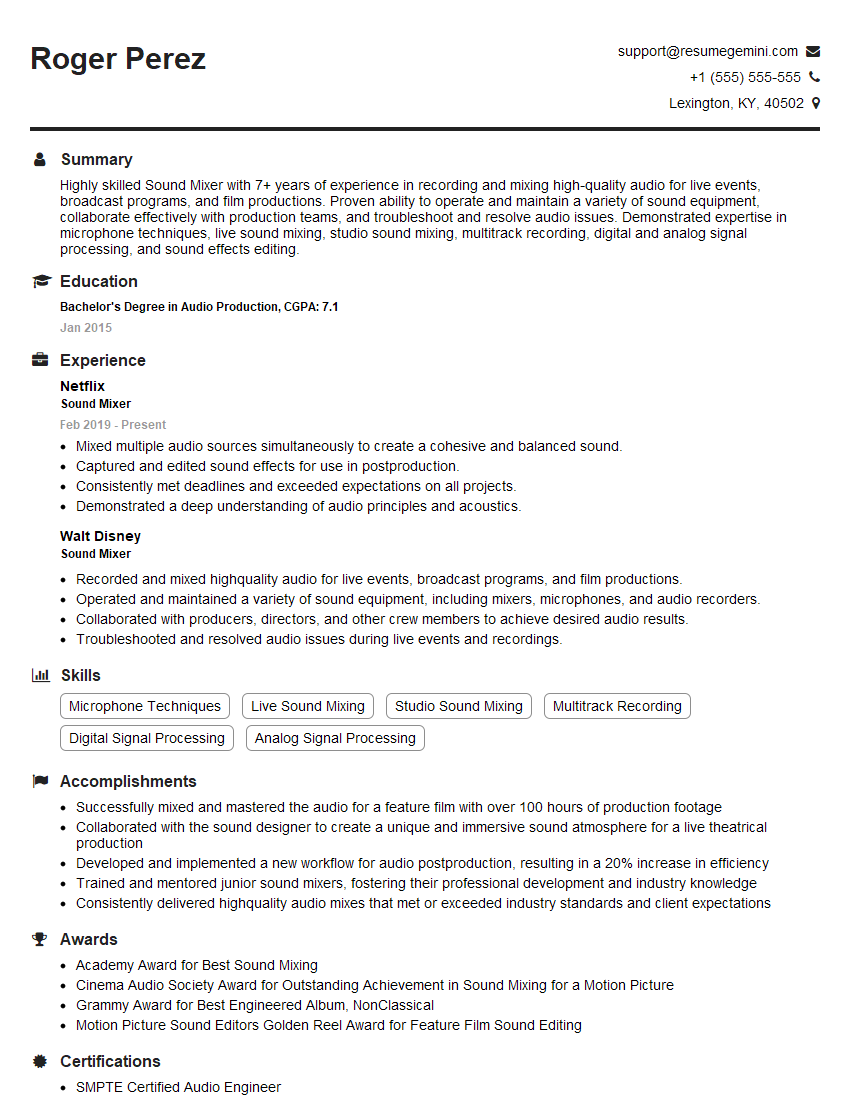
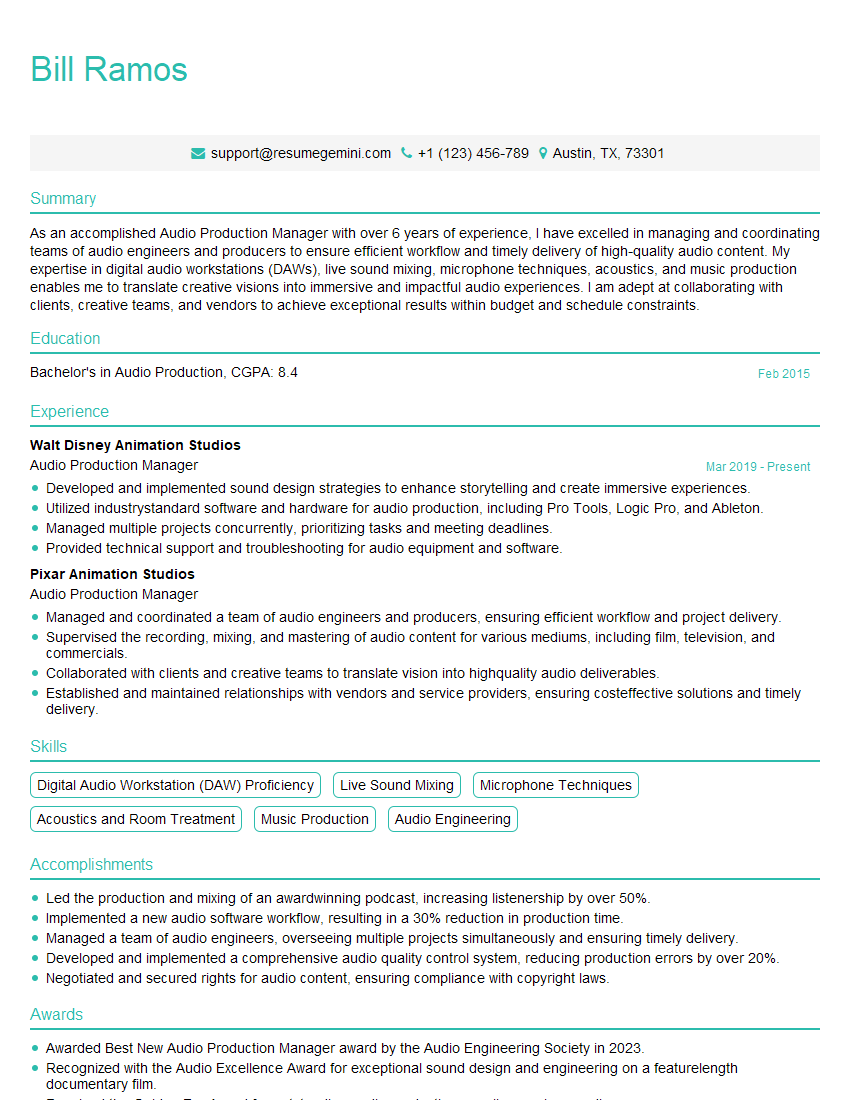
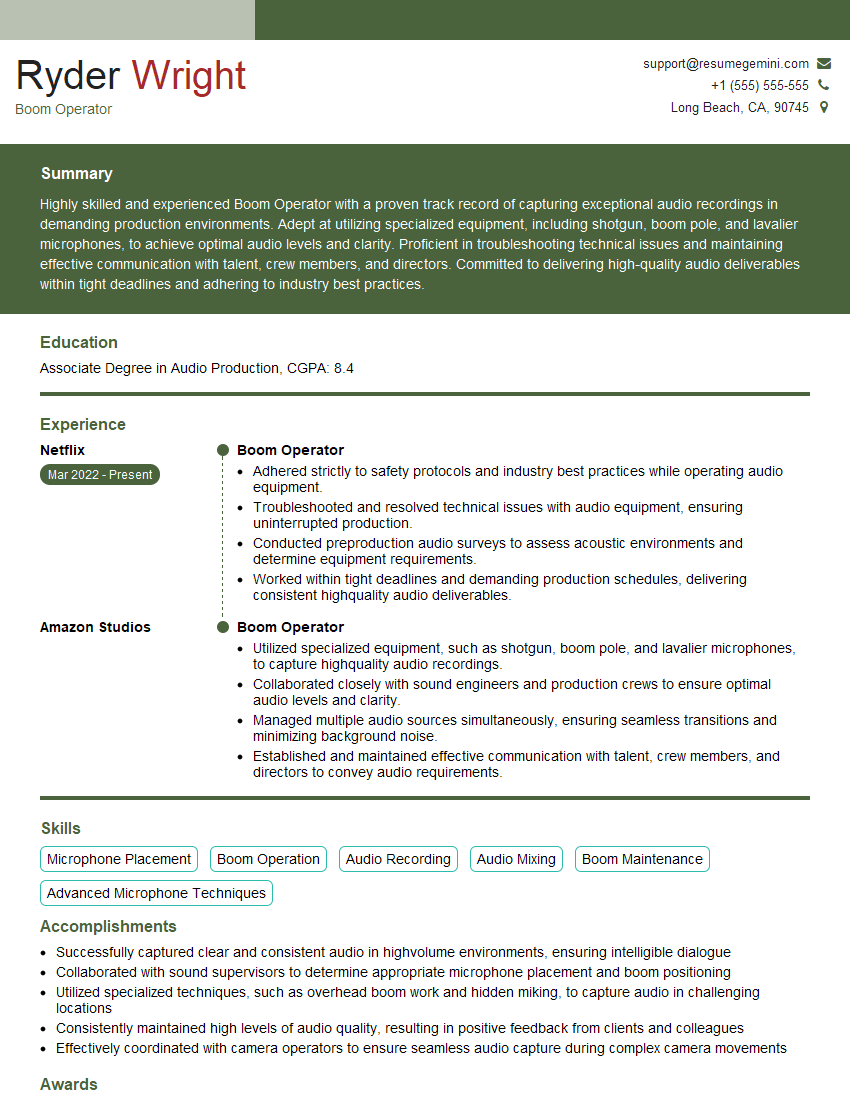
Mastering advanced microphone techniques is crucial for career advancement in audio engineering, broadcasting, sound design, and related fields. A strong understanding of these techniques significantly enhances your skillset, making you a more competitive and valuable candidate. To maximize your job prospects, create an ATS-friendly resume that effectively showcases your expertise. ResumeGemini is a trusted resource to help you build a professional and impactful resume. Examples of resumes tailored to showcasing Advanced Microphone Techniques expertise are available to help you get started.



Explore more articles
Users Rating of Our Blogs
Share Your Experience
We value your feedback! Please rate our content and share your thoughts (optional).
What Readers Say About Our Blog
Very informative content, great job.
good