Cracking a skill-specific interview, like one for Broadcast Automation, requires understanding the nuances of the role. In this blog, we present the questions you’re most likely to encounter, along with insights into how to answer them effectively. Let’s ensure you’re ready to make a strong impression.
Questions Asked in Broadcast Automation Interview
Q 1. Explain the difference between linear and non-linear broadcast automation.
Linear broadcast automation is like a pre-recorded tape playing sequentially. Once you hit ‘play,’ the content unfolds in a fixed, predetermined order. Think of a traditional TV schedule where shows follow one another in a specific sequence. It’s simple, reliable for predictable programming, but lacks flexibility for spontaneous changes or ad-hoc insertions.
Non-linear broadcast automation, on the other hand, is more like a DJ playing songs from a digital library. You can select and arrange content dynamically, creating playlists on the fly and reacting to real-time events. This allows for much greater flexibility and creativity, enabling things like breaking news insertions or custom program segments. Think of a news channel that needs to switch to live coverage of a breaking story immediately – that’s non-linear automation in action. It offers more complex management but significantly increases responsiveness and adaptability.
Q 2. Describe your experience with different broadcast automation systems (e.g., Dalet, Avid, Grass Valley).
I have extensive experience with several leading broadcast automation systems. My work with Dalet has centered around its robust media asset management capabilities and its seamless integration with various playout servers. I’ve used Dalet to build comprehensive workflows, managing everything from ingest and editing to playout and archiving. With Avid, my focus has been on their powerful editing and finishing tools, particularly their integration with their own playout systems. This combination streamlined post-production and playout, allowing for efficient content delivery. Finally, my experience with Grass Valley systems has primarily involved their robust and reliable playout solutions, known for their stability and performance in critical broadcast environments. I’ve been involved in implementing and maintaining these systems, ensuring 24/7 uptime and smooth operation. One particular project with Grass Valley involved configuring a complex multi-channel playout system, requiring meticulous planning and coordination.
Q 3. What are the key components of a typical broadcast automation workflow?
A typical broadcast automation workflow involves several key components working in concert. It begins with media asset management (MAM), where content is ingested, organized, metadata is added, and made readily accessible. Then comes scheduling, where playlists and program schedules are created and modified, often with tools that allow for complex rules and conditional logic. Next is the playout system itself, which retrieves the scheduled content, processes it (adding graphics and audio), and outputs it to the transmission path. A control system manages and monitors the entire workflow, providing an interface for operators and automated reporting. Finally, monitoring and logging are crucial for maintaining system health and diagnosing problems. Think of it as a well-oiled machine; each component needs to perform its role accurately to provide a seamless broadcast.
Q 4. How do you troubleshoot a playout system malfunction?
Troubleshooting a playout system malfunction requires a systematic approach. My first step is always to check the system logs for error messages. This often pinpoints the source of the problem immediately. If the logs don’t provide a clear answer, I’ll move on to checking the network connectivity, ensuring all components are communicating properly. I’ll then check the status of the individual components—playout servers, graphics servers, and so on—to identify any failures. The next step often involves isolating the problem. Is it hardware, software, or a network issue? Once the area is narrowed down, targeted troubleshooting techniques can be applied—rebooting servers, checking cable connections, or reviewing configuration files. Often, a combination of these approaches will successfully identify and resolve the issue. One instance I recall involved a seemingly random audio dropout; after exhaustive checks, we traced the problem to a faulty network switch.
Q 5. Explain your experience with MOS protocols.
MOS (Media Object Server) protocols are crucial for integrating different broadcast systems. They provide a standardized way for newsroom computer systems (like newsroom computer systems (NRCS)) to communicate with playout systems. My experience with MOS involves building and maintaining integrations between various NRCS systems and different playout platforms. This includes configuring the protocol settings, developing custom scripts (when needed) to handle specific requirements, and testing the integration thoroughly to ensure seamless operation. A recent project required integrating a new NRCS with an existing Grass Valley playout system, using MOS to enable journalists to easily schedule and manage content directly from the newsroom. The key here was understanding the specific nuances of each system’s MOS implementation and ensuring they worked flawlessly together.
Q 6. Describe your experience with media asset management (MAM) systems.
Media Asset Management (MAM) systems are the backbone of efficient broadcast workflows. My experience includes working with several MAM systems, focusing on their ability to ingest, categorize, search, and manage large volumes of media assets. This includes metadata management, which is crucial for efficient content retrieval. I’ve worked on projects involving the implementation and customization of MAM systems, designing metadata schemas to meet specific needs, and integrating them with other systems like playout and editing systems. One example involved building a custom workflow using a specific MAM system to manage thousands of hours of archived footage, ensuring easy retrieval and metadata-driven searching. A well-implemented MAM system is essential for streamlining operations and reducing search time.
Q 7. How do you ensure redundancy and failover in a broadcast automation system?
Redundancy and failover are paramount for ensuring reliable broadcast operations. To achieve this, we typically employ a combination of techniques. This often includes redundant hardware components—separate playout servers, network switches, and storage arrays. These backups seamlessly take over if the primary system fails. Furthermore, we implement sophisticated failover mechanisms, which automatically switch to the backup system in case of a primary failure. This often involves utilizing a clustered architecture, enabling automatic failover with minimal disruption. Regular testing is critical; we conduct routine failover drills to validate the system’s responsiveness in case of an actual failure. The goal is to ensure that viewers experience uninterrupted broadcasting regardless of hardware or software issues. A system without proper redundancy and failover is simply unacceptable in a professional broadcast setting.
Q 8. What are your preferred methods for automating graphics insertion?
Automating graphics insertion is crucial for efficient broadcast workflows. My preferred methods leverage the power of integrated automation systems and rely heavily on standardized metadata. This ensures seamless integration with other broadcast elements. I primarily utilize two approaches:
Direct Integration with Automation System: Most modern broadcast automation systems offer direct integration with graphics playback systems like Adobe After Effects, ChyronHego, or Ross Video XPression. This often involves using a standardized protocol like MOS (Media Object Server) allowing the automation system to trigger graphics playback, change parameters (e.g., text updates), and manage playlists directly. This is the most reliable and efficient method, minimizing manual intervention.
File-Based Workflow with Metadata: For systems with less tight integration, we employ a file-based approach. Graphics are rendered beforehand and stored with associated metadata, like XML files containing details on when and how to play them. The automation system reads this metadata and triggers the playback of the correctly timed graphic. This requires more meticulous file management but provides flexibility in using different graphics packages.
For example, in a news broadcast, a news story might have associated graphics pre-rendered and tagged with the story’s metadata. The automation system can then dynamically pull up the correct graphic based on the story selected in the rundown.
Q 9. Explain your understanding of cloud-based broadcast automation solutions.
Cloud-based broadcast automation solutions offer significant advantages in scalability, cost-effectiveness, and remote collaboration. They leverage cloud infrastructure to host the automation system and associated resources, allowing for access from anywhere with an internet connection. This eliminates the need for expensive on-premise hardware and reduces IT maintenance overhead. Imagine a scenario where multiple studios need to access the same automation system – cloud-based solutions make this seamless.
Key benefits include:
Scalability: Easily scale resources up or down based on broadcast needs.
Reduced Infrastructure Costs: Eliminate the need for substantial on-site hardware.
Disaster Recovery: Cloud providers offer robust disaster recovery options.
Remote Collaboration: Multiple users can access and manage the system from different locations.
However, challenges can include:
Network Dependency: Reliable high-bandwidth internet connectivity is crucial.
Latency: Latency can be a concern, especially for time-sensitive applications, but modern cloud infrastructure greatly mitigates this.
Security: Robust security measures are essential to protect broadcast content.
Popular cloud providers offering broadcast automation services include Amazon Web Services (AWS), Microsoft Azure, and Google Cloud Platform (GCP), often integrated with specialized broadcast tools.
Q 10. How do you handle unexpected events during a live broadcast?
Handling unexpected events during a live broadcast requires a combination of preparedness, quick thinking, and a robust automation system. Think of it like a well-rehearsed orchestra – even with a prepared score, the conductor must adapt to unexpected situations.
My approach involves:
Redundancy and Failover: Implementing redundant systems and failover mechanisms is paramount. This includes backup hardware, software, and network paths. If one system fails, the backup seamlessly takes over.
Real-time Monitoring: Constant monitoring of all system components is crucial. Alerts for unusual activity allow proactive intervention before issues escalate.
Emergency Override Procedures: Pre-defined procedures should be in place for different types of emergencies. This might involve switching to a backup feed, inserting a pre-recorded segment, or taking a brief commercial break.
Human Intervention: A trained operator needs to be readily available to make quick decisions and manually adjust the broadcast if needed. They serve as the conductor in the orchestra analogy.
Post-Incident Analysis: After an incident, a thorough analysis helps identify the root cause and prevent future occurrences.
For instance, if a graphics server crashes mid-broadcast, a pre-defined failover system should automatically switch to a backup server, minimizing disruption. The operator would then assess the situation and initiate corrective action.
Q 11. Describe your experience with scripting and automation tools (e.g., Python, shell scripting).
Scripting and automation tools are essential for customizing and extending the capabilities of broadcast automation systems. My experience spans several languages, focusing on their practical applications in this context:
Python: Python’s versatility makes it ideal for tasks like automating repetitive tasks, data processing, integrating with external APIs (e.g., weather data, social media feeds), and creating custom plugins for automation systems. I’ve used Python to develop scripts for automated rundown generation, metadata extraction, and file management.
Shell Scripting (Bash, etc.): Useful for automating system administration tasks, managing files, and interacting with the operating system directly. Shell scripts can automate backups, monitor system health, and manage logging, ensuring smooth operation.
Example (Python snippet for metadata extraction):
import xml.etree.ElementTree as ET

root = ET.parse('metadata.xml').getroot()
for item in root.findall('.//item'):
    title = item.find('title').text
    print(title)
This illustrates how Python can be used to extract specific data from an XML file, potentially used to trigger specific automation functions within a broadcast.
Q 12. How do you maintain and update a broadcast automation system?
Maintaining and updating a broadcast automation system is an ongoing process crucial for reliability and performance. It involves a proactive strategy combining preventative maintenance, software updates, and regular testing.
My approach includes:
Regular Backups: Frequent backups of the entire system, including configuration files, databases, and media assets, are essential. This protects against data loss and allows for easy restoration.
Software Updates: Applying vendor-provided software updates and patches is critical for security and bug fixes. This needs to be done carefully, often in controlled environments or during off-peak hours.
Hardware Maintenance: Regular hardware checks and preventative maintenance, such as cleaning equipment and replacing failing components, ensure optimal performance and longevity.
Testing and Validation: Rigorous testing of all system components and updates before deployment is essential to prevent unexpected issues during live broadcasts.
Documentation: Maintaining comprehensive documentation of the system’s configuration, processes, and troubleshooting steps is crucial for efficient maintenance and problem-solving.
This maintenance plan would involve a schedule of regular checks, software updates, and backups, ensuring the system runs smoothly and is always up-to-date.
Q 13. What are your experiences with integrating different systems within a broadcast environment?
Integrating different systems within a broadcast environment is a common challenge that requires a structured approach. Think of it as building with LEGO – you need to ensure the different blocks fit together seamlessly.
My experience encompasses integrating various systems, including:
Automation Systems and Graphics Servers: Integrating automation systems with graphics servers (e.g., ChyronHego, Ross Video) requires configuring communication protocols like MOS and ensuring data consistency. This ensures graphics play out correctly at the scheduled time.
Newsroom Computer Systems (NRCS) and Automation: Integrating NRCS with the automation system involves a data exchange, allowing stories and associated elements to be managed across platforms. This streamlines the workflow from story creation to on-air presentation.
Media Asset Management (MAM) Systems: Integrating MAM systems ensures easy retrieval and playback of media assets within the automation system. This streamlines access to video clips and audio files.
Social Media and External Data Sources: Integrating social media feeds and other external data requires APIs and custom scripting to pull relevant information into the broadcast.
Successful integration relies on understanding data formats, communication protocols, and having a good grasp of each system’s capabilities and limitations.
Q 14. Explain your knowledge of broadcast standards and protocols (e.g., SDI, IP).
Understanding broadcast standards and protocols is fundamental for any broadcast automation engineer. These protocols define how different components communicate and exchange data.
My knowledge covers:
SDI (Serial Digital Interface): A professional video interface standard used for transmitting high-definition video signals. Understanding SDI signal routing, levels, and formats is crucial for ensuring video quality and reliability.
IP (Internet Protocol): The use of IP networks for video transport (e.g., NDI, SMPTE 2110) is rapidly becoming the standard. I’m experienced in configuring and troubleshooting IP-based video systems, which offers greater flexibility and scalability than traditional SDI.
MOS (Media Object Server): A standardized protocol for communication between automation systems and other devices (e.g., graphics servers, newsroom systems). Understanding MOS allows for seamless integration and control of different broadcast elements.
AES/EBU (Audio Engineering Society/European Broadcasting Union): The standard for digital audio transmission, crucial for ensuring high-quality audio throughout the broadcast chain.
Knowledge of these protocols is vital for designing, implementing, and troubleshooting broadcast automation systems. Understanding their strengths and limitations helps in selecting the appropriate technology for a given application and ensuring compatibility between different components.
Q 15. How do you manage and prioritize tasks in a fast-paced broadcast environment?
In a fast-paced broadcast environment, effective task management is paramount. My approach relies on a combination of proactive planning and reactive adaptation. I utilize project management tools like Asana or Trello to create detailed schedules, breaking down large projects into smaller, manageable tasks. Each task is assigned a priority level based on factors such as airtime, dependency on other tasks, and potential impact on broadcast quality. For instance, a critical pre-show system check would have a higher priority than finalizing non-essential graphics. I also leverage time-blocking techniques to allocate specific time slots for tasks, maximizing productivity and minimizing disruptions. Regularly reviewing the schedule, adjusting priorities as needed based on unforeseen circumstances (e.g., last-minute news updates), is crucial. Finally, effective communication with the team ensures everyone is aware of priorities and potential roadblocks.
Imagine a breaking news situation; the priority shifts instantly. My pre-planned tasks would be re-evaluated and adjusted, with the breaking news segment becoming the top priority, requiring immediate action and rescheduling of less urgent tasks.
Career Expert Tips:
- Ace those interviews! Prepare effectively by reviewing the Top 50 Most Common Interview Questions on ResumeGemini.
- Navigate your job search with confidence! Explore a wide range of Career Tips on ResumeGemini. Learn about common challenges and recommendations to overcome them.
- Craft the perfect resume! Master the Art of Resume Writing with ResumeGemini’s guide. Showcase your unique qualifications and achievements effectively.
- Don’t miss out on holiday savings! Build your dream resume with ResumeGemini’s ATS optimized templates.
Q 16. Describe your approach to problem-solving in a technical environment.
My problem-solving approach in a technical environment is systematic and data-driven. I begin by clearly defining the problem, gathering all relevant information through logs, system monitoring tools, and communication with colleagues. I then analyze the data to identify potential causes. I employ a structured troubleshooting method, testing hypotheses one by one until the root cause is identified. This often involves using debugging tools to isolate the issue within the automation system, examining code, reviewing configuration files, and testing hardware components. Once the cause is identified, I develop and implement a solution, ensuring it addresses the root problem and doesn’t introduce new issues. I document all steps, including the problem, the solution, and any preventative measures. This documentation is vital for future reference and efficient problem resolution. Think of it as a detective’s investigation – gather clues, form hypotheses, test them, and present the solution.
Q 17. How do you ensure the quality and accuracy of automated broadcast processes?
Ensuring quality and accuracy in automated broadcast processes involves a multi-layered approach. Firstly, rigorous testing is crucial. This includes unit testing of individual components, integration testing to verify interactions between different parts of the system, and system testing of the entire workflow to ensure seamless operation under various scenarios. Secondly, robust error handling mechanisms are implemented throughout the automation system to catch and report errors effectively. Automated monitoring tools track system performance, identifying potential issues before they impact the broadcast. Regular audits of processes and configurations are conducted to maintain accuracy and adherence to standards. Thirdly, metadata verification is critical to prevent incorrect information from being broadcast. We use checksums and validation processes to ensure data integrity throughout the entire pipeline. Finally, comprehensive training of personnel ensures everyone understands their roles in maintaining broadcast quality.
For example, a checksum verification prevents a corrupted audio file from being used during a live broadcast.
Q 18. What is your experience with metadata management in a broadcast environment?
My experience with metadata management in broadcast environments is extensive. I’m proficient in using metadata schemas like EBU Core and IMF to manage various types of media assets. I understand the importance of accurate and consistent metadata for search, retrieval, and efficient workflow management. This includes managing metadata throughout the entire lifecycle of a broadcast asset, from ingest and processing to archiving. I am experienced in using metadata management systems, including both on-premise and cloud-based solutions. I understand how to implement robust metadata workflows that comply with industry standards and ensure interoperability between different systems. For instance, I’ve been involved in projects where incorrect metadata caused scheduling conflicts, which highlights the necessity of meticulous metadata management. Furthermore, I am familiar with the use of metadata for automated content classification and tagging to facilitate efficient search and retrieval.
Q 19. Describe your experience with different types of broadcast media (e.g., audio, video, graphics).
I have extensive experience working with various broadcast media, including audio, video, and graphics. My experience encompasses handling different audio formats (e.g., WAV, MP3, AAC), video formats (e.g., MXF, MOV, MP4), and graphics formats (e.g., PNG, JPEG, TIFF). I understand the technical specifications and requirements for each format and am proficient in using tools and software for editing, processing, and integrating these assets into the broadcast automation system. I understand the importance of quality control and have experience with various quality assurance checks to ensure broadcast-ready standards are met. This includes working with color correction, audio mixing, and video editing software to maintain high-quality outputs. Furthermore, I have experience integrating various graphics and animation systems with broadcast automation workflows to deliver engaging visual content.
Q 20. How familiar are you with automation scheduling and logging?
I’m highly familiar with automation scheduling and logging. I have extensive experience with various scheduling systems, using them to create and manage broadcast schedules, taking into account factors like program length, commercial breaks, and on-air promotions. My skills include creating complex schedules with dependencies and constraints, utilizing tools that manage conflicts and prioritize content appropriately. I also understand the importance of robust logging systems to track the status of each broadcast element, providing a detailed audit trail for troubleshooting and quality control. These logs are invaluable in pinpointing and resolving any scheduling errors or anomalies. A typical example involves scheduling a live news program alongside pre-recorded segments, ensuring the seamless transition between them while managing any potential time conflicts. The log files then help to analyze the success of the transition and the overall broadcast.
Q 21. Explain your understanding of broadcast compliance and regulations.
Broadcast compliance and regulations are crucial to my work. I understand the importance of adhering to various legal and regulatory requirements, including those related to content, advertising, and technical standards. My knowledge encompasses broadcast licensing regulations, copyright laws, and standards set by organizations like the FCC (in the US) or Ofcom (in the UK). I have experience implementing processes and workflows to ensure compliance. This includes setting up systems that automatically flag content that may not meet regulatory requirements and provide tools for manual review and approval. I also understand the importance of maintaining accurate records and documentation for compliance audits. Failure to comply can have serious consequences, including substantial fines or even license revocation, therefore meticulous attention to detail and continuous updating of knowledge on current regulations are critical.
Q 22. How do you manage version control in a broadcast automation workflow?
Version control in broadcast automation is crucial for managing changes to playlists, graphics templates, and other assets. Think of it like tracking edits to a complex document – you need to know who made what changes, when, and why. We typically employ a combination of strategies:
Dedicated Media Asset Management (MAM) systems: These systems often incorporate versioning features, allowing us to store multiple versions of a clip or graphic, along with metadata indicating changes. This is particularly important for large archives.
Git-based workflows (for configuration and scripts): For the automation system’s configuration files and any custom scripts, we leverage Git or similar tools. This ensures a robust history of code changes, allowing us to easily revert to previous versions if needed. This is essential for debugging and rollbacks.
Playlist versioning within the automation software: Most broadcast automation systems include built-in versioning for playlists. This enables us to save different versions of a schedule, perfect for creating alternate versions for different days or events.
For instance, imagine a last-minute change to a news bulletin. With proper version control, we can quickly revert to the original playlist if the updated version has an issue or simply track the specific changes made.
Q 23. What are your experiences with remote operation and management of automation systems?
Remote operation and management of automation systems are increasingly common, thanks to advancements in network technology and cloud computing. I have extensive experience managing systems remotely using various methods:
Secure remote desktop access: Tools like RDP or VNC allow us to directly control the automation system’s workstation from anywhere with an internet connection. This is useful for troubleshooting and configuration.
Web-based interfaces: Many modern automation systems offer web interfaces for monitoring and controlling key functions, allowing access from any browser. This is crucial for quick checks and less intrusive management.
API integration: For more complex tasks or automated management, we leverage APIs (Application Programming Interfaces). This allows us to write scripts or use other tools to monitor the system’s status, trigger actions, and receive alerts, all remotely.
Cloud-based monitoring dashboards: Integrating with cloud-based monitoring services provides centralized access to system logs, performance metrics, and alerts, enabling proactive management.
For example, during a live broadcast from a remote location, I can monitor system performance and stability from the main studio, immediately addressing any issues. This remote access reduces the need for on-site personnel and enables faster response times to problems.
Q 24. How do you ensure the security of a broadcast automation system?
Security in broadcast automation is paramount. A compromised system could lead to disruptions, content manipulation, or even complete system failure. Our approach is multi-layered:
Network segmentation: The automation system is isolated from other networks to minimize the attack surface. Firewalls and intrusion detection systems monitor and restrict network access.
Access control: We implement strict access control measures, using role-based access to limit user permissions to only what’s necessary. Strong passwords and multi-factor authentication are mandatory.
Regular security audits: Periodic security assessments identify and address potential vulnerabilities. This includes penetration testing to simulate real-world attacks.
Software updates and patching: Promptly updating software and applying security patches is crucial to mitigate known vulnerabilities. This includes both the automation system and its operating system.
Data encryption: Sensitive data, such as playlists and media assets, are encrypted both in transit and at rest.
Imagine a scenario where a malicious actor gains access to the system. Robust security measures ensure that the impact is minimal, preventing unauthorized changes to programming or disruption of service.
Q 25. Describe your experience with system monitoring and alerting.
System monitoring and alerting are critical for proactive management. We utilize several strategies:
Real-time monitoring dashboards: These dashboards provide a centralized view of key system metrics, such as CPU utilization, disk space, network traffic, and the status of various processes. This allows quick identification of potential problems.
Automated alerts: The system is configured to generate alerts when thresholds are exceeded. These alerts can be delivered via email, SMS, or other communication channels, notifying the operations team of potential issues. For instance, low disk space or high CPU usage would trigger an immediate alert.
Log analysis: Regular review of system logs helps identify trends and potential problems before they become major issues. We use tools for log aggregation and analysis to streamline this process.
System health checks: Automated scripts or system tools perform regular checks on the automation system, verifying its functionality and reporting any errors.
For example, an alert might be triggered if a server is experiencing abnormally high latency, allowing the team to investigate and address the problem before it impacts the broadcast.
Q 26. What are your experience with capacity planning for broadcast automation systems?
Capacity planning for broadcast automation systems involves anticipating future needs and ensuring the system can handle increased workload and new features. This includes:
Estimating future needs: This involves analyzing past trends, considering planned growth, and evaluating the impact of new technologies or features. For example, increased channel count or higher resolution video would necessitate capacity increases.
Hardware sizing: Determining appropriate hardware specifications – processing power, memory, storage capacity, and network bandwidth – to accommodate current and future needs. This might involve migrating to more powerful servers or expanding storage arrays.
Software licensing: Ensuring that sufficient software licenses are available to support the required number of users and channels.
Network infrastructure planning: Planning the necessary network infrastructure to handle increased bandwidth and data transfer requirements.
For instance, if a broadcaster plans to launch new HD channels, capacity planning would involve upgrading servers and network infrastructure to handle the increased processing and storage demands of the high-resolution content.
Q 27. How do you stay updated with the latest trends and technologies in broadcast automation?
Staying updated in this rapidly evolving field requires a multi-pronged approach:
Industry publications and websites: Regularly reading industry publications and websites provides insight into the latest technologies and trends. This keeps me abreast of new features and capabilities in automation software.
Trade shows and conferences: Attending industry events allows me to network with other professionals, learn about new products, and gain hands-on experience with new technologies.
Professional development courses: Participating in training courses and workshops keeps my technical skills sharp and introduces me to new techniques and best practices.
Online communities and forums: Engaging with online communities and forums allows for knowledge sharing and discussion of current issues and developments.
Vendor partnerships: Maintaining strong relationships with automation system vendors provides access to early insights into product roadmaps and new features.
For example, I recently attended a workshop on cloud-based broadcast automation, gaining practical experience that enhanced my understanding of this emerging area and its implications.
Key Topics to Learn for Broadcast Automation Interview
- Workflow Automation: Understanding the various stages of a broadcast workflow and how automation systems streamline them. This includes scheduling, playout, and logging processes.
- Software and Hardware Integration: Familiarity with different broadcast automation systems (e.g., Dalet, Ross Video, Harris) and their integration with other broadcast equipment like cameras, graphics systems, and audio mixers. Practical experience troubleshooting integrations is highly valuable.
- Playout Systems: Deep understanding of playout server operations, including playlist management, clip handling, and error recovery. Be prepared to discuss different playout strategies and their implications.
- Networking and Protocols: Knowledge of network technologies (IP, SDI) and communication protocols used in broadcast automation systems is crucial. Understanding how these elements interact is essential for troubleshooting.
- Metadata Management: Understanding how metadata is used to manage and organize broadcast content. This includes understanding the importance of accurate and consistent metadata for efficient automation.
- System Monitoring and Maintenance: Familiarity with monitoring tools and procedures to ensure system stability and performance. Proactive problem-solving and preventative maintenance are key skills.
- Scripting and Customization (if applicable): Depending on the role, you may need to demonstrate proficiency in scripting languages (e.g., Python) used to customize or extend automation systems. Highlight any relevant projects or experience.
- Troubleshooting and Problem-Solving: Be prepared to discuss your approach to diagnosing and resolving technical issues in a broadcast automation environment. Showcase your analytical and problem-solving abilities.
Next Steps
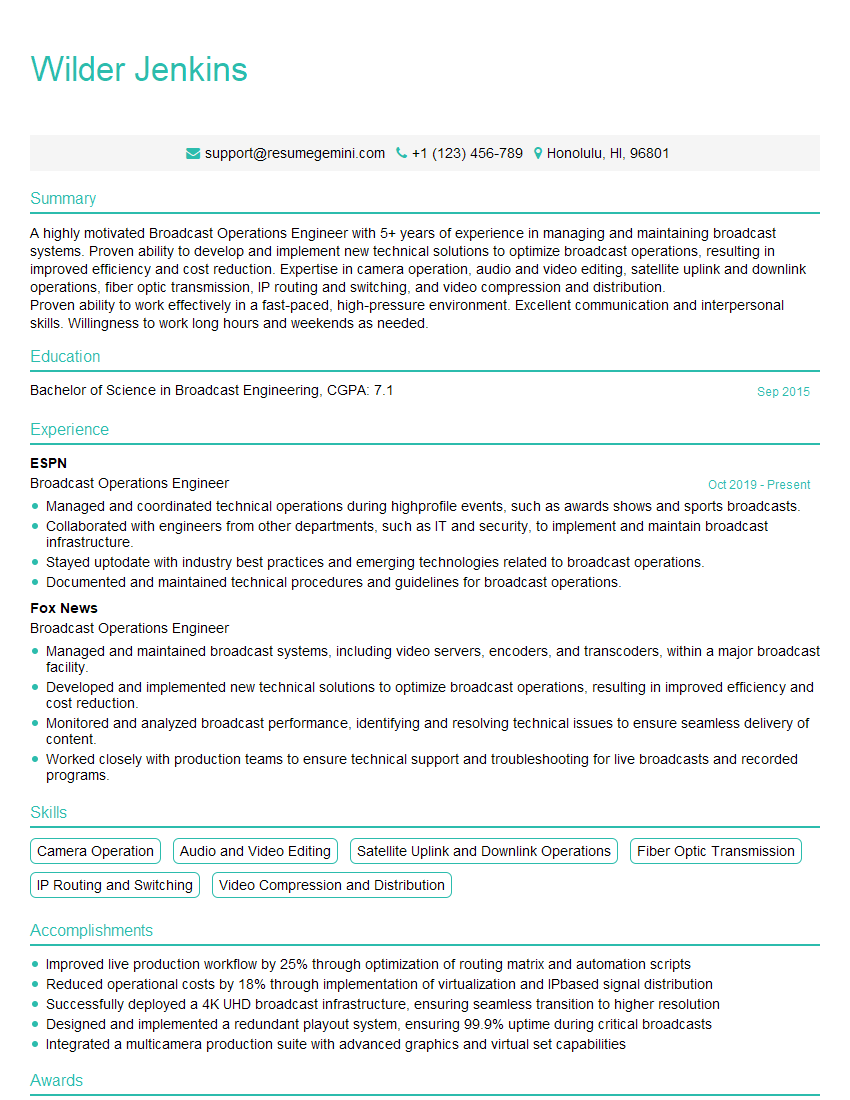
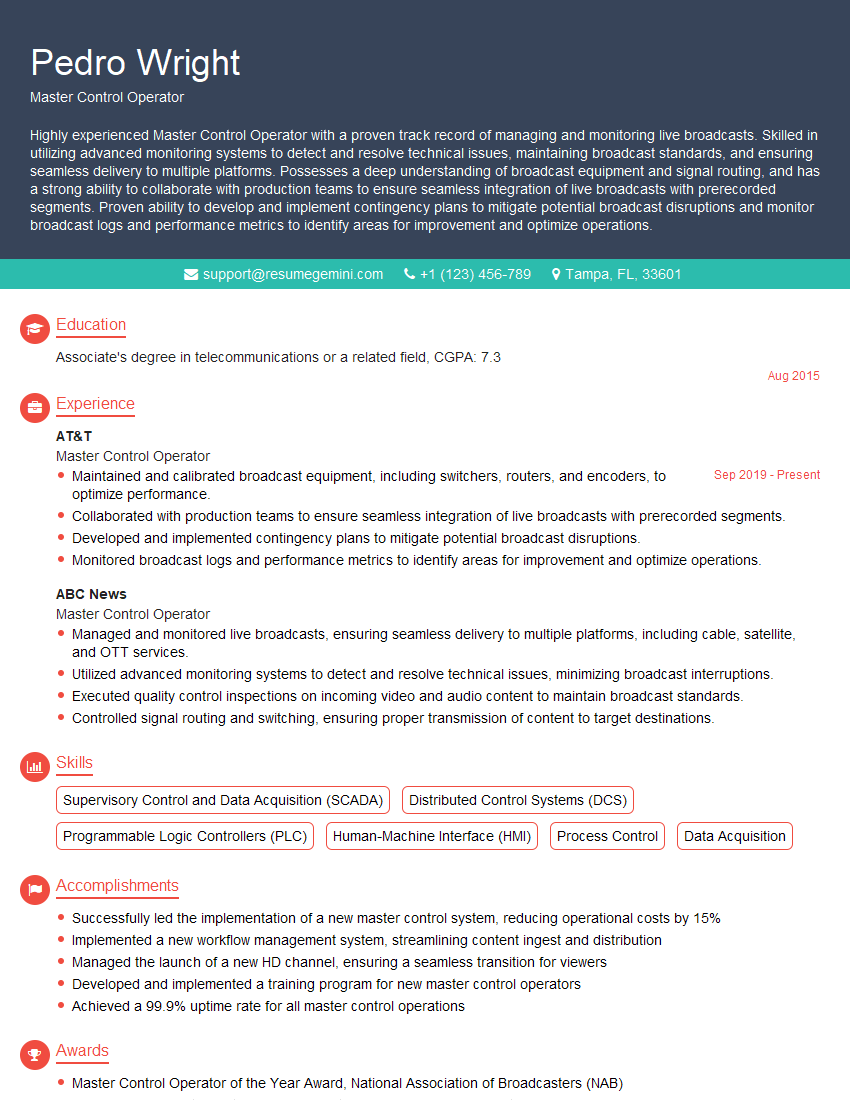
Mastering Broadcast Automation opens doors to exciting career opportunities in a dynamic and ever-evolving industry. To maximize your job prospects, create a resume that highlights your skills and experience effectively, ensuring it’s optimized for Applicant Tracking Systems (ATS). ResumeGemini is a trusted resource that can help you craft a professional and impactful resume. They provide examples of resumes tailored to Broadcast Automation, offering a great starting point for showcasing your expertise. Invest the time to create a strong resume – it’s your first impression on potential employers.

Explore more articles
Users Rating of Our Blogs
Share Your Experience
We value your feedback! Please rate our content and share your thoughts (optional).
What Readers Say About Our Blog
Very informative content, great job.
good