The thought of an interview can be nerve-wracking, but the right preparation can make all the difference. Explore this comprehensive guide to Color Touch-Up interview questions and gain the confidence you need to showcase your abilities and secure the role.
Questions Asked in Color Touch-Up Interview
Q 1. Explain the difference between demi-permanent and permanent hair color.
The key difference between demi-permanent and permanent hair color lies in their longevity and how they affect the hair shaft. Demi-permanent color coats the hair’s surface, adding pigment without penetrating the cuticle. Think of it like lightly staining wood – the color fades gradually with each wash, typically lasting 4-28 shampoos. It doesn’t lighten existing color, so it’s ideal for refreshing existing color, adding subtle tones, or blending gray. Permanent color, on the other hand, contains ammonia and peroxide, which lift the hair cuticle, allowing the color to penetrate the cortex. This provides much more lasting color, generally lasting until new hair growth appears. It can also lighten existing color, making it suitable for significant color changes or covering gray completely. Choosing between them depends entirely on the client’s desired results and commitment to maintaining their hair color.
Example: A client wanting to subtly enhance their existing brown with red highlights might opt for a demi-permanent gloss, while someone wanting to go from dark brown to blonde would require a permanent color.
Q 2. Describe your process for color matching.
My color matching process is meticulous and involves several steps. First, I thoroughly consult with the client to understand their desired color, considering their skin tone, hair texture, and existing color. I then analyze their current hair using natural light, comparing it to color swatches and reference photos. This often involves looking at the base color, highlights, and lowlights. I’ll also note any previous chemical treatments that might affect the outcome. Next, I formulate a color mixture using a small amount of the intended shade, performing a strand test to observe how the color takes and assess any potential issues like uneven processing or unexpected reactions. Finally, I adjust the formula as needed before applying it to the entire head. This multiple-step process ensures the final color aligns closely with the client’s wishes and minimizes risks.
Example: If a client wants to maintain their highlighted blonde but refresh the tone to eliminate brassiness, I’ll analyze the current level and warmth of their blonde and create a toner to neutralize the brassy tones. This usually involves selecting a cool-toned toner using the color wheel principle.
Q 3. How do you handle a client’s unexpected color reaction?
Unexpected color reactions are a possibility, and I’m prepared to handle them professionally. These reactions can range from mild irritation to a more severe allergic reaction. My first step is to immediately stop the coloring process. Then, I assess the client’s condition and provide immediate first aid as needed, which may involve rinsing the hair thoroughly with cool water. If the reaction is severe, I contact emergency services. For milder reactions like scalp irritation, I use a soothing treatment to calm the skin. I always emphasize the importance of a patch test before any significant color change to prevent such issues. It’s critical to document the incident thoroughly for insurance purposes and for learning from the experience to improve future practices. Client safety is paramount.
Q 4. What are the different types of color correction techniques?
Color correction techniques vary widely depending on the initial state of the hair and the desired outcome. Common techniques include:
- Color removal: Using products designed to lift or remove existing color to prepare the hair for a new color. This can involve color removers, bleach baths, or a combination.
- Toning: Using semi-permanent or demi-permanent color to neutralize unwanted tones (e.g., brassiness in blonde hair).
- Glazing: Applying a translucent color to refresh existing color, add shine, and subtly enhance tone.
- Lowlighting and Highlighting: Strategically adding darker or lighter strands to create depth and dimension. This technique is effective in blending tones and softening harsh lines.
- Color Fill: Using a color close to the desired end result before applying the final color, especially if the hair is previously bleached. This ensures an even result and prevents the final color from looking patchy.
The choice of technique depends entirely on the hair’s condition and the desired correction. A thorough consultation is essential to determine the best approach.
Q 5. Explain the concept of color wheel and its application in touch-ups.
The color wheel is a fundamental tool in color theory, illustrating the relationships between colors. It’s a circle showing primary, secondary, and tertiary colors, allowing us to understand how colors interact. In touch-ups, we use it to predict the outcome of mixing colors and choosing the right toners or neutralizers. For example, understanding that blue neutralizes orange helps in correcting brassy blonde tones, and green neutralizes red for correcting unwanted reddish hues. By strategically using complementary colors (colors opposite each other on the wheel), we can neutralize unwanted tones and achieve a more balanced and desired final color.
Example: If a client’s blonde hair has become brassy (orange), I would use a toner with blue or violet undertones (complementary colors) to neutralize the brassiness and achieve a cooler blonde.
Q 6. How do you determine the appropriate level and tone of color for a touch-up?
Determining the appropriate level and tone for a touch-up involves careful observation and analysis. The level refers to the lightness or darkness of the hair (1 being darkest, 10 being lightest), while the tone refers to the warmth (red, gold, orange) or coolness (ash, beige, blue) of the color. I examine the client’s regrowth, identifying the level and tone of the new hair, as well as comparing it to the existing color. This helps me to select a color that blends seamlessly with the previously colored hair. To achieve a natural look, I typically choose a color level similar to the client’s natural hair level and select a tone that complements their skin and overall style.
Example: If a client has level 6 medium brown with golden highlights and a 2-inch regrowth, I’ll use a level 6 or perhaps a slightly darker level 5 to match the regrowth and avoid a harsh line of demarcation, considering warm or neutral tones, depending on her skin and preference.
Q 7. What are the common challenges in automotive paint touch-up and how do you overcome them?
Automotive paint touch-ups present unique challenges. One major hurdle is matching the existing paint precisely, as automotive paints are formulated with specific color codes that can vary significantly due to age, weather exposure, and manufacturing differences. Other challenges include achieving a seamless blend, avoiding runs or sags, and properly preparing the surface for the touch-up. Proper surface preparation includes cleaning the area thoroughly, sanding to create a smooth surface and feathering the edges of the damaged area. Using the correct spray techniques and appropriate nozzle is crucial. Then, applying thin, even coats is important to avoid build-up and runs. Additionally, using high-quality paint and clear coat is crucial for a durable and seamless finish. Employing techniques like wet sanding and polishing is sometimes needed for a perfect finish. Proper environmental control also helps minimize issues with dust or contaminants.
Example: When touching up a scratched bumper, I’d first identify the paint code to get the correct paint. I’d then carefully prepare the surface by cleaning, sanding, and masking the surrounding area. Using a small spray gun or touch-up pen, I’d apply multiple thin coats, allowing each coat to dry before the next. After the paint is completely dry, I’d likely apply a clear coat to protect the repaired area and enhance the shine and durability.
Q 8. Describe your experience with various paint types and their application techniques.
My experience spans a wide range of paint types, from automotive lacquers and enamels to acrylics and water-based paints used in furniture restoration. Each paint type demands a unique approach. For instance, automotive lacquers require a specialized spray gun and a clean, dust-free environment for optimal results, while acrylics can be applied with brushes or rollers, offering more flexibility for smaller touch-up jobs. Application techniques vary widely depending on the paint’s viscosity, drying time, and the surface being painted. I’ve mastered techniques including wet-on-wet blending for seamless transitions, fine line application using detail brushes for precision work, and spray application for even coats on larger areas.
- Automotive Lacquers: Requires specialized spray equipment, precise control, and a clean environment.
- Acrylics: More forgiving, allowing for brush or roller application and easier blending.
- Enamels: Offer durability but require longer drying times and careful application to avoid brush strokes.
Understanding these differences is crucial for achieving a professional finish. For example, I once had to touch up a classic car’s fender using automotive lacquer. The process involved meticulously cleaning the area, applying multiple thin coats with a spray gun, and then carefully sanding and buffing to achieve a mirror-like finish that matched the original paint flawlessly.
Q 9. How do you ensure a seamless blend between the original paint and the touch-up?
Achieving a seamless blend hinges on several key factors. First, precise color matching is paramount. I use sophisticated color matching systems to analyze the existing paint and create a custom mix that perfectly replicates the original. Then, proper surface preparation is crucial—removing any debris, rust, or imperfections to ensure a smooth, even base. The application technique is also key. I often use the ‘feathering’ technique, where the fresh paint is blended gradually into the surrounding area, using light strokes to create a gradual transition. The choice of tools also matters; fine detail brushes or a very fine spray nozzle are essential for creating a subtle blend. Finally, multiple thin coats are almost always better than one thick coat, allowing for proper drying and preventing runs or unevenness.
Think of it like blending two colors of watercolor paint—you wouldn’t just slap one color on top of the other. Instead, you’d gradually transition between them to create a smooth, harmonious effect. That same principle applies to color touch-up.
Q 10. What safety precautions do you follow during color touch-up?
Safety is my top priority. When working with paints and solvents, I always wear appropriate personal protective equipment (PPE), including safety glasses, a respirator (especially for spray applications), and gloves. I work in a well-ventilated area or use a respirator with appropriate filters to prevent inhaling hazardous fumes. I also follow proper disposal procedures for waste materials, according to local regulations. Flammable materials are handled with extreme care, stored away from ignition sources, and disposed of properly. Furthermore, I always clearly mark the work area to ensure the safety of others.
One time, I was working on a project that involved using a strong solvent. My thorough safety preparation prevented any accidents and ensured I completed the job safely and effectively.
Q 11. Explain the process of preparing a surface for automotive paint touch-up.
Preparing a surface for automotive paint touch-up is a meticulous process. It typically involves these steps:
- Cleaning: Thoroughly clean the area to be touched up with a degreaser and then wash it with soap and water. This removes any dirt, grease, or contaminants that could prevent the new paint from adhering properly.
- Sanding: Lightly sand the surrounding area to create a smooth transition between the old and new paint. Use progressively finer grit sandpaper to avoid scratching the surface. Careful sanding is crucial to create a level surface for the touch-up.
- Priming (if necessary): If there is bare metal or significant damage, a primer is applied to ensure proper adhesion of the new paint and to prevent rust. The primer should be compatible with the topcoat paint.
- Masking: Use masking tape to protect the surrounding area from accidental overspray. This prevents the touch-up paint from spreading beyond the intended area.
- Final Cleaning: Before applying the touch-up paint, use a tack cloth or compressed air to remove any dust particles from the surface.
This careful preparation is essential for a professional-looking finish that blends seamlessly with the original paint.
Q 12. How do you select the correct tools and materials for a specific touch-up task?
Tool and material selection depends entirely on the specific touch-up task. For small chips and scratches, I might use fine detail brushes, high-quality touch-up paint pens, or even a toothpick for precise application. For larger areas, an airbrush or spray gun may be necessary. The paint itself must be carefully matched to the original, and the use of a high-quality clear coat is often essential for protection and durability.
- Small scratches: Detail brushes, touch-up pens, fine grit sandpaper.
- Larger areas: Spray gun, airbrush, larger brushes.
- Clear coat: Always used for protection and durability.
For example, if I’m touching up a minor scratch on a wooden furniture piece, I’d choose a high-quality artist’s brush and an acrylic paint meticulously matched to the original color. But for a large dent in a car’s bumper, I’d utilize a spray gun, automotive primer, and lacquer, followed by a clear coat.
Q 13. How do you manage color variations in large-scale projects?
Managing color variations in large-scale projects requires careful planning and execution. I start by creating a master sample using the initial color analysis and blend. Then, I mix paint batches consistently throughout the project, using accurate measuring and mixing techniques. Regular color checks are done using a spectrophotometer or a colorimeter to monitor for any drift, and additional paint is mixed as needed to maintain consistency. In the event of variations, subtle blending techniques can help to minimize the discrepancy. Proper lighting conditions are crucial for accurate color assessment and should be carefully controlled throughout the process.
It’s like baking a cake – you follow the recipe precisely to ensure consistency in taste and texture. Similarly, in large-scale paint projects, consistency in mixing and application is key to avoiding color variations.
Q 14. Explain your experience with different color spaces (e.g., RGB, CMYK).
I have extensive experience working with different color spaces, understanding their strengths and weaknesses. RGB (Red, Green, Blue) is the additive color model used primarily in digital displays and monitors. CMYK (Cyan, Magenta, Yellow, Key/Black) is a subtractive color model used in printing. Understanding the differences is essential for accurate color reproduction. For instance, a color that looks perfect on a computer screen (RGB) might appear slightly different when printed (CMYK) due to the way the colors are mixed. My knowledge of color conversion between these spaces ensures accurate color matching between digital mock-ups and the physical application of paint.
I often use color management software to convert colors between RGB and CMYK spaces, ensuring that the final painted result matches the digital design as closely as possible. This is crucial for clients requiring accurate color reproduction, such as in large-scale murals or automotive repainting.
Q 15. What software are you proficient in for color correction and touch-up?
My proficiency in color correction and touch-up software spans several industry-leading applications. I’m highly skilled in Adobe Photoshop, which remains the gold standard for image manipulation, offering unparalleled precision and control over color adjustments. I’m also adept at using Adobe Lightroom, especially for its powerful non-destructive editing capabilities ideal for batch processing and workflow efficiency. For video, I frequently use DaVinci Resolve, renowned for its advanced color grading tools and professional features like node-based workflows. Finally, I have experience with Capture One, known for its exceptional raw file processing and tethered shooting capabilities, vital for maintaining color fidelity from capture to final output.
Career Expert Tips:
- Ace those interviews! Prepare effectively by reviewing the Top 50 Most Common Interview Questions on ResumeGemini.
- Navigate your job search with confidence! Explore a wide range of Career Tips on ResumeGemini. Learn about common challenges and recommendations to overcome them.
- Craft the perfect resume! Master the Art of Resume Writing with ResumeGemini’s guide. Showcase your unique qualifications and achievements effectively.
- Don’t miss out on holiday savings! Build your dream resume with ResumeGemini’s ATS optimized templates.
Q 16. Describe your process for color grading video footage.
My video color grading process is meticulous and iterative. It begins with a thorough assessment of the footage, identifying the overall mood and tone the client desires. I then establish a baseline color correction, addressing issues like white balance and exposure inconsistencies. Next, I move into selective color grading, using tools like curves and color wheels to fine-tune individual shots and scenes. I pay close attention to creating a consistent look across the entire project, avoiding jarring transitions between scenes. This often involves creating and applying custom lookup tables (LUTs) for a unified aesthetic. Finally, I refine the color grade, making subtle adjustments to achieve the desired visual style, often working closely with the client for feedback throughout the process. Think of it as painting with light – sculpting the mood and story through careful color manipulation.
Q 17. How do you handle color casts in digital images?
Color casts, those unwanted tints that affect the overall image hue, are usually addressed through white balance adjustments. In Photoshop or Lightroom, this is typically done using tools that analyze the image to identify and neutralize the dominant color. For example, if an image has a strong blue cast, I’d use a white balance tool to introduce opposing warm tones to counteract the blue. If the cast is more complex or subtle, I might use advanced techniques like color mixers or curves to selectively adjust specific color ranges. Manually selecting a neutral point within the image and using it as a reference is also an effective method. The key is to achieve a balanced, natural-looking result, avoiding an overly processed or artificial appearance.
Q 18. What are your preferred methods for retouching skin tones?
Retouching skin tones requires a delicate balance of enhancement and naturalism. I avoid harsh, overly smoothed effects, instead focusing on subtly improving texture and evenness. My approach typically involves using frequency separation to adjust texture and color independently. For spot removal, I prefer the healing brush and clone stamp tools, always blending carefully to prevent visible artifacts. I also utilize masking and layers extensively to isolate the skin and ensure precise control over adjustments. For color correction, I might use curves or color balance to refine skin tones, achieving a unified and realistic result. Remember, the goal is to enhance, not mask, the natural beauty of the skin.
Q 19. Explain your understanding of color balance and white balance.
Color balance refers to the overall tonal relationship between colors in an image, encompassing the relative proportions of reds, greens, and blues. White balance, on the other hand, is the process of neutralizing the color temperature of light sources, ensuring that whites appear as true white and colors are accurately represented. An imbalance in white balance can result in color casts, while an improper color balance can lead to an unnatural or distorted appearance. Both are crucial steps in achieving accurate and pleasing color representation. Imagine taking a photo under a tungsten light bulb; without white balance correction, the entire scene might have an orange cast. Color balance would then fine-tune the overall vibrancy and saturation.
Q 20. How do you achieve consistent color across different devices and displays?
Maintaining consistent color across different devices and displays involves working in a color-managed workflow. This means using a consistent color profile throughout the entire process, from capture to output. I calibrate my monitor regularly using a colorimeter to ensure accuracy. When preparing files for print or web, I convert to appropriate color spaces (like sRGB for web or Adobe RGB for print) and profile them accordingly. Understanding color gamut differences between devices is crucial, and I ensure my editing choices remain within the common gamut to prevent color shifting across different screens. Using a reference monitor ensures that what I see on my screen is as close as possible to what the final output will be.
Q 21. Describe your workflow for a typical color touch-up project.
My workflow for a typical color touch-up project follows a structured approach. It begins with assessing the client’s needs and understanding the project goals. Next, I organize and prepare the files, ensuring they’re correctly sized and color-profiled. I then perform initial color correction, addressing white balance and exposure issues. This is followed by selective color adjustments, focusing on areas requiring enhancement or correction. I meticulously retouch blemishes and imperfections, striving for a natural and seamless result. Finally, I perform a thorough review, ensuring the final images meet the client’s expectations and are ready for delivery. This includes preparing files in the correct format and resolution for their intended use.
Q 22. How do you troubleshoot common color issues (e.g., banding, noise)?
Troubleshooting color issues like banding and noise in color touch-up requires a systematic approach. Banding, those unsightly horizontal or vertical stripes, often stems from insufficient bit depth in the image or improper color transitions during processing. Noise, on the other hand, manifests as random speckles or graininess, usually due to low light conditions during image capture or overly aggressive image processing.
Troubleshooting Banding:
- Increase Bit Depth: If working with a low-bit depth image (e.g., 8-bit), consider converting to a higher bit depth (e.g., 16-bit) to allow for smoother color gradations. This often eliminates banding by providing more color information.
- Adjust Color Transitions: Smooth out harsh transitions between colors using tools like curves or levels adjustments in your image editing software. This can soften the boundaries and prevent the banding effect.
- Dithering (as a last resort): In cases where banding is severe and other methods fail, dithering techniques can be used to introduce noise to mask the banding. However, this is a less desirable solution as it reduces overall image quality.
Troubleshooting Noise:
- Reduce Noise in Source Image: If possible, re-capture the image under better lighting conditions. Proper lighting is crucial for reducing noise at the source.
- Apply Noise Reduction Filters: Utilize noise reduction filters in your image editing software. Many programs offer sophisticated algorithms for reducing noise without sacrificing too much detail. Be mindful, however, as over-applying these filters can lead to a loss of sharpness and detail.
- Work with Higher ISO Settings (If Applicable): For photography, shooting at a lower ISO setting usually helps to minimize noise.
Imagine retouching a portrait where the skin tones have visible banding. By increasing the bit depth and subtly adjusting the curves, I can often resolve this without significantly affecting the image quality.
Q 23. What is your experience with color profiling and calibration?
Color profiling and calibration are fundamental to accurate color reproduction in my work. Color profiling involves creating a profile for your monitor, printer, or scanner that defines its color characteristics. This profile then allows your software to translate colors accurately between devices. Calibration is the process of adjusting a device (usually a monitor) to match a standard, ensuring consistency across different workflows and projects.
I have extensive experience using profiling tools like X-Rite i1Display Pro and similar software. I routinely profile my monitors to ensure they accurately represent the colors I’m working with. This guarantees consistent color across different projects and prevents unexpected color shifts during print or display. For example, when retouching a product image for e-commerce, accurate color reproduction is critical. A poorly calibrated monitor would lead to inaccuracies in the final output, potentially causing customer dissatisfaction.
Q 24. Explain your knowledge of various color management systems (CMS).
My knowledge of Color Management Systems (CMS) extends across various platforms and applications. CMS are the software and hardware systems that manage color across different devices and workflows. They ensure that the colors you see on your monitor closely match the colors printed on paper or displayed on other screens. I understand and regularly use profiles based on ICC (International Color Consortium) standards.
I’m familiar with the workings of both device-independent and device-dependent color spaces. For instance, I understand the differences between sRGB, Adobe RGB, and ProPhoto RGB, selecting the appropriate color space based on the project’s needs and target output. This understanding allows me to accurately predict and control color across different devices and file formats.
Practical examples include selecting the correct color space when preparing files for print versus web, understanding gamut limitations and avoiding potential color shifts during conversion between profiles. A mismatched CMS configuration can lead to significant color variations, so mastering it is paramount to successful color touch-up.
Q 25. How do you handle client feedback regarding color accuracy?
Handling client feedback on color accuracy is a crucial aspect of my job. I approach this with a collaborative mindset, prioritizing clear communication and a willingness to iterate. I start by actively listening to the client’s concerns, asking clarifying questions to understand their specific issues. For example, ‘Can you point to the specific area where the color seems off?’ or ‘What color are you envisioning instead?’
My process often involves revisiting the original image and my workflow to identify potential sources of error, whether it be monitor calibration issues, improper profile selection, or a misinterpretation of the client’s brief. I demonstrate my revisions to the client, explaining the changes made and the rationale behind them. We then iteratively refine the colors until both the client and I are satisfied with the outcome. Documenting these changes and client approvals is vital to maintaining transparency and a clear record of the final approved version.
Q 26. Describe your experience with different types of color measuring instruments.
My experience encompasses a range of color measuring instruments, each serving a unique purpose. I’ve used spectrophotometers, such as the X-Rite i1Pro, to accurately measure color values and create accurate color profiles. These instruments offer precise and objective color measurements, essential for achieving consistency and validating the accuracy of my touch-ups. I’ve also worked with colorimeters, though these are less precise than spectrophotometers. They’re useful for quick checks and comparisons, but aren’t suitable for creating accurate profiles.
For example, when working on a project requiring precise color matching, I’ll use a spectrophotometer to measure the color of a physical sample and then use that data to guide my color corrections in the digital image. This ensures that the final result closely matches the desired color in the physical world.
Q 27. How do you stay updated on the latest trends and techniques in color touch-up?
Staying abreast of the latest trends and techniques in color touch-up requires continuous learning. I regularly attend industry webinars, conferences, and workshops. I actively follow industry blogs, publications, and online communities dedicated to color management and image editing. Furthermore, I experiment with new software updates and plugins to explore the capabilities of emerging tools and algorithms. Exploring new software features and studying the works of other professionals in my field helps me adopt innovative techniques and improve my efficiency and the quality of my work.
Q 28. What are your strengths and weaknesses concerning color touch-up?
Strengths: My strengths lie in my meticulous attention to detail, my deep understanding of color theory and color management, and my ability to troubleshoot and resolve complex color issues. I also pride myself on my ability to communicate effectively with clients and collaborate to achieve the desired results. My experience with a wide range of tools and techniques allows me to adapt my approach to different projects and challenges.
Weaknesses: While I’m proficient in most image editing software, there are always new tools and techniques emerging. Therefore, I am always striving to improve my knowledge of niche software. Also, I occasionally find it challenging to balance speed and precision, especially when dealing with highly complex or time-sensitive projects. I am actively working on improving my workflow efficiency to mitigate this.
Key Topics to Learn for Color Touch-Up Interview
- Color Theory Fundamentals: Understanding color wheels, harmonies, and relationships is crucial for successful touch-ups. Practice identifying complementary, analogous, and triadic color schemes.
- Product Knowledge: Familiarize yourself with various color touch-up products (e.g., paints, markers, sprays) and their application techniques. Know their strengths, weaknesses, and appropriate uses.
- Surface Preparation: Mastering surface preparation techniques, including cleaning, priming, and sanding, is essential for a flawless finish. Understand how different surfaces require different preparations.
- Application Techniques: Practice different application methods, such as brushing, spraying, and dabbing, to achieve precise and even color coverage. Consider the impact of different tools and techniques on the final result.
- Color Matching & Mixing: Develop skills in accurately matching existing colors and mixing new shades to achieve seamless blending and repair. This includes understanding color formulations and adjustments.
- Troubleshooting & Problem Solving: Anticipate common issues like uneven coverage, drips, and color inconsistencies. Develop strategies for identifying and resolving these challenges effectively.
- Health & Safety Procedures: Be familiar with the safety precautions and regulations related to handling color touch-up products and materials. This includes proper ventilation, protective gear, and waste disposal.
Next Steps
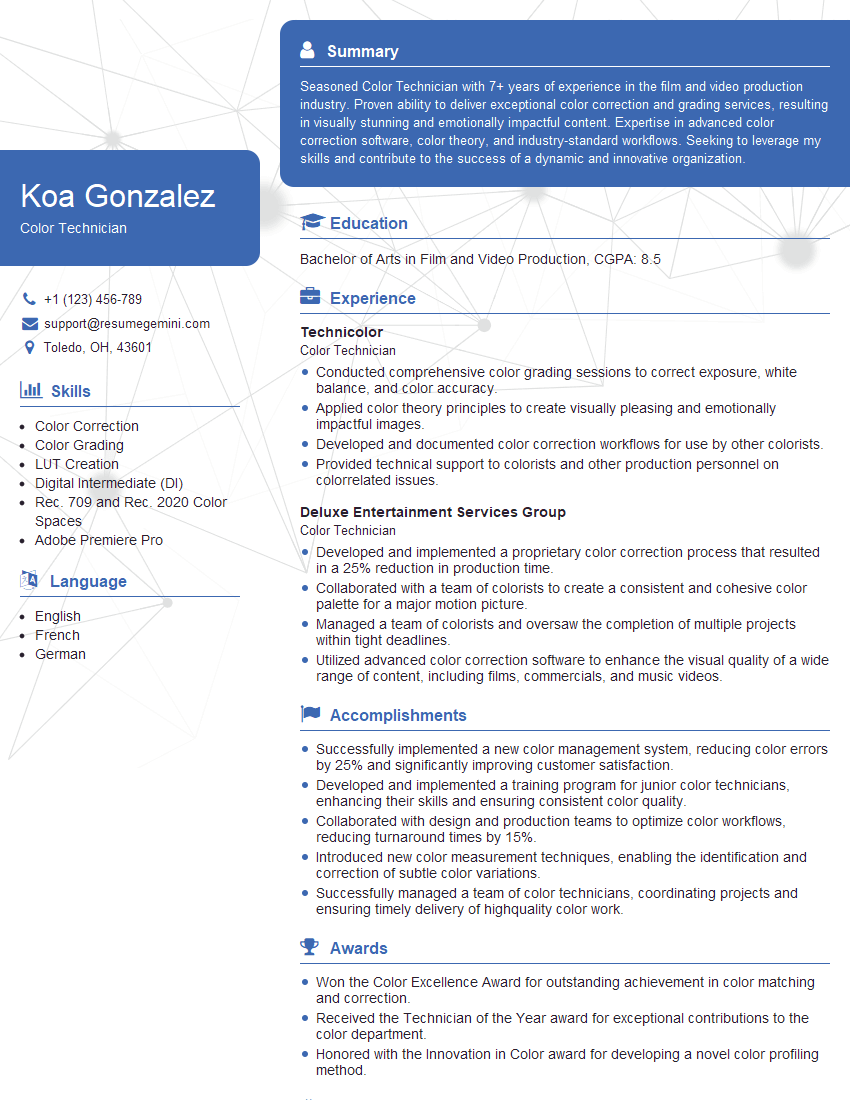
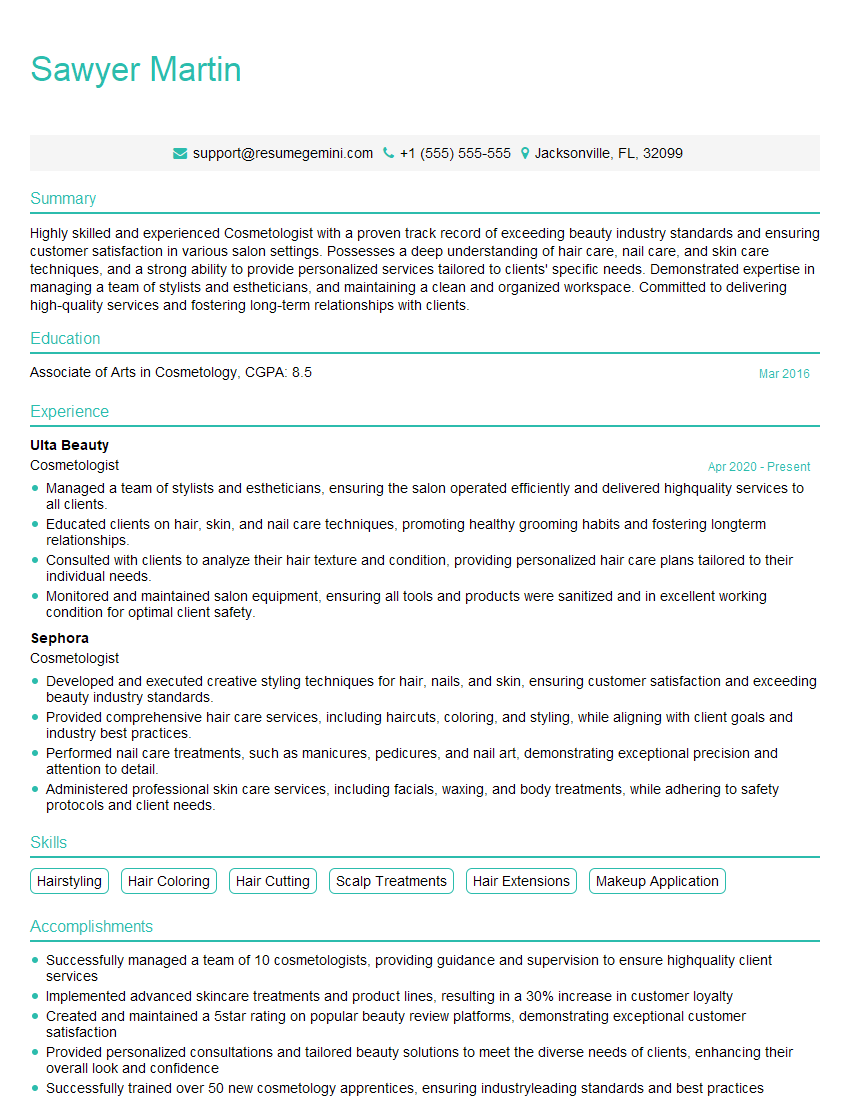
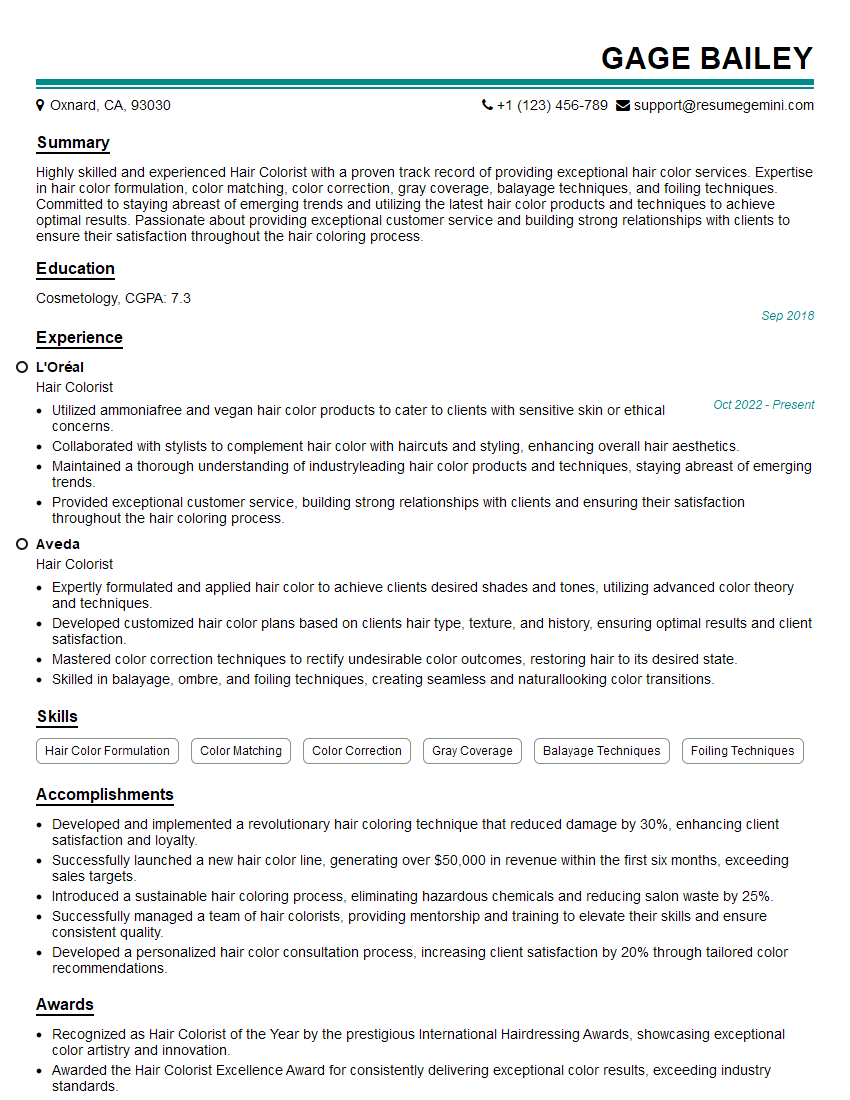
Mastering Color Touch-Up techniques significantly enhances your skillset and opens doors to diverse career opportunities within various industries, from automotive repair to fine arts restoration. To maximize your job prospects, creating a strong, ATS-friendly resume is paramount. ResumeGemini is a trusted resource to help you build a professional and impactful resume that highlights your abilities. Examples of resumes tailored to Color Touch-Up professionals are available to further guide your preparation.

Explore more articles
Users Rating of Our Blogs
Share Your Experience
We value your feedback! Please rate our content and share your thoughts (optional).
What Readers Say About Our Blog
Very informative content, great job.
good