The thought of an interview can be nerve-wracking, but the right preparation can make all the difference. Explore this comprehensive guide to Computer Literacy (CAD/CAM Software) interview questions and gain the confidence you need to showcase your abilities and secure the role.
Questions Asked in Computer Literacy (CAD/CAM Software) Interview
Q 1. Explain the difference between CAD and CAM.
CAD and CAM are distinct but interconnected processes in manufacturing. Think of it like designing a house (CAD) and then building it (CAM).
- CAD (Computer-Aided Design) focuses on creating and modifying digital designs. This involves using software to create 2D or 3D models, blueprints, and technical drawings. It’s the creative and planning phase. For example, using CAD software, I can design a complex engine part, detailing its dimensions, tolerances, and material properties.
- CAM (Computer-Aided Manufacturing) takes the CAD model and translates it into instructions for manufacturing equipment. This involves programming CNC machines (like milling machines, lathes, or 3D printers) to fabricate the designed part. It’s the execution phase. Continuing the engine part example, CAM software generates the precise toolpaths required by a CNC milling machine to carve the part out of a block of metal.
In essence, CAD provides the design, while CAM provides the instructions to manufacture it. They work seamlessly together, with the output of CAD serving as the input for CAM.
Q 2. What CAD/CAM software are you proficient in?
My expertise spans several leading CAD/CAM software packages. I’m highly proficient in SolidWorks, Autodesk Inventor, and Fusion 360 for CAD modeling. For CAM, I’m experienced with Mastercam, and HSMWorks. I’ve also worked with Siemens NX CAM in collaborative projects. My familiarity extends to their respective add-ons and plugins, which allows me to leverage specialized features for advanced modeling and manufacturing processes.
For example, in a recent project, I used SolidWorks for the initial design of a complex aerospace component, leveraging its simulation tools to analyze stress and strain before moving to Mastercam for generating the CNC toolpaths for its manufacture. This integrated workflow ensures design accuracy and manufacturing feasibility.
Q 3. Describe your experience with 3D modeling.
3D modeling is fundamental to my work. I’ve extensive experience in creating, editing, and manipulating 3D models across various complexities. My skills encompass a wide range of techniques, from basic extrusion and revolving to advanced surface modeling and solid modeling.
- Solid Modeling: I frequently use solid modeling to create highly accurate and detailed representations of parts and assemblies. This ensures accurate manufacturing and allows for detailed analysis of the design.
- Surface Modeling: I also utilize surface modeling for creating complex curves and freeform shapes, ideal for organic designs or components with intricate contours.
- Parametric Modeling: I’m adept at parametric modeling, where design changes are automatically propagated throughout the model, ensuring consistency and efficiency in design iterations.
For example, in one project, I developed a 3D model of a prosthetic limb, utilizing both solid and surface modeling techniques to achieve a balance between functionality and aesthetic appeal. This required meticulous attention to detail and a deep understanding of anatomical structure.
Q 4. How do you handle large CAD files?
Handling large CAD files efficiently is crucial for productivity. My approach involves a multi-pronged strategy:
- Data Management: I utilize robust data management systems like PDM (Product Data Management) to organize and efficiently manage large file sets and revisions, enabling easy access and collaboration.
- File Optimization: Before working with very large files, I optimize them by simplifying geometry where appropriate without compromising design integrity. This reduces file size and improves performance.
- High-Performance Hardware: I leverage high-performance computers with sufficient RAM and processing power to handle large assemblies and complex models smoothly.
- Software Features: I leverage the advanced features of my CAD software, such as large assembly management tools and data referencing, to enhance performance when working with extensive models.
By combining these strategies, I ensure that even the most complex CAD projects are managed efficiently and effectively.
Q 5. Explain your experience with CNC programming.
My CNC programming experience is extensive. I’m comfortable generating toolpaths for a variety of CNC machines, including milling machines, lathes, and routers. My skills encompass:
- Toolpath Generation: I’m proficient in creating various toolpaths, such as roughing, finishing, drilling, and contouring, optimizing them for efficient material removal and surface finish.
- Post-Processing: I have extensive knowledge of post-processing, ensuring that the generated code is tailored to the specific machine’s controller. This is crucial for seamless machine operation.
- Simulation and Verification: I routinely use simulation software to verify the accuracy of toolpaths and identify potential collisions, preventing costly errors in the manufacturing process.
- Optimization Techniques: I employ various optimization techniques to minimize machining time, reduce tool wear, and improve overall efficiency.
For instance, I once programmed a CNC mill to machine a highly intricate mold, employing advanced strategies to optimize toolpaths and surface finish. This involved careful consideration of cutting parameters, tool selection, and material properties to ensure a high-quality finished product.
Q 6. What are the common file formats used in CAD/CAM?
The CAD/CAM world uses several common file formats. Understanding these formats is critical for seamless data exchange and collaboration.
- STEP (.stp, .step): A neutral file format widely used for exchanging 3D CAD data between different software packages. It maintains the design intent and geometric information.
- IGES (.igs, .iges): Similar to STEP, it’s another neutral format for exchanging CAD data, though it’s less preferred nowadays due to STEP’s superiority in accuracy and data handling.
- STL (.stl): A widely used file format for 3D printing and rapid prototyping. It represents the model as a collection of triangles, suitable for additive manufacturing processes.
- DXF (.dxf): A common format for exchanging 2D CAD data, particularly used for exchanging designs between AutoCAD and other CAD software.
- Native formats: Each CAD/CAM software has its own native file format (e.g., .sldprt for SolidWorks, .ipt for Inventor). These files usually contain the most complete design information but lack interoperability.
Understanding the strengths and limitations of each format allows me to select the most appropriate one for a given task, ensuring accurate data transfer and effective collaboration.
Q 7. Describe your experience with post-processing in CAM.
Post-processing in CAM is a critical step to ensure that the generated toolpaths are compatible with the specific CNC machine. It involves translating the CAM software’s output into machine-readable code (G-code).
My post-processing experience involves:
- Post-Processor Selection: Choosing the correct post-processor is vital. The wrong post-processor can lead to machine errors or even damage.
- Customization: Sometimes, standard post-processors need customization to perfectly match the specific capabilities and control system of a particular machine. I’m experienced in modifying post-processors to meet these specific requirements.
- Code Verification: After post-processing, I meticulously review the G-code to verify its accuracy and identify potential issues before sending it to the CNC machine for execution. This verification step is crucial to prevent errors and maintain production quality.
- Troubleshooting: I’m adept at troubleshooting post-processing issues, diagnosing problems like incorrect toolpath generation or incompatible code. This often involves analyzing the G-code for anomalies and optimizing the post-processing settings.
Effective post-processing directly contributes to the accuracy, efficiency, and overall quality of the final manufactured part. A well-optimized post-processing workflow minimizes downtime and improves manufacturing productivity.
Q 8. How do you ensure dimensional accuracy in your designs?
Dimensional accuracy is paramount in CAD/CAM. It ensures the manufactured part matches the design intent. We achieve this through a multi-pronged approach.
Precise Modeling Techniques: I meticulously use constraints and parameters within the CAD software to define geometry. For example, instead of manually inputting dimensions, I’d create a parametric sketch, defining relationships between features. If one dimension changes, the entire model updates automatically, maintaining consistency.
Reference Geometry: I frequently employ reference planes, axes, and points to establish a robust coordinate system. This prevents accidental drift and ensures all features are precisely positioned relative to each other. Imagine building a house – you wouldn’t start laying bricks without a solid foundation and precisely measured blueprints.
Regular Checks and Validation: Throughout the design process, I perform regular checks using the software’s built-in measurement tools. This includes verifying distances, angles, and areas to catch errors early. I also use section views and cross-sections to ensure internal features are correctly dimensioned.
Tolerance Analysis: Understanding and incorporating GD&T (Geometric Dimensioning and Tolerancing) is crucial. This allows for controlled variations in dimensions, ensuring the part still functions correctly even with slight manufacturing imperfections. I’ll assign tolerances based on the part’s function and manufacturing capabilities.
Q 9. Explain your experience with toolpath generation.
Toolpath generation is the heart of CAM, defining how the cutting tool will machine the part. My experience encompasses various strategies, depending on the material, desired surface finish, and machine capabilities.
Adaptive Clearing: For roughing operations (removing bulk material), I utilize adaptive clearing strategies that optimize toolpaths based on the part’s geometry. This reduces machining time and improves tool life. It’s like strategically planning the demolition of a building – you wouldn’t just randomly start tearing down walls.
High-Speed Machining (HSM): For finishing operations (achieving precise surface finish), I employ HSM techniques, generating shorter, optimized toolpaths that reduce vibration and increase accuracy. This ensures a smoother, more precise surface, much like carefully polishing a piece of jewelry.
Multi-axis Machining: I’m proficient in generating toolpaths for 3-axis, 4-axis, and 5-axis machining, allowing for complex shapes and difficult-to-reach areas. This unlocks the ability to machine intricate geometries that would be impossible with simpler strategies.
Software Proficiency: I have extensive experience using various CAM software packages, including Mastercam, Fusion 360, and PowerMILL, each with its strengths and weaknesses. I adapt my approach based on the specific software and project requirements.
Q 10. How do you troubleshoot errors in CAD/CAM software?
Troubleshooting CAD/CAM errors requires a systematic approach. It starts with understanding the error message and context.
Error Message Analysis: The error message often provides clues. I carefully read the message, noting specific details like file location, function, and type of error. This is like getting a diagnosis from a mechanic; the error code is your first clue.
Geometry Review: A common source of error is faulty geometry. I meticulously inspect the CAD model for inconsistencies, such as gaps, intersections, or self-intersections. Think of it like inspecting blueprints for a house – you’d want to check for any mistakes before construction.
Toolpath Verification: Visual inspection of the toolpath is essential. I use the software’s simulation tools to verify that the toolpath doesn’t collide with the part, fixture, or machine. Simulating the process before actual machining prevents potential catastrophes.
Software-Specific Troubleshooting: Each CAM software has its quirks. I’m familiar with common issues in various software packages and know how to search for solutions in online forums, help documentation, or by contacting support.
Process of Elimination: If the problem persists, I systematically eliminate potential causes. I’ll simplify the model, use different toolpaths, or check machine settings to identify the root cause. It’s like detective work – piecing together clues to find the culprit.
Q 11. Describe your experience with simulation in CAM.
CAM simulation is crucial for validating toolpaths and preventing costly mistakes. It allows for a virtual machining process before actual cutting.
Collision Detection: Simulation software highlights potential collisions between the tool, workpiece, and machine elements. This prevents damage to the tool, machine, or part. This is akin to a flight simulator – you can practice maneuvers without the risk of a real crash.
Machining Time Estimation: Simulation provides an accurate estimate of machining time, aiding in scheduling and resource allocation. Planning the production schedule properly is vital for efficient workflow.
Toolpath Optimization: By simulating different toolpaths, I can optimize the machining strategy to minimize time, material waste, and tool wear. It’s like planning the most efficient route for delivery; you want the shortest, safest, and most effective route.
Material Removal Visualization: The simulation visually depicts the material removal process, allowing for a clear understanding of how the final part will be formed. This helps anticipate potential issues before they arise.
Q 12. How do you manage design revisions and version control?
Managing design revisions and version control is critical to maintain design integrity and avoid confusion. I utilize several strategies:
Revision Numbering: I implement a clear revision numbering scheme (e.g., v1.0, v1.1, v2.0) to track changes and identify specific versions. It’s like keeping an organized changelog in software development.
Version Control Systems: I utilize version control software (like Git or similar CAD-specific systems) to track changes, revert to previous versions, and collaborate with others. This creates a comprehensive history of the design.
Detailed Change Logs: I maintain detailed change logs describing each revision, including the date, author, and reasons for the modifications. This ensures traceability and accountability.
Cloud-Based Storage: I prefer cloud-based storage solutions to securely store designs and ensure access from multiple locations. This enhances collaboration and data security.
Q 13. Explain your understanding of tolerance and GD&T.
Tolerance and GD&T (Geometric Dimensioning and Tolerancing) define acceptable variations in part dimensions and geometry. It’s crucial for ensuring functionality and interchangeability.
Understanding Tolerances: Tolerances specify the permissible range of variation from the nominal dimension. For instance, a 10 ± 0.1mm dimension means the actual size can range from 9.9mm to 10.1mm. Ignoring tolerances leads to parts that might not fit together correctly.
GD&T Symbols: GD&T uses symbols to specify geometric tolerances, such as flatness, straightness, circularity, and position. These symbols ensure that the part meets specific geometric requirements, regardless of the dimensional tolerances.
Application in CAD: I incorporate tolerances and GD&T directly into my CAD models. This ensures that the design is manufacturable and meets the required specifications. This requires an understanding of the manufacturing processes that will be used.
Real-world Example: Imagine a shaft fitting into a hole. If tolerances are not carefully specified, the shaft might be too loose or too tight, resulting in malfunction. GD&T ensures the proper fit within an acceptable range.
Q 14. What is your experience with FEA (Finite Element Analysis)?
FEA (Finite Element Analysis) is a powerful simulation technique used to analyze the structural behavior of parts under various loads and conditions. While not directly part of CAM, it’s a valuable tool for ensuring design robustness.
Stress Analysis: FEA helps identify areas of high stress and strain in a part, preventing potential failures. Imagine designing a bridge – you’d use FEA to determine if the bridge can withstand the weight of traffic.
Design Optimization: By simulating different design variations, FEA aids in optimizing the part’s geometry for strength and weight. It’s like designing a stronger yet lighter car – by simulating different design iterations, you can discover the best design.
Software Proficiency: I have experience using various FEA software packages, including ANSYS and Abaqus. I can create models, apply loads, and analyze results to improve the structural integrity of designs.
Integration with CAD/CAM: The results from FEA are often used to inform the design and manufacturing processes. For instance, if FEA reveals an area of high stress, I can modify the design or adjust the material selection accordingly.
Q 15. Describe your experience with rapid prototyping.
Rapid prototyping is the process of creating a physical model of a design quickly and iteratively, allowing for early testing and validation. My experience encompasses a wide range of techniques, from 3D printing (Fused Deposition Modeling (FDM) and Stereolithography (SLA)) to subtractive methods like CNC machining. For instance, I recently used SLA 3D printing to create several iterations of a complex ergonomic handgrip for a medical device. The initial prototypes revealed a comfort issue that was easily addressed in subsequent prints, saving significant time and resources compared to traditional methods. This allowed us to finalize the design within a fraction of the typical timeframe.
In another project, I utilized CNC milling for rapid prototyping of a custom fixture. The advantages of this method were its high accuracy and ability to machine materials with high strength, crucial for the application’s requirements. Being able to iterate on these prototypes swiftly allowed the team to identify and solve unforeseen assembly challenges before proceeding to full-scale manufacturing.
Career Expert Tips:
- Ace those interviews! Prepare effectively by reviewing the Top 50 Most Common Interview Questions on ResumeGemini.
- Navigate your job search with confidence! Explore a wide range of Career Tips on ResumeGemini. Learn about common challenges and recommendations to overcome them.
- Craft the perfect resume! Master the Art of Resume Writing with ResumeGemini’s guide. Showcase your unique qualifications and achievements effectively.
- Don’t miss out on holiday savings! Build your dream resume with ResumeGemini’s ATS optimized templates.
Q 16. How do you optimize toolpaths for efficiency?
Optimizing toolpaths is crucial for efficient machining. It’s all about minimizing machining time, maximizing tool life, and ensuring surface finish quality. My approach involves a multi-step process.
- Choosing the Right Tool: Selecting a tool with appropriate geometry and material for the specific operation is the first step. A larger diameter endmill might be faster for roughing, but a smaller one provides greater detail during finishing.
- Strategic Toolpath Generation: I leverage CAM software’s capabilities to generate efficient toolpaths. This includes using strategies like high-speed machining (HSM), which utilizes smaller stepovers and higher speeds for improved surface finish and faster machining. For roughing, I employ techniques like adaptive clearing to maximize material removal while minimizing tool wear.
- Simulation and Optimization: Before machining, I always simulate the toolpath to identify potential collisions or inefficiencies. The software’s simulation capabilities allow for detecting issues like tool over-travel or insufficient depth of cut, enabling adjustments before any actual machining.
- Considering Stock Material: Utilizing the entire stock material effectively reduces waste and time. I carefully plan toolpaths to fully utilize the material’s volume.
For example, in a recent project involving a complex aluminum part, by optimizing the toolpaths using adaptive clearing and HSM, we reduced machining time by approximately 40% compared to a standard approach.
Q 17. Explain your experience with different machining processes.
My experience encompasses a broad range of machining processes, including:
- Milling (CNC): Proficient in 3-axis, 4-axis, and 5-axis milling, with experience programming and operating various CNC machines, from small benchtop mills to large-scale industrial machines.
- Turning (CNC): Experienced in both turning and facing operations, and proficient in utilizing various tooling strategies for different materials.
- EDM (Electrical Discharge Machining): Familiar with wire EDM and sinker EDM for creating intricate shapes and geometries in hard-to-machine materials.
- Additive Manufacturing (3D Printing): Experienced with various 3D printing technologies including FDM, SLA, and SLS, utilizing these techniques for rapid prototyping and direct digital manufacturing.
I am comfortable selecting the appropriate machining process based on factors such as material properties, required tolerances, and production volume. For example, while CNC milling is ideal for creating complex shapes in metals, EDM might be necessary for very intricate geometries in hardened steel, and 3D printing is highly suitable for rapid prototyping and creating complex geometries in polymers.
Q 18. What are your strategies for managing complex projects?
Managing complex projects requires a structured approach. I utilize a combination of project management methodologies, including Agile and Waterfall, tailored to the specific project needs. My strategies include:
- Detailed Project Planning: This involves breaking down the project into smaller, manageable tasks with clearly defined deadlines and responsibilities.
- Risk Assessment and Mitigation: Identifying potential risks and developing strategies to mitigate their impact.
- Regular Progress Monitoring: Tracking progress against the project plan and making adjustments as needed.
- Effective Communication: Maintaining open communication with all stakeholders throughout the project lifecycle.
- Version Control: Employing robust version control systems (e.g., Git) to track design changes and maintain data integrity.
For instance, on a recent project involving the design and manufacturing of a complex robotic arm, I implemented an Agile approach, enabling iterative development and early detection of potential issues. Regular sprint reviews and stand-up meetings ensured effective communication and collaboration.
Q 19. How do you collaborate with other engineers and technicians?
Collaboration is paramount in engineering. I believe in fostering a positive and productive team environment. My collaborative strategies include:
- Clear Communication: Using various communication channels (email, meetings, instant messaging) to ensure timely and efficient information exchange.
- Active Listening: Paying close attention to the perspectives of other team members and incorporating their feedback into the design process.
- Shared Design Platforms: Utilizing collaborative design platforms that allow for simultaneous access and modification of design files.
- Regular Design Reviews: Conducting design reviews with other engineers and technicians to ensure that the design meets all requirements and specifications.
In a recent project, we used a cloud-based CAD platform that enabled seamless collaboration among designers, manufacturing engineers, and quality control specialists, leading to a more efficient and effective workflow.
Q 20. Describe your experience with creating manufacturing drawings.
Creating accurate and comprehensive manufacturing drawings is crucial for successful production. My experience includes generating detailed 2D drawings using CAD software, incorporating all necessary views, dimensions, tolerances, materials, and surface finishes. I am proficient in creating various types of drawings, including:
- Part Drawings: Detailed drawings of individual components.
- Assembly Drawings: Drawings showing how individual components fit together.
- General Assembly Drawings: Overviews of the complete assembly.
- Detailed Drawings: Showing intricate details such as tolerances and surface finishes.
I adhere to relevant standards (e.g., ASME Y14.5) to ensure consistency and clarity. For example, I recently created a comprehensive set of manufacturing drawings for a complex injection-molded plastic part, ensuring all necessary information was clearly presented to facilitate efficient and error-free manufacturing.
Q 21. How do you handle design changes during the manufacturing process?
Design changes during the manufacturing process are inevitable. My approach emphasizes minimizing disruption and cost while ensuring the changes are incorporated effectively.
- Impact Assessment: Evaluating the impact of the change on the existing manufacturing process, schedule, and cost.
- Design Review and Approval: Ensuring the revised design is reviewed and approved by relevant stakeholders.
- Communication and Collaboration: Communicating the design change to all affected parties, including manufacturing engineers and technicians.
- Documentation and Version Control: Updating all relevant documentation, including drawings and specifications, to reflect the design change.
- Testing and Verification: Verifying that the revised design meets all requirements.
For example, during the production of a large batch of parts, a minor design change was required to improve the functionality of a component. By swiftly assessing the impact, initiating a design review, and effectively communicating the update to the manufacturing team, we minimized production downtime and successfully implemented the change without compromising quality or the project timeline.
Q 22. Explain your experience with different CAD/CAM software interfaces.
My experience spans a variety of CAD/CAM software packages, including industry leaders like SolidWorks, Autodesk Inventor, and Fusion 360, as well as specialized software for specific applications. I’m proficient in their core functionalities – sketching, modeling, assembly, and simulation – and I’ve adapted quickly to new interfaces due to my strong understanding of underlying CAD/CAM principles. Each software has its own strengths; for example, SolidWorks excels in surfacing and complex assemblies, while Fusion 360 shines in its integrated CAM capabilities and ease of use for rapid prototyping. My experience isn’t just limited to the basic user interface; I’m comfortable customizing toolbars, creating macros to automate repetitive tasks, and leveraging add-ins to extend software functionality.
For instance, in a previous project designing injection-molded plastic parts, I utilized SolidWorks’ advanced surfacing tools to create a complex, aesthetically pleasing design, while leveraging Fusion 360’s integrated CAM capabilities to generate efficient toolpaths for CNC machining of the mold. This project highlighted the importance of choosing the right software for the specific task.
Q 23. Describe your experience with data management in CAD/CAM.
Effective data management is crucial in CAD/CAM. I use a multi-pronged approach, combining version control systems like Git with robust data organization practices. This ensures design integrity and facilitates collaboration. I maintain a structured file naming convention, utilizing project codes, revision numbers, and clear descriptions. This is critical for keeping track of different iterations of a design. Furthermore, I utilize a product data management (PDM) system whenever available – these systems provide centralized storage, access control, and revision history, which are essential for managing large and complex projects. In projects involving teams, a PDM system is indispensable for avoiding conflicts and ensuring everyone works with the latest versions.
For example, on a recent project involving the design of a complex mechanical assembly, we used a PDM system to manage over 500 individual CAD files and associated documentation. This centralized system enabled efficient version control, simplifying the review and approval process, and preventing potential design conflicts. Poor data management in such a scenario could have easily led to costly errors and project delays.
Q 24. How do you ensure the manufacturability of your designs?
Ensuring manufacturability is paramount in my design process. I incorporate Design for Manufacturing (DFM) principles from the initial concept stage. This involves considering factors like material selection, tolerances, surface finish requirements, assembly methods, and tooling limitations. I regularly perform design reviews, often involving manufacturing engineers, to proactively identify and address potential issues early on, thus avoiding costly redesigns and production delays. Finite Element Analysis (FEA) and Computational Fluid Dynamics (CFD) simulations are frequently employed to validate designs under real-world operating conditions, further ensuring manufacturability and performance.
For example, when designing a part with complex undercuts, I considered the limitations of injection molding and incorporated features to facilitate mold ejection. This involved collaborating with the manufacturing team to select the appropriate material, define acceptable tolerances, and ensure the design was compatible with existing manufacturing processes. This proactive approach ensured a smooth transition from design to production.
Q 25. What are some common challenges you face in CAD/CAM work?
Challenges in CAD/CAM work are diverse. One common challenge is balancing design optimization with manufacturing constraints. For instance, achieving an aesthetically pleasing design might require complex geometries that are difficult or expensive to manufacture. Another challenge is dealing with data incompatibility between different software packages or legacy systems. This often necessitates data translation and format conversion, which can introduce errors and require significant time investment. Lastly, accurately predicting and managing manufacturing tolerances is critical; minor errors can lead to significant issues during assembly or performance.
Successfully navigating these challenges requires a blend of creativity, problem-solving skills, and a deep understanding of both design and manufacturing processes. Effective communication and collaboration are also key to mitigating these challenges.
Q 26. How do you stay updated with the latest CAD/CAM technologies?
Staying updated in the rapidly evolving CAD/CAM field is crucial. I achieve this through several avenues: attending industry conferences and webinars, participating in online forums and communities, regularly reading industry publications and journals, and taking advantage of online training courses offered by software vendors. Furthermore, I actively participate in professional development activities, including workshops and training sessions, to expand my skill set and stay informed about the latest advancements in software and techniques. This continuous learning ensures I remain at the forefront of the industry.
For example, I recently completed a course on generative design using AI-powered software, which has significantly enhanced my ability to explore innovative design options and optimize designs for specific manufacturing constraints.
Q 27. What is your approach to problem-solving in CAD/CAM projects?
My approach to problem-solving in CAD/CAM projects is systematic and iterative. I begin by clearly defining the problem, gathering all relevant data, and breaking down the problem into smaller, manageable components. I then explore different solutions, considering various factors such as cost, feasibility, and time constraints. I leverage simulations and prototyping to validate potential solutions and make informed decisions. Finally, I document the process and results meticulously, which facilitates learning and knowledge sharing within the team. This structured approach allows for efficient problem-solving and minimizes errors.
A key element of my approach is to never hesitate to ask for help or seek alternative perspectives. Collaboration is vital in addressing complex CAD/CAM challenges.
Q 28. Describe a time you had to overcome a significant challenge in CAD/CAM.
In a previous project, we encountered a critical issue with the assembly of a complex mechanism. Initial simulations indicated a potential interference between two components, but the problem was not apparent in the individual CAD models. After rigorous investigation, using advanced assembly analysis tools and conducting physical mock-ups, we discovered a slight dimensional error in one of the parts, caused by an overlooked tolerance stack-up. The solution involved careful adjustments to the part dimensions, re-simulation, and thorough validation. This experience reinforced the importance of meticulous attention to detail, rigorous verification, and effective communication during the design and manufacturing processes.
This experience taught me the value of thorough investigation, collaborative problem-solving, and the importance of validating designs using multiple methods.
Key Topics to Learn for Computer Literacy (CAD/CAM Software) Interview
- Fundamentals of CAD Software: Understanding the interface, navigation, and basic drawing tools (lines, arcs, circles, etc.) across popular platforms like AutoCAD, SolidWorks, or Fusion 360. Consider the differences between 2D and 3D modeling.
- Practical Application: 2D Drafting & Design: Creating detailed technical drawings, including dimensions, tolerances, and annotations. Practice creating plans, elevations, and sections for various applications (mechanical, architectural, etc.).
- 3D Modeling Techniques: Mastering techniques like extrusion, revolution, and lofting to create complex 3D models. Understand the concepts of constraints and assemblies.
- CAM Software Principles: Learn the basics of translating CAD models into manufacturing instructions. Familiarize yourself with concepts like toolpaths, machining strategies (milling, turning, etc.), and simulation.
- Data Management & File Formats: Understanding common file formats (DXF, STEP, IGES) and their importance in data exchange between different software and platforms. Practice efficient file organization and management techniques.
- Problem-Solving & Troubleshooting: Develop your ability to identify and resolve common CAD/CAM software issues. Practice using help documentation and online resources effectively.
- Software-Specific Knowledge: Deepen your knowledge in at least one widely used CAD/CAM software package, showcasing your expertise in its unique features and functionalities.
- Industry Standards & Best Practices: Understand relevant industry standards and best practices for CAD/CAM workflows. This demonstrates professionalism and attention to detail.
Next Steps
Mastering Computer Literacy in CAD/CAM software is crucial for a successful career in engineering, manufacturing, design, and related fields. It opens doors to exciting opportunities and allows you to contribute meaningfully to innovative projects. To maximize your job prospects, creating an ATS-friendly resume is essential. This ensures your qualifications are effectively communicated to potential employers. We highly recommend using ResumeGemini to craft a professional and impactful resume that highlights your CAD/CAM skills. ResumeGemini provides helpful resources and examples of resumes tailored to Computer Literacy (CAD/CAM Software) roles, allowing you to showcase your expertise effectively.

Automation Engineer Resume Sample

Design Engineer Resume Sample
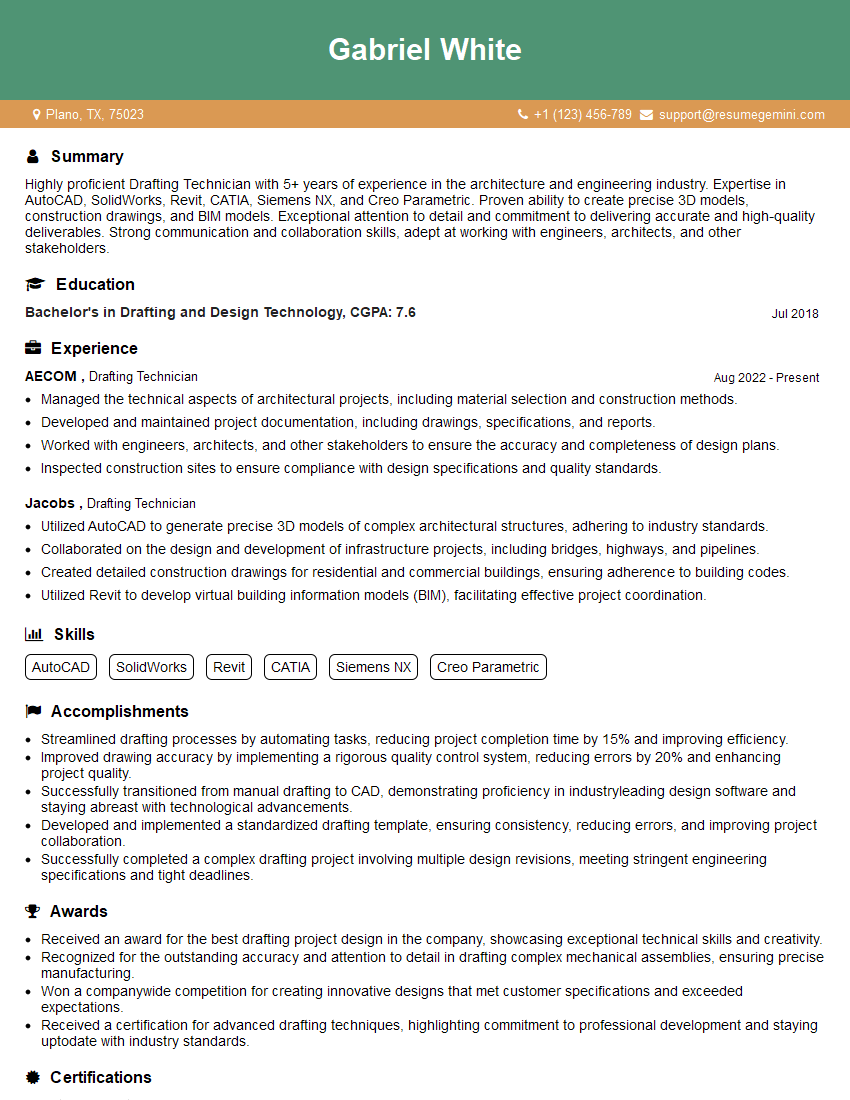
Drafting Technician Resume Sample

Manufacturing Engineer Resume Sample
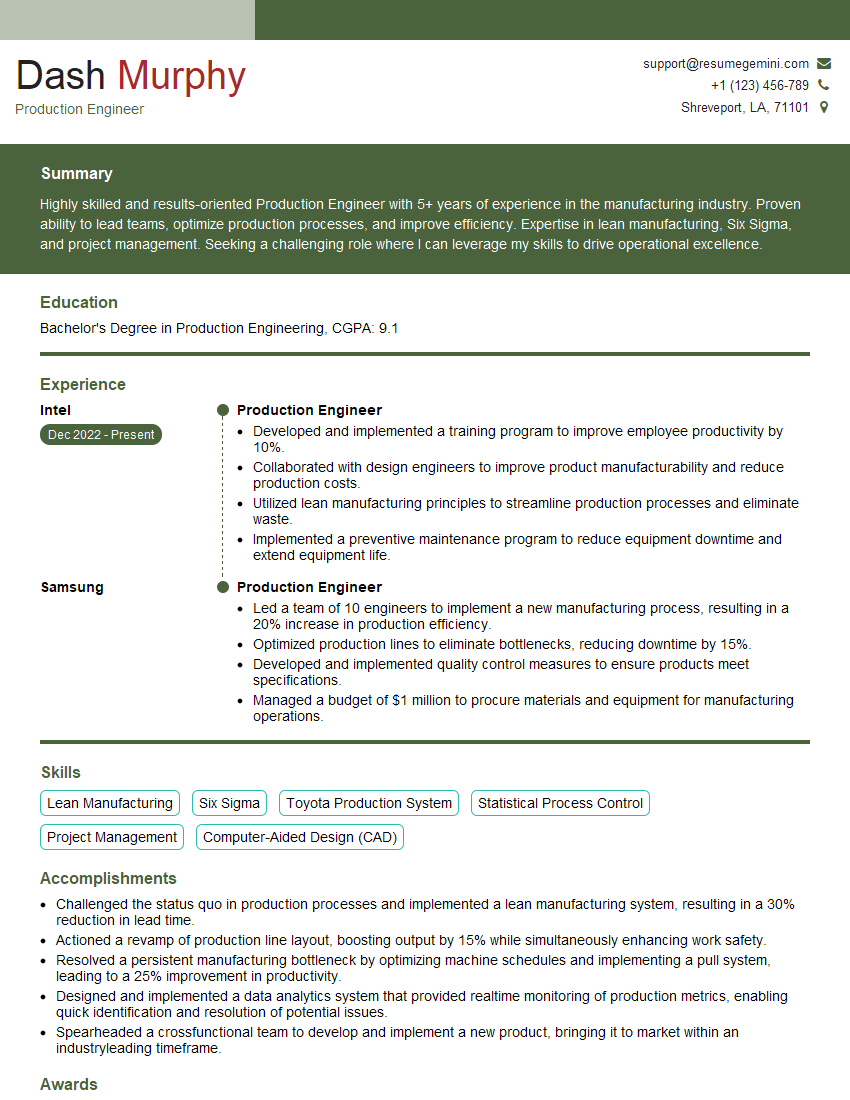
Production Engineer Resume Sample
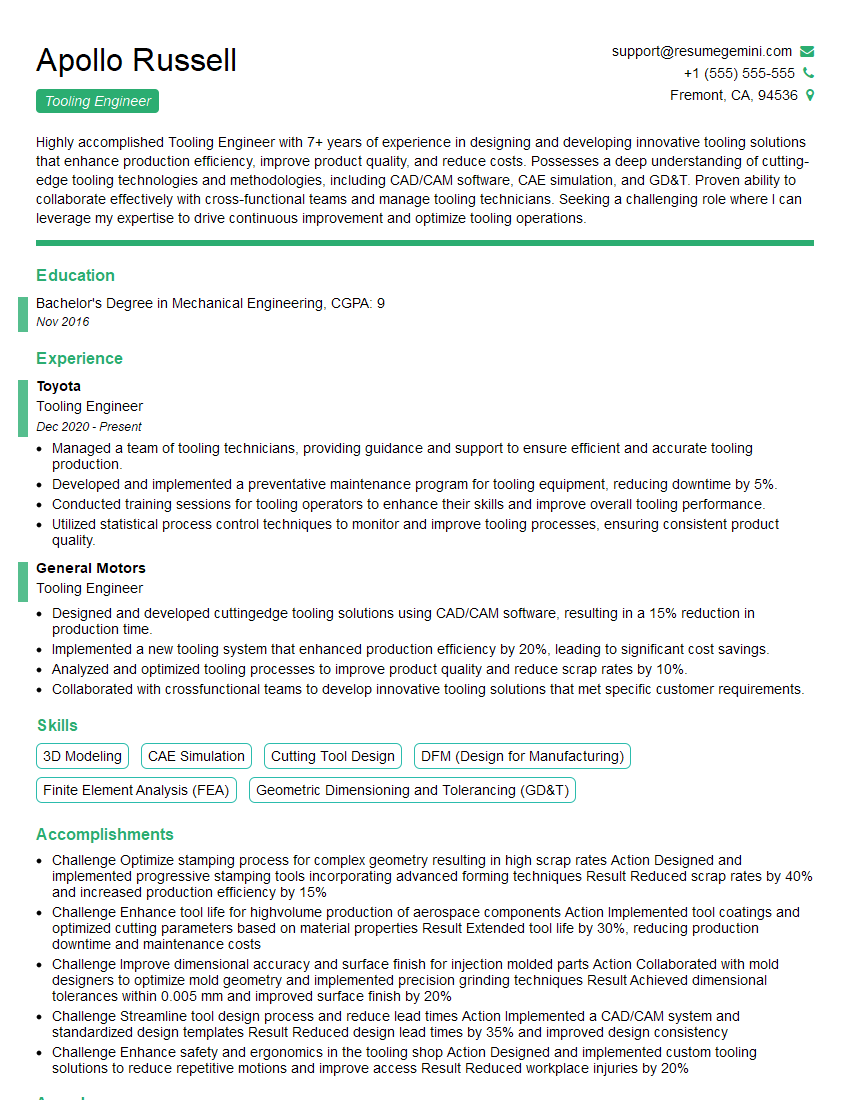
Tooling Engineer Resume Sample

Robotics Engineer Resume Sample

Technical Designer Resume Sample

3D Modeler Resume Sample
Explore more articles
Users Rating of Our Blogs
Share Your Experience
We value your feedback! Please rate our content and share your thoughts (optional).
What Readers Say About Our Blog
Very informative content, great job.
good