Cracking a skill-specific interview, like one for Experience in Offset Printing Production, requires understanding the nuances of the role. In this blog, we present the questions you’re most likely to encounter, along with insights into how to answer them effectively. Let’s ensure you’re ready to make a strong impression.
Questions Asked in Experience in Offset Printing Production Interview
Q 1. Explain the difference between sheetfed and web offset printing.
The core difference between sheetfed and web offset printing lies in how the paper is fed into the press. Sheetfed presses, as the name suggests, print on individual sheets of paper. Think of it like a printer you might have at home, but massively scaled up and far more sophisticated. Each sheet is fed one at a time, allowing for greater flexibility in paper sizes and types. Web offset printing, on the other hand, uses a continuous roll of paper – a ‘web’ – which is printed on at high speeds. This is ideal for large print runs of newspapers, magazines, and other publications where speed and efficiency are paramount. Imagine printing a newspaper; sheetfed would be incredibly slow, whereas web offset can churn out thousands of copies per hour.
In short: Sheetfed is ideal for smaller runs, diverse paper stock, and higher quality requirements, while web offset is perfect for high-volume, cost-effective production of standardized materials.
Q 2. Describe the process of platemaking for offset printing.
Platemaking is the crucial step where the digital design is translated onto physical plates that will then transfer the image to the printing blanket and finally the paper. The process typically starts with a digital file, often a PDF, which is processed by a computer-to-plate (CTP) device. There are various CTP technologies, but they generally involve exposing a photosensitive plate to a laser or other light source, creating the image in accordance with the digital file. This is a highly precise process, as any flaws will be replicated on every print. After exposure, the plate is processed to remove unexposed areas, leaving behind a raised image that will accept ink.
Different plate types exist, such as thermal plates which react to heat, or violet plates which use UV light. The choice depends on the press, ink type, and desired print quality. Once the plates are processed, they are carefully mounted onto the offset press ready for printing. We always perform a rigorous quality check of the plates before mounting to avoid any surprises during the printing process. It is a critical stage that directly impacts the quality of the final product.
Q 3. What are the common types of inks used in offset printing?
Offset printing utilizes a variety of inks, each with its own properties and applications. The most common types include:
- Conventional Inks: These are oil-based inks that provide vibrant colors and excellent print quality. They’re widely used due to their versatility and affordability. However, they require longer drying times.
- UV (Ultraviolet) Curing Inks: These inks cure instantly upon exposure to UV light, eliminating the need for lengthy drying periods. They are excellent for fast turnaround times and are particularly suitable for applications where immediate handling is necessary.
- Water-Based Inks: More environmentally friendly than their oil-based counterparts, water-based inks offer a less volatile and cleaner production process. They’re often chosen for applications where odor is a concern.
- Vegetable-Based Inks: These inks are becoming increasingly popular as a sustainable option, offering similar quality to conventional inks but with a reduced environmental impact.
The choice of ink depends on many factors including the substrate (paper type), press capabilities, desired drying speed, and environmental concerns. In my experience, UV inks are increasingly preferred for their speed, particularly in high-volume commercial printing.
Q 4. How do you ensure accurate color reproduction in offset printing?
Accurate color reproduction is paramount in offset printing, and it relies on a combination of techniques and technology. The process begins long before printing, with careful color management during the design phase. The use of a standardized color space such as CMYK (Cyan, Magenta, Yellow, and Black) is crucial for consistency. Color profiling of both the printing press and the paper stock is essential, as these can significantly affect how colors appear. This involves using a spectrophotometer to measure and calibrate color output.
During the printing process, we use color bars and test strips on each sheet to monitor consistency throughout the run. These are used to make adjustments to the ink density and balance. Proofs are essential – these are pre-print samples that allow us to meticulously compare the printed result with the design to identify and correct any color discrepancies. Proofing techniques can range from soft proofs on screen to hard copy proofs that closely mimic the final print. Consistent monitoring and adjustments are key to achieving accurate and reliable color reproduction across the entire print run.
Q 5. What are the different types of paper commonly used in offset printing?
Offset printing utilizes a vast array of papers, each chosen based on the intended application and desired aesthetic. Some common types include:
- Coated Papers: These papers have a smooth, glossy surface, ideal for high-quality images and sharp text. They come in various finishes, such as gloss, matte, and silk.
- Uncoated Papers: These offer a more natural, textured feel and are often used for brochures, books, and letterheads where a rustic look is desired.
- Newsprint: A low-cost, absorbent paper typically used for newspapers and other high-volume publications.
- Card Stock: A thicker paper used for business cards, postcards, and other applications requiring durability.
- Specialty Papers: This encompasses a wide range, including textured papers, recycled papers, and papers with unique finishes.
Paper selection is a crucial decision impacting both print quality and the overall cost. The choice is influenced by many factors including the print design, desired look and feel, the budget, and the type of offset printing press being used.
Q 6. Explain the importance of maintaining proper register in offset printing.
Maintaining proper register in offset printing is critical to ensure that all the colors and elements of the design align perfectly. Register refers to the precise alignment of multiple printing plates during the process of printing. If the register is off, colors will be misaligned, resulting in blurry images and an unprofessional appearance. Think of it as lining up four perfectly colored building blocks – if even one is slightly out of place, the entire structure looks flawed.
Achieving accurate register requires meticulous attention to detail. It involves careful setup of the printing plates, precise adjustments to the press’s feeding mechanism, and ongoing monitoring during the print run. Regular checks using registration marks, which are small marks on the printed sheet, help us to identify any discrepancies and make necessary corrections. Loss of register can be caused by factors like paper stretch, variations in paper thickness, or improper plate mounting. Addressing these issues promptly is paramount for achieving a high-quality, professional print.
Q 7. Describe your experience with different types of offset printing presses.
Throughout my career, I’ve had extensive experience with a variety of offset printing presses, from small-format sheetfed presses to large-format web offset machines. I’m proficient in operating and maintaining different manufacturers’ models, including Heidelberg, Komori, and Manroland. I’m familiar with both single-color and multi-color presses, and possess expertise in troubleshooting various mechanical and electrical issues.
My experience encompasses both perfecting presses, which print on both sides of the sheet in a single pass, and perfecting presses, which print one side and then the other. This involves understanding the intricacies of each press type, including paper paths, ink delivery systems, and various adjustments needed to maintain optimal print quality. I’m particularly adept at managing large-scale print projects, ensuring efficient workflow and timely delivery, even under pressure. I’ve also worked extensively with presses using different ink types, including conventional, UV, and water-based inks.
Q 8. How do you troubleshoot common printing problems, such as slurring or mottle?
Slurring and mottle are common offset printing defects, indicating issues with ink transfer or the printing process itself. Slurring manifests as blurred or fuzzy edges on printed images, while mottle presents as uneven ink distribution, creating a blotchy appearance. Troubleshooting involves a systematic approach.
- Slurring: This often points to problems with the rollers. Insufficient ink, worn rollers, or incorrect roller settings can cause slurring. I would check roller pressure, ink viscosity, and the condition of the rollers themselves. Cleaning or replacing rollers may be necessary. Incorrect dampening solution balance (too much water) can also cause slurring. I would adjust the dampening system accordingly and ensure the correct balance of water and alcohol. A misaligned impression cylinder could also contribute, requiring careful adjustment.
- Mottle: Mottle often stems from inconsistent ink distribution. Factors such as inadequate ink durometer (ink hardness), uneven fountain roller pressure, or insufficient ink agitation can all contribute. I’d inspect the ink fountain, ensuring consistent ink flow and proper mixing. I would then check the fountain roller pressure, aiming for uniform contact across the entire roller width. Sometimes, cleaning and properly setting the ink duct is the solution. Finally, the plate itself could have deficiencies, calling for a closer inspection and perhaps a plate replacement.
I always start with the simplest solutions, systematically checking each potential cause until the problem is resolved. Documentation of each step is crucial for future reference and process improvement.
Q 9. What are your experience with prepress preparation and workflow?
My prepress experience encompasses a comprehensive understanding of the workflow, from file preparation to platemaking. I’m proficient in various software including Adobe Illustrator, InDesign, and Photoshop for design and image editing. I meticulously ensure files are prepared according to offset printing specifications, including correct color spaces (CMYK), resolutions, and bleed settings. This prevents potential problems during the printing stage.
My workflow typically involves:
- File Review and Pre-flighting: Thorough file checking for errors, missing fonts, low-resolution images, and improper color profiles.
- Color Management: Accurate color conversion using industry-standard profiles to ensure color consistency between the digital file and the printed output.
- Imposition: Arranging pages according to the press sheet configuration for efficient printing and binding.
- Platemaking: Producing high-quality printing plates using either Computer-to-Plate (CTP) or conventional methods, ensuring optimal resolution and sharpness.
I’ve worked extensively with various plate types, including conventional plates and thermal plates, adapting my approach based on the specific job requirements and press capabilities. My goal is always to streamline the prepress workflow, minimizing errors and maximizing efficiency while maintaining the highest quality standards.
Q 10. Explain the process of setting up a new job on an offset press.
Setting up a new job on an offset press is a meticulous process requiring precision and attention to detail. It involves several key steps:
- Press Preparation: Cleaning the press, ensuring all rollers and blankets are in good condition, and checking the inking and dampening systems.
- Plate Mounting: Carefully mounting the printing plates onto the press cylinders, ensuring accurate registration.
- Ink and Water Settings: Adjusting the ink fountain and dampening system to achieve the desired ink-water balance. This step heavily depends on the paper stock and ink being used.
- Paper Feed and Registration: Setting the paper feed to ensure consistent paper flow and accurate registration of the printed image.
- Test Printing and Adjustments: Running test prints to check for color accuracy, registration, and ink density. Adjustments to ink, water, and pressure are made iteratively until the desired results are achieved.
- Production Run: Once the test prints are satisfactory, the full production run begins with continuous monitoring for quality control.
Throughout this process, I use various tools like densitometers and spectrophotometers to measure ink density and color accuracy, ensuring consistent results throughout the entire run. Experience teaches you to anticipate potential issues and address them proactively.
Q 11. How do you ensure the quality of printed materials throughout the production process?
Ensuring quality throughout the offset printing process requires a multi-faceted approach. It starts with meticulous prepress preparation, as already discussed, and continues throughout the entire production cycle.
- Regular Monitoring: Continuous observation of the press during the run, checking for color consistency, registration accuracy, and ink density.
- Quality Control Checks: Regularly taking samples and inspecting them for defects like slurring, mottle, or color variations.
- Densitometry and Spectrophotometry: Using these tools to objectively measure ink density and color values to ensure they meet the specified standards.
- Process Control: Implementing a system for tracking and managing the printing process, identifying and correcting any deviations from the established parameters.
- Post-Press Inspection: A final check of the printed materials after finishing operations to ensure overall quality and consistency.
Documentation is crucial for identifying areas for improvement and maintaining quality standards. A well-defined quality control plan is the cornerstone of consistent, high-quality output. Remember, prevention is always better than cure in printing.
Q 12. Describe your experience with color management software and workflows.
I’m highly proficient in using various color management software and workflows, including those based around industry standards like ICC profiles. My experience includes working with software such as GMG ColorProof, X-Rite i1Profiler, and various other RIP software. I understand the importance of accurate color conversion and profiling to maintain consistency between the digital design and the final printed product.
My workflow typically involves:
- Profile Creation: Generating accurate ICC profiles for both the press and the printing substrates to ensure accurate color reproduction.
- Color Transformation: Using color management software to correctly transform colors from RGB to CMYK, minimizing color shifts.
- Proofing: Creating soft proofs and hard proofs to verify the accuracy of color reproduction before the production run.
- Color Calibration: Regularly calibrating the monitors and output devices to guarantee consistent color across all stages of the workflow.
I understand the impact of different color spaces and the importance of using appropriate profiles to achieve accurate and consistent color reproduction across different devices. My experience ensures that the final printed materials accurately reflect the client’s vision.
Q 13. What are your experiences with different finishing techniques (e.g., cutting, folding, binding)?
My experience encompasses a wide range of finishing techniques, including cutting, folding, binding, and various other post-press operations. These finishing operations significantly impact the final look and feel of the printed product. I have worked with different types of equipment including:
- Cutting Machines: Various guillotine cutters and die-cutting machines for precise trimming and shaping of printed materials.
- Folding Machines: Different folding mechanisms, including parallel folding, half-fold, and complex multi-fold configurations to meet specific design requirements.
- Binding Equipment: Experience with various binding methods, including saddle stitch, perfect binding, wire-O, and case binding, each selected based on project specifications.
- Other Finishing: Experience with techniques like embossing, debossing, lamination, and UV coating to enhance the visual appeal and durability of printed products.
The selection of the right finishing technique greatly impacts the final product’s quality and presentation. I collaborate closely with the finishing department to ensure seamless transition from printing to finishing, optimizing the workflow and delivering high-quality results.
Q 14. How do you handle press maintenance and troubleshooting?
Press maintenance is crucial for ensuring consistent print quality and preventing costly downtime. My approach involves proactive and reactive maintenance strategies.
- Proactive Maintenance: This includes regular cleaning, lubrication, and inspection of all press components, including rollers, blankets, and cylinders, according to the manufacturer’s recommendations. I also monitor ink and dampening system performance to ensure optimal operation.
- Reactive Maintenance: This involves addressing issues as they arise. I’m skilled in troubleshooting various press problems, such as roller issues, registration problems, and color inconsistencies, using a systematic approach to identify and rectify the root cause.
- Preventative Measures: I also employ preventative measures to minimize the likelihood of issues. For instance, maintaining a clean and organized press room, properly storing inks and chemicals, and following best practices for handling printing materials.
Keeping detailed maintenance logs is vital for tracking performance and anticipating potential issues. My experience allows me to identify and solve problems quickly and efficiently, minimizing downtime and maintaining consistent high-quality printing.
Q 15. What safety procedures do you follow while operating offset printing equipment?
Safety is paramount in offset printing. Before operating any equipment, I always ensure I’ve completed a thorough pre-operation check, including verifying all safety guards are in place and functioning correctly. This includes checking the inking system for leaks, ensuring proper ventilation, and confirming the proper functioning of emergency stops. I always wear appropriate personal protective equipment (PPE), such as safety glasses, gloves, and hearing protection. When handling chemicals, I carefully review the Safety Data Sheets (SDS) and follow all prescribed precautions. Furthermore, I maintain a clean and organized workspace to prevent accidents caused by tripping hazards or spills. Regular machine maintenance is crucial to prevent malfunctions that could lead to injuries. For instance, I routinely check rollers and belts for wear and tear. Finally, I always follow the manufacturer’s safety instructions meticulously and report any safety concerns immediately to my supervisor.
Think of it like this: driving a car safely requires regular checks, following traffic rules, and wearing a seatbelt. Operating offset printing equipment is no different – safety is a continuous process, not a one-time event.
Career Expert Tips:
- Ace those interviews! Prepare effectively by reviewing the Top 50 Most Common Interview Questions on ResumeGemini.
- Navigate your job search with confidence! Explore a wide range of Career Tips on ResumeGemini. Learn about common challenges and recommendations to overcome them.
- Craft the perfect resume! Master the Art of Resume Writing with ResumeGemini’s guide. Showcase your unique qualifications and achievements effectively.
- Don’t miss out on holiday savings! Build your dream resume with ResumeGemini’s ATS optimized templates.
Q 16. Describe your experience with different types of printing plates.
My experience encompasses a range of printing plates, each with its own advantages and disadvantages. I’ve worked extensively with conventional metal plates, typically aluminum, which are exposed using a photosensitive layer. These are cost-effective for shorter runs. I’m also proficient with CTP (Computer-to-Plate) plates, where images are directly imaged onto the plate using a digital process. CTP plates offer superior precision and are ideal for longer runs, reducing pre-press time and costs. I’ve also had experience with flexographic plates, typically used for flexible packaging printing. These are made from photopolymer and offer excellent durability. Choosing the correct plate depends heavily on the project requirements, including run length, print quality expectations, and budget.
For example, a small-scale project with a tight budget might utilize conventional metal plates, while a large-scale marketing campaign requiring high-quality output and faster turnaround would benefit from CTP.
Q 17. How do you manage inventory of inks, plates, and paper?
Inventory management is crucial for efficient offset printing. We use a combination of methods including a first-in, first-out (FIFO) system for inks and paper to minimize waste from expiration or spoilage. I regularly check inventory levels using both physical counts and digital inventory management software, which helps us predict future needs and place orders accordingly. We maintain detailed records of ink usage to optimize purchasing and reduce storage costs. We also employ a system of color matching and standardization to avoid purchasing redundant inks. For plates, we maintain a digital archive and only create physical plates as needed. This helps to minimize storage space and reduce the risk of plate degradation. This approach keeps production running smoothly and avoids costly delays.
Imagine a restaurant – effectively managing food inventory ensures they have enough supplies without wasting ingredients. In offset printing, efficient inventory management ensures the timely completion of projects and prevents material shortages.
Q 18. How do you interpret and follow printing specifications (e.g., color profiles, dot gain)?
Interpreting printing specifications requires a keen eye for detail. I start by carefully reviewing the client’s provided specifications, including color profiles (e.g., CMYK, Pantone), dot gain, and resolution. I understand that dot gain refers to the increase in dot size during the printing process, and it’s crucial to compensate for it during prepress to achieve the desired color density. I use color management software and calibrated monitors to ensure accurate color reproduction. I also collaborate closely with the prepress team to ensure the files are correctly prepared according to the specifications. This includes verifying the proper color space, resolution, and trapping. Throughout the printing process, I conduct regular quality checks using a densitometer and spectrophotometer to ensure the printed output aligns with the client’s specifications. I use these tools to measure color density and dot gain, enabling me to make necessary adjustments throughout the printing process.
For instance, a client might require a specific Pantone color. We’d use a Pantone color guide and spectrophotometer to ensure the printed color matches the standard precisely. A mismatch could lead to costly reprints.
Q 19. How do you prioritize multiple printing jobs to meet deadlines?
Prioritizing multiple printing jobs necessitates a structured approach. I use a job scheduling system that takes into account several factors: deadline urgency, print volume, machine setup time, and material availability. Jobs with the closest deadlines and critical importance are prioritized first. I also consider the setup time required for each job, aiming to minimize machine changeovers to maximize efficiency. I often communicate with clients proactively to manage expectations regarding turnaround times. Sometimes, I work with the team to break down larger jobs into smaller manageable components, completing urgent parts first. I maintain a visual workflow chart to track progress and adjust priorities as needed. This prevents bottlenecks and ensures timely completion of all projects.
Think of an air traffic controller – they must prioritize landings and takeoffs to maintain safety and efficiency. Similarly, prioritizing printing jobs requires careful planning and coordination to meet all deadlines.
Q 20. Describe your experience with different types of printing substrates.
My experience with printing substrates is extensive. I’ve worked with a variety of materials, including different types of paper (coated, uncoated, textured, specialty papers), cardboard, and various types of films and plastics. The choice of substrate significantly impacts the final print quality and depends heavily on the project’s requirements. For example, coated paper provides excellent image sharpness and color vibrancy, ideal for high-quality brochures or magazines. Uncoated paper offers a more natural feel, often preferred for stationery or invitations. Cardboard provides a sturdy base for boxes or packaging, while specialty papers (like metallic or textured paper) add a touch of luxury. My experience also extends to understanding the implications of each substrate on the printing process, such as ink absorption and drying times.
Choosing the right substrate is like choosing the right paint for a project – some paints are better suited for indoor versus outdoor use. Similarly, using the wrong substrate can lead to inferior results, waste, and potentially frustrated clients.
Q 21. How do you ensure that printed materials meet client specifications?
Ensuring client specifications are met is a multi-step process that starts long before the printing begins. I begin by carefully reviewing and discussing the client’s requirements and providing feedback where necessary to ensure the specifications are feasible and well-defined. This includes verifying color accuracy using color proofing and ensuring that the client has approved the proofs before proceeding to printing. Throughout the printing process, I perform regular quality checks using tools such as densitometers, spectrophotometers, and visual inspections to compare the printed output with the approved proofs. I meticulously document each stage of the process and keep the client updated on the progress. In case discrepancies arise, I investigate the root cause and implement corrective actions promptly. Upon completion, I conduct a final quality check and present the printed materials to the client for final approval.
Meeting client specifications builds trust and repeat business; it’s the foundation of any successful printing operation. Think of it as fulfilling a customer’s order perfectly – they expect their requirements to be met precisely, leading to client satisfaction.
Q 22. What is your experience with quality control checks throughout the printing process?
Quality control in offset printing is paramount, ensuring the final product meets the client’s specifications and maintains a high standard. My experience encompasses a multi-stage approach, starting from pre-press checks of artwork and color profiles to thorough in-process monitoring during printing and final inspection before delivery.
Pre-press: This stage involves meticulous examination of digital files for resolution, color accuracy, and proper imposition. We use color management systems (CMS) to ensure consistent color reproduction. Any discrepancies are flagged and corrected before printing commences. For example, I once caught a critical error in a logo placement during the pre-flight check, saving a costly reprint.
During Printing: Regular checks are carried out during the printing run to monitor color consistency, ink density, registration (alignment of colors), and paper quality. We employ densitometers and spectrophotometers to ensure accurate color matching. I’ve used these instruments to identify and correct minor ink imbalances on press, preserving the integrity of the final printed product.
Post-press: This involves a final inspection of the printed sheets for any defects such as smudging, scratches, or misprints. We also check for accurate cutting, folding, and binding. Any rejected sheets are immediately identified and corrected for, minimizing waste and maximizing efficiency. A clear and concise rejection log is maintained to track issues and facilitate process improvements.
Q 23. How familiar are you with different types of imposition software?
I’m highly familiar with various imposition software packages, including but not limited to Esko Automation Engine, Imposition Pro, and pre-press modules within Adobe Creative Suite. My experience extends to both traditional and more sophisticated imposition techniques based on the job requirements and the printing press specifications.
Esko Automation Engine: This is a powerful software for automating pre-press processes, including imposition. It allows for complex layouts, imposition of different page sizes and orientations, and sophisticated nesting of jobs for maximum sheet utilization and reduced waste. I have successfully utilized its features to optimize imposition for large-scale projects with multiple page sizes.
Imposition Pro: A user-friendly alternative, perfect for less complex jobs. Its intuitive interface allows for quick imposition, making it ideal for rush jobs or smaller projects. I often use this for smaller print runs or jobs with simpler page layouts to improve turnaround time.
Adobe Creative Suite: While not solely dedicated imposition software, the pre-press features within programs like InDesign and Illustrator facilitate basic imposition tasks. I have utilized this for simple imposition jobs where dedicated imposition software was not required.
Q 24. Describe your problem-solving skills in a high-pressure printing environment.
Problem-solving in a high-pressure printing environment requires quick thinking, a methodical approach, and a deep understanding of the entire printing process. My experience has taught me to remain calm under pressure and to prioritize tasks based on urgency and impact.
For example, during a critical deadline for a large-volume project, a sudden paper jam halted the press. Instead of panicking, I immediately diagnosed the problem, coordinated with the press operator to clear the jam, and in parallel, communicated the delay to the relevant stakeholders to manage expectations. The systematic approach, combining quick action with proactive communication, minimized the production disruption.
My problem-solving framework usually involves:
- Identify the problem: Precisely pinpoint the issue, gathering data to fully understand its nature.
- Analyze the causes: Investigate potential root causes to prevent recurrence.
- Develop solutions: Brainstorm and evaluate different solutions; choose the most effective.
- Implement the solution: Execute the solution carefully and monitor its effectiveness.
- Document the solution: Record the issue, solution, and preventive measures for future reference.
Q 25. How do you handle unexpected issues during a printing run?
Unexpected issues are a reality in offset printing. My response focuses on rapid assessment, effective communication, and decisive action.
For example, if a significant color shift occurs during a print run, my immediate actions include:
- Stop the press: Halt printing to prevent further production of faulty material.
- Identify the cause: Determine the reason for the shift (ink problem, press settings, etc.).
- Make adjustments: Adjust ink keys, settings, or replace faulty components as needed.
- Test the correction: Print a test sheet to verify the fix.
- Communicate the issue and resolution: Update the client and relevant team members on the situation and actions taken.
This systematic approach, combining rapid problem analysis with clear communication, minimizes downtime and maintains high-quality output.
Q 26. What is your experience with Lean Manufacturing principles in a print environment?
Lean Manufacturing principles are crucial in a print environment for maximizing efficiency and minimizing waste. My experience involves applying various lean tools and methodologies to streamline workflows and enhance productivity.
5S Methodology: Implementing 5S (Sort, Set in Order, Shine, Standardize, Sustain) in the pressroom ensures a clean, organized workspace, minimizing downtime and improving workflow. I have directly participated in implementing this system, leading to reduced material handling time and improved overall efficiency.
Kaizen Events: Regularly participating in Kaizen events focuses on continuous improvement. I have been involved in multiple events aimed at improving the setup time on our printing presses, leading to significant time savings.
Waste Reduction: Identifying and eliminating waste (muda) is key. We focus on reducing paper waste through accurate job estimations and efficient sheet cutting, and minimize ink waste through precise color management and press optimization. Through careful tracking and analysis, we’ve significantly reduced waste in our production processes.
Q 27. Describe your experience with MIS (Management Information System) in printing production.
My experience with MIS (Management Information Systems) in printing production is extensive. I’m proficient in utilizing MIS software for job tracking, cost estimation, scheduling, and reporting. This includes experience with systems that manage the entire workflow from initial order entry to final invoicing.
These systems are vital for accurate cost analysis, efficient scheduling, and monitoring key performance indicators (KPIs). Using this data, we can effectively identify bottlenecks, optimize workflow, and improve overall profitability. For example, using our MIS system, I’ve been able to identify a consistent delay in the finishing process, allowing us to implement changes that streamlined the process and reduced turnaround time.
Q 28. How do you stay updated on industry trends and new technologies in offset printing?
Staying updated on industry trends is critical in the dynamic field of offset printing. I regularly utilize several methods to maintain my knowledge base.
Industry Publications: I subscribe to leading industry magazines and journals like Print Magazine and Packaging World to keep abreast of advancements and best practices. This provides valuable insights into the latest technologies and market trends.
Trade Shows and Conferences: Attending industry events such as drupa (the world’s leading trade fair for printing technologies) allows me to experience new technologies firsthand and network with other professionals in the field. This provides an invaluable opportunity for practical learning and networking.
Online Resources and Webinars: I actively use online resources such as industry websites, blogs, and webinars to stay informed about emerging technologies and best practices. These offer convenient access to up-to-date information and training materials.
Manufacturer Training: I regularly attend training sessions offered by printing equipment manufacturers to enhance my understanding of the latest press technologies and workflow optimizations. This ensures I’m familiar with all functionalities and upgrades available.
Key Topics to Learn for Your Offset Printing Production Interview
- Pre-Press Preparation: Understanding file preparation, color management (CMYK, color profiles), image resolution, trapping, and imposition. Consider how you’ve handled complex or challenging files.
- Platemaking: Familiarity with different platemaking technologies (CTP, analog), troubleshooting plate issues, and optimizing platemaking processes for efficiency and quality. Think about times you’ve improved platemaking speed or reduced waste.
- Press Operation: Knowledge of offset printing press mechanics, color registration, ink adjustments, and maintaining press quality. Prepare examples demonstrating your ability to troubleshoot press malfunctions and maintain optimal print quality.
- Post-Press Finishing: Understanding various finishing techniques like cutting, folding, binding, laminating, and die-cutting. Discuss your experience with different finishing equipment and how you ensured consistent quality.
- Quality Control: Describe your methods for inspecting print quality, identifying defects, and implementing corrective actions. Highlight your experience with color accuracy, print consistency, and waste reduction.
- Safety and Maintenance: Demonstrate your understanding of safety protocols in the printing environment and your experience with routine press maintenance and troubleshooting. Prepare examples of proactive maintenance or safety improvements you’ve implemented.
- Production Scheduling and Management: Discuss your experience with managing print jobs, meeting deadlines, and optimizing production workflows. Share examples of how you’ve prioritized tasks and managed competing deadlines.
Next Steps
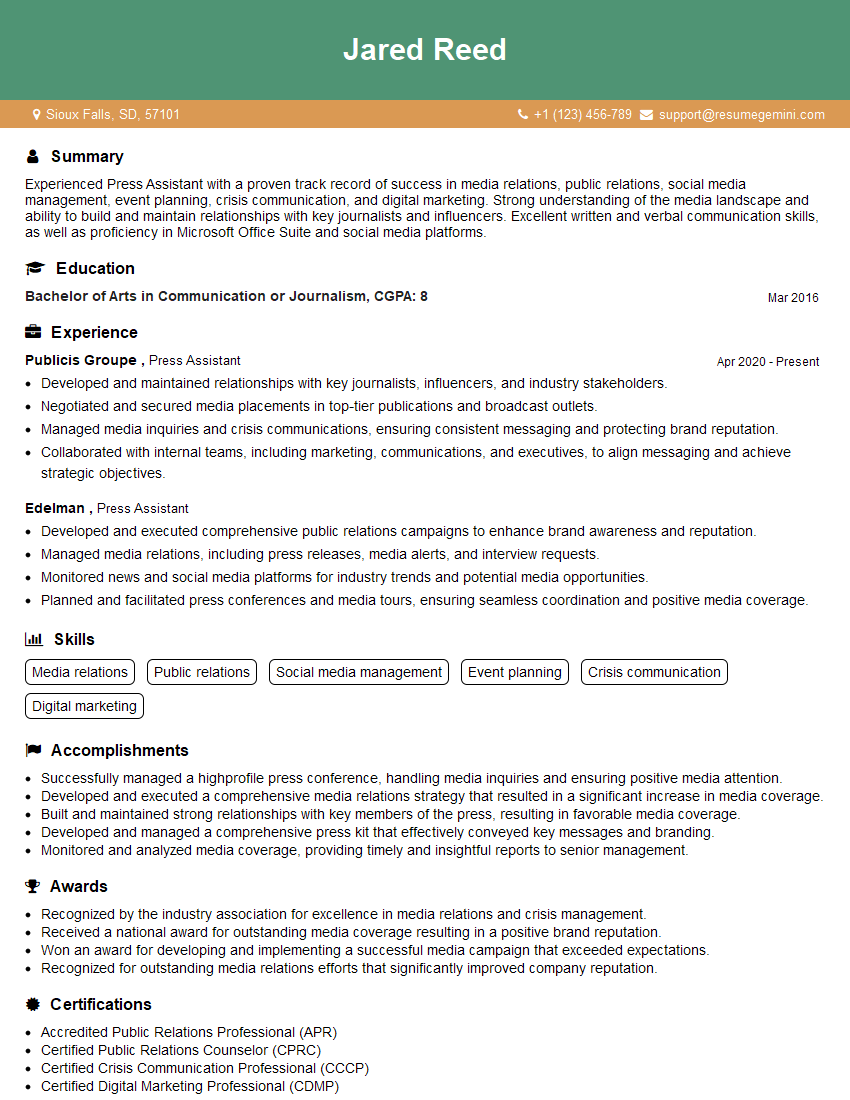
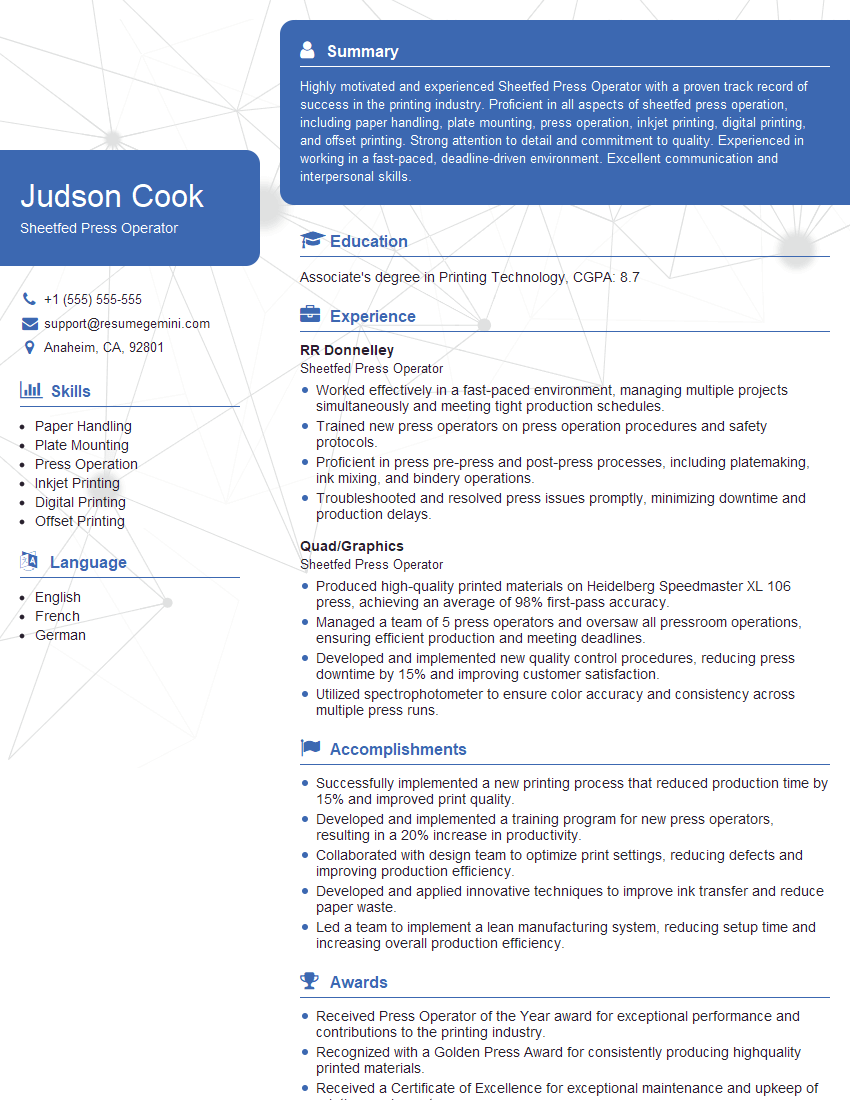
Mastering offset printing production opens doors to exciting career advancements, offering opportunities for specialization, leadership roles, and higher earning potential. To maximize your job prospects, crafting an ATS-friendly resume is crucial. This ensures your qualifications are effectively communicated to hiring managers and Applicant Tracking Systems. We strongly recommend using ResumeGemini to build a professional and impactful resume that showcases your expertise in offset printing production. ResumeGemini offers examples of resumes tailored to this field, providing a valuable resource for your job search. Invest time in building a strong resume – it’s your first impression!




Explore more articles
Users Rating of Our Blogs
Share Your Experience
We value your feedback! Please rate our content and share your thoughts (optional).
What Readers Say About Our Blog
Very informative content, great job.
good