Unlock your full potential by mastering the most common Experience with Digital Printing Technology interview questions. This blog offers a deep dive into the critical topics, ensuring you’re not only prepared to answer but to excel. With these insights, you’ll approach your interview with clarity and confidence.
Questions Asked in Experience with Digital Printing Technology Interview
Q 1. Explain the difference between offset and digital printing.
Offset and digital printing are two distinct methods of printing, differing fundamentally in their printing processes and applications. Offset printing, a traditional method, uses an indirect printing process. Ink is transferred from a plate to a rubber blanket and then to the printing substrate (paper, cardstock, etc.). This allows for high-volume printing at a relatively low cost per unit, making it ideal for large print runs of books, magazines, and brochures. Think of it like a three-step handoff: plate to blanket to paper.
Digital printing, on the other hand, is a direct printing process. The image is printed directly onto the substrate using a digital file. This eliminates the need for plates and allows for on-demand printing, personalized content, and shorter print runs, perfect for customized marketing materials, personalized invitations, or small-batch product packaging. It’s like printing directly from your computer to the paper, only on a much larger scale.
In short: offset excels in high volume, low cost per unit; digital excels in short runs, personalization, and speed. The choice depends entirely on the project requirements.
Q 2. Describe your experience with various digital printing technologies (e.g., inkjet, toner-based).
My experience encompasses a wide range of digital printing technologies. I’ve worked extensively with both inkjet and toner-based systems. Inkjet printing utilizes tiny nozzles to spray ink onto the substrate, offering excellent image quality and color vibrancy, particularly on photo-quality papers. I’ve used various inkjet systems, from large-format printers for banners and posters to smaller, high-resolution printers for fine art reproductions. One project involved using an inkjet printer to produce highly detailed, personalized invitations for a large wedding, each with a unique design element.
Toner-based printing, on the other hand, uses an electrostatic process to fuse powdered toner onto the substrate. This method is known for its sharpness and durability, ideal for business documents, marketing materials, and packaging where longevity is a concern. I’ve used high-volume production toner printers for large-scale marketing campaigns and have also worked with smaller, desktop toner printers for everyday office tasks. A recent challenge involved optimizing toner settings to accurately reproduce corporate branding colors consistently across a large number of documents.
Q 3. How do you ensure color accuracy in digital printing?
Color accuracy in digital printing is crucial for achieving the desired visual impact. Ensuring accurate color requires a multi-faceted approach. Firstly, using a properly calibrated monitor is essential. This guarantees the colors you see on-screen are an accurate representation of what will be printed. Color calibration tools and software are available to help with this.
Secondly, accurate color profile management is paramount. This involves using specific ICC profiles that describe the color characteristics of your monitor, printer, and paper stock. Matching these profiles ensures that the color information travels accurately throughout the printing process.
Thirdly, regular color calibration of the printer itself is vital. Printers need periodic cleaning, adjustments, and color checks to maintain consistency. Color test prints and spectrophotometer readings should be used to verify and adjust color settings. Finally, choosing appropriate media is key, as different paper types absorb and reflect light differently, affecting color reproduction.
Q 4. What are the common file formats used in digital printing?
Several file formats are commonly used in digital printing, each with its strengths and weaknesses. PDF (Portable Document Format) is the industry standard, offering reliable color management, cross-platform compatibility, and high fidelity. TIFF (Tagged Image File Format) is another popular choice, especially for high-resolution images, preserving image quality without compression artifacts. JPEG (Joint Photographic Experts Group) is widely used for photographs but is lossy, meaning some image information is lost during compression, potentially affecting print quality. Depending on the printer and software, EPS (Encapsulated PostScript) and PS (PostScript) might also be used for vector graphics and complex layouts.
Choosing the right format depends on the image type and the printing requirements. For most printing jobs, PDF is the recommended choice due to its reliability and compatibility.
Q 5. Explain the process of color profile management.
Color profile management is the process of ensuring color consistency across different devices and workflows. It involves using International Color Consortium (ICC) profiles, which are essentially digital descriptions of how a specific device (monitor, printer, scanner) handles color. Each device has its own unique color profile.
The process starts with creating or obtaining the correct ICC profiles for your devices. Then, your design software uses these profiles to transform colors from your screen’s color space (e.g., sRGB) to the printer’s color space, ensuring that the colors you see on your screen are closely matched in the final print. Without proper color profile management, colors may appear significantly different on the screen compared to the printed output. This is a critical step for maintaining accuracy and preventing costly reprints.
Q 6. Describe your experience with pre-press preparation for digital printing.
Pre-press preparation for digital printing is a crucial step that directly impacts the quality of the final product. My experience involves several key aspects: Firstly, I meticulously check the design files for resolution, color mode (CMYK for most print jobs), bleed, and other specifications required by the chosen printer. I carefully review the artwork for any errors or inconsistencies.
Secondly, I ensure proper color management by assigning the correct ICC profiles and converting color spaces as needed. This prevents color shifts between the screen, the RIP (Raster Image Processor) software, and the final print. Thirdly, depending on the project’s complexity, I might prepare trapping, which involves slightly overlapping colors to prevent small gaps from appearing between colored areas during printing. Finally, I create proofs and test prints to confirm color accuracy and overall quality before committing to a full print run. Thorough pre-press preparation minimizes errors and saves valuable time and resources.
Q 7. How do you troubleshoot common printing issues (e.g., banding, color mismatches)?
Troubleshooting printing issues requires a systematic approach. Banding, the appearance of horizontal or vertical stripes in a print, often stems from problems with the printer’s print head, ink delivery system, or driver settings. I would first check for clogged nozzles (in inkjet) or toner inconsistencies (in toner-based printers). Cleaning the print heads, replacing cartridges, and adjusting print settings can often resolve the issue. In more complex cases, the printer itself may need service.
Color mismatches can arise from various causes: incorrect color profiles, uncalibrated devices, or issues with the print driver. I would start by verifying color profiles and calibration status. I would also check the printer’s color settings, compare the print to a soft proof, and run color calibration tests. If the problem persists, the input file itself might need review to ensure the color values are correct. A systematic approach, combined with detailed observation, allows for efficient identification and resolution of these and other printing challenges.
Q 8. What is your experience with different substrates used in digital printing?
My experience with digital printing substrates is extensive, encompassing a wide range of materials. Understanding the properties of each substrate is crucial for achieving optimal print quality and durability. For instance, I’ve worked extensively with:
- Paper: From standard coated and uncoated papers to specialty stocks like textured, recycled, and synthetic papers. The choice depends heavily on the application; a glossy photo paper is ideal for vibrant images, while a heavier card stock is better for business cards requiring robustness.
- Films: I’m proficient in using various vinyl films, including matte, gloss, and translucent options, for applications like vehicle wraps, window decals, and banners. The adhesive type and film thickness are key considerations here, influencing both the application process and the final look.
- Fabrics: I’ve printed on a variety of fabrics, such as cotton, polyester, and blends, using specialized inks and printing techniques for applications such as personalized apparel, textile banners, and soft signage. The choice of fabric and pre-treatment are essential for color vibrancy and wash durability.
- Canvas: High-quality canvas printing requires careful consideration of ink type and print settings to ensure optimal color saturation and archival quality for fine art reproductions or gallery-quality prints.
In each case, I carefully select the substrate based on the project’s specific requirements— considering factors like print resolution needed, desired durability, budget, and intended application.
Q 9. Describe your experience with RIP software.
RIP software, or Raster Image Processor, is the bridge between the digital design file and the digital printer. My experience includes working with various industry-standard RIPs such as Onyx, EFI Fiery, and ColorBurst. These programs allow for precise color management, advanced image processing, and efficient job handling.
For example, I’ve used Onyx RIP to create custom color profiles for specific substrates, ensuring accurate color reproduction across different materials. Features like nested printing, tiling, and color correction are crucial for managing complex print jobs effectively. I’m also skilled in troubleshooting RIP-related issues, such as banding, color inconsistencies, and printer communication errors. Essentially, the RIP is where I fine-tune print settings to achieve the highest possible quality and efficiency.
Q 10. How do you maintain and operate digital printing equipment?
Maintaining and operating digital printing equipment requires a proactive and meticulous approach. My routine includes daily checks of ink levels, print head alignment, and media feed mechanisms. Regular cleaning of the print heads is essential to prevent clogging and maintain print quality. This involves both automated cleaning cycles and manual cleaning procedures using appropriate solvents.
Preventive maintenance is key. This includes regular calibration of the printer’s color settings, replacing worn parts as needed (e.g., fuser units in toner printers), and performing routine checks on the printer’s mechanical components. I meticulously document all maintenance procedures and any issues encountered, allowing for better tracking of equipment performance and facilitating proactive troubleshooting. When troubleshooting, I often start with simple steps—checking power, connections, and basic settings before moving to more advanced diagnostics using built-in tools or external software.
I also understand the safety protocols related to handling chemicals and high-voltage components within the printer. Safety is paramount, and proper training is fundamental for operating these sophisticated machines.
Q 11. What is your experience with print finishing techniques?
Print finishing significantly enhances the presentation and durability of printed materials. My experience encompasses a variety of techniques, including:
- Cutting and trimming: Using guillotines, automated cutters, or die-cutting machines to achieve precise cuts for various shapes and sizes.
- Folding and binding: Employing different folding techniques (e.g., letter folds, Z-folds) and binding methods (e.g., saddle-stitch, perfect binding, spiral binding) according to the application.
- Lamination: Applying a protective film (glossy, matte, or textured) to enhance durability and provide a professional finish.
- Embossing and debossing: Creating raised or indented designs for added texture and visual appeal.
- Spot UV coating: Applying a glossy UV coating to specific areas of the print, creating a selective high-gloss effect.
Choosing the right finishing techniques depends on the project’s needs. A simple business card might only need trimming, while a brochure might require folding, lamination, and potentially spot UV coating. I have experience using both manual and automated finishing equipment, selecting the most appropriate method based on the volume and complexity of the job.
Q 12. How do you ensure the quality of printed materials?
Ensuring print quality involves a multi-faceted approach starting even before the printing process. It involves:
- Image preparation: High-resolution images and correctly formatted files are fundamental. I use image editing software to optimize images for print, ensuring proper color profiles and resolution for the selected substrate and printer.
- Color management: Careful calibration of monitors, printers, and the RIP software is vital for color accuracy. I utilize ICC profiles to translate colors consistently from the digital design to the final printed output.
- Proofing: I frequently use soft and hard proofs to verify color accuracy and image quality before proceeding with large print runs. This allows for corrections early on, avoiding costly reprints.
- Regular testing: Periodic color calibration and test prints are done to ensure consistency and identify potential issues before they impact large-scale printing.
- Quality checks at each stage: I personally inspect materials before and after printing and finishing, ensuring alignment, sharpness, and overall quality are maintained.
By combining these practices, I guarantee consistent and high-quality prints meeting or exceeding client expectations. Addressing issues early in the process is much more efficient and cost-effective than correcting problems after a large number of prints have been produced.
Q 13. Explain your understanding of color spaces (e.g., CMYK, RGB).
Understanding color spaces is critical in digital printing. RGB (Red, Green, Blue) is the additive color model used for digital screens. It combines light to create colors. CMYK (Cyan, Magenta, Yellow, Key [Black]) is the subtractive color model used for printing. It uses inks to subtract light from a white surface.
The difference is crucial: a vibrant color on your screen (RGB) might look duller when printed (CMYK) due to the different ways color is produced. This is why precise color management is critical. We use ICC profiles (International Color Consortium) to translate colors accurately between RGB and CMYK spaces, minimizing color shifts between the design and final print. Different substrates also absorb and reflect light differently, leading to variations in color reproduction. Therefore, profiling each substrate with its own ICC profile is paramount for consistent results.
Q 14. How do you handle large-volume print jobs efficiently?
Handling large-volume print jobs efficiently requires a structured approach and optimized workflow. My strategies include:
- Detailed planning: Thorough pre-press preparation, including precise file preparation, color profiling, and substrate selection is essential. This reduces errors and delays during production.
- Job nesting: This RIP feature efficiently arranges multiple print designs on a single sheet of media, reducing waste and optimizing production time.
- Automation: Utilizing automated finishing equipment drastically reduces the time needed for tasks such as cutting, folding, and binding.
- Process monitoring: Real-time monitoring of print jobs allows for timely intervention if any problems arise during production. This prevents delays and ensures consistency.
- Teamwork: Efficient collaboration with pre-press and finishing teams is crucial for seamless workflow, improving overall efficiency.
For example, I recently managed a large-scale print job involving thousands of personalized brochures. By carefully planning the job, utilizing job nesting, and coordinating with the finishing team, we completed the project ahead of schedule and within budget. Streamlining the workflow, proactively addressing potential issues, and utilizing all available tools and technology are key for handling high-volume print jobs efficiently and effectively.
Q 15. Describe your experience with print job scheduling and workflow management.
Print job scheduling and workflow management are crucial for efficient digital printing. It involves strategically planning the order of jobs, optimizing resource allocation (presses, finishing equipment, personnel), and tracking progress to meet deadlines and minimize bottlenecks. I’ve extensively used various workflow management software, including (but not limited to) EFI Fiery Command Workstation and other RIP software, allowing me to prioritize jobs based on urgency, complexity, and client requirements. For example, a rush order for personalized business cards would be prioritized over a large-volume but less time-sensitive brochure print run. This often includes pre-flighting files to catch potential errors before printing, thus avoiding costly reprints. My approach involves detailed job ticketing systems that track each job’s status from file submission to final delivery, including material usage, machine time, and any associated costs. This allows for accurate reporting and continuous improvement of our workflow.
- Prioritization: Using a system of job queuing based on urgency and due dates.
- Resource Allocation: Assigning specific presses and finishing equipment based on job specifications (e.g., large-format print jobs to a wide-format printer).
- Tracking & Monitoring: Using software to monitor job progress in real-time and identify potential delays.
Career Expert Tips:
- Ace those interviews! Prepare effectively by reviewing the Top 50 Most Common Interview Questions on ResumeGemini.
- Navigate your job search with confidence! Explore a wide range of Career Tips on ResumeGemini. Learn about common challenges and recommendations to overcome them.
- Craft the perfect resume! Master the Art of Resume Writing with ResumeGemini’s guide. Showcase your unique qualifications and achievements effectively.
- Don’t miss out on holiday savings! Build your dream resume with ResumeGemini’s ATS optimized templates.
Q 16. What is your experience with print cost estimation and budgeting?
Accurate cost estimation is paramount in the digital printing industry. It involves careful consideration of several factors to provide clients with transparent and competitive pricing. My experience includes using specialized software to estimate print costs based on factors like paper cost, ink/toner consumption (calculated based on page coverage and print quality), machine time, labor costs (including pre-press and finishing), and other overhead expenses. For instance, estimating the cost of a 1000-unit full-color brochure print run involves calculating the cost of the paper stock, the amount of ink/toner used per page (influenced by the image complexity), the time it takes to run the job on the press, and the finishing costs (cutting, folding, binding, etc.). I always include a margin of error to account for unexpected issues, ensuring profitability without overcharging clients.
Budgeting involves creating a financial plan for a project or a period, anticipating potential costs and revenues. This involves comparing estimated costs with the client’s budget, negotiating pricing, and managing expenses. I’ve developed detailed cost breakdowns for clients, enabling informed decision-making and transparent pricing.
Q 17. How do you manage client expectations regarding print quality and turnaround time?
Managing client expectations is crucial for successful digital printing projects. Open and honest communication is key. I start by clearly outlining the print quality achievable with the chosen process and paper stock, highlighting any limitations. I also discuss realistic turnaround times, considering factors like file preparation, press availability, and finishing requirements. For example, if a client needs a high-resolution print on a textured paper, I’d discuss the potential for slight variations in ink absorption, ensuring they understand the limitations of the material. Similarly, I’d clearly state the timeframe for a specific job and any potential delays that might arise due to unforeseen circumstances, keeping them informed every step of the way. I strive to surpass client expectations wherever possible. Using a collaborative approach fosters trust and builds positive long-term relationships.
Q 18. Explain your understanding of variable data printing.
Variable data printing (VDP) is a powerful technique that allows for personalized content in each printed piece within a single print run. Instead of printing the same image on every item, VDP allows for dynamic content changes based on recipient data – such as names, addresses, images, or personalized messages. This is achieved by integrating data files (usually CSV or XML) with the print file. I have extensive experience with VDP, using software like Adobe InDesign and specialized VDP software to create highly personalized marketing materials, direct mail campaigns, and transactional documents. For instance, I’ve used VDP to produce personalized birthday cards with the recipient’s name and a unique photo, or customized invoices with individual transaction details. The ability to generate multiple versions of a document without manual intervention saves considerable time and reduces errors.
Q 19. What is your experience with different printing inks and toners?
My experience encompasses a wide range of printing inks and toners, each with specific properties and applications. I’m familiar with different ink types such as CMYK (Cyan, Magenta, Yellow, Black) for four-color process printing, Pantone colors for spot color matching, and specialized inks like metallics, fluorescents, and white inks. I understand the differences between toner-based printing (used in laser printers) and inkjet inks. Toner produces sharper images with higher resolution, while inkjet inks offer more flexibility and are often used for wider color gamuts and special effects. The choice of ink or toner is crucial and depends greatly on the type of paper, printing process, and desired outcome. For instance, a glossy photo paper might work well with inkjet inks for vibrant color, while a matte paper might be preferred for toner prints for text-heavy documents requiring clarity and sharpness.
Q 20. How do you ensure print security and data protection?
Print security and data protection are paramount, especially when dealing with sensitive information. My approach to ensuring print security incorporates several measures. Firstly, secure file transfer protocols (like SFTP) are used to exchange files with clients, protecting data in transit. Secondly, we have rigorous access control policies and procedures for all printing equipment and software, limiting access to authorized personnel only. Thirdly, we securely store and dispose of print jobs containing sensitive information, adhering to data privacy regulations like GDPR. Finally, we use encryption techniques where necessary to protect data, both at rest and in transit, minimizing the risk of unauthorized access or data breaches. Data privacy is a high priority, and our procedures ensure compliance with relevant regulations.
Q 21. Describe your experience with different types of paper and their suitability for different printing methods.
Understanding paper types and their suitability for different printing methods is crucial for achieving optimal print quality. I have extensive knowledge of various paper types, including their weight (gsm), finish (coated, uncoated, textured), and fiber composition (wood pulp, recycled). For example, a glossy coated paper is ideal for high-resolution photographic prints where vibrancy is key, while an uncoated paper might be more suitable for text-heavy documents that need to be written on. Different paper types have differing ink absorption rates, influencing the color accuracy and print sharpness. Knowing which paper type works best with a specific printing method (offset, digital, inkjet) is essential for producing high-quality prints that meet client expectations. For example, thicker, heavier paper stock might be more suitable for offset printing, whereas digital printing offers more flexibility with a wider range of paper types.
Q 22. How do you monitor and maintain the efficiency of the printing equipment?
Monitoring and maintaining the efficiency of digital printing equipment involves a multi-faceted approach focusing on preventative maintenance, performance tracking, and proactive problem-solving. Think of it like regularly servicing your car – neglecting it leads to bigger problems down the line.
Preventative Maintenance: This includes regular cleaning of print heads, rollers, and paper paths. I meticulously follow the manufacturer’s recommended maintenance schedule, often exceeding it for crucial components. For example, I might clean the print heads daily on high-volume machines to prevent clogging and ensure consistent print quality.
Performance Tracking: I use the machine’s built-in monitoring systems and potentially dedicated software to track metrics such as print speed, job completion times, and error rates. Analyzing this data helps identify potential bottlenecks or issues before they significantly impact productivity. For instance, a gradual decrease in print speed could indicate wear on rollers or a developing paper jam issue.
Proactive Problem-Solving: I regularly check consumable levels (toner, ink, fuser oil) and replace them before they run out to prevent unexpected downtime. I also conduct visual inspections for any signs of wear and tear or potential problems. Imagine finding a small scratch on a roller – ignoring it could lead to paper jams and significant production delays.
Data Analysis & Optimization: By using data from print job logs and maintenance records, I can identify trends and optimize settings to improve efficiency. For example, if a certain type of paper consistently causes jams, I might adjust the paper feed settings or switch to a more suitable paper stock.
Q 23. What is your familiarity with print management software?
My familiarity with print management software is extensive. I’ve worked with various systems, from simple queue management tools to sophisticated enterprise-level solutions like EFI Fiery, Kodak Prinergy, and others. Think of these software platforms as the central nervous system for the printing operation, allowing for centralized job management, workflow automation, and performance monitoring.
Job Submission and Tracking: I’m proficient in submitting print jobs, tracking their progress, and managing print queues efficiently. This ensures smooth workflow and prevents bottlenecks.
Color Management and Calibration: I have expertise in using the software’s color management tools to ensure accurate and consistent color reproduction across different jobs and print runs. Accurate color is vital for many applications, so this is critical to my workflow.
Workflow Automation: I’ve used these systems to automate repetitive tasks, such as pre-flighting files, applying finishing instructions, and generating reports. This significantly reduces manual intervention and potential for human error.
Reporting and Analysis: I leverage the reporting capabilities to generate detailed performance statistics and identify areas for improvement in our printing processes. This data driven approach helps continuously refine our operational efficiency.
Q 24. Describe your experience in optimizing digital printing workflows for speed and efficiency.
Optimizing digital printing workflows for speed and efficiency requires a holistic approach, encompassing equipment configuration, job preparation, and process streamlining. It’s like orchestrating a symphony – every instrument needs to play in harmony for optimal output.
Efficient Job Preparation: This includes ensuring files are properly formatted, color profiles are accurately assigned, and pre-flight checks are conducted to identify and resolve potential issues before printing begins. This prevents costly reprints and wasted time.
Equipment Configuration: I optimize printer settings – such as resolution, print mode, and media handling – for each specific job to maximize print speed without compromising quality. Sometimes a slight adjustment to the settings can dramatically improve throughput.
Workflow Automation: Automating tasks through print management software, such as imposition and finishing instructions, reduces manual intervention and speeds up the overall process. This eliminates tedious manual steps and improves consistency.
Consumable Management: Ensuring that consumables, such as toner and ink, are readily available minimizes downtime. I schedule regular replenishments to prevent unexpected interruptions.
Process Analysis and Improvement: I regularly analyze the entire workflow to identify bottlenecks or inefficiencies. This involves using data analysis to pinpoint areas for optimization.
Q 25. What safety precautions do you take while operating digital printing equipment?
Safety is paramount when operating digital printing equipment. I strictly adhere to all safety protocols and manufacturer guidelines. This isn’t just about following rules; it’s about protecting myself and my colleagues.
Personal Protective Equipment (PPE): I always wear appropriate PPE, such as safety glasses and gloves, when handling toner, ink cartridges, or cleaning the equipment. This protects against potential skin or eye irritation.
Proper Handling of Consumables: I follow manufacturer instructions for handling toner and ink cartridges to prevent spills and avoid exposure to hazardous materials. This includes careful storage and disposal.
Machine Safety Features: I utilize all built-in safety features of the equipment, such as emergency stop buttons and safety guards. I also regularly inspect these features to ensure they are functioning properly.
Electrical Safety: I ensure that the equipment is properly grounded and connected to a reliable power source to prevent electrical shocks. I am very mindful of keeping the work area clean and dry.
Ergonomics: I maintain good posture and take regular breaks to avoid repetitive strain injuries associated with prolonged operation of printing equipment.
Q 26. How do you handle print errors or discrepancies?
Handling print errors or discrepancies requires a methodical approach combining troubleshooting, root cause analysis, and corrective action. It’s like detective work to pinpoint the problem.
Identify the Error: I begin by carefully examining the printed output to understand the nature and extent of the error. This includes assessing the type of defect, its location, and frequency.
Root Cause Analysis: I then investigate the potential causes, considering factors such as the print file, printer settings, paper quality, and consumables. This often involves checking print job logs and system messages.
Corrective Action: Once the root cause is identified, I take appropriate corrective actions, such as adjusting printer settings, replacing faulty consumables, or correcting the print file. If a more significant hardware issue is suspected, I involve qualified technicians.
Preventative Measures: After resolving the issue, I implement preventative measures to reduce the likelihood of similar errors occurring in the future. This may involve training, improved workflow procedures, or equipment upgrades.
Documentation: I meticulously document all errors, corrective actions, and preventative measures taken. This helps to identify recurring problems and track the overall performance of the equipment.
Q 27. Explain your experience with troubleshooting connectivity and network issues related to digital printing equipment.
Troubleshooting connectivity and network issues related to digital printing equipment requires a systematic approach combining technical knowledge and problem-solving skills. It’s like navigating a network maze.
Check Physical Connections: I start by verifying that all cables are securely connected to both the printer and the network infrastructure. Loose connections are a surprisingly frequent culprit.
Network Connectivity Tests: I use network diagnostic tools to check the printer’s IP address, subnet mask, and default gateway. I’ll also test network connectivity using ping and traceroute commands (
pingandtraceroute).Driver and Firmware Updates: I ensure that the printer drivers and firmware are up-to-date. Outdated software can introduce compatibility issues and connectivity problems.
Firewall and Security Settings: I verify that the firewall and security settings on both the printer and the network allow communication between the printer and other devices. Sometimes, overzealous security measures can block necessary connections.
Network Configuration: I examine the network configuration for any conflicts or misconfigurations. This could involve checking DHCP settings, DNS settings, and static IP assignments.
Contact Network Administrator: If the issue persists, I collaborate with our network administrator to investigate deeper network-related problems. This ensures a coordinated approach to resolve complex issues.
Key Topics to Learn for Your Digital Printing Technology Interview
- Digital Printing Processes: Understand the fundamental differences between various digital printing methods (e.g., inkjet, toner-based, UV curing), their applications, and limitations. Be prepared to discuss color management, print resolution, and image processing techniques specific to each.
- Pre-press and File Preparation: Demonstrate knowledge of preparing files for digital printing, including color profiles (CMYK, RGB), image resolution, file formats (PDF, TIFF), and handling of bleeds and margins. Discuss your experience with software like Adobe Creative Suite or similar applications.
- Print Quality Control: Explain your approach to ensuring consistent and high-quality prints. This includes understanding color calibration, identifying and troubleshooting common print defects (e.g., banding, moiré patterns), and using quality control tools and methodologies.
- Digital Print Finishing Techniques: Showcase your familiarity with various finishing options available for digitally printed materials, such as cutting, folding, binding, laminating, and embossing. Discuss your experience with different finishing equipment and their applications.
- Workflow and Production Management: Describe your experience managing the digital printing workflow, from job submission to final delivery. This includes understanding scheduling, resource allocation, and efficient production techniques. Discuss any experience with print management software.
- Sustainability and Environmental Considerations: Demonstrate awareness of environmentally friendly printing practices and the use of sustainable materials and inks in digital printing.
- Troubleshooting and Problem-Solving: Be prepared to discuss instances where you successfully identified and resolved issues related to digital printing equipment, software, or print quality. Highlight your problem-solving skills and analytical abilities.
Next Steps
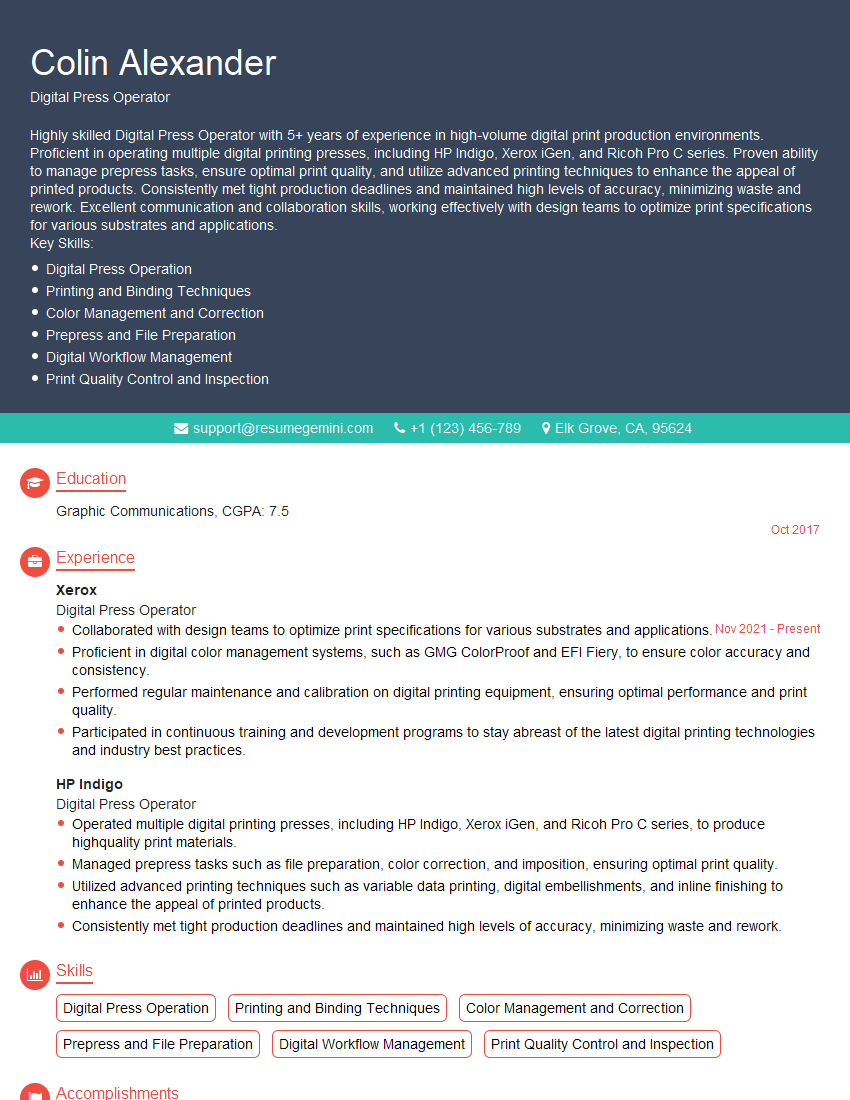
Mastering digital printing technology is crucial for career advancement in this dynamic industry. A strong understanding of these processes will significantly improve your job prospects and allow you to command higher compensation. To maximize your chances, creating a compelling and ATS-friendly resume is essential. ResumeGemini is a trusted resource that can help you craft a professional resume tailored to highlight your skills and experience in digital printing. We provide examples of resumes specifically designed for candidates with experience in digital printing technology to help you get started.


Explore more articles
Users Rating of Our Blogs
Share Your Experience
We value your feedback! Please rate our content and share your thoughts (optional).
What Readers Say About Our Blog
Very informative content, great job.
good