Interviews are more than just a Q&A session—they’re a chance to prove your worth. This blog dives into essential Expertise in troubleshooting and problem-solving interview questions and expert tips to help you align your answers with what hiring managers are looking for. Start preparing to shine!
Questions Asked in Expertise in troubleshooting and problem-solving Interview
Q 1. Describe your approach to diagnosing a complex technical issue.
My approach to diagnosing complex technical issues is systematic and methodical, mirroring a detective investigating a crime scene. I begin by gathering as much information as possible, focusing on the symptoms, the environment, and any recent changes. This initial phase involves asking clarifying questions, examining logs and error messages, and understanding the context in which the problem occurred. Think of it like carefully examining clues at a crime scene before jumping to conclusions.
Next, I formulate a hypothesis, a possible cause for the issue. This isn’t a wild guess; it’s based on my experience and the information gathered. I then test this hypothesis through a series of controlled experiments, isolating variables and observing their effect. This process of testing and refining hypotheses continues until I identify the root cause. If a hypothesis proves incorrect, I revisit the information gathered, perhaps looking for overlooked clues, and formulate a new hypothesis. Finally, once the root cause is identified, I implement a solution and thoroughly verify that the problem is resolved and doesn’t resurface.
For example, imagine a website experiencing slow loading times. I wouldn’t immediately assume it’s a server problem. I’d check network connectivity, browser cache, DNS resolution, and server logs systematically before focusing on the database or application code.
Q 2. Explain a time you used systematic troubleshooting to solve a problem.
During a recent project involving a critical e-commerce platform, we experienced a sudden spike in order processing failures. Using a systematic troubleshooting approach, I followed these steps:
- Identify the Problem: Order processing was failing, resulting in lost sales and frustrated customers.
- Gather Information: I checked server logs, database activity, application error logs, and network monitoring tools. I also interviewed users to understand the exact nature of the failures.
- Formulate Hypothesis: Based on the logs showing database query timeouts, my hypothesis was a database bottleneck.
- Test the Hypothesis: I ran database performance tests and examined query execution plans. The results confirmed the bottleneck – a poorly optimized query was causing significant delays.
- Implement a Solution: I optimized the database query, adding indexes and rewriting sections of the SQL code.
- Verify the Solution: After deploying the changes, I monitored the system and confirmed that order processing failures were eliminated, and response times had significantly improved.
This systematic approach allowed us to pinpoint the issue quickly, minimize downtime, and prevent further losses.
Q 3. How do you prioritize competing tasks when troubleshooting?
Prioritizing competing tasks during troubleshooting hinges on impact and urgency. I use a matrix that considers both factors. Tasks with high impact and high urgency, like a system outage affecting critical business operations, get immediate attention. Those with high impact but low urgency (e.g., performance optimizations) are scheduled for later, while low impact/low urgency tasks are often deferred or delegated.
Think of it as a triage system in a hospital. Life-threatening injuries receive immediate attention, while less severe cases are addressed according to their priority. This ensures that resources are allocated efficiently to tackle the most important issues first. I use tools like ticketing systems to track and manage these priorities effectively.
Q 4. What tools and techniques do you use for efficient troubleshooting?
My troubleshooting toolkit is diverse and adapts to the situation. It includes:
- Monitoring Tools: System monitoring tools like Nagios, Zabbix, or Datadog provide real-time insights into system performance and health.
- Log Analysis Tools: Tools like Splunk, ELK stack, or Graylog are essential for analyzing system logs to identify errors and patterns.
- Debuggers: Debuggers are invaluable for stepping through code to identify the source of errors.
- Network Analysis Tools: Tools like Wireshark help in analyzing network traffic to identify network-related issues.
- Remote Access Tools: Tools like SSH and RDP allow for remote access to servers and machines.
Beyond tools, I rely heavily on techniques like root cause analysis, using the 5 Whys methodology to drill down to the underlying cause of a problem. Effective communication and collaboration with team members are also critical, as problems rarely exist in isolation.
Q 5. How do you handle situations where you don’t have all the information?
When faced with incomplete information, I employ a strategy of iterative investigation. I start by identifying the known facts and then actively seek out missing information. This may involve interviewing stakeholders, checking available documentation, or using online resources. As I gather more data, I refine my hypotheses and adjust my approach. It’s a continuous learning process, adapting my investigation as I acquire new knowledge.
An example: If a server is down and I lack access to logs, I would start by checking basic things: power, network connectivity, and then reach out to the infrastructure team or server administrator for additional information. I might also explore external resources to see if there are any known issues with the specific server hardware or software version.
Q 6. Describe a time you had to troubleshoot a problem with limited resources.
In a previous role, we experienced a major application crash during a critical period with limited resources available, including constrained budget and limited personnel. We had to fix the problem quickly to minimize business impact.
Our approach involved prioritizing the most impactful aspects of the problem, carefully selecting which data to analyze, and using open-source tools. This forced us to be resourceful, focusing on the most crucial aspects of the problem. It highlighted the value of a systematic approach, even with limited resources. We identified the root cause by carefully analyzing the available logs, ultimately focusing our resources on a single component and fixing the issue efficiently. Effective communication and team collaboration were critical to success. While ideal resources were not available, the solution’s efficiency proved the team’s ability to excel under pressure.
Q 7. How do you document your troubleshooting process?
Documentation is an integral part of my troubleshooting process. I maintain a detailed record of every step, including:
- Initial Problem Description: A clear and concise statement of the problem.
- Steps Taken: A chronological list of all actions performed during the troubleshooting process.
- Results of Each Step: A record of the outcome of each step, noting successes and failures.
- Root Cause Analysis: A detailed explanation of the identified root cause of the problem.
- Solution Implemented: A description of the implemented solution.
- Verification: Evidence that the implemented solution resolved the problem.
This documentation serves multiple purposes. It allows me to track my progress, share information with colleagues, and create a knowledge base for future reference. I use a combination of text documents, spreadsheets, and ticketing systems to manage this documentation, tailored to the complexity of the issue.
Q 8. How do you determine the root cause of a problem?
Determining the root cause of a problem is like being a detective. You need to systematically gather clues, analyze them, and form a hypothesis that you can then test. I use a structured approach, often starting with the 5 Whys technique. This involves repeatedly asking “Why?” to peel back the layers of a problem until you reach the underlying cause. For example, if a website is slow, asking “Why is the website slow?” might lead to answers about server load, database queries, or network latency. Each answer becomes the basis for the next “Why?” until you uncover the fundamental issue.
Beyond the 5 Whys, I leverage tools like log analysis to identify error messages and patterns, network monitoring to pinpoint bottlenecks, and system performance metrics to understand resource utilization. I also create diagrams or flowcharts to visualize the system and isolate potential points of failure. Finally, I always consider human error; sometimes, the simplest explanation is the correct one.
It’s a process of elimination. I start with the most likely causes based on my experience and available data, systematically testing and ruling them out until the root cause is identified. This iterative process is crucial for effective problem-solving.
Q 9. How do you communicate technical information to non-technical audiences?
Communicating technical information to non-technical audiences requires a shift in perspective. Jargon and technical terms are unhelpful. Instead, I focus on using analogies, metaphors, and simple language. For instance, explaining a complex database query could be simplified as searching for specific information within a giant library.
I prioritize clear and concise explanations, avoiding unnecessary details. Visual aids like diagrams, charts, or even short videos are incredibly helpful. The key is to focus on the impact of the technical issue rather than the technical details themselves. If a server failure caused a website outage, I’d explain the consequences to the business – lost sales, customer frustration – rather than delving into the specific error codes.
Active listening and confirming understanding are also vital. I frequently ask clarifying questions and gauge their comprehension, adjusting my explanation as needed to ensure everyone is on the same page.
Q 10. How do you stay updated on new technologies and troubleshooting techniques?
Staying current in a rapidly evolving field requires a proactive approach. I subscribe to relevant industry publications, newsletters, and podcasts. I actively participate in online communities and forums, engaging in discussions and learning from other experts. Attending conferences and workshops offers valuable insights and networking opportunities.
I also make use of online learning platforms offering courses and tutorials on new technologies and troubleshooting techniques. Hands-on practice is essential; I regularly experiment with new tools and technologies in controlled environments to build my skills. Continuous learning is not just about acquiring knowledge; it’s about adapting and improving my problem-solving abilities.
Q 11. How do you collaborate with others to solve a problem?
Collaboration is paramount in troubleshooting complex problems. I believe in open communication and a shared understanding of the problem. I begin by clearly defining the issue and outlining the scope of work. I then assign roles based on individual expertise and make sure everyone understands their responsibilities.
We use project management tools to track progress, document findings, and ensure everyone stays informed. Regular check-ins and status meetings are essential for maintaining momentum and addressing any roadblocks. I encourage open dialogue, actively soliciting feedback and suggestions from team members. A collaborative environment fosters innovation and often leads to more efficient and creative solutions.
Effective teamwork involves respecting diverse perspectives and leveraging the strengths of each team member. I strive to create a positive and supportive atmosphere where everyone feels comfortable sharing ideas and contributing to the solution.
Q 12. Describe a time you failed to solve a problem. What did you learn?
Early in my career, I encountered a particularly challenging network issue that defied standard troubleshooting methods. I spent days meticulously checking cables, configurations, and devices, but the problem persisted. My initial frustration stemmed from my focus on individual components rather than the system as a whole.
What I learned was the importance of considering external factors and seeking help when necessary. Eventually, I discovered the issue was caused by a faulty router provided by our internet service provider, a factor outside my initial scope. This experience reinforced the value of thorough investigation, seeking assistance from specialists when needed, and the importance of not being afraid to admit when I don’t have all the answers. It also highlighted the value of systematically documenting all tests and outcomes.
Q 13. What is your process for escalating a problem?
My process for escalating a problem is well-defined and prioritizes clear communication. First, I document the issue thoroughly, including all relevant information like error messages, timestamps, and steps taken to troubleshoot. Then, I identify the appropriate escalation path based on the severity and nature of the issue. This might involve my supervisor, a more senior engineer, or a specialized support team.
When escalating, I provide a concise summary of the problem, my troubleshooting efforts, and any potential solutions I’ve considered. I emphasize the impact of the issue on the system or business. I aim to facilitate a smooth handover of information, ensuring the receiving party has all the necessary context to quickly assess and address the problem. Following up on the escalation is also critical to ensure the issue is resolved effectively and to learn from the experience.
Q 14. How do you use debugging tools?
Debugging tools are an integral part of my troubleshooting arsenal. The specific tools vary depending on the context, but they generally fall into categories such as log analyzers, network monitors, debuggers, and system performance profilers.
For instance, I use tcpdump or Wireshark for network packet analysis to identify network-related issues. strace and ltrace are invaluable for tracing system calls and library functions to pinpoint the exact point of failure in a program. Debuggers like gdb allow step-by-step execution of code, allowing inspection of variables and identifying the source of errors. System monitoring tools provide insight into CPU usage, memory allocation, and disk I/O, helping identify performance bottlenecks.
My proficiency with these tools enables me to quickly isolate problems, identify patterns, and validate my hypotheses, leading to efficient problem resolution. The key is selecting the right tools for the specific situation and effectively interpreting the data they provide.
Q 15. Explain your understanding of different troubleshooting methodologies.
Troubleshooting methodologies are systematic approaches to identifying and resolving problems. They range from simple, intuitive methods to complex, structured frameworks. Effective troubleshooting often involves a combination of techniques.
- Trial and Error: This involves trying different solutions until the problem is resolved. While seemingly unsophisticated, it’s often the first step, especially with minor issues. For example, if a printer isn’t working, you might try restarting it or checking the paper tray before investigating more complex issues.
- Divide and Conquer: This method involves breaking down a complex problem into smaller, more manageable parts. If a large application is failing, you might isolate the specific module or component causing the error by disabling parts systematically.
- Top-Down Approach: Starting with the highest-level component or system and working your way down to the specifics. For example, if a network is down, you’d first check the network infrastructure before looking at individual devices.
- Bottom-Up Approach: This is the opposite; starting with the lowest-level components and working up. For instance, when debugging code, you might start by examining individual lines of code, then functions, and eventually modules.
- 5 Whys Analysis: This iterative technique involves repeatedly asking “why” to uncover the root cause of a problem. For example: Why did the server crash? (Insufficient memory). Why was there insufficient memory? (Memory leak in application X). Why was there a memory leak? (Bug in function Y). Why wasn’t function Y tested thoroughly? (Insufficient testing resources).
Choosing the right methodology depends on the complexity of the problem, the available tools and resources, and the urgency of the situation.
Career Expert Tips:
- Ace those interviews! Prepare effectively by reviewing the Top 50 Most Common Interview Questions on ResumeGemini.
- Navigate your job search with confidence! Explore a wide range of Career Tips on ResumeGemini. Learn about common challenges and recommendations to overcome them.
- Craft the perfect resume! Master the Art of Resume Writing with ResumeGemini’s guide. Showcase your unique qualifications and achievements effectively.
- Don’t miss out on holiday savings! Build your dream resume with ResumeGemini’s ATS optimized templates.
Q 16. How do you handle pressure when troubleshooting a critical system?
Troubleshooting critical systems under pressure requires a calm and methodical approach. My strategy involves:
- Maintaining composure: Deep breaths and focusing on the steps of the troubleshooting process help reduce stress and enhance clarity.
- Prioritizing: Determining the most critical impact of the problem helps focus efforts on addressing the most significant issue first.
- Seeking help: Not hesitating to involve colleagues or experts when needed. A second pair of eyes can often spot solutions that are easily missed when under pressure.
- Documentation: Keeping a clear and concise record of actions taken and results obtained helps track progress and ensures accurate reporting.
- Escalation plan: Having a pre-defined plan for escalating the problem if necessary aids rapid response and prevents delays.
Imagine a website outage during a major sales event. Panic might be the first instinct, but I’d immediately prioritize restoring service, document my steps, coordinate with the team, and escalate as needed, all while maintaining a calm approach to ensure effective problem resolution.
Q 17. Describe a situation where you had to troubleshoot a problem under time constraints.
During a recent incident, a major client’s application was experiencing intermittent data loss. This occurred just before a critical product launch. The pressure was immense as we needed to ensure data integrity before the launch, which was only a few hours away. We utilized a combination of methods:
- Immediate assessment: Gathering information about the frequency and nature of the data loss and affected users. This provided context for immediate actions.
- Log analysis: Examining application and database logs for clues to pinpoint the cause of the data loss.
- Testing: Creating a controlled test environment to replicate the issue and test potential solutions.
- Collaboration: Working closely with the database administrator and developers to identify and resolve the underlying database configuration issue causing the problem.
We identified a database replication issue that was causing data inconsistency under heavy load. Through quick action, we temporarily stopped writing new data and re-synchronized the database servers. The application was back online with data integrity restored just before the launch, preventing a potentially major business disruption.
Q 18. How do you identify and mitigate potential risks during troubleshooting?
Identifying and mitigating risks during troubleshooting is crucial to avoid further damage. My approach focuses on:
- Impact Assessment: Evaluating the potential impact of the problem and any troubleshooting steps. This involves considering the effect on other systems, users, and business operations.
- Backup and Recovery: Ensuring a robust backup plan exists before any major troubleshooting actions. This limits the risk of permanent data loss.
- Testing in a Controlled Environment: Whenever possible, testing solutions in a non-production environment prevents unintended consequences in live systems. This ensures that fixes work as intended without impacting users.
- Change Management: Implementing changes systematically and documenting them thoroughly. Using version control and rollback plans minimize the risk of introducing new problems while implementing fixes.
- Monitoring: Continuous monitoring of system health before, during, and after troubleshooting helps detect issues quickly and facilitates rapid response if any new problems emerge.
For example, before making significant changes to a network configuration, I would back up the current configuration, test changes in a lab environment, and monitor the network closely for any anomalies after implementing the changes.
Q 19. What is your approach to preventative troubleshooting?
Preventative troubleshooting is about proactively identifying and addressing potential issues before they become problems. This involves a multi-faceted approach:
- Regular System Monitoring: Using monitoring tools to track system performance, identify trends, and detect anomalies before they escalate into outages.
- Regular Maintenance: Scheduling routine maintenance tasks, such as software updates, security patching, and hardware checks, minimizes the risk of failures.
- Capacity Planning: Forecasting future resource requirements to avoid performance bottlenecks. This allows for proactive scaling of infrastructure as needed.
- Code Reviews and Testing: Thorough code reviews and testing processes during development identify and resolve potential bugs before they reach production. This prevents issues from affecting operational systems.
- Security Audits: Regularly auditing security practices and configurations to identify vulnerabilities that can be exploited. Addressing these vulnerabilities strengthens the security posture of the system and minimizes the risks.
Think of it like regular car maintenance – changing the oil, checking the tires, etc., helps prevent major breakdowns.
Q 20. Explain the difference between reactive and proactive troubleshooting.
Reactive troubleshooting addresses problems *after* they occur, while proactive troubleshooting aims to prevent problems *before* they occur.
- Reactive Troubleshooting: This is a firefighting approach. You’re dealing with an immediate issue that has already impacted users or systems. It is often stressful and requires rapid response.
- Proactive Troubleshooting: This involves anticipating potential problems through monitoring, maintenance, and analysis. It is less stressful as it focuses on prevention and avoids urgent situations.
For instance, reacting to a server crash is reactive; proactively monitoring server resource utilization to prevent a crash is proactive.
Q 21. How do you balance speed and thoroughness during troubleshooting?
Balancing speed and thoroughness is a crucial skill in troubleshooting. A rushed approach can lead to incomplete fixes and recurring issues, while an overly cautious approach can cause unacceptable delays. The key is to adapt your approach based on the urgency and complexity of the situation.
- Prioritization: Focusing on the most critical aspects first to achieve a quick resolution of the most pressing issue. This may involve temporary workarounds before implementing a more thorough solution.
- Rapid Assessment: Quickly gathering information and using simple tests to determine the nature and scope of the problem. This provides a direction for the troubleshooting efforts.
- Iterative Approach: Applying a series of incremental changes, testing after each, to progressively narrow down the cause and solution. This allows for agility while ensuring thoroughness.
- Documentation: Recording the steps taken, results, and observations to ensure that the resolution process is documented thoroughly, regardless of speed.
Imagine a network outage – you might quickly restore basic network connectivity before conducting a thorough investigation to address the root cause. This balances the need for rapid service restoration with the need to address the underlying issue to prevent recurrence.
Q 22. How do you handle conflicting information when troubleshooting?
Conflicting information is a common hurdle in troubleshooting. My approach is systematic and prioritizes verification. I begin by identifying the source of each piece of information – is it from a log file, a user report, a monitoring system, or a diagnostic tool? Each source has a different level of reliability. For example, a system log is generally more reliable than a user’s recollection of events.
Next, I analyze the discrepancies. Are they minor variations or fundamental contradictions? Minor discrepancies might be due to different perspectives or incomplete data. For major contradictions, I employ a process of elimination, systematically testing each piece of information against observable facts. This might involve checking system configurations, reviewing network traffic, or running specific tests to validate or invalidate the information. Finally, I document my findings and reasoning, clearly explaining why I accepted or rejected specific information points. Think of it like a detective investigating a crime scene – you need to gather all the evidence, evaluate its credibility, and piece together a cohesive narrative. A recent example involved a network outage; one report suggested a router failure, while another pointed to a DNS issue. By carefully examining logs and running network diagnostics, I found the problem was actually a misconfigured firewall rule, which was neither of the initial suggestions, but explained the symptoms observed from both conflicting reports.
Q 23. How do you ensure the quality of your troubleshooting solutions?
Ensuring solution quality is paramount. My approach involves several key steps: First, I thoroughly document the problem and the steps taken to resolve it. This detailed record aids future troubleshooting and knowledge sharing. Second, I verify the solution by rigorously testing its impact. I don’t just fix the immediate symptom; I run various tests to confirm the root cause is addressed and that there are no unintended consequences. Third, I incorporate a feedback loop. After implementing a solution, I monitor the system’s performance and gather feedback from users. If any new issues arise, I treat them as an opportunity for further improvement. Finally, I strive to use a standardized, repeatable process so that anyone could replicate my efforts. This ensures that solutions are consistent and scalable. Imagine building a house: you wouldn’t simply nail some boards together and call it a day; you’d follow established building codes and conduct inspections to ensure stability and quality.
Q 24. How do you measure the effectiveness of your troubleshooting efforts?
Measuring troubleshooting effectiveness goes beyond simply resolving an immediate issue. I use several metrics: First, I track the time it took to resolve the problem; a shorter resolution time usually suggests efficiency. Second, I assess the impact of the solution. Did it completely resolve the issue? Did it have any negative effects on other parts of the system? Third, I consider the long-term effects; did the solution prevent the problem from recurring? Fourth, and perhaps most importantly, I measure user satisfaction; I assess if the user is happy with the solution. These metrics are often combined to provide a comprehensive evaluation. For instance, a quick fix might seem efficient, but if it causes recurring issues or negatively affects user experience, it’s ultimately inefficient. In a recent project, I tracked a reduction in helpdesk tickets related to a specific application after implementing a solution, demonstrating a measurable improvement in operational efficiency and user satisfaction.
Q 25. Describe your experience with remote troubleshooting.
Remote troubleshooting requires strong communication and diagnostic skills. I extensively utilize remote desktop tools to access and manipulate systems remotely, allowing me to observe and interact with the system as if I were physically present. However, remote troubleshooting often lacks the immediate access to the physical hardware, so a strong reliance on system logs and remote monitoring tools are crucial. I also rely heavily on clear and concise communication with the end-user to collect necessary information and convey steps effectively. This often involves guiding users through specific diagnostics or explaining complex issues in easily understandable terms. Effective communication is key in these scenarios. One common example was when I remotely identified and resolved a performance bottleneck in a database server in a remote office by carefully analyzing server logs and interacting remotely with the systems administrator. This required patience, clear communication and a solid understanding of both the system and the user’s capabilities.
Q 26. How do you use data analysis in your troubleshooting process?
Data analysis is integral to effective troubleshooting. I use various data sources, including system logs, performance metrics, and user activity data. I utilize analytical tools to identify patterns, anomalies, and trends. This helps pinpoint the root cause of problems more accurately and efficiently than simply reacting to symptoms. For example, analyzing system logs can reveal repeated errors or resource consumption spikes, indicating potential issues. Analyzing network traffic might uncover unauthorized access attempts or connectivity problems. I frequently use data visualization techniques to easily understand complex data sets. For instance, creating graphs or charts showing performance over time can quickly reveal trends or anomalies. A recent case involved analyzing web server logs to discover a particular region experiencing high latency which pointed towards a network connectivity problem in that specific geographic area.
Q 27. What are your strategies for improving your troubleshooting skills?
Continuously improving my troubleshooting skills is a priority. I actively pursue several strategies: First, I regularly review documentation and technical articles to stay updated on new technologies and troubleshooting techniques. Second, I participate in online communities and forums, sharing knowledge and learning from other professionals. Third, I actively seek challenging assignments to expand my expertise into new domains. Fourth, and importantly, I embrace failure as a learning opportunity, meticulously analyzing what went wrong and how I can improve my approach next time. Finally, I regularly seek feedback from colleagues and supervisors to identify areas needing improvement. This holistic approach to professional development ensures I stay at the forefront of this ever evolving field. Think of it as a martial arts master consistently practicing their kata, learning new techniques, and seeking feedback from other masters.
Q 28. How do you ensure your troubleshooting solutions are sustainable?
Sustainable troubleshooting solutions consider long-term implications. This involves addressing the root cause, not just the symptoms. A temporary fix might seem quicker but can lead to recurring problems. I strive to implement solutions that are robust, scalable, and easily maintained. This often involves automation where feasible, reducing reliance on manual interventions. I also ensure that solutions align with established best practices and security protocols. This is crucial for both system stability and compliance. Documentation is key; I provide clear instructions, diagrams, and relevant information so others can understand and maintain the solution. A sustainable approach saves time and resources in the long run, reducing the likelihood of future issues and ensuring that the systems remain reliable and secure over time. It’s not unlike building a house on a solid foundation; you want it to stand the test of time, not to require frequent costly repairs.
Key Topics to Learn for Expertise in Troubleshooting and Problem-Solving Interviews
- Identifying the Root Cause: Mastering techniques like the 5 Whys, Pareto analysis, and fault tree analysis to effectively pinpoint the source of a problem, not just its symptoms. Practical application: Walk through examples of how you’ve used these techniques in past projects.
- Systematic Troubleshooting Methodologies: Understanding and applying structured approaches like binary search, divide and conquer, or a top-down/bottom-up approach to efficiently narrow down possibilities. Practical application: Discuss your experience using these methods to resolve complex technical issues.
- Problem Decomposition: Breaking down complex problems into smaller, manageable parts to simplify analysis and solution development. Practical application: Explain how you’ve broken down large problems into smaller, more manageable tasks.
- Risk Assessment and Mitigation: Analyzing potential risks associated with proposed solutions and developing strategies to minimize negative impact. Practical application: Describe a situation where you identified and mitigated potential risks.
- Communication and Collaboration: Effectively communicating technical information to both technical and non-technical audiences, and collaborating with team members to solve problems. Practical application: Showcase examples of your ability to explain complex issues clearly and concisely.
- Documentation and Knowledge Sharing: Maintaining thorough documentation of troubleshooting processes and solutions to improve future problem-solving efficiency and knowledge transfer. Practical application: Discuss your approach to documenting solutions and sharing knowledge with others.
- Adaptability and Continuous Learning: Demonstrating the ability to adapt to new technologies and challenges, and a commitment to continuous professional development. Practical application: Highlight instances where you learned a new skill or technology to solve a problem.
Next Steps
Mastering troubleshooting and problem-solving skills is crucial for career advancement in virtually any technical field. These skills demonstrate critical thinking, analytical abilities, and the capacity to handle pressure – all highly sought-after qualities by employers. To significantly boost your job prospects, create an ATS-friendly resume that highlights your expertise. ResumeGemini is a trusted resource that can help you build a professional and impactful resume tailored to your skills. We provide examples of resumes specifically designed for candidates showcasing expertise in troubleshooting and problem-solving. Use our resources to present your capabilities effectively and land your dream job.

Operations Manager Resume Sample

Product Manager Resume Sample

Project Manager Resume Sample

Business Analyst Resume Sample
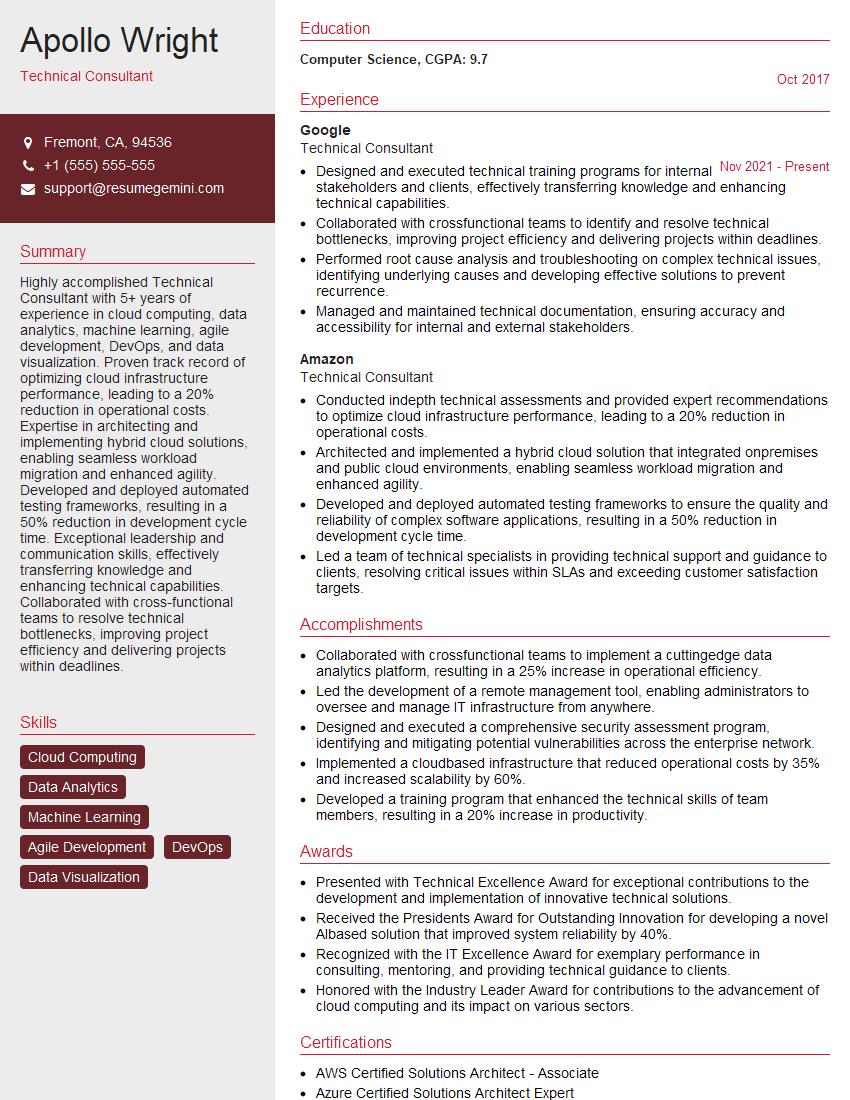
Technical Consultant Resume Sample

Data Analyst Resume Sample

Research Scientist Resume Sample

Software Engineer Resume Sample

Systems Analyst Resume Sample

Network Engineer Resume Sample

Solutions Architect Resume Sample

System Administrator Resume Sample
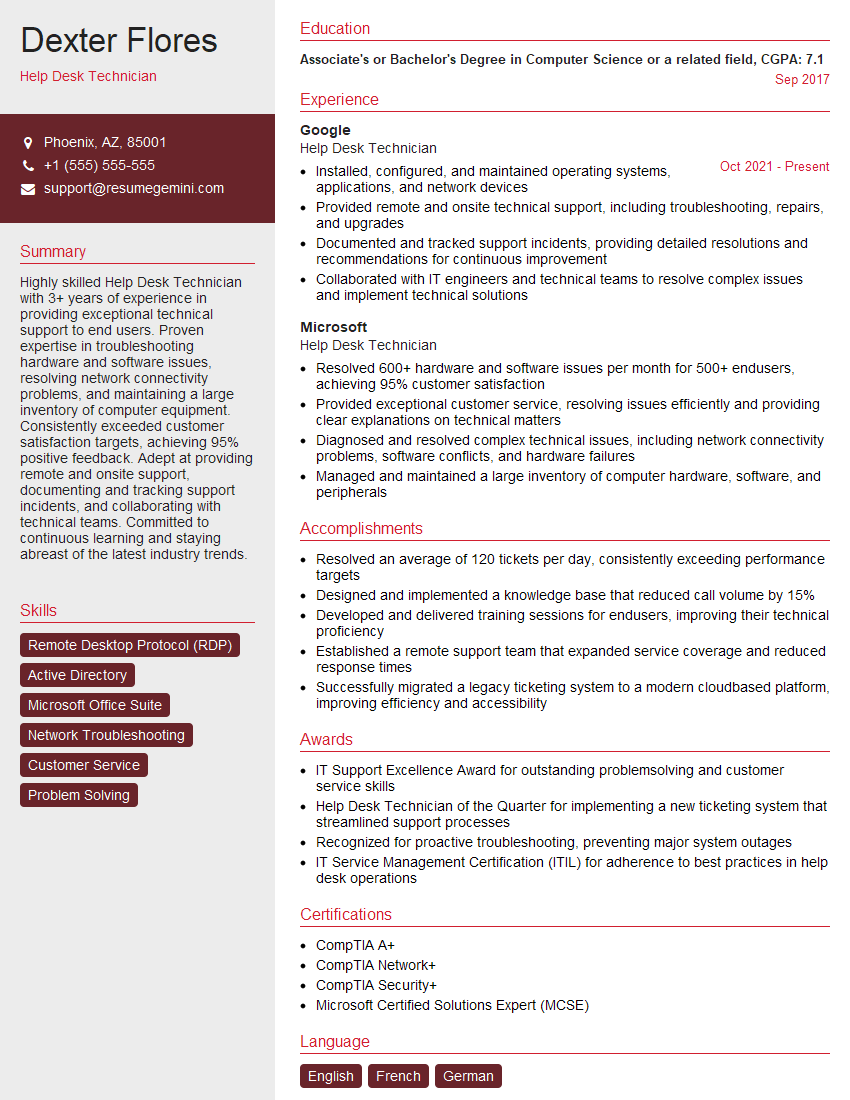
Help Desk Technician Resume Sample

IT Manager Resume Sample

Field Service Engineer Resume Sample

Quality Assurance Engineer Resume Sample

Technical Writer Resume Sample

Database Administrator Resume Sample

DevOps Engineer Resume Sample

Cloud Architect Resume Sample
- Operations Manager
- Product Manager
- Project Manager
- Business Analyst
- Technical Consultant
- Data Analyst
- Research Scientist
- Software Engineer
- Systems Analyst
- Network Engineer
- Solutions Architect
- System Administrator
- Help Desk Technician
- IT Manager
- Field Service Engineer
- Quality Assurance Engineer
- Technical Writer
- Database Administrator
- DevOps Engineer
- Cloud Architect
Explore more articles
Users Rating of Our Blogs
Share Your Experience
We value your feedback! Please rate our content and share your thoughts (optional).
What Readers Say About Our Blog
Very informative content, great job.
good