Cracking a skill-specific interview, like one for Knowledge of Event Planning and Management Software (e.g., Eventbrite, Cvent), requires understanding the nuances of the role. In this blog, we present the questions you’re most likely to encounter, along with insights into how to answer them effectively. Let’s ensure you’re ready to make a strong impression.
Questions Asked in Knowledge of Event Planning and Management Software (e.g., Eventbrite, Cvent) Interview
Q 1. Describe your experience using Eventbrite’s registration features.
My experience with Eventbrite’s registration features is extensive. I’ve used them to manage registrations for events ranging from small workshops to large-scale conferences. I’m proficient in configuring custom registration forms, setting ticket types with varying prices and quantities, managing waiting lists, and utilizing the automated email features for confirmations and reminders. For instance, I once managed a conference with multiple ticket tiers (early bird, standard, VIP), each with its own set of inclusions and access levels. Eventbrite’s flexible registration tools allowed me to easily manage these complexities and ensured a smooth registration process for all attendees.
I’m also familiar with integrating Eventbrite with other tools, such as CRM systems, to streamline data management. This seamless integration greatly simplifies post-event analysis and follow-up communications.
Q 2. How familiar are you with Cvent’s reporting and analytics dashboards?
I’m very familiar with Cvent’s reporting and analytics dashboards. They provide a comprehensive overview of event performance, allowing for data-driven decision-making. I frequently use the dashboards to track key metrics such as registration numbers, attendee demographics, website traffic, and even sentiment analysis from social media. This allows for a detailed understanding of what aspects of the event were successful and which areas need improvement for future events.
For example, I used Cvent’s reporting to identify that attendees from a specific geographic region had a significantly lower registration rate than expected. This insight helped us to tailor our marketing strategy for future events to better target that region. The customizable dashboards and report generation options are powerful tools for strategic event planning.
Q 3. Explain the process of creating an event on Eventbrite, including ticketing and payment options.
Creating an event on Eventbrite is straightforward. First, you create an account and then navigate to the ‘Create Event’ section. Here you provide essential event details like title, description, date, time, and location. Next, you define your ticket types. This is where you specify different ticket categories (e.g., early bird, general admission, VIP), pricing, and quantities. Eventbrite offers various ticketing options, including:
- Free Tickets: For events that don’t require payment.
- Paid Tickets: Allowing you to set different price points for various ticket types.
- Donation Tickets: Enabling attendees to donate any amount.
Eventbrite integrates with various payment gateways, ensuring secure processing of payments. You can customize the event page further with images, videos, and detailed descriptions. Finally, you can publish the event and share the link for registration. Once registrations start, you can manage attendees, send communications, and track registrations through the Eventbrite dashboard.
Q 4. Compare and contrast the event management capabilities of Eventbrite and Cvent.
Eventbrite and Cvent both offer robust event management capabilities, but they cater to different needs. Eventbrite is ideal for smaller to medium-sized events, focusing on ease of use and a user-friendly interface. It excels in online ticketing and registration management. Cvent, on the other hand, is a more comprehensive platform suited for large-scale, complex events, including corporate meetings, conferences, and trade shows. Cvent offers more advanced features like comprehensive marketing tools, detailed analytics, and robust attendee management capabilities, often including features for on-site event management.
Here’s a table summarizing the key differences:
| Feature | Eventbrite | Cvent |
|---|---|---|
| Target Audience | Small to medium-sized events | Large-scale, complex events |
| Ease of Use | High | Moderate |
| Pricing | Generally more affordable | Generally more expensive |
| Marketing Tools | Basic | Advanced |
| Analytics | Basic | Advanced |
| On-site Management Tools | Limited | Extensive |
Q 5. How would you troubleshoot a technical issue during an online event using Eventbrite or Cvent?
Troubleshooting technical issues during an online event requires a systematic approach. First, I’d identify the nature of the problem – is it affecting registration, streaming, chat functionality, or something else? Then, I would:
- Check the platform’s status page: Often, widespread outages are announced here.
- Verify internet connectivity: Ensure both my internet connection and the attendees’ connections are stable.
- Review Eventbrite/Cvent’s support documentation: Look for solutions to common issues.
- Contact the platform’s support team: If the problem persists, utilize their live chat, phone, or email support.
- Communicate with attendees: Keep attendees informed about any issues and provide updates on the resolution.
- Have backup plans: Always have alternative solutions ready, like a backup streaming link or contact information for a technical support person.
For example, if the live stream fails, having a pre-recorded version readily available minimizes disruption.
Q 6. How do you utilize Eventbrite’s or Cvent’s marketing tools to promote events?
Eventbrite and Cvent provide various marketing tools to promote events. Eventbrite offers basic tools like social media sharing buttons, email marketing capabilities, and promotional codes. Cvent offers a broader suite of marketing tools, including:
- Email marketing campaigns: Targeted email campaigns to specific audience segments.
- Social media integration: Seamless integration with social media platforms for enhanced reach.
- Event website creation: Customizable event websites to promote the event.
- Attendee management: Tools for targeted communications and follow-up after the event.
I would strategically utilize these tools based on the event’s budget and target audience. For example, for a smaller event, I might focus on organic social media promotion using Eventbrite’s built-in tools. For a larger event using Cvent, I’d likely implement a more comprehensive multi-channel marketing strategy, including paid social media advertising and email marketing campaigns.
Q 7. What are the key differences between managing in-person and virtual events using these platforms?
Managing in-person versus virtual events using these platforms differs significantly. In-person events necessitate managing logistics like venue booking, catering, and on-site registration. Platforms like Cvent provide features for managing these aspects, while Eventbrite primarily focuses on ticketing. Virtual events, on the other hand, rely heavily on the platform’s online features for registration, live streaming, attendee interaction, and engagement. Key differences include:
- Logistics: In-person events require extensive logistical planning, while virtual events focus on technical setup and online engagement.
- Cost: In-person events can be substantially more expensive than virtual events.
- Reach: Virtual events can reach a wider audience geographically.
- Engagement: Maintaining attendee engagement requires different strategies for in-person and virtual events.
Using Eventbrite for a virtual event might involve focusing on the registration, ticketing, and communication features. With Cvent for a large virtual event, I might utilize its webinar functionality, virtual networking tools and comprehensive analytics to understand the level of engagement and interaction of virtual attendees.
Q 8. How would you track and manage attendee registration and communication using Eventbrite or Cvent?
Managing attendee registration and communication is the cornerstone of successful event planning, and Eventbrite and Cvent excel at this. Both platforms offer robust tools to streamline the process.
Registration Tracking: I would start by creating a customized registration form, capturing essential data like name, email, dietary restrictions, and any other relevant information. Both platforms allow for conditional logic, ensuring the right questions appear for each ticket type. The software automatically tracks registrations, providing real-time dashboards showing registration numbers, revenue generated, and attendee demographics. For instance, I’d use Eventbrite’s reporting to monitor registration trends – are we getting more sign-ups on weekdays or weekends? This helps adapt marketing strategies.
Communication Management: Once registered, attendees are added to an email list. Eventbrite and Cvent allow for automated email sequences, sending confirmations, reminders, updates, and post-event thank-you messages. Segmentation is crucial; I can create different email lists based on attendee type (VIP, speaker, general attendee) and tailor communications accordingly. For example, I’d send a pre-event email to VIP attendees with exclusive content. Finally, built-in communication tools facilitate direct messaging with attendees if needed, addressing any concerns or questions promptly.
Q 9. Describe your experience integrating Eventbrite or Cvent with other marketing automation platforms.
Integrating Eventbrite and Cvent with marketing automation platforms like Mailchimp, HubSpot, or Marketo significantly enhances event marketing efficiency. I’ve successfully used Zapier and other integration tools to connect these platforms.
Integration process: Typically, this involves setting up automated workflows. For example, I’d configure a Zapier workflow to automatically add registrants from Eventbrite to a Mailchimp list, triggering a welcome email series. Another workflow could automatically update CRM data with new attendee information. This eliminates manual data entry, minimizing errors and saving valuable time. I’ve also used integrations to track marketing campaign performance linked to event registrations; this allows for accurate assessment of which channels are driving the most effective sign-ups.
Benefits: These integrations enhance lead nurturing, deliver targeted communications, improve campaign tracking, and automate repetitive tasks. It’s akin to having a central command center for all event-related data and communications.
Q 10. How do you handle attendee check-in and on-site management using these software solutions?
Attendee check-in and on-site management are made significantly smoother using Eventbrite and Cvent’s features.
Check-in: Both platforms offer various check-in methods – scanning QR codes from mobile devices, using on-site kiosks, or even manual entry if technology fails. I’ve streamlined this using dedicated check-in staff with mobile devices loaded with the event app. This ensures a quick, organized check-in process, minimizing lines and frustrating delays. Eventbrite and Cvent also facilitate the creation of name badges – either printed on-site or prepared in advance.
On-site Management: The platforms’ dashboards provide real-time attendee counts, helping monitor attendance throughout the event. Features like session tracking (if applicable) allow you to see which sessions are popular. Integrated features like surveys or feedback forms allow for immediate on-site data collection. During one large conference, we used Cvent’s on-site features to track speaker attendance and session feedback, which enabled us to make adjustments mid-event to improve the experience.
Q 11. Explain your experience in managing event budgets within Eventbrite or Cvent.
Budget management is simplified with Eventbrite and Cvent’s features. Both platforms provide tools to track expenses and revenue throughout the event lifecycle.
Budget Tracking: I typically create a detailed budget in a spreadsheet, and then use the platform to monitor expenses. Features like payment processing and reporting functionalities show revenue generated. I meticulously track all expenses – venue rental, catering, marketing, speaker fees, etc. – directly within the software whenever possible. This allows for a real-time view of the event’s financial health. Discrepancies between the planned budget and actual spending are readily apparent.
Reporting: Post-event reports provide a clear overview of all financial transactions, enabling accurate analysis of profitability. For example, I recently used Eventbrite’s reporting to demonstrate the return on investment of a specific sponsorship package – comparing sponsorship revenue with the actual cost associated with fulfilling the package.
Q 12. How familiar are you with the different pricing tiers offered by Eventbrite and Cvent?
Both Eventbrite and Cvent offer tiered pricing plans, typically scaling based on features, expected attendees, and support levels.
Eventbrite: Offers a free plan for smaller events, with paid plans offering increased features like custom registration forms, advanced reporting, and ticketing options. The pricing varies based on the number of tickets sold and the chosen features. Their pricing is generally more transparent and simpler to understand.
Cvent: Has a more complex pricing structure. It’s generally tailored to larger organizations and events and often requires a customized quote. They cater to enterprise-level needs, offering robust features and dedicated support, but the pricing tends to reflect this.
Choosing a Plan: The choice depends on the event’s scale, budget, and required features. For smaller events with limited needs, Eventbrite’s free or basic plans may suffice. Larger, complex events usually require Cvent’s more comprehensive, albeit pricier, options.
Q 13. Describe your experience with event post-event reporting and analysis within these platforms.
Post-event reporting and analysis are invaluable for evaluating event success and informing future planning. Both Eventbrite and Cvent provide comprehensive reporting dashboards.
Key Metrics: I typically focus on attendance figures, revenue generated, attendee satisfaction (via surveys), social media engagement, and marketing campaign effectiveness. The platforms readily provide data on registration numbers, ticket sales, and attendee demographics. I’ve used this data to create visualizations showcasing attendee engagement throughout the event. For example, I’ve created charts showing attendance at different sessions, revealing which topics resonated most with attendees.
Actionable Insights: This data helps understand what worked well and what could be improved. Low attendance at a specific session might suggest adjusting the agenda for future events. High satisfaction scores validate the event’s value proposition. This allows data-driven decision-making for future events.
Q 14. How would you use Eventbrite or Cvent to track event ROI?
Tracking event ROI (Return on Investment) is crucial for justifying event expenses and demonstrating its impact. Eventbrite and Cvent provide the tools to calculate this effectively.
Calculating ROI: The formula is simple: ROI = (Net Profit / Total Investment) * 100. To calculate net profit, subtract all event expenses from the total revenue generated (including sponsorships, ticket sales, etc.). The total investment includes all expenses incurred in planning and executing the event. Both platforms help determine revenue and expenses. I often calculate ROI separately for different aspects of the event (e.g., ROI from a specific sponsorship deal).
Beyond Financial Metrics: While financial ROI is important, I also consider non-financial metrics like brand awareness, lead generation, and customer engagement. For instance, the number of leads generated from the event can be quantified and weighed against the event cost to evaluate ROI in terms of business development.
Q 15. What are the limitations of using Eventbrite or Cvent for large-scale events?
While Eventbrite and Cvent are powerful tools, limitations arise with large-scale events. Think of it like trying to fit a king-size bed into a small closet – it just won’t work.
- Scalability Issues: Managing thousands of attendees, complex ticketing structures (e.g., tiered pricing, multiple event dates), and extensive registration fields can overwhelm the system’s processing capacity, leading to slow loading times and potential crashes. I’ve experienced this firsthand when working on a music festival with over 15,000 attendees. The initial registration page became incredibly slow.
- Integration Challenges: Integrating with other crucial systems – CRM, payment gateways, or marketing automation platforms – becomes more complex with larger datasets. Data synchronization issues can emerge, leading to discrepancies between different systems. For example, integrating with a large-scale CRM for post-event follow-up can be challenging and requires careful planning.
- Reporting & Analytics Limitations: Analyzing vast amounts of attendee data for insights can be cumbersome. The default reporting features might not be sufficient to derive meaningful conclusions for strategic decision-making. I once needed to generate a detailed report on attendee demographics across multiple event dates; extracting this information required significant manual effort.
- Customer Support: Resolving technical issues or receiving prompt assistance can become more challenging with a significant number of attendees and transactions. Response times can increase significantly during peak event periods.
Career Expert Tips:
- Ace those interviews! Prepare effectively by reviewing the Top 50 Most Common Interview Questions on ResumeGemini.
- Navigate your job search with confidence! Explore a wide range of Career Tips on ResumeGemini. Learn about common challenges and recommendations to overcome them.
- Craft the perfect resume! Master the Art of Resume Writing with ResumeGemini’s guide. Showcase your unique qualifications and achievements effectively.
- Don’t miss out on holiday savings! Build your dream resume with ResumeGemini’s ATS optimized templates.
Q 16. How would you customize registration forms within Eventbrite or Cvent to gather specific data?
Customizing registration forms is crucial for gathering specific data. Think of it as building a questionnaire tailored to your event’s unique needs.
Both platforms offer robust customization options. In Eventbrite, you can add custom questions within the registration form by using the ‘Add a Question’ feature. You can choose various question types: text fields, multiple-choice, dropdowns, etc. For example, I added custom fields to collect dietary restrictions for catering purposes at a corporate event.
Cvent offers similar functionalities but often with more advanced options for conditional logic. You can create more complex forms where certain questions appear only if specific previous answers are selected. This allows you to create highly targeted data collection strategies. For instance, you could ask attendees about their preferred workshop sessions only after they select a specific track.
In both platforms, it’s crucial to clearly label fields and provide instructions to ensure accurate and complete data entry from attendees. Remember, clearer is better!
Q 17. Describe a time you had to adapt your approach to using Eventbrite or Cvent due to unexpected challenges.
During a large conference, the venue unexpectedly cancelled their Wi-Fi service a day before the event. This severely impacted our on-site registration process, which relied heavily on Eventbrite’s mobile check-in feature. We had to immediately adapt.
Our solution involved a multi-pronged approach:
- Offline Registration System: We quickly set up a manual registration system using paper forms and a laptop with offline data storage. This ensured that attendees could still register.
- Communication Strategy: We immediately sent out email and SMS alerts informing attendees about the Wi-Fi disruption and the alternative registration process.
- Data Synchronization: After the event, we manually entered the data from the paper forms into Eventbrite, ensuring data integrity.
This incident highlighted the importance of having a contingency plan and the flexibility to adapt to unexpected circumstances. We revised our event planning process to include multiple registration methods and enhanced communication channels for emergencies.
Q 18. How do you ensure data accuracy and integrity when using these event management platforms?
Data accuracy and integrity are paramount. Think of it as building a foundation for your event’s success – a shaky foundation leads to problems.
- Data Validation: Implementing data validation rules within the registration forms is essential. For instance, requiring email address confirmation or enforcing specific data formats (e.g., phone numbers) reduces errors.
- Regular Data Audits: Conducting regular data checks to identify and correct inconsistencies is crucial. This can involve comparing data from different sources (e.g., registration forms, CRM) to ensure accuracy. I often use spreadsheets to manually verify data points, especially for crucial attendee information.
- Data Cleaning: Regularly cleaning and standardizing the data (e.g., correcting typos, formatting inconsistencies) is critical for analysis and reporting. Tools within the platforms and external data-cleaning software can be used.
- Clear Data Definitions: Establishing clear definitions for each data field ensures consistent data collection and improves data interpretation.
Q 19. What are some best practices for data security when using Eventbrite or Cvent?
Data security is vital, especially with sensitive attendee information. It’s like protecting your event’s most valuable asset.
- Password Protection: Using strong, unique passwords for all event management platform accounts is fundamental.
- Two-Factor Authentication (2FA): Enabling 2FA adds an extra layer of security, making it significantly harder for unauthorized access.
- Data Encryption: Leveraging the platform’s data encryption features to protect sensitive data during transmission and storage is essential. Understanding the encryption methods used by the platform is important.
- Access Control: Limiting access to sensitive data to only authorized personnel prevents unauthorized data viewing or modification.
- Regular Security Updates: Keeping the event management software updated with the latest security patches reduces vulnerabilities.
Q 20. Explain your experience with attendee communication features within Eventbrite or Cvent.
Attendee communication is key to a successful event. Think of it as keeping attendees engaged and informed every step of the way.
Both Eventbrite and Cvent provide robust communication features. Eventbrite offers email marketing capabilities, allowing for automated email sequences (e.g., confirmation emails, reminders, post-event follow-ups). I often use these to send out personalized emails to attendees based on their registration details.
Cvent goes a step further with more advanced features like SMS messaging, in-app notifications, and the ability to segment audiences for targeted communication. For instance, I used Cvent’s SMS features to provide real-time updates on venue changes during a conference.
Effective communication involves clear messaging, personalized content, and using the appropriate channel for each message. Consider the context and choose your tools wisely.
Q 21. How would you handle cancellations and refunds using the software’s capabilities?
Handling cancellations and refunds efficiently and transparently is critical. It’s about managing expectations and minimizing disruptions.
Both platforms provide built-in features for managing cancellations and refunds. Eventbrite typically allows you to set up refund policies during event creation, specifying the refund period and percentage. Attendees can often self-manage cancellations through a link in their confirmation email.
Cvent offers similar functionalities, but often with greater flexibility in configuring refund rules and integrating with various payment gateways. For instance, you can set up different refund policies for different ticket types. It’s important to clearly communicate the refund policy to attendees upfront to prevent misunderstandings.
In either case, maintaining meticulous records of cancellations and refunds is crucial for financial reconciliation and tracking.
Q 22. Describe your experience using Eventbrite or Cvent’s mobile applications.
My experience with Eventbrite and Cvent mobile apps is extensive. I’ve used them both for managing events on-the-go, and found them incredibly useful for tasks like checking attendee registration numbers, responding to inquiries, and monitoring real-time event data. Eventbrite’s app, for instance, provides a clean interface for quickly accessing key event metrics. Cvent’s mobile app offers more robust features, particularly for managing on-site check-in and addressing any logistical issues that arise during an event.
For example, during a large conference I managed, I used Cvent’s app to address a last-minute venue change notification. The ability to update information in real-time and instantly relay it to attendees via the app’s push notification system was invaluable in avoiding confusion and ensuring the smooth continuation of the event. Both apps have helped me react promptly to unforeseen circumstances, improving attendee experience and overall event success.
Q 23. How familiar are you with the different event templates available in these platforms?
Both Eventbrite and Cvent offer a range of event templates, pre-designed layouts that streamline the event creation process. Eventbrite tends to lean towards simpler, more user-friendly templates ideal for smaller events like workshops or webinars. Cvent, on the other hand, boasts a wider array of sophisticated templates suitable for large-scale conferences, trade shows, and corporate events. These templates often include customized registration forms, email sequences, and reporting dashboards tailored to specific event types.
I’ve personally utilized Cvent’s templates for complex multi-day conferences, finding their features for managing multiple sessions, speakers, and sponsors incredibly helpful. I’ve also used Eventbrite’s templates for smaller, simpler events, appreciating their ease of use and quick setup time. Selecting the right template depends on the event’s scale and complexity. For a simple fundraising event, Eventbrite’s basic templates are sufficient. For a major corporate conference, Cvent’s advanced templates provide better functionality.
Q 24. Explain how you would use these platforms to manage multiple events simultaneously.
Managing multiple events simultaneously requires a systematic approach, and both Eventbrite and Cvent offer features to support this. The key is leveraging their organizational tools to avoid confusion and ensure timely execution of tasks. I typically create separate event profiles within each platform for each event, ensuring clear separation of data and settings.
For instance, I utilize Cvent’s calendar view to visualize all my upcoming events and their respective deadlines. Both platforms allow for the creation of custom event teams, assigning specific roles and responsibilities to different team members. This organized workflow prevents overlaps, ensures accountability, and streamlines communication. Regular reporting and data analysis across all events help me identify potential bottlenecks or challenges early on, allowing for proactive adjustments. Using dashboards and automated reports provides a high-level overview across multiple events. I ensure that each event’s specific needs are met through detailed event planning and custom configurations.
Q 25. What are your preferred methods for data backup and recovery using Eventbrite or Cvent?
Data backup and recovery are crucial for event management. My preferred methods involve a multi-layered approach. For Eventbrite, I rely heavily on their automated backups, regularly verifying data integrity. However, I also implement manual exports of crucial data—like attendee lists and financial reports—to a secure cloud storage service like Dropbox or Google Drive as an additional safeguard.
For Cvent, I leverage their built-in backup options and also perform regular data exports. Cvent offers more granular control over data export, allowing for selective backup of specific event components. In both cases, maintaining detailed documentation of backup procedures and testing the restoration process periodically are crucial for ensuring quick recovery in case of data loss or system failure. This proactive approach protects against unforeseen circumstances and minimizes the risk of data loss.
Q 26. How do you ensure compliance with relevant data privacy regulations when using these platforms?
Data privacy is paramount. I ensure compliance with regulations like GDPR and CCPA by meticulously configuring privacy settings within Eventbrite and Cvent. This involves clearly defining data collection purposes, obtaining explicit consent from attendees, and providing transparent mechanisms for data access, correction, and deletion.
For instance, I carefully review and customize the default privacy settings within the platforms, ensuring that only necessary data is collected and that attendee information is handled securely. I also implement data minimization principles, collecting only the absolutely essential data for each event. Regular training for my team on data privacy best practices is another key component of my approach. Staying updated on evolving data privacy legislation is critical in ensuring continuous compliance.
Q 27. Describe your experience with integrating Eventbrite or Cvent with CRM systems.
Integrating Eventbrite and Cvent with CRM systems (like Salesforce or HubSpot) is a powerful way to enhance event management. I’ve extensively used these integrations to streamline attendee management, improve marketing efficiency, and enhance customer relationship management.
For example, I’ve integrated Cvent with Salesforce to automatically sync attendee data, allowing me to track attendee interactions before, during, and after events. This provides valuable insights into attendee behavior and allows for more personalized communication. Such integration allows for automated email marketing campaigns based on event participation and attendee preferences. Similarly, I’ve used Eventbrite’s API to integrate with smaller CRM solutions, successfully automating tasks like adding new attendees to a mailing list. These integrations greatly enhance data management, communication, and overall campaign efficacy.
Q 28. How would you train new team members on using these event management software solutions?
Training new team members involves a structured approach combining theoretical learning and hands-on practice. I begin with an overview of the platform’s core functionalities, focusing on the specific features relevant to their roles. This includes demonstrations and guided exercises using sample event data.
For instance, I’d provide a walkthrough of the event creation process, demonstrating how to set up registration forms, manage attendee lists, and configure email communication. I follow this up with scenario-based training, simulating real-world event challenges. This hands-on practice allows them to apply their knowledge and gain confidence. Finally, I provide access to relevant documentation, video tutorials, and ongoing support to reinforce their learning. Regular check-ins and feedback sessions are crucial to ensure their proficiency and address any challenges they might encounter.
Key Topics to Learn for Knowledge of Event Planning and Management Software (e.g., Eventbrite, Cvent) Interview
- Event Creation and Management: Understanding the process of creating events, managing registration, and tracking attendees within the software. This includes setting up ticketing options, managing waitlists, and customizing event pages.
- Marketing and Promotion: Leveraging the software’s built-in marketing tools to promote events. This includes understanding email marketing capabilities, social media integration, and reporting on campaign effectiveness.
- Reporting and Analytics: Analyzing event data to understand key performance indicators (KPIs) such as registration rates, attendance, and revenue. This involves using the software’s reporting features to track progress and identify areas for improvement.
- Financial Management: Using the software to manage event budgets, track expenses, and process payments. This includes understanding revenue reconciliation and reporting on financial performance.
- Attendee Management: Utilizing the software’s features to manage attendee communication, check-in processes, and on-site support. This includes using features like name badges, QR codes, and communication tools.
- Integration with other tools: Understanding how the chosen software integrates with other commonly used business tools (e.g., CRM systems, email marketing platforms). This includes understanding data transfer and synchronization capabilities.
- Troubleshooting and Problem Solving: Demonstrating the ability to identify and resolve common issues within the software, such as registration errors or payment processing problems.
Next Steps
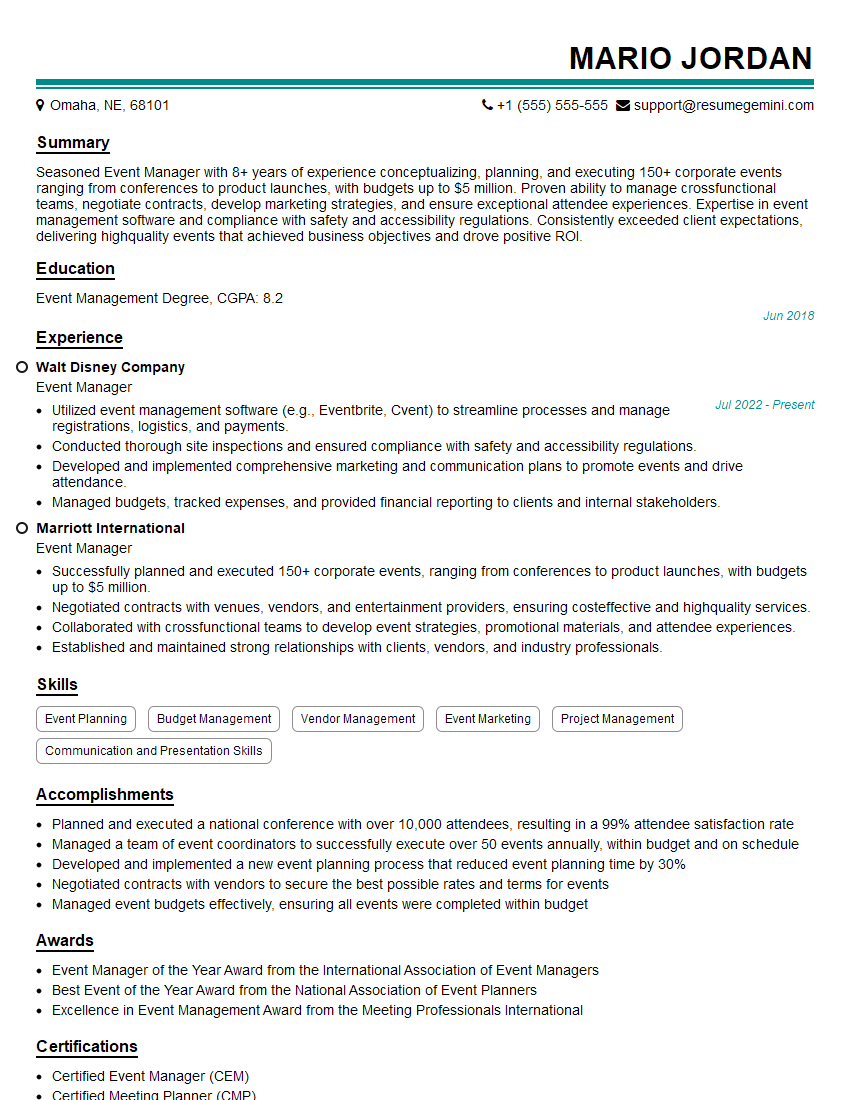
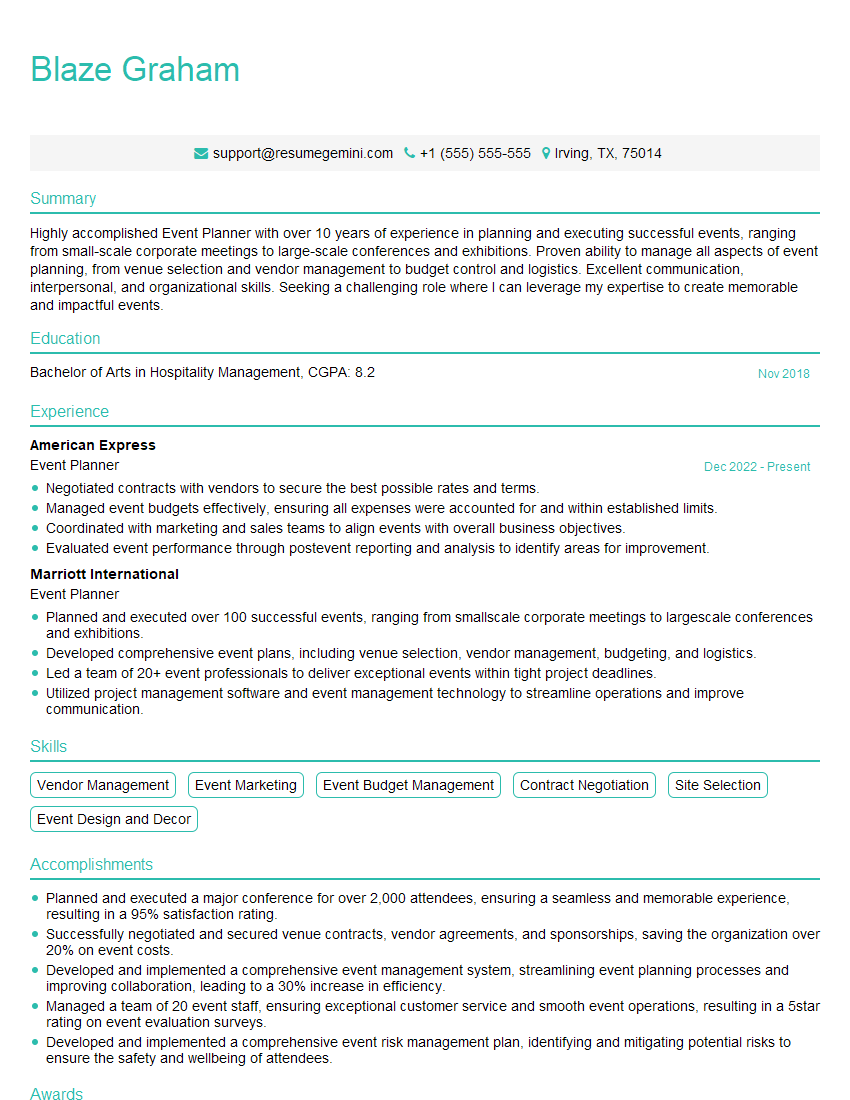
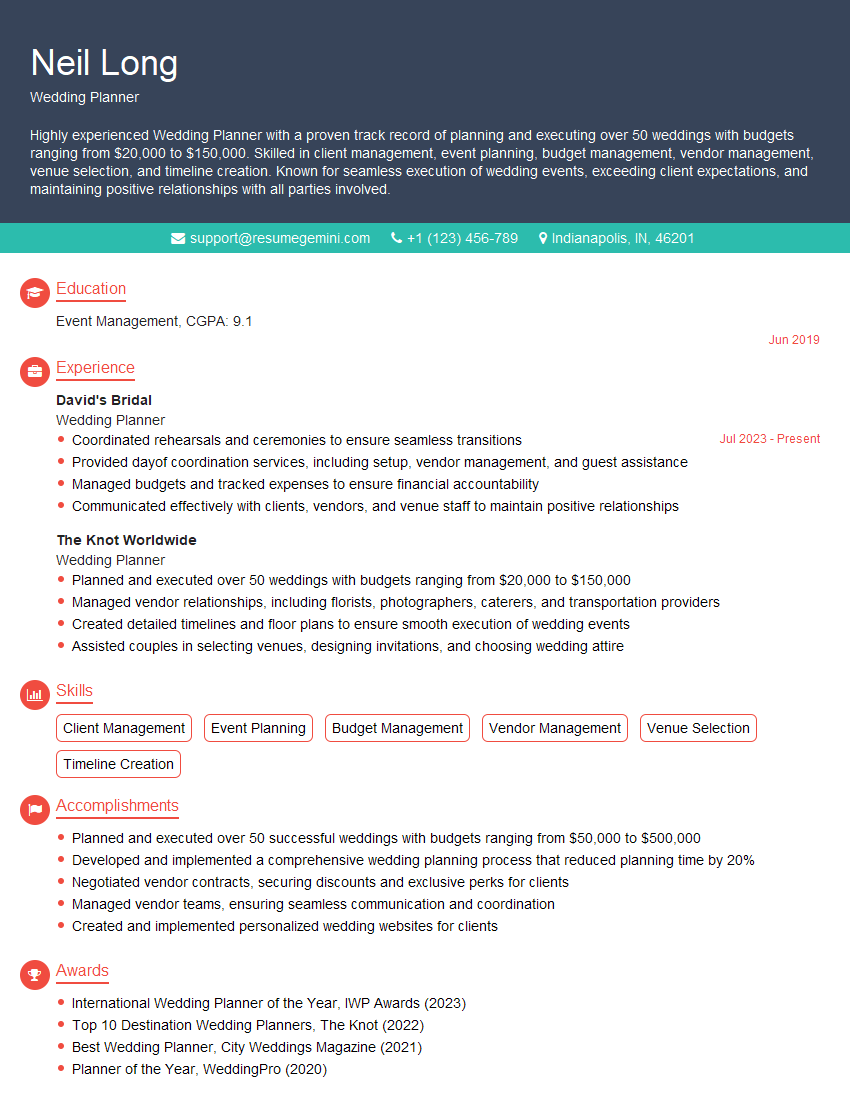
Mastering event planning and management software like Eventbrite and Cvent is crucial for career advancement in the events industry. Proficiency in these tools demonstrates efficiency, organization, and a commitment to utilizing technology for optimal event outcomes. To significantly boost your job prospects, create an ATS-friendly resume that highlights your skills and experience effectively. ResumeGemini is a trusted resource that can help you build a professional and impactful resume tailored to your specific skills. Examples of resumes showcasing expertise in Eventbrite and Cvent are available to help guide you through the process.
Explore more articles
Users Rating of Our Blogs
Share Your Experience
We value your feedback! Please rate our content and share your thoughts (optional).
What Readers Say About Our Blog
Very informative content, great job.
good