Interviews are opportunities to demonstrate your expertise, and this guide is here to help you shine. Explore the essential knowledge of printing industry software applications interview questions that employers frequently ask, paired with strategies for crafting responses that set you apart from the competition.
Questions Asked in knowledge of printing industry software applications Interview
Q 1. Describe your experience with color management software (e.g., GMG, X-Rite i1).
Color management is crucial for ensuring consistent color reproduction across different devices and printing processes. My experience encompasses working extensively with GMG ColorServer and X-Rite i1 spectrophotometers. I’ve used GMG to profile various printing devices – from wide-format inkjet printers to offset presses – creating ICC profiles that accurately translate digital colors to the printed output. This involves measuring color patches, analyzing data, and generating profiles that compensate for the unique characteristics of each device. With X-Rite i1, I’ve performed color measurements for proofing and quality control, verifying the accuracy of printed colors against the designed values. I’m proficient in understanding color spaces (CMYK, RGB, Lab) and applying color transformations to achieve optimal color fidelity. For example, I once had to troubleshoot a significant color shift in a high-volume offset print job. Using GMG, I identified a discrepancy in the press profile and, by creating a corrected profile and re-RIPping the job, we achieved the required color accuracy.
Q 2. Explain your familiarity with different RIP software (e.g., Fiery, Harlequin).
My familiarity with RIP (Raster Image Processor) software includes extensive experience with both EFI Fiery and Harlequin. Fiery, known for its robust features and integration with various printing devices, is my go-to for high-volume offset and digital printing. I regularly use its features for color management, job submission, and advanced imposition. Harlequin, on the other hand, offers a powerful, flexible solution, often preferred for its flexibility and customizability in specialized applications. I’ve utilized Harlequin’s scripting capabilities to automate complex workflows and integrate it with other prepress software. For instance, I once developed a custom Harlequin script to automate the imposition of variable data printing jobs, significantly reducing processing time and manual intervention. My understanding extends to the underlying RIP process – the conversion of vector and raster data into printable raster data – and troubleshooting issues related to resolution, color, and image processing.
Q 3. How would you troubleshoot a common printing issue like banding or color inconsistencies?
Troubleshooting printing issues like banding and color inconsistencies requires a systematic approach. Banding, those unsightly horizontal lines, often stems from problems with the print head, ink delivery system (in inkjet), or even the RIP settings. I would first check the print head for clogs or damage, inspect the ink supply lines, and then examine the RIP settings for resolution, dithering patterns, and print mode. Color inconsistencies might arise from numerous sources. I’d start by verifying the accuracy of the ICC profiles, checking for any mismatches between the design software and the RIP. I would then analyze the print itself – are the inconsistencies uniform across the sheet or localized? This helps pinpoint the source – perhaps a faulty ink cartridge, incorrect calibration of the color management system, or an issue with the printing device itself. Documenting each step, performing test prints, and progressively eliminating possible causes is key. For example, I once resolved banding by adjusting the print head cleaning cycle in the RIP settings and recalibrating the printer. Similarly, I solved a color inconsistency issue by identifying and replacing a faulty ink cartridge.
Q 4. What is your experience with prepress software like Adobe Acrobat, InDesign, or Illustrator?
My prepress experience centers around Adobe Creative Suite, including Acrobat, InDesign, and Illustrator. I’m proficient in preparing files for print, ensuring they meet the specifications for color, resolution, and bleed. I regularly use InDesign for layout and pagination, Illustrator for vector graphics, and Acrobat for PDF creation and preflighting. Preflighting is particularly important; it helps to catch potential issues like missing fonts, incorrect color spaces, and low-resolution images before they reach the printing stage. I understand the importance of creating print-ready PDFs, including appropriate bleed and trim marks, and ensuring all fonts and images are embedded. For example, I frequently use Acrobat’s preflight profiles to automate the verification process, saving significant time and avoiding costly errors later on.
Q 5. Describe your workflow for preparing files for different printing processes (offset, digital, etc.).
Preparing files for different printing processes involves a tailored approach. For offset printing, high-resolution (300 dpi) CMYK files are essential, along with careful attention to bleed and trapping. I’ll use InDesign or Illustrator to create the layout, ensuring proper color management and font embedding. For digital printing, the process is somewhat simpler, but resolution and color space are still critical. I would use the appropriate PDF/X standard (e.g., PDF/X-1a for CMYK) to guarantee compatibility. For large-format printing, resolution requirements can vary, so I adapt my workflow accordingly. In all cases, a thorough preflight check is crucial before sending the files to the printing facility. For instance, a recent project required creating both offset and large-format print materials for a trade show. I created separate files, optimizing the resolution and color profiles to meet the specific requirements of each printing process.
Q 6. How familiar are you with imposition software (e.g., Impostrip, PackZ)?
I have practical experience with imposition software like Impostrip and PackZ. These tools are invaluable for efficient sheet planning and imposition. Impostrip excels in its intuitive interface and straightforward workflows, making it ideal for simpler jobs. PackZ, known for its advanced features and handling of complex jobs, is my preference for intricate projects involving numerous pages, special finishing options (like die-cutting or embossing), and variable data. I’ve used these tools to create imposition layouts that optimize sheet usage, reduce waste, and ensure correct page sequencing. For example, I used PackZ to create a complex imposition layout for a book with multiple signatures, varying page sizes, and custom finishing requirements, resulting in significant cost savings by optimizing paper usage.
Q 7. What is your experience with MIS (Management Information Systems) software in the printing industry?
My experience with MIS (Management Information Systems) software in the printing industry is limited, but I understand its critical role in managing production workflows, tracking costs, and monitoring efficiency. While I haven’t directly managed MIS systems, my familiarity extends to interacting with such systems for reporting purposes and understanding how job data flows through different stages of production. I appreciate the importance of data accuracy in these systems, as it directly impacts the financial health of a printing operation and informs decision-making related to pricing, resource allocation, and workflow optimization. A well-implemented MIS system facilitates smoother communication and better integration between prepress, press, and postpress stages.
Q 8. How do you ensure color accuracy across different printing devices and substrates?
Ensuring color accuracy across different printing devices and substrates is crucial for maintaining brand consistency and delivering high-quality prints. It involves a multi-faceted approach leveraging color management systems (CMS) and careful profile creation.
Firstly, we use ICC profiles. These profiles characterize the color behavior of each device (printer, scanner, monitor) and substrate (paper type, etc.). A profile acts like a translator, telling the system how a specific color on the screen should be rendered on a particular printer and paper. Imagine trying to paint a portrait – each paint has its own hue and needs to be adapted to create the image you envisioned.
Secondly, we employ color proofing. Soft proofing, done on screen, provides a preview using the intended ICC profile. This helps catch discrepancies early. Hard proofing, using a dedicated proofing device, creates a physical sample representing the final printed output. This offers the most accurate representation before committing to a large print run.
Thirdly, substrate selection plays a key role. Different substrates absorb ink differently, affecting color appearance. We carefully select papers considering their absorbency and optical brightening agents which influence color rendition. We often conduct test prints on the chosen substrate to verify color accuracy before proceeding to full production.
Finally, color calibration is an ongoing process. Regular calibration of printers and monitors ensures consistent color output over time. Software tools allow for managing ICC profiles and verifying color accuracy using specific tests and targets.
Q 9. What is your understanding of PDF workflows and preflighting?
PDF workflows are the backbone of modern print production, providing a platform for reliable and consistent output. Preflighting is an integral part of this workflow, acting as a quality control check before the actual printing process.
A typical PDF workflow starts with the creation of the document in a design application (InDesign, Illustrator, etc.). This is then saved as a PDF, optimized for print. This optimization step involves flattening layers, embedding fonts, and managing color spaces to ensure the final PDF is print-ready.
Preflighting uses dedicated software to automatically analyze the PDF, identifying potential problems before they reach the press. This includes checking for missing fonts, incorrect color spaces, low-resolution images, and bleed issues. It acts like a pre-flight checklist for a plane – ensuring everything is in place before takeoff.
For example, a preflight check might reveal an image with a resolution too low for print, resulting in a blurry output. This allows us to replace the image with a higher-resolution version before the job goes to print, saving time and materials. The software generates reports detailing all discovered issues, helping us rectify them efficiently.
Q 10. Describe your experience with print job scheduling and management.
Efficient print job scheduling and management is vital for optimizing productivity and meeting deadlines. I utilize software solutions such as MIS (Management Information Systems) software which provides a centralized platform for managing the entire print production process.
These systems allow us to prioritize jobs based on urgency and due dates, assign them to specific presses, and track their progress in real-time. They often integrate with other software, such as prepress systems and accounting software, creating a streamlined workflow.
For instance, a typical day may involve scheduling rush jobs for a client presentation ahead of long-run projects. The software lets me assign resources optimally – considering press availability, personnel expertise, and material inventory. This feature significantly improves efficiency compared to manual tracking.
Furthermore, these systems often provide detailed reporting functionalities, which are invaluable for analyzing production bottlenecks, improving workflows, and making data-driven decisions. This allows for process optimization and ultimately more efficient use of resources.
Q 11. How do you handle complex print jobs with multiple variables?
Handling complex print jobs with multiple variables requires a structured approach and the right tools. This often involves leveraging the power of Variable Data Printing (VDP) software.
VDP allows for the personalization of each printed piece with unique data, such as names, addresses, and images. For example, imagine printing personalized marketing materials for a large customer base – each piece could feature a different name, address, and a targeted product image.
To manage these variables effectively, I use data merging capabilities to combine the print template with the variable data. This involves integrating the VDP software with databases that contain the information. The software then automatically generates unique print files for each record.
Furthermore, robust imposition software helps in efficiently arranging personalized pages on a printing sheet, optimizing the use of paper and reducing waste. Thorough preflighting is crucial to verify the accuracy of variable data and ensure all personalized elements are correctly integrated within the print template.
Q 12. Explain your experience with automated workflow systems.
My experience with automated workflow systems spans several years, working with industry-standard solutions designed to streamline prepress, press, and post-press operations.
These systems automate repetitive tasks such as job submission, imposition, color management, and even job tracking. This drastically reduces manual intervention, minimizing human error and increasing efficiency.
For instance, one system I used integrated seamlessly with our MIS, automatically routing jobs to appropriate printers based on their specifications. Once the job was printed, the system automatically generated reports detailing the run time, ink usage, and other relevant metrics. This real-time data offered invaluable insights for continuous improvement.
Furthermore, these automated systems often integrate with external systems, such as customer relationship management (CRM) software, enabling a more streamlined communication flow between different departments and even clients.
Q 13. What is your experience with different types of print finishing software?
My experience encompasses a wide range of print finishing software, including those used for cutting, folding, binding, and other post-press operations. These software packages often function as integral parts of a wider automated workflow system.
For example, I’m proficient with software that designs and optimizes cutting paths for die-cutting machines. The software determines the most efficient way to cut shapes from a sheet of material, minimizing waste and maximizing production speed. Similar software exists for folding and binding, allowing for precise configuration of different types of folds and binding styles.
Furthermore, some advanced systems allow for the creation of complex finishing instructions and their integration into the overall job ticket, ensuring that post-press operations proceed smoothly and with minimal errors. This seamless integration reduces the risk of mismatches between print and finishing specifications.
Q 14. How do you use software to estimate the cost of a print job?
Estimating the cost of a print job accurately requires a combination of software tools and expert knowledge. Dedicated estimating software is often used, providing tools for quick and precise calculations.
These applications take into account several key variables including:
- Paper size and quantity: The software calculates the amount of paper required based on the job specifications.
- Ink usage: Estimates are made based on the color profile and coverage area.
- Press time: Software utilizes data from past jobs to estimate the required machine time for a similar job.
- Finishing costs: Costs associated with cutting, binding, folding, and other post-press operations are included.
- Labor costs: The software factors in the labor cost required for different stages of production, from prepress to post-press.
The software calculates the total cost by summing up these individual components. Adjustments are made based on factors like urgency and complexity of the job. This allows for transparent and accurate pricing which is essential for maintaining profitability and client satisfaction.
Q 15. How do you maintain and troubleshoot printing equipment and software?
Maintaining and troubleshooting printing equipment and software involves a multi-faceted approach combining preventative measures with reactive problem-solving. Think of it like maintaining a car – regular check-ups prevent major breakdowns.
- Preventative Maintenance: This includes regular cleaning of print heads, replacing toner or ink cartridges before they run out completely, and conducting routine inspections of mechanical parts. For software, this means regularly updating drivers, applying software patches, and backing up crucial data. I always schedule these tasks, ensuring minimal disruption to workflow.
- Troubleshooting: When issues arise, a systematic approach is key. I start by identifying the symptoms – is it a banding issue, color inaccuracy, paper jams, or software errors? Then, I check the obvious – are the cartridges correctly installed? Is the paper path clear? For software problems, I check error logs and consult online resources or manufacturer documentation. For example, if I encounter a banding issue, I first check the print heads for clogs, then investigate the printer settings like print resolution and media type. If the problem persists, I check the drivers and firmware.
- Tools and Techniques: I utilize diagnostic tools provided by the manufacturer, as well as network monitoring tools to identify connectivity problems. I’m proficient in using various printer control panels and software interfaces to adjust settings and resolve issues. Documentation is crucial; I meticulously document all maintenance and troubleshooting activities for future reference.
For instance, I once resolved a recurring paper jam in a high-volume printer by identifying a slight misalignment in the paper feed rollers through careful observation and adjustment. This saved the company significant downtime and costly repairs.
Career Expert Tips:
- Ace those interviews! Prepare effectively by reviewing the Top 50 Most Common Interview Questions on ResumeGemini.
- Navigate your job search with confidence! Explore a wide range of Career Tips on ResumeGemini. Learn about common challenges and recommendations to overcome them.
- Craft the perfect resume! Master the Art of Resume Writing with ResumeGemini’s guide. Showcase your unique qualifications and achievements effectively.
- Don’t miss out on holiday savings! Build your dream resume with ResumeGemini’s ATS optimized templates.
Q 16. What is your experience with variable data printing (VDP) software?
Variable Data Printing (VDP) software allows for personalized mass communication. Imagine sending thousands of postcards, each with a unique address and personalized message, instead of the same message to everyone. I’ve extensive experience using several VDP applications, including Adobe InDesign with its Variable Data Printing features, and dedicated VDP software such as PrintSmith and Quadient Inspire.
My experience includes designing and implementing VDP campaigns for various clients, ranging from personalized marketing materials to customized product labels. This involves creating templates, integrating data sources (like spreadsheets or databases), and ensuring accurate and efficient output. I understand data mapping, merging techniques, and the importance of data validation to prevent errors. I have hands-on experience with various data formats, including CSV and XML. I’m also skilled at troubleshooting data-related issues, such as incorrect merges or missing data.
For example, I once worked on a project creating personalized thank-you notes for a large retailer after a customer survey. Using VDP software, I incorporated customer names, purchase history details, and even personalized recommendations, resulting in a highly effective and appreciated campaign.
Q 17. How do you manage version control in your print projects?
Version control in print projects is essential to track changes, collaborate effectively, and prevent errors. Think of it like tracking different drafts of a document – you always know which version is the latest and can revert to earlier versions if necessary.
- File Naming Conventions: I utilize a consistent file-naming convention, incorporating project names, version numbers, and dates (e.g., ProjectX_v3_20240308.indd). This makes identifying and managing files incredibly simple.
- Version Control Software: While dedicated version control systems like Git are less common in the print industry compared to software development, I leverage cloud storage services with version history (like Google Drive or Dropbox) to track changes. These services allow me to revert to previous versions if needed.
- Proofing and Approval Processes: I always maintain a clear system for proofing and approvals, including marked-up PDFs and email confirmations of changes. This ensures everyone is on the same page and changes are documented.
For instance, in a recent project involving a multi-page brochure, I maintained different versions with annotations highlighting revisions. This allowed for seamless collaboration between the design team and the client, ensuring the final product reflected all approved changes.
Q 18. Describe your experience with color profiling and calibration.
Color profiling and calibration are crucial for achieving color consistency across different devices and stages of the printing process. Imagine baking a cake – you need consistent ingredients and oven temperature to get the same results every time. This is analogous to how color profiling ensures consistent color reproduction.
My experience includes working with color management systems (CMS) like Adobe Color Management Modules and ICC profiles. I understand the importance of creating and using ICC profiles for various devices, including monitors, printers, and scanners. I regularly perform color calibration using colorimeters or spectrophotometers to ensure accurate color reproduction. I’m familiar with techniques like soft proofing, which allows me to simulate the final printed output on my screen.
For example, in a recent project involving high-end packaging printing, precise color matching was critical. I created and used custom ICC profiles for the specific substrates and inks, ensuring the final printed product matched the client’s approved proofs precisely.
Q 19. What is your experience with large format printing software?
Large format printing software deals with bigger prints—like billboards, posters, and banners. It’s different from regular printing because it needs to handle larger files and often incorporates specialized features for tiling (combining smaller print sections into one large print) and nesting (arranging multiple smaller prints efficiently on a larger sheet).
I have experience with various large format printing software packages, including Onuma, Caldera, and Rasterlink. My expertise includes creating and preparing files for large format printers, including image manipulation, color correction for large-scale output, and managing print queues for efficient workflow. I understand the complexities involved in handling high-resolution images and ensuring accurate color reproduction across large print areas. I’m also adept at troubleshooting issues specific to large format printing, such as banding, nozzle clogs, and media misalignment.
For instance, I worked on a project producing several large-scale banners for an outdoor trade show. I utilized nesting capabilities in the software to minimize media waste and ensure efficient use of materials while maintaining the required image quality across all banners.
Q 20. Explain your experience with digital asset management software.
Digital asset management (DAM) software is crucial for organizing and managing digital files used in print production, such as images, logos, and fonts. Think of it as a highly organized digital library that helps you easily find and manage your assets. It ensures consistency and efficiency.
I have experience using various DAM systems, including Adobe Experience Manager and simpler cloud-based solutions like Bynder. This experience includes uploading, tagging, categorizing, and retrieving digital assets; controlling access rights; and ensuring consistent branding across print projects. My experience extends to the integration of DAM systems with design and printing software, creating a streamlined workflow.
For example, in a recent branding project, I used a DAM system to centralize all brand assets, ensuring consistency in logo usage and font selection across all marketing materials, from business cards to brochures. This prevented inconsistencies and significantly improved efficiency.
Q 21. How familiar are you with the concept of JDF (Job Definition Format)?
JDF, or Job Definition Format, is a standardized XML-based language used for communication between different components in a print workflow. It’s like a universal translator for printing equipment and software. It acts as a bridge, allowing different machines and software to seamlessly communicate about the job’s specifications, reducing errors and improving automation.
My familiarity with JDF includes understanding its structure and the different elements used to define a print job, such as color profiles, substrate information, and finishing options. I understand how JDF can improve automation in print production by enabling automated job submission, processing, and tracking. While I haven’t directly implemented JDF in my previous roles, I understand its significance in advanced print environments and the benefits it offers in terms of workflow efficiency and automation. I’m confident in my ability to learn and implement JDF if required in a new role. I see it as a valuable tool for streamlining print production workflows and reducing manual intervention.
Q 22. What software do you use for creating and managing print templates?
For creating and managing print templates, my go-to software is Adobe InDesign, complemented by other Adobe Creative Cloud applications like Photoshop and Illustrator. InDesign excels at page layout, offering precise control over typography, imagery, and overall design. It’s crucial for creating multi-page documents, brochures, and other complex print materials. Photoshop is invaluable for image editing and manipulation before integrating them into InDesign templates, ensuring optimal print quality. Illustrator is perfect for vector graphics, creating scalable logos and illustrations that retain their sharpness at any size, a critical aspect of print design. I also have experience with QuarkXPress, a powerful alternative, particularly useful for legacy projects or clients who prefer that specific platform. Finally, depending on the print job’s complexity, I utilize template management systems like those found in MIS (Management Information Systems) software that streamline workflow and version control.
For example, when designing a marketing brochure, I’d use InDesign to create the master template, importing high-resolution images edited in Photoshop and vector elements created in Illustrator. This ensures consistency and efficiency across multiple pages. The template is then saved in a structured way within our MIS, allowing for easy access and version tracking, which is crucial in minimizing errors and streamlining revisions.
Q 23. What is your experience with integrating print software with other business systems?
Integrating print software with other business systems is a key aspect of efficient print operations. My experience encompasses integrating Adobe Creative Cloud with various Customer Relationship Management (CRM) systems, Enterprise Resource Planning (ERP) systems, and dedicated print management software. I’ve worked with APIs (Application Programming Interfaces) to automate workflows, such as automatically pulling customer data from a CRM to populate personalized print materials within InDesign templates. This automation reduces manual data entry, minimizes human error, and speeds up production. For instance, I integrated InDesign with a CRM to automatically personalize customer invoices with their name and address, streamlining the billing process and ensuring accuracy. Another example involved connecting InDesign via a custom script to an ERP system, automatically importing order details to generate accurate print production jobs with the correct quantities and specifications.
I understand the complexities of data mapping and the importance of ensuring data integrity across different systems. My approach focuses on understanding the specific needs of each system and developing tailored solutions to bridge the gap, improving overall efficiency and reducing errors.
Q 24. Describe your problem-solving approach when faced with a complex software issue.
My problem-solving approach follows a structured methodology. When facing a complex software issue, I begin by thoroughly understanding the problem’s nature. This involves collecting detailed information, replicating the error, and checking error logs if available. I then systematically eliminate potential causes, starting with the simplest solutions and moving towards more complex ones. This might involve checking software settings, updating drivers, or consulting relevant documentation. If the problem persists, I break it down into smaller, more manageable components, addressing each one individually. Collaboration and seeking expert advice from colleagues or online communities are essential steps in my approach; often a fresh perspective offers a solution I hadn’t considered. Documentation is crucial throughout this process, helping me trace my steps and ensuring future reproducibility for similar issues.
For example, when encountering a color profile mismatch during print production, I systematically checked the source files, the printer’s color profile settings, and the output settings in InDesign, eventually identifying a conflict in the color space conversion. By documenting each step and troubleshooting strategy, I prevented similar issues in future projects.
Q 25. How would you train a new employee on using the print software systems?
Training a new employee on print software systems requires a structured and hands-on approach. I start with a comprehensive overview of the software and its functionalities, focusing on the applications relevant to their role. Then, I move into practical exercises that allow them to apply their knowledge immediately. These exercises progressively increase in complexity, building confidence and competence. I’d utilize a combination of formal instruction, online tutorials, and one-on-one mentorship, providing personalized guidance and support as needed. Regular check-ins and performance feedback are vital, ensuring they understand the concepts and troubleshooting techniques. Emphasis would be placed on best practices for file management, color management, and pre-flight checks to avoid costly errors down the line.
I’d create a customized training program incorporating scenarios reflecting real-world challenges, such as handling specific file formats, resolving printing errors, or integrating with other business systems. This ensures a practical understanding of the software’s application within their daily work. I also encourage active learning through problem-solving activities and peer-to-peer support.
Q 26. What is your experience with quality control software in the printing process?
My experience with quality control software in the printing process spans several systems, from integrated pre-flight tools within Adobe Creative Suite to dedicated print MIS systems with automated quality checks. I am familiar with software that allows for automated color verification, ensuring color consistency across different runs and devices. I’ve used software for trap and bleed checks, ensuring proper image overlap for clean cuts and preventing color loss. Furthermore, I have experience with software that monitors printer performance, ensuring optimal ink density, registration, and image sharpness. This extends to using digital proofing systems to preview the final product before committing to a full print run, helping to catch potential errors early in the process, saving time and resources.
For example, I’ve used a system that automatically flagged files with missing fonts or low-resolution images before sending them to the press, catching potential issues before they went to print. This proactive approach ensures quality and efficiency throughout the production process.
Q 27. Explain your knowledge of different file formats used in printing (e.g., TIFF, PSD, EPS).
Understanding various file formats is crucial in the printing industry. TIFF (Tagged Image File Format) is a versatile, lossless format ideal for high-resolution images, often used for print-ready artwork due to its ability to preserve image quality. PSD (Photoshop Document) is Adobe Photoshop’s native format, supporting layers and editing information, typically used in the design process but needing flattening before print. EPS (Encapsulated PostScript) is a vector-based format compatible with various applications, suitable for illustrations and logos, ensuring sharp and scalable output. Other relevant formats include PDF (Portable Document Format), a widely used format for final print-ready files offering excellent cross-platform compatibility, and JPEG (Joint Photographic Experts Group), a lossy compressed format useful for web images but generally less suitable for print due to potential quality loss.
The choice of file format significantly impacts print quality. Using a JPEG for a high-resolution print would lead to visible artifacts, while preserving layers in a PSD until the final stage could lead to unnecessary file sizes and potential errors. Understanding these nuances and applying the correct format throughout the design and production process is fundamental for success.
Q 28. How do you prioritize tasks and manage your workload effectively in a fast-paced print environment?
In a fast-paced print environment, effective task prioritization and workload management are essential. I utilize project management methodologies, such as Kanban or Agile, to visualize tasks, track progress, and manage deadlines efficiently. I prioritize tasks based on urgency and importance, using tools like project management software or even a simple to-do list to keep organized. Breaking down large projects into smaller, more manageable tasks helps improve focus and prevents feeling overwhelmed. Proactive communication with clients and team members ensures alignment and prevents unexpected delays. Furthermore, regularly reviewing my workload helps me identify potential bottlenecks and adjust my schedule accordingly. Time management techniques, such as time blocking or the Pomodoro Technique, help improve focus and productivity.
For instance, I might use a Kanban board to visually organize print jobs, categorizing them by status (e.g., ‘to-do,’ ‘in progress,’ ‘completed’). This provides a clear overview of the workflow and allows for quick identification of potential delays. Regular communication with clients about expected deadlines ensures their expectations are aligned with project timelines and potential constraints.
Key Topics to Learn for Printing Industry Software Applications Interviews
- Pre-press Software: Understanding the workflow from design to print-ready files. This includes file formats (PDF, TIFF, etc.), color management (CMYK, RGB, spot colors), and image resolution.
- RIP Software (Raster Image Processor): Learn about the role of RIP software in converting digital files into instructions for printing devices. Explore topics like color profiles, halftoning, and image processing techniques for optimal print quality.
- Workflow Automation Software: Familiarize yourself with software solutions that streamline the printing process, including job submission, tracking, and reporting. Understanding the benefits and limitations of different automation systems is crucial.
- Print Management Systems (PMS): Gain a working knowledge of PMS software used to manage printing jobs, track costs, and optimize production efficiency. Focus on aspects like job scheduling, resource allocation, and reporting capabilities.
- Specific Software Applications: While the exact software varies by company, research and familiarize yourself with industry-standard applications like Adobe Acrobat, Esko Suite, EFI Fiery Command Workstation, or similar programs relevant to your target roles. Focus on practical applications and troubleshooting skills.
- Troubleshooting and Problem-solving: Develop your ability to diagnose and resolve common printing issues, such as color discrepancies, misregistration, and print quality problems. Being able to articulate your problem-solving approach is key.
- Print Finishing Software: Understanding software used for managing and automating post-printing processes like cutting, folding, binding, and other finishing operations will showcase your holistic understanding of the printing workflow.
Next Steps
Mastering printing industry software applications is vital for career advancement in this dynamic field. A strong understanding of these tools demonstrates your technical proficiency and problem-solving skills, making you a highly valuable asset to any printing company. To maximize your job prospects, create an ATS-friendly resume that highlights your relevant skills and experience. ResumeGemini is a trusted resource to help you build a professional and impactful resume that catches the eye of recruiters. We provide examples of resumes tailored to showcasing expertise in printing industry software applications to help you get started.

Print Production Manager Resume Sample

Print Buyer Resume Sample

Prepress Manager Resume Sample

Press Operator Resume Sample

Platemaker Resume Sample

Prepress Technician Resume Sample
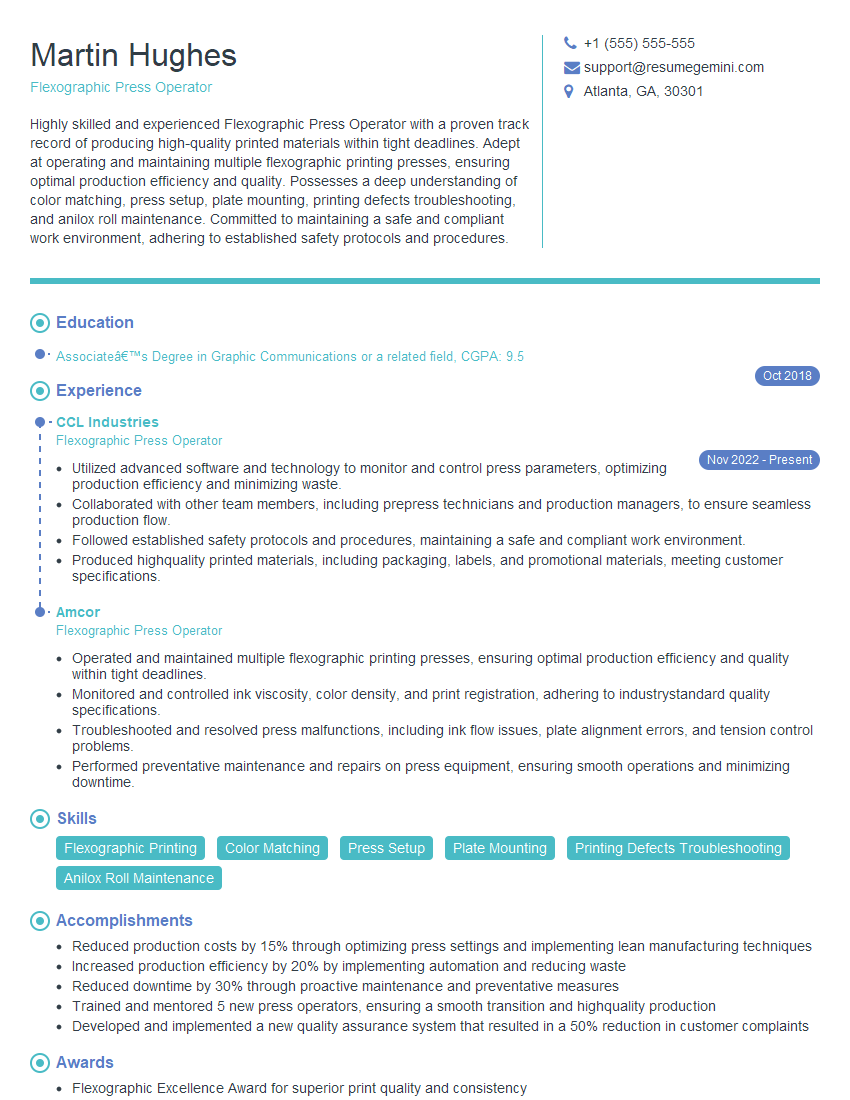
Flexographic Press Operator Resume Sample

Offset Press Operator Resume Sample
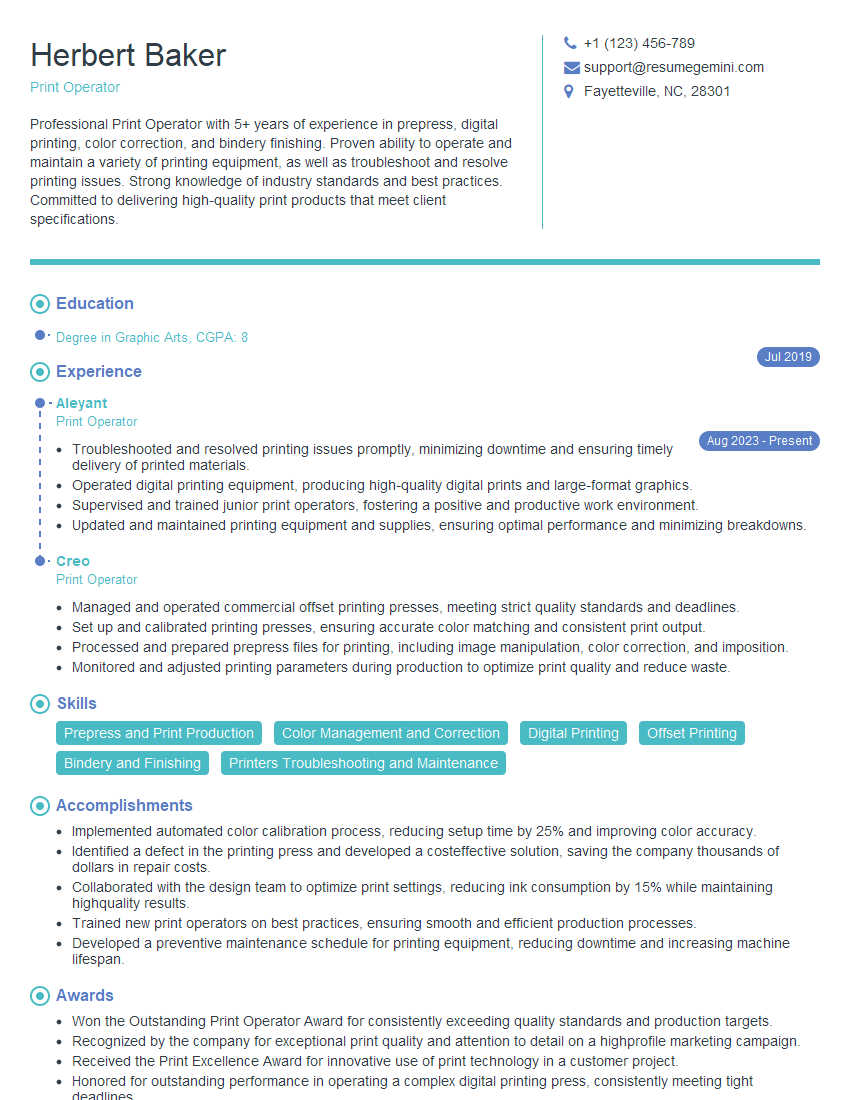
Print Operator Resume Sample

Screen Printer Resume Sample
Explore more articles
Users Rating of Our Blogs
Share Your Experience
We value your feedback! Please rate our content and share your thoughts (optional).
What Readers Say About Our Blog
Very informative content, great job.
good