Unlock your full potential by mastering the most common MATLAB and Simulink for Avionics Modeling interview questions. This blog offers a deep dive into the critical topics, ensuring you’re not only prepared to answer but to excel. With these insights, you’ll approach your interview with clarity and confidence.
Questions Asked in MATLAB and Simulink for Avionics Modeling Interview
Q 1. Explain your experience with Model-Based Design (MBD) using MATLAB and Simulink in an avionics context.
Model-Based Design (MBD) using MATLAB and Simulink is the cornerstone of modern avionics development. Instead of writing code directly, engineers build a visual model of the system in Simulink, a block diagram environment. This model serves as the single source of truth, used for simulation, verification, validation, and ultimately, automated code generation. In my experience, this approach dramatically reduces development time and errors, especially critical in the safety-critical avionics domain. I’ve used MBD extensively in projects involving flight control systems, autopilot design, and integrated modular avionics (IMA) architectures. For example, I built a Simulink model of an air data computer, simulating its sensor inputs (pitot static tubes, accelerometers), internal computations (pressure altitude, airspeed calculations), and outputs (data bus communication). The ability to easily modify the model and re-simulate, observing the immediate impact on the system, proved invaluable during the design phase. The resulting model also served as the basis for generating certified flight code.
Q 2. Describe your proficiency in Simulink’s various solvers and their application in avionics simulations.
Simulink offers a variety of solvers, each optimized for different types of simulations. The choice of solver significantly impacts the accuracy, speed, and stability of the simulation. For example, the fixed-step solvers, like ode3 (Bogacki-Shampine) and ode4 (Runge-Kutta), are computationally efficient and suitable for applications where a constant time step is acceptable. However, variable-step solvers, such as ode45 (Dormand-Prince), are more accurate but computationally more expensive, preferred for simulations requiring high precision and handling events or discontinuities. In avionics, where real-time performance is crucial, I frequently use fixed-step solvers to meet timing requirements, but always consider the trade-off between accuracy and computational cost. For simulations where accuracy is paramount, especially during critical phases like initial design or certification, I employ variable-step solvers. In one project involving the simulation of a high-bandwidth flight control system, the variable-step solver ode45 was necessary to capture the rapid dynamics accurately. Using a fixed-step solver would have led to significant inaccuracies and potential instability.
Q 3. How do you handle real-time constraints when developing avionics models in Simulink?
Handling real-time constraints in Simulink for avionics is crucial. The key is careful model design, solver selection (as discussed above), and the use of Simulink Real-Time (SRT) capabilities. Model partitioning can break down a large model into smaller, manageable tasks, assigning priorities to ensure critical functionalities are met within their timing budgets. Profiling tools within Simulink are essential to identify bottlenecks. Strategies like reducing model complexity (e.g., using simplified models for less critical components), utilizing optimized data structures, and leveraging hardware acceleration (e.g., using a real-time target machine) are often necessary. One project involved modeling an autopilot system with tight timing constraints on the control loop execution. By carefully profiling the model, identifying computationally intensive blocks, and employing model optimization techniques, we successfully reduced the execution time to meet the real-time requirements. We then used SRT to deploy the model on a target hardware platform, validating its real-time performance.
Q 4. What are your preferred methods for verifying and validating Simulink models for avionics applications?
Verification and validation (V&V) of Simulink models for avionics is a multi-faceted process that relies on a combination of techniques. Model checking, using tools like Simulink Design Verifier, helps identify potential errors such as deadlocks, assertion violations, or unreachable states. Testing is critical, and this can involve a mix of approaches. Unit testing validates individual blocks or subsystems. Integration testing ensures proper interaction between components. Simulation-based testing, using extensive test cases and scenarios, is crucial. Formal methods, like model checking and static analysis, provide a rigorous mathematical approach to verify model properties. Requirements traceability links model elements to system requirements, ensuring every requirement is addressed in the model. Coverage analysis ensures comprehensive testing by measuring the parts of the model executed during testing. All of these techniques contribute to building confidence in the correctness and robustness of the model. In one project, a rigorous V&V process using model checking, simulation-based testing, and requirements traceability was instrumental in achieving DO-178C certification.
Q 5. Explain your understanding of different testing methodologies (SIL, PIL, HIL) in avionics.
Software-in-the-loop (SIL), processor-in-the-loop (PIL), and hardware-in-the-loop (HIL) testing are essential stages in the V&V process for avionics systems. SIL testing involves executing the generated code on a desktop computer, simulating the environment. This allows for early testing of the algorithms and code without the need for expensive hardware. PIL testing runs the generated code on the actual target processor, simulating the external environment. This helps validate the performance and timing characteristics of the code on the target hardware. HIL testing integrates the actual hardware (e.g., flight control actuators, sensors) with the simulated environment. This provides the most realistic test environment, verifying that the system interacts correctly with the physical hardware. The progression from SIL to PIL and HIL provides increasing levels of confidence in the system’s overall performance and safety. In my experience, a well-planned testing strategy involving all three methods is crucial for ensuring system robustness and reliability.
Q 6. How do you ensure code generation from Simulink meets avionics safety standards (e.g., DO-178C)?
Meeting avionics safety standards like DO-178C requires a rigorous and documented approach to code generation from Simulink. This involves selecting a qualified code generator, ensuring traceability between model elements and requirements, and following a defined process for code generation and verification. Tools like Simulink Code Inspector and Polyspace Bug Finder are used to statically analyze the generated code to identify potential errors before testing. The code generation process must be managed according to the DO-178C guidelines, ensuring compliance with its requirements for verification and validation. Proper documentation of the code generation process, tools used, and verification results is critical for achieving certification. In my projects, we meticulously followed the DO-178C guidelines, employing static analysis tools, and generating comprehensive verification and validation documentation to ensure the generated code met the highest safety standards.
Q 7. Describe your experience with Stateflow and its use in modeling complex avionics systems.
Stateflow, an extension of Simulink, is invaluable for modeling complex systems with discrete events and hierarchical state machines. In avionics, this is particularly useful for modeling control logic, fault management systems, and other systems with complex state transitions. For instance, I’ve used Stateflow to model the different operational modes of a flight control system, including normal operation, failure modes, and emergency procedures. Stateflow enables clear visualization of the system’s states and transitions, improving understandability and maintainability. Furthermore, the ability to integrate Stateflow charts directly within Simulink allows for seamless simulation and code generation. The use of Stateflow allowed for a structured representation of the complex logic, making it easier to verify and validate the system behavior and handle various scenarios, from normal operation to emergency situations.
Q 8. How do you manage model complexity and maintainability in large-scale avionics projects?
Managing complexity in large-scale avionics projects using MATLAB and Simulink requires a structured approach. Think of it like building a skyscraper – you wouldn’t just start piling bricks! We employ several key strategies:
Modular Design: Breaking down the system into smaller, manageable subsystems. Each subsystem can be developed, tested, and verified independently. This reduces the overall complexity and allows for parallel development.
Hierarchical Modeling: Utilizing Simulink’s hierarchical modeling capabilities to create a clear structure. This allows for abstraction, hiding unnecessary detail at higher levels while providing access to finer details as needed. Imagine a top-level model representing the entire flight control system, with lower-level models detailing individual components like the autopilot or flight director.
Data Dictionary and Naming Conventions: Establishing a rigorous data dictionary defines all signals and parameters. Consistent naming conventions ensure clarity and prevent confusion across different models and teams. This is crucial for traceability and maintainability.
Model Version Control: Using tools like MATLAB’s built-in version control integration or external systems like Git to manage changes, track revisions, and facilitate collaboration. This prevents accidental overwrites and allows for easy rollback to previous versions.
Automated Testing: Implementing automated testing frameworks to ensure that changes do not introduce unintended consequences. Simulink’s test harness capabilities are invaluable in this regard.
Code Generation and Verification: Leveraging Simulink Coder to generate efficient and verifiable C code from the Simulink models. This allows for seamless integration with embedded systems and reduces the risk of errors during code implementation.
In one project involving a complex flight management system, we used a modular approach with over 20 independent subsystems, each with its own dedicated team. The hierarchical structure, coupled with a well-defined data dictionary and automated testing, allowed us to deliver the project on time and within budget.
Q 9. Explain your experience using MATLAB for data analysis and algorithm development in an avionics setting.
MATLAB is my go-to tool for avionics data analysis and algorithm development. Its rich set of functions and toolboxes streamline the entire process. For instance, I’ve extensively used the Signal Processing Toolbox for tasks such as:
Sensor Data Analysis: Processing data from inertial measurement units (IMUs), GPS receivers, and air data sensors, using filtering techniques (Kalman filters, for example) to remove noise and improve accuracy.
% Example: Kalman filter initialization kf = kalman(A, C, Q, R);Algorithm Development and Testing: Developing and testing control algorithms (PID controllers, adaptive controllers), navigation algorithms, and fault detection algorithms. The ability to simulate different scenarios and analyze the algorithm’s performance is essential.
Data Visualization: Generating informative plots and graphs to visualize sensor data, algorithm performance, and system behavior. This allows for better understanding and identification of potential issues.
Statistical Analysis: Performing statistical analysis on flight test data to assess the performance and reliability of the avionics system.
In a recent project involving the development of a collision avoidance system, I utilized MATLAB’s capabilities to process radar data, develop a trajectory prediction algorithm, and evaluate its performance using Monte Carlo simulations. The results significantly improved the algorithm’s robustness and accuracy.
Q 10. How familiar are you with various communication protocols used in avionics (e.g., ARINC, CAN)?
I possess a strong understanding of various avionics communication protocols, including ARINC 429, ARINC 664 (AFDX), and CAN bus. Each protocol has its strengths and weaknesses, making them suitable for different applications.
ARINC 429: A high-speed, reliable, and relatively simple protocol commonly used for data transmission between avionics systems. Its deterministic nature is crucial for safety-critical applications. I’m familiar with its data word formats and error detection mechanisms.
ARINC 664 (AFDX): A switched Ethernet-based network that provides high bandwidth and flexible data routing. Its use of time-triggered scheduling and fault tolerance makes it well-suited for larger, more complex systems. I understand its network configuration, scheduling mechanisms, and redundancy features.
CAN bus: A robust and widely used protocol for low-speed, reliable communication in distributed systems. Its features like error detection and fault tolerance make it ideal for applications where reliability and safety are paramount. I’m familiar with its message framing, arbitration mechanism, and error handling capabilities.
I’ve worked on projects involving the design and simulation of these communication networks using Simulink’s communication blocks. Understanding the nuances of these protocols is key to successfully modeling and simulating avionics systems.
Q 11. Describe your experience integrating Simulink models with hardware or other software components.
Integrating Simulink models with hardware or other software components is a critical aspect of avionics development. I’ve extensive experience in this area, using various techniques:
Real-Time Workshop (RTW) and Simulink Coder: Generating C code from Simulink models and deploying it to embedded targets using RTW. This enables hardware-in-the-loop (HIL) simulations and rapid prototyping.
Hardware-in-the-Loop (HIL) Simulation: I’ve designed and conducted HIL simulations using dSPACE and NI hardware, allowing me to test the Simulink model in a realistic environment with real hardware components. This is invaluable for verifying the system’s behavior before deployment.
Software-in-the-Loop (SIL) Simulation: Integrating Simulink models with other software components using APIs (Application Programming Interfaces). This enables testing the interactions between the different parts of the system in a simulated environment.
Rapid Prototyping: Utilizing Simulink Real-Time and embedded targets for rapid prototyping of avionics algorithms. This allows for faster iteration cycles and earlier validation of the system’s behavior.
For example, in one project we used RTW to generate code for a flight control system which was then deployed to a dSPACE simulator. The HIL simulations were instrumental in identifying and resolving integration issues before the system was deployed onto the aircraft.
Q 12. How do you handle model version control and collaboration in team-based projects?
Model version control and collaboration are paramount in team-based avionics projects. We leverage a combination of MATLAB’s built-in version control features and external systems like Git to ensure efficient and organized teamwork.
MATLAB’s Version Control Integration: MATLAB provides seamless integration with various version control systems, allowing us to manage model versions, track changes, and collaborate effectively within the MATLAB environment.
External Version Control Systems (e.g., Git): For larger projects or when integrating with external teams, we often use Git or similar systems. This provides robust version control, branching capabilities, and collaborative features.
Clear Naming Conventions and Documentation: Establishing consistent naming conventions and clear documentation are crucial for efficient collaboration. This ensures that everyone understands the model’s structure and functionality.
Regular Code Reviews: Implementing regular code reviews ensures quality and consistency across the project. This involves peer review of models, ensuring proper documentation, and adhering to coding standards.
In a recent project, we used Git to manage a large Simulink model, with multiple developers working concurrently on different parts of the system. The branching capabilities of Git allowed for parallel development while maintaining the integrity of the main codebase. Regular code reviews ensured the quality and consistency of the model, significantly reducing the risk of integration issues.
Q 13. Explain your understanding of different signal processing techniques relevant to avionics.
Signal processing techniques are fundamental to avionics. They are critical for extracting meaningful information from noisy sensor data and implementing control and navigation algorithms. Here are some relevant examples:
Filtering: Techniques like Kalman filtering, moving average filtering, and various digital filter designs (IIR, FIR) are used to remove noise and unwanted signals from sensor data. Kalman filters are especially effective in estimating states from noisy measurements, frequently used in navigation and attitude estimation.
Spectral Analysis: Techniques like Fast Fourier Transform (FFT) are used to analyze the frequency content of signals. This is useful for detecting periodic signals, identifying noise sources, and diagnosing system anomalies.
Wavelet Transforms: Used to analyze signals across multiple time scales. They are particularly useful for analyzing non-stationary signals and identifying transient events.
Digital Signal Processing (DSP): This covers a broad range of techniques for manipulating and analyzing digital signals. It includes topics like sampling theory, quantization effects, and design of digital filters.
In a project involving the design of a flight control system, we used Kalman filters to estimate the aircraft’s attitude and velocity from sensor data, which included significant noise. The filtering process significantly improved the accuracy and reliability of the control system.
Q 14. Describe your experience with requirements traceability in the context of avionics development.
Requirements traceability is crucial in avionics development to ensure that all requirements are met and that the system functions as intended. It’s a process of linking requirements to design elements, code, and test cases. This facilitates verification and validation and is essential for certification.
Requirements Management Tools: We use requirements management tools (like DOORS or similar) to capture, manage, and trace requirements throughout the development lifecycle. These tools help track the flow of requirements from high-level system requirements down to individual components.
Linking Requirements to Simulink Models: Using tools and techniques to link requirements to specific blocks or parameters within the Simulink model. This creates a direct traceability link between requirements and the implementation.
Test Case Generation: Generating test cases from requirements to verify that the system meets its specified behavior. This ensures that the system is thoroughly tested and validated against the requirements.
Documentation: Maintaining comprehensive documentation of requirements, design, implementation, and testing. This enables tracking the flow of requirements and helps with verification and validation efforts.
In a recent project, we used a requirements management tool to link high-level system requirements to individual Simulink blocks. This provided a clear and traceable path from the initial requirements to the final implementation, simplifying verification and validation significantly, ultimately leading to a smoother certification process.
Q 15. How do you debug and troubleshoot issues in Simulink models and generated code?
Debugging Simulink models and generated code requires a systematic approach. I typically start with Simulink’s built-in debugging tools like the Data Inspector and the Simulation Data Inspector to visualize signals and parameters during simulation. This helps pinpoint areas where the model’s behavior deviates from expectations.
For generated code, I leverage the capabilities of my target platform’s debugging tools (e.g., JTAG debugging for embedded systems). Using breakpoints, stepping through the code, and inspecting variables allows me to trace the execution flow and identify the root cause of the problem. Analyzing memory usage and performance metrics is also crucial, especially for resource-constrained avionics systems. Furthermore, I extensively use logging and diagnostic messages within the code itself, providing crucial insights during testing and operation.
Example: Imagine a flight control system model exhibiting unexpected oscillations. Using the Simulink Data Inspector, I can examine the signals related to the control algorithms and the sensor inputs. If the issue stems from the generated code, I’d use a debugger to inspect the values of variables inside the control loops, identifying potential inaccuracies in calculations or unexpected data values.
If the problem persists, I systematically review the model’s structure, checking for potential errors in the design, such as incorrect signal connections or inappropriate algorithm parameters. Code reviews are critical to catching logic errors before deployment. Finally, unit and integration tests are fundamental in verifying the correctness of both the model and the generated code.
Career Expert Tips:
- Ace those interviews! Prepare effectively by reviewing the Top 50 Most Common Interview Questions on ResumeGemini.
- Navigate your job search with confidence! Explore a wide range of Career Tips on ResumeGemini. Learn about common challenges and recommendations to overcome them.
- Craft the perfect resume! Master the Art of Resume Writing with ResumeGemini’s guide. Showcase your unique qualifications and achievements effectively.
- Don’t miss out on holiday savings! Build your dream resume with ResumeGemini’s ATS optimized templates.
Q 16. What are your experiences with different Simulink toolboxes relevant to avionics (e.g., Aerospace Blockset)?
I’ve worked extensively with various Simulink toolboxes crucial for avionics development. The Aerospace Blockset is my primary tool, providing a rich library of blocks specifically designed for aerospace applications, including flight control systems, navigation, and guidance. I utilize its pre-built blocks for modeling various components like actuators, sensors (GPS, IMU, etc.), and communication systems, significantly reducing development time and improving model accuracy.
Beyond Aerospace Blockset, I have experience with Simulink Coder for generating C/C++ code suitable for deployment on embedded systems. The Embedded Coder add-on, along with Simulink Verification and Validation, is crucial in ensuring code safety and reliability through formal verification and code analysis tools. I also regularly utilize Stateflow for designing and modeling complex state machines often required in avionics systems, improving model clarity and simplifying verification processes.
Example: For designing a flight control system, I would use the Aerospace Blockset blocks for actuators and sensors, define the control algorithms using Simulink blocks, and then model different flight conditions through scenarios within the Simulink environment. This allows testing the system’s performance under various operating conditions.
Q 17. Explain your understanding of the importance of safety and reliability in avionics systems.
Safety and reliability are paramount in avionics systems. A single malfunction can have catastrophic consequences, ranging from passenger injury to complete aircraft failure. Meeting stringent safety standards, like DO-178C, is non-negotiable. This involves meticulous design, rigorous testing, and formal verification methods to ensure that the system behaves correctly under all conditions, including fault scenarios.
This includes aspects like:
- Formal verification techniques: Using model checking and theorem proving to mathematically prove the correctness of critical algorithms and system behavior.
- Redundancy and fault tolerance: Designing systems with backup components and mechanisms to handle failures gracefully.
- Comprehensive testing: Conducting exhaustive testing, including unit, integration, and system testing, to identify and fix potential flaws.
- Code analysis: Using static and dynamic analysis tools to detect potential coding errors and vulnerabilities.
Example: In a flight control system, a single point of failure could be fatal. To mitigate this risk, we’d implement triple modular redundancy (TMR), where three independent systems execute the same functions. The system uses voting to determine the correct output, even if one of the modules fails.
Q 18. How do you approach the design and implementation of fault-tolerant systems in avionics?
Designing fault-tolerant avionics systems involves a multi-layered approach. It begins with careful consideration of potential failure modes during the system architecture design phase. We then implement redundancy and diverse mechanisms to handle these failures. This can include hardware redundancy (e.g., using multiple sensors or actuators), software redundancy (e.g., using independent software modules performing the same function), or a combination of both.
Techniques I utilize include:
- N-version programming: Developing multiple, independently designed versions of the same software, with a voting mechanism to select the correct output.
- Watchdog timers: Using timers to monitor the execution of critical software modules. If a module fails to complete within the allocated time, the watchdog timer triggers a fail-safe mechanism.
- Error detection and correction codes: Using codes to detect and correct errors in data transmission and storage.
- Failure Mode and Effects Analysis (FMEA): Systematically identifying potential failure modes and their effects on the system, enabling proactive design for mitigation.
Example: A flight control system might use three independent inertial measurement units (IMUs). If one IMU fails, the system can continue operating using data from the other two, using a voting mechanism to ensure accuracy.
Q 19. Describe your experience with performance optimization techniques for Simulink models.
Optimizing Simulink model performance is essential for efficient simulations and code generation. I use a variety of techniques to achieve this:
- Model simplification: Removing unnecessary blocks and simplifying model structure where possible. This reduces simulation time and code complexity.
- Data type optimization: Using the smallest data types appropriate for each signal to reduce memory usage and improve execution speed.
- Solver configuration: Choosing the appropriate solver and adjusting its parameters to balance accuracy and speed. Fixed-step solvers are generally faster than variable-step solvers.
- Code generation options: Utilizing Simulink Coder’s code generation options to optimize the generated code for size and speed. For example, I might enable loop unrolling or vectorization.
- Profiling: Using Simulink’s profiler to identify performance bottlenecks in the model, allowing for targeted optimization efforts.
Example: If a simulation is too slow, I might profile the model to find that a particular subsystem is consuming excessive resources. I would then focus on optimizing that subsystem, perhaps by using a more efficient algorithm or simplifying its structure.
Q 20. What are your strategies for optimizing the execution speed of generated avionics code?
Optimizing the execution speed of generated avionics code requires a multi-pronged approach that begins even before code generation. Model-level optimization, as previously discussed, lays the groundwork. Post-generation optimization involves a variety of techniques including:
- Compiler optimization flags: Using appropriate compiler optimization flags (e.g., -O2 or -O3 in GCC) to optimize the generated code for speed.
- Memory management: Carefully managing memory allocation and deallocation to minimize memory overhead and fragmentation.
- Code restructuring: Rewriting critical code sections to improve efficiency. This might involve loop unrolling, function inlining, or using more efficient algorithms.
- Hardware acceleration: Exploring the possibility of using hardware acceleration techniques, such as using DSPs or FPGAs, to offload computationally intensive tasks.
- Static analysis tools: Employing tools to identify areas for code optimization, pinpointing bottlenecks and suggesting improvements.
Example: If a section of generated code is identified as a bottleneck via profiling, I might rewrite it using more efficient algorithms or data structures, or use compiler optimization flags to improve the compiler’s ability to optimize it.
Q 21. Explain your experience with different code generation targets for Simulink in avionics applications.
My experience encompasses a range of code generation targets for Simulink in avionics, focusing on the requirements of the specific hardware platform. I have generated code for:
- Embedded processors: Generating C/C++ code for various microcontrollers and processors commonly found in avionics systems, such as those from ARM, PowerPC, and other architectures. I’m adept at tailoring the code generation process to meet specific memory constraints and real-time operating system (RTOS) requirements.
- FPGAs: Generating HDL (Hardware Description Language) code for FPGAs, suitable for implementing high-performance, real-time signal processing algorithms. This is particularly useful for tasks like sensor fusion and control system calculations.
- DSPs: Generating code for Digital Signal Processors, enabling efficient implementation of computationally intensive signal processing tasks.
The choice of target heavily depends on the application’s performance and resource requirements. For resource-constrained applications, carefully configured embedded processors are preferable. For applications demanding high throughput, FPGAs offer substantial advantages. Each target necessitates careful consideration of memory management, real-time constraints, and the interaction with the underlying hardware.
Example: For a computationally intensive sensor fusion algorithm, generating code for an FPGA might be advantageous due to its parallel processing capabilities. Conversely, a less demanding task like simple data logging might be efficiently implemented on a low-power microcontroller.
Q 22. How do you ensure the accuracy and fidelity of your avionics models?
Ensuring accuracy and fidelity in avionics models is paramount for safety and reliable system performance. It’s a multi-faceted process that begins with meticulously modeling the physical system. This involves using accurate mathematical representations of the aircraft’s dynamics, sensors, actuators, and control systems. For example, accurately representing aerodynamic forces requires utilizing validated aerodynamic coefficients derived from wind tunnel testing or computational fluid dynamics (CFD) simulations.
Furthermore, we must validate our choices of numerical methods used within Simulink. High-fidelity simulations often require careful selection of solvers to ensure stability and accuracy, especially in scenarios with stiff differential equations. Techniques like adaptive step-size control help manage computational cost while maintaining precision. Finally, rigorous testing using a combination of unit testing, integration testing, and system-level testing is crucial. This often involves comparing the model’s outputs against known results or data from real-world experiments, using metrics such as RMSE (Root Mean Squared Error) to quantify the discrepancy.
For instance, in a recent project modeling a flight control system, we incorporated detailed sensor models that accounted for noise and biases, directly calibrated using real sensor data sheets. This level of detail was crucial for accurately predicting system behavior under various flight conditions.
Q 23. How do you handle model calibration and validation using real-world flight data?
Model calibration and validation using real-world flight data is a critical step in ensuring the model’s accuracy. This involves comparing the model’s simulated outputs with actual flight data recorded during test flights. Flight data typically includes sensor measurements, control surface positions, and aircraft states such as altitude, airspeed, and attitude.
The calibration process typically involves adjusting parameters within the Simulink model to minimize the difference between simulated and measured data. This often requires using optimization techniques, such as least squares methods, to find the parameter set that best fits the flight data. For example, we might adjust aerodynamic coefficients, sensor noise levels, or actuator dynamics to improve the match.
Validation, on the other hand, focuses on verifying the model’s ability to accurately predict aircraft behavior under various conditions beyond the calibration data set. This could involve testing the model’s response to maneuvers not included in the calibration data or evaluating its performance under different environmental conditions. Statistical methods, including hypothesis testing, can be used to assess the model’s validity and quantify its uncertainty. A crucial part of this process is ensuring the appropriate use of filtering techniques for noisy flight data to avoid misinterpretations of model performance. For example, using a Kalman filter could help smooth the noisy flight data and improve the accuracy of calibration.
Q 24. Describe your experience with different simulation environments and their application in avionics.
My experience encompasses a range of simulation environments beyond Simulink, including specialized tools like Amesim for fluid system modeling and specialized hardware-in-the-loop (HIL) simulation systems. However, Simulink remains my primary tool for avionics modeling due to its extensive libraries, powerful capabilities, and seamless integration with other MATLAB toolboxes.
For example, I’ve used Simulink for modeling the complete flight dynamics of a small unmanned aerial vehicle (UAV), incorporating detailed models of the airframe, propulsion system, and control laws. This integrated approach provides a comprehensive simulation environment that allows us to conduct various system-level analyses. In another project involving a more complex airliner, we leveraged specialized add-ons to model and analyze the flight management system, which interfaces with various subsystem models, all within a cohesive Simulink environment.
HIL simulation, which involves integrating the model with real-time hardware, plays a vital role in testing embedded control systems. This process allows us to verify the software’s performance in a realistic environment, detecting potential issues that might not be apparent in software-only simulations.
Q 25. How familiar are you with different avionics standards and regulations?
I am very familiar with various avionics standards and regulations, including DO-178C (Software Considerations in Airborne Systems and Equipment Certification) and DO-254 (Design Assurance Guidance for Airborne Electronic Hardware). Understanding these standards is fundamental for developing safe and certifiable avionics systems. DO-178C, for instance, defines the software development process and the level of rigor required based on the software’s criticality.
My experience includes working with these standards in practice, developing and documenting software according to their guidelines. This involves creating detailed design documents, performing rigorous testing and verification activities, and generating comprehensive documentation to support certification efforts. I understand the implications of different levels of criticality (A through E) and how they influence the required level of verification and validation. For example, a software component classified as Level A (highest criticality) would require far more stringent testing and documentation than a Level E component.
Q 26. Explain your understanding of the software development lifecycle (SDLC) in the avionics industry.
The Software Development Lifecycle (SDLC) in the avionics industry is highly structured and rigorous, often following a model like the V-model or a spiral model to accommodate the iterative nature of development and testing. Unlike many commercial software projects, it emphasizes traceability and verification at every stage. The phases typically include requirements capture, system design, software design, coding, unit testing, integration testing, system testing, and certification.
Each phase produces artifacts which are meticulously documented and cross-referenced to ensure traceability from high-level requirements to the implemented code. This rigorous process is critical for satisfying certification requirements and ensuring the safety and reliability of the final system. Specific processes like formal methods and model-based design (MBD) are often utilized to improve the software’s quality and reduce the risks associated with defects. A key aspect is configuration management to accurately track changes and maintain the integrity of the software throughout the development process.
Q 27. How would you approach a problem of detecting and mitigating unexpected behavior in a Simulink model?
Detecting and mitigating unexpected behavior in a Simulink model is a critical aspect of model development and validation. The first step is to systematically analyze the model’s behavior using Simulink’s diagnostic tools. These include the Model Advisor for identifying potential problems and the various simulation diagnostics available to understand performance.
For example, unexpected behavior could manifest as unrealistic outputs, numerical instability, or even model crashes. To investigate the root cause, I would use Simulink’s debugging capabilities, such as breakpoints and data logging, to step through the simulation and inspect the values of signals and variables at different points. I would leverage Simulink’s visualization tools to graphically examine the model’s behavior.
Systematic testing with various inputs and conditions would be essential to identify the range of behaviors. Once the root cause is identified, the solution might involve correcting coding errors, refining model parameters, or improving the model’s numerical stability by changing solvers or using more robust algorithms. For instance, if the problem is numerical instability, I might need to adjust solver parameters, employ a different solver, or reformulate the equations in the model. The entire process involves thorough documentation to maintain transparency and support future debugging efforts.
Q 28. Describe your experience with using Simulink for embedded system development and deployment.
My experience with Simulink for embedded system development and deployment is extensive. I’ve used Simulink Coder to generate efficient C code from Simulink models for deployment on various embedded platforms. This includes generating code suitable for real-time operating systems (RTOS), such as VxWorks and QNX.
The process involves several stages. Firstly, model configuration for code generation is crucial and involves careful selection of code generation parameters and optimization settings to achieve specific performance requirements and to ensure adherence to coding standards. Secondly, the generated code needs to be integrated with the target hardware and existing software components. This requires familiarity with different hardware architectures and communication protocols. Thirdly, extensive testing and validation on the target platform are absolutely essential to verify that the embedded code performs as expected in the actual hardware.
For example, in a recent project involving a flight control computer, I used Simulink Coder to generate code for a specific target microcontroller. The generated code was then integrated with the flight control software, rigorously tested in a simulated environment, and later verified in a flight test. The entire process emphasizes close collaboration with hardware engineers to ensure the seamless integration of the generated code into the complete system.
Key Topics to Learn for MATLAB and Simulink for Avionics Modeling Interview
- Model-Based Design (MBD): Understand the principles and benefits of MBD in the avionics domain. Explore how Simulink facilitates this approach, from requirements capture to code generation.
- Simulink Blocksets for Avionics: Familiarize yourself with relevant Simulink toolboxes, such as Aerospace Blockset or Embedded Coder, and their application in modeling flight control systems, navigation, and communication systems.
- Stateflow and State Machines: Master the use of Stateflow for modeling complex control logic and event-driven systems crucial in avionics. Practice designing and implementing state machines for various avionics functionalities.
- Signal Processing and Filtering: Understand how to model and analyze signals in the context of avionics systems, including sensor data processing, noise reduction, and signal conditioning using MATLAB’s signal processing toolbox.
- Real-Time Simulation and Hardware-in-the-Loop (HIL) Testing: Learn about the process of real-time simulation and its application in verifying and validating avionics models. Understand the role of HIL testing in ensuring system safety and reliability.
- Code Generation and Verification: Gain proficiency in generating efficient and certifiable code from Simulink models. Understand the importance of code verification and validation techniques to meet stringent safety standards in the aerospace industry.
- Model Verification and Validation (V&V): Learn about various techniques for verifying and validating Simulink models, ensuring accuracy, completeness and consistency with system requirements. Explore methods like simulation, testing, and formal verification.
- Aerospace Standards and Certification: Develop an understanding of relevant aerospace standards (e.g., DO-178C) and their impact on the development and certification process of avionics systems modeled in Simulink.
Next Steps
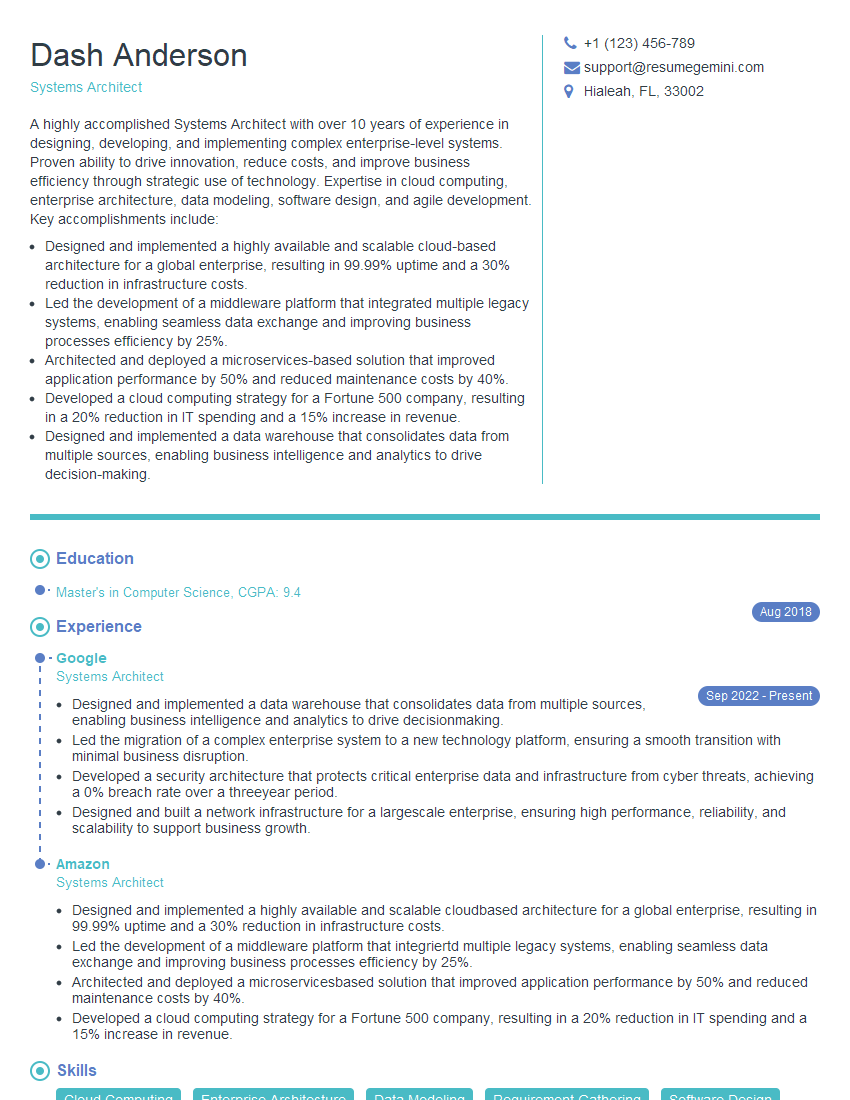
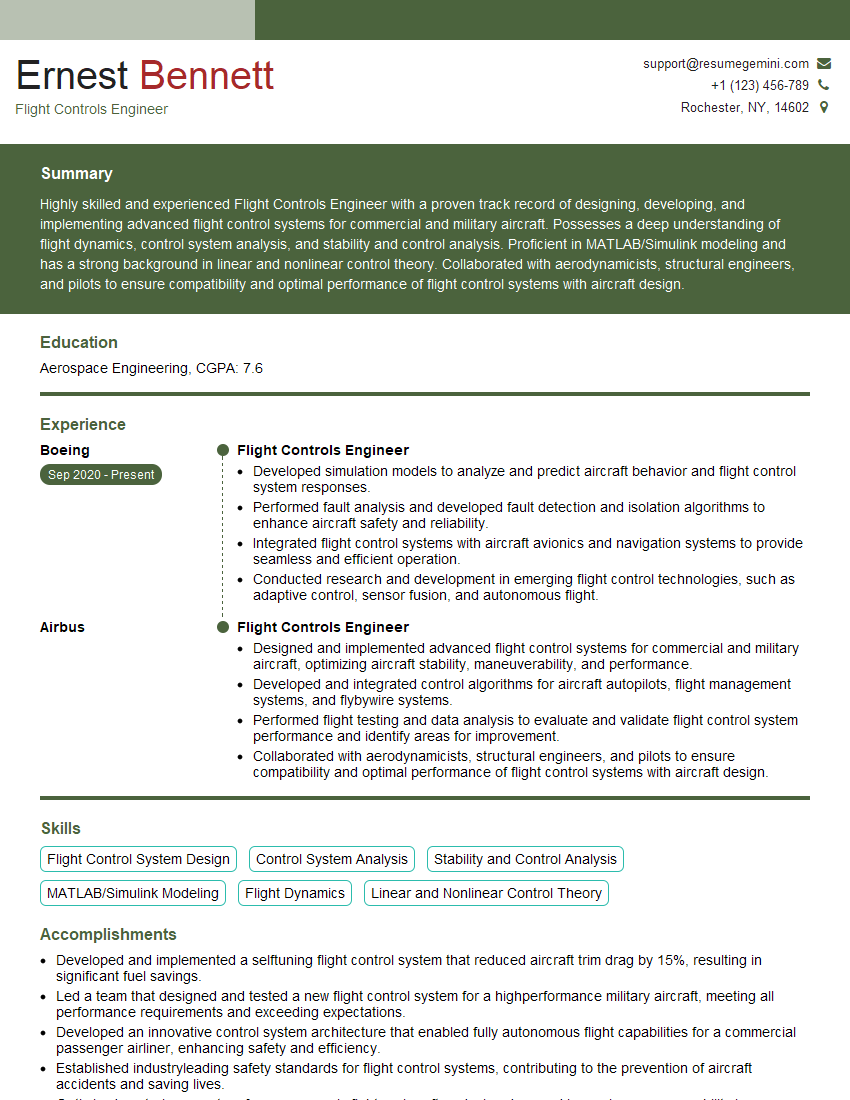
Mastering MATLAB and Simulink for Avionics Modeling significantly enhances your career prospects, opening doors to exciting roles in a rapidly growing industry. A strong resume is crucial for showcasing your skills effectively. Creating an ATS-friendly resume maximizes your chances of getting noticed by recruiters. We highly recommend using ResumeGemini to craft a professional and impactful resume. ResumeGemini provides examples of resumes tailored to MATLAB and Simulink for Avionics Modeling, offering valuable guidance in building a compelling application that highlights your expertise.

Explore more articles
Users Rating of Our Blogs
Share Your Experience
We value your feedback! Please rate our content and share your thoughts (optional).
What Readers Say About Our Blog
Very informative content, great job.
good