Feeling uncertain about what to expect in your upcoming interview? We’ve got you covered! This blog highlights the most important Motion interview questions and provides actionable advice to help you stand out as the ideal candidate. Let’s pave the way for your success.
Questions Asked in Motion Interview
Q 1. Explain the 12 principles of animation.
The 12 principles of animation, developed by Ollie Johnston and Frank Thomas at Disney, are fundamental guidelines for creating believable and engaging animation. They’re not strict rules, but rather valuable tools to achieve fluidity, expressiveness, and realism. Think of them as a roadmap for crafting compelling motion.
- Squash and Stretch: Giving objects a sense of weight and flexibility by distorting their shape during movement. Imagine a bouncing ball – it compresses on impact and stretches as it rebounds.
- Anticipation: Preparing the audience for an action. A character winding up for a punch or a weight shifting before a jump creates anticipation and makes the action more impactful.
- Staging: Clearly presenting the idea, action, or character to the audience. This involves careful use of composition, lighting, and character positioning to avoid confusion.
- Straight Ahead Action and Pose to Pose: Two approaches to animating. Straight ahead involves drawing frame by frame from start to finish. Pose to Pose focuses on key poses, then filling in the in-betweens.
- Follow Through and Overlapping Action: Parts of a character or object continue moving after the main action has stopped, adding realism. Think of a dog’s tail wagging after it stops running.
- Slow In and Slow Out: Movement starts and ends slowly, with the middle being faster. This is crucial for realistic motion; things don’t abruptly start or stop.
- Arcs: Most natural movements follow curved paths, not straight lines. This adds a sense of grace and realism.
- Secondary Action: Adding subtle movements to enhance the main action. For example, a character’s hair swaying while they walk.
- Timing: The number of frames used for an action determines the speed and weight. A slower movement indicates greater weight.
- Exaggeration: Enhancing the action to make it more appealing and expressive. This doesn’t mean making it unrealistic, but rather amplifying existing qualities.
- Solid Drawing: Understanding the three-dimensionality of objects and characters and accurately depicting their form, volume, weight, and anatomy.
- Appeal: Creating characters and objects that are interesting, attractive, or engaging to the viewer. This is subjective, but involves good design and strong personality.
Q 2. What are your preferred software packages for motion design?
My preferred software packages for motion design are After Effects and Cinema 4D. After Effects is my go-to for 2D motion graphics, compositing, and visual effects. Its extensive plugin ecosystem and robust keyframing tools are invaluable. Cinema 4D, on the other hand, excels in 3D modeling, animation, and rendering. I often use these together, leveraging Cinema 4D for complex 3D elements and importing them into After Effects for final compositing and animation refinements. I am also proficient in other tools like Adobe Illustrator for vector graphics and Photoshop for image manipulation, as these are often integrated into my workflow.
Q 3. Describe your experience with keyframing.
Keyframing is the foundation of animation. My experience encompasses both traditional and advanced keyframing techniques. I’m comfortable working with linear, ease in, ease out, and custom easing curves to control the speed and flow of animations. I understand the importance of strategically placing keyframes to create smooth, believable movements. For instance, when animating a character jumping, I wouldn’t just keyframe the highest point; I’d also keyframe the anticipation, the jump itself, and the landing, utilizing easing curves to refine the motion. I’m also adept at using graph editors to fine-tune individual properties and create complex animation curves. Experience with expression controls allows for advanced automation and procedural animation, making projects more efficient and scalable.
Q 4. How do you handle feedback on your motion design projects?
I believe feedback is crucial for creating successful motion design. My approach involves actively seeking and incorporating feedback throughout the design process. I start by understanding the client’s vision and clarifying their objectives before beginning any work. During the process, I regularly present work-in-progress to ensure we’re aligned. I take feedback constructively, analyzing it for validity and practicality. When receiving feedback, I ask clarifying questions to fully understand the concerns. I then implement changes based on these insights, explaining my rationale behind any adjustments or why certain feedback might not be feasible. I value transparency and maintain open communication throughout the entire project lifecycle.
Q 5. What is your process for creating a motion graphic?
My process for creating a motion graphic typically involves these stages: 1. Concept and Planning: I start by brainstorming, sketching, and storyboarding the idea, creating a clear visual roadmap. This ensures a cohesive narrative and effective communication of the message. 2. Design and Asset Creation: I develop the visuals, using software like Illustrator and Photoshop for static elements, and Cinema 4D or Blender for 3D models. 3. Animation and Keyframing: I import assets into After Effects and begin the animation process, focusing on the 12 principles, proper timing, and spacing. 4. Sound Design and Music: I incorporate appropriate sound effects and music to enhance the emotional impact and engagement. 5. Rendering and Export: I render the final composition and export in various formats, optimizing for different platforms and devices. 6. Review and Iteration: I review the final product and make any necessary refinements based on feedback.
Q 6. Explain your understanding of timing and spacing in animation.
Timing and spacing are critical for creating believable and engaging animation. Timing refers to the number of frames allotted to an action, affecting the speed and weight of the movement. Faster timing suggests lightness, while slower timing implies heavier objects. Spacing refers to the distance an object travels between frames, which influences the motion’s smoothness or jerkiness. For instance, consistent spacing creates a uniform speed, while varying spacing can create acceleration or deceleration. Mastering timing and spacing requires a keen understanding of physics and the principles of motion, ensuring realistic and visually pleasing results. A good example is a bouncing ball—the spacing would be tighter at the top of the bounce and wider at the bottom, reflecting the influence of gravity.
Q 7. How do you approach designing motion for different screen sizes?
Designing motion for different screen sizes requires a responsive approach. I consider factors like resolution, aspect ratio, and pixel density. This often involves creating scalable vector graphics whenever possible. For complex animations, I ensure the design is modular so it can adapt to different screen sizes. I use After Effects’ composition settings to easily create versions optimized for various resolutions, and I rigorously test on various devices to ensure that the animation is legible and visually appealing on all screens, from small mobile devices to large desktop monitors. Maintaining readability and clarity across all platforms is paramount; this may require simplifying complex animations for smaller screens or adjusting the scale and positioning of elements.
Q 8. Describe your experience with motion tracking.
Motion tracking is the process of capturing and analyzing real-world movement to apply it to digital assets. I’ve extensive experience using various software like Adobe After Effects and Maya, employing both marker-based and markerless tracking techniques. Marker-based tracking involves placing physical markers (reflective spheres or stickers) on the subject or scene to be tracked, providing the software with precise points to follow. This method is particularly reliable for complex movements and ensures accurate results. Markerless tracking, on the other hand, analyzes the image itself to identify points of interest and track movement, making it suitable for scenarios where placing markers isn’t feasible. My experience spans from tracking simple camera movements to tracking complex character animation, including facial expressions. For example, I recently tracked footage of a dancer for a promotional video. The markerless tracking provided surprisingly smooth results, even with complex spins and quick movements, though some manual cleanup in post-production was required to refine some edge cases. This project demonstrated the effectiveness of combining different tracking methods for optimal results.
Q 9. What are some common challenges you face in motion design and how do you overcome them?
Common challenges in motion design often revolve around balancing artistic vision with technical limitations and client expectations. For example, achieving photorealistic animation can be incredibly time-consuming and resource-intensive. To overcome this, I often employ stylistic choices that prioritize visual impact over absolute realism. Sometimes, I’ll use simplified character models or incorporate stylized effects to reduce the technical load while maintaining a captivating aesthetic. Another recurring challenge is ensuring seamless transitions and timing within an animation. Achieving a natural flow often requires extensive iteration and refinement of keyframes, which can be tedious. I overcome this using precise timing techniques and utilizing tools like graph editors and easing functions to control the speed and acceleration of animated elements effectively. Client feedback can also present challenges, as it can sometimes necessitate adjustments that impact the overall timeline and creative direction. To mitigate this, clear and constant communication is key. I always ensure that initial concepts are well-defined and discussed thoroughly, including creating style frames and presenting rough animations for feedback, well in advance of significant production time.
Q 10. Explain your experience with compositing.
Compositing is the process of combining multiple layers of video or imagery to create a single, cohesive image. My experience with compositing is extensive, leveraging software like After Effects and Nuke. I’m proficient in techniques such as keying (separating a subject from its background), rotoscoping (tracing around an object frame-by-frame), and color correction, using these to create seamless blends and realistic-looking final shots. A recent project involved compositing a CGI character into a live-action scene. This required careful matching of lighting, shadows, and camera perspective. I used techniques like color grading and light wrapping to seamlessly integrate the CGI element into the live action. The end result maintained the natural look and feel of the original live-action scene.
Q 11. How do you ensure your motion design aligns with brand guidelines?
Maintaining brand consistency is paramount in motion design. Before starting any project, I thoroughly review the brand guidelines, paying close attention to the brand’s color palette, typography, logo usage, and overall aesthetic. I ensure that the animation’s style, color scheme, and motion language align perfectly with the brand’s established identity. I often create a mood board and style guide early in the process to ensure everyone on the team is on the same page and working towards the same brand objectives. For instance, if a project involves a high-tech company known for its sleek and modern designs, my animation style will reflect this through clean lines, minimal color palettes, and precise, controlled movements. Conversely, for a brand with a playful and energetic personality, I would incorporate more dynamic and whimsical animation.
Q 12. What is your experience with different animation styles (e.g., cartoon, realistic)?
My animation experience encompasses a wide range of styles. I’m comfortable working with both cartoonish and realistic styles, adapting my approach to the specific needs of each project. Cartoon animation allows for greater creative freedom and often involves exaggerated movements and expressions for comedic or dramatic effect. My work in this style has ranged from simple 2D animations to complex 3D character rigs. Realistic animation demands a higher level of attention to detail, such as accurate depiction of physics, realistic lighting, and subtle character performances. I’ve successfully created realistic animations for projects ranging from product demonstrations to medical visualizations. This adaptability allows me to cater to a broader range of client needs and ensures the best stylistic approach is selected for each individual project.
Q 13. How do you optimize your motion design files for web delivery?
Optimizing motion design files for web delivery is crucial for ensuring smooth playback and fast loading times. I employ several strategies to achieve this. First, I ensure that the final render resolution is appropriate for the intended platform, avoiding unnecessarily high resolutions that would increase file sizes. I also compress video files using codecs such as H.264 or H.265, which are optimized for web delivery and offer a good balance between quality and file size. Furthermore, I utilize techniques like image optimization (for example, using PNG8 or optimized JPGs instead of PNG24 when possible) and minimizing the number of layers in the After Effects composition before exporting. The specific approach depends on the complexity and length of the animation; for short, simple animations, lossy compression may be sufficient, while longer, more complex projects may need a more careful, multi-layered approach to file size optimization.
Q 14. Describe your workflow from concept to final product in a motion design project.
My workflow typically follows these steps: 1. Concept and Planning: This involves brainstorming, sketching, and creating storyboards to visualize the animation’s flow and key moments. Client meetings and feedback are integral here. 2. Style Frames and Animatic: I create visual references (style frames) showing the animation’s look and feel, and often produce a basic animatic with rough animation to help refine timing and pacing. 3. Asset Creation: Characters, environments, and props are created or sourced. This step often involves 3D modeling, texturing, and rigging. 4. Animation: This is where the motion is brought to life, using software such as After Effects or Maya. 5. Compositing: Multiple layers are combined to create the final visual. 6. Sound Design and Music: Appropriate sound effects and music are added to enhance the animation. 7. Rendering and Export: Final rendering and file optimization for delivery. 8. Review and Revisions: Final checks and revisions based on client feedback before final delivery.
Q 15. Explain your understanding of visual hierarchy in motion design.
Visual hierarchy in motion design is the art of guiding the viewer’s eye through a sequence of animations, ensuring that the most important information is perceived first and most effectively. It’s akin to a well-structured sentence; you start with the subject, then the verb, and finally the object. In motion design, this involves manipulating elements like size, color, position, contrast, and motion speed to create a clear visual path.
- Size: Larger elements naturally draw more attention.
- Color: Bright, saturated colors stand out against muted tones.
- Position: Objects placed centrally or at the top of the frame usually receive more focus.
- Contrast: High contrast between elements creates visual separation and emphasis.
- Motion: Movement inherently attracts the eye; therefore, animating key elements can direct attention.
For example, in an explainer video, the main call to action might be a large, brightly colored button that animates subtly to draw attention. Less important details will be smaller, less saturated, and might move less dramatically, creating a clear hierarchy.
Career Expert Tips:
- Ace those interviews! Prepare effectively by reviewing the Top 50 Most Common Interview Questions on ResumeGemini.
- Navigate your job search with confidence! Explore a wide range of Career Tips on ResumeGemini. Learn about common challenges and recommendations to overcome them.
- Craft the perfect resume! Master the Art of Resume Writing with ResumeGemini’s guide. Showcase your unique qualifications and achievements effectively.
- Don’t miss out on holiday savings! Build your dream resume with ResumeGemini’s ATS optimized templates.
Q 16. What is your process for creating a compelling story through motion?
Creating a compelling story through motion involves a structured approach. I begin by carefully analyzing the narrative, identifying key moments and emotional arcs. This often starts with a storyboard to visualize the sequence of events. I then consider the pacing, ensuring that the motion complements the narrative’s rhythm. Fast-paced scenes for action, slower tempos for reflection. I carefully choose the style of animation – from clean and minimalist to more detailed and expressive – to align with the overall tone of the story. Sound design plays a crucial role here, as it heavily influences the emotional impact. Music, sound effects, and voiceover all work together to create an immersive and emotionally engaging experience.
For example, recently I worked on an animated short about a lonely robot. The beginning was slow and melancholic, using subtle movements and muted colors to reflect the robot’s solitude. As the story progressed and the robot found a friend, the animations became more dynamic, and the color palette brightened, reflecting the positive shift in the narrative.
Q 17. How do you stay updated with the latest trends in motion design?
Staying updated in the rapidly evolving field of motion design requires a multi-pronged approach. I regularly browse design blogs like Dribbble and Behance, which showcases cutting-edge work from professionals around the globe. I also actively engage with online communities like Reddit’s r/MotionDesign and attend online webinars and workshops offered by platforms such as Skillshare and Udemy. Conferences like Siggraph are invaluable for networking and learning about the latest technological advancements. Following influential artists and studios on social media platforms like Instagram and Twitter also exposes me to innovative techniques and trends. Additionally, constantly experimenting with new tools and software ensures I stay ahead of the curve.
Q 18. What are some techniques you use to create realistic movement?
Creating realistic movement involves understanding the principles of physics and utilizing specific animation techniques. I employ techniques such as:
- Physics Simulation: Utilizing physics engines within software like Houdini or Cinema 4D allows for realistic simulations of gravity, collisions, and fluid dynamics.
- Motion Capture (MoCap): MoCap data provides incredibly realistic human and animal movement, which I can then refine and stylize.
- Reference Footage: Studying real-world footage of the subject matter (e.g., a bouncing ball, flowing water) is crucial to understanding its subtle nuances and translating those observations into animation.
- Secondary Animation: This refers to adding subtle, secondary movements that enrich the primary animation, such as swaying clothing or hair movement, making it appear more natural and lifelike.
- Weight and Mass Simulation: Accurately simulating the weight and mass of objects allows for believable interactions and reactions to forces.
For example, in a scene depicting a glass shattering, I would use a combination of physics simulation for realistic fracturing and secondary animation to ensure the glass shards react believably to gravity and their interactions.
Q 19. How do you balance artistic expression with technical constraints?
Balancing artistic expression with technical constraints is a constant challenge. It requires a nuanced understanding of both your creative vision and the limitations of the software, hardware, or project requirements (e.g., file size, render time). I prioritize clear communication with clients and stakeholders to manage expectations. For example, I might propose simplifying a complex animation if the render time is exceeding the project’s deadline, while still maintaining the core visual appeal. Sometimes, this involves making creative compromises or exploring alternative techniques. I find that early prototyping and iteration are crucial for navigating these challenges. Experimenting with different styles and approaches allows for finding solutions that effectively balance artistic ambitions and practical limitations.
Q 20. Describe your experience with rigging characters or objects.
I have extensive experience rigging characters and objects using industry-standard software like Maya and Blender. Rigging is the process of creating a control system for an animated character or object, allowing for intuitive and efficient manipulation of its pose and movement. My approach involves creating a robust yet flexible rig, ensuring that it’s capable of handling a wide range of poses and movements while maintaining efficiency. I pay close attention to detail, ensuring that the rig is anatomically correct (for characters) and functions smoothly to avoid unexpected behavior. I often employ advanced techniques such as inverse kinematics (IK) and forward kinematics (FK) to create natural and believable movements. I also utilize custom tools and scripts to streamline the rigging process and increase efficiency where necessary.
Q 21. What is your experience with procedural animation?
Procedural animation is a powerful tool for creating complex and dynamic animations in an efficient manner. It involves using algorithms and code to generate animation data, rather than manually keyframing each frame. My experience includes using Houdini for fluid simulations, particle systems, and crowd simulations. I’ve also utilized procedural techniques in Maya and Blender to create realistic cloth and hair simulations. This allows for a level of complexity and dynamism that would be nearly impossible to achieve through traditional keyframing alone. Understanding programming concepts is helpful for creating and manipulating procedural effects. The benefit is the ability to create highly detailed animations that adapt and change dynamically, saving time and effort compared to entirely manual animation. For example, simulating a large crowd of people moving through a space is significantly more efficient using procedural techniques than manually animating each individual character.
Q 22. Explain your understanding of different interpolation methods.
Interpolation, in the context of motion design, refers to the process of creating smooth transitions between keyframes. It’s like drawing the in-betweens for an animation, but instead of manually drawing each frame, we use algorithms to calculate the intermediate values.
Several methods exist, each with its characteristics:
- Linear Interpolation: This is the simplest method. It creates a constant rate of change between keyframes. Think of a car moving at a steady speed—no acceleration or deceleration. It can appear jerky in some cases.
- Bezier Interpolation: This method uses control points to define the curve’s shape, offering more control over the speed and easing of the animation. Imagine drawing a curve with a pen—the control points are like guides that influence the path.
- Cubic Interpolation: This method uses a cubic polynomial to smooth out the transition. It’s often a good compromise between simplicity and smoothness, resulting in more natural-looking movement.
- Ease In/Ease Out: This isn’t strictly an interpolation *method* but rather a technique applied *to* interpolation methods. It involves slowing down the animation at the start and end, creating a more natural feel, like a bouncing ball.
The choice of method depends on the desired effect. For example, a robotic movement might use linear interpolation, while a natural, organic motion would benefit from Bezier or cubic interpolation with ease in/out.
Q 23. How do you use sound design to enhance your motion graphics?
Sound design is crucial for enhancing the emotional impact and believability of motion graphics. It adds another layer of storytelling, guiding the viewer’s attention and creating a cohesive experience.
I use sound in several ways:
- Synchronization: Precisely timing sound effects with onscreen actions, such as a whooshing sound for a quick pan or a thud for an object hitting the ground.
- Emphasis: Using sound to highlight important elements or transitions, drawing the viewer’s eye to a specific area of the screen.
- Atmosphere: Creating a mood through music or ambient sounds. For instance, a suspenseful scene might use low, ominous tones, while a joyful scene might use bright, upbeat music.
- Impact: Using impactful sounds to give weight and realism to actions. A subtle ‘click’ on a button might not be noticeable without sound.
I often collaborate with sound designers or utilize sound libraries, selecting sounds that perfectly complement the visual elements and reinforce the narrative.
Q 24. What is your experience working collaboratively on motion design projects?
Collaboration is integral to my workflow. I’ve worked on numerous projects involving designers, animators, developers, and clients. I thrive in team environments, believing diverse perspectives lead to more creative and effective results.
My approach emphasizes clear communication, regular check-ins, and constructive feedback. I use project management tools to track progress, deadlines, and revisions, ensuring everyone stays informed. I actively participate in brainstorming sessions and contribute my expertise while valuing the input of others. A recent example was a project where I collaborated with a UX designer to ensure the animations seamlessly integrated with the overall user experience.
Q 25. Describe a time you had to overcome a technical challenge in motion design.
On a recent project, we encountered difficulty rendering high-resolution animations within our deadline. The files were incredibly large, causing significant slowdowns in our rendering pipeline. To overcome this, I implemented several strategies:
- Optimized Compositions: I streamlined our After Effects compositions by pre-composing layers and using proxies for high-resolution footage.
- Reduced Resolution: We temporarily rendered at a lower resolution for initial tests, then scaled up for the final render.
- Render Farm: We utilized a cloud-based render farm to distribute the workload across multiple machines, significantly reducing rendering time.
Through this multi-pronged approach, we successfully delivered the project on time without compromising quality. This experience reinforced the importance of proactive planning and exploring different rendering solutions.
Q 26. How do you manage deadlines and prioritize tasks in a fast-paced environment?
Managing deadlines and prioritizing tasks in a fast-paced environment requires a structured approach. I use a combination of techniques:
- Detailed Project Breakdown: I begin by breaking down large projects into smaller, manageable tasks. This allows for better time estimation and progress tracking.
- Prioritization Matrix: I use a prioritization matrix (e.g., Eisenhower Matrix) to identify urgent and important tasks, ensuring that crucial elements are addressed first.
- Project Management Software: Tools like Asana or Trello help me organize tasks, track progress, and collaborate effectively with team members.
- Time Blocking: I allocate specific time blocks for focused work on particular tasks, minimizing distractions and improving efficiency.
Regular communication with clients and team members ensures everyone is on the same page and any potential delays are addressed proactively.
Q 27. Explain your experience with version control systems for motion design projects.
I have extensive experience using Git for version control in motion design projects. Git allows me to track changes, collaborate effectively with others, and easily revert to previous versions if needed. It’s indispensable for managing large, complex projects.
I utilize branching strategies to manage different versions and features. For example, I might create a separate branch for a specific client revision, allowing me to work on that version without affecting the main project. This allows for parallel workstreams and organized code management, ensuring project stability.
Understanding Git’s commands like git commit, git push, git pull, and git merge is crucial for efficient workflow and collaboration within teams. This prevents confusion and data loss, particularly useful when dealing with multiple collaborators on a single project.
Q 28. How do you handle client feedback and revisions effectively?
Handling client feedback and revisions effectively is critical for client satisfaction. My process involves:
- Active Listening: I carefully listen to the client’s feedback, asking clarifying questions to ensure I fully understand their concerns.
- Organized Documentation: I maintain detailed records of all revisions and feedback, ensuring nothing gets missed.
- Clear Communication: I clearly communicate the feasibility and timeline for implementing revisions, managing client expectations.
- Iterative Process: I present revised work in iterations, allowing for continuous feedback and adjustments.
I always strive to maintain a positive and collaborative relationship with clients, ensuring they feel heard and valued throughout the process. Open communication is vital to address concerns and ensure the final product meets their expectations.
Key Topics to Learn for Motion Interview
- Motion Principles: Understanding core principles like anticipation, staging, pose-to-pose, and follow-through. Practical application includes analyzing existing animations to identify these principles in action.
- Software Proficiency: Demonstrate practical skills in industry-standard software such as After Effects, Cinema 4D, Blender, or Maya. Be prepared to discuss your workflow and problem-solving techniques within these environments.
- Animation Techniques: Mastering techniques like keyframing, tweening, easing functions, and motion paths. Practical application: explain how different easing functions affect the perceived weight and feel of an animation.
- Storytelling Through Motion: Discuss your ability to use animation to convey emotions, narrative, and meaning. Be ready to analyze how movement contributes to the overall message of a project.
- Technical Understanding: A solid grasp of concepts like timing, spacing, arcs, and secondary action. Practical application: describe how these concepts contribute to a believable and engaging animation.
- Workflow and Collaboration: Discuss your experience working within teams, managing projects, and adhering to deadlines. Highlight your ability to provide and receive constructive feedback.
- Problem-Solving and Troubleshooting: Demonstrate your ability to identify and resolve technical challenges encountered during animation production. Practical application: describe a time you had to overcome a technical obstacle and the solution you implemented.
Next Steps
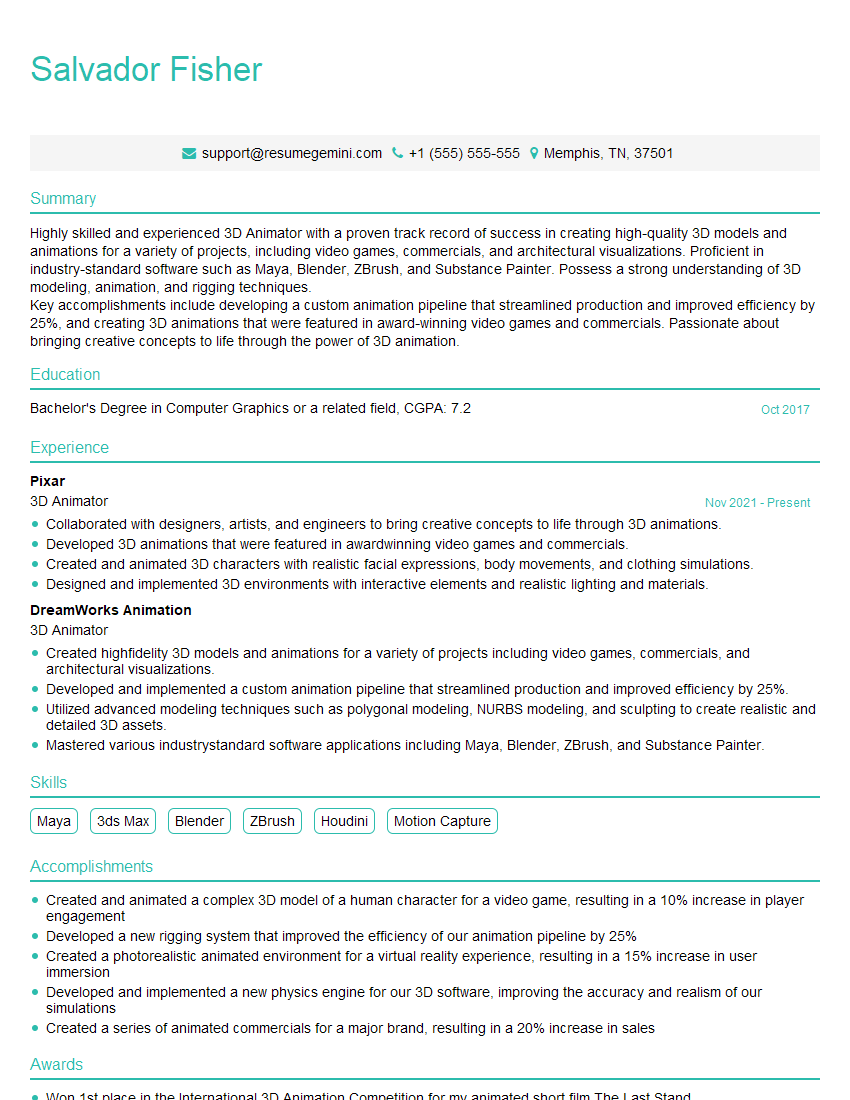
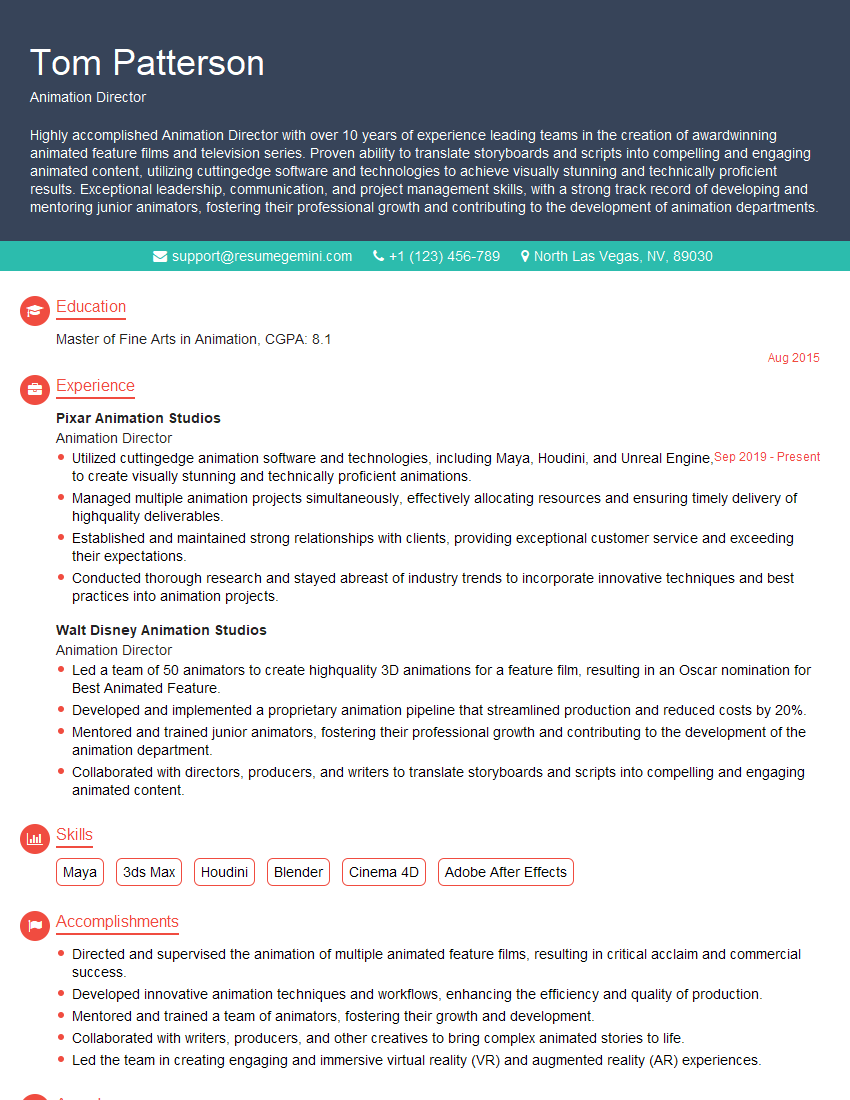
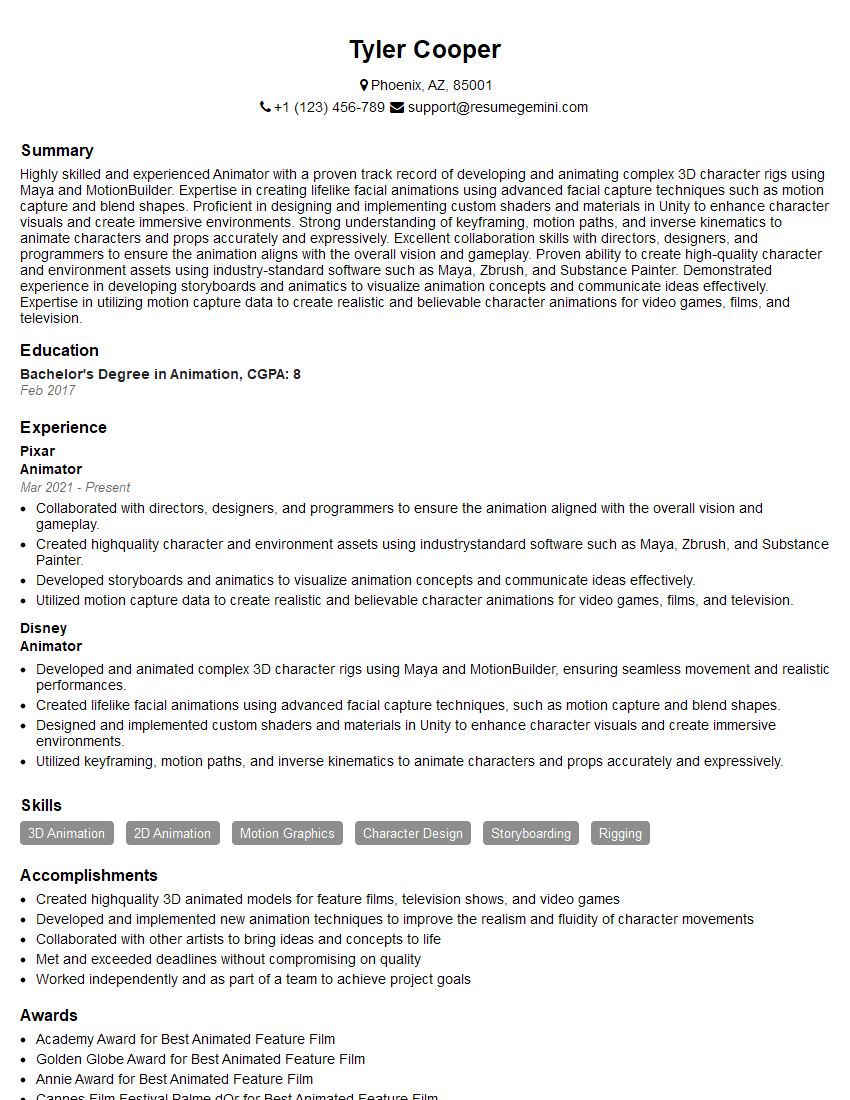
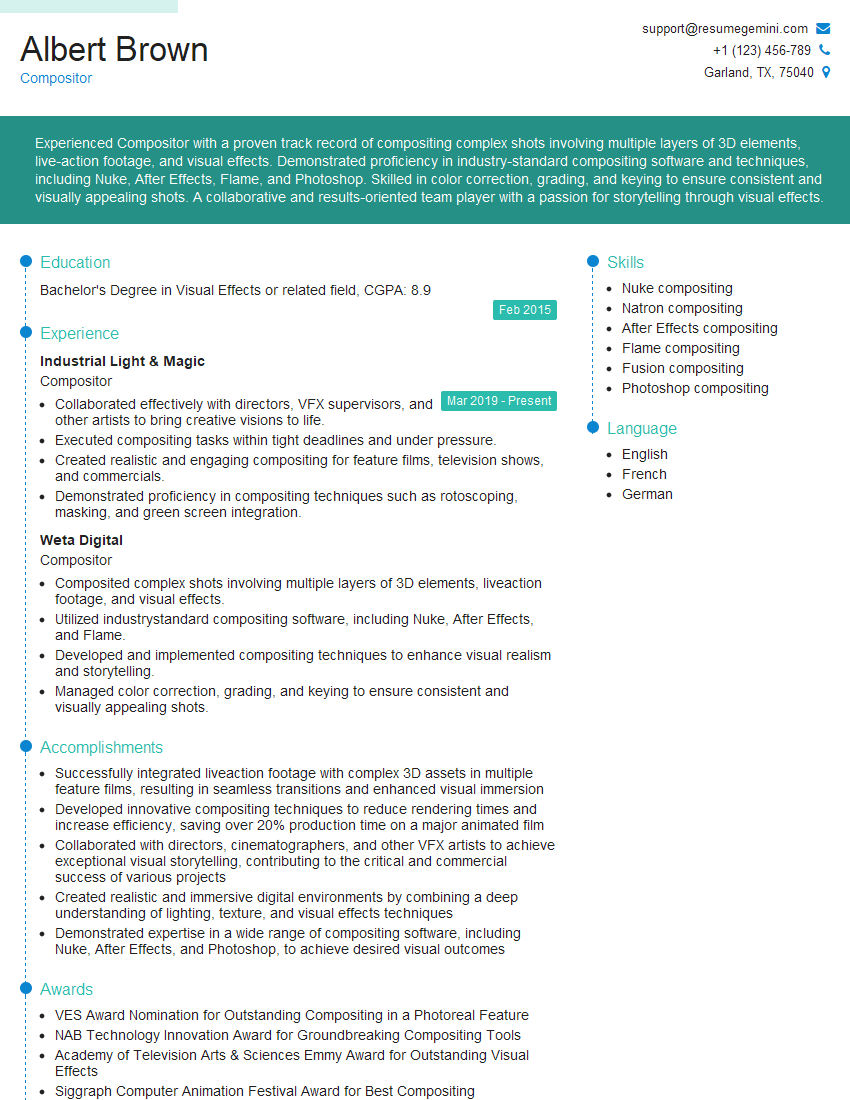
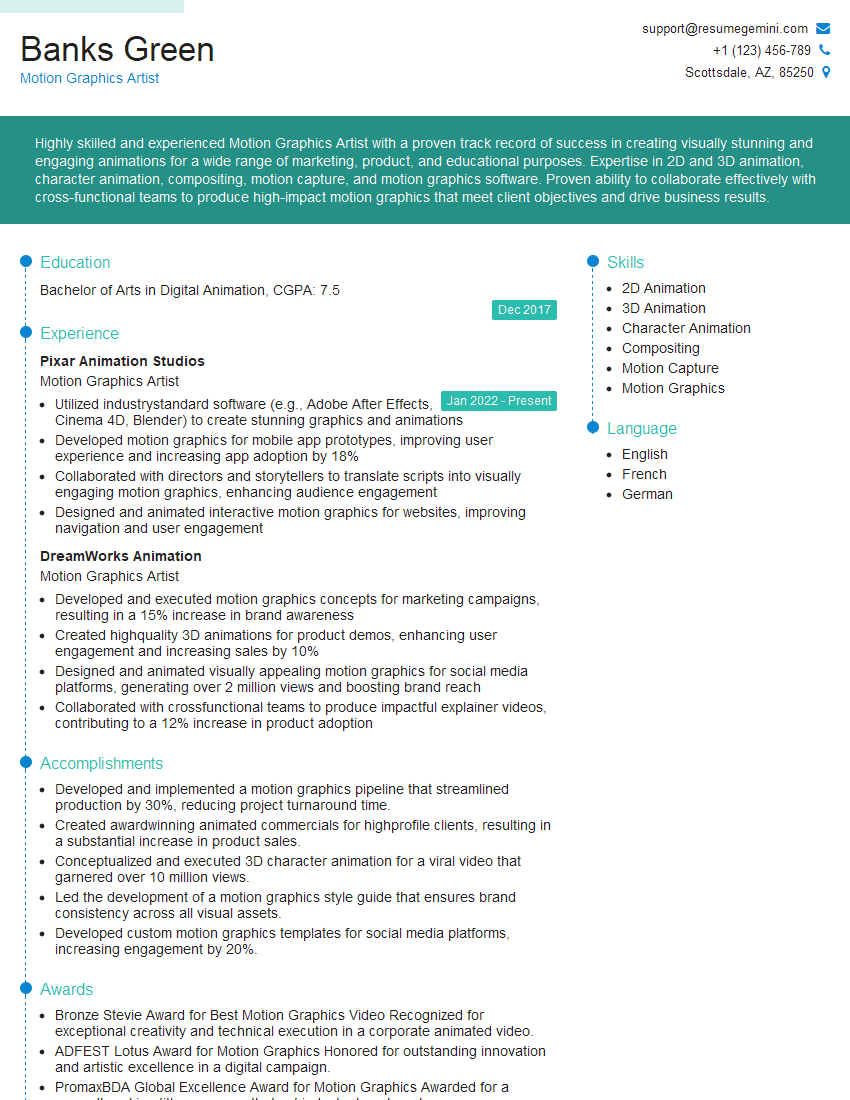
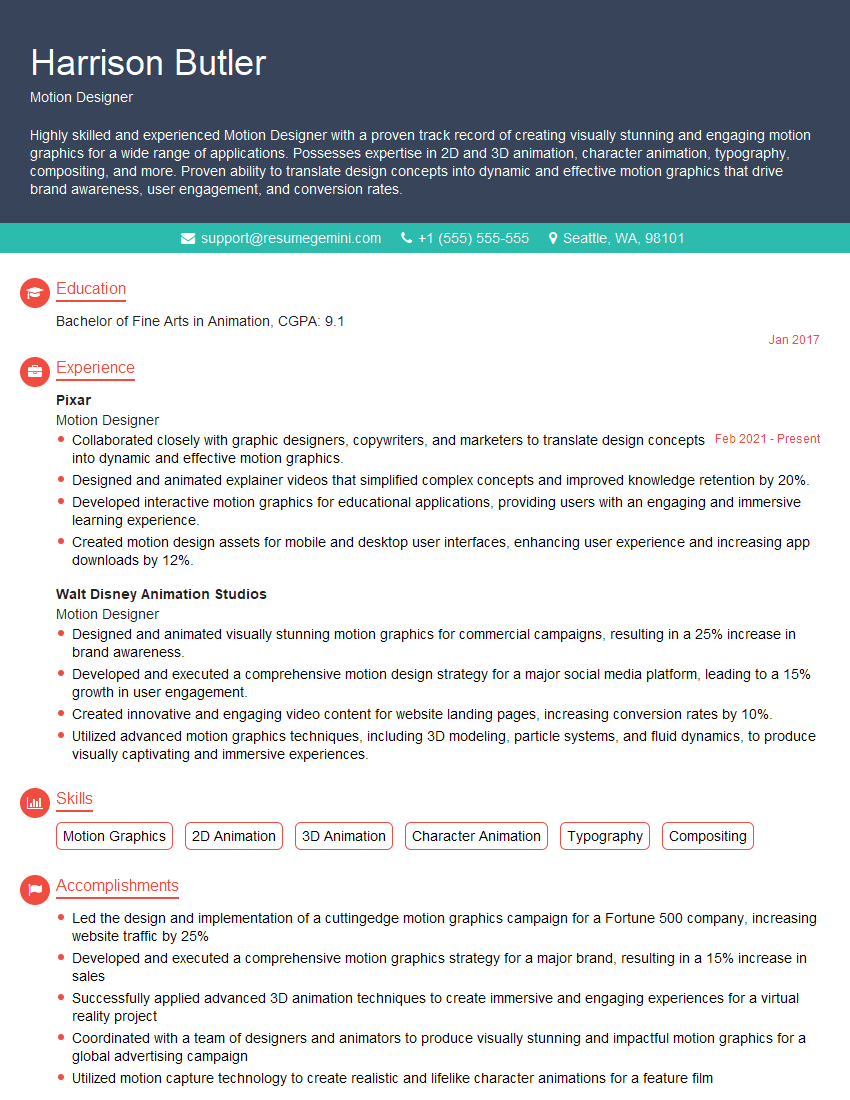
Mastering Motion design opens doors to exciting and rewarding careers in film, video games, advertising, and UX/UI. To maximize your job prospects, it’s crucial to present your skills effectively. An ATS-friendly resume is your first impression – make it count! Use ResumeGemini to craft a professional and impactful resume that highlights your Motion design expertise. ResumeGemini provides examples of resumes tailored to the Motion design field to help guide you.
Explore more articles
Users Rating of Our Blogs
Share Your Experience
We value your feedback! Please rate our content and share your thoughts (optional).
What Readers Say About Our Blog
Very informative content, great job.
good