Interviews are more than just a Q&A session—they’re a chance to prove your worth. This blog dives into essential Network Configuration Management interview questions and expert tips to help you align your answers with what hiring managers are looking for. Start preparing to shine!
Questions Asked in Network Configuration Management Interview
Q 1. Explain the difference between static and dynamic IP addressing.
The core difference between static and dynamic IP addressing lies in how IP addresses are assigned to devices on a network. Think of it like assigning seats at a concert: static is like pre-assigning specific seats, while dynamic is like having a ticketing system assign available seats as people arrive.
Static IP Addressing: An administrator manually assigns a specific, unchanging IP address to a device. This is ideal for servers, printers, or any device that needs a consistently reachable address. For instance, a web server might always have the IP address 192.168.1.100. The advantage is predictability and ease of access, but it requires careful management and planning, as IP addresses are finite resources.
Dynamic IP Addressing: A DHCP (Dynamic Host Configuration Protocol) server automatically assigns IP addresses from a pool of available addresses. When a device connects to the network, it requests an IP address, and the DHCP server provides one. When the device disconnects, the IP address is released back into the pool for reuse. This is common in home networks and large enterprise networks where manually managing IP addresses for hundreds or thousands of devices would be impractical. The advantage is efficiency and scalability, but it can sometimes lead to IP address conflicts if not properly managed.
Q 2. Describe your experience with routing protocols (e.g., OSPF, BGP).
I have extensive experience with both OSPF (Open Shortest Path First) and BGP (Border Gateway Protocol), two of the most prevalent routing protocols. I’ve deployed and managed them in various network environments, from small corporate LANs to large-scale ISP networks.
OSPF is a link-state routing protocol used within autonomous systems (AS). Think of it as a sophisticated internal map within a company’s network. Each router shares its link information with its neighbors, building a complete picture of the network topology. OSPF uses this information to calculate the shortest path to destinations using Dijkstra’s algorithm. I’ve used OSPF extensively to build highly available and redundant networks, ensuring fast convergence times in case of link failures.
BGP, on the other hand, is an exterior gateway protocol used for routing between different autonomous systems – essentially, how different networks connect on the internet. It’s far more complex than OSPF, handling policy-based routing and large-scale network connectivity. I’ve used BGP in the context of configuring internet peering, optimizing traffic flow across different ISPs, and establishing robust BGP sessions for high-availability across multiple data centers.
In my previous role, I was responsible for troubleshooting a complex BGP issue where a misconfigured AS path caused routing loops and network outages. By carefully analyzing BGP logs and using tools like traceroute and MRT, I was able to identify the faulty configuration and resolve the issue, minimizing downtime.
Q 3. How do you troubleshoot network connectivity issues?
Troubleshooting network connectivity involves a systematic approach. I typically follow a layered approach, starting with the simplest checks and progressing to more complex diagnostics. Think of it like a detective investigating a crime: you start with the obvious clues and gradually work your way to the more hidden ones.
My troubleshooting process generally involves these steps:
- Verify the basics: Check cables, power, and device status. A simple unplugged cable can cause major headaches!
- Check the device itself: Is the device powered on? Does it show network connectivity? This might involve checking network interfaces and IP configurations.
- Ping the destination: Use the
pingcommand to test connectivity to the target device. A successful ping indicates basic connectivity; failures can pinpoint the location of the problem. - Traceroute (tracert): This command traces the path of packets to the destination, showing each hop along the way. This helps identify points of failure.
- Check network configuration: Examine IP addresses, subnet masks, default gateways, and DNS settings. Incorrect settings are frequently the culprit.
- Analyze network logs: Examine logs on routers, switches, and firewalls for errors or unusual activity.
- Use network monitoring tools: Tools like SolarWinds, PRTG, or Nagios can provide real-time insights into network performance and identify potential issues.
For example, if a user is unable to access a server, I would start by pinging the server’s IP address from the user’s machine. If the ping fails, I’d then trace the route to identify where the connectivity issue lies. If the ping is successful but the server’s application is inaccessible, then I’d investigate the application and server itself.
Q 4. What are the key components of a network configuration management system?
A robust Network Configuration Management (NCM) system is essential for managing complex network infrastructures. Think of it as the central nervous system of your network, ensuring everything runs smoothly and consistently. The key components include:
- Centralized Configuration Repository: A database storing all network device configurations, allowing for version control, backups, and easy retrieval.
- Automated Discovery and Inventory: Automatically discovers network devices and their properties, keeping the inventory up-to-date.
- Configuration Change Management: A system for tracking, reviewing, and approving network configuration changes, reducing the risk of errors and ensuring compliance.
- Automated Configuration Deployment: Enables bulk configuration changes across multiple devices efficiently and reliably. This significantly reduces manual effort and human error.
- Reporting and Monitoring: Provides dashboards and reports on network status, configuration compliance, and potential issues.
- Compliance Management: Helps organizations meet regulatory requirements by automating compliance checks and reporting.
A good NCM system uses a combination of software and processes to streamline network administration, enabling proactive management rather than reactive troubleshooting.
Q 5. Explain your experience with network monitoring tools.
I’ve worked extensively with several network monitoring tools, each offering unique capabilities. My experience includes using both open-source and commercial solutions. I’ve found that the best choice depends heavily on the size and complexity of the network as well as the budget.
For instance, I’ve used Nagios for its comprehensive monitoring capabilities and alert system, effectively tracking the performance of servers, network devices, and applications. In another project, I utilized PRTG Network Monitor, which impressed me with its user-friendly interface and robust reporting features. Finally, in larger enterprise settings, I’ve been involved in the implementation and management of SolarWinds, a powerful toolset offering in-depth network performance analysis and extensive reporting capabilities. The choice often depends on the specific needs, for example, SolarWinds is better suited for large and complex networks needing detailed performance analytics while Nagios may be sufficient for smaller, simpler setups.
The effectiveness of any monitoring tool ultimately depends on proper configuration and alert management. A well-designed monitoring system shouldn’t just alert on failures; it should provide early warnings of potential problems allowing for proactive mitigation.
Q 6. Describe your experience with network security best practices.
Network security is paramount, and I’m very familiar with a wide range of best practices. My experience includes implementing and managing firewalls, intrusion detection systems, VPNs, and access control lists (ACLs). I have worked extensively with both hardware and software based solutions.
Key practices I consistently implement include:
- Firewall Implementation and Management: Deploying and configuring firewalls to control network traffic and block unauthorized access. This involves defining specific rules based on source/destination IP addresses, ports, and protocols.
- Intrusion Detection/Prevention Systems (IDS/IPS): Implementing and monitoring IDS/IPS to detect and prevent malicious activities. Regularly reviewing alerts and adjusting rules based on observed threats is crucial.
- VPN (Virtual Private Network): Setting up VPNs to secure remote access to the network, encrypting data transmitted between remote users and the network.
- Access Control Lists (ACLs): Configuring ACLs on routers and switches to limit access to specific network resources and prevent unauthorized access. For example, restricting access to specific servers based on IP address or user roles.
- Regular Security Audits and Penetration Testing: Conducting regular security assessments to identify vulnerabilities and improve the overall security posture. Simulated attacks reveal weakness before real attackers can exploit them.
- Principle of Least Privilege: Granting users only the necessary permissions to perform their tasks, minimizing potential damage from compromised accounts.
In one instance, I was instrumental in preventing a significant security breach by implementing a multi-factor authentication system and improving firewall rules after detecting suspicious network activity.
Q 7. How do you manage network changes and updates?
Managing network changes and updates is crucial for maintaining stability and security. I follow a rigorous change management process that emphasizes planning, testing, and rollback capabilities. Think of it like performing surgery: careful planning and execution are essential to avoid complications.
My typical process includes:
- Request and Approval Process: All network changes must be formally requested and approved by the appropriate personnel, ensuring that changes align with organizational objectives and security policies.
- Impact Assessment: Thoroughly assessing the potential impact of a change on other network components and services before implementing it.
- Testing: Testing changes in a controlled environment before deploying them to production, minimizing the risk of unexpected issues. This could involve testing in a staging environment that mirrors the production network.
- Change Documentation: Maintaining detailed documentation of all changes, including the purpose, methodology, and results.
- Rollback Plan: Having a well-defined rollback plan in case of unexpected issues or errors, allowing for quick recovery.
- Post-implementation Review: Conducting a post-implementation review to evaluate the success of the change and identify areas for improvement. Lessons learned are vital for future changes.
Using a robust change management system minimizes downtime, improves efficiency and ensures the overall stability and security of the network infrastructure.
Q 8. Explain your understanding of VLANs and their purpose.
VLANs, or Virtual Local Area Networks, are logical groupings of devices on a physical network. Think of them as creating separate broadcast domains within a single physical network. Instead of relying on physical wiring to segment your network, VLANs use software to achieve this. This is incredibly useful for improving security, managing bandwidth, and simplifying network administration. For example, you might have a VLAN for your marketing team, another for your finance department, and another for guests – all existing on the same switches and cabling, but completely isolated from each other in terms of broadcast traffic. This isolation helps prevent unauthorized access and improves network performance by reducing broadcast storms.
In a real-world example, imagine a large office building. Instead of needing separate physical cables and switches for each department, VLANs allow you to logically separate them, improving both efficiency and security. Each VLAN can have its own unique IP addressing scheme and security policies, further enhancing network management.
Q 9. How do you ensure network availability and redundancy?
Ensuring network availability and redundancy is paramount. It involves implementing strategies to minimize downtime and maintain connectivity even in the event of hardware or software failures. This often relies on a multi-layered approach. One critical aspect is redundancy in key network components such as switches, routers, and internet connections. Using redundant devices (like having two internet connections from different providers) means if one fails, the other automatically takes over. This is commonly implemented using techniques like failover and load balancing.
Another crucial aspect is robust network monitoring. Using tools that constantly track network health, performance metrics, and device status allows for proactive identification and resolution of potential issues *before* they lead to downtime. Regular backups and disaster recovery planning are also essential. This involves having backup configurations, data backups, and a detailed plan outlining steps to restore services in case of a major failure. For instance, you might utilize a secondary data center as a backup, mirroring your production environment to ensure continuous operation.
Q 10. What is your experience with network automation tools?
I have extensive experience with several network automation tools, including Ansible, Puppet, and Chef. These tools allow for the automated configuration and management of network devices, dramatically reducing manual effort and improving consistency. For instance, using Ansible, I’ve automated the deployment of new network devices, the configuration of firewalls, and the implementation of security policies across an entire network infrastructure. This automation not only speeds up deployments but also minimizes the risk of human error, ensuring consistent and accurate configurations across all devices.
I also have experience with scripting languages like Python to develop custom automation scripts for tasks not easily handled by existing tools. This provides a highly flexible and adaptable approach to network management. In one project, I wrote a Python script that automatically discovered and mapped all devices on the network, significantly simplifying network documentation and troubleshooting.
Q 11. Describe your experience with network documentation and diagrams.
Maintaining accurate and up-to-date network documentation is critical for efficient network management. I utilize various tools and techniques for creating detailed network diagrams, including Visio, Lucidchart, and network automation tools’ built-in capabilities. These diagrams visually represent the network’s topology, devices, connections, and IP addressing schemes, making it easy to understand the network’s structure and troubleshoot issues.
Beyond diagrams, I maintain comprehensive documentation detailing device configurations, security policies, and network protocols. This documentation includes IP addressing plans, VLAN configurations, and descriptions of network services. This detailed documentation is invaluable during troubleshooting, upgrades, and maintenance activities, ensuring that any changes made to the network are well-documented and easily reversible. A well-documented network is the key to a smoothly-running operation.
Q 12. Explain your experience with different network topologies (e.g., star, mesh).
I have extensive experience working with various network topologies, including star, mesh, bus, ring, and tree. Understanding these topologies is essential for designing efficient and reliable networks.
- Star Topology: This is the most common topology, where all devices connect to a central hub or switch. It’s easy to manage and troubleshoot, but a failure of the central device can bring down the entire network. Think of it like spokes on a wheel.
- Mesh Topology: In this topology, devices are interconnected with multiple paths. It’s highly redundant and fault-tolerant, but complex to manage and expensive to implement. Think of interconnected roads in a city.
- Bus Topology: A simple topology where all devices connect to a single cable. It’s inexpensive, but a failure anywhere on the cable can bring down the network.
- Ring Topology: Devices are connected in a closed loop. Data flows in one direction. Failure in one section can interrupt data flow.
- Tree Topology: Combines star and bus topologies, with multiple star networks connected to a central bus.
The choice of topology depends on the specific requirements of the network, considering factors such as size, cost, redundancy needs, and scalability. I’ve successfully implemented and managed networks with each of these topologies.
Q 13. How do you handle network performance issues?
Handling network performance issues requires a systematic approach. It begins with identifying the problem through monitoring tools and analyzing metrics like latency, throughput, packet loss, and CPU/memory utilization on network devices. Tools like SolarWinds, PRTG, and Wireshark are invaluable here.
Once the problem is identified, the next step involves isolating the cause. This often involves analyzing network traffic using packet capture tools, checking device logs for errors, and using ping, traceroute, and other diagnostic commands. For example, high latency might indicate a congested link, faulty hardware, or routing issues. Packet loss could point to a faulty cable or device.
After pinpointing the cause, I implement a solution. This might involve upgrading hardware, optimizing network configurations, implementing QoS policies, or addressing software bugs. Regular performance testing and capacity planning are essential to prevent future issues. It’s also important to document the steps taken to resolve the issue, both for future reference and for auditing purposes.
Q 14. What is your experience with firewalls and intrusion detection systems?
I have extensive experience with firewalls and intrusion detection systems (IDS). Firewalls act as the first line of defense, controlling network access by filtering traffic based on predefined rules. I’ve worked with various firewall vendors and technologies, configuring rules to allow legitimate traffic while blocking malicious attempts. This includes implementing stateful inspection, application-level firewalls, and VPNs for secure remote access.
Intrusion detection systems monitor network traffic for malicious activity, identifying potential threats like malware, unauthorized access attempts, and denial-of-service attacks. I’m familiar with both network-based IDS (NIDS) and host-based IDS (HIDS), and know how to analyze IDS logs to identify and respond to security incidents. Proper configuration and integration of firewalls and IDS are crucial for a robust security posture. A layered approach using firewalls and IDS provides comprehensive protection against a variety of threats. I’ve been involved in several projects involving designing and implementing such layered security architectures.
Q 15. Describe your experience with VPN configurations.
VPN, or Virtual Private Network, configurations are crucial for secure remote access and inter-network communication. My experience spans various VPN types, including IPsec, SSL/TLS, and site-to-site VPNs. I’ve worked extensively with configuring VPN gateways on platforms like Cisco ASA, Fortinet FortiGate, and Palo Alto Networks firewalls. This involved tasks like defining VPN tunnels, configuring authentication mechanisms (RADIUS, certificates), establishing encryption protocols, and optimizing performance. For example, I once configured an IPsec VPN connecting our office network to a remote data center, ensuring secure data transmission and compliance with our security policies. This required meticulous attention to detail in setting up the cryptographic parameters, ensuring perfect key exchange and authentication. In another project, I implemented a multi-factor authentication system for our SSL VPN to enhance security. This involved integrating the VPN with our existing identity provider and carefully designing the access control lists.
I also have experience troubleshooting VPN connectivity issues, including diagnosing problems related to network configuration, routing, firewall rules, and authentication failures. Effective troubleshooting frequently involves using tools like packet capture (tcpdump, Wireshark) and analyzing VPN logs to identify the root cause of connectivity problems.
Career Expert Tips:
- Ace those interviews! Prepare effectively by reviewing the Top 50 Most Common Interview Questions on ResumeGemini.
- Navigate your job search with confidence! Explore a wide range of Career Tips on ResumeGemini. Learn about common challenges and recommendations to overcome them.
- Craft the perfect resume! Master the Art of Resume Writing with ResumeGemini’s guide. Showcase your unique qualifications and achievements effectively.
- Don’t miss out on holiday savings! Build your dream resume with ResumeGemini’s ATS optimized templates.
Q 16. Explain your understanding of network segmentation.
Network segmentation is the practice of dividing a network into smaller, isolated segments or subnets. Think of it like dividing a large apartment building into individual apartments – each with its own security and access controls. This enhances security by limiting the impact of a breach. If one segment is compromised, the attackers won’t automatically have access to the entire network. Segmentation also improves performance and manageability. By isolating different network functions (e.g., servers, user workstations, IoT devices), you reduce network congestion and simplify troubleshooting.
I’ve implemented network segmentation using VLANs (Virtual LANs) on Cisco switches, creating separate broadcast domains for different departments or applications. This provides both security isolation and improved performance. I have also used firewalls and routing protocols like OSPF or BGP to isolate different network segments logically. For example, separating the guest Wi-Fi network from the corporate network is critical for security. Effective segmentation requires careful planning and understanding of the network’s traffic flows and security requirements.
Q 17. How do you manage network bandwidth efficiently?
Efficient network bandwidth management requires a multi-faceted approach. It begins with understanding your network’s current usage patterns – identifying peak usage times and bandwidth-intensive applications. Tools like network monitoring software (e.g., SolarWinds, PRTG) are invaluable here. Once you have this data, you can implement strategies to optimize bandwidth usage. This could involve:
- Quality of Service (QoS): Prioritizing critical traffic (e.g., VoIP, video conferencing) over less critical traffic (e.g., file transfers).
- Bandwidth Throttling: Limiting bandwidth consumption for specific users or applications to prevent congestion.
- Traffic Shaping: Smoothing out traffic fluctuations to prevent bursts from overwhelming the network.
- Network upgrades: Investing in faster network infrastructure (e.g., higher bandwidth links, upgraded switches and routers) when necessary.
- Caching: Implementing content delivery networks (CDNs) or local caches to reduce the amount of traffic traversing the WAN.
For example, in a previous role, we implemented QoS policies to ensure reliable VoIP communications during peak hours, even when the network was heavily loaded. This dramatically improved employee communication and productivity.
Q 18. What are your preferred methods for network capacity planning?
Network capacity planning involves forecasting future network needs and ensuring the infrastructure can handle the projected growth. My preferred methods involve a combination of top-down and bottom-up approaches:
- Top-Down Approach: This starts with overall business objectives and translates them into network requirements. For example, if the company plans to significantly increase the number of users or deploy new bandwidth-intensive applications, the network capacity must be scaled accordingly.
- Bottom-Up Approach: This involves analyzing current network utilization data and projecting future growth based on historical trends. This requires careful monitoring of network performance metrics such as bandwidth utilization, latency, and packet loss.
I use network simulation tools to model different scenarios and assess the impact of various capacity planning decisions. This allows me to make informed choices about infrastructure investments. I also consider factors like technology advancements, vendor capabilities, and budget constraints when making capacity planning decisions. For instance, I recently helped a client plan for their migration to a cloud-based environment, taking into consideration factors like bandwidth requirements and latency tolerance.
Q 19. Describe your experience with DNS configuration and management.
DNS, or Domain Name System, configuration and management are essential for resolving domain names to IP addresses. My experience includes configuring and managing both internal and external DNS servers, using platforms like BIND (Berkeley Internet Name Domain) and Microsoft DNS Server. This involved tasks such as creating DNS zones, managing DNS records (A, AAAA, CNAME, MX), configuring DNS forwarding, and implementing DNS security mechanisms like DNSSEC. I’ve also implemented load balancing across multiple DNS servers for high availability.
A crucial aspect is ensuring DNS resolution is fast and reliable. This often involves optimizing DNS server configurations, implementing caching strategies, and using techniques like DNS load balancing and GeoDNS to improve performance and reduce latency. Troubleshooting DNS issues is also a regular part of my work, often involving analyzing DNS logs, using tools like nslookup and dig to diagnose problems, and collaborating with other IT teams to resolve issues.
Q 20. How do you handle network outages and service interruptions?
Handling network outages and service interruptions requires a proactive and reactive approach. A robust incident management process is essential. This involves:
- Monitoring: Implementing comprehensive network monitoring to detect outages and performance degradations as quickly as possible.
- Alerting: Setting up alerts to notify the IT team immediately when issues arise.
- Troubleshooting: Using a systematic approach to identify and resolve the root cause of the outage, using diagnostic tools and procedures.
- Recovery: Implementing recovery procedures to restore services as quickly and efficiently as possible. This could include failover mechanisms, backups, and disaster recovery plans.
- Post-mortem analysis: Conducting a thorough review after each incident to identify areas for improvement and prevent similar incidents from happening in the future.
For example, I’ve worked on creating runbooks for common network outages, outlining clear steps for troubleshooting and recovery. This ensured that our response time was significantly reduced, minimizing the impact on the business. Effective communication during an outage is also vital, keeping stakeholders informed about the situation and the progress being made towards restoration.
Q 21. What is your experience with DHCP server configuration and management?
DHCP, or Dynamic Host Configuration Protocol, is crucial for automatically assigning IP addresses and other network parameters to devices on a network. My experience includes configuring and managing DHCP servers on various platforms, including Microsoft Windows Server and Cisco IOS. This involved tasks such as defining DHCP scopes, configuring DHCP options (e.g., DNS servers, WINS servers, default gateway), managing DHCP reservations, and implementing DHCP failover for high availability.
Security is a key consideration when managing DHCP servers. This includes implementing access control lists (ACLs) to restrict access to the DHCP server, using strong passwords and regular security updates. I have also worked on integrating DHCP with other network management systems for better monitoring and reporting. Troubleshooting DHCP issues often involves analyzing DHCP logs, checking IP address conflicts, and verifying DHCP server configurations. For instance, I once resolved a DHCP exhaustion issue by optimizing the DHCP scope and implementing address reservation for critical servers, preventing future conflicts.
Q 22. Explain your understanding of TCP/IP model.
The TCP/IP model is a conceptual framework that describes how data is transmitted over a network. Unlike the OSI model’s seven layers, TCP/IP is a four-layer model, making it simpler to understand and implement. Think of it like a layered cake, where each layer handles specific tasks.
- Application Layer: This is where applications like web browsers (HTTP), email clients (SMTP), and file transfer programs (FTP) interact with the network. It’s responsible for data formatting and interpretation.
- Transport Layer: This layer ensures reliable data delivery. TCP (Transmission Control Protocol) provides reliable, ordered delivery with error checking, while UDP (User Datagram Protocol) offers faster, connectionless delivery, sacrificing reliability for speed. Think of TCP as sending a registered letter (reliable) and UDP as sending a postcard (fast, but less reliable).
- Internet Layer (Network Layer): This is where IP addresses come into play. The Internet Protocol (IP) handles addressing and routing packets across networks. It’s responsible for getting the data from point A to point B. Think of this as the postal service determining the route for the letter.
- Network Access Layer (Link Layer): This is the lowest layer and handles the physical transmission of data over the network medium (e.g., Ethernet cables, Wi-Fi). It deals with physical addressing (MAC addresses) and error detection at the physical level. Think of this layer as the actual delivery person handing the letter to the recipient.
Understanding the TCP/IP model is crucial for network troubleshooting, as it helps you pinpoint the layer where a problem might be occurring. For example, if a website isn’t loading, the issue could be at the application layer (broken website), the transport layer (connection issues), or even the network layer (routing problems).
Q 23. What is your experience with different types of network cabling?
My experience encompasses a wide range of network cabling, including:
- Copper Cabling: I’ve extensively worked with Cat5e, Cat6, and Cat6a cabling for Ethernet networks. I understand the importance of proper termination, testing (using tools like cable testers and OTDRs), and adhering to standards to ensure optimal performance and minimize signal loss. For example, I’ve successfully deployed Cat6a cabling in high-bandwidth environments requiring Gigabit Ethernet speeds with minimal signal degradation.
- Fiber Optic Cabling: I have experience with single-mode and multi-mode fiber optics, understanding the advantages of fiber for long distances and high bandwidth. I’m familiar with different connector types (SC, LC, ST) and fusion splicing techniques. One recent project involved upgrading a campus network with fiber optics to increase capacity and reduce latency.
- Coaxial Cabling: While less common for modern networks, I’m familiar with coaxial cabling and its use in specific applications, such as older cable television systems and some legacy network technologies.
Beyond the cabling itself, I’m proficient in cable management best practices, ensuring proper labeling, organization, and grounding to prevent signal interference and maintain network integrity. A well-organized cable infrastructure is essential for maintainability and troubleshooting.
Q 24. How do you ensure compliance with network security standards?
Ensuring network security compliance involves a multi-faceted approach. It starts with understanding relevant standards and regulations, such as NIST Cybersecurity Framework, ISO 27001, and industry-specific compliance requirements. I then implement and monitor security measures throughout the network lifecycle:
- Access Control: Implementing strong passwords, multi-factor authentication (MFA), role-based access control (RBAC), and regular security audits to prevent unauthorized access.
- Firewall Management: Configuring and maintaining firewalls to filter network traffic, blocking malicious attempts and ensuring only authorized access is permitted.
- Intrusion Detection/Prevention Systems (IDS/IPS): Deploying and monitoring IDS/IPS to detect and prevent malicious activities, alerting me to potential breaches.
- Vulnerability Management: Regularly scanning for vulnerabilities and implementing patches to mitigate risks. I utilize vulnerability scanning tools and follow a prioritized patching schedule to address critical vulnerabilities first.
- Security Information and Event Management (SIEM): Utilizing SIEM tools to centralize security logs, providing a comprehensive view of network activity and enabling early detection of security incidents.
Compliance isn’t a one-time task; it’s an ongoing process that requires vigilance and adaptation to emerging threats. Regular security assessments, penetration testing, and employee security awareness training are essential components of a robust security posture.
Q 25. Describe your experience with network troubleshooting tools.
My experience includes using a variety of network troubleshooting tools, allowing me to effectively diagnose and resolve network issues. These include:
- Network Monitoring Tools (e.g., PRTG, SolarWinds): These tools provide real-time visibility into network performance, allowing for proactive identification of potential issues before they impact users.
- Packet Analyzers (e.g., Wireshark): I use packet analyzers to capture and analyze network traffic, identifying the root cause of connectivity problems, such as network congestion, protocol errors, or security breaches.
- Ping, Tracert, and Ipconfig/Ifconfig: These basic command-line tools are essential for initial troubleshooting, providing information on connectivity, routing, and network configuration.
- Network Management Systems (NMS): I use NMS to manage and monitor large networks, allowing centralized control and simplified troubleshooting. For example, I’ve effectively used NMS to isolate and resolve a large-scale network outage impacting hundreds of users by identifying a faulty switch in a data center.
My troubleshooting approach is systematic. I start with basic checks (ping, traceroute) and progressively utilize more advanced tools as needed, always documenting my steps for future reference. The key is understanding the network topology and the behavior of different network protocols.
Q 26. Explain your experience with wireless network configurations.
I possess extensive experience in wireless network configurations, encompassing various aspects from initial design to ongoing maintenance. My experience includes:
- Site Surveys: Conducting thorough site surveys to determine optimal access point placement and channel selection to ensure adequate coverage and minimize interference. This includes using specialized tools to measure signal strength and identify potential sources of interference.
- Wireless Security: Implementing robust security measures, including WPA2/WPA3 encryption, strong passwords, access control lists (ACLs), and regular security updates to prevent unauthorized access.
- Wireless Network Protocols: A deep understanding of 802.11 standards (a/b/g/n/ac/ax) and their capabilities, allowing for informed decisions regarding technology selection and configuration.
- Wireless Network Management: Using wireless network management tools to monitor performance, troubleshoot issues, and manage access points. This includes optimizing settings for throughput, coverage, and security.
For example, I’ve successfully designed and implemented a secure wireless network for a large office building, ensuring reliable connectivity for hundreds of users while adhering to strict security policies. My approach always emphasizes a balance between performance, security, and scalability.
Q 27. How do you maintain network documentation and configuration backups?
Maintaining accurate network documentation and configuration backups is critical for operational efficiency and disaster recovery. My approach involves a combination of methods:
- Configuration Management Databases (CMDB): I utilize CMDBs to store comprehensive information about network devices, their configurations, and interconnections. This provides a single source of truth for network information.
- Automated Configuration Backups: I implement automated processes using scripting (e.g., Python, Ansible) to regularly back up network device configurations, ensuring timely recovery in case of failures or accidental misconfigurations.
- Version Control: Using version control systems like Git to track changes to network configurations, enabling rollback to previous versions if necessary. This also facilitates collaboration among team members.
- Network Diagrams: Maintaining up-to-date network diagrams visualizing the physical and logical topology. This is crucial for troubleshooting and planning network upgrades.
- Documentation: Creating and maintaining detailed documentation, including procedures, troubleshooting guides, and explanations of specific configurations. This documentation is stored in a secure and accessible location.
Regular testing of backups and disaster recovery plans ensures that they are functional and effective. A well-documented and regularly backed-up network is far more resilient and easier to manage.
Q 28. What is your experience with scripting or automation for network tasks?
I’m proficient in scripting and automation for network tasks, significantly increasing efficiency and reducing manual errors. My experience includes using several scripting languages and automation tools:
- Python: I use Python extensively for automating tasks such as network device configuration, log analysis, and report generation. For example, I’ve developed a Python script to automate the deployment of new network devices, configuring them according to pre-defined templates.
- Ansible: I utilize Ansible for configuration management and automation across multiple network devices, allowing for efficient and consistent deployments. This has proven invaluable in managing large, complex networks.
- Bash/Shell Scripting: I’m proficient in Bash and other shell scripting languages for automating routine tasks such as device monitoring, log processing, and system administration.
Automating repetitive tasks frees up time for more strategic initiatives, such as network planning and optimization. Automation also reduces human error, leading to more reliable and consistent network operations.
Key Topics to Learn for Network Configuration Management Interview
- Network Topologies and Protocols: Understanding various network architectures (e.g., LAN, WAN, cloud) and protocols (e.g., TCP/IP, BGP, OSPF) is fundamental. Be prepared to discuss their strengths, weaknesses, and practical applications.
- Configuration Management Tools: Gain proficiency in tools like Ansible, Puppet, Chef, or SaltStack. Practice automating tasks like device provisioning, configuration backups, and change management.
- Network Automation and Scripting: Mastering scripting languages like Python or Bash is crucial for automating repetitive tasks and building efficient workflows. Be prepared to discuss your experience with scripting for network management.
- Network Monitoring and Troubleshooting: Demonstrate your ability to monitor network performance, identify bottlenecks, and troubleshoot issues using tools like Nagios, Zabbix, or SolarWinds. Practice explaining your problem-solving methodology.
- Security Best Practices: Discuss secure configuration practices, access control mechanisms, and strategies for mitigating network vulnerabilities. Understanding security frameworks like CIS benchmarks is beneficial.
- Version Control and Collaboration: Explain your experience with Git or other version control systems for managing network configurations collaboratively. Highlight your understanding of branching strategies and collaborative workflows.
- Cloud Networking and Infrastructure as Code (IaC): Familiarize yourself with cloud networking concepts (e.g., VPCs, subnets, load balancing) and IaC tools like Terraform or CloudFormation. Be ready to discuss their benefits in managing large-scale networks.
- Network Documentation and Best Practices: Understand the importance of meticulous network documentation and adhere to established best practices for configuration management. Be able to discuss your approach to maintaining accurate and up-to-date network documentation.
Next Steps
Mastering Network Configuration Management is essential for a successful and rewarding career in IT. It opens doors to high-demand roles with excellent growth potential. To maximize your job prospects, create an ATS-friendly resume that highlights your skills and experience effectively. ResumeGemini is a trusted resource to help you build a professional and impactful resume that showcases your capabilities to potential employers. Examples of resumes tailored to Network Configuration Management are available to help guide you.

Network Administrator Resume Sample

Network Engineer Resume Sample

Network Security Engineer Resume Sample

Systems Administrator Resume Sample
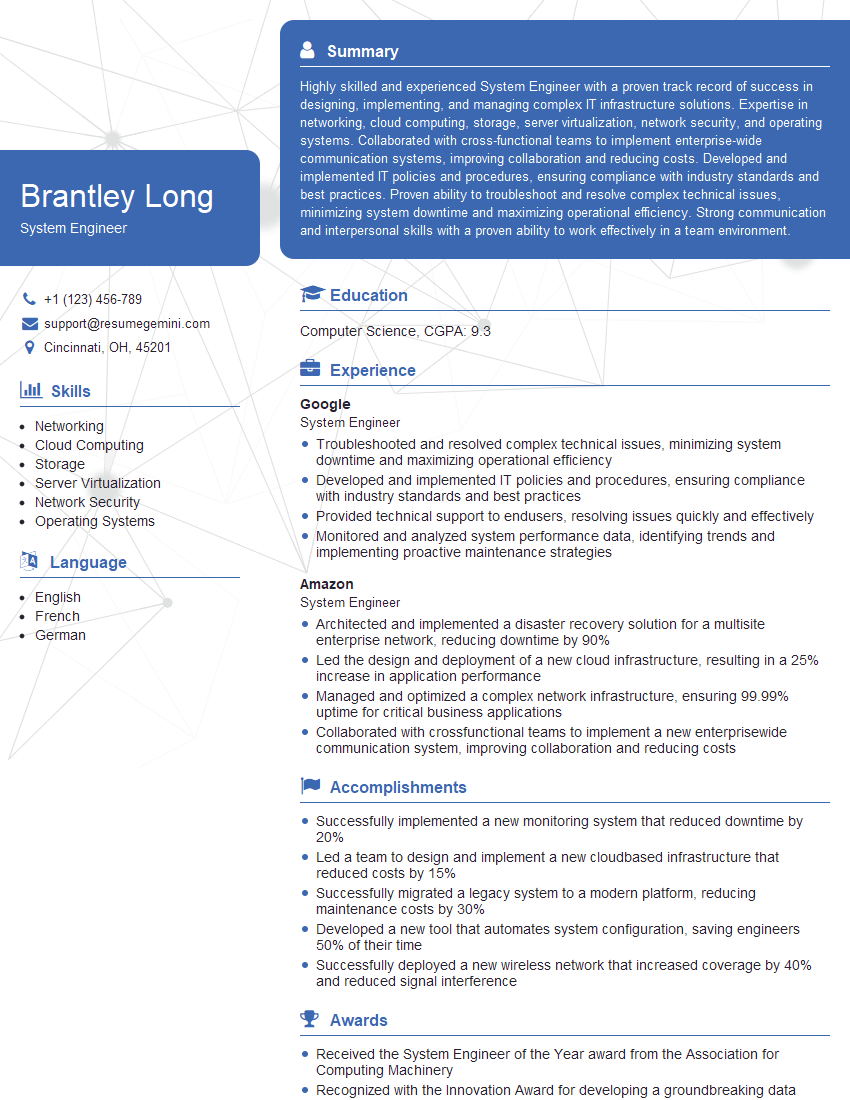
System Engineer Resume Sample

Network Analyst Resume Sample
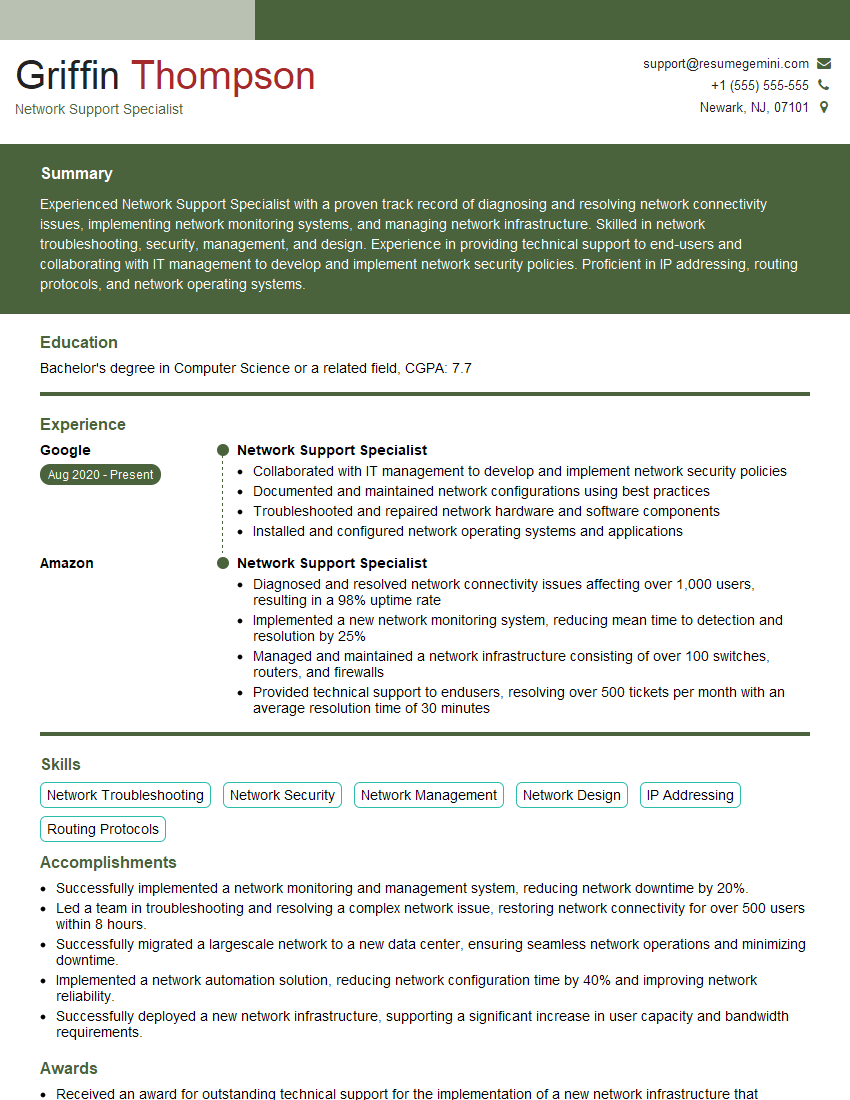
Network Support Specialist Resume Sample

Network Technician Resume Sample

Network Architect Resume Sample

Network Consultant Resume Sample

Wireless Network Engineer Resume Sample

Infrastructure Architect Resume Sample

IT Manager Resume Sample
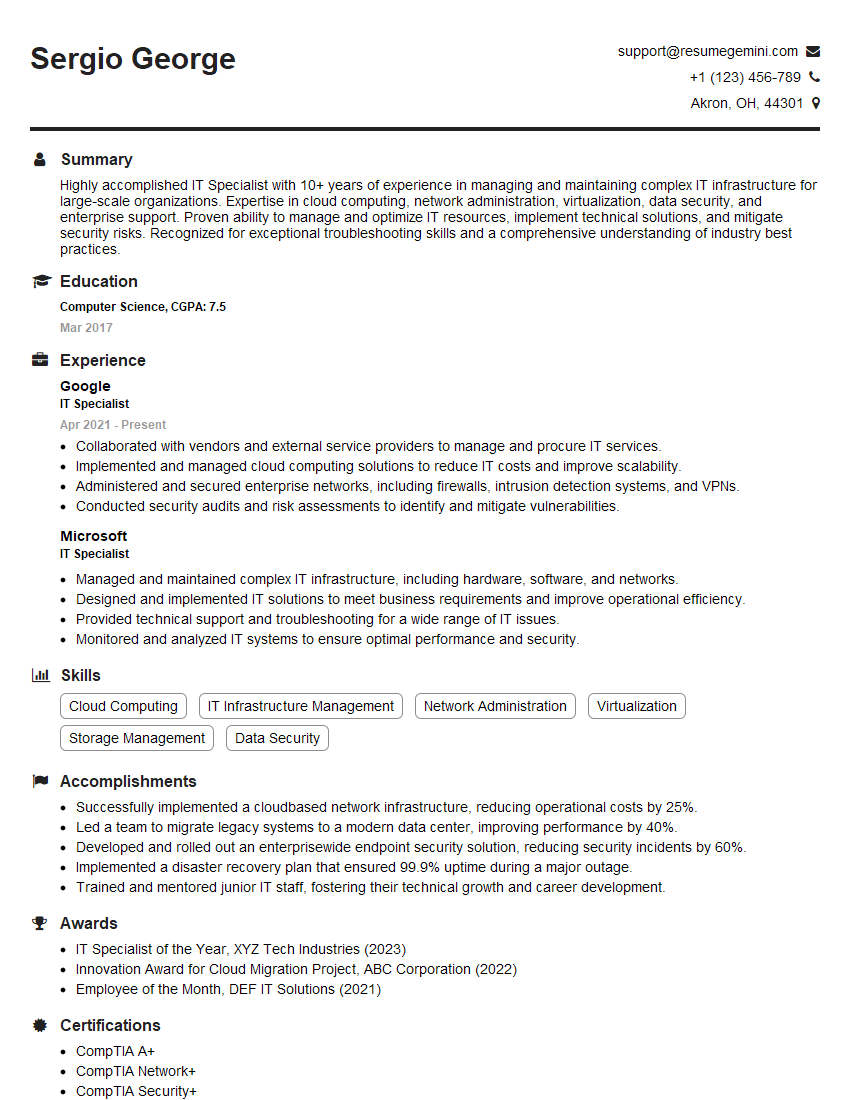
IT Specialist Resume Sample
Explore more articles
Users Rating of Our Blogs
Share Your Experience
We value your feedback! Please rate our content and share your thoughts (optional).
What Readers Say About Our Blog
Very informative content, great job.
good