Interviews are more than just a Q&A session—they’re a chance to prove your worth. This blog dives into essential Preflight and Quality Assurance interview questions and expert tips to help you align your answers with what hiring managers are looking for. Start preparing to shine!
Questions Asked in Preflight and Quality Assurance Interview
Q 1. Explain the difference between preflighting and quality assurance.
Preflighting and Quality Assurance (QA) are both crucial for ensuring the success of a project, but they operate at different stages and with different focuses. Think of preflighting as a final check before takeoff, ensuring everything is in order to prevent immediate problems. QA, on the other hand, is a broader, ongoing process that ensures the overall quality and functionality throughout the entire project lifecycle.
Preflighting is a narrower, technical check performed immediately before a project’s final output (like sending a print job to press or uploading a website). It focuses on identifying potential technical issues that could cause immediate failure or significant rework – things like missing fonts, incorrect color spaces, or image resolution problems. It’s primarily concerned with technical specifications and avoiding immediate catastrophic failures.
Quality Assurance, conversely, is a much broader process encompassing preflighting but extending to all phases of the project. It includes planning, testing, and evaluating the project’s overall quality against pre-defined standards. QA aims to prevent defects throughout the entire production process, focusing on functionality, usability, accessibility, and overall user experience, not just technical specifications.
In short: Preflighting is a focused, technical check before distribution; QA is a comprehensive, ongoing process that ensures quality throughout the project.
Q 2. Describe your experience with a preflight checklist.
My experience with preflight checklists is extensive. I’ve developed and utilized custom checklists for various projects, ranging from complex multi-page brochures requiring precise color accuracy to simple single-page flyers. I typically tailor my checklists to the specific project’s requirements and file formats.
A typical checklist might include:
- Font Verification: Checking for missing or embedded fonts.
- Color Space Consistency: Ensuring the use of appropriate color spaces (e.g., CMYK for print, RGB for screen).
- Image Resolution: Verifying sufficient image resolution for intended output.
- File Size Optimization: Ensuring the file size is appropriate for the intended delivery method.
- Bleed and Trim Marks: Confirming correct bleed and trim mark settings for print jobs.
- Link Verification: (for digital projects) Checking for broken links or faulty internal navigation.
I’ve also used preflight tools like those integrated into Adobe Creative Suite and dedicated preflight applications to automate aspects of this process, ensuring consistent and efficient checks.
Q 3. What are the common issues you encounter during preflighting?
The most common issues I encounter during preflighting are surprisingly consistent across diverse projects. They often stem from simple oversights or a lack of understanding of the technical requirements of the output method.
- Missing or Incorrect Fonts: This is a frequent problem, leading to font substitution and inconsistent typography.
- Incorrect Color Spaces: Using RGB images for print can result in significant color shifts.
- Low-Resolution Images: Images with insufficient resolution will appear blurry or pixelated in the final product.
- Oversized Files: Large file sizes can cause problems with email delivery, website loading, and print processing.
- Bleed and Trim Issues: Incorrect bleed settings can result in white borders around the printed piece.
- Broken Links (Digital): This is especially important for websites and online publications.
These issues, while seemingly minor, can significantly impact the final product’s quality and often lead to costly revisions. That’s why preflighting is so critical.
Q 4. How do you handle discrepancies found during preflight?
My approach to handling discrepancies found during preflight is systematic and prioritizes efficient resolution. I document each issue thoroughly, including its nature, location, and severity. Then, I work collaboratively with the relevant team members (designers, developers, etc.) to resolve the problems. My process generally follows these steps:
- Detailed Documentation: Create a clear and concise report outlining each discrepancy.
- Prioritization: Assess the severity of each issue. Critical issues (e.g., missing fonts causing unreadable text) need immediate attention, while minor issues (e.g., a slightly off-color) can often wait.
- Communication: Communicate the findings to the relevant team members and discuss the best solution.
- Correction and Retesting: After corrections are made, I thoroughly retest the corrected files to ensure the issues have been fully resolved.
- Version Control: Maintain version control to track changes and revert if necessary.
Open communication is key to resolving discrepancies efficiently and preventing similar issues in future projects.
Q 5. What is your experience with different QA methodologies (e.g., Agile, Waterfall)?
I’m experienced with both Agile and Waterfall methodologies in QA. The approach to preflighting and QA differs slightly depending on the methodology.
Waterfall: In Waterfall, preflighting happens towards the end of the project, acting as a final gatekeeper before release. QA is a more sequential process, typically performed after each phase of development is complete. This approach is thorough but can be less adaptable to changes.
Agile: In Agile, preflighting and QA are integrated throughout the development process. Preflighting might occur more frequently, with smaller, iterative checks performed after each sprint. QA is continuous and incorporates feedback loops, allowing for quicker adaptation to changes and improved flexibility.
Regardless of the methodology, the underlying principles of thorough testing, documentation, and communication remain consistent.
Q 6. Describe your approach to testing different file formats (e.g., PDFs, images, videos).
My approach to testing different file formats is tailored to the specific format’s characteristics and the intended use. For example:
- PDFs: I check for font embedding, color space consistency, resolution, accessibility (tagged PDFs), and file size optimization. I also use PDF validators to identify structural errors.
- Images: I verify resolution, color space, file format (JPEG, PNG, TIFF), and compression settings, ensuring they are optimized for their intended use (web, print, etc.).
- Videos: I check for resolution, frame rate, codec compatibility, and file size. I also test playback on different devices and browsers to ensure compatibility.
I frequently employ dedicated software for each format – dedicated image editors for images, video editing software for videos, and PDF validators and viewers for PDFs. This granular approach allows me to address format-specific issues efficiently.
Q 7. How do you prioritize bug fixes?
Prioritizing bug fixes involves a balance between severity, impact, and feasibility. I typically employ a risk-based approach, using a matrix that considers the following factors:
- Severity: How critical is the bug? Does it cause a complete system failure (critical), hinder usability (major), or just present a minor cosmetic issue (minor)?
- Impact: How many users or functions are affected by the bug? A bug affecting a core feature will be prioritized higher than one affecting an infrequently used tool.
- Feasibility: How difficult and time-consuming will it be to fix the bug? Some bugs, while critical, may be extremely difficult to address immediately due to time constraints or code complexity.
I often use a scoring system to weigh these factors. Bugs with high severity and impact, even if difficult to fix, often take precedence. However, I also account for the cost and time needed to correct each item and aim for the most efficient path to resolving significant issues with minimal disruption.
Q 8. Explain your experience with bug tracking systems (e.g., Jira, Bugzilla).
Throughout my career, I’ve extensively utilized various bug tracking systems, most notably Jira and Bugzilla. These systems are crucial for efficient defect management throughout the software development lifecycle (SDLC). My experience encompasses not just using these tools for logging and tracking bugs, but also for leveraging their features for workflow management, reporting, and team collaboration.
In Jira, I’m proficient in creating and assigning issues, defining priorities and severities, utilizing custom fields for detailed bug reporting, and generating insightful reports to track progress and identify trends. I’ve used JQL (Jira Query Language) extensively for complex searches and report generation. For example, I regularly create custom reports to analyze the frequency of bugs by module or developer, which helps us pinpoint areas needing improvement in our processes or codebase.
With Bugzilla, I have experience managing large volumes of bug reports, configuring workflows, and collaborating with developers to resolve defects. I understand the importance of clear and concise bug reports, including detailed steps to reproduce, expected and actual results, and screenshots or screen recordings where appropriate.
Beyond basic usage, I understand the importance of configuring these systems to align with a project’s specific needs, ensuring efficient communication and collaboration among developers, testers, and stakeholders.
Q 9. How do you ensure consistent quality across multiple projects?
Ensuring consistent quality across multiple projects requires a multi-pronged approach focusing on standardization, communication, and proactive quality management. I approach this by establishing a robust set of quality standards and best practices, applying them consistently across all projects. This begins with defining clear acceptance criteria and testing strategies for each project, ensuring everyone understands the quality bar.
We use a centralized knowledge base (often a wiki or shared document repository) to document these standards, testing procedures, and frequently encountered issues. This readily available resource ensures consistency and reduces the learning curve for new team members joining different projects.
Regular cross-project meetings allow for the sharing of best practices and lessons learned. This collaborative approach helps identify and address common issues early on, prevent repetition of mistakes, and fosters a culture of continuous improvement across all projects. Furthermore, using standardized templates for bug reports, test plans, and other QA documentation facilitates easier comparison and analysis across projects.
Finally, regular audits of our QA processes help identify areas needing improvement and maintain consistent quality levels. This proactive approach ensures we’re consistently meeting or exceeding our quality expectations across all projects.
Q 10. What is your experience with automated testing tools?
My experience with automated testing tools is extensive, covering a range of tools and methodologies. I’m proficient in using Selenium for UI automation, creating robust and maintainable test scripts using various programming languages (Java, Python). I’ve used frameworks like TestNG or pytest to manage and execute these tests.
Beyond Selenium, I’ve worked with tools like JMeter for performance testing, assessing response times, load capacity, and identifying bottlenecks. I’ve also utilized API testing tools like Postman or Rest-Assured to validate the functionality of backend APIs. I understand the importance of integrating automated testing into the CI/CD pipeline, ensuring that tests are run automatically with every code commit.
In my experience, the selection of the right tools depends on the project’s specific needs and technology stack. For example, while Selenium is excellent for web UI automation, it’s less suitable for testing mobile applications, where tools like Appium would be more appropriate. My expertise lies not only in using the tools but in designing efficient test automation strategies that add value without becoming overly complex or difficult to maintain.
Q 11. How do you measure the effectiveness of your QA processes?
Measuring the effectiveness of QA processes involves a combination of quantitative and qualitative metrics. Quantitatively, we track key metrics such as defect density (number of defects per lines of code), defect escape rate (number of defects found in production), and test coverage (percentage of code covered by tests). These metrics give us a clear view of the quality of the software and the efficiency of our testing efforts. For example, a consistently high defect escape rate signals a need to review and improve our testing processes.
Qualitatively, we assess the effectiveness of our communication and collaboration, the efficiency of our defect management process, and the overall satisfaction of our stakeholders with the quality of the software. We regularly conduct process reviews and solicit feedback from developers, testers, and clients. This feedback helps us identify areas for improvement and refine our strategies.
Finally, we regularly analyze trends in defect types and causes to identify patterns and implement preventative measures. This proactive approach helps us not only improve the quality of the current project but also prevent similar issues in future projects. This data-driven approach allows for continuous improvement and ensures that our QA processes are always evolving to meet the ever-changing demands of software development.
Q 12. Describe your experience working with cross-functional teams.
I have a strong track record of working effectively within cross-functional teams. My experience highlights my ability to collaborate with developers, designers, product managers, and stakeholders, fostering open communication and mutual respect. I believe in a collaborative approach where QA is integrated into the development process from the outset, not as a separate entity that checks the finished product.
For example, on a recent project, I actively participated in sprint planning and daily stand-up meetings, ensuring that testing was well-integrated into the development workflow. This allowed for early identification and resolution of issues, saving time and resources later in the development cycle. Furthermore, I actively contributed to the design and requirements reviews, offering insights from a QA perspective and helping prevent issues from arising in the first place. My aim is to not only identify defects but also to contribute to building a better product through proactive collaboration.
I’m adept at facilitating communication between different teams and translating technical details into easily understandable language for non-technical stakeholders. I believe that effective communication is the key to successful cross-functional collaboration, ensuring that everyone is on the same page and working toward a common goal.
Q 13. How do you stay updated on the latest QA best practices and technologies?
Staying updated on the latest QA best practices and technologies is critical in this ever-evolving field. I actively participate in online communities, forums, and conferences to keep abreast of new trends and methodologies. Following influential industry figures and blogs helps me understand the latest developments in various testing tools and approaches.
I subscribe to industry newsletters and regularly review technical articles and publications focusing on software testing and quality assurance. I actively seek opportunities for professional development, attending webinars and online courses to enhance my skills and knowledge. Participation in online courses and workshops helps me gain hands-on experience with new tools and techniques.
Furthermore, I actively seek out feedback and mentorship from experienced QA professionals to learn from their experiences and best practices. By staying engaged in the community and pursuing continuous learning, I ensure my skills and knowledge remain current and relevant.
Q 14. How would you approach testing a new software application?
My approach to testing a new software application is systematic and follows a well-defined plan. The initial phase involves understanding the application’s requirements and functionalities through thorough review of design documents, use cases, and user stories. This phase is crucial for identifying potential testing areas and risks from the very beginning.
Next, I create a detailed test plan that outlines the testing scope, approach, and resources required. This plan includes defining test cases based on the requirements, considering various testing types such as functional, performance, security, and usability testing. I would then select the appropriate tools for automated and manual testing depending on the application’s complexity and the available resources.
The execution phase involves meticulously performing the defined test cases, documenting the results, and reporting any defects found. Throughout this phase, I prioritize clear and concise reporting, including detailed steps to reproduce bugs, along with screenshots or screen recordings where applicable. Following the execution phase comes a thorough analysis of the test results to identify any trends or patterns in the defects discovered. Based on this analysis, I recommend improvements to the software and processes. Finally, retesting and regression testing are performed to verify bug fixes and ensure the overall stability of the application.
Q 15. What is your experience with performance testing?
Performance testing is crucial for ensuring an application meets expected speed, stability, and scalability requirements under various load conditions. My experience encompasses a wide range of performance testing methodologies, including load testing, stress testing, endurance testing, and spike testing. I’ve used tools like JMeter and LoadRunner to simulate realistic user loads and identify performance bottlenecks. For example, in a recent project for an e-commerce platform, we used JMeter to simulate a Black Friday-level surge in traffic. This revealed a vulnerability in the database connection pooling, which we addressed before launch, preventing a potential website crash. I also have experience analyzing performance test results, identifying areas for optimization (like database queries or server configurations), and working with development teams to implement improvements.
I’m adept at creating realistic test scenarios based on anticipated user behavior and identifying key performance indicators (KPIs) like response time, throughput, and resource utilization. My approach is always data-driven, using the results to inform design decisions and optimize application performance.
Career Expert Tips:
- Ace those interviews! Prepare effectively by reviewing the Top 50 Most Common Interview Questions on ResumeGemini.
- Navigate your job search with confidence! Explore a wide range of Career Tips on ResumeGemini. Learn about common challenges and recommendations to overcome them.
- Craft the perfect resume! Master the Art of Resume Writing with ResumeGemini’s guide. Showcase your unique qualifications and achievements effectively.
- Don’t miss out on holiday savings! Build your dream resume with ResumeGemini’s ATS optimized templates.
Q 16. Explain your experience with security testing.
Security testing is a critical aspect of software development and deployment. My experience covers a broad spectrum of security testing techniques, including penetration testing, vulnerability scanning, and security code reviews. I’m proficient in using tools like OWASP ZAP and Burp Suite to identify and exploit security vulnerabilities. For instance, during a penetration test on a banking application, I discovered a SQL injection vulnerability that could have allowed unauthorized access to sensitive customer data. This was promptly reported and rectified. I also have experience with static and dynamic application security testing (SAST and DAST), helping to identify vulnerabilities early in the development lifecycle.
Beyond technical skills, I understand the importance of adhering to security best practices and following industry standards like OWASP Top 10. My focus is always on identifying and mitigating risks to protect user data and application integrity. A holistic approach that includes security testing from the early design stages ensures a robust and secure product.
Q 17. Describe your experience with usability testing.
Usability testing focuses on how easy and enjoyable an application is to use. My experience involves conducting usability tests with real users, observing their interactions, and gathering feedback. This includes designing test tasks, recruiting participants, moderating sessions, and analyzing the results to identify areas for improvement. I use a combination of qualitative and quantitative methods, such as user interviews and task completion rates, to evaluate usability. For example, in a recent project involving a mobile app, we observed users struggling with the navigation menu. Usability testing highlighted this issue, allowing us to redesign the menu for improved user experience. This iterative approach, involving testing, feedback, and redesign, is fundamental to creating intuitive and user-friendly applications.
I understand the importance of using different usability testing methods such as heuristic evaluation, cognitive walkthrough, and A/B testing depending on the project requirements and available resources. Ultimately, the goal is to create user-centered designs that meet user needs and expectations.
Q 18. How do you handle conflicting priorities between speed and quality?
Balancing speed and quality is a constant challenge in software development. My approach involves prioritizing features based on risk and impact. High-risk features that are crucial for functionality or security get more rigorous testing, even if it means a slightly slower delivery. Less critical features might receive less extensive testing, allowing for faster release cycles. I advocate for a risk-based testing approach that allocates testing resources effectively. This also involves communicating clearly with stakeholders about trade-offs and making data-driven decisions. For example, I might propose a phased rollout for a new feature, releasing it to a smaller user group first to identify and address any major issues before a wider release. Transparency and collaboration with development and product teams are essential to finding a balance that satisfies both speed and quality demands.
Q 19. What is your experience with different testing types (e.g., unit, integration, system, acceptance)?
I have extensive experience with various testing types throughout the software development lifecycle.
- Unit testing involves testing individual components or modules of code. I’m familiar with unit testing frameworks like JUnit and pytest.
- Integration testing focuses on verifying the interaction between different modules or components.
- System testing evaluates the entire system as a whole to ensure it meets requirements.
- Acceptance testing (including User Acceptance Testing or UAT) involves testing the system with end-users to confirm it meets their needs and expectations.
Q 20. How do you document your testing process and results?
Thorough documentation is crucial for traceability, reproducibility, and knowledge sharing. My testing process documentation includes test plans outlining the scope, objectives, and approach; test cases specifying steps, expected results, and actual results; and test reports summarizing the findings and overall test status. I use test management tools like TestRail or Jira to track test cases, execution, and defects. Test reports are typically formatted using tables and charts for clear communication of results to stakeholders, including any identified defects and their severity. I believe in clear and concise documentation, making it easy for others to understand the testing process and results. This ensures consistent quality and efficient problem-solving.
Q 21. Explain your experience with test case design and management.
Test case design and management are fundamental to effective testing. I employ various techniques, such as equivalence partitioning, boundary value analysis, and decision table testing, to create comprehensive and efficient test cases. My approach involves identifying test conditions based on requirements and specifications. This ensures that all aspects of the application are thoroughly tested. I use a structured approach to writing test cases, including clear steps, expected results, and pre-conditions, making them easy to understand and execute. For example, if testing a login function, I would create test cases covering valid and invalid usernames and passwords, boundary conditions (like maximum password length), and error handling scenarios. I actively use test management tools to organize and track test cases, making the whole process efficient and traceable. Regular review and update of test cases are key to maintaining their relevance and accuracy, particularly in agile environments with frequent code changes.
Q 22. How do you create effective test reports?
Creating effective test reports is crucial for communicating the results of QA activities clearly and concisely to stakeholders. A good report doesn’t just list bugs; it provides context, analysis, and actionable insights.
My approach involves a structured format, typically including:
- Executive Summary: A brief overview of the testing process, key findings, and overall product quality assessment.
- Test Scope and Methodology: A clear description of what was tested, the methods used (e.g., unit, integration, system testing), and test coverage.
- Detailed Test Results: A comprehensive list of identified defects, including severity, priority, steps to reproduce, screenshots/videos, and expected vs. actual results. I use a standardized format for bug reporting, ensuring consistency and clarity. For example, I often employ a template with fields for bug ID, summary, description, severity, priority, steps to reproduce, affected platform, and assigned developer.
- Metrics and Analysis: Quantifiable data such as the number of tests executed, passed, failed, and the defect density (number of defects per thousand lines of code). This helps demonstrate the effectiveness of the testing process and identify areas needing improvement.
- Recommendations: Suggestions for remediation of critical issues and steps to prevent similar issues in the future. This section promotes proactive problem-solving.
- Appendices (optional): Supporting documentation such as test plans, test cases, or detailed logs.
For example, if I’m testing a web application, a test report might include metrics like successful login attempts, average response time of different pages, and the number of critical security vulnerabilities found. Visual aids like heatmaps to show areas with high defect concentration can greatly enhance the report’s impact.
Q 23. What are some common metrics used to assess the quality of a product?
Several metrics help assess product quality. These metrics often fall under categories such as functionality, performance, usability, reliability, and security. Some common metrics include:
- Defect Density: The number of defects found per unit of code (e.g., defects per thousand lines of code). A lower defect density indicates higher quality.
- Defect Severity and Priority: Classifying defects based on their impact on the system (severity) and urgency of resolution (priority). This helps prioritize bug fixes.
- Test Coverage: The percentage of the codebase or functionalities tested. High test coverage aims for thorough testing.
- Mean Time To Failure (MTTF): The average time between failures in a system. A higher MTTF indicates greater reliability.
- Mean Time To Repair (MTTR): The average time taken to resolve a defect. A lower MTTR reflects efficient problem-solving.
- Customer Satisfaction (CSAT) scores: Feedback from users on their overall experience with the product, a key indicator of quality from the end-user perspective.
- Usability testing metrics: Metrics like task completion rate, error rate, and time on task during usability testing sessions.
It’s important to choose relevant metrics based on the project’s context and goals. For instance, a critical software system would emphasize reliability and security metrics, while a user-focused application might focus on usability and CSAT scores.
Q 24. How do you collaborate with developers to resolve defects?
Collaboration with developers is critical for effective defect resolution. My approach involves open communication and a clear, structured process:
- Clear and Concise Bug Reporting: I use a well-defined bug reporting system (e.g., Jira, Bugzilla) to provide developers with all necessary information: steps to reproduce, expected behavior, actual behavior, screenshots/videos, and environment details.
- Reproducibility: I ensure the reported bug is reproducible. If not, I work to understand why and provide additional information to clarify the issue.
- Regular Communication: I maintain consistent communication with the developers, providing updates on testing progress and any roadblocks encountered. I’m proactive in seeking clarifications and addressing their questions promptly.
- Defect Prioritization: I participate in prioritization meetings with developers and stakeholders, ensuring the most critical defects are addressed first.
- Verification of Fixes: Once a fix is implemented, I thoroughly retest to confirm that the defect has been resolved and no new issues have been introduced. This is often referred to as regression testing.
- Constructive Feedback: My feedback is always constructive, focusing on the technical aspects of the issue rather than placing blame. I aim to provide information that helps developers understand the root cause of the defect.
For example, if a developer is struggling to reproduce a specific issue, I might record a screencast video showing the exact steps. I believe in a collaborative, problem-solving approach rather than an adversarial one.
Q 25. Describe a time you had to escalate an issue.
During a recent project, we discovered a critical security vulnerability shortly before the release date. Our initial attempts to resolve the issue within the development team were unsuccessful. The vulnerability allowed unauthorized access to sensitive user data, posing a significant risk.
I escalated the issue to the project manager and senior management, presenting the severity of the problem and the potential consequences. I provided them with a detailed report, including technical details of the vulnerability, the steps to reproduce, and a risk assessment. This clear and concise presentation helped stakeholders quickly understand the urgency.
The escalation resulted in the immediate allocation of additional resources, including senior developers and security specialists. We successfully mitigated the vulnerability and implemented a patch before the release, preventing a major security breach. This experience highlighted the importance of timely escalation when critical issues cannot be resolved within the existing team and resources.
Q 26. How do you deal with pressure and tight deadlines?
Dealing with pressure and tight deadlines is a common aspect of software development. My approach is to maintain organization and prioritize tasks effectively:
- Prioritization: I prioritize tasks based on their criticality and dependencies, focusing on high-impact areas first. This helps me make the most of available time.
- Time Management: I use time management techniques such as the Pomodoro Technique to maintain focus and avoid burnout. Regular breaks help sustain productivity throughout the day.
- Clear Communication: I communicate proactively with the team and stakeholders to manage expectations and ensure everyone is aware of potential challenges. This prevents misunderstandings and unnecessary delays.
- Risk Assessment: I identify potential risks and develop contingency plans to mitigate potential delays. This prepares me for unexpected issues that may arise.
- Automation: I leverage test automation wherever possible to increase efficiency and reduce manual effort. This allows me to cover a larger test scope within a shorter time frame.
I find that a calm, organized approach, coupled with clear communication, helps me navigate tight deadlines effectively. It’s about working smarter, not just harder.
Q 27. How do you handle conflict within a team?
Conflict is inevitable in teamwork, but addressing it constructively is crucial. My approach focuses on open communication and finding mutually acceptable solutions:
- Active Listening: I actively listen to all perspectives involved in the conflict, trying to understand their viewpoints before responding. This helps avoid escalating the situation.
- Focus on the Issue, Not the Person: I focus on the issue at hand rather than personal attacks or blame. This helps maintain a professional and respectful environment.
- Facilitation: If I’m involved in a conflict, I strive to facilitate a discussion where everyone feels heard and respected. This helps the team find a common ground.
- Mediation (if needed): If the conflict cannot be resolved internally, I’m willing to seek mediation from a neutral third party to help guide the team towards a resolution.
- Documentation: In case of persistent conflict, I maintain accurate documentation of the events, the discussions, and the agreed-upon resolutions. This is vital for tracking progress and preventing future issues.
I believe that resolving conflicts collaboratively strengthens team bonds and fosters a positive working environment. It’s about finding solutions that work for everyone involved.
Q 28. Describe a time you had to improve a QA process.
In a previous project, our QA process relied heavily on manual testing, leading to long test cycles and inconsistencies. To improve this, I proposed and implemented a phased approach to test automation:
- Prioritization: We identified the most frequently executed and critical test cases for automation first. This ensured that we focused our efforts on high-impact areas.
- Framework Selection: We chose a suitable automation framework (Selenium in this case) based on the application’s architecture and the team’s expertise.
- Gradual Implementation: We implemented automation gradually, starting with a small subset of test cases and expanding over time. This approach reduced risks and allowed us to adapt our processes as needed.
- Training and Support: We conducted training sessions for the QA team to equip them with the necessary automation skills. We also provided ongoing support to ensure smooth implementation.
- Continuous Improvement: We continually reviewed our automation strategy, identifying areas for improvement and refining our processes. We used metrics to track the effectiveness of our automation efforts.
The result was a significant reduction in testing time, improved test coverage, and increased consistency in testing results. This demonstrates my commitment to continuously improving QA processes to enhance efficiency and product quality.
Key Topics to Learn for Preflight and Quality Assurance Interview
- Understanding Preflight Checks: Learn the different types of preflight checks (e.g., file format validation, color profiles, image resolution) and their importance in ensuring print and digital asset readiness.
- Practical Application of Preflight: Practice identifying common preflight errors and understand the workflow for correcting them. Consider scenarios involving different file types and software applications.
- Quality Assurance Methodologies: Explore various QA methodologies (e.g., Agile, Waterfall) and how they apply to the preflight and quality assurance process.
- Testing Techniques: Familiarize yourself with different testing techniques such as functional testing, usability testing, and accessibility testing within the context of digital assets and print materials.
- Defect Tracking and Reporting: Understand the importance of meticulous documentation and reporting of identified defects, including clear descriptions and reproduction steps.
- Automation in QA: Explore the role and benefits of automated testing tools and processes in improving efficiency and accuracy in preflight and quality assurance.
- Understanding Client Needs: Learn how to interpret client specifications and translate them into effective preflight and QA procedures.
- Problem-Solving and Troubleshooting: Develop your ability to analyze and solve complex issues related to preflight failures and quality assurance challenges.
Next Steps
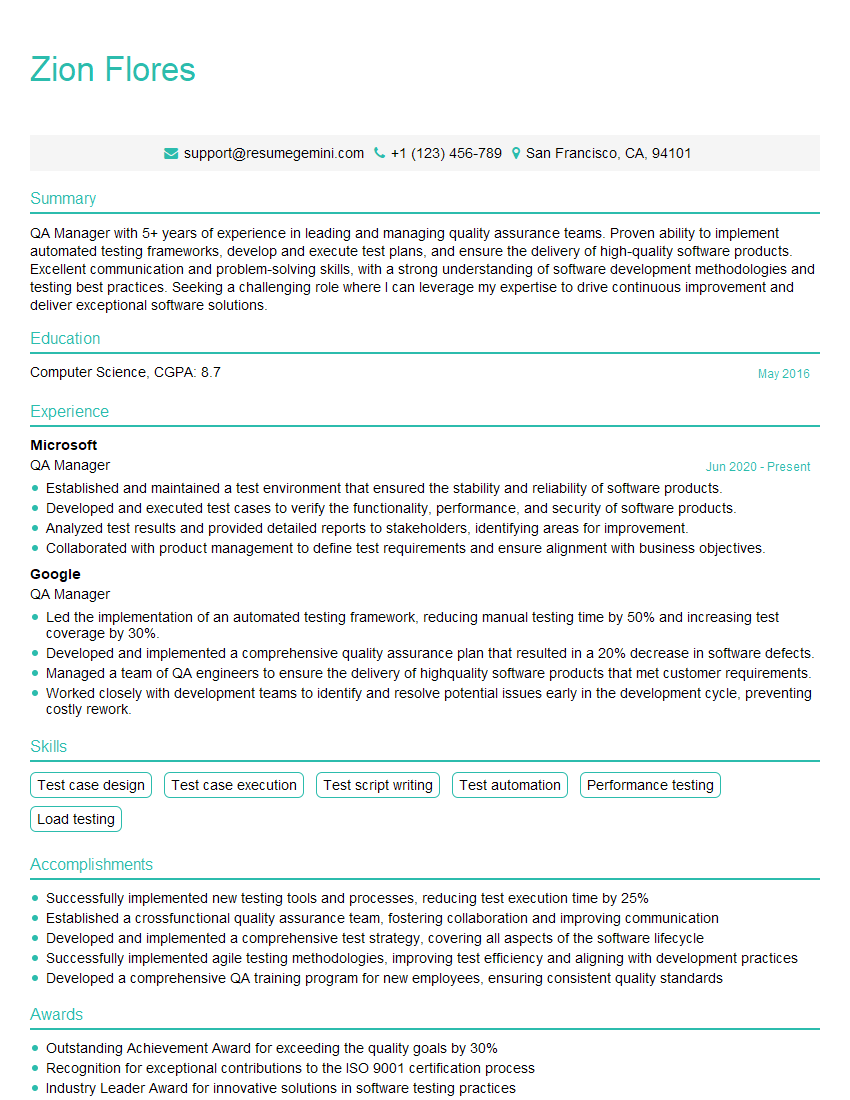
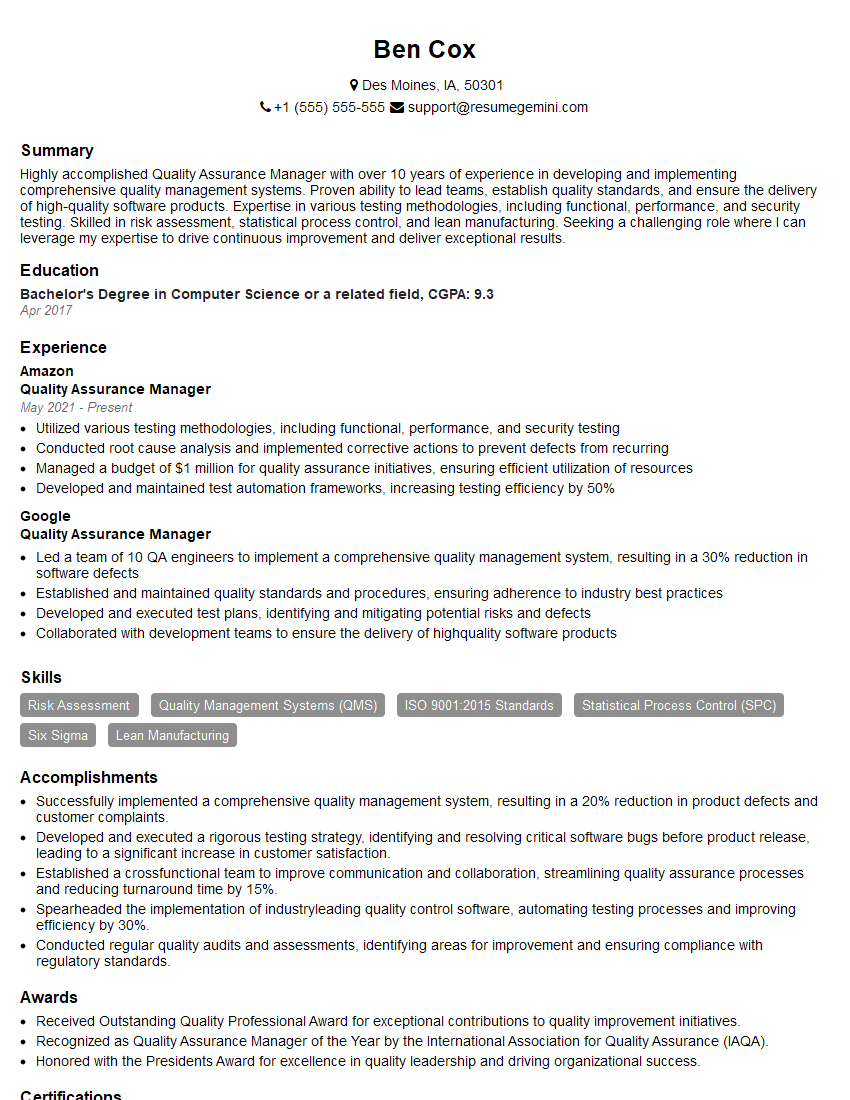
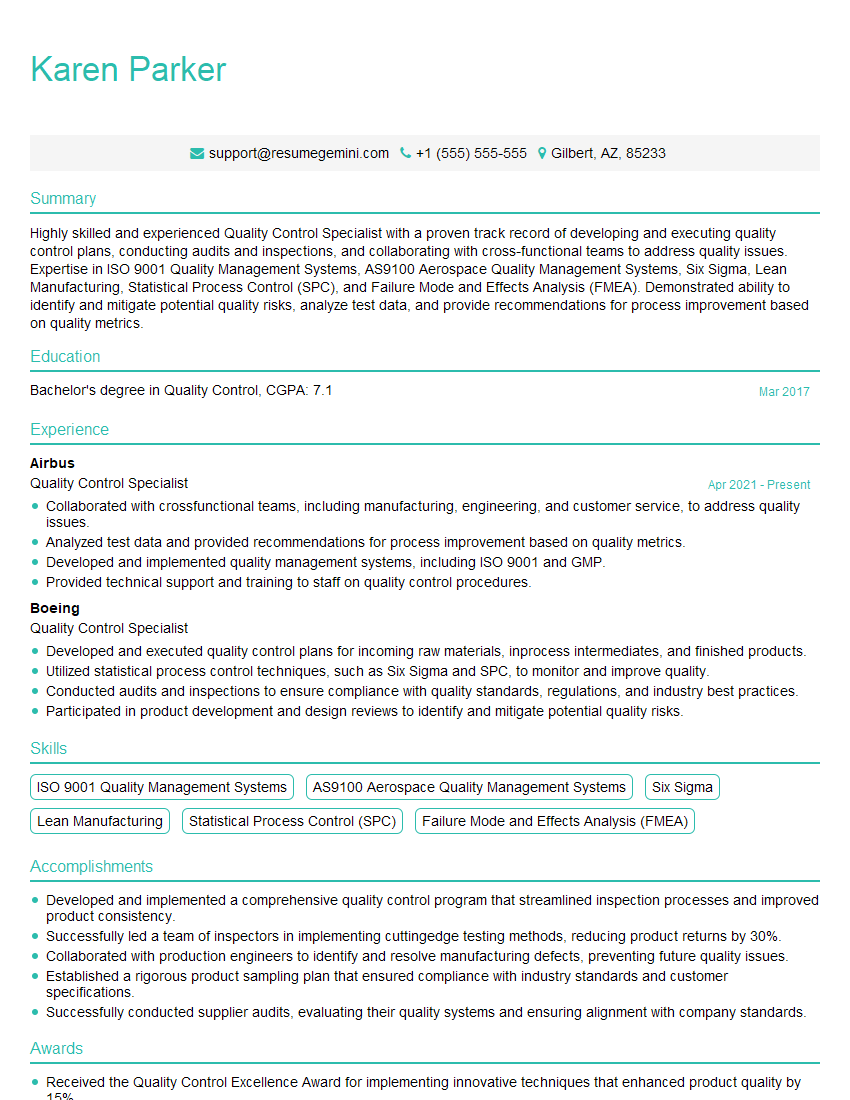
Mastering preflight and quality assurance skills significantly enhances your career prospects in design, publishing, and digital media. These skills are highly sought after, opening doors to rewarding roles and career advancement. To maximize your job search success, it’s crucial to create a strong, ATS-friendly resume that highlights your relevant experience and skills. We strongly encourage you to use ResumeGemini, a trusted resource, to build a professional and impactful resume. ResumeGemini provides examples of resumes tailored to Preflight and Quality Assurance roles, ensuring your application stands out from the competition.


Explore more articles
Users Rating of Our Blogs
Share Your Experience
We value your feedback! Please rate our content and share your thoughts (optional).
What Readers Say About Our Blog
Very informative content, great job.
good