Interviews are opportunities to demonstrate your expertise, and this guide is here to help you shine. Explore the essential Proficient in Maya, Houdini, and Nuke for 3D animation, modeling, and compositing. interview questions that employers frequently ask, paired with strategies for crafting responses that set you apart from the competition.
Questions Asked in Proficient in Maya, Houdini, and Nuke for 3D animation, modeling, and compositing. Interview
Q 1. Explain your workflow for creating a realistic character model in Maya.
Creating a realistic character model in Maya is a multi-stage process that prioritizes anatomical accuracy, believable proportions, and efficient topology. I typically begin with a detailed reference gathering phase, studying anatomy books, photographs, and even video footage of real people. This informs my initial blocking phase, where I create a simplified, low-poly representation of the character using basic shapes like spheres, cubes, and cylinders. This is crucial for establishing the overall pose and proportions.
Next, I refine the model progressively. This involves adding more geometry to sculpt fine details like muscle definition, wrinkles, and pores. I might use Maya’s sculpting tools directly, or I’ll export the model to ZBrush for more advanced sculpting capabilities. The key here is iterative refinement – constantly comparing the model to my reference material and making adjustments. Once satisfied with the high-poly sculpt, I then retopologize the model, creating a clean, efficient low-poly mesh optimized for animation. This often involves using quads (four-sided polygons) for smooth deformation and consistent edge flow. Finally, I ensure the model has properly oriented normals and is watertight to prevent rendering issues.
For example, when creating a character with intricate clothing, I’ll model the base mesh separately then create a high-resolution sculpt of the clothing, before baking detail maps back onto the low-poly mesh, ensuring efficient rendering while retaining detail.
Q 2. Describe your experience with UV unwrapping and texturing in Maya.
UV unwrapping and texturing are critical for applying surface details to a 3D model. My UV unwrapping workflow in Maya usually begins with careful planning. I aim to minimize distortion and maintain a relatively even distribution of UV space to avoid stretching or compression of textures. I use a variety of tools, including Maya’s automatic unwrapping tools as a starting point, but I often manually adjust the UV seams and islands to optimize texture placement for specific areas. Techniques like planar mapping, cylindrical mapping, and spherical mapping can be used, sometimes in combination, depending on the model’s geometry.
Once the UVs are unwrapped, I move to texturing, often using Substance Painter or Mari. Here, I create or utilize existing textures to add color, detail, and surface properties to the model. I leverage techniques like baking normal maps, displacement maps, and ambient occlusion maps from the high-poly model to add surface detail without significantly increasing the polygon count. For example, to create realistic skin, I might use layered textures including base color, subsurface scattering, normal, and specular maps, to achieve a realistic appearance. I always test the textures in the rendering engine (like Arnold or RenderMan) to ensure they look good and perform well within the pipeline.
Q 3. How do you optimize Maya scenes for better performance?
Optimizing Maya scenes for better performance is essential for smooth workflows and efficient rendering. My strategies involve a combination of techniques. First, I consistently maintain a low polygon count, using proxies or level of detail (LOD) models for distant objects. This significantly reduces the render time and improves interactivity. Secondly, I employ proper organizational methods, using namespaces and layers to group objects logically. This makes scene management easier and speeds up selection and manipulation.
I also avoid unnecessary geometry, like using NURBS surfaces instead of high-poly meshes when possible. Another crucial aspect is using efficient shaders and materials – avoiding complex shaders that can overwhelm the rendering engine. Finally, I utilize instancing wherever possible to reduce the number of unique objects in the scene. For example, instead of modeling a hundred individual trees, I might model one detailed tree and instance it multiple times, using variations in scale, rotation and position to create a forest. Regularly purging unused history and deleting unnecessary nodes also significantly improves performance.
Q 4. What are your preferred rigging techniques in Maya?
My preferred rigging techniques in Maya involve a blend of traditional methods and advanced techniques, prioritizing modularity and maintainability. For bipedal characters, I usually opt for a skeleton-based rig, often employing a custom rig built with a combination of joints, constraints, and control curves. I focus on creating intuitive controls that allow animators to easily pose and animate the character with minimal technical difficulty. The rig should be robust, allowing for extreme poses without clipping or deformation issues.
I use a layered approach – starting with a base rig, then adding secondary controls for fine-tuning details such as facial expressions or finger movements. This modularity makes adjustments and troubleshooting easier. I also incorporate tools and custom scripts that can automate repetitive tasks, making the overall rigging process more efficient. For example, I might create a script to automatically create and constrain controls for the fingers, saving significant time. Robustness is also key; the rig should prevent any unwanted deformations or ‘pops’ during animation, ensuring smooth and believable movement.
Q 5. Explain your experience with character animation principles in Maya.
My understanding of character animation principles is deeply rooted in the twelve principles of animation, formulated by Disney animators. These include squash and stretch, anticipation, staging, straight ahead and pose-to-pose animation, follow through and overlapping action, slow in and slow out, arcs, secondary action, timing, exaggeration, and solid drawing. I apply these principles to create believable and engaging character animation in Maya.
For example, when animating a character jumping, I’d use anticipation by subtly bending the knees before the jump, then applying squash and stretch to the body during the jump itself, ensuring smooth and realistic motion. Understanding weight, balance, and momentum is also crucial – I strive to make every movement feel physically plausible. I use reference materials extensively, studying how real people and animals move to inform my animation. The process is highly iterative, refining the animation by tweaking poses, timings, and easing curves until the performance feels natural and emotionally engaging.
Q 6. Describe your experience with Houdini’s VOPs and SOPs.
Houdini’s VOPs (Volume Operation Primitives) and SOPs (Surface Operation Primitives) are powerful tools for procedural generation and visual effects. VOPs are nodes used for creating shaders and manipulating volume data, while SOPs are used for modeling and manipulating geometry. My experience with both involves creating complex effects and automating repetitive tasks.
I’ve used VOPs extensively for creating custom shaders, particularly for complex materials like subsurface scattering or procedural textures. For example, I’ve built VOP networks to create realistic skin shaders, controlling parameters like scattering radius and color to achieve subtle variations in skin tone and translucency. With SOPs, I’ve generated complex geometry, including terrains, environments, and intricate models using various node combinations like noise, fractal, and other procedural generators. I frequently use SOPs for crowd simulations, creating agents and defining their movement patterns, and generating large-scale environments efficiently.
Q 7. How would you create a realistic fire simulation in Houdini?
Creating a realistic fire simulation in Houdini involves leveraging its powerful particle system and fluid dynamics solvers. I typically begin by defining a source geometry – a shape representing the initial ignition point, like a campfire or a burning building. From there, I use the Pyro solver, which simulates the behavior of fire through a combination of temperature, density, and velocity fields. Key parameters to adjust include fuel and heat values, along with the overall simulation scale and resolution. The higher the resolution, the more realistic the simulation, but it’ll also take much longer to render.
To enhance realism, I incorporate techniques like noise to add variations in the flame movement, and turbulence to simulate air currents affecting the fire’s behavior. Color variations and transparency are crucial, using a temperature-based color ramp to create the characteristic orange, yellow, and red hues of fire. Finally, I often use volume rendering techniques to achieve realistic light scattering and subsurface illumination, allowing the flames to look convincingly transparent and three-dimensional. The entire simulation is carefully tuned for visual realism and performance, balancing aesthetic quality with rendering time.
Q 8. Explain your workflow for creating procedural textures in Houdini.
Creating procedural textures in Houdini allows for immense flexibility and control, unlike static image maps. My workflow typically starts with defining the desired look and feel of the texture. I then determine which nodes best suit the task – whether it’s a simple noise pattern, a complex fractal, or a combination of both. I heavily utilize the VOP (Volume Object) network for more complex control over the procedural generation.
For example, to create a realistic wood grain, I might start with a Voronoi fracture to generate a basic cell structure. This is then fed into a noise function to add variations in density and color. A ramp node allows fine-tuning of the color gradient, achieving the desired wood tone. Finally, I’d use a blend node to combine different layers of noise or other procedural effects, creating depth and variation. This approach is highly customizable; tweaking parameters allows endless variations of the same base texture. Think of it like sculpting with code – you’re building the texture from the ground up, iteratively refining the result.
Another example involves creating a realistic marble texture. Here, I’d often combine noise with a curl noise to simulate the swirling veins found in natural marble. The VOP network provides a powerful environment to manipulate and combine these effects, allowing for fine adjustments in the vein thickness, color variation, and overall texture density. Once finalized, I can easily output the texture as a standard image sequence or a volume to be used in rendering.
Q 9. How do you handle large datasets in Houdini?
Working with large datasets in Houdini demands a strategic approach centered around optimization and efficient data management. The key is to avoid unnecessary computations and utilize Houdini’s features designed for handling scale. This begins with careful node structuring. I aim for a clear, well-organized network where data is processed in the most efficient manner possible.
Techniques such as using ROPs (Render Output Operators) wisely are vital. Instead of rendering a full scene with every frame, I might use a ROP geo to cache only the relevant sections of the geometry. Similarly, I frequently leverage Houdini’s caching system to store computationally expensive operations. This avoids repetitive calculations, significantly speeding up the rendering pipeline.
For extremely large point clouds or volume data, I often employ techniques like level-of-detail (LOD) rendering to adjust the complexity based on the camera distance. This allows for real-time or near real-time performance even with enormous datasets. Data management and organization are equally important: consistent naming conventions and a clear network structure ensure the project remains manageable and efficient, even as it grows. Lastly, understanding and utilizing Houdini’s parallel processing capabilities can substantially accelerate the processing of large datasets.
Q 10. Describe your experience with particle simulations in Houdini.
My experience with particle simulations in Houdini is extensive, encompassing a range of applications from realistic fluid dynamics to stylized effects. I’m proficient in using both the built-in particle solvers and custom VOP-based solutions for more precise control.
For instance, in a project involving realistic water simulation, I’d use the FLIP (Fluid Implicit Particle) solver, adjusting parameters like viscosity, surface tension, and density to achieve the desired behavior. For less physically accurate simulations, such as stylized explosions or magical effects, I might use the POP (Particle Object) network, allowing greater artistic control over the particle behavior and lifespan. This flexibility allows me to adapt to the stylistic demands of the project.
Optimizing particle simulations for performance is critical. I leverage techniques like point clouds and instancing to reduce the number of individual particles rendered, increasing efficiency. I might also use different particle types tailored to the simulation, such as using smaller, less expensive particles in the background and more detailed particles closer to the camera. The use of DOP (Domain Object) networks for controlling and managing interactions between objects and particles is also essential in achieving realistic and effective simulations.
Q 11. What are your preferred methods for compositing in Nuke?
My compositing workflow in Nuke prioritizes a non-destructive approach. I favor building my composites layer by layer, using nodes like Merge, Shuffle, and ColorCorrect for adjustment and manipulation. This allows for easy tweaking and modification throughout the process. My preferred approach is to plan the composition meticulously before starting, outlining the desired hierarchy and effects in advance.
For example, I might start by merging the background plate and foreground elements. Then, I’d add effects like color correction, keying, and rotoscoping as separate nodes. This modular structure makes the workflow incredibly efficient, especially when dealing with multiple revisions or changes in the client’s brief. The use of groups and gizmos for creating reusable and organized components is a crucial aspect of managing a complex Nuke composite. Efficient use of masks ensures precision and control over the application of effects.
Furthermore, I heavily leverage Nuke’s powerful roto and paint tools for intricate tasks, maintaining a clean, organized, and non-destructive node structure. I am always thinking about workflow optimization and using Nuke’s tools in an efficient and effective manner, ensuring a smooth and creative compositing process.
Q 12. Explain your experience with keying and rotoscoping in Nuke.
Keying and rotoscoping are crucial components of my compositing process. I have extensive experience with both, using a variety of techniques depending on the complexity of the footage. For keying, my workflow typically begins by assessing the footage. Simple keys might use a basic keyer like the Keylight node, while more challenging footage may require a combination of keyers and manual cleanup.
For instance, a challenging key involving a subject against a complex background might necessitate using a combination of Keylight, Primatte, and even manual rotoscoping using the roto nodes to refine the edges and remove any remaining spills or artifacts. The use of masks and pre-multiplied alpha channels are vital to maintaining transparency and ensuring a seamless composite.
Rotoscoping involves manually tracing the edges of the subject frame by frame. This is labor-intensive but essential for precise cleanup, particularly when dealing with moving subjects against complex or similar-colored backgrounds. I utilize Nuke’s powerful rotoscoping tools, often utilizing techniques like shape tracking for efficiency and creating sophisticated masks. The use of curves and trackers assists in creating smooth, clean rotoscoped elements.
Q 13. How do you manage color correction and color grading in Nuke?
Color correction and color grading are integral aspects of my compositing workflow, used to achieve consistency and enhance the visual appeal of the final composite. My approach typically begins with correcting the individual elements, ensuring a consistent color temperature and exposure across all plates. Then, I move on to the creative aspects of color grading to achieve the desired mood and aesthetic.
For color correction, I utilize nodes like ColorCorrect, Grade, and ColorSpace to adjust levels, curves, and color balance. I strive for subtle and accurate corrections, ensuring realism and maintaining the integrity of the source footage. For color grading, I use tools like ColorLookup, Grade, and Look to add creative styles, enhancing the mood, and matching the color scheme to the project’s overall aesthetic.
I often use reference images or color palettes to guide the color grading process, ensuring consistency and visual harmony across the entire composition. In addition, the use of LUTs (Look-Up Tables) can be used for consistent color grading applications across multiple shots or even entire projects. Ultimately, my goal is to create a visually compelling and unified image through thoughtful application of color correction and grading.
Q 14. Describe your experience with deep compositing in Nuke.
Deep compositing in Nuke allows me to work with images containing depth information, enabling effects such as realistic lens blur and depth-of-field. This capability significantly enhances the realism and cinematic quality of my composites. I am experienced in utilizing Z-depth passes, generated from 3D software or cameras capable of capturing depth data, to achieve these effects.
For instance, in a shot that requires realistic depth of field, I would import both the image and its Z-depth pass into Nuke. Using the Defocus node, I can then manipulate the depth of field parameters, accurately blurring elements based on their distance from the camera. This creates a more natural and convincing visual, exceeding the capabilities of traditional 2D compositing techniques.
Furthermore, deep compositing allows for accurate layering of elements at different depths without artifacts. This means I can precisely place CG elements within the scene, seamlessly integrating them based on their spatial relationship with other elements in the shot, leading to a significantly improved and believable final composite. It’s a powerful tool that allows for much more convincing results.
Q 15. How do you troubleshoot common compositing issues in Nuke?
Troubleshooting compositing issues in Nuke often involves a systematic approach. Think of it like detective work – you need to gather clues and systematically eliminate possibilities.
First, I’d check the node tree for obvious errors: are there any unconnected nodes? Are there any glaring issues with the node settings? For instance, a misplaced Shuffle node can easily cause unexpected results. I meticulously examine each node’s input and output to identify the source of the problem.
Next, I leverage Nuke’s built-in tools. The viewer is my primary investigation tool – I zoom in, adjust the display settings (like gamma), and carefully analyze the image. The ‘Grade’ node is exceptionally useful; by subtly adjusting the curves, I can highlight areas affected by the issue, often revealing hidden problems like incorrect blending modes or alpha channels.
Common issues I often address include:
- Color Mismatches: I might use a Color Grade node to fine-tune the colors and ensure consistent lighting across different plates.
- Flickering: This often indicates frame-rate inconsistencies or improperly aligned footage. I’d carefully examine the frame ranges and potentially use the ‘FrameHold’ or ‘Retime’ nodes.
- Alpha Channel Problems: Pre-multiplying or un-premultiplying the alpha can resolve transparency issues, and I use the ‘Merge’ node with different blend modes to isolate the problem in the compositing.
- Resolution Discrepancies: Resizing plates with ‘Resize’ nodes often helps. Always double-check the resolution of your input and output.
Finally, using Nuke’s viewer’s A/B comparison is a godsend for tracking down subtle differences between renders or plates.
Career Expert Tips:
- Ace those interviews! Prepare effectively by reviewing the Top 50 Most Common Interview Questions on ResumeGemini.
- Navigate your job search with confidence! Explore a wide range of Career Tips on ResumeGemini. Learn about common challenges and recommendations to overcome them.
- Craft the perfect resume! Master the Art of Resume Writing with ResumeGemini’s guide. Showcase your unique qualifications and achievements effectively.
- Don’t miss out on holiday savings! Build your dream resume with ResumeGemini’s ATS optimized templates.
Q 16. What is your experience with Python scripting in Maya, Houdini, or Nuke?
Python scripting is integral to my workflow across Maya, Houdini, and Nuke. It allows for automation, customization, and significantly increased efficiency. Imagine having to manually adjust hundreds of parameters – that’s where scripting shines.
In Maya, I’ve used Python to automate complex rigging tasks, create custom tools for modeling, and streamline the animation process. For example, I’ve developed scripts to procedurally generate complex geometry based on user-defined parameters.
In Houdini, Python enhances my ability to manipulate the VOP network, automate the creation of complex simulations and develop custom tools for managing and manipulating large datasets. One project involved creating a custom script to automate the creation of thousands of procedural assets based on a simple input file.
In Nuke, Python is indispensable for automating tedious compositing tasks, creating custom nodes, and managing complex pipelines. I’ve built scripts to batch-process images, automatically generate metadata, and automate the creation of complex compositing networks. A recent example involved building a custom node that simplifies the roto-animation process by automatically tracking and masking moving objects based on user-defined parameters.
My scripting skills extend beyond simple automation; I often write more complex scripts involving custom classes and modules, facilitating reusability and maintainability of the code. I use version control (Git) for all my scripts, making collaboration and tracking changes remarkably easy.
Q 17. How do you handle version control in your pipeline?
Version control is paramount in my pipeline; it’s not just good practice, it’s essential for collaboration and disaster recovery. I primarily utilize Git, and I am proficient in using Git repositories such as Github and Bitbucket.
My workflow involves creating a separate branch for each task or feature. This allows for parallel development without affecting the main project branch. This isolated approach allows me to experiment and fix bugs freely without compromising the stability of the main branch. I frequently commit my changes with descriptive commit messages, enabling easy tracking of modifications over time.
For projects, I often use a combination of Git and a project management tool like Shotgun or Ftrack to track assets, tasks, and revisions across different artists involved in the project. The visual aspects of these tools help manage the larger project scope, allowing for easy communication of progress and issues.
Before merging code or assets into the main branch, I conduct thorough reviews to ensure that the changes are functional and adhere to our pipeline standards. The entire team is encouraged to actively engage in reviewing changes, ensuring collective responsibility and code quality.
Q 18. Describe your experience working with different render engines.
My experience spans several render engines, including Arnold, V-Ray, Redshift, and Mantra (in Houdini). Each renderer has its strengths and weaknesses, and the choice often depends on the project’s specific needs and resources. I’m well-versed in their respective workflows, strengths, and limitations.
Arnold: Known for its physically-based rendering and excellent subsurface scattering capabilities. I use it extensively for high-quality photorealistic renders, particularly for character animation and realistic environments.
V-Ray: A versatile renderer that offers a good balance between speed and quality. It’s particularly strong in architectural visualization and product rendering.
Redshift: A powerful GPU-accelerated renderer, ideal for large-scale projects and interactive rendering. It’s known for its speed and performance.
Mantra: Houdini’s built-in renderer, which excels in handling complex procedural geometry and effects. I use it extensively for effects-heavy shots and complex simulations.
I adapt my lighting and shading techniques to the capabilities and limitations of the chosen render engine. For instance, Arnold’s subsurface scattering capabilities would heavily influence my shading strategy for character rendering, while Redshift’s GPU acceleration impacts my rendering and farm management choices.
Q 19. How do you approach problem-solving in a production environment?
Problem-solving in a production environment requires a structured and collaborative approach. It’s less about individual brilliance and more about efficient teamwork and a methodical process.
My first step is to clearly define the problem. What specifically is broken? What are the expected vs. actual results? Precise problem definition is crucial. Often, a seemingly complex issue stems from a minor oversight. I then gather relevant information: screenshots, error messages, and logs.
Next, I try to reproduce the issue consistently. Inconsistencies make troubleshooting nearly impossible. If I can reproduce the issue reliably, it becomes significantly easier to isolate the root cause. Reproducibility allows for testing potential solutions without causing unintended consequences.
I then brainstorm potential solutions, starting with the simplest and most likely explanations, then working towards the more complex. This includes consulting documentation, searching online forums, and collaborating with colleagues. Teamwork is indispensable – another set of eyes can often spot issues I’ve missed.
Once a solution is found, I thoroughly test it to ensure it addresses the problem without introducing new ones. I then document the issue and its resolution to prevent recurrence. Finally, I communicate the solution and its impact to the team, to ensure everyone’s in the loop.
Q 20. Explain your understanding of different shading techniques.
Shading techniques are the heart of creating believable and visually appealing assets. My understanding encompasses a range of techniques, from simple diffuse shading to advanced subsurface scattering and physically-based rendering (PBR).
Diffuse Shading: The foundation of shading, simulating how light is scattered equally in all directions. This is simple, yet crucial for establishing base colors and overall appearance.
Specular Shading: Models how light reflects off a surface, contributing to glossiness and shine. This is influenced by surface roughness and the angle of light incidence.
Subsurface Scattering (SSS): Simulates how light penetrates a translucent material, such as skin or wax, and re-emerges at a different point. It adds a significant level of realism, especially in character rendering.
Physically Based Rendering (PBR): A shading approach that relies on realistic physics-based models for light interaction. It’s become the industry standard for creating photorealistic results, ensuring consistency across different lighting conditions.
Layered Shading: Combining different shading techniques to simulate complex surface properties. This might involve combining diffuse, specular, and SSS shaders to create a realistic material.
I am experienced in using various shading networks in Maya, Houdini, and Nuke, and adapt my approaches based on the software, renderer, and the visual style of the project. The choice of shader and the complexity of its settings significantly impact the realism and visual appeal.
Q 21. Describe your experience with different lighting techniques.
Lighting is just as crucial as shading in achieving a successful visual outcome. My experience covers several techniques, each serving a distinct purpose and aesthetic.
Three-Point Lighting: A fundamental approach using a key light, fill light, and backlight to sculpt form and create depth. This is a versatile starting point, useful for a variety of styles.
High-Key Lighting: Using bright, even lighting to create a cheerful and optimistic mood. Think of bright, sunny scenes.
Low-Key Lighting: Characterized by deep shadows and strong contrasts, creating a dramatic and mysterious atmosphere. This is often used in film noir or horror scenes.
Rim Lighting: Highlighting the edges of an object to separate it from the background and add depth. It helps objects pop out from the scene.
Environment Lighting: Utilizing an HDRI (High Dynamic Range Image) to create realistic global illumination and reflections. This method adds realism and coherence to the scene by simulating the interaction of light within the environment.
Volume Lighting: Simulating light interacting with volumes like fog, smoke, or dust. It adds realism and atmosphere to the scene, often used to enhance environmental storytelling.
My lighting setup depends on the scene’s mood, style, and desired effect. I utilize different lighting techniques in conjunction to create compelling and visually engaging scenes, often experimenting with different setups to achieve optimal results. I pay close attention to the interplay between light and shadow and how it creates form, mood, and depth within a scene.
Q 22. How do you optimize your work for different platforms and resolutions?
Optimizing work for different platforms and resolutions involves a multi-faceted approach, focusing on asset creation and rendering strategies. It’s crucial to consider target specifications early in the pipeline, avoiding costly rework later.
Resolution Independence: In Maya and Houdini, I utilize techniques like procedural modeling and shaders, which can scale seamlessly to different resolutions without losing detail. For example, using VRay or Arnold renderers with appropriate settings enables rendering at high resolutions without significant performance hits. Instead of creating high-resolution textures upfront, I’d utilize techniques like texture baking from high-poly models to low-poly game-ready models that are optimized for different platforms.
Platform-Specific Optimization: Different platforms have varying hardware capabilities. For example, mobile platforms demand significantly lower polygon counts and texture sizes compared to high-end PCs or consoles. In Houdini, I can leverage its powerful particle systems and procedural generation to create assets optimized for specific platform limitations, creating different levels of detail (LODs) for better performance. For Nuke compositing, this involves creating different composite versions for different target platforms.
Asset Optimization: I meticulously optimize assets like models, textures, and animations for size and performance. This includes techniques like polygon reduction, texture compression (using formats like BC7 for better compression and visual quality), and animation baking to reduce the size of the animation data. This can be done in Maya using tools like the ‘Mesh Simplification’ modifier or by manually editing the geometry. In Houdini, I leverage its powerful tools for creating optimized geometry and textures.
Rendering Optimization: Using appropriate render settings and optimizing the scene for rendering is critical. This includes using efficient shaders, adjusting sampling rates for different resolution targets, and implementing techniques like ray tracing and global illumination intelligently, balancing visual fidelity with render times.
Q 23. What is your experience with collaborating on large projects?
Collaboration is fundamental in large projects. I have extensive experience working in teams using various project management software like Shotgun and Perforce. My approach centers around clear communication, meticulous organization, and a proactive problem-solving attitude.
Version Control: I’m proficient with version control systems like Perforce, ensuring efficient collaboration and preventing conflicts. I maintain a clean and organized workflow, regularly committing changes with clear descriptions, enabling others to seamlessly understand the progress and merge their work effectively.
Communication: Open and frequent communication is paramount. I actively participate in dailies, provide constructive feedback, and communicate potential issues or roadblocks proactively. I leverage tools like Slack or dedicated project management software for seamless team communication.
Pipeline Understanding: I’m familiar with various pipeline structures and workflows, adapting my processes seamlessly to the project requirements. Understanding the roles and responsibilities of each team member allows for smooth integration and efficient collaboration.
Problem Solving: I am adept at identifying and resolving conflicts or technical issues that arise during collaboration. This might involve troubleshooting rendering problems, fixing asset inconsistencies or coordinating changes across different departments.
Q 24. Describe a challenging project and how you overcame the challenges.
One challenging project involved creating a realistic, fully-animated city environment for a short film. The complexity stemmed from the sheer scale – hundreds of buildings, detailed environments, and complex lighting conditions. We faced numerous hurdles, particularly with render times.
Challenge 1: Render Times: Initially, render times were extremely long, delaying the project considerably. To overcome this, I employed several strategies including: optimizing geometry (reducing polygon counts where appropriate), baking lightmaps and ambient occlusion, leveraging render layers for efficient compositing in Nuke and optimizing rendering settings within Arnold. Using proxies for distant buildings significantly improved render times without sacrificing visual quality in the final shots.
Challenge 2: Asset Management: The vast number of assets required a robust asset management system. This involved creating a clear naming convention, organized folder structures, and utilizing Perforce for version control. This ensured efficient access and streamlined the workflow across our team.
Solution: Through meticulous planning, implementation of efficient workflow strategies, and leveraging the strengths of Maya, Houdini, and Nuke, we successfully completed the project on time and within budget, delivering a visually stunning and performant final product.
Q 25. How do you stay updated with the latest industry trends and technologies?
Staying current is crucial in this rapidly evolving industry. I actively pursue knowledge through various avenues:
Online Courses and Tutorials: Platforms like Udemy, Pluralsight, and Skillshare offer excellent courses covering the latest techniques and software updates in Maya, Houdini, and Nuke.
Industry Publications and Blogs: I regularly read industry publications, blogs, and follow prominent artists and studios on social media to stay abreast of emerging trends.
Conferences and Workshops: Attending industry conferences and workshops provides invaluable networking opportunities and exposure to the latest advancements. SIGGRAPH and other related conferences are essential to keep abreast of technological advancements and industry best practices.
Experimentation and Personal Projects: I dedicate time to personal projects, experimenting with new techniques and tools, pushing my creative boundaries, and strengthening my skills.
Q 26. What is your understanding of real-time rendering?
Real-time rendering refers to the process of generating images immediately, without the lengthy rendering times associated with offline rendering. It’s increasingly important for applications like video games, virtual reality, and interactive simulations.
Engines: Common real-time rendering engines include Unreal Engine and Unity. While my primary focus is on offline rendering with Maya, Houdini, and Nuke, I understand the principles of real-time rendering and its significant implications for interactive experiences. I am familiar with exporting assets from Maya and Houdini into real-time engines, understanding the necessary optimization steps to ensure performance and visual quality.
Techniques: Techniques such as level of detail (LOD) modeling, texture atlasing, efficient shaders, and optimized animation techniques are crucial for real-time performance. I have experience implementing similar optimization practices in my offline rendering workflow, which translates directly to the real-time rendering domain.
Q 27. What are your salary expectations?
My salary expectations are in line with the industry standard for a senior 3D artist with my experience and skillset in Maya, Houdini, and Nuke. I’m open to discussing a competitive compensation package that reflects my contributions and the value I bring to your team. I would be happy to discuss this further based on the specific requirements and benefits of the position.
Q 28. Do you have any questions for me?
I’m eager to learn more about the specific projects your studio is currently working on, the team structure, and the opportunities for professional development within the company. Could you tell me more about the team’s workflow and the technologies you currently utilize?
Key Topics to Learn for Proficient in Maya, Houdini, and Nuke for 3D animation, modeling, and compositing. Interview
- Maya:
- Modeling Techniques: Poly modeling, NURBS modeling, sculpting (using Mudbox integration), UV unwrapping, and texturing workflows.
- Animation Principles: Keyframing, animation curves, character rigging, and skinning.
- Rendering in Maya: Understanding Maya’s render settings and output options, including Arnold and other render engines.
- Practical Application: Showcase projects demonstrating proficiency in character animation, environment creation, or prop modeling in Maya.
- Houdini:
- Procedural Modeling: Mastering VOPs, SOPs, and CHOPs for creating complex and dynamic geometry.
- Simulation Techniques: Fluid dynamics, particle systems, rigid body dynamics, and destruction simulations.
- FX and Visual Effects: Creating realistic fire, smoke, water, and other visual effects.
- Practical Application: Develop a short VFX sequence or a procedural environment demonstrating your skills in Houdini.
- Nuke:
- Compositing Techniques: Understanding nodes, color correction, keying, rotoscoping, and matte painting.
- Image Processing: Working with different image formats, color spaces, and resolution adjustments.
- 3D Compositing: Integrating 3D renders from Maya and Houdini into Nuke for final compositing.
- Practical Application: Prepare a breakdown of your compositing workflow on a personal project, showcasing problem-solving skills.
- General Technical Skills:
- Pipeline Knowledge: Understanding the workflow between Maya, Houdini, and Nuke, including asset management and file organization.
- Problem-Solving: Ability to diagnose and resolve technical issues, and effectively communicate solutions.
- Software Troubleshooting: Familiar with common troubleshooting techniques for each software package.
Next Steps
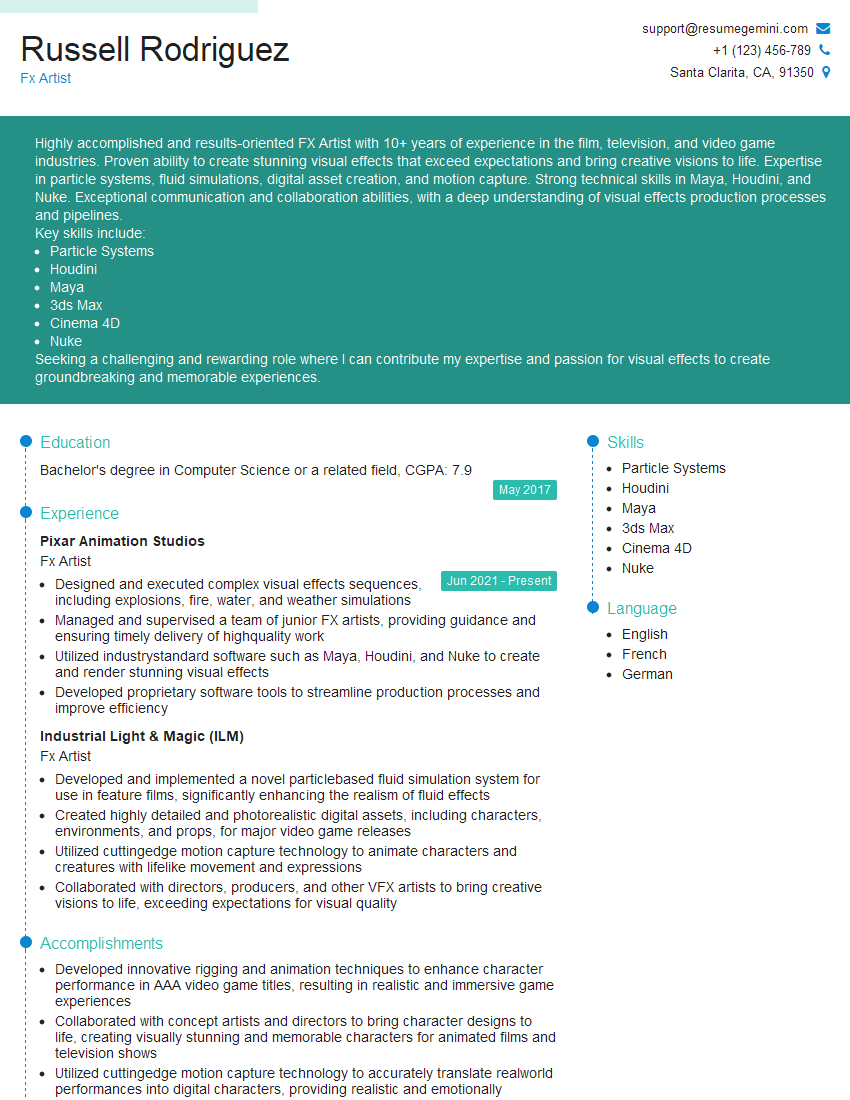
Mastering Maya, Houdini, and Nuke opens doors to exciting careers in visual effects, animation, and game development. To significantly boost your job prospects, creating a strong, ATS-friendly resume is crucial. ResumeGemini is a trusted resource to help you build a professional and impactful resume that highlights your skills and experience effectively. Examples of resumes tailored to Proficient in Maya, Houdini, and Nuke for 3D animation, modeling, and compositing. are available to guide you. Invest the time to craft a compelling resume – it’s your first impression with potential employers.




Explore more articles
Users Rating of Our Blogs
Share Your Experience
We value your feedback! Please rate our content and share your thoughts (optional).
What Readers Say About Our Blog
Very informative content, great job.
good