Every successful interview starts with knowing what to expect. In this blog, we’ll take you through the top Quality assurance and control principles interview questions, breaking them down with expert tips to help you deliver impactful answers. Step into your next interview fully prepared and ready to succeed.
Questions Asked in Quality assurance and control principles Interview
Q 1. Explain the difference between QA and QC.
QA (Quality Assurance) and QC (Quality Control) are often used interchangeably, but they represent distinct aspects of ensuring product quality. Think of QA as the preventative approach, focusing on establishing processes and procedures to prevent defects from occurring in the first place. QC, on the other hand, is the reactive approach, identifying and addressing defects after they’ve been introduced.
QA involves establishing a quality management system, defining standards, and overseeing the entire software development lifecycle to ensure adherence to those standards. This might include reviewing requirements, design documents, test plans, and even the work environment itself. The goal is to build quality into the product from the outset.
QC, conversely, involves inspecting the product itself for defects. This is typically done through various testing methodologies to verify that the product meets the specified requirements. It’s about identifying and correcting problems that have already slipped through the cracks.
Analogy: Imagine building a house. QA would be like ensuring you have the right blueprints, skilled workers, quality materials, and a well-defined construction process. QC would be like regularly inspecting the house during construction, catching any errors in the framing, plumbing, or electrical work.
Q 2. Describe your experience with different testing methodologies (Agile, Waterfall).
I’ve worked extensively with both Agile and Waterfall methodologies, adapting my testing approach to suit the project’s needs. In Waterfall, testing is typically a distinct phase occurring after development is complete. This necessitates rigorous upfront planning and detailed documentation. I’ve successfully managed comprehensive test plans, executed various testing types (unit, integration, system, user acceptance testing), and meticulously documented findings in Waterfall projects, ensuring a thorough quality assessment before release.
In Agile, testing is integrated throughout the entire development process. This requires a more iterative and flexible approach. I’ve participated in daily stand-ups, sprint planning sessions, and retrospectives, collaborating closely with developers to identify and resolve defects early in the cycle. I’m experienced with techniques like Test-Driven Development (TDD) and continuous integration/continuous deployment (CI/CD) pipelines, ensuring rapid feedback loops and continuous improvement of product quality. A recent project involved using automated test scripts to run regression testing after each sprint, significantly reducing testing time and improving overall efficiency.
Q 3. What is the purpose of a test plan?
A test plan is a comprehensive document that outlines the testing strategy for a software project. It serves as a roadmap for the entire testing process, guiding the team toward achieving its quality objectives. It details the scope of testing, the resources required, the testing environment, the schedule, and the criteria for evaluating the success or failure of the testing effort. Think of it as the blueprint for your testing activities.
A well-defined test plan typically includes:
- Testing Objectives: What are we trying to achieve through testing?
- Scope: What parts of the system are we testing?
- Test Strategy: Which testing methodologies and techniques will be used?
- Test Environment: What hardware, software, and network configurations will be used?
- Test Schedule: When will different testing activities occur?
- Resource Allocation: Who is responsible for which tasks?
- Risk Assessment: What are the potential risks to testing and how will they be mitigated?
- Entry and Exit Criteria: What conditions must be met before and after testing?
A comprehensive test plan minimizes risks, ensures efficient use of resources, and sets clear expectations for everyone involved in the testing process.
Q 4. How do you create effective test cases?
Creating effective test cases involves a systematic approach to ensure thorough and comprehensive testing. It’s not just about writing down steps; it’s about designing tests that effectively uncover defects. I usually follow these steps:
- Understand the Requirements: Thoroughly analyze the requirements specifications, user stories, or design documents to understand the intended functionality and behavior of the software.
- Identify Test Objectives: Define clear and specific goals for each test case. What functionality are we validating? What scenarios need to be covered?
- Design Test Cases: Create detailed test cases with a unique ID, a clear description, pre-conditions, test steps, expected results, and post-conditions. Include positive and negative test cases to cover both successful and unsuccessful scenarios.
- Prioritize Test Cases: Prioritize test cases based on risk, criticality, and business impact. Focus on testing high-risk areas first.
- Review and Update Test Cases: Regularly review and update test cases to reflect changes in requirements or the software itself.
Example: Let’s say we’re testing a login function. A positive test case might involve entering valid credentials and verifying successful login. A negative test case might involve entering an invalid username or password and verifying an appropriate error message is displayed.
Q 5. What are the different types of software testing?
Software testing encompasses a broad range of techniques and approaches. The types of testing often employed can be categorized in several ways. Here are a few key types:
- Unit Testing: Testing individual components or modules of the software in isolation.
- Integration Testing: Testing the interaction between different modules or components.
- System Testing: Testing the entire system as a whole to ensure it meets requirements.
- User Acceptance Testing (UAT): Testing performed by end-users to validate the system meets their needs.
- Regression Testing: Testing previously tested functionalities after code changes to ensure no new defects have been introduced.
- Performance Testing: Assessing the system’s responsiveness, stability, and scalability under various load conditions.
- Security Testing: Identifying vulnerabilities and ensuring the system is protected from unauthorized access or attacks.
- Usability Testing: Evaluating the ease of use and user-friendliness of the system.
The specific types of testing employed depend on the project’s needs and risk profile. A robust testing strategy often involves a combination of these techniques to achieve comprehensive coverage.
Q 6. What is your experience with test automation tools (e.g., Selenium, Appium)?
I possess significant experience with various test automation tools, including Selenium and Appium. Selenium is my go-to tool for automating web application testing. I’ve used it extensively to create automated test scripts using various programming languages like Java and Python, implementing different test frameworks like TestNG and JUnit. This has allowed me to automate repetitive tasks, execute tests quickly, and improve the efficiency of our testing processes. For example, I automated the testing of a complex e-commerce platform using Selenium, significantly reducing testing time and improving the accuracy of our results.
Appium, on the other hand, has been invaluable for automating mobile application testing across different platforms (iOS and Android). I have used Appium to create automated test scripts for various mobile applications, including those with complex UI interactions, ensuring cross-platform compatibility and functionality. In a recent project, I used Appium to automate testing of a mobile banking app, identifying and resolving several critical defects before the app’s release.
Q 7. Explain the concept of test-driven development (TDD).
Test-Driven Development (TDD) is a software development approach where tests are written before the code itself. This ‘test-first’ approach ensures that the code meets the specified requirements from the outset. It’s an iterative process that involves three main steps:
- Write a Test: First, you write a test case that defines the expected behavior of a specific piece of functionality. This test will initially fail because the code doesn’t exist yet.
- Write Code: Next, you write the minimum amount of code necessary to make the test pass. The focus is on writing simple, functional code that meets the test criteria.
- Refactor: Once the test passes, you can refactor the code to improve its design and readability, ensuring the test continues to pass after refactoring.
Benefits of TDD: TDD leads to cleaner, more maintainable code. It improves code coverage, reduces the number of defects, and improves overall software quality. It helps to clarify requirements and promotes collaborative development. However, it requires a shift in mindset and can initially slow down development if not implemented effectively.
Example (pseudo-code):
// Test case (written first): testAddNumbers() { assertEquals(5, add(2, 3)); } // Code (written next): function add(a, b) { return a + b; } Q 8. How do you handle defects or bugs found during testing?
When a defect is found, my process is methodical and prioritizes clear communication. First, I meticulously reproduce the bug, documenting every step to ensure consistency. This includes noting the environment (OS, browser version, etc.), inputs, and the exact error message. I then capture screenshots or screen recordings to provide visual evidence. Next, I analyze the defect to identify its root cause – is it a front-end, back-end, or data issue? Understanding the root cause is crucial for effective reporting and resolution. Finally, I report the bug using a standardized template within our defect tracking system (like Jira), including all the gathered information. This ensures the development team has all necessary information to quickly understand and fix the issue. I also assign a severity and priority level to help the team prioritize bug fixes. Following this, I follow up on the bug’s status and retest once it’s supposedly fixed, ensuring the solution is effective and doesn’t introduce new problems. Think of it like a detective solving a case – meticulous observation, analysis, and reporting are key to successful resolution.
Q 9. Describe your experience with defect tracking systems (e.g., Jira, Bugzilla).
I have extensive experience with Jira and Bugzilla, both popular defect tracking systems. My proficiency involves not just logging defects but also effectively utilizing their features for managing the entire lifecycle of a bug. In Jira, for example, I’m proficient in using workflows, creating custom fields for specific project needs, applying different statuses (e.g., Open, In Progress, Resolved, Closed), and utilizing various reporting features to monitor the defect resolution rate and identify trends. Bugzilla similarly allows for detailed defect tracking, including version control integration and various query options to filter and analyze bugs. The key to successful use is consistency. I ensure that all my bug reports follow a standardized format, are concise yet thorough, and that all relevant information is included. This makes it significantly easier for developers to understand and address the issue promptly. I also actively participate in sprint reviews and retrospectives to discuss identified defects and help improve the overall development process. Using these systems effectively isn’t just about logging issues; it’s about facilitating efficient communication and problem resolution.
Q 10. What is your experience with performance testing?
Performance testing is critical to ensuring a positive user experience. My experience encompasses various performance testing methodologies, including load testing, stress testing, and endurance testing. I’ve used tools like JMeter and LoadRunner to simulate real-world user loads and identify bottlenecks in the application. For example, during a recent project, we used JMeter to simulate thousands of concurrent users accessing a web application. This revealed a critical performance issue with database queries that was resolved after database optimization. My work includes designing test scenarios, executing tests, analyzing results, and providing actionable recommendations for performance improvements. Beyond just identifying problems, I also work closely with developers to understand the root causes and propose effective solutions. The goal is not only to identify performance limitations but to also optimize the application for speed and efficiency under various user loads. It’s like stress-testing a bridge before opening it to the public – you want to ensure it can handle the expected traffic and more.
Q 11. What is your experience with security testing?
Security testing is paramount. My experience includes conducting vulnerability assessments, penetration testing, and security audits. I’m familiar with common web vulnerabilities such as SQL injection, cross-site scripting (XSS), and cross-site request forgery (CSRF). I’ve used tools such as OWASP ZAP and Burp Suite to identify and report security vulnerabilities. For example, I discovered a SQL injection vulnerability in a web application by injecting malicious code into an input field and observing the database response. Reporting such issues clearly and accurately is critical to allowing developers to implement appropriate security fixes. I’m also familiar with secure coding practices and advocate for their implementation throughout the development lifecycle. Security testing is an ongoing process, not a one-time event. Regular security assessments are crucial to identifying and mitigating potential threats. It’s like having a security guard for your application – you need to ensure that all potential entry points are secured and monitored to prevent unauthorized access or malicious attacks.
Q 12. How do you prioritize test cases?
Prioritizing test cases is vital for efficient testing. I generally use a risk-based approach, prioritizing test cases based on the criticality and impact of the functionality they test. Test cases for core functionalities, features with high user impact, and those with a higher probability of failure are prioritized. Another important factor is the time constraints – we may prioritize the most important tests first if we have limited time available. I often use a combination of techniques such as risk assessment matrices, which assign severity and probability scores to potential failures. Then I use these scores to prioritize tests. Think of it as a triage system in a hospital; you treat the most critical cases first. Clear communication with the team about the rationale behind prioritization is crucial for ensuring everyone is on the same page. This ensures that our testing effort is focused on the areas that will have the most significant impact.
Q 13. Explain your experience with different testing levels (unit, integration, system, acceptance).
My experience spans all testing levels: unit, integration, system, and acceptance. Unit testing focuses on verifying individual components or modules of the software; integration testing verifies the interaction between different modules; system testing tests the entire system as a whole; and acceptance testing validates the system against user requirements. I understand the nuances of each level and the importance of performing thorough tests at each stage. For instance, unit tests are often performed by developers, while system and acceptance tests are usually conducted by a dedicated QA team. Each level has its own set of techniques and tools. For example, I’ve used JUnit for unit testing and Selenium for system testing. The key is to achieve a comprehensive test coverage across all levels to ensure software quality and reliability. It’s like building a house – you wouldn’t build the entire structure without checking the foundation (unit testing), the connections between walls (integration testing), the whole house’s structure (system testing), and finally, ensuring it meets the homeowner’s expectations (acceptance testing).
Q 14. Describe a time you had to deal with a challenging bug.
One challenging bug involved an intermittent crash in a mobile application that only occurred on specific devices under certain network conditions. Reproducing the issue was difficult because it wasn’t consistent. My approach involved systematically narrowing down the cause. I started by collecting detailed logs from affected devices, comparing them to logs from unaffected devices. I also used network monitoring tools to analyze network traffic during the crashes. Through careful analysis, I discovered that a specific sequence of user actions combined with a weak network signal would trigger a memory leak, leading to the application crash. The solution required optimizing memory management within the application’s code. This experience highlighted the importance of thorough investigation, systematic analysis, and strong collaboration with the development team to resolve complex, intermittent issues. It was like solving a puzzle where you have only a few pieces at first, and you need to carefully collect more pieces before figuring out the whole picture. The solution required careful attention to detail and a good understanding of both the application and the underlying environment.
Q 15. How do you ensure the quality of your work?
Ensuring the quality of my work is a multifaceted process that starts with a deep understanding of requirements and continues throughout the entire software development lifecycle (SDLC). I begin by thoroughly reviewing all specifications and clarifying any ambiguities with the development team and stakeholders. This ensures I’m testing the right features and functionalities.
During testing, I follow a structured approach, employing various testing techniques like unit, integration, system, and user acceptance testing. I meticulously document every step, including test cases, expected results, and actual results. This detailed documentation is crucial for traceability and facilitates debugging and problem resolution. I also prioritize test automation wherever possible to increase efficiency, consistency, and coverage.
Beyond technical skills, I maintain a rigorous approach to self-review and peer review of my test artifacts. I consistently strive to improve my skills by keeping abreast of the latest testing methodologies and tools, participating in training and professional development opportunities. A methodical and thorough process ensures the delivery of high-quality work.
Career Expert Tips:
- Ace those interviews! Prepare effectively by reviewing the Top 50 Most Common Interview Questions on ResumeGemini.
- Navigate your job search with confidence! Explore a wide range of Career Tips on ResumeGemini. Learn about common challenges and recommendations to overcome them.
- Craft the perfect resume! Master the Art of Resume Writing with ResumeGemini’s guide. Showcase your unique qualifications and achievements effectively.
- Don’t miss out on holiday savings! Build your dream resume with ResumeGemini’s ATS optimized templates.
Q 16. What metrics do you use to measure test effectiveness?
Measuring test effectiveness involves a combination of quantitative and qualitative metrics. Quantitative metrics focus on the measurable aspects of testing, providing a numerical representation of the testing process. Key quantitative metrics include:
- Defect Density: The number of defects found per unit of code (e.g., lines of code or function points). A lower defect density indicates higher quality.
- Test Coverage: The percentage of code or requirements tested. High test coverage implies a more thorough testing process.
- Defect Detection Rate: The percentage of defects identified during testing. A high detection rate signifies effective testing.
- Test Execution Time: The time required to execute all test cases. This metric helps evaluate efficiency.
Qualitative metrics, on the other hand, capture the less tangible aspects of the testing process. These include:
- Test Case Quality: The clarity, completeness, and maintainability of test cases.
- Risk Coverage: How effectively the testing process addresses identified risks.
- Tester Skill and Expertise: The knowledge and experience of the testers involved.
Using a combination of these metrics provides a holistic view of test effectiveness and areas for improvement. For example, a high defect density might suggest the need for more rigorous testing, while low test coverage might indicate insufficient testing scope.
Q 17. Explain your understanding of risk-based testing.
Risk-based testing is a strategic approach to testing where the focus is on identifying and mitigating the most critical risks. Instead of testing everything equally, it prioritizes areas with the highest potential impact on the software or business.
This involves several steps. First, we identify potential risks through techniques like risk workshops and brainstorming sessions involving developers, stakeholders, and testers. We might consider factors such as business criticality, security vulnerabilities, regulatory compliance, and the complexity of the code.
Next, we analyze the likelihood and impact of each risk. We then prioritize testing efforts to address the highest-risk areas first. This might involve creating more detailed test cases, employing more rigorous testing techniques, or dedicating more testing time to high-risk modules.
For example, if an e-commerce application’s payment gateway is identified as a high-risk area, significant testing effort would be devoted to ensure its reliability and security. This ensures that critical areas receive sufficient attention, maximizing the return on testing investment.
Q 18. Describe your experience with static testing techniques.
Static testing techniques involve analyzing the software without actually executing the code. My experience encompasses several key methods:
- Code Reviews: I’ve participated in numerous code reviews, examining code for defects, adherence to coding standards, and overall design quality. This often involves collaborative sessions with developers to identify and resolve issues early in the development process.
- Static Analysis Tools: I am proficient in using static analysis tools like SonarQube and FindBugs. These tools automate the process of identifying potential coding errors, security vulnerabilities, and style violations. They provide valuable insights that can complement manual code review.
- Walkthroughs and Inspections: I’ve facilitated walkthroughs and inspections, structured sessions where the code or documentation is systematically reviewed by a team of peers. This ensures a multiple-eyes approach to defect detection.
Static testing is vital because it helps identify problems early, when they are easier and cheaper to fix. It improves code quality, reduces defects that might propagate into later stages of the SDLC, and ultimately leads to a more robust and reliable software product.
Q 19. How do you manage multiple projects simultaneously?
Managing multiple projects concurrently requires a structured and organized approach. I utilize several strategies to ensure all projects receive the necessary attention and meet their deadlines.
Firstly, I prioritize tasks based on urgency and importance, employing techniques like the Eisenhower Matrix (urgent/important). This helps me focus on the most critical tasks first. Secondly, I utilize project management tools like Jira or Asana to track progress, manage deadlines, and allocate resources effectively. I create detailed schedules and work breakdown structures for each project, breaking down large tasks into smaller, manageable ones. This improves visibility and control.
Regular communication with stakeholders and team members is also vital. I hold regular meetings to share progress updates, address issues, and coordinate efforts. Furthermore, I effectively delegate tasks based on team members’ expertise and availability. Finally, I actively seek to streamline processes and reduce overlaps wherever possible to optimize my efficiency and minimize conflicts.
Q 20. What is your experience with Agile methodologies?
I have extensive experience working with Agile methodologies, primarily Scrum and Kanban. In Scrum, I’ve actively participated in sprint planning, daily stand-ups, sprint reviews, and sprint retrospectives. I understand the importance of close collaboration with development teams and stakeholders throughout the iterative development process. I adapt my testing approach to fit the Agile sprint cycle, prioritizing testing of new features and functionality within each iteration. I have used Test Driven Development (TDD) techniques on numerous occasions to ensure code quality from the start.
In Kanban, I understand the principles of visualizing workflow, limiting work in progress (WIP), and continuous improvement. I’ve used Kanban boards to effectively track test tasks and manage my workload across various projects. My Agile experience has enabled me to contribute effectively to fast-paced, dynamic projects, facilitating rapid feedback loops and continuous improvement. I am comfortable adapting testing strategies to the specific needs of each Agile framework and project context.
Q 21. How familiar are you with different types of test environments?
I am familiar with a wide range of test environments, each serving a different purpose in the software testing process. These include:
- Development Environment: This is where developers initially test their code. It often simulates a limited subset of the production environment.
- Testing Environment: A dedicated environment specifically designed for software testing, mirroring the production environment as closely as possible. It’s used for various testing types, such as integration, system, and user acceptance testing. Often, multiple testing environments exist, reflecting different stages of testing or specific functionalities.
- Staging Environment: A near-replica of the production environment, used for final testing before deployment. It’s designed to catch any issues that might not have been identified in earlier testing stages. This allows for a final ‘dress rehearsal’ before go-live.
- Production Environment: The live environment where the software is accessible to end-users. Testing in production is usually limited to monitoring and performance testing to minimize disruption.
Understanding the characteristics and limitations of each environment is crucial for designing effective tests and interpreting results. For example, a test that works flawlessly in a development environment may reveal issues when run in the staging environment due to differences in configuration or dependencies.
Q 22. How do you handle conflicting priorities?
Conflicting priorities are a common challenge in QA. My approach involves a structured prioritization process. First, I clearly understand all tasks and their deadlines. Then, I assess the risk associated with each task – a critical bug fix for a production system naturally takes precedence over a minor cosmetic change. I utilize a risk-based approach, prioritizing tasks that could cause the biggest impact to users or the business. This might involve creating a risk matrix evaluating severity and probability. Finally, I communicate openly and proactively with stakeholders, explaining my rationale and seeking their input to ensure alignment. This collaborative approach often results in compromises and helps manage expectations effectively. For instance, if a less critical task is delayed, I’ll discuss alternative solutions, potentially adjusting testing scope or suggesting a revised timeline.
Q 23. What is your approach to regression testing?
Regression testing is crucial for ensuring that new code changes haven’t broken existing functionality. My approach is multifaceted and focuses on efficiency and effectiveness. I start by identifying the scope of regression testing – which modules or features are impacted by the recent changes? Then, I prioritize test cases based on risk and criticality, focusing on core functionalities first. I utilize a combination of automated and manual tests. Automated tests are ideal for repetitive tasks and ensure consistent execution. Manual testing, however, provides a more holistic view, catching edge cases or subtle issues that automation might miss. I use a test management tool to manage and track the execution of regression test suites. For example, if we’re launching a new payment gateway, I’d prioritize automated tests for core payment processing functions (successful payments, declined payments, etc.) while manually testing edge cases like international transactions or unusual payment amounts. Finally, I regularly review and update the regression test suite to reflect evolving system functionality.
Q 24. Explain your knowledge of software development lifecycle (SDLC).
The Software Development Life Cycle (SDLC) is a structured approach to software development. I’m familiar with several SDLC models, including Waterfall, Agile (Scrum, Kanban), and DevOps. Each model has its strengths and weaknesses, and the best choice depends on the project’s complexity and requirements. In a Waterfall model, QA activities are largely concentrated in a dedicated testing phase at the end. Agile methodologies integrate QA throughout the development process, enabling continuous testing and early bug detection. DevOps emphasizes automation and collaboration between development and operations teams, streamlining the SDLC and facilitating continuous delivery. My experience spans several models, and I can adapt my QA strategies to align with the chosen methodology. Regardless of the model, I believe in the importance of rigorous planning, clear documentation, and continuous improvement.
Q 25. Describe your experience with code reviews.
Code reviews are an essential part of ensuring code quality. My approach to code reviews is constructive and collaborative. I focus on understanding the code’s logic, functionality, and adherence to coding standards. I look for potential bugs, security vulnerabilities, and areas for improvement in terms of readability, maintainability, and efficiency. I provide specific, actionable feedback, using examples and suggesting alternative solutions rather than simply pointing out errors. For instance, instead of saying “This code is buggy,” I might say, “The loop in lines 25-30 might cause an out-of-bounds error if the input array is empty. Consider adding a check for array size before entering the loop.” I also actively participate in peer reviews, learning from others and improving my own coding practices. I believe that code review is not just about catching defects but also about knowledge sharing and team growth.
Q 26. How do you stay up-to-date with the latest QA technologies and trends?
Staying current in the QA field is critical. I actively engage in several strategies to keep my skills sharp. I subscribe to industry publications and follow key influencers on social media platforms like LinkedIn and Twitter. I regularly attend webinars and conferences, both online and in-person, to learn about emerging tools and technologies. I participate in online communities and forums dedicated to QA, exchanging knowledge and experiences with other professionals. Furthermore, I actively seek out opportunities to work with new technologies and methodologies, expanding my skillset and keeping my resume up-to-date. For example, I recently completed a course on automated testing with Selenium, adding another valuable tool to my arsenal. Continuous learning ensures I can offer the most effective and efficient QA solutions.
Q 27. How do you ensure test coverage?
Ensuring sufficient test coverage is essential to minimize the risk of undetected defects. My approach is multifaceted. First, I work closely with the development team to thoroughly understand requirements and design specifications. I then create a comprehensive test plan, identifying all critical functionalities and potential failure points. I use various testing techniques, such as unit testing, integration testing, system testing, and user acceptance testing, to cover different aspects of the application. I employ different testing methods like black-box testing and white-box testing to increase coverage. I also track test coverage metrics, such as the percentage of code covered by unit tests or the number of test cases executed for each feature. Tools such as SonarQube (for code coverage) and test management systems help monitor progress and identify gaps. For instance, a well-defined test plan for an e-commerce website would ensure that payment processing, product search, user authentication, and shopping cart functionalities are thoroughly tested.
Q 28. What is your experience with non-functional testing (e.g., usability, performance)?
Non-functional testing is as crucial as functional testing. My experience includes performance testing (load, stress, endurance), security testing, usability testing, and compatibility testing. For performance testing, I use tools like JMeter to simulate user load and identify bottlenecks. Security testing involves vulnerability assessments and penetration testing to identify security weaknesses. Usability testing involves observing users interacting with the application to identify areas for improvement in user experience. Compatibility testing ensures the application works correctly across different browsers, operating systems, and devices. I’ve been involved in projects where performance issues were identified through load testing, leading to database optimization and significant performance improvements. Similarly, usability testing revealed navigation problems on a website, ultimately leading to a redesigned interface that enhanced user satisfaction. I believe that a holistic approach to testing, including non-functional aspects, is essential for building high-quality, reliable software.
Key Topics to Learn for Quality Assurance and Control Principles Interview
- Quality Management Systems (QMS): Understand different frameworks like ISO 9001, and how they guide quality processes. Consider practical applications in implementing and maintaining a QMS within a specific industry.
- Software Testing Methodologies: Explore various approaches like Agile, Waterfall, and DevOps, and their impact on QA/QC strategies. Consider the advantages and disadvantages of each in different project scenarios.
- Test Case Design Techniques: Master techniques like equivalence partitioning, boundary value analysis, and state transition testing. Practice applying these techniques to design effective test cases for real-world applications.
- Defect Tracking and Reporting: Learn best practices for identifying, documenting, and tracking defects throughout the software development lifecycle. Understand the importance of clear and concise defect reports.
- Risk Management in QA/QC: Understand how to identify, assess, and mitigate risks that could affect product quality. Practice using risk matrices and developing mitigation plans.
- Performance Testing and Analysis: Learn about load testing, stress testing, and performance monitoring techniques. Be prepared to discuss how you would analyze performance test results and identify bottlenecks.
- Automation Testing: Understand the benefits and challenges of automation testing, and familiarize yourself with popular automation frameworks and tools. Consider how automation can be integrated into different testing phases.
- Root Cause Analysis: Practice identifying the root causes of quality issues using techniques like the 5 Whys and fishbone diagrams. Understand how to prevent similar issues from recurring.
Next Steps
Mastering Quality Assurance and Control principles is crucial for career advancement in today’s competitive market. A strong understanding of these principles demonstrates your commitment to quality and problem-solving, making you a highly valuable asset to any organization. To significantly enhance your job prospects, create a compelling and ATS-friendly resume that effectively showcases your skills and experience. ResumeGemini is a trusted resource that can help you build a professional and impactful resume. We provide examples of resumes tailored to Quality Assurance and Control principles to help you craft your perfect application.
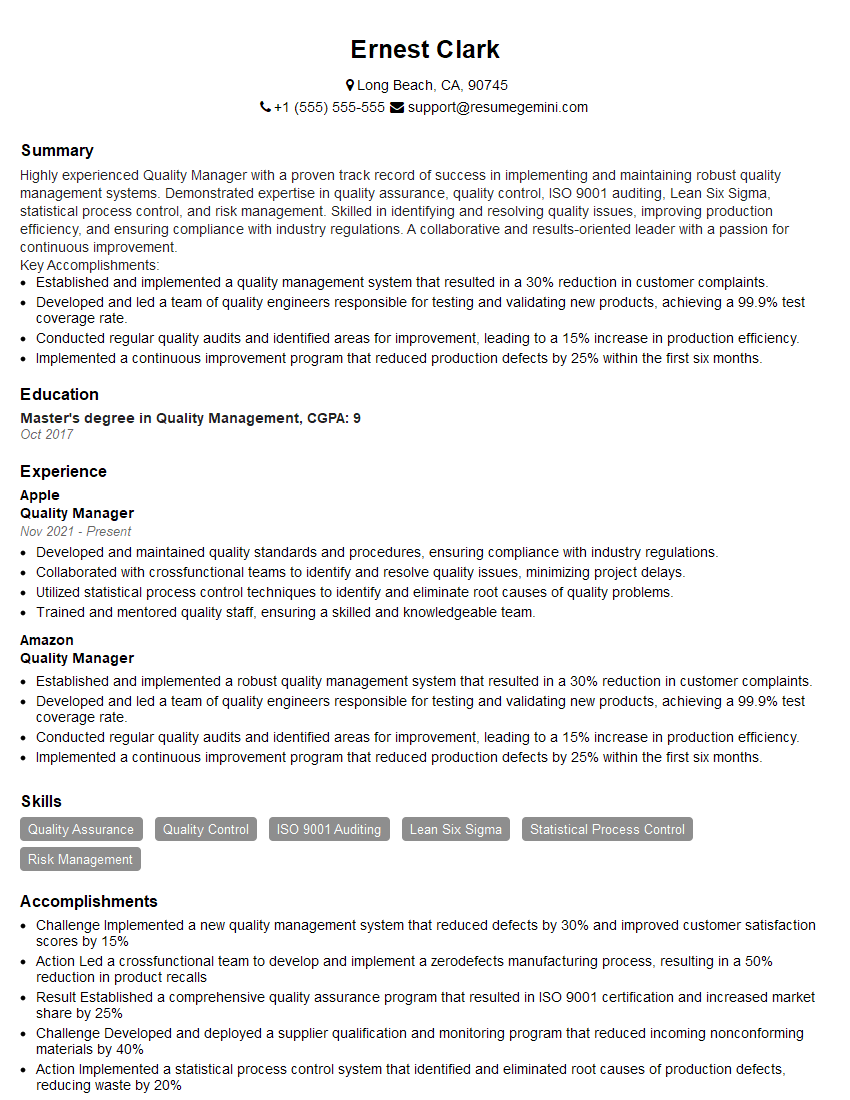
Quality Manager Resume Sample
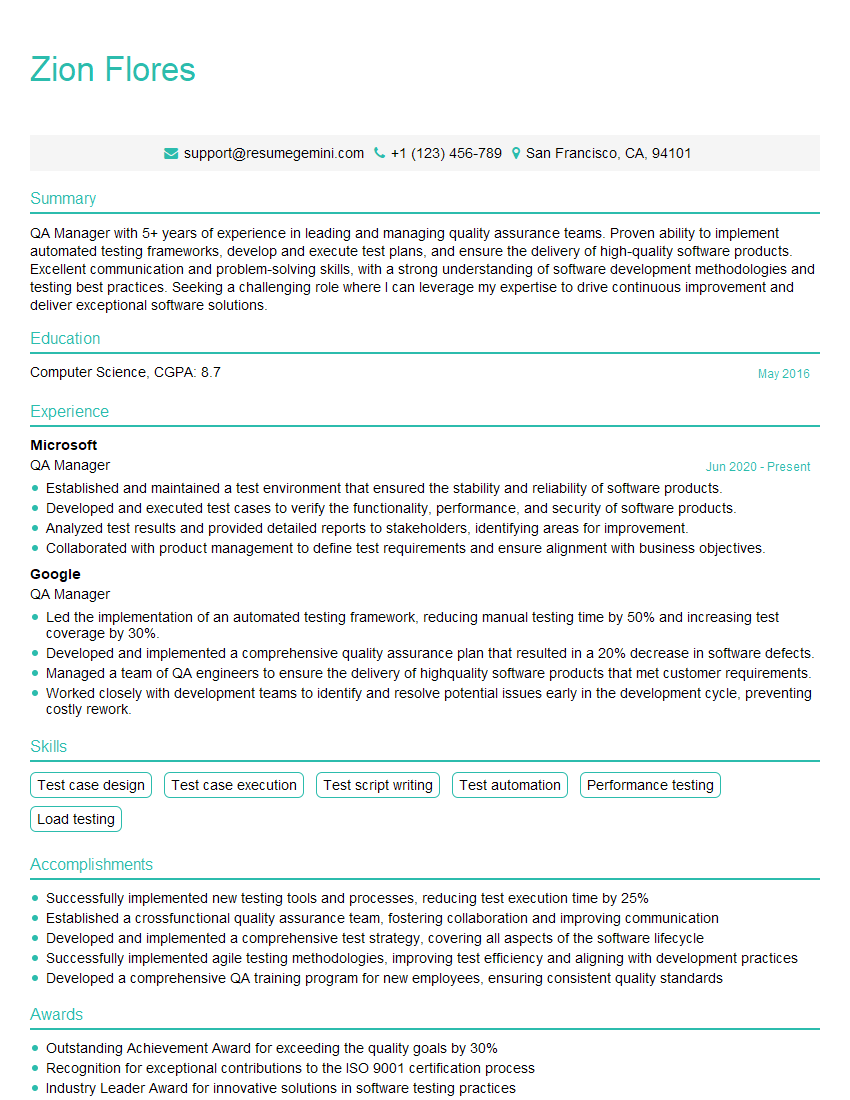
QA Manager Resume Sample
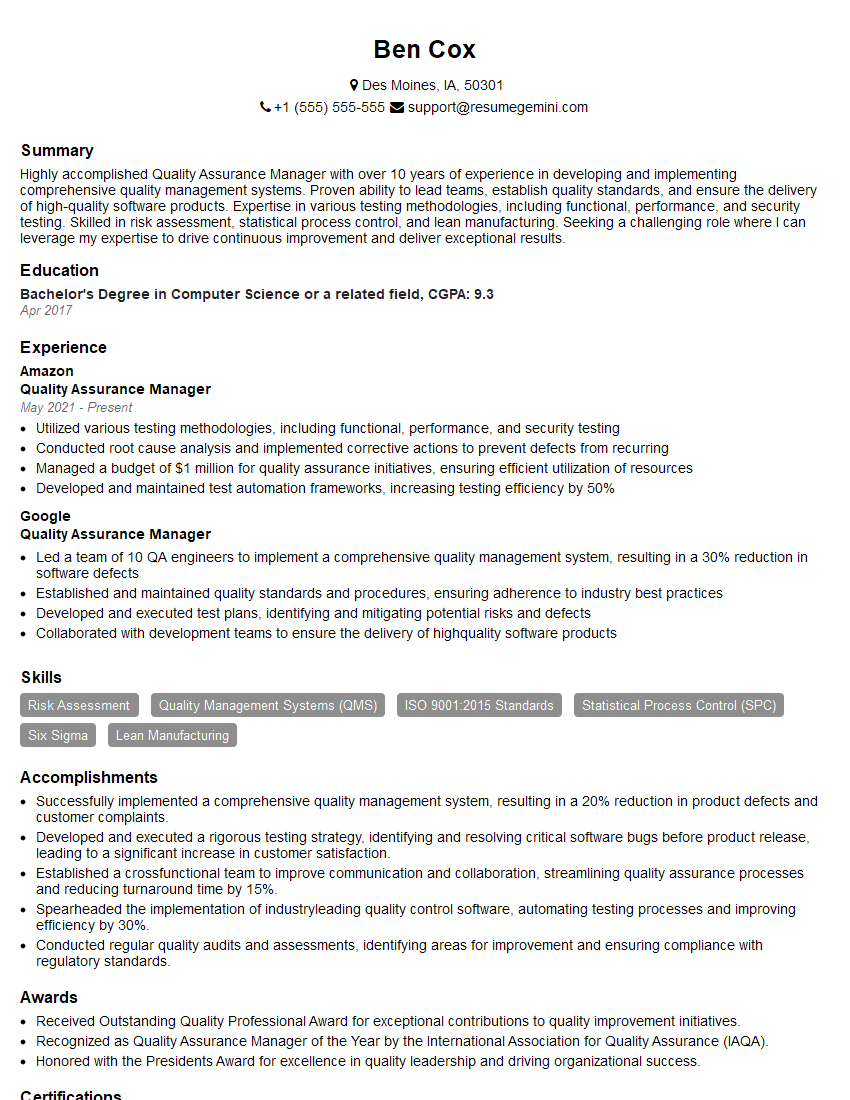
Quality Assurance Manager Resume Sample
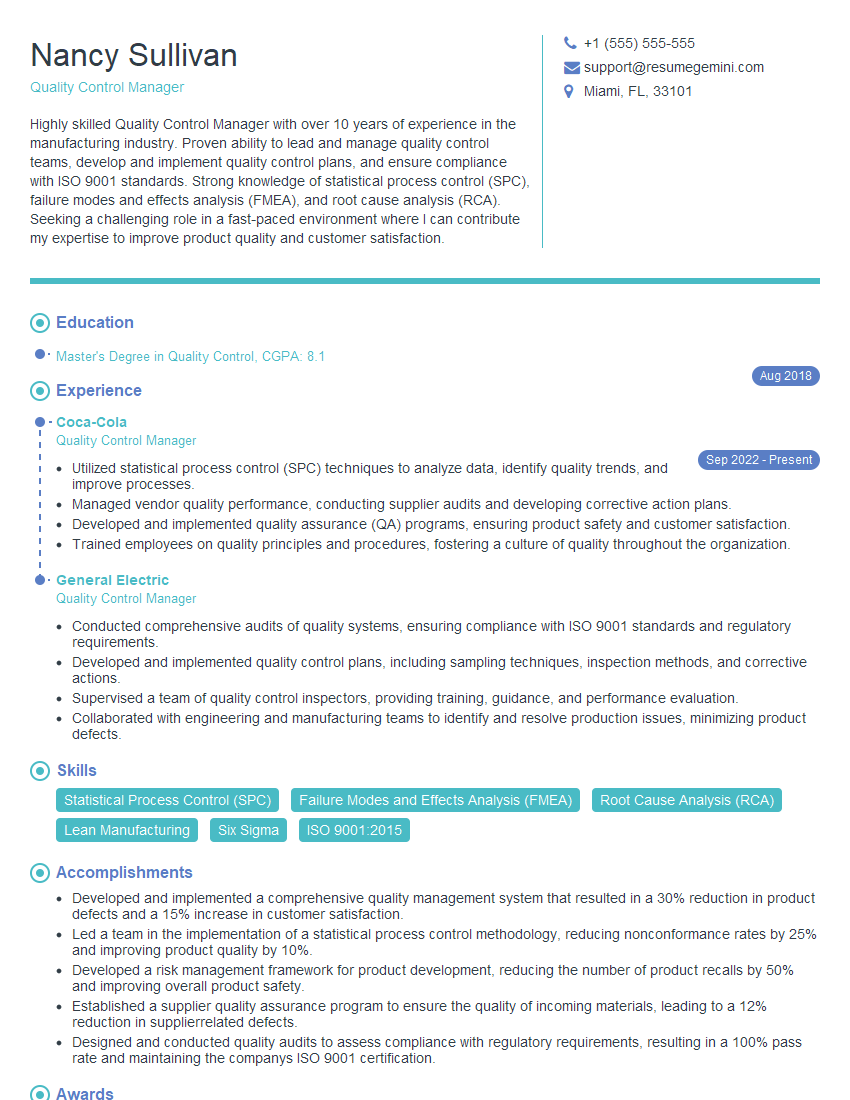
Quality Control Manager Resume Sample

Compliance Officer Resume Sample

Test Engineer Resume Sample
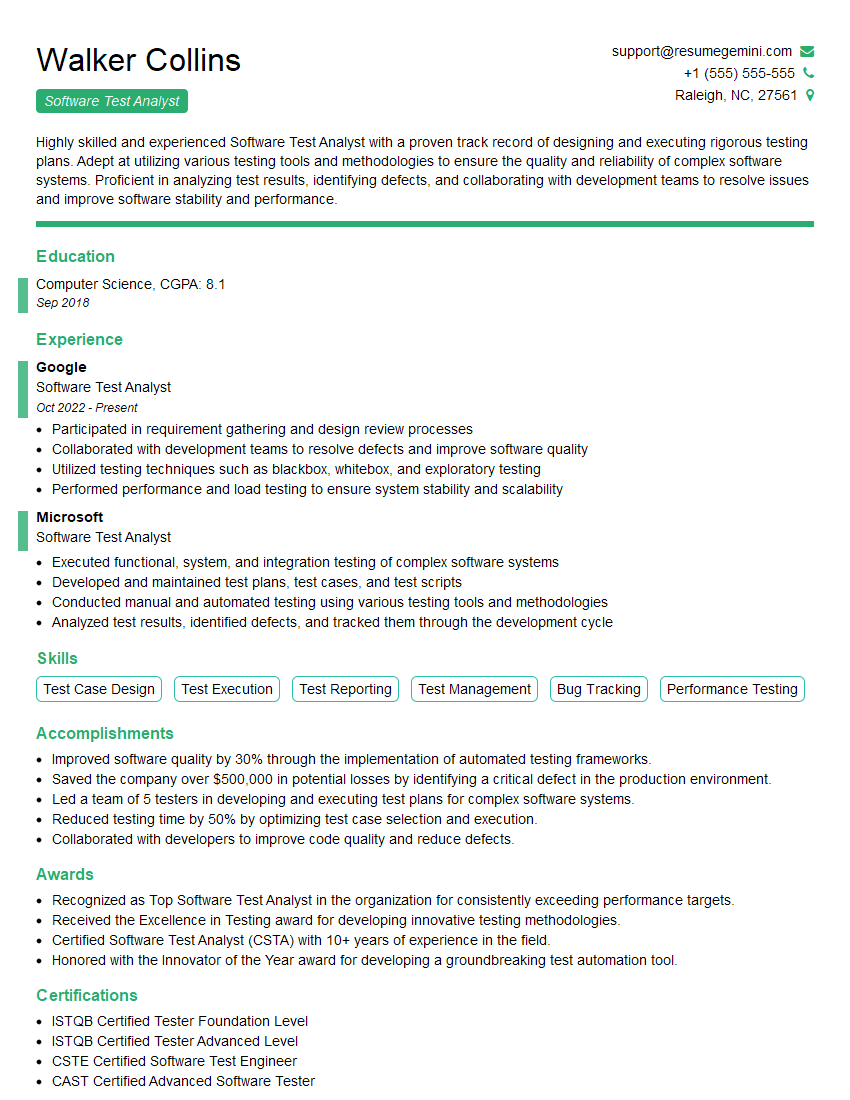
Software Test Analyst Resume Sample
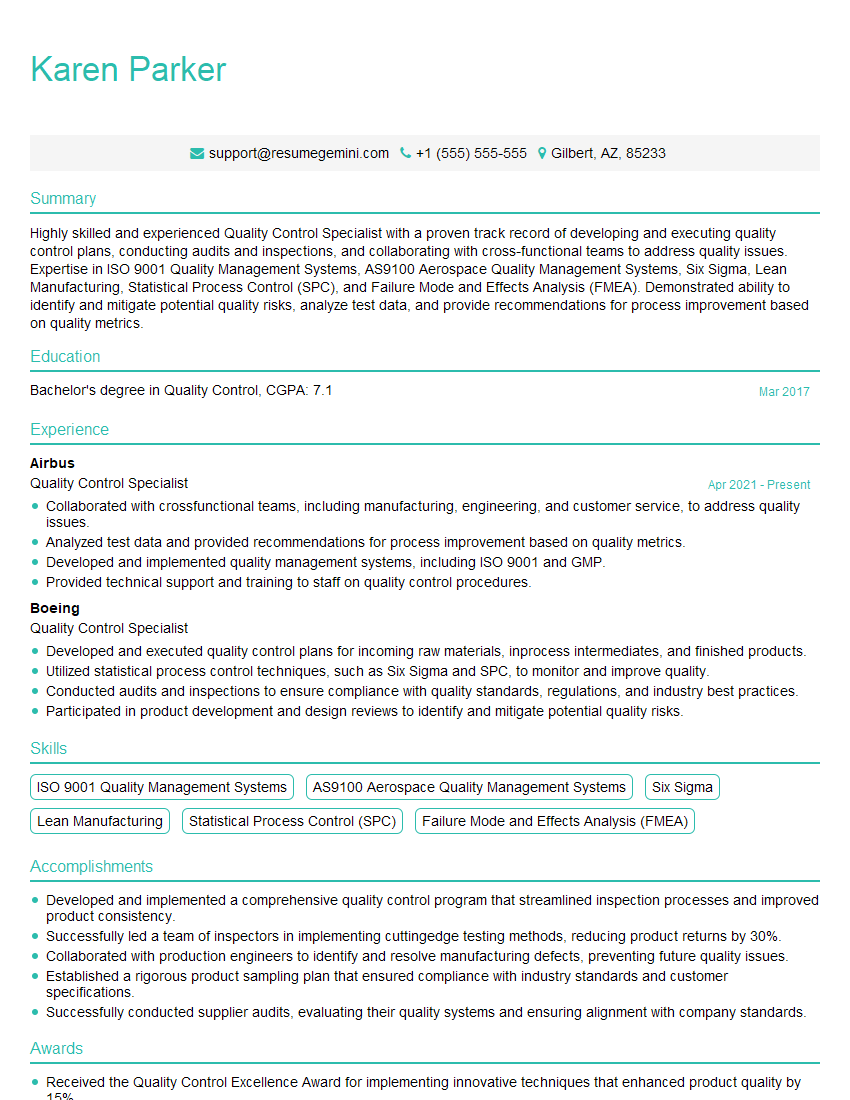
Quality Control Specialist Resume Sample

Quality Assurance Engineer Resume Sample
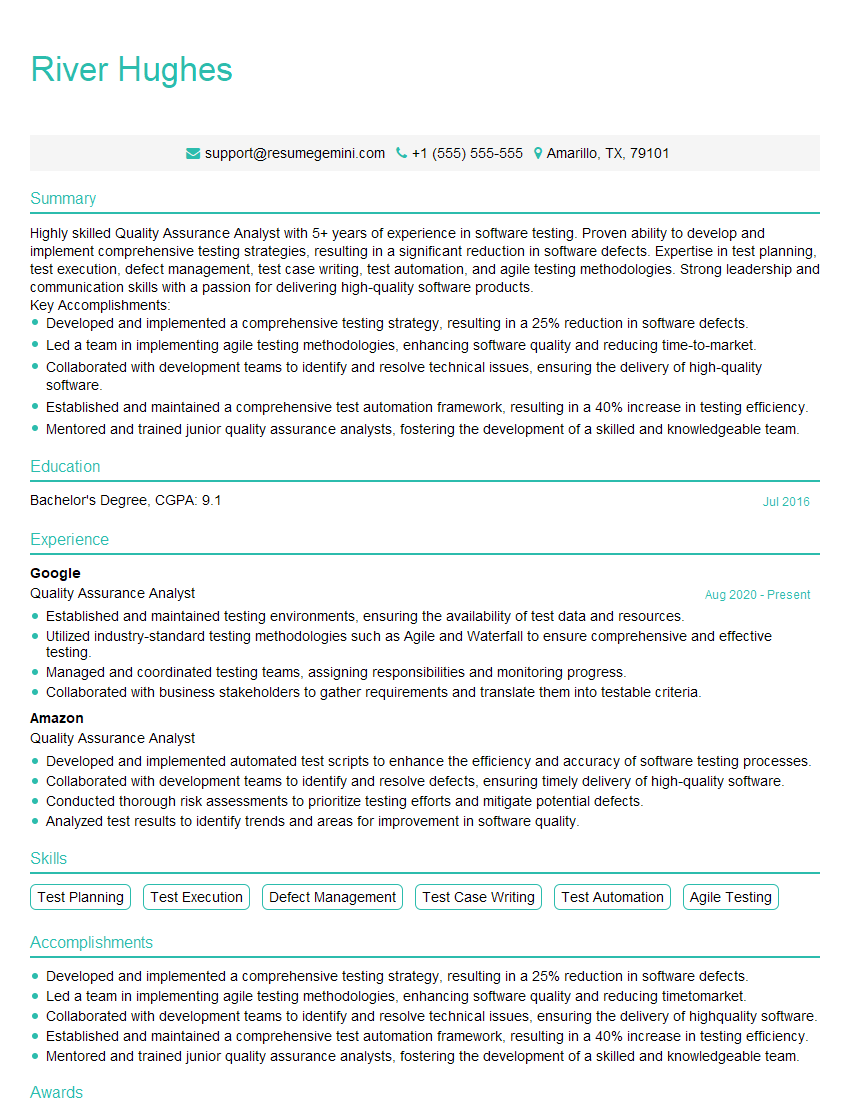
Quality Assurance Analyst Resume Sample
Explore more articles
Users Rating of Our Blogs
Share Your Experience
We value your feedback! Please rate our content and share your thoughts (optional).
What Readers Say About Our Blog
Very informative content, great job.
good