Unlock your full potential by mastering the most common Simulation Software (e.g., OPNET, NS-2) interview questions. This blog offers a deep dive into the critical topics, ensuring you’re not only prepared to answer but to excel. With these insights, you’ll approach your interview with clarity and confidence.
Questions Asked in Simulation Software (e.g., OPNET, NS-2) Interview
Q 1. Explain the difference between OPNET and NS-2.
OPNET and NS-2 are both discrete event network simulators, but they differ significantly in their approach, capabilities, and target audience. Think of it like comparing a high-end, all-in-one kitchen appliance (OPNET) to a more customizable, powerful, but potentially more complex set of individual tools (NS-2).
OPNET: Is a commercial, highly visual, and user-friendly simulator. It offers a drag-and-drop interface, pre-built models, and extensive libraries for various network protocols and technologies. It’s ideal for larger-scale simulations and those requiring quick prototyping and less coding. Its strength lies in its ease of use and comprehensive features, making it suitable for teams with varying levels of expertise. However, this ease of use often comes at the cost of flexibility and customization.
NS-2: Is an open-source, highly configurable simulator that demands more programming knowledge (typically in C++ or Tcl). It provides greater control over the simulation process and allows for detailed customization of network components and protocols. This gives researchers and developers the freedom to explore niche areas and experiment with novel network designs. However, its steeper learning curve and requirement for coding skills can make it less accessible to those without a strong programming background. It’s often preferred for research and development, where fine-grained control is paramount.
In essence, OPNET is a quicker, easier path to simulation results for broader network scenarios, while NS-2 offers more powerful tools and control for those who need to deeply customize and delve into the intricate details.
Q 2. Describe your experience with network simulation methodologies.
My experience spans a wide range of network simulation methodologies, encompassing both discrete-event and agent-based modeling. I’ve extensively used discrete-event simulation using OPNET and NS-2, focusing on various aspects including queuing theory, network topology design, protocol performance analysis, and resource allocation. I have also worked with agent-based simulation approaches, particularly when modeling complex, dynamic networks with self-organizing or adaptive behaviors.
For instance, in a recent project involving the simulation of a large-scale wireless sensor network, I utilized NS-2 to model the communication protocols and energy consumption patterns of individual sensors. I then employed agent-based modeling techniques to simulate the movement and interaction of the sensors, leading to insights into network coverage and resilience.
My expertise also includes developing custom simulation models for specific network scenarios, tailoring the level of detail based on the research questions or practical problems at hand. For example, I’ve used both detailed models that precisely replicate the behavior of specific hardware components and simplified models to analyze the impact of large-scale network parameters.
Q 3. How would you model a specific network scenario using NS-2?
Let’s say we want to model a simple network scenario in NS-2 involving a client-server communication over a wireless channel. We would typically follow these steps:
- Define the network topology: This involves specifying nodes (clients, server, wireless access point), links (wireless and wired connections), and their characteristics (bandwidth, delay, error rates).
- Configure network interfaces: We’d specify the MAC addresses, IP addresses, and routing protocols for each node. For the wireless channel, we’d typically use the wireless module in NS-2 and define parameters such as propagation model, transmission range, and interference model.
- Implement application-level traffic: We could use existing NS-2 agents or custom scripts to generate traffic patterns – for example, a constant bit rate or a more realistic pattern mimicking user behavior.
- Write the simulation script (Tcl): This script orchestrates the simulation, setting up the network, initiating traffic, and collecting relevant metrics.
- Run the simulation and collect data: NS-2 provides tools to collect statistics, such as packet loss rate, delay, throughput, and jitter.
- Analyze the results: We’d process the collected data using tools like gnuplot or other statistical analysis software to visualize the key performance indicators and draw conclusions.
A simplified Tcl snippet might look like this:
set ns [new Simulator] $ns trace-all $ns node-config -adhocRouting AODV #Example using AODV routingThis is a high-level overview; a real-world scenario would require a more detailed script depending on the complexity of the network.
Q 4. What are the key performance indicators (KPIs) you would monitor in a network simulation?
The specific KPIs monitored in a network simulation depend heavily on the simulation’s goals. However, some commonly tracked KPIs include:
- Throughput: The amount of data successfully transmitted per unit of time (e.g., bits per second).
- Delay: The time it takes for a packet to travel from source to destination (e.g., milliseconds).
- Packet Loss Rate: The percentage of packets that are lost during transmission.
- Jitter: The variation in delay of packets.
- Utilization: The percentage of time a network resource (link, node) is busy.
- Energy Consumption (for wireless networks): The energy used by nodes to transmit and receive data.
- Fairness: How equitably resources are shared among competing users.
For example, in a simulation of a VoIP system, we might focus on delay and jitter to assess call quality, while in a file transfer application, throughput would be a primary concern. Choosing the right KPIs is crucial for drawing meaningful conclusions from the simulation.
Q 5. How do you handle errors or unexpected results in a simulation?
Unexpected results in simulations can stem from various sources: coding errors, incorrect model parameters, insufficient simulation time, or even fundamental flaws in the simulation design. My approach to handling these involves a systematic debugging process:
- Verify the code: Thorough code review, testing individual modules, and using debugging tools are crucial to identify and fix coding errors.
- Check model parameters: Ensuring the parameters used in the model accurately reflect the real-world system being simulated is paramount. Incorrect assumptions in network characteristics (bandwidth, delay, etc.) can lead to misleading results.
- Increase simulation time: Insufficient simulation time can lead to inaccurate results, particularly when observing rare events. Running the simulation for a longer duration can provide a more stable and reliable picture.
- Examine simulation methodology: If errors persist, the simulation design itself might need revisiting. This could involve simplifying the model, using a different simulation approach, or re-examining the assumptions.
- Sensitivity Analysis: Performing a sensitivity analysis helps assess the impact of variations in input parameters on the output. This determines the robustness of the simulation and highlights potentially influential factors.
For instance, if I observe unexpectedly high packet loss rates, I would systematically check the code for errors, verify the accuracy of channel parameters (e.g., noise level), and consider whether the simulation time was long enough to capture the full range of behavior.
Q 6. Explain your experience with different network protocols in simulation.
My experience encompasses a wide array of network protocols, both wired and wireless. In simulations, I’ve worked extensively with:
- Routing protocols: AODV, DSR, OLSR, BGP, OSPF – I’ve used these in various scenarios, from ad-hoc networks to large-scale internet simulations.
- Transport protocols: TCP, UDP – Modeling these protocols requires careful consideration of congestion control mechanisms and their impact on performance.
- MAC layer protocols: 802.11 (WiFi), 802.15.4 (Zigbee) – Simulating wireless protocols involves detailed modeling of the physical layer characteristics and radio interference.
- Application layer protocols: HTTP, FTP, VoIP – These are essential for accurately representing end-user traffic patterns.
My understanding of these protocols extends beyond their basic functionality; I understand their inherent limitations and how they behave under various stress conditions (e.g., high load, network congestion). This knowledge is critical for designing realistic and meaningful simulations.
Q 7. Describe your experience with statistical analysis of simulation results.
Statistical analysis is crucial for extracting meaningful insights from simulation results. I’m proficient in techniques like:
- Descriptive statistics: Calculating mean, median, standard deviation, percentiles to summarize the data and identify central tendencies and variability.
- Inferential statistics: Using hypothesis testing (e.g., t-tests, ANOVA) to compare simulation results under different conditions and draw statistically significant conclusions.
- Regression analysis: Investigating the relationships between different variables (e.g., network load and delay).
- Confidence intervals: Determining the range within which the true value of a KPI is likely to fall.
- Time series analysis: Analyzing trends and patterns in data collected over time.
I utilize statistical software packages such as R and MATLAB to perform these analyses and generate visualizations (e.g., box plots, histograms, scatter plots) to effectively communicate the results. Understanding the underlying statistical assumptions and limitations is crucial for ensuring the validity and reliability of the interpretations.
For example, if comparing the performance of two different routing protocols, I would use statistical hypothesis testing to determine whether the observed differences in throughput are statistically significant or simply due to random variation.
Q 8. How do you validate the accuracy of your simulation models?
Validating simulation model accuracy is crucial for ensuring the results are reliable and can be trusted for decision-making. This involves a multi-pronged approach, combining verification and validation techniques. Verification confirms that the model is correctly implemented – does it accurately represent the intended design? Validation, on the other hand, checks if the model accurately reflects the real-world system it’s meant to represent.
Verification often involves code reviews, unit testing of individual modules, and comparing the model’s behavior against simplified analytical solutions. For instance, if simulating a simple queue, we’d verify that the queue length calculation matches standard queuing theory formulas under specific conditions.
Validation is more complex and often involves comparison against real-world data. This could involve using historical network traffic data or conducting controlled experiments on a smaller-scale physical network. If simulating a wireless network, for example, we might compare the simulation’s throughput and latency measurements against data collected from a real-world deployment with similar parameters. Statistical methods, such as hypothesis testing, are vital in determining the significance of any differences between the simulated and real-world results. Calibration, iteratively adjusting model parameters until simulation results closely match real-world data, is also an important part of validation.
A crucial aspect is defining clear acceptance criteria beforehand. What level of accuracy is sufficient? This depends heavily on the application – a model predicting network congestion for planning purposes might need less accuracy than one used for optimizing a critical real-time application.
Q 9. What are the limitations of using simulation software like OPNET or NS-2?
Simulation software like OPNET and NS-2, while powerful, have limitations. A major constraint is the inherent simplification of real-world complexity. Network simulations rely on models, and these models are inevitably abstractions of reality. We might simplify complex protocols, ignore certain hardware characteristics or environmental factors (interference in wireless simulations, for instance), or make assumptions about user behavior that may not always hold true.
Another limitation is computational cost. Simulating large, complex networks can be computationally expensive and time-consuming. High fidelity simulations that capture minute details are often impractical for large-scale deployments because of the associated computational burden. This frequently necessitates trade-offs between the model’s accuracy and the time taken for the simulation to run.
Finally, the availability and accuracy of input data are crucial. Accurate simulations require reliable data about network topology, traffic patterns, and equipment characteristics. A lack of this data or using inaccurate data can lead to unreliable and misleading results.
For example, NS-2’s inherent limitations in simulating modern wireless protocols can necessitate the use of specialized extensions or alternative software for specific wireless scenarios.
Q 10. How would you optimize a network based on simulation results?
Optimizing a network based on simulation results is an iterative process. It typically involves these steps:
- Identify bottlenecks: Analyze simulation output (e.g., packet loss, latency, throughput) to identify congested areas or performance bottlenecks in the network.
- Formulate hypotheses: Based on bottleneck analysis, propose potential improvements, such as adding bandwidth, upgrading equipment, or changing routing protocols.
- Modify the simulation model: Implement the proposed changes in your simulation model and re-run the simulation to evaluate the effects of these changes.
- Analyze results and refine: Compare the results of the modified simulation to the original. Quantify the improvements and identify any new bottlenecks or unforeseen consequences.
- Iterate: Repeat steps 3 and 4 until satisfactory performance is achieved. This might involve exploring multiple optimization strategies and comparing their effectiveness.
For instance, if a simulation reveals high latency on a particular link, we might try increasing its bandwidth, adding more links, or implementing a more efficient routing protocol. We’d then re-run the simulation to see if the latency issue is resolved and check if any new problems arise.
Q 11. Explain your experience with different types of network topologies in simulation.
My experience encompasses a wide range of network topologies, including:
- Bus topology: Simple, cost-effective, but susceptible to single points of failure. I’ve used it in simulations to study basic network behavior and compare it to more robust topologies.
- Star topology: Centralized hub, relatively easy to manage, but the central node represents a single point of failure. I’ve frequently modeled star topologies for LAN simulations.
- Ring topology: Data flows in a loop, highly reliable if redundant paths are present, but failure of a single node can impact the whole network. I’ve used ring topologies in simulations of token-ring networks and to investigate their fault tolerance.
- Mesh topology: Multiple interconnected nodes, highly redundant and scalable, but more complex to manage. This is commonly used in WAN simulations and studies on fault tolerance.
- Tree topology: Hierarchical structure, combines aspects of star and bus topologies. Used extensively in hierarchical routing protocols and LAN/WAN integration simulations.
In each case, understanding the topology’s characteristics is crucial for designing accurate simulation models and interpreting results effectively. For example, understanding the limitations of a bus topology helps identify areas for potential improvements (redundancy, multiple access points) in a real-world design.
Q 12. How do you handle large-scale network simulations?
Handling large-scale network simulations requires employing techniques to reduce computational complexity. Several approaches can be used:
- Parallelization: Break down the simulation into smaller, independent tasks that can be processed concurrently across multiple processors or machines. Many simulation packages offer features to support this.
- Abstraction and simplification: Use coarser-grained models for parts of the network where high detail isn’t crucial. This allows you to reduce the number of elements being simulated without sacrificing the overall accuracy too much.
- Emulation: For very large networks, parts of the simulation may be replaced with actual hardware or software components (like routers or switches). This improves the accuracy of those parts at the expense of increasing the complexity of the simulation setup.
- Statistical sampling: Instead of simulating every aspect of the network at high resolution, take random samples of the network traffic or behavior and use those samples to generate statistical measures. This technique dramatically reduces computation time, especially when dealing with huge amounts of data.
- Discrete-event simulation: This method inherently handles large-scale simulations better than continuous-time methods by focusing events only when changes occur.
The choice of approach depends heavily on the specific needs of the simulation, the available resources, and the acceptable level of accuracy. It’s often a combination of techniques that will be most effective.
Q 13. What are the advantages and disadvantages of using discrete-event simulation?
Discrete-event simulation (DES) is a powerful technique for modeling systems where changes occur at specific points in time. In network simulations, it’s commonly used because network events – packet arrivals, transmissions, queueing – are discrete occurrences.
Advantages:
- Efficiency: DES focuses on simulating events only when they happen, which is particularly efficient for systems with infrequent events, leading to much faster simulation times compared to continuous simulation for network scenarios.
- Accuracy for discrete events: It’s well-suited to model systems with discrete state changes, making it ideal for network protocols where events like packet arrivals and departures are clearly defined.
- Scalability: DES can handle complex, large-scale systems, as it only processes events relevant to the time period under consideration.
Disadvantages:
- Not ideal for continuous processes: It’s less suitable for systems with continuous state changes (e.g., fluid dynamics). Network simulations primarily involve discrete events, so this is less of a concern.
- Complexity in model creation: Building accurate DES models requires a good understanding of the system’s behavior and careful planning to capture all relevant events.
- Potential for modeling errors: Incorrectly identifying or sequencing events can lead to inaccurate simulation results.
In summary, DES is a valuable tool for network simulation, offering efficiency and scalability; however, careful planning and model validation are crucial to ensure accuracy.
Q 14. Describe your experience with scripting languages in network simulation (e.g., Tcl, Python).
Scripting languages are essential for automating tasks, customizing simulation environments, and analyzing results in network simulations. My experience includes extensive use of both Tcl and Python.
Tcl (Tool Command Language): I’ve used Tcl extensively with NS-2, where it’s the primary scripting language. It allows for the creation of custom network topologies, configuration of nodes and links, definition of traffic patterns, and analysis of simulation outputs. For example, I’ve written Tcl scripts to automatically generate large-scale network topologies, inject specific traffic loads, and extract performance metrics like packet loss and latency from the simulation results. # Example Tcl snippet in NS-2 to create a node: create-node 0
Python: Python’s versatility and extensive libraries make it a powerful tool for both pre- and post-processing in network simulations. I use Python to analyze simulation results, generate graphs and visualizations, and automate complex tasks like parameter sweeps. Its data analysis capabilities (NumPy, Pandas) and visualization libraries (Matplotlib, Seaborn) are invaluable for interpreting simulation results. For instance, I’ve used Python to generate comprehensive reports containing graphs showing the performance impact of different network configurations, facilitating quick analysis and informed decisions.
Choosing between Tcl and Python often depends on the specific simulation software and the desired level of automation. Python’s flexibility and broader ecosystem often make it preferable for tasks beyond the core simulation.
Q 15. How do you troubleshoot issues in a network simulation environment?
Troubleshooting network simulations involves a systematic approach. Think of it like detective work – you need to gather clues, formulate hypotheses, and test them. It starts with carefully examining the simulation results. Are the metrics (throughput, latency, packet loss) significantly different from expectations?
- Analyze Simulation Logs: Most simulation tools generate extensive logs. These logs are your primary source of information, providing details about individual packet journeys, queue lengths, and resource utilization. Look for error messages, unusual patterns, or unexpected events.
- Visualize Data: Graphical representations of key metrics (e.g., charts showing throughput over time) can reveal subtle issues not immediately apparent in raw data. Tools like OPNET’s built-in visualization capabilities are invaluable here.
- Simplify the Model: If the simulation is complex, start by isolating potential problem areas. Gradually remove components or reduce the complexity of the network to pinpoint the source of the issue. Is it a specific routing protocol, a faulty node configuration, or a bottleneck in a particular link?
- Verify Model Parameters: Double-check the values of all parameters in your simulation configuration. An incorrect bandwidth value, for example, can lead to drastically skewed results. Using a version control system for your configuration files helps track changes and avoid errors.
- Compare to Analytical Models: For simpler scenarios, you can compare the simulation results against analytical models (e.g., Little’s Law) to validate your findings. Discrepancies highlight potential problems.
For instance, if I see consistently high packet loss in a simulation of a Wi-Fi network, I would first check the signal strength parameters and interference models to see if these are realistic. I might then reduce the number of nodes to isolate potential interference issues and then add them back one at a time to pinpoint the culprit.
Career Expert Tips:
- Ace those interviews! Prepare effectively by reviewing the Top 50 Most Common Interview Questions on ResumeGemini.
- Navigate your job search with confidence! Explore a wide range of Career Tips on ResumeGemini. Learn about common challenges and recommendations to overcome them.
- Craft the perfect resume! Master the Art of Resume Writing with ResumeGemini’s guide. Showcase your unique qualifications and achievements effectively.
- Don’t miss out on holiday savings! Build your dream resume with ResumeGemini’s ATS optimized templates.
Q 16. Explain your experience with parallel or distributed simulation.
Parallel and distributed simulation is crucial for handling large-scale networks that would be intractable on a single machine. My experience involves using both approaches with NS-2 and OPNET. In NS-2, you can utilize parallel simulation techniques through tools and modifications to distribute the workload across multiple processors. This involves partitioning the network into sub-networks and running them concurrently. OPNET offers built-in parallel simulation capabilities, usually using a message-passing interface (MPI). This allows for significant speedups compared to serial simulations.
The key challenges include:
- Synchronization: Maintaining consistency and accuracy across different parts of the simulation requires careful synchronization mechanisms to ensure events happen in the correct order.
- Communication Overhead: The communication between different simulation processes adds overhead. Effective strategies are crucial to minimize this overhead.
- Scalability: A well-designed parallel or distributed simulation must scale efficiently as the network size increases. Otherwise, the benefits of parallelization might not outweigh the added complexity.
For example, in a project simulating a large metropolitan area network, we employed OPNET’s parallel simulation features. By dividing the city into logical zones, each simulated on a separate processor, we were able to reduce simulation runtime from weeks to days.
Q 17. How do you incorporate real-world data into your simulations?
Incorporating real-world data significantly enhances the realism and predictive power of simulations. This usually involves integrating trace files or measured data into the simulation environment. The specific method depends on the data type and the simulation tool.
- Traffic Traces: Using real network traffic traces (e.g., captured using tcpdump) provides realistic patterns of packet arrivals, sizes, and inter-arrival times. These traces can be fed directly into the simulator as input.
- Mobility Traces: For mobile networks, data on node mobility patterns (location, speed, direction) can be used to accurately model the movement of mobile devices.
- Channel Characteristics: In wireless simulations, real-world measurements of channel characteristics (e.g., path loss, fading) can be imported to create a more accurate representation of the wireless environment.
In a recent project simulating a cellular network, we used real-world call detail records (CDRs) to create a realistic traffic model. This improved the accuracy of our predictions significantly compared to using simpler, synthetic traffic models.
The process usually involves pre-processing the data to fit the simulation tool’s format and then integrating it into the simulation using specific input modules or scripting capabilities.
Q 18. What are the key factors to consider when choosing a simulation tool?
Choosing the right simulation tool depends on several key factors:
- Modeling Capabilities: The tool should be able to accurately model the specific network protocols, technologies, and components relevant to your simulation. Does it support the specific types of nodes, links, and applications you need?
- Scalability: The tool needs to handle the size and complexity of your network. Consider whether it can efficiently simulate large-scale networks or requires significant computational resources.
- Ease of Use: A user-friendly interface, good documentation, and a supportive community can significantly reduce the time and effort required to build and run your simulations.
- Accuracy and Validation: The tool should offer accurate modeling of network behavior and provide features for validating the results against real-world measurements.
- Cost and Licensing: Consider the cost of the software, including licensing fees and maintenance.
- Integration with other tools: Check if the simulation tool integrates well with other tools you might use for data analysis or visualization.
For example, NS-2 is often preferred for its flexibility and open-source nature, making it suitable for research and customized modeling, while OPNET is favored for its advanced features and commercial support, potentially better suited for larger-scale projects with a need for robust and validated results.
Q 19. How do you handle network congestion in a simulation?
Handling network congestion in a simulation involves several steps, focusing on both identification and mitigation:
- Identify Bottlenecks: Monitor key metrics like queue lengths, packet loss rates, and link utilization. High values indicate potential bottlenecks. Visualization tools can help identify these hotspots.
- Adjust Resource Parameters: Increase the bandwidth of congested links, add more queues, or increase buffer sizes. These changes should be based on realistic capacity constraints.
- Implement Congestion Control Mechanisms: Model different congestion control algorithms (TCP variants, for example) to evaluate their effectiveness in managing congestion. Analyze how these algorithms react to the simulated congestion.
- Traffic Shaping: Introduce traffic shaping mechanisms to control the rate of traffic entering the network. This can help prevent bursts of traffic from overwhelming the network.
- Queue Management Techniques: Experiment with different queuing disciplines (e.g., FIFO, priority queuing) to optimize queue performance and reduce delays during congestion.
For instance, if a simulation shows a significant increase in latency in a certain part of the network, I would analyze the queue lengths at the routers in that area. If they’re consistently full, I’d either increase the router’s processing capacity or implement a more sophisticated queue management algorithm.
Q 20. Describe your experience with different queuing models in network simulation.
Queuing models are fundamental to network simulation, determining how packets are handled when they arrive at a node or link. I have experience with various queuing models, each with its strengths and weaknesses:
- First-In, First-Out (FIFO): The simplest model, where packets are processed in the order they arrive. Easy to implement but can lead to unfairness and long delays for some packets.
- Priority Queuing: Packets are assigned priorities, and higher-priority packets are processed first. Useful for prioritizing critical traffic, such as real-time applications.
- Weighted Fair Queuing (WFQ): Provides a more fair treatment of different traffic flows by allocating bandwidth proportional to their weights. Helps to prevent starvation of low-rate flows.
- Random Early Detection (RED): A congestion avoidance algorithm that prevents congestion collapse by dropping packets probabilistically when queue lengths reach certain thresholds. Helps to prevent buffer overflow and reduce latency.
- M/M/1, M/D/1, M/G/1 Queues: These are theoretical models often used as benchmarks in queueing theory. They provide analytical insights into the behavior of queues under specific assumptions. M represents a Markovian arrival process, D a deterministic service time, G a general service time and 1 represents a single server.
Choosing the right queuing model depends on the specific requirements of the simulation. For example, in a simulation of a VoIP network, I’d likely use priority queuing to ensure real-time voice packets are processed quickly.
Q 21. How would you design a simulation experiment to test a specific hypothesis?
Designing a simulation experiment to test a hypothesis requires a structured approach. Let’s say our hypothesis is: “Implementing Quality of Service (QoS) using differentiated services will improve the performance of video streaming applications in a congested network.”
- Define the Hypothesis Clearly: Precisely state the hypothesis to be tested. What is the independent variable (QoS implementation), and what is the dependent variable (video streaming performance)?
- Design the Network Topology: Create a network topology representative of the scenario being modeled. Consider factors such as the number of nodes, links, and traffic sources.
- Implement the QoS Mechanism: Model the specific QoS mechanisms (e.g., DiffServ, IntServ) you want to test. This often involves configuring routers and switches within the simulation.
- Develop the Traffic Model: Create a realistic traffic model, including video streaming traffic along with background traffic. Use real traffic traces if available to ensure higher realism.
- Establish Metrics: Define the key performance indicators (KPIs) to measure. For video streaming, these might include throughput, latency, jitter, and packet loss.
- Run Simulations and Collect Data: Run multiple simulation experiments, varying parameters as needed. Collect and record the KPI data for each experiment.
- Analyze and Interpret Results: Perform statistical analysis to determine if the results support or refute the hypothesis. Are the differences in KPIs statistically significant?
- Report Findings: Document the experimental setup, results, and conclusions.
We’d then compare the simulation results of the network with and without the QoS mechanisms implemented, analyzing the measured KPIs to determine if QoS significantly improves the performance of video streaming as predicted.
Q 22. Explain your understanding of confidence intervals in simulation results.
Confidence intervals in simulation results are crucial for understanding the reliability of our findings. They essentially provide a range within which the true value of a performance metric (like average latency or throughput) is likely to fall, given the inherent randomness and limitations of our simulation. Instead of getting a single point estimate, we get a range, reflecting the uncertainty.
For example, imagine simulating a network’s average latency. A point estimate might be 10ms, but a 95% confidence interval might be (8ms, 12ms). This means we’re 95% confident that the true average latency lies between 8ms and 12ms. This is much more informative than just the 10ms estimate, as it highlights the margin of error.
The width of the confidence interval depends on several factors, including the sample size (number of simulation runs) and the variability of the results. More runs and less variability lead to narrower, more precise intervals. In practical terms, a wide interval suggests that the simulation results are less reliable, and we might need more runs or to investigate potential sources of variability in our model.
Q 23. How do you ensure the reproducibility of your simulation results?
Reproducibility is paramount in simulation studies, ensuring that others can validate our findings. I achieve this through meticulous documentation and structured workflows. This includes:
- Detailed Model Description: I carefully document every aspect of my simulation model, including network topology, node characteristics (processing power, buffer sizes), traffic patterns, and the simulation software’s configuration settings. This might involve creating detailed diagrams and exporting model parameters.
- Version Control: Using tools like Git, I track all changes made to the simulation model, allowing me to easily revert to earlier versions if needed. This ensures that the exact simulation setup can be replicated.
- Random Seed Management: Random number generators are often used to model variability in network behavior. To ensure repeatability, I always record and document the initial seed value used by the random number generator. Using the same seed ensures that the same pseudo-random sequence is generated each time the simulation is run.
- Automated Scripts: To minimize manual intervention and potential errors, I utilize scripting languages like Python to automate the entire simulation process, from model creation to result analysis. This reduces the chances of unintentional changes affecting the outcome.
By following these practices, I ensure that anyone with access to the documentation and software can precisely reproduce my results, fostering transparency and trust in the findings.
Q 24. Describe your experience with different network traffic generators.
I have extensive experience with various network traffic generators, each suited to different simulation needs. My experience includes:
- OPNET’s built-in generators: OPNET provides a range of built-in generators for common traffic models like Poisson, Pareto, and self-similar processes. I’ve used these to model various network traffic scenarios, from simple web browsing to complex video streaming applications.
- Custom generators in NS-2: For more complex or specialized traffic patterns, I’ve developed custom traffic generators in NS-2 using TCL scripting. This allowed for highly flexible modeling of traffic characteristics that might not be available in pre-built modules. For example, I’ve created generators to model specific application protocols or user behavior.
- Third-party tools: I am also familiar with integrating third-party tools that generate realistic traffic traces based on real-world network data. These traces are especially valuable for validating simulation models against observed behavior in real networks.
The choice of traffic generator significantly impacts the simulation results. Understanding the characteristics of each generator and selecting the most appropriate one for the specific scenario is essential for accurate and meaningful simulations.
Q 25. How do you deal with complex network scenarios in simulations?
Complex network scenarios often require a modular and hierarchical approach. I employ several techniques to manage complexity in my simulations:
- Modular Design: Breaking down the large network into smaller, manageable modules simplifies the modeling process. Each module can be independently modeled, verified, and then integrated into the larger simulation. This modularity makes it easier to debug and maintain the model.
- Abstraction: High-level abstractions are useful for simplifying certain parts of the network. For example, instead of modeling every detail of a router, I might use a simplified model that captures its essential functionality.
- Hierarchical Modeling: Hierarchical modeling allows me to represent different levels of detail in different parts of the network. Critical components can be modeled with high fidelity, while less important parts can be represented with simpler abstractions. This reduces computational overhead without sacrificing accuracy in the most important areas.
- Scalable Algorithms and Data Structures: When dealing with large-scale networks, efficient algorithms and data structures are crucial for maintaining reasonable simulation run times. This often involves careful consideration of the simulation software’s capabilities and limitations.
Effective management of complexity is key to creating accurate and efficient simulations of large and intricate networks.
Q 26. What are the ethical considerations related to using network simulation?
Ethical considerations are crucial when using network simulation, particularly regarding:
- Data Privacy: If simulations involve real-world network data, ensuring the anonymity and confidentiality of individuals’ data is vital. This often requires anonymizing data before using it in the simulation.
- Bias and Fairness: Simulation models can inadvertently reflect or amplify existing biases in the data or assumptions used to create them. Care must be taken to identify and mitigate such biases to ensure fairness and avoid perpetuating discriminatory outcomes.
- Transparency and Reproducibility: As mentioned earlier, transparency and reproducibility are paramount. This includes making the simulation model and data accessible, allowing others to verify the results and assess their validity.
- Responsible Use: Simulations should be used responsibly and ethically, avoiding any misuse or misrepresentation of results. This requires careful consideration of the implications of the findings and avoiding claims that are not supported by the evidence.
Ethical practices are essential to ensure that network simulations are used for good, promoting responsible innovation and minimizing potential harm.
Q 27. Explain your experience with visualizing and presenting simulation results.
Effective visualization and presentation of simulation results are critical for communicating findings to a broad audience. My experience includes:
- Graphical Tools: I leverage built-in plotting and visualization capabilities of the simulation software (like OPNET’s graphical reporting tools) to create charts and graphs depicting key performance indicators (KPIs) such as latency, throughput, packet loss, and jitter.
- Data Export and External Tools: I often export simulation data to external tools like MATLAB, R, or Python’s matplotlib and seaborn libraries for more advanced visualization and statistical analysis. This allows for customized plots and in-depth analysis of the results.
- Interactive Dashboards: For complex simulations, I create interactive dashboards (using tools like Tableau or Power BI) that allow users to explore the results dynamically, filtering data and exploring relationships between different KPIs.
- Clear and Concise Presentations: I design clear and concise presentations, tailored to the audience’s technical expertise. This includes using simple language and avoiding jargon whenever possible, with a focus on visually compelling graphics and a narrative explaining the key findings and their implications.
The goal is to make the complex data easily understandable and to highlight the key insights gained from the simulation.
Q 28. How do you stay updated with the latest advancements in network simulation technologies?
Staying up-to-date in this rapidly evolving field requires a multi-pronged approach:
- Academic Publications: I regularly read research papers published in leading networking conferences (like SIGCOMM, INFOCOM) and journals to stay abreast of the latest advancements in simulation techniques and modeling methodologies.
- Industry Conferences and Workshops: Attending industry conferences and workshops allows me to learn about new simulation tools and techniques directly from researchers and practitioners.
- Online Courses and Tutorials: I regularly supplement my knowledge with online courses and tutorials on platforms like Coursera, edX, and YouTube to gain expertise in new tools and techniques.
- Professional Networks: Engaging with professional networks, online forums, and communities provides access to discussions, tips, and insights from other professionals in the field.
- Open-Source Projects: Contributing to and following the development of open-source simulation projects allows for hands-on experience with cutting-edge technologies and fosters collaboration with other researchers.
Continuous learning is vital to ensure my skills and knowledge remain current and relevant in the dynamic world of network simulation.
Key Topics to Learn for Simulation Software (e.g., OPNET, NS-2) Interview
- Network Modeling Fundamentals: Understanding network topologies, protocols (TCP/IP, routing protocols), and queuing theory are crucial for interpreting simulation results and designing effective models.
- Simulation Software Specifics (OPNET/NS-2): Familiarize yourself with the software’s interface, model building capabilities, and analysis tools. Understand the strengths and limitations of each platform.
- Protocol Implementation and Analysis: Be prepared to discuss the implementation of various network protocols within the chosen simulation environment and analyze the performance metrics generated.
- Performance Evaluation Metrics: Master key metrics like throughput, latency, packet loss, and jitter. Know how to interpret these metrics in the context of network performance and identify bottlenecks.
- Scenario Design and Experimentation: Practice designing realistic network scenarios and conducting simulations to evaluate different network configurations and parameters. Be prepared to discuss your experimental methodology.
- Data Analysis and Interpretation: Develop your skills in analyzing simulation output data, identifying trends, and drawing meaningful conclusions. Visualizing data effectively is also important.
- Troubleshooting and Debugging: Be prepared to discuss strategies for identifying and resolving issues that may arise during the simulation process.
- Advanced Concepts (depending on the role): Explore topics like mobility modeling, QoS (Quality of Service), security simulations, or specific application-level simulations (e.g., VoIP, video streaming).
Next Steps
Mastering simulation software like OPNET or NS-2 is essential for a successful career in network engineering, research, or related fields. These skills demonstrate a strong understanding of network principles and the ability to apply them in practical settings. To significantly boost your job prospects, it’s crucial to present your skills effectively. Create an ATS-friendly resume that highlights your accomplishments and technical proficiencies. ResumeGemini is a trusted resource that can help you build a professional and impactful resume. Examples of resumes tailored to Simulation Software (e.g., OPNET, NS-2) expertise are available to guide you.

Systems Engineer Resume Sample

Data Analyst Resume Sample

Research Scientist Resume Sample

Software Engineer Resume Sample

Network Security Engineer Resume Sample

Network Architect Resume Sample
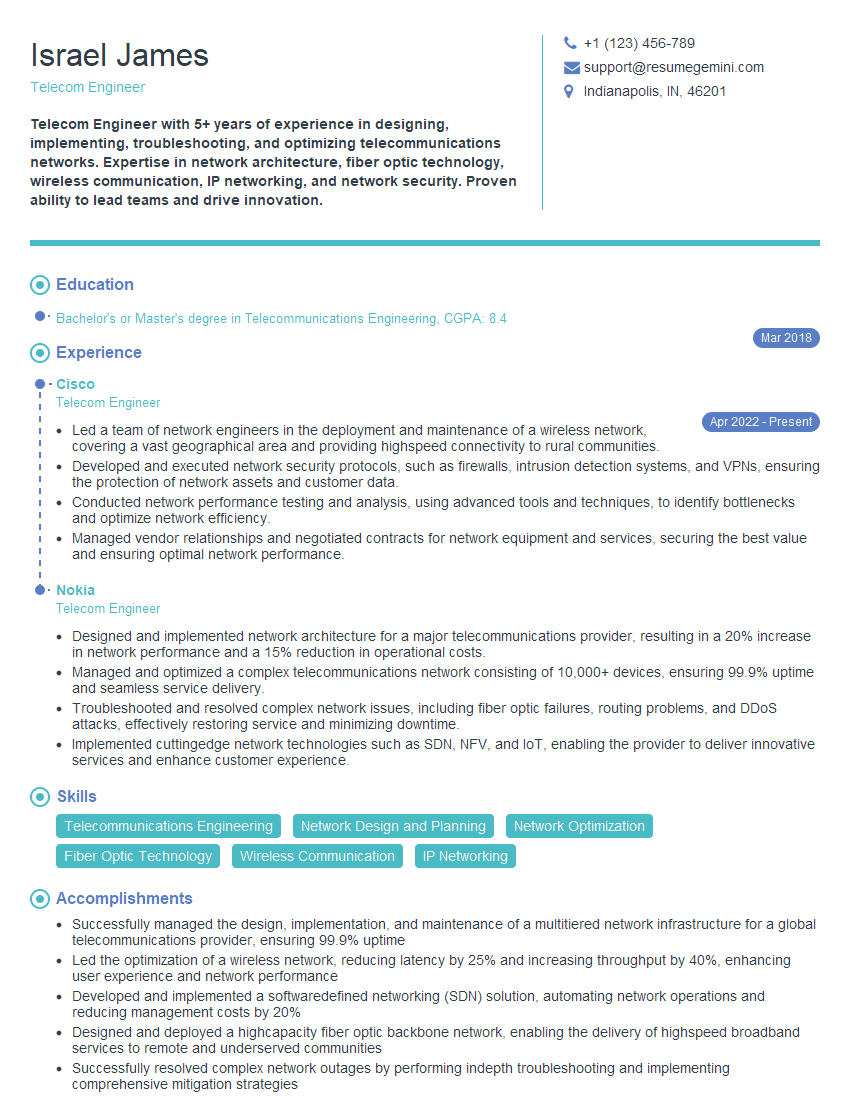
Telecom Engineer Resume Sample

Wireless Network Engineer Resume Sample

IT Project Manager Resume Sample

Technical Lead Resume Sample

DevOps Engineer Resume Sample
Explore more articles
Users Rating of Our Blogs
Share Your Experience
We value your feedback! Please rate our content and share your thoughts (optional).
What Readers Say About Our Blog
Very informative content, great job.
good