Unlock your full potential by mastering the most common Telecommunications Network Troubleshooting and Repair interview questions. This blog offers a deep dive into the critical topics, ensuring you’re not only prepared to answer but to excel. With these insights, you’ll approach your interview with clarity and confidence.
Questions Asked in Telecommunications Network Troubleshooting and Repair Interview
Q 1. Explain the OSI model and its layers.
The OSI model is a conceptual framework that standardizes the functions of a telecommunications or computing system without regard to its underlying internal structure and technology. Think of it as a layered cake, where each layer has a specific responsibility. Proper functioning relies on each layer communicating effectively with the adjacent layers.
- Layer 7: Application Layer: This is where applications interact with the network. Examples include HTTP (web browsing), SMTP (email), FTP (file transfer).
- Layer 6: Presentation Layer: Handles data formatting, encryption, and decryption. It ensures data is presented in a format the application layer can understand.
- Layer 5: Session Layer: Manages connections between applications, establishing, maintaining, and terminating sessions.
- Layer 4: Transport Layer: Provides reliable and/or unreliable data delivery. TCP (Transmission Control Protocol) offers reliable, ordered delivery, while UDP (User Datagram Protocol) provides faster, but less reliable, delivery.
- Layer 3: Network Layer: Responsible for logical addressing (IP addresses) and routing packets across networks. This layer uses protocols like IP and ICMP.
- Layer 2: Data Link Layer: Deals with physical addressing (MAC addresses) and error detection on a single network segment. Ethernet is a common protocol at this layer.
- Layer 1: Physical Layer: This is the lowest layer, dealing with the physical transmission of data over the medium (cables, fiber optics, wireless). It defines the physical characteristics of the network.
Understanding the OSI model is crucial for troubleshooting because it allows us to isolate problems to specific layers. For example, if a website doesn’t load, we can systematically check each layer, starting with the application layer, to pinpoint the source of the issue.
Q 2. Describe your experience with TCP/IP.
TCP/IP is the foundation of the internet. It’s not a single protocol but a suite of protocols that work together. TCP (Transmission Control Protocol) provides reliable, ordered delivery of data streams. Imagine sending a package – TCP ensures it arrives complete and in the correct order. UDP (User Datagram Protocol) is faster but less reliable, like sending a postcard – it might arrive, it might not, and there’s no guarantee of order. IP (Internet Protocol) is responsible for addressing and routing data packets across networks. I have extensive experience using TCP/IP in various contexts, from configuring network devices like routers and switches to diagnosing connectivity problems and optimizing network performance. I’ve worked with TCP/IP in both IPv4 and IPv6 environments and am proficient in troubleshooting issues related to routing, subnetting, and DNS resolution.
For example, I recently worked on a project where a remote office was experiencing slow network speeds. By analyzing TCP/IP packet captures, I identified that the problem was caused by packet loss due to a faulty network interface card. Replacing the NIC resolved the issue.
Q 3. How do you troubleshoot a network connectivity issue?
Troubleshooting network connectivity starts with a systematic approach. I typically follow these steps:
- Identify the scope of the problem: Is it a single machine, a group of machines, or the entire network?
- Gather information: What are the symptoms? When did the problem start? Have any recent changes been made to the network?
- Check the basics: Are cables plugged in securely? Is the device powered on? Is the network interface card working properly? Do you have internet access on other devices?
- Utilize diagnostic tools:
pingto check connectivity,traceroute(ortracerton Windows) to trace the path to a destination,nslookupordigto check DNS resolution. These are invaluable. - Examine network configurations: Verify IP addresses, subnet masks, default gateways, and DNS servers are correctly configured.
- Check for firewall or antivirus interference: Firewalls and antivirus software can sometimes block network traffic. Temporarily disabling them (with caution) can help isolate the problem.
- Analyze network logs and event logs: Look for error messages that can provide clues about the issue.
- Escalate if necessary: If the problem is complex or beyond your expertise, seek help from other network engineers or support personnel.
For instance, if a user reports they can’t access a particular website, I’d first ping the website’s IP address to check basic connectivity. If the ping fails, I’d investigate the network path using traceroute to see where the connection breaks. Then I’d systematically rule out each possible cause by examining network configurations, checking DNS resolution, and investigating firewall settings.
Q 4. What are common causes of network latency?
Network latency, or delay, can be caused by many factors. These can be broadly categorized into:
- Network congestion: Too much traffic on the network can lead to delays. This is common during peak hours or when a large number of users are accessing the same resources.
- Bandwidth limitations: Insufficient bandwidth can lead to delays, especially when transferring large files or streaming high-definition video.
- Physical distance: The longer the distance between two points on the network, the greater the latency.
- Faulty hardware: Damaged network cables, faulty network interface cards (NICs), or malfunctioning network devices (routers, switches) can all contribute to latency.
- Software issues: Bugs in applications or operating systems can sometimes cause latency.
- Routing issues: Inefficient routing or routing loops can significantly increase latency.
- Internet service provider (ISP) issues: Problems with your ISP’s network can also contribute to latency.
Imagine driving to a destination. Congestion is like traffic jams, bandwidth is the width of the road, distance is the miles you have to drive. Identifying the cause often involves using network monitoring tools and analysing packet loss, jitter and round-trip time metrics.
Q 5. How do you diagnose a faulty network cable?
Diagnosing a faulty network cable involves a combination of visual inspection and testing. First, visually inspect the cable for any physical damage, such as cuts, bends, or loose connectors. Then, use a cable tester. A simple cable tester can quickly identify breaks or shorts in the cable. More sophisticated testers can verify wiring and identify specific problems like incorrect pinouts. If the cable tester indicates a problem, replace the cable. If a visual inspection and testing show no problems, the issue likely lies elsewhere in the network.
For example, a common issue is a bent or crushed RJ45 connector, which can lead to intermittent connectivity or complete failure. A cable tester would immediately identify the problem.
Q 6. Explain your experience with network monitoring tools.
I have extensive experience with various network monitoring tools, including Nagios, Zabbix, PRTG, and SolarWinds. These tools allow me to proactively monitor network performance, identify potential problems before they impact users, and track key metrics like bandwidth usage, latency, and packet loss. I’m proficient in configuring these tools to monitor specific aspects of the network, generate alerts based on predefined thresholds, and generate detailed reports for analysis and capacity planning. I’ve used this experience to streamline network maintenance, reduce downtime, and improve overall network efficiency.
For instance, using Zabbix, I successfully identified a bottleneck in our network infrastructure that was causing slowdowns during peak hours. The monitoring data pinpointed a congested switch, leading to its timely replacement and resolution of the performance issues.
Q 7. What are your skills in using network diagnostic tools (e.g., ping, traceroute, nslookup)?
ping, traceroute, and nslookup are fundamental tools in my network troubleshooting toolkit. ping checks connectivity by sending ICMP echo requests to a host. A successful response indicates connectivity; otherwise, it suggests a network problem. traceroute (or tracert) shows the path a packet takes to reach a destination, highlighting any points of failure. nslookup queries a DNS server to resolve a hostname to an IP address, verifying DNS functionality.
For example, if a user can’t reach a web server, I’d use ping to see if I can reach the server’s IP address. If the ping fails, traceroute would help determine where the connection is failing. If the ping succeeds but the website still doesn’t load, I’d use nslookup to confirm that the server’s hostname is correctly resolving to its IP address.
Q 8. Describe your experience with different types of network topologies (e.g., star, bus, ring).
Network topologies describe the physical or logical layout of nodes (computers, servers, etc.) and connections in a network. Understanding these topologies is crucial for efficient troubleshooting and network design. I have extensive experience with various topologies, including:
- Star Topology: This is the most common topology, resembling a star. All nodes connect to a central hub or switch. A failure in one node doesn’t affect the others, making it reliable. Think of it like spokes on a wheel; if one spoke breaks, the wheel still mostly functions. I’ve worked extensively with Ethernet networks using star topologies, often in office environments.
- Bus Topology: In this topology, all nodes are connected to a single cable (the bus). It’s simple and inexpensive but vulnerable; a single cable failure brings down the whole network. Imagine a string of Christmas lights; if one light goes out, the whole string might go dark. I’ve encountered this less frequently, mostly in older legacy systems.
- Ring Topology: Nodes are connected in a closed loop. Data travels in one direction around the ring. While offering high bandwidth, a single node failure can disrupt the entire network. This is like a relay race; if one runner drops the baton, the whole race is affected. I’ve worked with token ring networks in the past, though they are largely obsolete now.
My experience spans various scenarios where understanding the topology’s strengths and weaknesses was key to efficient troubleshooting. For example, identifying a faulty cable in a star topology is much simpler than in a bus topology, which requires systematic elimination.
Q 9. How do you troubleshoot a DHCP issue?
DHCP (Dynamic Host Configuration Protocol) issues manifest when devices can’t obtain an IP address automatically. Troubleshooting involves a systematic approach:
- Check the DHCP server: Is it running? Are there sufficient IP addresses available in its pool? Use tools like
ipconfig /all(Windows) orifconfig(Linux/macOS) to verify your device’s IP configuration. A failed DHCP server is akin to a gas station running out of fuel; no one can get gas. - Examine network connectivity: Can the device reach the DHCP server? Check for network cable issues, router problems, or firewall interference using ping commands (e.g.,
ping). - Verify DHCP scope: Ensure the DHCP server’s IP address range includes the device’s address. I’ve often found misconfigurations where the range was too small or didn’t overlap with the network’s subnet mask.
- Check for IP address conflicts: Is the IP address already assigned to another device? Tools such as network scanners can help identify conflicts. A double-booked IP address is like trying to park in two parking spots at the same time – it simply doesn’t work.
- Review DHCP server logs: Examine logs for errors. These offer critical clues, like lease expiration issues or failed requests.
- DNS resolution: While not directly a DHCP issue, failing to resolve DNS may be connected if the DHCP server is also the DNS server.
I’ve resolved countless DHCP issues using this methodology, ranging from simple configuration errors to server failures. Thorough examination and a methodical approach are essential.
Q 10. How do you troubleshoot DNS problems?
DNS (Domain Name System) problems prevent devices from translating domain names (e.g., google.com) into IP addresses. Troubleshooting steps:
- Check local DNS settings: Use
ipconfig /all(Windows) orifconfig(Linux/macOS) to verify the DNS server addresses. Incorrectly configured DNS server addresses are like having the wrong address on your delivery slip. - Ping the DNS server: Use
ping. Unreachable DNS servers prevent name resolution. A simple ‘ping’ reveals whether the server is accessible. - Test DNS resolution: Use
nslookupor online DNS lookup tools. This verifies if the DNS server can correctly resolve domain names. I’ve used this extensively to isolate problems to the DNS server itself rather than network connectivity issues. - Check DNS server logs: These logs can reveal errors, failures, and other issues that may point to the root cause. The server logs often contain invaluable information in pinpointing the exact problem.
- Check for DNS cache issues: Flush your DNS cache using commands like
ipconfig /flushdns(Windows) to clear outdated or incorrect entries. This is particularly helpful when troubleshooting problems with recently changed domain entries.
I’ve effectively resolved DNS problems by systematically eliminating potential causes, starting with basic connectivity and then moving towards more complex server configurations. Understanding the DNS resolution process is crucial for effective problem-solving.
Q 11. Explain your experience with routing protocols (e.g., OSPF, BGP).
Routing protocols are the backbone of internetworking. My experience includes:
- OSPF (Open Shortest Path First): A link-state routing protocol used in large networks. It uses algorithms to calculate the shortest path to destinations. OSPF builds a detailed map of the network, providing optimal routes and quickly adapting to changes. I’ve used OSPF extensively in configuring large enterprise networks, ensuring efficient traffic flow between different parts of a network, akin to a smart GPS that finds the best way to avoid traffic.
- BGP (Border Gateway Protocol): A path-vector routing protocol used to connect different autonomous systems (networks). It’s responsible for routing traffic across the internet. BGP uses a sophisticated exchange of routing information between network operators, similar to a global map enabling routers to communicate efficiently. I’ve worked with BGP in configuring connections between different networks, making sure they communicate appropriately. This often involves peering agreements and understanding BGP community attributes.
I have hands-on experience configuring, monitoring, and troubleshooting these protocols, including analyzing routing tables, debugging routing issues, and optimizing network performance. My experience extends to diagnosing convergence problems, preventing routing loops, and employing best practices to maintain network stability. I’ve dealt with scenarios where incorrect configuration led to routing instability, requiring a deep understanding of the protocol’s inner workings to resolve.
Q 12. How do you identify and resolve network security vulnerabilities?
Identifying and resolving network security vulnerabilities requires a multi-faceted approach:
- Regular Vulnerability Scans: Employing automated tools like Nessus or OpenVAS to identify potential weaknesses in the network infrastructure, including operating systems, applications, and devices. These scans are like regular check-ups for your network, catching potential problems early.
- Intrusion Detection/Prevention Systems (IDS/IPS): Deploying IDS/IPS to monitor network traffic for malicious activity and block or alert on suspicious behavior. These systems act like security guards, monitoring for threats and taking action to neutralize them.
- Firewall Management: Configuring firewalls to filter unwanted traffic based on rules and policies. Firewalls are the network’s gatekeepers, controlling what can access the internal network.
- Security Audits: Conducting regular security audits to assess the effectiveness of existing security measures and identify areas for improvement. These audits are like reviewing the blueprints of your security measures, identifying potential flaws.
- Patch Management: Implementing a robust patch management system to promptly install security updates for operating systems, applications, and firmware. Prompt patching prevents exploit attempts against known vulnerabilities.
- Employee Training: Educating employees about phishing attacks, social engineering, and other security threats. Security awareness training is like teaching your employees the importance of locking the door; it’s a crucial layer of defense.
My experience includes working with various security tools, implementing security policies, and responding to security incidents. I understand the importance of a layered security approach to mitigate risks and protect network assets. A single point of failure can compromise the entire network, highlighting the need for a robust and multi-layered security structure.
Q 13. Describe your experience with VPN technologies.
VPN (Virtual Private Network) technologies create secure connections over public networks. My experience encompasses various VPN types and protocols:
- IPsec (Internet Protocol Security): A suite of protocols providing authentication and encryption for IP communications. IPsec is robust and widely used in enterprise environments. I’ve used IPsec to establish secure connections between remote offices and data centers, similar to sending a secure package through the mail.
- SSL/TLS VPNs: These use SSL/TLS encryption to secure connections. They are commonly used for individual users connecting to corporate networks remotely. I’ve deployed SSL VPN solutions for remote access, allowing employees to securely connect to internal resources from anywhere.
- Site-to-site VPNs: These connect two or more networks securely. I’ve configured site-to-site VPNs to connect geographically dispersed offices, allowing seamless communication between them.
My experience includes configuring, troubleshooting, and monitoring VPNs, ensuring secure and reliable remote access and inter-network communication. I’ve addressed situations where incorrect configurations led to connectivity problems or security breaches, requiring a deep knowledge of the underlying protocols and security best practices to resolve. I understand the importance of encryption, authentication, and access control in ensuring secure VPN operation.
Q 14. What are your skills in working with fiber optic cables?
I have considerable experience working with fiber optic cables, encompassing installation, testing, and troubleshooting:
- Fiber Optic Cable Installation: I’m proficient in installing various types of fiber optic cables, including single-mode and multi-mode, adhering to industry best practices. This includes proper cable routing, splicing, and termination using appropriate connectors.
- Fiber Optic Testing: I utilize OTDR (Optical Time-Domain Reflectometer) and power meters to test fiber optic cables for attenuation, loss, and other performance issues. This testing ensures optimal network performance and pinpoints issues like cable breaks or bad connections.
- Troubleshooting Fiber Optic Problems: I can effectively troubleshoot fiber optic network issues, such as signal loss, broken cables, and connector problems. This often involves using specialized equipment and my knowledge of optical physics to identify root causes.
I’ve worked on large-scale fiber optic network deployments and have addressed complex fiber-related challenges, often involving very difficult environments and complex networks, ensuring high-speed and reliable data transmission. The precise nature of fiber optics requires attention to detail and the use of specialized equipment.
Q 15. Explain your experience with VoIP troubleshooting.
VoIP troubleshooting involves identifying and resolving issues affecting voice communication over internet protocol (IP) networks. This differs from traditional phone systems as it relies heavily on network infrastructure and data packets for call delivery. My experience spans diagnosing a wide range of problems, from poor call quality (jitter, latency, packet loss) to complete call failures. I approach VoIP troubleshooting systematically, starting with the most likely causes and progressively investigating more complex issues.
- Network Connectivity: I first verify network connectivity using tools like
pingandtracerouteto identify network outages or connectivity problems between endpoints. For example, a high ping time between the VoIP phone and the server indicates latency issues. - Quality of Service (QoS): VoIP relies on QoS settings to prioritize voice traffic over other network data. I ensure QoS policies are correctly configured on routers and switches, giving voice packets the necessary bandwidth and precedence. Misconfigured QoS can result in choppy audio or dropped calls.
- Codec Issues: VoIP uses codecs to compress and decompress audio data. Incompatible codecs or codec negotiation failures can cause call failures or poor audio quality. Checking the codecs used by both the VoIP phones and the server is crucial.
- Firewall/NAT Issues: Firewalls and Network Address Translation (NAT) can block VoIP traffic if not configured correctly. I analyze firewall rules and NAT configurations to ensure proper port forwarding and allow VoIP traffic through. Common ports include UDP ports 5060 (SIP signaling) and 16384-32767 (RTP media).
- Hardware/Software Issues: Faulty VoIP phones, network devices, or software glitches can also contribute to problems. I perform hardware diagnostics and software checks to ensure everything is functioning correctly. In one instance, a faulty network card on a VoIP phone was the root cause of intermittent call drops.
I utilize network monitoring tools to capture packet captures (pcap files) to analyze network traffic and identify the root cause of the problem. For example, using Wireshark to examine SIP messages for errors.
Career Expert Tips:
- Ace those interviews! Prepare effectively by reviewing the Top 50 Most Common Interview Questions on ResumeGemini.
- Navigate your job search with confidence! Explore a wide range of Career Tips on ResumeGemini. Learn about common challenges and recommendations to overcome them.
- Craft the perfect resume! Master the Art of Resume Writing with ResumeGemini’s guide. Showcase your unique qualifications and achievements effectively.
- Don’t miss out on holiday savings! Build your dream resume with ResumeGemini’s ATS optimized templates.
Q 16. How do you handle escalated network issues?
Handling escalated network issues requires a calm, methodical approach and strong communication skills. My process involves:
- Understanding the Problem: I start by carefully listening to the reporter, asking clarifying questions to fully grasp the scope and impact of the issue. This includes gathering details like affected users, symptoms, and when the problem started.
- Gathering Information: I collect relevant data, such as network logs, performance metrics, and user reports. Accessing remote monitoring systems and network management tools is crucial at this stage.
- Reproducing the Issue (if possible): I attempt to reproduce the issue to better understand its behavior and potential causes. This helps isolate the problem from other factors.
- Troubleshooting and Diagnosis: I use my expertise and available tools to systematically investigate potential causes. This might involve checking network connectivity, analyzing logs, or testing hardware components.
- Implementing Solutions: Once the root cause is identified, I implement the appropriate solution. This could involve configuring network devices, updating firmware, or replacing faulty hardware.
- Verification and Documentation: After implementing a solution, I verify that the issue is resolved and document all steps taken, including the problem, solution, and outcome. This crucial documentation prevents future incidents.
- Communication and Reporting: I keep stakeholders informed throughout the process. Regular updates help to manage expectations and avoid further disruptions. I also prepare a post-mortem report summarizing the issue, resolution, and any preventive measures implemented.
For example, in one instance of a large-scale network outage, I worked closely with the engineering team to quickly identify the cause – a faulty core router – and coordinated the replacement and network restoration, keeping management updated every step of the way.
Q 17. Describe your process for documenting network troubleshooting steps.
Detailed documentation is critical in network troubleshooting. It ensures consistent and repeatable problem resolution and aids in future diagnostics. My documentation process involves:
- Detailed Description of the Issue: I start by providing a clear and concise description of the problem, including the symptoms, affected systems, and impact.
- Steps Taken: I meticulously record each step taken during the troubleshooting process, including the commands used, results obtained, and any changes made to the network configuration.
- Tools Used: I list all tools and utilities used during the troubleshooting process, such as
ping,traceroute, Wireshark, or specific network management software. - Root Cause Analysis: I clearly identify the root cause of the issue, detailing the specific factor that led to the problem.
- Solution Implemented: I document the specific steps taken to resolve the issue, including configuration changes or hardware replacements.
- Verification and Testing: I record the steps taken to verify that the solution was effective and the issue is resolved.
- Time Tracking: I include the start and end times of each troubleshooting step. This assists in identifying time-consuming issues or inefficiencies.
I typically use a ticketing system or a dedicated documentation tool to create a comprehensive record of the troubleshooting steps, which facilitates knowledge sharing within the team and ensures consistency in future troubleshooting efforts.
Q 18. What is your experience with network hardware (e.g., routers, switches, firewalls)?
I have extensive experience with various network hardware, including routers, switches, and firewalls from leading vendors such as Cisco, Juniper, and Fortinet. My experience encompasses configuring, troubleshooting, and maintaining these devices in diverse network environments.
- Routers: I’m proficient in configuring routing protocols (OSPF, BGP, EIGRP), managing routing tables, configuring access lists, and troubleshooting routing issues such as routing loops or blackholing. I have experience with both physical and virtual routers.
- Switches: I understand VLAN configuration, port security, spanning tree protocols (STP), and troubleshooting switch-related problems, including port flapping or broadcast storms. I can implement and manage different switching technologies, including Layer 2 and Layer 3 switching.
- Firewalls: I have experience configuring firewalls to control network traffic, implementing access control lists (ACLs), and managing firewall rules to ensure network security. My experience includes troubleshooting firewall-related issues, such as dropped packets or blocked access. I’m familiar with stateful inspection firewalls and next-generation firewalls (NGFWs).
My experience extends to managing and maintaining network hardware, including firmware upgrades, monitoring performance, and troubleshooting hardware failures. I’m comfortable working with both command-line interfaces and graphical user interfaces (GUIs) to manage these devices.
Q 19. How do you troubleshoot wireless network issues?
Troubleshooting wireless network issues often involves a systematic approach that considers various factors influencing signal strength and connectivity.
- Signal Strength and Interference: I use tools to measure signal strength and identify sources of interference such as microwaves, cordless phones, or other wireless devices. Analyzing the signal strength at different locations helps pinpoint dead zones or areas with weak signals.
- Channel Selection: I check for channel congestion and select the least congested channel to minimize interference. Tools like Wi-Fi analyzers aid in identifying optimal channels.
- Security Settings: I verify the security settings of the wireless network, ensuring that encryption protocols (WPA2/3) are properly configured and the network is protected from unauthorized access. Weak passwords are a major cause of security vulnerabilities.
- Hardware Issues: I check for hardware problems with the wireless router, access points, or client devices. Faulty antennas or drivers can disrupt connectivity.
- Driver Issues: Outdated or corrupted drivers on client devices can cause connection problems. Updating drivers often resolves connectivity issues.
- Firmware Updates: I check for and install firmware updates on the wireless router and access points to ensure optimal performance and security. Many manufacturers release firmware updates that address specific bugs or vulnerabilities.
For example, I once resolved a widespread connectivity issue by identifying interference from a nearby microwave oven and changing the wireless channel of the router to a less congested one.
Q 20. Explain your experience with different types of network cables and connectors.
My experience encompasses a wide range of network cables and connectors, understanding their characteristics and applications. This knowledge is vital for effective troubleshooting.
- Twisted-Pair Cables: I’m familiar with various types, including Cat5e, Cat6, and Cat6a, understanding their bandwidth capabilities and applications. I can identify and troubleshoot problems related to cable faults, such as shorts, opens, or crosstalk.
- Fiber Optic Cables: I understand the advantages of fiber optics for high-bandwidth applications and can troubleshoot problems related to fiber breakage, connector issues (SC, LC, ST), and signal attenuation.
- Coaxial Cables: I have experience working with coaxial cables, understanding their use in older network infrastructure and their limitations compared to newer technologies. I can diagnose issues related to impedance mismatches or cable degradation.
- Connectors: I am proficient in working with RJ45 connectors for twisted-pair cables, various fiber optic connectors (SC, LC, ST), and BNC connectors for coaxial cables. I can properly terminate and test cable connections to ensure reliable performance.
Understanding the different cable types and their properties is crucial for diagnosing network issues. For instance, using the wrong cable type can lead to signal loss or reduced bandwidth. Proper termination of connectors is essential for reliable network connectivity.
Q 21. How do you prioritize multiple network issues?
Prioritizing multiple network issues requires a systematic approach that considers the impact and urgency of each problem.
- Impact Assessment: I assess the impact of each issue on users, services, and business operations. Issues impacting critical systems or a large number of users are given higher priority.
- Urgency Determination: I determine the urgency of each issue based on the time sensitivity of resolution. Issues causing immediate service disruptions or security threats require immediate attention.
- Dependency Analysis: I analyze dependencies between issues. Resolving one issue might resolve others, while some issues might require addressing others before solutions can be implemented.
- Resource Allocation: I consider the resources required to resolve each issue, including personnel, tools, and time. Issues that can be resolved quickly and efficiently with available resources are prioritized.
I typically use a ticketing system or a similar tool to track and prioritize issues, ensuring the most critical issues are addressed first. A clear understanding of the business context is essential for making informed decisions about prioritization. In situations with multiple high-priority issues, I collaborate with the team to coordinate efforts and ensure that resources are deployed effectively.
Q 22. What are your experience with network management systems (NMS)?
My experience with Network Management Systems (NMS) spans several years and various platforms. I’m proficient in using NMS tools to monitor, manage, and troubleshoot large-scale telecommunications networks. This includes both legacy systems and modern, cloud-based solutions. For example, I’ve extensively used HP OpenView, SolarWinds Network Performance Monitor, and Nagios. My responsibilities have included configuring alerts, analyzing network performance data (like latency, jitter, and packet loss), identifying bottlenecks, and proactively addressing potential issues before they impact service.
Specifically, I’m adept at using NMS to:
- Real-time monitoring: Tracking key performance indicators (KPIs) like CPU utilization, memory usage, and interface statistics on routers, switches, and other network devices.
- Fault management: Identifying and diagnosing network failures through alarm correlation and root cause analysis.
- Performance management: Analyzing network traffic patterns to identify bottlenecks and optimize network performance.
- Configuration management: Managing and updating the configurations of network devices through the NMS.
In essence, my expertise with NMS allows me to maintain the health, stability, and efficiency of complex telecommunication networks, ensuring optimal service delivery.
Q 23. Describe your experience with different types of network attacks and defenses.
My experience with network attacks and defenses is broad, encompassing both preventative measures and incident response. I’ve encountered various types of attacks, including:
- Denial-of-Service (DoS) attacks: These attempts to overwhelm network resources, making services unavailable. I’ve implemented mitigation strategies like rate limiting and traffic filtering to counter these attacks.
- Man-in-the-middle (MitM) attacks: These intercept communications between two parties. My experience includes deploying encryption protocols (like IPSec and TLS) and implementing intrusion detection systems (IDS) to detect and prevent these attacks.
- Distributed Denial-of-Service (DDoS) attacks: These are more sophisticated DoS attacks leveraging multiple sources. We’ve utilized DDoS mitigation services from cloud providers to handle these larger-scale attacks.
- Phishing attacks: These social engineering tactics attempt to trick users into revealing sensitive information. We implemented security awareness training and multi-factor authentication (MFA) to reduce vulnerability to these attacks.
Defensively, I’ve worked with firewalls, intrusion prevention systems (IPS), and security information and event management (SIEM) systems to protect the network. I understand the importance of regular security audits, vulnerability scanning, and penetration testing to proactively identify and address weaknesses.
For example, during one incident, we were hit by a sophisticated DDoS attack. By quickly identifying the attack vector and leveraging our DDoS mitigation service, we were able to minimize service disruption and restore full functionality within a short timeframe. It highlighted the importance of having a robust incident response plan in place.
Q 24. How do you handle customer communication during network outages?
Handling customer communication during network outages requires a calm, professional, and empathetic approach. My strategy involves several key steps:
- Immediate acknowledgement: I immediately acknowledge the outage and assure customers that we’re working to resolve the issue.
- Transparent communication: I provide regular updates on the progress of the troubleshooting efforts, explaining the problem in simple terms, avoiding technical jargon.
- Realistic timelines: I provide realistic estimates of the restoration time, acknowledging the uncertainty inherent in complex troubleshooting.
- Multiple communication channels: I utilize various communication channels such as email, SMS, phone, and social media to reach customers effectively.
- Escalation procedures: I know when to escalate the issue to management for additional support or to provide broader communication to customers.
I believe in empowering customers with information so they can understand the situation and have realistic expectations. Treating customers with respect and empathy is crucial, even during stressful situations.
Q 25. What are your experience with network capacity planning?
Network capacity planning is crucial for ensuring reliable and efficient network performance. My experience involves forecasting future bandwidth needs, analyzing current network usage, and designing scalable network architectures. This often involves using network performance monitoring tools and historical data to project future growth and identify potential bottlenecks.
The process generally includes:
- Data collection: Gathering historical data on bandwidth usage, traffic patterns, and application performance.
- Forecasting: Using statistical models to predict future network needs based on business growth and technology adoption.
- Capacity modeling: Simulating different network configurations to determine optimal bandwidth, hardware, and software requirements.
- Cost analysis: Evaluating the cost implications of various capacity planning scenarios.
- Implementation: Implementing the chosen capacity plan, including hardware upgrades, software installations, and network configuration changes.
For instance, I once worked on a project to plan for the capacity increase required to support a new video streaming service. By analyzing projected user growth and bandwidth requirements, we were able to recommend and implement infrastructure upgrades that ensured smooth operation of the new service without impacting existing services.
Q 26. Describe a challenging network troubleshooting situation you encountered and how you resolved it.
One challenging situation involved a sudden and widespread service outage affecting a significant portion of our customer base. Initial diagnostics pointed to a router failure, but replacing the router didn’t resolve the issue. The problem persisted even after swapping out backup equipment.
My troubleshooting involved a systematic approach:
- Isolating the problem: I systematically checked connectivity at various network points, using ping and traceroute commands to narrow down the affected area.
- Analyzing network logs: I examined network logs for error messages and unusual traffic patterns. This revealed that a specific type of traffic was causing congestion and packet loss.
- Identifying the root cause: Deeper analysis of the logs revealed a software bug in a recently deployed network management application that was incorrectly prioritizing traffic.
- Implementing a solution: After identifying the faulty application, we rolled back the software to a previous stable version. This immediately resolved the outage.
- Post-incident review: We conducted a thorough post-incident review to understand the root cause of the bug, identify areas for improvement, and enhance our preventative measures.
This experience emphasized the importance of robust logging, meticulous analysis, and a structured troubleshooting approach to resolving complex network issues. The rollback demonstrated the value of version control and disaster recovery planning.
Q 27. What are your skills in using network performance monitoring tools?
I’m proficient in using a range of network performance monitoring (NPM) tools, both hardware-based and software-based. My experience encompasses tools like SolarWinds, PRTG Network Monitor, and Wireshark.
My skills include:
- Data collection: Gathering performance metrics from various network devices using SNMP, NetFlow, and other protocols.
- Data analysis: Analyzing performance data to identify trends, bottlenecks, and anomalies. I can interpret graphs, charts, and reports generated by NPM tools.
- Alerting and notification: Configuring alerts based on predefined thresholds, allowing for proactive identification of potential problems.
- Reporting: Generating reports on network performance to track KPIs and inform capacity planning decisions.
- Troubleshooting: Using NPM tools to diagnose and resolve network performance issues.
For example, using SolarWinds, I can effectively monitor network latency, bandwidth utilization, and packet loss across our network infrastructure. This allows us to proactively identify and address potential issues before they escalate into significant problems, ultimately improving the quality and reliability of our services.
Key Topics to Learn for Telecommunications Network Troubleshooting and Repair Interview
- Network Topologies: Understanding various network architectures (e.g., star, mesh, ring) and their implications for troubleshooting.
- OSI Model & TCP/IP Stack: A strong grasp of these models is crucial for diagnosing issues at different layers.
- Troubleshooting methodologies: Mastering systematic approaches like the “top-down” or “divide and conquer” methods.
- Common Network Protocols: Familiarity with protocols like IP, TCP, UDP, DHCP, DNS, and their functions in network communication.
- Hardware Components: Deep understanding of routers, switches, modems, cabling, and other network hardware, including their functionality and common failure points.
- Network Monitoring Tools: Experience with tools like ping, traceroute, network analyzers, and other diagnostic software.
- Security Concepts: Understanding basic network security principles and common threats (e.g., denial-of-service attacks).
- Wireless Networks: Troubleshooting issues related to Wi-Fi networks, including signal strength, interference, and security protocols.
- Documentation & Reporting: The ability to clearly and concisely document troubleshooting steps and findings.
- Practical Application: Be prepared to discuss scenarios where you’ve successfully diagnosed and resolved network issues, highlighting your problem-solving skills.
Next Steps
Mastering Telecommunications Network Troubleshooting and Repair opens doors to exciting career opportunities with significant growth potential. A strong foundation in these skills positions you for roles with increasing responsibility and higher earning potential within the dynamic telecommunications industry. To significantly enhance your job prospects, crafting a compelling and ATS-friendly resume is paramount. ResumeGemini is a trusted resource that can help you build a professional and impactful resume that highlights your skills and experience effectively. ResumeGemini provides examples of resumes tailored to Telecommunications Network Troubleshooting and Repair, helping you create a document that showcases your expertise and gets you noticed by recruiters. Invest time in your resume—it’s your first impression!

Network Administrator Resume Sample

Network Engineer Resume Sample

Network Security Engineer Resume Sample

Systems Administrator Resume Sample

Technical Support Engineer Resume Sample

Network Analyst Resume Sample

Network Architect Resume Sample

Wireless Network Engineer Resume Sample

Help Desk Analyst Resume Sample

IT Manager Resume Sample
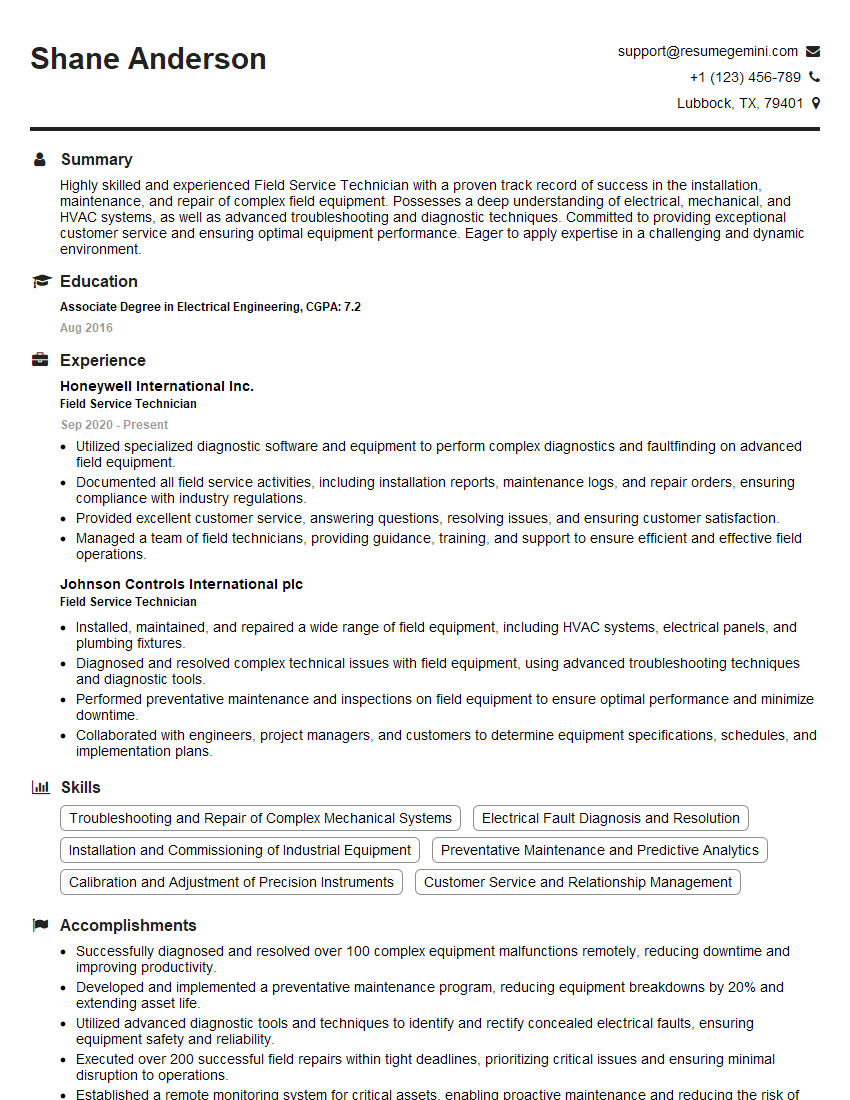
Field Service Technician Resume Sample

Fiber Optic Technician Resume Sample

IT Support Specialist Resume Sample
Explore more articles
Users Rating of Our Blogs
Share Your Experience
We value your feedback! Please rate our content and share your thoughts (optional).
What Readers Say About Our Blog
Very informative content, great job.
good