Preparation is the key to success in any interview. In this post, we’ll explore crucial Telephony and VoIP interview questions and equip you with strategies to craft impactful answers. Whether you’re a beginner or a pro, these tips will elevate your preparation.
Questions Asked in Telephony and VoIP Interview
Q 1. Explain the difference between PSTN and VoIP.
The Public Switched Telephone Network (PSTN) and Voice over Internet Protocol (VoIP) are two fundamentally different ways of making phone calls. The PSTN is the traditional telephone system, a global network of interconnected copper wires and fiber optic cables. It relies on circuit switching, meaning a dedicated physical connection is established between two callers for the duration of the call. Think of it like a dedicated highway built just for your car. VoIP, on the other hand, uses the internet (or other IP networks) to transmit voice data as packets, similar to how emails or web pages are transmitted. Instead of a dedicated connection, VoIP uses a shared network infrastructure. This is more like driving on a busy freeway – everyone shares the same lanes.
In simple terms, PSTN uses physical lines and circuit switching, while VoIP uses the internet and packet switching. This fundamental difference leads to significant variations in cost, scalability, and features.
Q 2. Describe the SIP protocol and its role in VoIP.
Session Initiation Protocol (SIP) is a signaling protocol used for initiating, managing, and terminating real-time sessions, primarily voice and video calls, over an IP network. It’s the backbone of most VoIP systems. Imagine it as the receptionist at a large office; it handles all the calls, directing them to the right person or extension, and managing call details. SIP manages everything from initial call setup (inviting a party to a call) to call features like transferring calls or putting a call on hold. It doesn’t actually transmit the voice data itself; instead, it instructs the network on where to send the voice data packets, ensuring they reach the intended recipient.
SIP uses text-based commands to communicate between VoIP devices, such as phones and servers. A typical SIP interaction involves several steps, including sending an INVITE message to initiate a call, negotiating parameters like codec and bandwidth, establishing a session, and finally sending a BYE message to end the call.
Example SIP message: INVITE sip:user@example.com SIP/2.0Q 3. What are the advantages and disadvantages of VoIP compared to traditional telephony?
VoIP offers several advantages over traditional telephony, but also comes with its own set of drawbacks.
- Advantages:
- Cost Savings: VoIP significantly reduces long-distance and international call costs. No more per-minute charges!
- Flexibility and Scalability: Easily add or remove users and features. VoIP is highly scalable to accommodate growing businesses.
- Enhanced Features: VoIP offers a wide array of advanced features like call recording, voicemail-to-email, video conferencing, and integration with CRM systems, all often included at no extra cost.
- Remote Work Capabilities: Access business phone systems from anywhere with an internet connection.
- Disadvantages:
- Dependence on Internet Connectivity: VoIP relies on a stable internet connection. Poor internet connectivity directly impacts call quality.
- Power Outages: If the internet and power go out, calls are unavailable.
- Security Concerns: VoIP systems are vulnerable to hacking and other security threats if not properly secured.
- Initial Setup Costs: While long-term costs are usually lower, initial setup can sometimes require an investment in new equipment and software.
- Quality Issues: Latency, jitter, and packet loss can degrade call quality, resulting in poor audio. Quality depends heavily on network conditions.
Q 4. How does QoS impact VoIP performance?
Quality of Service (QoS) is crucial for VoIP performance. QoS is a set of techniques that prioritize VoIP traffic over other network traffic to ensure consistent and reliable communication. Without QoS, VoIP calls can be interrupted by competing traffic such as video streaming or large file downloads. Think of it as giving VoIP calls a fast lane on the internet highway. QoS mechanisms manage network congestion and prioritize VoIP packets to minimize latency, jitter (variation in packet arrival times), and packet loss.
Implementing QoS involves various techniques, such as marking VoIP packets with specific priority tags (DiffServ), reserving bandwidth for VoIP traffic (IntServ), and employing traffic shaping to control the rate of data flow. Proper QoS configuration is essential for maintaining acceptable call quality, especially in busy networks.
Q 5. Explain the concept of codecs and their importance in VoIP.
Codecs are algorithms that compress and decompress audio data in VoIP systems. They are fundamental to VoIP because they enable efficient transmission of voice data over IP networks. Without compression, the sheer volume of voice data would overwhelm network bandwidth. Codecs convert analog voice signals into digital data for transmission, and then convert the digital data back into analog signals for playback. Think of them as translators for your voice data.
Different codecs offer varying levels of compression and quality. High-quality codecs produce better audio but require higher bandwidth, while low-quality codecs compromise audio quality for lower bandwidth requirements. Common codecs include G.711 (PCM), G.729, and Opus. The choice of codec depends on the network conditions and the desired balance between quality and bandwidth.
Q 6. What are some common VoIP security threats and how can they be mitigated?
VoIP systems are susceptible to several security threats, including:
- Eavesdropping: Unauthorized listening to calls.
- Call spoofing: Masking the caller ID to appear as a legitimate number.
- Denial-of-service (DoS) attacks: Overwhelming the VoIP system with traffic to make it unavailable.
- Man-in-the-middle (MitM) attacks: Interception of calls to eavesdrop or manipulate communication.
- Unauthorized access: Gaining unauthorized access to the VoIP system to make unauthorized calls or modify configurations.
Mitigation strategies include:
- Strong passwords and authentication: Use strong, unique passwords and multi-factor authentication.
- Encryption: Employ secure protocols like SRTP (Secure Real-time Transport Protocol) to encrypt voice traffic.
- Firewalls and intrusion detection systems: Implement firewalls to filter unwanted traffic and intrusion detection systems to identify and respond to attacks.
- Regular security updates: Keep VoIP software and hardware updated with the latest security patches.
- Access control lists (ACLs): Restrict access to the VoIP system to authorized users only.
Q 7. Describe your experience with troubleshooting VoIP call quality issues.
My experience with troubleshooting VoIP call quality issues involves a systematic approach. I typically start by gathering information from the user, focusing on the specific symptoms and the frequency of the problem. Then I systematically check these areas:
- Network Connectivity: Assess the user’s internet connection, checking for bandwidth availability, latency, jitter and packet loss using tools like ping and traceroute. I would verify proper QoS settings are in place. A weak or congested network is the most common culprit.
- Codec Selection: Incorrect codec selection or incompatibility can lead to poor audio. I’d examine the codecs being used, and try alternatives if necessary.
- Device Configuration: Verify proper settings on the VoIP phone itself, including network configuration and any relevant settings within the VoIP system.
- VoIP System Configuration: Check server settings, ensure proper provisioning and configuration of the VoIP system, and check for any error logs or alerts.
- Hardware Issues: If the problem is isolated to a specific phone, there might be a hardware failure. I would test with a different device to rule this out.
For example, in one instance, I found a user experiencing poor call quality due to excessive network congestion caused by a large file download. Implementing QoS rules resolved the issue. In another case, misconfigured network settings on the user’s VoIP phone were responsible. Correcting those settings immediately resolved the call quality problems.
Q 8. What are the different types of VoIP deployments (e.g., on-premise, cloud-based)?
VoIP deployments can be broadly categorized into on-premise, cloud-based, and hybrid models. Each offers different levels of control, cost, and scalability.
- On-Premise: In this model, all VoIP infrastructure – servers, software, and hardware – resides within your organization’s physical location. This provides maximum control but requires significant upfront investment and ongoing IT maintenance. Think of it like having your own private telephone exchange, offering complete customization but demanding a dedicated team to manage it. An example might be a large corporation setting up its own PBX system using hardware from Cisco or Avaya.
- Cloud-Based (Hosted): This approach leverages a third-party provider’s infrastructure. Your organization accesses the VoIP service over the internet, eliminating the need for on-site hardware and reducing IT overhead. It’s like renting your telephone system instead of buying and maintaining it; it’s often more cost-effective for smaller businesses and those lacking dedicated IT staff. Services like RingCentral or 8×8 fall under this category.
- Hybrid: A hybrid deployment combines aspects of both on-premise and cloud-based models. This might involve using a cloud-based service for some users while retaining on-premise systems for sensitive data or specific functionalities. This offers flexibility and allows organizations to tailor their solution to specific needs. For instance, a company could host its core PBX on-premise while using a cloud-based service for remote workers.
Q 9. Explain your understanding of Session Border Controllers (SBCs).
A Session Border Controller (SBC) is a crucial security and control device in VoIP deployments. It acts as a gateway between your private network and the public internet, protecting your network from unauthorized access and ensuring quality of service (QoS). Think of it as a highly secure and sophisticated bouncer at the entrance of your VoIP system.
SBCs perform several key functions, including:
- Security: They filter traffic, prevent denial-of-service attacks, and enforce security policies, safeguarding your network from malicious actors. They do this using firewalls, encryption (like SRTP/TLS), and authentication mechanisms.
- Signaling Mediation: They translate signaling protocols between different VoIP platforms, enabling interoperability. For instance, an SBC can translate SIP messages between your internal Cisco system and an external Avaya system.
- Media Transcoding/Conversion: They can convert codecs (audio compression algorithms), enabling compatibility between different devices and networks. This ensures seamless communication even if different parties use incompatible audio technologies.
- QoS Management: SBCs prioritize VoIP traffic, ensuring voice calls receive sufficient bandwidth, even during periods of network congestion.
Without an SBC, your VoIP system would be vulnerable to various attacks and interoperability issues would become significantly more challenging.
Q 10. How do you handle VoIP integration with existing telephony systems?
Integrating VoIP with existing telephony systems often involves a phased approach, carefully considering the existing infrastructure and business needs. This might involve using gateways, adapters, or other intermediary systems. For instance, a common scenario is integrating a new VoIP system with an older PBX system still in use.
The integration process typically includes:
- Assessment: A thorough assessment of the current telephony system is vital to understand its capabilities and limitations. This includes identifying the types of lines used (PSTN, ISDN), the existing PBX features, and the number of users.
- Technology Selection: The choice of integration technology depends on the specifics of the legacy system and the new VoIP platform. Options include using an analog telephone adapter (ATA), a digital gateway, or an E1/T1 gateway. The right choice depends on the compatibility of the involved systems.
- Configuration: Appropriate configuration of the chosen technology is crucial for ensuring seamless communication. This involves setting up trunks, configuring routing rules, and testing connectivity.
- Migration Planning: A detailed migration plan is essential, outlining the steps to transfer users, phone numbers, and features from the old system to the new VoIP system. A phased rollout is often preferred to minimize disruption.
- Testing and Training: Thorough testing is vital to identify and resolve any compatibility or configuration issues. User training is necessary to familiarize staff with the new VoIP system and its features.
Q 11. What are some common VoIP call routing strategies?
VoIP call routing strategies determine how incoming and outgoing calls are handled. The complexity of these strategies varies depending on the size and requirements of the organization.
- Direct Inward Dialing (DID): Each user has a unique phone number, directly routing calls to their extension. This is simple and efficient for smaller organizations.
- Hunt Groups: Multiple extensions are grouped together, and incoming calls are distributed amongst them. This distributes call load and ensures efficient handling of calls, especially during peak times. This is common in call centers.
- Automatic Call Distributor (ACD): This sophisticated system routes calls to available agents based on predefined criteria, such as skill level or call type. This is essential for optimizing call handling in larger contact centers.
- Interactive Voice Response (IVR): An automated system interacts with callers, providing information, directing calls to the appropriate departments, or collecting data. This improves efficiency and reduces call handling time.
- Least Cost Routing (LCR): This approach routes calls through the least expensive path, often using a combination of VoIP providers and traditional PSTN lines. This is important for optimizing telecommunications costs.
Q 12. Describe your experience with VoIP call recording and archiving.
VoIP call recording and archiving are essential for compliance, security, and quality monitoring. I have extensive experience implementing and managing these systems, ensuring they meet regulatory requirements and business needs.
My experience includes:
- Choosing the right recording platform: Selecting a system that integrates seamlessly with the existing VoIP infrastructure and meets security and scalability requirements is critical.
- Ensuring legal compliance: Call recordings should adhere to all relevant regulations, such as GDPR or HIPAA, including informing parties of recording and obtaining consent where needed.
- Secure storage and retrieval: Implementing secure storage and retrieval mechanisms is vital for protecting sensitive information, often involving encryption and access controls.
- Quality Monitoring and analysis: Using recordings for quality assurance purposes, identifying areas for improvement in agent performance and customer service.
- Integration with other systems: Seamless integration of call recording with CRM systems or other business applications to enhance productivity and decision-making.
Q 13. What is your experience with various VoIP platforms (e.g., Cisco, Avaya, Asterisk)?
I have worked extensively with various VoIP platforms, including Cisco, Avaya, and Asterisk. Each platform offers unique features and capabilities, catering to different needs and organizational sizes.
- Cisco: Known for its robust and scalable solutions, particularly well-suited for large enterprises with complex telephony requirements. I’ve worked on deploying and managing Cisco Unified Communications Manager (CUCM) and other related products.
- Avaya: Avaya provides a range of solutions, including on-premise and cloud-based options. I have experience configuring and troubleshooting Avaya Aura Communication Manager.
- Asterisk: This open-source platform offers flexibility and cost-effectiveness, ideal for smaller organizations or those requiring customized solutions. I have hands-on experience deploying and managing Asterisk-based systems, including custom configuration and integration with other applications.
My experience spans across different versions and configurations of these platforms, allowing me to adapt quickly to diverse environments and address varied challenges effectively.
Q 14. Explain your understanding of VoIP scalability and how to plan for growth.
VoIP scalability is crucial for accommodating future growth and ensuring seamless operation as the number of users and call volume increases. Planning for scalability involves considering several factors.
Key aspects of VoIP scalability planning include:
- Network Infrastructure: Ensuring sufficient bandwidth and network capacity to handle increased call volume and data traffic. This might involve upgrading network hardware or optimizing network configuration.
- Server Capacity: Selecting VoIP servers and applications that can handle anticipated growth. This often involves choosing solutions that allow for easy upgrades and scaling.
- Database Design: Designing a database that can efficiently store and retrieve increasing amounts of data. This includes considerations for database optimization and replication.
- Redundancy and High Availability: Implementing redundant systems and failover mechanisms to ensure uninterrupted service, even in case of hardware or software failure. This is critical for ensuring business continuity.
- Modular Design: Choosing a VoIP solution with a modular design allows for incremental scaling as needed, avoiding costly overprovisioning.
Proper scalability planning prevents performance bottlenecks and ensures that the VoIP system can adapt to changing business requirements without significant disruption.
Q 15. How do you ensure the security of VoIP networks?
Securing a VoIP network is paramount, as it handles sensitive voice communications. It’s a multi-layered approach combining network security best practices with VoIP-specific measures.
- Strong Authentication and Authorization: Implement robust password policies, multi-factor authentication (MFA), and role-based access control (RBAC) to restrict access to sensitive VoIP infrastructure components. Think of this as locking your front door and only giving keys to trusted individuals.
- Firewalls and Network Segmentation: Deploy firewalls to control traffic in and out of your VoIP network, isolating it from other parts of your network. Imagine this as creating a separate, secure room for your valuable VoIP equipment.
- Encryption: Employ strong encryption protocols like SRTP (Secure Real-time Transport Protocol) to protect voice data in transit and protect against eavesdropping. This is like encrypting sensitive documents before sending them across insecure channels.
- Regular Security Audits and Penetration Testing: Regularly assess your VoIP system’s security posture through vulnerability scans and penetration testing to proactively identify and address weaknesses. This is like having a professional security inspection done on your building regularly.
- Secure VoIP Devices: Choose VoIP phones and gateways from reputable vendors with strong security features and regular firmware updates. Outdated firmware is like having an unlocked backdoor for intruders.
- Intrusion Detection and Prevention Systems (IDS/IPS): Monitor your VoIP network for suspicious activity. IDS/IPS systems can detect and prevent attacks like denial-of-service (DoS) attempts or unauthorized access attempts. This is like having security cameras and alarms to detect and deter intruders.
- Secure Call Management: Implementing measures like call detail record (CDR) logging and monitoring helps in tracking calls and identifying potentially malicious activity. Think of this as keeping a log of who entered and exited your building.
By combining these strategies, we build a robust defense against common VoIP threats like eavesdropping, unauthorized access, and denial-of-service attacks.
Career Expert Tips:
- Ace those interviews! Prepare effectively by reviewing the Top 50 Most Common Interview Questions on ResumeGemini.
- Navigate your job search with confidence! Explore a wide range of Career Tips on ResumeGemini. Learn about common challenges and recommendations to overcome them.
- Craft the perfect resume! Master the Art of Resume Writing with ResumeGemini’s guide. Showcase your unique qualifications and achievements effectively.
- Don’t miss out on holiday savings! Build your dream resume with ResumeGemini’s ATS optimized templates.
Q 16. What are the key performance indicators (KPIs) you monitor in a VoIP environment?
Key Performance Indicators (KPIs) for VoIP are crucial for ensuring quality and performance. They are essentially metrics that tell us how well the system is functioning.
- Call Completion Rate (CCR): The percentage of calls successfully completed. Low CCR indicates potential network issues or configuration problems. A high CCR is our goal.
- Call Abandonment Rate (CAR): The percentage of calls abandoned before connecting. High CAR often points to call queue issues or long wait times. Aiming for a low CAR is crucial for customer satisfaction.
- Average Call Handling Time (AHT): The average duration of a call. Tracking this helps in identifying areas for efficiency improvements in call handling.
- Jitter: Variation in the delay of data packets. High jitter leads to poor call quality, characterized by choppy audio. This is a critical VoIP-specific metric.
- Packet Loss: The percentage of data packets lost during transmission. High packet loss results in audio dropouts and poor call quality. This is a strong indicator of network instability.
- MOS (Mean Opinion Score): A subjective quality rating of audio calls, ranging from 1 (bad) to 5 (excellent). MOS gives an overall indication of call quality from a user’s perspective.
- CPU and Memory Utilization: Monitoring server resources helps in identifying potential bottlenecks and capacity planning. Keeping these low ensures optimal performance.
By regularly monitoring these KPIs, we can proactively identify and resolve issues, maintaining a high-quality VoIP service for users.
Q 17. Describe your experience with VoIP maintenance and support.
My VoIP maintenance and support experience spans several years, encompassing diverse scenarios from small office deployments to large enterprise-level networks. I’ve handled everything from troubleshooting individual user issues to managing large-scale system upgrades.
- Proactive Maintenance: I prioritize proactive maintenance, including regular firmware updates, security patching, and performance monitoring to prevent issues before they impact users. This approach, like regular car servicing, prevents major breakdowns.
- Troubleshooting and Diagnostics: I’m adept at using various diagnostic tools (e.g., network analyzers, VoIP call tracing tools) to quickly pinpoint the root cause of issues, whether it’s a network problem, a faulty device, or a configuration error.
- User Support: I provide clear and concise technical support to end-users, guiding them through basic troubleshooting steps and escalating complex issues as needed.
- Documentation and Knowledge Base: I maintain comprehensive documentation of the VoIP infrastructure, including configurations, troubleshooting steps, and frequently asked questions (FAQs). This ensures consistency and enables efficient knowledge transfer.
- Capacity Planning: I’ve been involved in capacity planning exercises to ensure the VoIP infrastructure can handle growth in the number of users and calls.
One example involves a recent incident where a sudden increase in call abandonment was detected. By analyzing call detail records and monitoring network performance, we identified a bottleneck in our call queue server. A timely upgrade resolved the issue, restoring service and maintaining customer satisfaction.
Q 18. Explain your experience with different VoIP signaling protocols.
My experience with VoIP signaling protocols includes extensive work with SIP (Session Initiation Protocol) and H.323. SIP has become the dominant protocol due to its flexibility and scalability.
- SIP (Session Initiation Protocol): I’m proficient in configuring and troubleshooting SIP-based VoIP systems, including understanding SIP message flows, registration processes, and various SIP features like call forwarding and call waiting. I’ve worked with various SIP proxy servers, registrars, and user agents.
- H.323: While less prevalent now, I have experience with H.323, understanding its call setup and control mechanisms. This knowledge is valuable when dealing with legacy systems or integrating with specific H.323 gateways.
- MGCP (Media Gateway Control Protocol): I am familiar with MGCP, a protocol used for controlling media gateways. This protocol is essential for understanding interoperability between different VoIP systems and traditional PSTN networks.
I understand the nuances of each protocol, including their strengths and weaknesses. This allows me to choose the appropriate protocol based on the specific requirements of the project and to effectively troubleshoot interoperability issues between different vendors’ equipment.
Q 19. What is your experience with managing VoIP infrastructure?
My VoIP infrastructure management experience encompasses various aspects of design, deployment, and ongoing management of VoIP systems. This includes both on-premise and cloud-based solutions.
- Network Design and Planning: I have designed and implemented VoIP networks, considering factors such as bandwidth requirements, QoS (Quality of Service) settings, and security best practices. This involves carefully planning network infrastructure to ensure optimal VoIP performance.
- Deployment and Configuration: I have experience deploying and configuring various VoIP components, including PBX systems, IP phones, gateways, and call recording systems. This involves detailed knowledge of network configuration and VoIP system settings.
- System Monitoring and Maintenance: I’m experienced in using monitoring tools to track system performance, identify potential problems, and proactively address issues. This ensures continued uptime and optimal performance of the VoIP system.
- Troubleshooting and Problem Solving: I effectively resolve a wide range of VoIP issues, from basic user problems to complex network problems. This experience is gained from years of hands-on work and problem solving.
- Scalability and Capacity Planning: I consider future growth needs when designing and managing VoIP infrastructures. This allows for efficient scaling as user numbers and call volume increase.
In a recent project, I led the migration of a company’s VoIP system to a cloud-based solution. This involved careful planning, testing, and coordination to minimize disruption to users during the transition. The project was successfully completed on time and under budget.
Q 20. How would you approach diagnosing a VoIP connectivity issue?
Diagnosing a VoIP connectivity issue requires a systematic approach, combining technical expertise with careful observation. It’s like detective work, following clues to find the culprit.
- Gather Information: Start by collecting information from the affected user(s), including the nature of the problem, when it started, and any error messages received. This provides valuable context.
- Check Basic Connectivity: Verify the user’s network connection, ensuring they have internet access and a stable connection. A simple ping test to the VoIP server is a good first step.
- Inspect VoIP Phone Configuration: Ensure the VoIP phone is correctly configured, including the IP address, subnet mask, gateway, and DNS server settings. A misconfiguration is a common cause.
- Analyze Call Detail Records (CDRs): Examine CDRs to identify patterns and potential problems. This data provides valuable insights into call attempts, failures, and durations.
- Check Network Performance: Monitor network performance metrics like jitter, packet loss, and latency. High jitter or packet loss often indicate network problems.
- Use Network Monitoring Tools: Employ network monitoring tools such as Wireshark to capture and analyze network traffic, identifying potential bottlenecks or connectivity problems. This helps in pinpointing the exact location of the issue.
- Verify VoIP Server Status: Check the status of the VoIP server itself, ensuring it’s running and accessible. This might involve checking its logs and system status.
- Test with a Different Device: If the problem appears to be with the phone itself, test with a different VoIP phone to rule out hardware issues.
By following this systematic approach, I can effectively identify the root cause of VoIP connectivity problems, from simple configuration errors to complex network issues.
Q 21. How familiar are you with different types of VoIP gateways?
VoIP gateways are essential for connecting VoIP networks to traditional PSTN (Public Switched Telephone Network) or other VoIP systems. My experience encompasses several types.
- Analog Gateways: These connect analog phones (like traditional landlines) to a VoIP network. I’ve worked with gateways supporting FXS (Foreign Exchange Station) and FXO (Foreign Exchange Office) interfaces.
- Digital Gateways: These connect digital phone systems (like ISDN) to a VoIP network using interfaces like BRI (Basic Rate Interface) and PRI (Primary Rate Interface).
- Media Gateways: These are more complex devices that handle the conversion of audio codecs between different systems. They’re crucial for interoperability.
- Session Border Controllers (SBCs): These are advanced gateways providing security and network address translation (NAT) traversal, protecting VoIP networks from security threats and ensuring connectivity across different networks. I’ve configured SBCs to secure VoIP connections and improve call quality.
Understanding the capabilities and limitations of each gateway type is critical for designing and maintaining a robust and interoperable VoIP infrastructure. I’ve successfully integrated various gateway types into VoIP systems, ensuring seamless communication between different technologies.
Q 22. Describe your experience with VoIP integration with CRM systems.
Integrating VoIP with CRM systems significantly enhances customer interaction and operational efficiency. This integration allows for features like click-to-dial, call logging directly into customer records, and real-time call tracking. I’ve worked extensively with various CRM platforms, including Salesforce and HubSpot, integrating them with several VoIP providers like RingCentral and 8×8.
For example, in a previous role, we integrated our VoIP system with Salesforce to automate outbound calls. Sales representatives could click a button within a customer’s record in Salesforce, initiating an outbound call through our VoIP system. The call was automatically logged with timestamps and associated with the specific customer record, improving call tracking and analysis. We also used this integration to trigger automated call recordings based on certain criteria, helping us analyze sales interactions and improve sales performance. The implementation involved configuring APIs (Application Programming Interfaces) between the CRM and VoIP systems, often requiring custom development or utilizing pre-built connectors.
Challenges often involve data mapping between systems, ensuring consistent data flow, and managing potential integration complexities. Careful planning, clear documentation, and thorough testing are critical to successful implementation.
Q 23. How do you handle VoIP call routing during outages?
Handling VoIP call routing during outages requires a robust failover strategy. This generally involves redundancy at multiple levels. The simplest approach is using a geographically diverse VoIP provider with multiple points of presence. If one location fails, calls automatically route to another. Think of it like having two separate phone lines – if one goes down, the other picks up the calls.
More sophisticated solutions involve integrating with a traditional PSTN (Public Switched Telephone Network) backup. During a VoIP outage, calls can be seamlessly redirected to traditional phone lines, ensuring minimal disruption. This might involve using a Session Border Controller (SBC) that monitors the VoIP system’s status and automatically switches to the PSTN in case of a failure. Another strategy is to have a secondary VoIP provider in place. If the primary provider experiences an outage, calls can be rerouted to the secondary provider.
The key is to ensure a seamless transition with minimal downtime. Regular testing of the failover mechanisms is crucial to validate their effectiveness. Planning should also include considerations for notification systems, alerting administrators of outages and the status of the failover process.
Q 24. Explain your experience with VoIP capacity planning.
VoIP capacity planning is a critical process that ensures your system can handle current and future call volume and other VoIP-related traffic. It involves analyzing several key factors, such as the number of concurrent calls, bandwidth requirements, call duration, and the types of VoIP services being offered (e.g., video conferencing, call recording).
My approach typically involves a three-step process: First, I analyze historical call data to determine peak call times and average call duration. This data helps predict future needs. Second, I build a model that projects future call volumes based on business growth projections. Third, I select hardware and software solutions capable of handling the projected call volume, with some built-in scalability and capacity for future growth. This may involve selecting the appropriate VoIP system architecture, the number of concurrent call licenses, and sufficient bandwidth capacity. I’ll consider factors like call quality and potential for future expansion.
For instance, if a company is experiencing rapid growth and anticipates a significant increase in call volume, capacity planning ensures that the VoIP system can handle the increased load without compromising call quality or causing outages. Underestimating capacity can result in dropped calls and poor customer experience, while overestimating can lead to unnecessary expenses.
Q 25. What are the benefits and challenges of using a cloud-based VoIP solution?
Cloud-based VoIP solutions offer several benefits, including cost savings, scalability, and accessibility. The cost savings come from eliminating the need for expensive on-premise hardware and IT infrastructure. Scalability allows for easy adjustments to the number of users and features as needed, without significant upfront investment. Accessibility allows employees to access their phone systems from anywhere with an internet connection.
However, cloud-based solutions also present challenges. Dependency on a stable internet connection is crucial; outages can severely impact communication. Security concerns related to data stored in the cloud also need careful consideration. Lastly, depending on the specific provider, features and customization options may be limited compared to on-premise solutions.
For example, a small business might benefit greatly from a cloud-based VoIP solution due to its affordability and ease of management. However, a large enterprise with stringent security requirements might opt for a hybrid or on-premise solution to maintain greater control over its data and infrastructure.
Q 26. Describe your experience with migrating from traditional telephony to VoIP.
Migrating from traditional telephony to VoIP involves a well-planned approach to minimize disruption and ensure a smooth transition. The process typically involves a detailed assessment of the existing telephony infrastructure and requirements, followed by selecting an appropriate VoIP solution.
The key steps usually include: 1. Needs assessment: defining the organization’s communication requirements and identifying features required in the new VoIP system. 2. System selection: choosing a VoIP provider and system that meets the defined needs. 3. Implementation planning: Developing a detailed implementation plan, including timelines, resource allocation, and communication strategies. 4. Number porting: transferring existing phone numbers to the new VoIP system. 5. System testing: conducting thorough testing to ensure functionality and call quality. 6. Go-live and training: launching the new system and providing user training. 7. Post-implementation support: providing ongoing support and maintenance to address any issues.
In one project, we migrated a large call center from a traditional PBX to a cloud-based VoIP solution. Careful planning and phasing helped minimize disruption. We started by migrating a small portion of the call center, testing the system thoroughly before migrating the rest. We also provided extensive training to the call center agents, ensuring a smooth transition to the new system.
Q 27. How do you stay up-to-date with the latest advancements in VoIP technology?
Staying current with VoIP advancements requires a multi-faceted approach. I regularly read industry publications, attend conferences and webinars, and actively participate in online communities and forums. This gives me exposure to the latest technologies, trends, and best practices.
Specifically, I follow industry publications such as VoIP-Info.com and No Jitter, and participate in online communities focused on VoIP technology. Attending conferences such as Enterprise Connect helps me network with other professionals and learn about new products and solutions. I also maintain contact with vendors and actively seek out information on new product releases and updates from major VoIP providers.
Furthermore, I actively seek out certifications to demonstrate and maintain my expertise in the field. Certifications from organizations like Cisco and Avaya provide valuable credentials and keep me abreast of the most current technologies and best practices. This commitment to continuous learning ensures I am equipped to provide my clients with the most up-to-date and effective solutions.
Key Topics to Learn for Telephony and VoIP Interview
- Fundamentals of Telephony: Understand the basic architecture of a traditional telephone system, including PSTN, switching techniques (circuit switching), and signaling protocols.
- VoIP Fundamentals: Grasp the core concepts of Voice over Internet Protocol, including codecs (G.711, G.729), session initiation protocol (SIP), and VoIP architectures (e.g., peer-to-peer, server-based).
- Network Protocols: Become familiar with relevant network protocols like TCP/IP, UDP, and RTP, understanding their roles in VoIP communication and troubleshooting network issues.
- Quality of Service (QoS): Learn how QoS mechanisms ensure optimal voice quality over IP networks, including concepts like jitter buffering, packet loss concealment, and bandwidth management.
- Security in VoIP: Explore security threats and solutions in VoIP, such as SRTP (Secure RTP), TLS (Transport Layer Security), and firewalls, emphasizing practical implications.
- Practical Applications: Understand the deployment and management of VoIP systems, including PBX (Private Branch Exchange) systems, VoIP gateways, and call routing strategies.
- Troubleshooting and Problem Solving: Develop skills in diagnosing and resolving common VoIP issues, such as call quality problems, connectivity problems, and SIP signaling errors. Practice using common diagnostic tools.
- Cloud-Based VoIP Solutions: Familiarize yourself with popular cloud-based VoIP platforms and their features, including scalability, cost-effectiveness, and management aspects.
- Emerging Technologies: Explore emerging trends like WebRTC, Unified Communications as a Service (UCaaS), and the convergence of VoIP with other communication technologies.
Next Steps
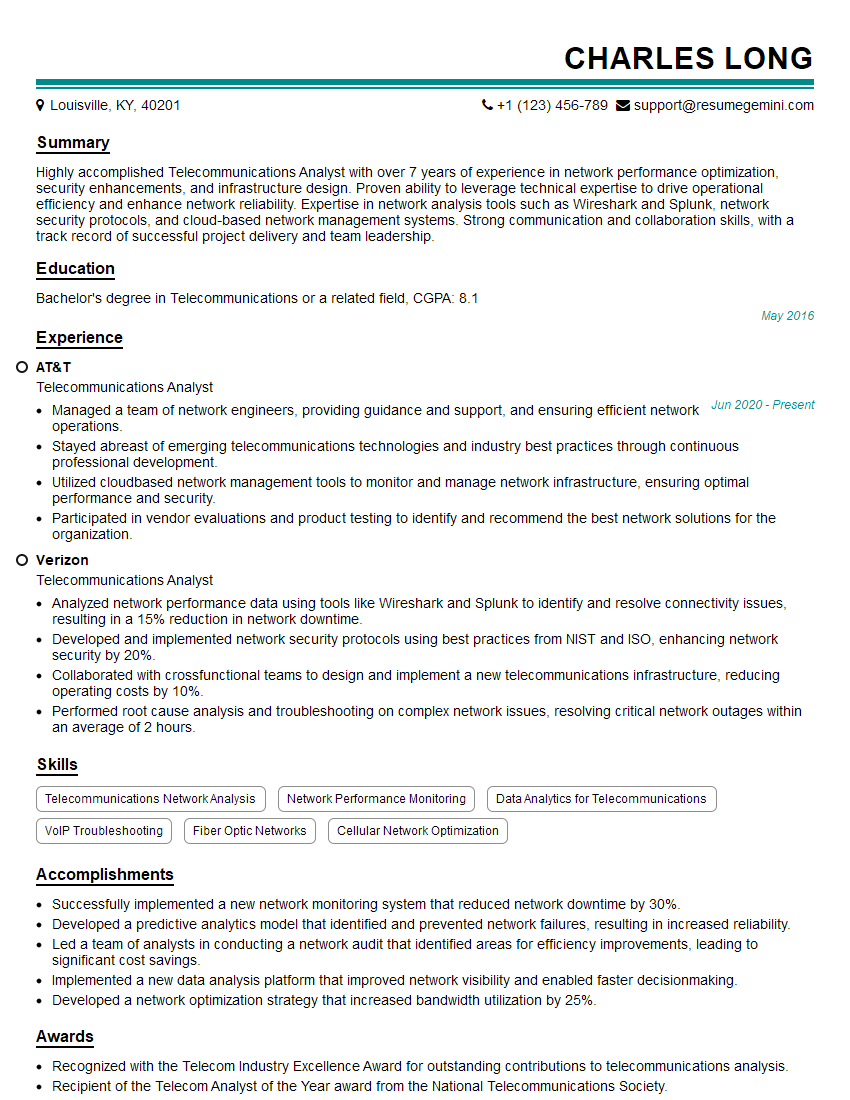
Mastering Telephony and VoIP opens doors to exciting career opportunities in a rapidly growing field. These skills are highly sought after in IT, telecommunications, and numerous other industries. To maximize your job prospects, creating a strong, ATS-friendly resume is crucial. ResumeGemini can help you build a professional resume that highlights your skills and experience effectively. Take advantage of their tools and resources, including examples of resumes tailored to Telephony and VoIP roles, to present yourself in the best possible light to potential employers.

Explore more articles
Users Rating of Our Blogs
Share Your Experience
We value your feedback! Please rate our content and share your thoughts (optional).
What Readers Say About Our Blog
Very informative content, great job.
good