The right preparation can turn an interview into an opportunity to showcase your expertise. This guide to Understanding of printing inks and paper stocks interview questions is your ultimate resource, providing key insights and tips to help you ace your responses and stand out as a top candidate.
Questions Asked in Understanding of printing inks and paper stocks Interview
Q 1. Explain the difference between CMYK and Pantone color systems.
CMYK and Pantone are two fundamentally different color systems used in printing. CMYK, or Cyan, Magenta, Yellow, and Key (black), is a subtractive color model. It works by mixing different percentages of these four inks to create a wide range of colors. Think of it like painting; you start with a white canvas and add colors to subtract from the white light.
Pantone, on the other hand, is a spot color system. Each Pantone color is pre-mixed and has a specific formula. It’s like having a palette of already-mixed paints. This ensures consistent color reproduction across different printing jobs and printers.
The key difference lies in their application: CMYK is ideal for full-color images and designs where smooth color gradients are needed. Pantone is best for logo printing, where precise color matching is paramount, or for specific brand colors that need to be consistent across various print materials. For instance, a company’s logo may be printed in a specific Pantone color for brand consistency, while the rest of the marketing material is printed using CMYK.
Q 2. Describe the various types of printing inks and their applications.
There’s a diverse range of printing inks, each suited for specific applications. Here are a few key types:
- Solvent-based inks: These offer excellent vibrancy and durability, often used for outdoor signage and flexographic printing. They have a strong odor and require specialized ventilation.
- UV-curable inks: These inks cure instantly upon exposure to ultraviolet light, resulting in fast drying times and high scratch resistance. They are ideal for applications demanding immediate handling, like labels and packaging.
- Water-based inks: Environmentally friendly, they are popular for food packaging and publications where odor is a concern. They have lower opacity and vibrancy compared to solvent-based inks.
- Vegetable-based inks: Sustainable option, made from renewable resources. Often used in eco-conscious printing applications.
- Metallic inks: Produce a shiny, metallic effect. Popular for premium packaging and high-end stationery.
The choice of ink depends heavily on the substrate (the material being printed on), the desired print quality, and the environmental impact considerations.
Q 3. What are the key properties of different paper stocks (e.g., coated, uncoated, etc.)?
Paper stocks vary significantly in their properties, affecting print quality and the overall feel of the printed piece. Key types include:
- Coated paper: A smooth surface achieved by applying a coating of clay or other materials. Offers excellent print clarity and vibrant color reproduction. Ideal for high-resolution images and glossy brochures.
- Uncoated paper: Has a natural, porous surface. Provides a more textured feel, offering a subtle, classic look. Better for ink absorption and often used for books, stationery, and business cards where a more luxurious feel is desired.
- Gloss paper: A highly polished coated paper providing a brilliant shine and deep color saturation. Excellent for high-impact images.
- Matte paper: A coated paper with a non-reflective surface, minimizing glare and providing a sophisticated look. Appropriate for documents requiring easy readability.
Each paper type has a distinct set of characteristics in terms of absorbency, smoothness, and opacity (how much the ink shows through the paper).
Q 4. How does paper weight affect print quality and finishing options?
Paper weight, usually measured in GSM (grams per square meter), significantly impacts print quality and finishing options. Heavier paper (higher GSM) provides a more luxurious feel, better opacity, and is more resistant to tearing. It also allows for more sophisticated finishing techniques, such as embossing or die-cutting, which might not be possible on lightweight paper. Lighter paper is often less expensive, but may be prone to show-through and requires more careful handling during printing and finishing.
For example, a business card printed on a heavier paper stock would feel more substantial and professional, whereas a lightweight paper might feel flimsy and cheap. The thickness of the paper will also affect how well the ink adheres to the surface and can affect the longevity of the print.
Q 5. Explain the concept of color gamut and its importance in printing.
Color gamut refers to the range of colors that can be reproduced by a particular printing process. It’s essentially the color space achievable. A wider gamut means a printer can reproduce a broader spectrum of colors, resulting in more accurate color representation. However, each printing method has limitations. For example, CMYK printing has a smaller gamut than Pantone or digital printing.
The importance of color gamut lies in ensuring the printed output matches the designer’s intent. A narrow gamut can lead to dull colors or inaccurate color reproduction, particularly when printing images with vibrant or unusual colors. Understanding the limitations of your printing method and carefully managing color profiles is crucial for achieving desired results.
Q 6. Describe different paper finishes and their impact on print appearance.
Various paper finishes significantly impact the appearance and feel of printed materials. Some common finishes include:
- Gloss: Provides a high shine and vibrant colors, but can be prone to fingerprints.
- Matte: Offers a subtle, non-reflective surface, reducing glare and providing a more sophisticated look.
- Silk: A balance between gloss and matte, providing a smooth surface with a slight sheen.
- Uncoated: A natural, textured finish, ideal for a rustic or handcrafted look.
- Embossed: Creates a raised texture on the paper, adding a tactile element and visual interest.
The choice of paper finish should align with the overall design and intended purpose of the printed piece. A glossy finish might be suitable for a product catalog showcasing vibrant images, while a matte finish might be preferred for a formal business document.
Q 7. What are the common issues encountered during the printing process and how can they be resolved?
Several issues can arise during the printing process. Here are some common ones and their solutions:
- Color inconsistencies: This can be caused by incorrect color profiles, ink imbalances, or variations in paper stock. Solution: Precise calibration of printing equipment, careful color management, and consistent use of paper stock are crucial. Regular color checks and adjustments during the printing process are also important.
- Poor image quality: Low-resolution images or improperly sized artwork can lead to blurry prints. Solution: Use high-resolution images and ensure artwork is properly scaled to the print dimensions.
- Ink smudging or bleeding: This may be due to excessive ink, improper paper choice (e.g., using uncoated paper for high-ink-density areas), or improper drying. Solution: Adjust ink levels, choose appropriate paper stock for the ink type and design, and consider adding drying time or using quick-drying inks.
- Paper jams: Caused by warped or misaligned paper. Solution: Check paper handling procedures, ensure proper paper loading, and address any paper alignment issues.
Proactive preventative measures such as regular maintenance of the printing equipment, using high-quality materials and carefully monitoring the printing process are essential to minimize issues.
Q 8. How do you ensure color consistency across different print runs?
Maintaining color consistency across multiple print runs is crucial for brand identity and product quality. It involves a multi-faceted approach focusing on precise color management throughout the entire process.
Color Calibration: Regular calibration of all printing equipment, including spectrophotometers and colorimeters, is paramount. These devices measure the precise color values and ensure the print output matches the desired specifications. Think of them as the ‘scales’ for our color recipes. Any variance needs immediate attention.
Ink Management: Consistent ink formulation and mixing is vital. Using standardized ink recipes, stored and managed effectively, helps reduce variations. We even monitor ink viscosity to ensure it flows correctly.
Proofing: Producing a hard copy or digital proof before each print run allows for a final color check against the approved design. Soft proofing utilizes software to predict the final result, but a physical proof on the same stock is generally preferred.
Substrate Consistency: Using the same type and batch of paper is critical. Paper can have slight variations in absorbency and texture affecting ink absorption and color appearance. Imagine baking a cake: A different type of pan will change the results!
Press Control: Maintaining consistent press settings, such as ink density, pressure, and speed, throughout the run is essential for repeatable results. This is where the expertise of the press operator comes into play.
By diligently monitoring these factors and implementing quality control measures at each step, we ensure consistency across print runs, avoiding costly reprints and maintaining brand integrity.
Q 9. Explain the importance of proper ink density and dot gain.
Proper ink density and dot gain are fundamental to achieving high-quality prints. Ink density refers to the amount of ink deposited on the paper. Dot gain is the increase in the size of ink dots during the printing process, mainly due to the paper’s absorbency.
Ink Density: Too little ink leads to pale and weak colors, while too much ink can cause muddiness and smearing. We use density targets to optimize color vibrancy and achieve the intended saturation. This is where color profiles are invaluable.
Dot Gain: Dot gain is influenced by factors such as paper type, ink viscosity, and printing pressure. Excessive dot gain can result in loss of detail and sharpness, especially in fine lines and halftones. A perfectly printed image requires careful consideration of the interaction between ink and substrate to minimize this effect.
Precise control over ink density and dot gain is achieved through careful calibration of printing equipment, selection of appropriate inks and paper, and expert press operation. Think of it like painting: The right amount of paint (ink density) applied correctly (dot gain management) creates a masterpiece.
Q 10. What is the role of proofing in the printing process?
Proofing plays a critical role in the printing process by providing a visual representation of the final printed product before the actual printing begins. It allows for color correction, design verification, and detection of potential problems early on.
Digital Proofs: Soft proofs, created on a monitor, offer quick feedback. However, they don’t fully represent the final result due to screen differences. Think of them as a digital sketch.
Hard Copy Proofs: These are physical prints produced using a similar printing process to the actual job (but often smaller), offering a more accurate representation. This is like seeing the actual painting before unveiling the final product.
Proofing Standards: Different proofing standards like ISO 12647 are employed to ensure consistent color rendering across various printing devices and printing houses.
Proof approval is the final go-ahead for the print job. Early proofing prevents costly errors and ensures that the final product meets client expectations. It is a critical step, eliminating surprises and ensuring peace of mind.
Q 11. Describe different types of printing processes (offset, digital, screen, flexo).
Different printing processes offer various advantages and disadvantages depending on the project requirements and budget.
Offset Lithography: This is a high-volume printing method using plates to transfer ink to a rubber blanket, then to the paper. It’s known for high-quality results, consistency, and cost-effectiveness for large runs.
Digital Printing: This method prints directly from a digital file onto paper, excellent for short runs, personalized items, and quick turnaround times. It’s highly versatile but can be more expensive for large volumes.
Screen Printing: Using stencils and ink squeezed through, it’s ideal for thick substrates, fabrics, and unique effects like metallic inks, perfect for high-impact graphics on apparel or merchandise.
Flexography: This uses flexible printing plates and is commonly used for packaging, labels, and flexible materials, particularly adaptable for high-speed printing on various surfaces.
Q 12. What are the advantages and disadvantages of each printing process?
Each printing process has its strengths and weaknesses.
Offset: High quality, consistent color, cost-effective for large runs, but high setup costs and not ideal for short runs or personalized items.
Digital: Fast turnaround, ideal for personalization and short runs, versatile, but more expensive for large runs and sometimes lower print quality compared to offset.
Screen: Thick ink layers, vibrant colors, durable prints on various materials, but slow production speed and high setup costs, not ideal for fine details.
Flexo: High-speed printing, cost-effective for high volumes, versatile substrate options, but print quality can be less crisp than offset or digital in some applications.
Choosing the right process depends on your project’s specific needs, balancing quality, cost, quantity, and turnaround time. It’s often about optimizing cost-effectiveness and desired image quality.
Q 13. How do you determine the appropriate paper stock for a given printing project?
Selecting the right paper stock is critical for print quality, feel, and overall project success. The decision depends on several factors:
Project Type: Brochures require different stocks from business cards or book pages. Consider the project’s intended use and target audience.
Print Process: Offset printing might require coated papers for better ink adhesion, whereas digital printing might be compatible with a wider range of stocks.
Budget: Paper costs vary significantly. Balance quality with budget constraints.
Aesthetic Requirements: Paper texture, weight, and color affect the final look and feel of the printed material. The message and tone are reflected in the paper choice.
Durability: Consider the expected lifespan of the printed material. A sturdy stock is necessary for items that will be frequently handled.
Paper selection often involves testing and sampling various options to find the perfect balance between cost, quality, and overall project needs. It’s like choosing the right fabric for a garment, each one adds a unique touch.
Q 14. Explain the concept of substrate compatibility with various inks.
Substrate compatibility with inks is paramount. It’s about how well the ink interacts with the paper or material. Poor compatibility leads to issues like bleeding, feathering, or poor color accuracy.
Ink Type: Different inks – water-based, solvent-based, UV-curable – have varying properties. Water-based inks work well on absorbent papers but might not be ideal for coated stocks. Solvent-based inks are suitable for a wider range of materials but have environmental considerations.
Paper Coating: Coated papers offer better ink adhesion and sharper prints compared to uncoated papers. The type of coating affects ink absorption and color reproduction. Coated papers generally deliver crisper results.
Paper Porosity: Highly porous papers absorb ink quickly, leading to potential color variations and dot gain. Less porous papers retain ink on the surface, leading to sharper and more vibrant prints.
Testing: Prior to large-scale printing, it’s essential to perform tests with the chosen ink and paper combination to assess compatibility and ensure optimal results. This eliminates unpleasant surprises later on.
Substrate compatibility isn’t just about visual appeal; it directly impacts the durability and longevity of the printed product. It ensures the final piece lasts and looks good, justifying the cost and effort.
Q 15. What are the environmental considerations when choosing inks and paper stocks?
Choosing environmentally friendly inks and paper stocks is crucial for sustainable printing. This involves considering the entire lifecycle, from sourcing raw materials to waste disposal.
- Ink Selection: Vegetable-based inks, soy-based inks, and inks with low volatile organic compounds (VOCs) are better choices than petroleum-based inks. Look for certifications like Forest Stewardship Council (FSC) and Program for the Endorsement of Forest Certification (PEFC) to ensure sustainable sourcing of raw materials for ink production.
- Paper Stock Selection: Opt for paper made from recycled fibers (post-consumer recycled – PCR – is preferable to pre-consumer recycled) or from responsibly managed forests. Look for FSC or PEFC certification on paper. Consider the paper’s weight and thickness; heavier papers often require more resources. Papers with lower chlorine content are also more environmentally friendly.
- Waste Management: Implement processes for recycling paper scraps and disposing of inks responsibly. Explore options for composting vegetable-based inks and partnering with recycling facilities that specialize in printing waste.
For example, a printing project for a green organization should prioritize 100% PCR paper and vegetable-based inks to align with their values and minimize their environmental footprint. Choosing recycled paper reduces deforestation and saves energy compared to virgin pulp paper production.
Career Expert Tips:
- Ace those interviews! Prepare effectively by reviewing the Top 50 Most Common Interview Questions on ResumeGemini.
- Navigate your job search with confidence! Explore a wide range of Career Tips on ResumeGemini. Learn about common challenges and recommendations to overcome them.
- Craft the perfect resume! Master the Art of Resume Writing with ResumeGemini’s guide. Showcase your unique qualifications and achievements effectively.
- Don’t miss out on holiday savings! Build your dream resume with ResumeGemini’s ATS optimized templates.
Q 16. How do you manage color profiles and ICC profiles?
Color management using ICC profiles is essential for consistent color reproduction across different devices and stages of the printing process. ICC (International Color Consortium) profiles are digital files that describe a specific color space. They act as a translator between your design software, your monitor, and your printing press.
- Profile Creation: Accurate profiles are generated using a spectrophotometer to measure the color output of each device. This calibration ensures that the colors seen on screen closely match the printed output.
- Profile Embedding: ICC profiles should be embedded in your design files (e.g., PDF/X-1a for print) and assigned to the correct color spaces (e.g., CMYK for offset printing). This ensures consistency throughout the workflow.
- Profile Management: A good color management system involves regularly calibrating your monitor, printer, and press to maintain accurate color representation and updating profiles as necessary.
Imagine printing a vibrant marketing brochure. If your monitor profile doesn’t match your printer’s profile, the brochure’s colors might be significantly different, leading to costly reprints. Proper color management with ICC profiles prevents this.
Q 17. What is the importance of pre-flighting in the printing process?
Pre-flighting is a crucial step that checks your design file for potential printing problems *before* the actual printing begins. It’s like a final quality check before sending your manuscript to a publisher.
- File Integrity: Pre-flighting software verifies the file’s format, color mode (CMYK vs. RGB), fonts, resolution, bleed, and other crucial elements for print production. It flags potential issues like missing fonts or low-resolution images.
- Color Space Conversion: Pre-flighting helps in converting RGB files to CMYK, ensuring color accuracy during printing. This process often requires the correct ICC profile assignment.
- Error Prevention: By catching errors early, pre-flighting saves time and money by avoiding costly reprints and delays.
For example, if your pre-flight check identifies a missing font, you can replace it before sending the file to print, preventing production delays and ensuring the correct fonts are used.
Q 18. How do you troubleshoot common printing defects (e.g., banding, mottle, etc.)?
Troubleshooting printing defects requires a systematic approach. Let’s consider some common defects:
- Banding: Appears as horizontal or vertical streaks of uneven ink density. Causes include ink fountain settings, ink viscosity, improper roller settings, or insufficient ink distribution. Solutions include adjusting ink viscosity, cleaning rollers, and checking the press settings.
- Mottle: Looks like an uneven, blotchy texture. Causes include inconsistent ink distribution, improper paper handling, or variations in paper absorption. Solutions include adjusting ink density, improving paper feeding, and checking for moisture content in the paper.
- Ghosting: A faint, blurry image appearing under the main image. Often caused by the image being too dark or overly saturated. Solutions include adjusting the file, lowering the ink density, or adjusting the printing pressure.
- Hickeys: Small, solid dots of ink on the printed surface. Usually caused by dust or debris on the printing plate or rollers. Solutions involve thorough cleaning of the printing plates and rollers.
Troubleshooting involves careful observation of the defect’s pattern and location to identify the root cause. Systematic elimination of possible causes and targeted adjustments is crucial.
Q 19. Explain the differences between different paper grades (e.g., bond, text, cover).
Paper grades differ significantly in their weight, texture, opacity, and intended use. Here are a few examples:
- Bond: A versatile paper, typically used for stationery, business forms, and letterheads. It’s relatively inexpensive and comes in various weights. Bond paper offers good print quality and is quite durable.
- Text: Lighter weight than bond, text paper is ideal for books, magazines, and other publications requiring a smooth, high-quality finish. It’s smoother than bond, resulting in sharper print and better ink absorption.
- Cover: Heavier weight paper used for covers, brochures, and business cards. Its thickness provides durability and rigidity, making it suitable for applications requiring greater strength.
The choice of paper grade depends heavily on the intended application. A lightweight text paper wouldn’t be suitable for a sturdy business card, while a heavier cover stock might be too expensive for large-volume printing of a magazine.
Q 20. What are the different types of paper coatings and their effects on printability?
Paper coatings significantly impact printability. They modify the paper’s surface properties, affecting ink absorption, gloss, and overall print quality.
- Coated Paper: Has a layer of clay or other coating applied to its surface. This provides a smooth, non-porous surface, enhancing sharpness, and reducing ink feathering. Common types include matte, gloss, and silk coatings.
- Uncoated Paper: Has a natural, porous surface that absorbs ink readily. This often produces a more textured look and feel but can lead to ink feathering, especially with fine details.
- Cast-Coated Paper: A high-quality coated paper with a super-smooth surface, often used for high-end printing like magazines and calendars. This provides superior sharpness and detail in the printed image.
The choice of coating depends on the desired aesthetic and print quality. A glossy coating enhances vibrancy but may reduce text clarity, whereas a matte coating provides a softer, less reflective look.
Q 21. Describe the process of creating a press sheet.
Creating a press sheet involves arranging multiple pages of a document or publication in a specific configuration for efficient printing on a large sheet of paper.
- Imposition Software: Specialized software is used to design the press sheet layout, taking into account page orientation, margins, and the printing process (e.g., perfecting, which involves printing on both sides of the sheet simultaneously).
- Page Sequencing: Pages are arranged in a precise order to ensure they are printed correctly when the sheet is folded and trimmed.
- Bleed and Trim Marks: These are added to the press sheet to account for trimming after printing. Bleed extends the design beyond the trim line, preventing white edges after trimming. Trim marks guide the cutter for accurate trimming.
Imagine printing a 24-page booklet. The pages aren’t printed sequentially on a single sheet. The pages are strategically arranged (imposed) on a larger sheet, which, after printing and folding, forms the complete booklet. A properly designed press sheet is efficient and prevents errors during folding and binding.
Q 22. Explain the importance of maintaining consistent ink viscosity.
Maintaining consistent ink viscosity is paramount in achieving high-quality, uniform prints. Viscosity, or the thickness of the ink, directly impacts its flow, transfer, and ultimately, the appearance of the final product. Inconsistent viscosity leads to variations in color density, dot gain (the spreading of ink dots on the paper), and print sharpness. Think of it like baking a cake – if your batter is too thick, it won’t spread evenly, and if it’s too thin, it will be runny and lack structure. Similarly, ink that’s too thick may not transfer properly to the paper, causing uneven coverage and poor print quality. Ink that’s too thin may lead to bleeding and feathering, where the ink spreads beyond the intended area.
We maintain consistent viscosity through several methods: regular monitoring of ink using viscometers, proper ink mixing and stirring techniques, and careful control of the ambient temperature and humidity in the print room. We also regularly check our press settings to ensure that the ink is being transferred evenly and consistently. For instance, a problem with the ink pump could cause inconsistent viscosity across the printing surface, and we use proactive preventative maintenance to mitigate such issues.
Q 23. What are the challenges in printing on specialty substrates?
Printing on specialty substrates presents unique challenges due to their varied properties. These substrates – such as textured papers, metallic foils, or plastics – often have surfaces that are less porous, more absorbent, or have unique chemical compositions compared to standard offset paper.
- Surface Texture: Textured papers can cause inconsistent ink lay-down, resulting in uneven color distribution and a loss of fine detail.
- Absorbency: Highly absorbent substrates might soak up ink too quickly, reducing color vibrancy and leading to feathering. Conversely, low-absorbency substrates may repel ink, making it difficult to achieve full saturation.
- Chemical Compatibility: Some substrates may react negatively with certain inks, causing discoloration or degradation of the printed image over time. For example, certain inks might not adhere well to plastic film.
- Substrate Stability: The substrate’s dimensional stability, its resistance to changes in temperature and humidity, impacts print accuracy. Some materials can stretch or shrink, distorting the printed image.
Overcoming these challenges requires careful ink selection, precise press adjustments, and often, pre-treatment of the substrate, possibly involving specialized primers or coatings to improve ink adhesion and surface uniformity.
Q 24. How do you handle color discrepancies between proofs and final prints?
Color discrepancies between proofs and final prints are a common concern. To minimize these differences, we employ several strategies. The process begins with meticulous color management from the design stage. We utilize calibrated monitors and color profiles to ensure that the digital design accurately reflects the intended colors.
During proof creation, we use high-quality proofing systems that accurately simulate the final printing process, often employing a calibrated soft proof (digital proof) and sometimes a contract proof (physical proof) that mimics the paper stock and printing process to be used. Once the final prints are produced, we use spectrophotometers to measure the color values of the prints and compare them against the proof’s values using dedicated software.
If discrepancies arise, we investigate potential causes, such as variations in paper stock, ink consistency, or press settings. Fine-tuning press settings and making slight adjustments to ink formulations may be needed to achieve the desired color match. Open communication with the client throughout the process is crucial to identify acceptable color variations and address any concerns. We might even offer alternative paper options to ensure the client’s vision is met within the limitations of the printing technology.
Q 25. How do you manage print deadlines and production schedules?
Managing print deadlines and production schedules requires meticulous planning and execution. We employ project management tools and software to track tasks, allocate resources, and monitor progress. This includes creating detailed production schedules that account for each stage of the printing process, from pre-press to finishing. We meticulously schedule jobs, considering the complexity and duration of each task, ensuring efficient resource utilization of personnel, equipment, and materials.
We use Gantt charts to visually represent tasks and their timelines, and we hold regular meetings with the team to review progress, identify potential bottlenecks, and address any arising issues proactively. For instance, if a supplier experiences a delay, we immediately assess its impact on the schedule and communicate that information to the client, offering alternatives or adjusted timelines to minimize disruption.
Effective communication is crucial, not only internally but also with clients. Regular updates and transparent communication about the progress of the project maintain client trust and manage expectations, ensuring a successful outcome and a timely delivery.
Q 26. Describe your experience with color calibration and profiling.
Color calibration and profiling are fundamental aspects of my work. I have extensive experience with colorimetric devices such as spectrophotometers to measure color values accurately. I’m proficient in using color management software, such as those bundled with Adobe Creative Suite, to create and apply ICC profiles (International Color Consortium profiles) which ensure consistency across various devices and processes, from screen to print.
My experience extends to calibrating printing presses using color targets and software to ensure optimal color reproduction. I understand the relationship between color spaces (such as sRGB, Adobe RGB, and CMYK) and how to manage color conversions to avoid color shifts during the printing process. I can analyze color discrepancies, identify the source of the problem (be it monitor, printer, or ink), and implement corrective measures to achieve desired color accuracy and consistency. For example, I have successfully resolved a challenging color matching issue involving a specific metallic ink on a textured substrate by carefully adjusting the press settings and creating a custom ICC profile.
Q 27. What software and tools are you familiar with for managing print projects?
I’m proficient in a range of software and tools used for managing print projects. My expertise includes Adobe Creative Suite (Photoshop, Illustrator, InDesign), prepress software such as Esko Suite (for packaging and preflighting), and RIP (Raster Image Processor) software for driving digital printing presses.
I’m also familiar with various project management tools, such as Asana or Monday.com, for task scheduling, collaboration, and communication. My experience encompasses using MIS (Management Information Systems) software for managing orders, tracking costs, and generating reports. Furthermore, I’m comfortable using spectrophotometers and densitometers, which are crucial for precise color measurement and quality control. Finally, I have experience working with various file formats (PDF, TIFF, JPEG) and understand best practices for preparing files for optimal print reproduction.
Q 28. How do you stay updated with the latest advancements in printing technology?
Staying updated with the latest advancements in printing technology is essential. I actively participate in industry conferences, trade shows (such as Drupa), and online webinars to keep abreast of new developments in printing techniques, inks, and substrates. I also subscribe to industry publications and journals such as WhatTheyThink and Graphic Arts Monthly.
I regularly review online resources and manufacturer websites to learn about new equipment and technologies. I actively seek out opportunities to participate in training courses and workshops provided by equipment manufacturers and industry associations. This allows me to expand my knowledge base and implement these new techniques and technologies to optimize our print production workflow and enhance print quality, efficiency, and sustainability.
Furthermore, I participate in online communities and forums, engaging with fellow professionals to share knowledge and best practices. This continuous learning process ensures that I remain at the forefront of the industry and effectively address the ever-evolving challenges in print production.
Key Topics to Learn for Understanding of Printing Inks and Paper Stocks Interview
- Ink Chemistry and Properties: Understand the different types of printing inks (e.g., solvent-based, water-based, UV-curable) and their respective characteristics like viscosity, drying time, and color gamut. Explore the impact of ink formulation on print quality and durability.
- Paper Stock Characteristics: Learn to identify and differentiate various paper types (e.g., coated, uncoated, bond, cardstock) based on their weight, texture, finish, and suitability for different printing techniques. Analyze how paper properties affect ink absorption, color reproduction, and overall print result.
- Color Management and Reproduction: Grasp the concepts of color profiles, color spaces (CMYK, RGB), and color matching. Understand how to achieve accurate color reproduction across different inks and papers, addressing potential challenges like color shifts and dot gain.
- Print Processes and Their Impact: Familiarize yourself with common printing methods (offset, digital, screen printing) and how the chosen process affects the selection of inks and paper stocks. Analyze the limitations and advantages of each process in relation to material compatibility.
- Practical Applications & Troubleshooting: Consider real-world scenarios involving ink and paper selection based on project requirements (e.g., budget, print volume, desired aesthetic). Develop your problem-solving skills by exploring common printing issues (e.g., ink bleeding, paper jams, color inconsistencies) and their potential solutions.
- Sustainability and Environmental Considerations: Explore the environmental impact of different inks and paper stocks. Understand the growing demand for eco-friendly options and their implications for the printing industry.
Next Steps
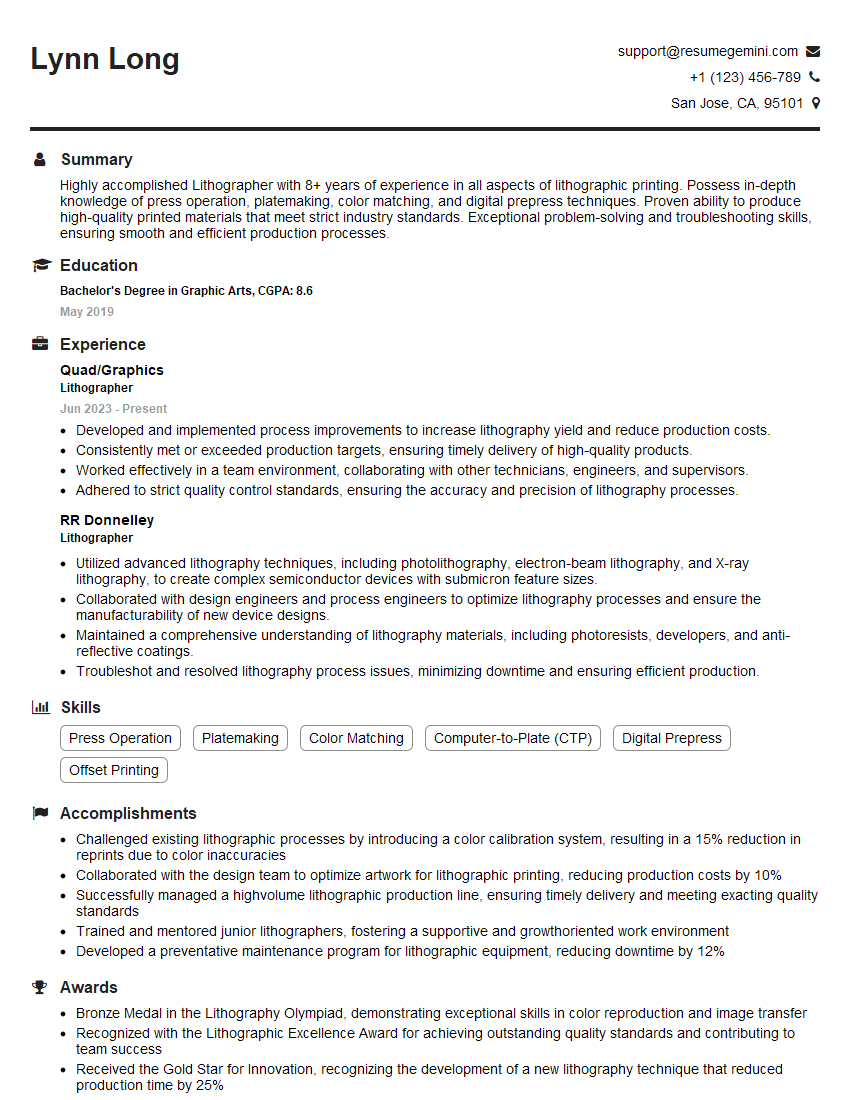
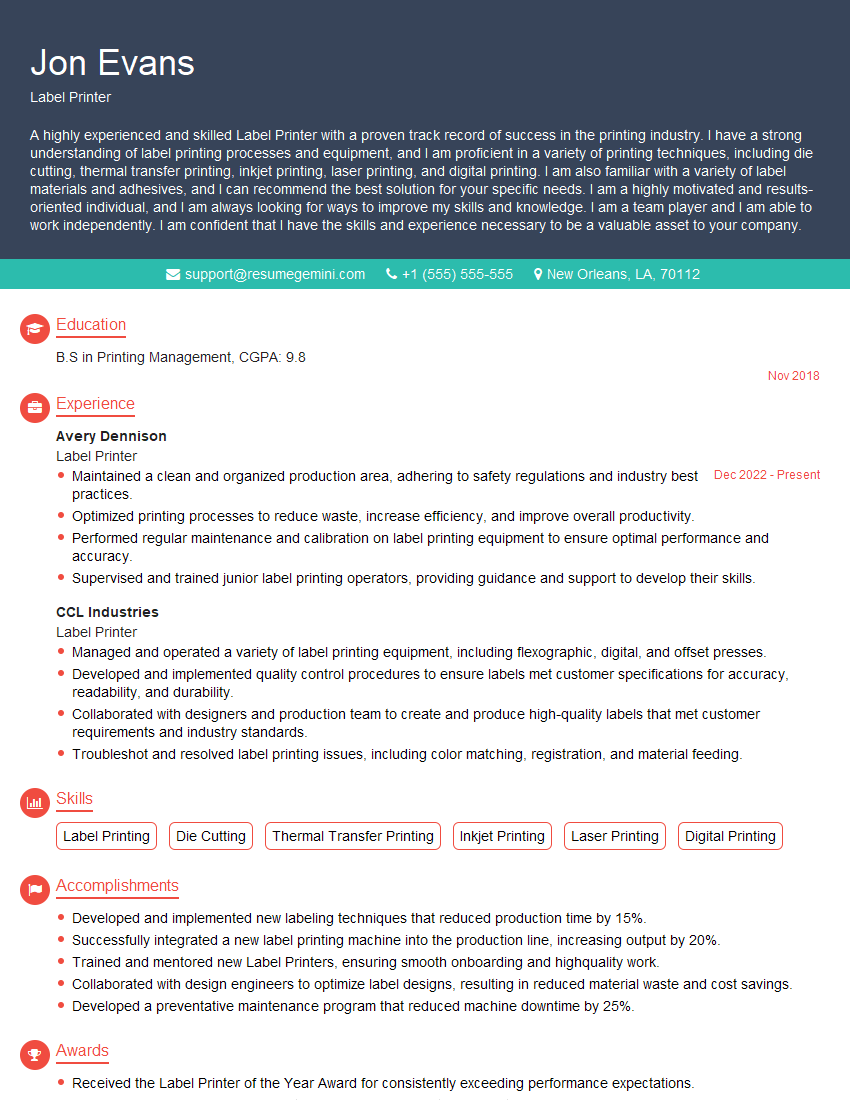
Mastering your understanding of printing inks and paper stocks is crucial for career advancement in the graphic arts and printing industries. A strong grasp of these concepts demonstrates technical proficiency and problem-solving skills highly valued by employers. To significantly boost your job prospects, focus on creating an ATS-friendly resume that highlights your expertise effectively. ResumeGemini is a trusted resource that can help you build a professional and impactful resume tailored to the specific requirements of your target roles. Examples of resumes tailored to showcasing expertise in understanding printing inks and paper stocks are available through ResumeGemini to help guide your resume creation process.




Explore more articles
Users Rating of Our Blogs
Share Your Experience
We value your feedback! Please rate our content and share your thoughts (optional).
What Readers Say About Our Blog
Very informative content, great job.
good