The right preparation can turn an interview into an opportunity to showcase your expertise. This guide to Understanding of Printing Materials and Processes interview questions is your ultimate resource, providing key insights and tips to help you ace your responses and stand out as a top candidate.
Questions Asked in Understanding of Printing Materials and Processes Interview
Q 1. What are the key differences between offset and digital printing?
Offset and digital printing are two fundamentally different methods for mass production of printed materials. Offset printing, the older technique, uses an indirect printing process where the image is first transferred (or ‘offset’) from a plate to a rubber blanket, then to the substrate (paper, etc.). Digital printing, on the other hand, prints directly from a digital file onto the substrate. This key difference leads to significant variations in their applications and cost-effectiveness.
- Cost: Offset printing has higher upfront costs due to plate-making but is significantly cheaper per unit for large print runs. Digital printing has lower upfront costs, ideal for short runs, but is more expensive per unit for large quantities. Think of it like this: buying in bulk (offset) is cheaper per item, while buying individually (digital) is more convenient for smaller needs.
- Speed and Volume: Offset printing is faster for large volumes and delivers higher print quality at scale. Digital printing is quicker for small to medium runs and offers rapid turnaround times. A billboard campaign would likely utilize offset, while personalized invitations would be better suited for digital.
- Quality and Detail: Offset traditionally offers superior print quality, especially for fine details and halftones (smooth color gradations). Modern digital printing has significantly improved quality, though offset still holds an edge for specific applications, like high-quality magazines or brochures.
- Customization: Digital printing shines when it comes to personalization. Variable data printing (VDP), where each printed piece is customized, is only truly feasible with digital methods. Offset printing is better for large homogenous prints.
Q 2. Explain the process of color separation in printing.
Color separation is the process of converting a full-color image into separate plates or files, one for each primary color (cyan, magenta, yellow, and key/black – CMYK). Each plate contains only the areas of the image that will be printed in that specific color. This allows the different colors to be printed one after the other, combining on the paper to create the final full-color image.
Traditionally, this was done using film negatives and specialized cameras. Now, it’s mostly done digitally using software. The software analyzes the image’s color information and creates four separate files, one for each CMYK color. Each file contains instructions on where to place the ink for that specific color, ensuring accurate color reproduction. Imagine it like four transparent colored overlays; when stacked, they create the full image.
The accuracy of color separation is critical for achieving the desired result. Poor color separation can lead to muddy colors, inaccurate hues, and overall unsatisfactory print quality.
Q 3. Describe various types of printing inks and their applications.
Printing inks are formulated for specific applications and substrates. The choice of ink significantly impacts the final print’s appearance, durability, and cost.
- Solvent-based inks: Used for outdoor applications, where their durability and resistance to fading are crucial. They offer vibrant colors but require specialized equipment and are environmentally less friendly than other options.
- UV (Ultraviolet) curable inks: Fast-drying inks that cure instantly upon exposure to UV light. They offer excellent scratch resistance and vibrancy, making them suitable for packaging and point-of-sale displays. The instant drying also improves productivity.
- Water-based inks: Environmentally friendly, widely used for printing on paper and other porous substrates. They generally have good colorfastness but might not be as durable as solvent or UV inks.
- Vegetable-based inks: Sustainable and biodegradable, derived from natural sources like soybeans or sunflowers. They are popular amongst environmentally conscious businesses but might have limitations in terms of color range and vibrancy compared to other types.
The choice of ink will be guided by factors such as the printing method (offset, digital, screen printing), the substrate being printed on, and the intended use and lifespan of the printed product.
Q 4. What are the common printing substrates and their properties?
Printing substrates are the materials onto which the image is printed. Common substrates include:
- Paper: Comes in various weights, finishes (coated, uncoated), and grades, influencing printability and final appearance. Consider glossy paper for photographs and matte for text.
- Cardboard: Used for packaging, displays, and other applications requiring rigidity and thickness. The thickness influences folding and stacking.
- Plastic films: Such as PVC, PET, and polypropylene, used for labels, flexible packaging, and banners. The type of film determines its flexibility, durability, and printability.
- Textiles: Fabrics like cotton, polyester, and blends, for garments, banners, and other textile applications. The fiber type and weave influence the ink’s absorption and the overall look.
- Metals: Aluminum, steel, and other metals for specialized printing applications like cans, signs, and decorative items. Specialized inks are necessary for adhesion.
Each substrate has unique properties regarding ink absorption, surface smoothness, and durability, necessitating careful consideration during print design and production.
Q 5. How do you ensure color accuracy in printing?
Color accuracy is paramount in printing. Several strategies ensure consistent color reproduction:
- Color Management System (CMS): Utilizing a CMS throughout the workflow, from design to proofing to press, ensures that colors remain consistent across different devices and stages. This involves using color profiles (ICC profiles) to characterize the color spaces of various devices.
- Color Calibration and Profiling: Regularly calibrating monitors and printers is crucial. Profiling creates a digital fingerprint of each device, allowing for accurate color transformation.
- Proofing: Soft proofing (on-screen) and hard proofing (physical prints on the same substrate and ink as the final run) are crucial steps to validate the color accuracy before mass production.
- Spot Color Matching: When using specific pre-mixed inks (pantone colors), accurately matching these colors on the press using color measurement tools is critical.
- Consistent Press Conditions: Maintaining consistent ink density, paper moisture levels, and press settings during production is crucial for achieving consistent color across the whole print run.
A multi-faceted approach, incorporating these methods, is essential for achieving reliable color reproduction and meeting client expectations.
Q 6. What are the different types of paper finishes and their suitability for various printing methods?
Paper finishes significantly impact the final product’s feel, appearance, and suitability for different printing methods. Some common finishes include:
- Coated: Provides a smooth, glossy or matte surface, ideal for high-resolution images, as it enhances the vibrancy of colors. Suitable for offset and digital printing.
- Uncoated: Offers a textured, natural feel, better suited for text-heavy documents or when a more rustic look is desired. Works well with offset and digital printing, but ink absorption can vary.
- Varnished: Adds a protective layer, enhancing durability and providing a glossy or matte finish. Popular for brochures and packaging requiring increased protection.
- Embossed: Creates a raised texture, adding a luxurious tactile element. Suitable for high-end applications and often used in conjunction with other finishes.
- Laminated: Applies a plastic film coating, further enhancing durability and water resistance. Common for documents and packaging that need extra protection.
The choice of finish depends on the intended use, the printing method, and the desired aesthetic. For example, a glossy coated paper is excellent for showcasing vibrant photography in a brochure, while an uncoated paper might be more suitable for a high-quality book intended for extended use.
Q 7. Explain the concept of color profiles (e.g., ICC profiles).
Color profiles, such as ICC (International Color Consortium) profiles, are digital descriptions of a device’s color space. They act like a translator, allowing different devices (monitors, printers, scanners) to communicate and interpret color consistently. Each device has its own unique color space — the range of colors it can reproduce — and an ICC profile characterizes this range mathematically.
Think of it as a recipe: The original image has a recipe (its color data). Your monitor has a recipe (its color profile), and your printer has a different recipe (its color profile). ICC profiles allow the computer to translate the image’s recipe into instructions that both the monitor and the printer can understand, minimizing the color difference between what’s seen on screen and the final print. Without them, colors would appear significantly different on each device.
Accurate color profiles are essential for color management, allowing designers and printers to create predictable and consistent results across the whole workflow.
Q 8. How do you troubleshoot common printing problems such as banding or color inconsistencies?
Troubleshooting printing problems like banding (uneven ink distribution) and color inconsistencies requires a systematic approach. We start by identifying the source – is it the printing press, the inks, the substrates (paper), the files, or a combination?
- Banding: This often stems from issues with the print heads (in inkjet), pressure rollers (in offset), or inconsistent ink supply. Troubleshooting involves checking for clogged nozzles, inspecting rollers for wear and tear, and ensuring proper ink viscosity. For example, if banding appears consistently at the same point on the print, a faulty print head might be the culprit. A quick solution might involve cleaning or replacing the affected component.
- Color Inconsistencies: These can be caused by incorrect color profiles, inconsistent ink mixing, improper calibration, or substrate inconsistencies. We might use a colorimeter to measure the actual colors produced against the desired colors. If the colors are off, we adjust the color profiles in the RIP (Raster Image Processor) software, clean the ink system, or check for calibration errors in the press. For example, a significant color shift across a print run could indicate problems with ink mixing or a faulty color sensor in the press. We’d examine ink tanks and re-calibrate the press.
Addressing these issues involves meticulous examination of each stage of the printing process, careful observation of the printed output, and a knowledge of the specific printing technology being used. A test print with different settings often helps pinpoint the problem quickly.
Q 9. What is the role of prepress in the printing process?
Prepress is the crucial phase *before* the actual printing begins. Think of it as the meticulous preparation of a chef before a grand dinner. It involves several key steps that ensure a smooth and high-quality print run. It’s where we bridge the gap between the digital design and the physical printed material.
- File Preparation: This includes ensuring the design files are in the correct format (e.g., PDF/X-1a), resolution, color space (CMYK for most print jobs), and bleed (extra space to prevent white edges after trimming).
- Imposition: Arranging the pages in the correct order for printing, folding, and binding. This is particularly crucial for multi-page documents like books or brochures.
- Color Proofing: Creating a physical or digital proof to ensure that the colors accurately represent the design intent. This might involve using a soft proof on screen or a hard proof printed on a high-quality proofing device. This step prevents costly errors later in the process.
- Plate Making (Offset): In offset printing, creating the printing plates that transfer the ink onto the substrate. This is where precision is paramount to ensure sharp images and even ink distribution.
Prepress is vital for minimizing errors, reducing waste, and ensuring the final print aligns with the client’s expectations. A well-managed prepress process is the backbone of a successful print job.
Q 10. Describe different types of binding and finishing techniques.
Binding and finishing techniques add the final touches to printed materials, making them professional and user-friendly. They are essential for enhancing the look, feel, and overall functionality of the printed piece. The choice of technique depends on the project’s requirements and budget.
- Binding:
- Saddle Stitch: Folding pages and stapling them through the center fold (like magazines).
- Perfect Binding: Gluing the edges of pages together and wrapping them with a cover (like paperback books).
- Wire-O Binding: Using double-loop wire to bind pages together (often used for calendars or notebooks).
- Case Binding: Similar to perfect binding, but with a more robust cover attached (like hardcover books).
- Finishing:
- Cutting & Trimming: Cutting the printed sheets to the desired size and shape.
- Folding: Folding sheets into brochures, leaflets, or other formats.
- Lamination: Applying a protective film to enhance durability and gloss.
- Embossing/Debossing: Creating raised or indented designs for added texture.
- Die-Cutting: Cutting shapes or patterns into the printed material.
These techniques work in tandem to ensure a professional-looking finished product. For instance, a high-end corporate brochure might utilize case binding, lamination, and embossing to enhance its prestige.
Q 11. What are the environmental considerations in printing?
Environmental considerations are paramount in modern printing. The industry is working towards sustainability by minimizing its environmental footprint.
- Sustainable Inks: Using vegetable-based or soy-based inks, which are biodegradable and reduce volatile organic compound (VOC) emissions.
- Recycled Paper: Opting for paper made from recycled fibers, reducing the demand on virgin timber resources.
- Waste Management: Implementing efficient waste management programs to reduce paper scraps, ink waste, and chemical waste.
- Energy Efficiency: Utilizing energy-efficient printing equipment and processes to minimize energy consumption.
- Responsible Sourcing: Ensuring that the paper and other materials used come from sustainably managed forests and responsible suppliers.
Many printers now offer eco-friendly printing options, allowing clients to choose materials and processes that minimize environmental impact. Certifications such as FSC (Forest Stewardship Council) provide assurance of sustainable sourcing.
Q 12. Explain the importance of quality control in printing.
Quality control is essential in printing to ensure consistent output and client satisfaction. It’s a multifaceted process that spans from the initial design stage to the final delivery.
- Prepress Checks: Thoroughly checking design files for errors, color accuracy, and correct imposition.
- Proofing: Creating and reviewing proofs to identify potential problems before the full print run begins.
- In-Process Monitoring: Regularly inspecting the printing press during operation to ensure consistent ink density, color accuracy, and registration (alignment of colors).
- Post-Press Inspection: Checking the final product for defects like smudging, misaligned images, or damaged pages.
- Client Approval: Obtaining client approval at various stages to ensure the final product matches their expectations.
A robust quality control system is crucial for minimizing waste, maintaining a high standard of output, and building a reputation for reliability. Think of it as a safety net, catching potential problems before they affect the final product and client relationships.
Q 13. What software are you proficient in for prepress and design?
My expertise spans several key software applications. For prepress, I’m proficient in Adobe Acrobat Pro (for PDF manipulation and preflighting), and Esko ArtiosCAD (for packaging design and prepress workflow automation). For design and layout, my skills encompass Adobe InDesign, Adobe Illustrator, and Adobe Photoshop. I’m also familiar with color management software like X-Rite i1Profiler and various RIP software packages depending on the printing press.
Q 14. How do you manage a print project from start to finish?
Managing a print project effectively requires a structured approach and attention to detail. I typically follow these steps:
- Client Consultation: Understanding client needs, discussing design concepts, project specifications, timelines, and budget.
- Design & Prepress: Creating or receiving design files, preparing them for print (including preflighting, imposition, and color proofing).
- Production: Overseeing the printing process, monitoring quality, and managing the print production workflow.
- Finishing & Binding: Handling post-press operations such as cutting, folding, binding, and other finishing techniques.
- Quality Control: Performing quality checks at each stage to ensure the final product meets the specified standards.
- Delivery & Client Review: Delivering the printed materials and ensuring client satisfaction.
Throughout the project, I maintain clear communication with the client, provide regular updates, and address any issues promptly. Effective project management is key to delivering a successful print job on time and within budget.
Q 15. Explain different types of paper grades and their uses.
Paper grades are categorized based on their fiber content, weight, finish, and intended use. Think of it like choosing the right tool for the job – you wouldn’t use a hammer to screw in a screw! Different papers offer varying levels of strength, smoothness, opacity, and printability.
- Bond Paper: This is your everyday office paper, typically used for printing letters, reports, and general documents. It’s relatively inexpensive and comes in various weights.
- Text Paper: Smoother and often brighter than bond paper, text paper is ideal for high-quality printing such as books, magazines, and brochures. It often boasts a higher opacity to prevent show-through.
- Cover Stock: Heavier and more durable than bond or text, cover stock is used for book covers, folders, and business cards. It offers excellent protection and a premium feel.
- Card Stock: Even heavier than cover stock, card stock is perfect for postcards, invitations, and business cards that require extra stiffness and resilience. Think of the sturdy feel of a greeting card.
- Specialty Papers: This encompasses a vast range, including papers with textures (linen, felt), unique colors, or specific properties like water resistance. Examples include photographic paper, recycled paper, and metallic papers, each suited to a particular application.
Choosing the right paper grade is crucial for achieving the desired visual and tactile experience for the printed piece. A lightweight paper might be suitable for a flyer, but a heavier stock would be needed for a durable brochure.
Career Expert Tips:
- Ace those interviews! Prepare effectively by reviewing the Top 50 Most Common Interview Questions on ResumeGemini.
- Navigate your job search with confidence! Explore a wide range of Career Tips on ResumeGemini. Learn about common challenges and recommendations to overcome them.
- Craft the perfect resume! Master the Art of Resume Writing with ResumeGemini’s guide. Showcase your unique qualifications and achievements effectively.
- Don’t miss out on holiday savings! Build your dream resume with ResumeGemini’s ATS optimized templates.
Q 16. What is the difference between CMYK and RGB color models?
CMYK and RGB are two different color models used in different stages of the printing and display process. Think of it like this: RGB is for screens, CMYK is for print.
- RGB (Red, Green, Blue): This additive color model is used for digital displays like monitors and screens. It mixes red, green, and blue light to create a vast spectrum of colors. Each color component can range from 0 to 255 (e.g.,
rgb(255, 0, 0)is pure red). - CMYK (Cyan, Magenta, Yellow, Key [Black]): This subtractive color model is used in printing. It works by subtracting colors from white light. Cyan, magenta, and yellow inks are layered to create a wide range of colors; black ink (the key) is added to improve the depth and richness of dark colors and reduce ink usage.
The key difference lies in how they create color. RGB adds light to create color, while CMYK subtracts light. This means that a color that looks vibrant on your screen might appear slightly different when printed because of the limitations of the CMYK process.
Therefore, accurate color management throughout the design and printing process is paramount to ensure a consistent visual outcome. Proper conversion from RGB to CMYK is crucial to avoid color discrepancies.
Q 17. Describe your experience with various printing equipment.
My experience encompasses a wide range of printing equipment, from large-format printers to smaller, more specialized machines. I’m proficient with both digital and offset printing technologies.
- Offset Printing Presses: I’ve worked extensively with Heidelberg and Komori offset presses, understanding the intricacies of plate making, ink management, and press operation. I’m familiar with perfecting color registration and maintaining optimal print quality at high speeds.
- Digital Printing Systems: I have hands-on experience with various digital presses, including Xerox and HP Indigo machines. My expertise extends to managing print jobs, calibrating color profiles, and troubleshooting issues related to print quality and media handling.
- Large-Format Printers: I’m comfortable operating wide-format inkjet printers for producing banners, posters, and other large-scale printed materials. This involves understanding media compatibility, color profiling, and print finishing techniques.
- Finishing Equipment: My experience also includes using various finishing equipment such as cutting machines, laminators, and binding machines to ensure the final product meets the client’s specifications.
This comprehensive understanding of diverse printing equipment allows me to select the most appropriate method and machinery for each project, maximizing efficiency and cost-effectiveness.
Q 18. How do you calculate the cost of a printing project?
Calculating the cost of a printing project involves a methodical approach, considering all contributing factors. It’s not just about the paper and ink!
- Material Costs: This includes the cost of paper (based on the quantity and grade), inks, and any specialty materials (e.g., metallic inks, varnishes).
- Pre-press Costs: This covers design and file preparation, plate making (for offset printing), and any necessary digital proofing.
- Printing Costs: The cost of printing itself is determined by the number of copies, printing method (offset, digital), and the complexity of the job. Machine time is a major factor.
- Finishing Costs: Costs associated with cutting, folding, binding, laminating, and other finishing processes should be included.
- Labor Costs: The time spent on the project by operators and other personnel is added. This accounts for the human resources involved in the entire process.
- Overhead Costs: A percentage is added to cover overhead expenses like rent, utilities, and general operational costs.
- Profit Margin: A reasonable profit margin is added to ensure the business’s profitability.
By meticulously calculating each component, I can provide clients with accurate and transparent cost estimates, ensuring both their satisfaction and the financial success of the project. I use specialized software to assist in this process.
Q 19. How do you handle client revisions and feedback?
Handling client revisions and feedback is an essential part of the printing process. It requires patience, clear communication, and a commitment to meeting client expectations.
- Organized Tracking: I maintain detailed records of all revisions, including timestamps and descriptions, preventing confusion and ensuring accuracy.
- Clear Communication: I proactively communicate the implications of revisions, explaining any potential impact on deadlines or costs, managing expectations effectively.
- Proofing Process: I incorporate multiple proofing stages – digital proofs followed by hard copy proofs – to catch any errors early in the process.
- Collaboration: I work closely with the client to understand their vision and ensure all revisions align with their goals. This often involves open dialogue and visual examples.
- Version Control: I implement a version control system, ensuring that I always have access to the most recent version of the files. This prevents accidental loss of work and maintains a clear history of modifications.
By following these steps, I can ensure that revisions are implemented efficiently and effectively, resulting in a final product that meets or exceeds the client’s expectations. Open and honest communication is key to a successful project.
Q 20. What are your preferred methods for file preparation for printing?
Proper file preparation is crucial for achieving optimal print results. It’s the foundation of a successful project.
- High-Resolution Images: Images should be at least 300 DPI (dots per inch) at the final output size. Lower resolution can result in blurry or pixelated prints.
- Color Mode: Files should be in CMYK color mode for offset printing to avoid color shifts during the conversion process. RGB is acceptable for some digital printing methods.
- Correct File Formats: PDF is generally the preferred format for printing, offering superior compatibility and reliability. However, other formats like TIFF or EPS might be suitable depending on the project requirements.
- Fonts: All fonts must be embedded in the file or converted to outlines to prevent font substitution issues.
- Bleed and Margins: Understanding and setting proper bleed and margins is crucial to avoid unwanted white borders or content being cut off during trimming.
- File Size: Large file sizes can lead to processing delays. Optimizing files without compromising quality is important.
- Pre-flight Check: Before sending files to the printer, a pre-flight check is essential to ensure all components are compliant with the printing specifications and identify potential problems early on.
By diligently following these guidelines, I ensure that the files are properly prepared for printing, minimizing the risk of errors and maximizing the print quality.
Q 21. Describe your experience with different types of printing plates.
Printing plates are the crucial intermediary between the design and the printed output in offset printing. They transfer the image onto the printing blanket.
- Conventional (Metal) Plates: These are usually aluminum plates, coated with a photosensitive layer. The image is exposed onto the plate using a film negative or digital plate imager. The exposed areas are then chemically etched, creating the printing areas.
- CTP (Computer-to-Plate) Plates: These plates bypass the film stage and receive the image directly from a computer. This is more efficient and environmentally friendly, eliminating the need for film processing.
- UV Plates: These plates use ultraviolet (UV) light for exposure, offering enhanced durability and a longer lifespan compared to conventional plates.
- Flexographic Plates: Used in flexographic printing (primarily for packaging), these plates are made from photopolymer materials and offer high durability for printing on flexible substrates.
My experience includes working with all these plate types, enabling me to select the optimal type for each project based on factors like print run length, image complexity, and substrate type. The selection directly impacts print quality, efficiency, and cost-effectiveness. CTP plates, for example, are preferred for short to medium runs for efficiency, while metal plates might be more cost-effective for very long runs.
Q 22. How do you ensure the correct dot gain in printing?
Dot gain refers to the increase in the size of a printed dot compared to its size on the film or plate. Controlling dot gain is crucial for achieving accurate color reproduction and consistent print quality. Too much dot gain leads to muddy colors and loss of detail, while too little results in weak, faded colors.
Ensuring correct dot gain involves a multi-faceted approach:
- Proper calibration of printing equipment: This includes regular calibration of the printing press, including ink density, dot size, and registration. We use colorimetric measurement tools (like densitometers and spectrophotometers) to monitor and adjust the process.
- Careful selection of printing materials: The type of paper, inks, and printing plates all affect dot gain. Coated papers generally exhibit less dot gain than uncoated papers. The ink viscosity and its interaction with the paper surface play a significant role. We carefully choose materials based on the desired outcome and the specific printing method used.
- Precise pre-press preparation: The design and preparation of the printing plates significantly impact dot gain. We use software with advanced color management tools to ensure accurate dot size and placement on the plates.
- Environmental control: Temperature and humidity affect ink drying and dot gain. Maintaining a stable printing environment is key to consistency.
- Proofing and testing: We use color proofs to visually check dot gain before the actual printing run. This helps to fine-tune the printing process and prevent costly errors.
For example, in a recent project printing high-quality brochures, we carefully calibrated the press using a spectrophotometer and standardized the paper stock. By pre-flighting the files and implementing color management strategies, we were able to maintain a consistent dot gain across the entire print run, resulting in accurate color reproduction and client satisfaction.
Q 23. What are the common challenges in large-format printing?
Large-format printing presents unique challenges due to the scale of the prints and the materials involved. Common issues include:
- Media Handling: Large, unwieldy materials can be difficult to handle and feed accurately through the printer, leading to jams, wrinkles, or misalignment. We mitigate this using appropriate media handling equipment and careful operator training.
- Image Resolution and Quality: Maintaining high resolution across large print areas is crucial. Insufficient resolution can result in pixelation or a blurry image. Using high-resolution source files and appropriate printing settings are vital.
- Color Consistency: Ensuring consistent color reproduction across large print areas requires careful calibration and monitoring of the printing process. We employ color management systems and regular calibration routines to achieve this.
- Media Distortion: Large prints can be susceptible to warping or stretching due to humidity changes and the weight of the material. Proper substrate selection and careful post-printing handling are important considerations.
- Ink Drying: Large prints require efficient ink drying to prevent smudging or color bleeding, especially with large ink volumes.
For instance, in a recent billboard printing project, we had to address media distortion caused by high humidity by implementing a controlled drying process and using a specially designed substrate.
Q 24. Explain your experience with various finishing techniques such as die-cutting or embossing.
I have extensive experience with various finishing techniques, including die-cutting and embossing. These processes add value and enhance the overall quality and presentation of printed materials.
- Die-cutting: This involves using a precisely engineered die to cut custom shapes and designs into the material. My experience ranges from simple shapes to complex designs, creating unique and eye-catching packaging, labels and promotional items. We’ve utilized die-cutting to create intricate shapes for product packaging, generating a more premium look and feel.
- Embossing: This technique creates raised or indented designs on the material, adding a tactile element. I am proficient in both blind embossing (creating a raised design without ink) and registered embossing (where the raised design is combined with print). I’ve worked on projects involving embossing logos or patterns on invitations, book covers, and business cards to enhance their aesthetic appeal and branding.
In one project, we combined die-cutting and embossing to create unique gift boxes. The die-cutting ensured the perfect shape for the box, and the embossing provided an elegant, textured finish, elevating the overall product presentation.
Q 25. How do you maintain printing equipment and ensure its optimal performance?
Maintaining printing equipment is critical for optimal performance, print quality, and longevity. Our maintenance program is proactive, encompassing:
- Regular Cleaning: Daily cleaning of the press and associated components (rollers, ink ducts, etc.) removes debris and prevents ink buildup, ensuring consistent print quality.
- Preventive Maintenance: We follow a scheduled maintenance program that includes periodic inspections, lubrication, and adjustments of key components. This prevents potential problems before they occur.
- Calibration and Adjustments: Regular calibration of color, registration, and other press settings ensures accurate and consistent printing.
- Operator Training: Well-trained operators are crucial in minimizing wear and tear and maintaining equipment in good working condition. We invest in comprehensive training for our staff.
- Inventory Management: Maintaining an adequate stock of consumables like inks, plates, and cleaning materials ensures the uninterrupted operation of the equipment.
For instance, we recently implemented a predictive maintenance system using sensors to monitor the performance of key components of our large-format printer, allowing for timely interventions and preventing unexpected downtime.
Q 26. Describe your experience with print management systems.
My experience with print management systems encompasses various aspects of workflow optimization and process management. These systems allow for streamlined processes, from design to production and distribution.
I’ve worked with systems that provide features such as:
- Job Tracking and Scheduling: Efficiently managing print jobs from initiation to completion and scheduling resources based on priority and deadlines.
- Inventory Management: Tracking and managing consumables like paper, ink, and other materials to optimize stock levels and minimize waste.
- Cost Tracking: Analyzing printing costs based on various parameters like materials used, press time, and labor, allowing for improved budget management.
- Workflow Automation: Automating repetitive tasks such as job submission, pre-flighting, and color management to enhance efficiency and reduce manual errors.
- Reporting and Analytics: Generating reports on production efficiency, cost analysis, and turnaround time to identify areas for improvement.
In a past role, we implemented a new print management system which reduced our production time by 15% and improved overall efficiency by optimizing resource allocation and streamlining the approval workflow.
Q 27. What are your strategies for minimizing waste in the printing process?
Minimizing waste in the printing process is crucial for environmental responsibility and cost savings. Our strategies include:
- Accurate Job Estimation: Precisely estimating the amount of materials needed for a printing project helps avoid overproduction and waste.
- Efficient Pre-flighting and Proofing: Thorough pre-flighting identifies potential errors early in the process, reducing the need for reprints. Proofing helps to confirm accuracy before a large print run is initiated.
- Optimized Design and Layout: Designing print materials efficiently using techniques like nesting and gang printing can significantly reduce material waste.
- Waste Reduction Technology: Utilizing equipment with advanced features, such as automated cut-off and waste management systems, helps minimize waste generation.
- Recycling and Responsible Disposal: We implement robust recycling programs for paper, ink cartridges, and other waste materials, ensuring environmentally friendly disposal practices.
For example, we recently implemented a new nesting software to optimize the layout of designs on the printing sheets, reducing paper consumption by 10% on a large packaging project.
Q 28. Explain your understanding of different print finishing options and their impact on the final product.
Print finishing significantly impacts the final product’s appearance, durability, and functionality. A wide range of options exists, each offering unique advantages.
- Folding and Binding: These processes are essential for creating brochures, books, and booklets. Different types of folding (e.g., letterfold, gatefold) and binding (e.g., saddle stitch, perfect binding) are chosen based on the project’s requirements.
- Laminating: Applying a protective film over the printed material enhances its durability and water resistance. Various types of laminates exist, including gloss, matte, and soft-touch finishes.
- Coating: Applying a coating (e.g., aqueous coating, UV coating) enhances the print’s appearance and protection.
- Die-cutting and Embossing (as previously discussed): These techniques add value and enhance the visual and tactile appeal of the print.
- Finishing options such as perforations, scoring, and numbering, add functionality and professional look and feel.
The choice of finishing options depends heavily on the project’s intended use, budget, and aesthetic requirements. For example, a high-end corporate brochure might use embossing, UV coating, and perfect binding to create a premium impression, while a simple leaflet might require only folding and saddle stitching.
Key Topics to Learn for Understanding of Printing Materials and Processes Interview
- Paper Types and Properties: Understanding different paper weights, finishes (coated, uncoated, textured), and their suitability for various printing methods (e.g., offset, digital, screen printing).
- Ink Technologies: Familiarize yourself with various ink types (e.g., solvent-based, water-based, UV-curable) and their properties, including color accuracy, drying time, and environmental impact. Consider the practical application of choosing the right ink for specific substrates and printing techniques.
- Pre-press Processes: Master the concepts of color management, file preparation (resolution, color profiles), and the role of proofing in ensuring accurate color reproduction and print quality. Understand the implications of different file formats and their suitability for various printing processes.
- Printing Processes: Gain a strong understanding of various printing methods such as offset lithography, digital printing, screen printing, flexography, and their respective advantages and limitations. Be prepared to discuss the practical application of each method based on project requirements (e.g., volume, budget, substrate).
- Post-press Finishing: Explore different finishing techniques like cutting, folding, binding, laminating, and embossing. Understand how these processes impact the final product’s quality, durability, and aesthetics. Discuss scenarios where specific finishing techniques are crucial.
- Color Theory and Management: Develop a comprehensive understanding of color spaces (CMYK, RGB), color profiles, and color correction techniques crucial for achieving consistent color across different stages of the printing process. Be able to troubleshoot color discrepancies and explain the reasons behind them.
- Sustainability in Printing: Understand environmentally friendly printing practices, including the use of recycled paper, vegetable-based inks, and energy-efficient equipment. Be prepared to discuss the importance of sustainable practices in the industry.
- Troubleshooting and Problem-Solving: Practice identifying and resolving common printing issues such as color mismatches, registration problems, and paper jams. Develop a systematic approach to troubleshooting, considering various factors that contribute to print defects.
Next Steps
Mastering the understanding of printing materials and processes is crucial for career advancement in the printing and graphic design industries. A strong grasp of these concepts demonstrates technical expertise and problem-solving skills highly valued by employers. To maximize your job prospects, create an ATS-friendly resume that highlights your relevant skills and experience. ResumeGemini is a trusted resource that can help you build a professional and impactful resume. We offer examples of resumes tailored to professionals with expertise in Understanding of Printing Materials and Processes to help guide you.

Print Production Manager Resume Sample

Print Buyer Resume Sample

Packaging Specialist Resume Sample

Prepress Manager Resume Sample

Graphic Arts Technician Resume Sample

Prepress Technician Resume Sample
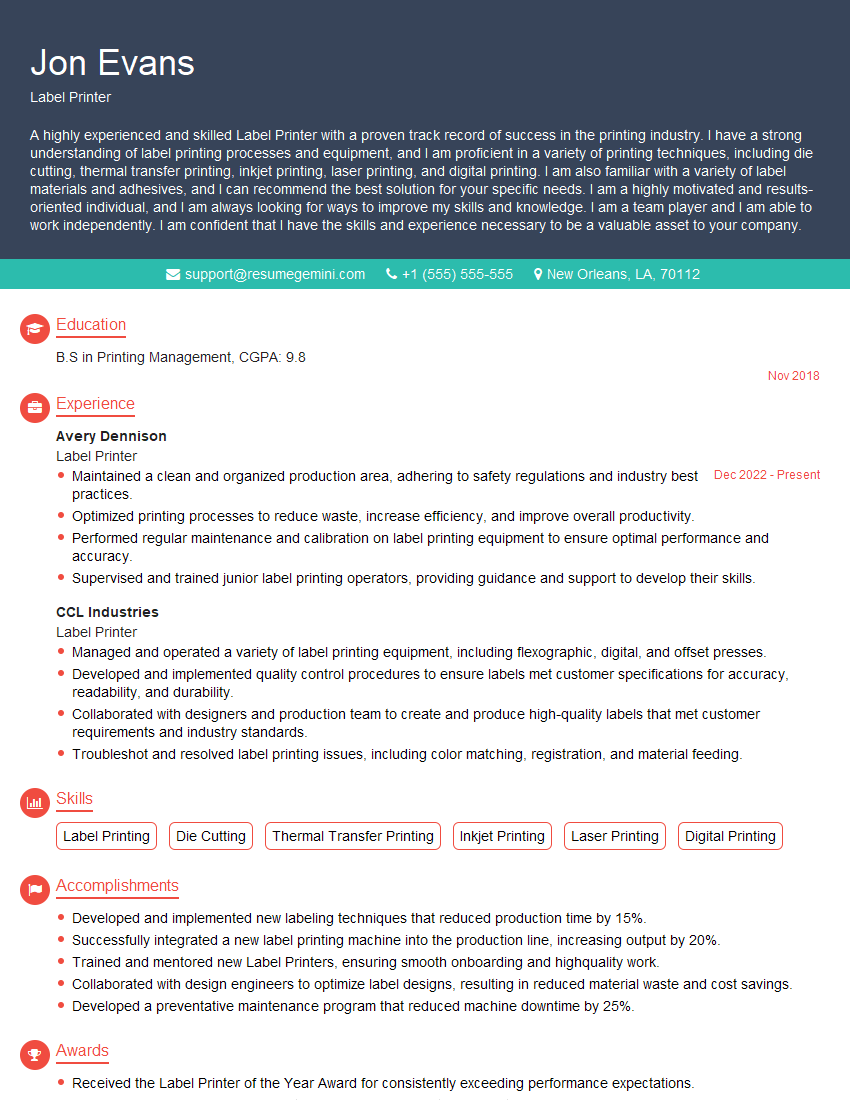
Label Printer Resume Sample

Screen Printer Resume Sample

Print Finisher Resume Sample
Explore more articles
Users Rating of Our Blogs
Share Your Experience
We value your feedback! Please rate our content and share your thoughts (optional).
What Readers Say About Our Blog
Very informative content, great job.
good